

Payroll accuracy matters for any business that depends on hourly employees, rotating shifts, overtime, breaks, changing roles, and busy operating schedules.
Reducing payroll errors through POS integration means using time clock records, shift activity, employee profiles, payroll-ready reports, and payroll data exports from the point-of-sale system to make the payroll review process more accurate and less dependent on manual data entry.
Payroll processing errors often start before payroll is ever submitted. A missed punch, incorrect break record, early clock-in, late clock-out, unapproved overtime, wrong role code, or spreadsheet typo can create problems that affect wages, labor reports, employee trust, and operational efficiency.
A POS system cannot replace good payroll policies or careful management review. However, when POS payroll integration is set up correctly, it can help businesses reduce payroll errors, improve time card accuracy, simplify employee hour review, and maintain cleaner payroll records across each payroll cycle.
For retailers, restaurants, service businesses, fulfillment teams, and multi-location operators, the value is practical: fewer disconnected systems, better clock-in and clock-out tracking, clearer manager approvals, and stronger payroll data accuracy before hours are exported or synced.
What Reducing Payroll Errors Through POS Integration Means
Reducing payroll errors through POS integration means connecting employee time tracking, attendance records, shift tracking, break tracking, and payroll reporting inside the POS workflow so payroll teams can review cleaner data before processing wages.
Instead of collecting handwritten timesheets, copying hours from one spreadsheet to another, and manually calculating scheduled hours against actual hours, managers can use POS time tracking records as a more organized starting point.
In a typical setup, employees clock in and clock out through the POS time clock using a unique login, PIN, badge, or role-based access. The system records timestamps, shift activity, break periods, missed punches, time card edits, employee roles, and location data where applicable. These records can then be reviewed, approved, exported, or synced with payroll tools.
The main benefit is not that automation makes payroll perfect. The benefit is that POS payroll integration reduces repetitive manual work and gives managers a better way to spot issues before payroll is finalized.
For example, if an employee forgets to clock out, works in two departments, takes an unpaid break, or stays past scheduled hours, the POS may provide reports or alerts that make the issue easier to review.
Payroll accuracy still depends on proper employee setup, clear time clock rules, careful manager approvals, and regular payroll reconciliation.
If employee roles, pay rates, locations, or permissions are entered incorrectly, the system may still produce inaccurate payroll-ready reports. POS integration works best when it supports a disciplined payroll workflow rather than replacing human review.
Why Payroll Errors Happen in Small Businesses
Payroll errors often happen because business operations move quickly while payroll records require precision. In a busy store, restaurant, salon, repair shop, warehouse, or service location, employees may swap shifts, arrive early, leave late, forget breaks, work different roles, or cover another location. If those details are not captured correctly, payroll accuracy can suffer.
One common cause is manual data entry. When managers transfer employee hours from paper time cards, handwritten notes, text messages, or spreadsheets into payroll software, even small typing mistakes can affect wage calculations. A misplaced decimal, duplicate entry, missing break, or incorrect date can create payroll processing errors that take time to investigate later.
Missed punches are another frequent problem. Employees may forget to clock in, forget to clock out, clock in under the wrong role, or fail to record a break. If the issue is not corrected during the shift or reviewed before payroll, the final time card may not reflect actual hours worked.
Incorrect employee setup can also create problems. A worker may be assigned to the wrong department, old location, inactive role, or incorrect pay category. If an employee works multiple roles, the payroll workflow must clearly show which hours belong to which role or department.
Delayed manager review makes these problems worse. When time card edits are completed days after the shift, managers may have to rely on memory instead of accurate shift notes, schedules, or POS reports. This increases the risk of human error and weakens the payroll audit trail.
How POS Payroll Integration Works

POS payroll integration usually begins with employee profiles and time clock setup. Each employee is added to the POS with identifying details, assigned roles, permissions, location access, and payroll-related settings. Once configured, the POS time clock becomes part of the daily shift workflow.
Employees use the POS to clock in, clock out, record breaks, and sometimes select a role or location. The system stores timekeeping data such as timestamps, shift length, missed punches, break activity, and edited entries. Managers can then review scheduled versus actual hours, approve time cards, and generate payroll-ready reports.
After review, payroll data may be exported in a compatible file format or synced through payroll data integration. Depending on the setup, reports may include regular hours, overtime, paid breaks, unpaid breaks, department tracking, multi-location payroll details, employee attendance tracking, and role-based hours.
The integration process generally includes these stages:
- Employee profile setup
- POS time clock configuration
- Clock-in and clock-out tracking
- Break tracking
- Shift tracking
- Manager review
- Time card approval
- Payroll-ready report generation
- Payroll export or sync
- Payroll reconciliation after processing
This workflow reduces manual copying and gives payroll teams a clearer record to review. It also creates better visibility into labor cost reporting, overtime tracking, and staff time tracking.
Employee Profile Setup
Employee profile setup is the foundation of POS payroll integration. A profile may include the employee’s name, role, department, location, permissions, contact details, employment status, and payroll classification details.
If pay rates are managed or referenced in the connected workflow, they must be reviewed carefully because incorrect setup can create payroll problems later.
For example, an employee who works both cashier and stockroom shifts may need role-based tracking so hours are categorized correctly. A restaurant employee may work front-of-house on some shifts and support duties on others. A multi-location employee may need location-specific tracking so labor reports and payroll records show where the hours were worked.
Permissions also matter. Employees should only access the time clock, scheduling tools, and POS functions appropriate to their role. Managers may need authority to approve time cards, correct missed punches, document edits, and review payroll-ready reports.
A clean employee setup helps prevent downstream payroll errors. If profiles are outdated, duplicated, inactive, or assigned to the wrong location, the POS may produce reports that look organized but still contain inaccurate payroll data.
POS Time Clock Tracking
A POS time clock records when employees start and end work, and it may also track breaks, shift changes, missed punches, early arrivals, late arrivals, early clock-outs, and edited time entries. This creates a more structured employee hour tracking process than relying on handwritten notes or memory.
For hourly employees, clock-in and clock-out tracking is one of the most important pieces of payroll accuracy. Timestamps help managers compare scheduled hours with actual hours, identify exceptions, and review attendance records before payroll is processed.
Timekeeping automation can also support consistency. For example, the POS may show incomplete time cards, flag missed clock-outs, highlight overtime risk, or require manager approval for edits. These controls help reduce payroll errors by making exceptions visible.
However, employees still need training. They should know when to clock in, when to clock out, how to record breaks, how to report missed punches, and what to do if they work outside their scheduled shift.
Payroll-Ready Reports and Exports
Payroll-ready reports summarize employee hours in a format that helps managers and payroll teams review the payroll cycle before submission. These reports may include regular hours, overtime, breaks, locations, departments, roles, approved time cards, missed punches, edited entries, and attendance records.
Payroll export tools can reduce manual data entry by moving approved hours from the POS into a payroll workflow. This can help reduce payroll processing errors caused by typing, copying, reformatting, or manually calculating hours.
Still, exports should not be treated as automatic approval. Payroll teams should check whether time cards are complete, overtime is approved, roles are correct, breaks are recorded properly, and unusual hours are explained. If the POS report includes incomplete or unapproved entries, exporting the data too quickly can carry those errors into payroll.
The best payroll-ready reports support review, not blind submission. They make payroll data integration more efficient while keeping managers accountable for accuracy.
Key POS Features That Help Reduce Payroll Errors
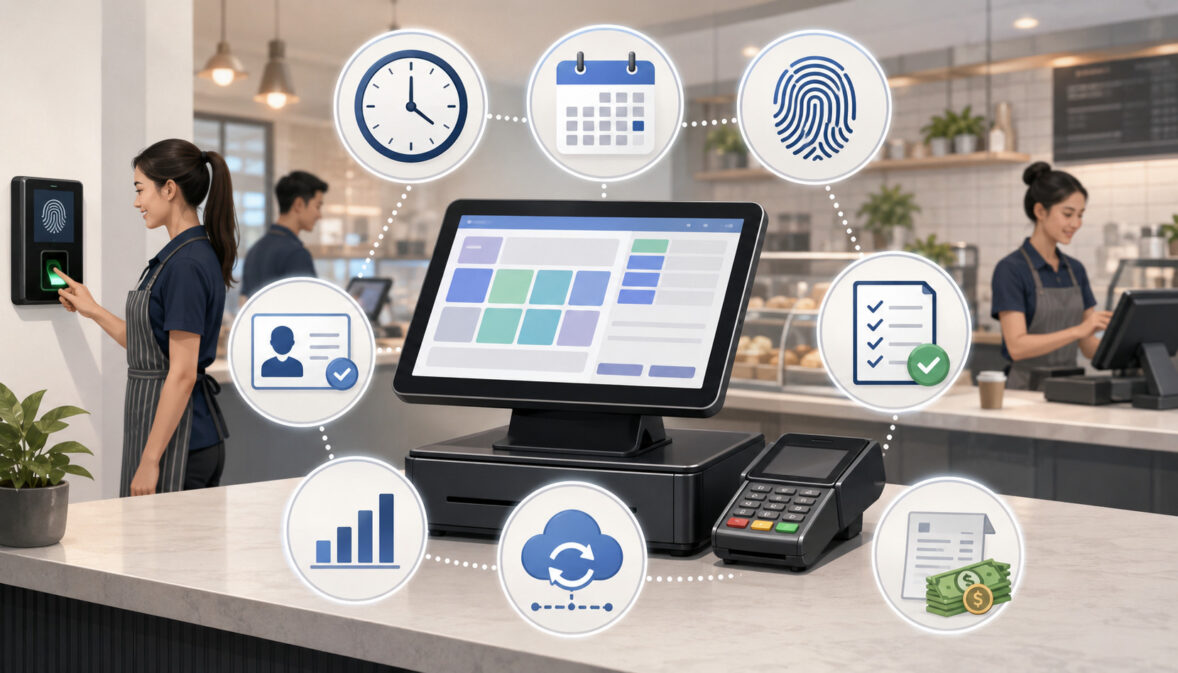
POS payroll integration is most useful when it includes features designed to support timekeeping accuracy, manager review, and payroll data accuracy. Not every business needs the same setup, but several features are especially helpful for reducing payroll errors.
These features include employee time tracking, break tracking, overtime tracking, time card approvals, role and location tracking, payroll export tools, attendance reports, and labor cost reporting. Together, they help businesses create a cleaner payroll workflow from clock-in to final payroll submission.
A good POS workforce management setup should make exceptions easy to find. Managers should be able to see who forgot to clock out, who worked beyond scheduled hours, who missed a break, which time cards were edited, and which records still need approval.
Employee Time Tracking
Employee time tracking POS tools help record actual hours worked. Instead of relying on paper timesheets, manager memory, or end-of-week estimates, employees clock in and clock out through the POS time clock.
This improves time card accuracy because each shift is connected to a timestamp. Managers can review employee hour tracking by day, shift, role, department, or location. If the business also uses employee schedules in the POS, managers can compare scheduled hours against actual hours.
Employee time tracking also helps identify patterns. Repeated late clock-ins, early clock-outs, missed punches, or unscheduled work may indicate a training issue, scheduling problem, or workflow gap. These insights can support payroll error reduction and better staffing decisions.
The key is consistency. Every hourly employee should follow the same clock-in and clock-out rules so payroll records are complete and comparable.
Break Tracking
Break tracking helps document paid breaks, unpaid breaks, missed breaks, and shift interruptions where applicable. In many businesses, break records are a common source of payroll confusion because employees may forget to start or end breaks, managers may edit breaks after the fact, or policies may vary by role or shift length.
A POS system with break tracking can help create a clearer record. It may show when a break started, when it ended, whether the break was paid or unpaid, and whether the break was edited. This supports payroll accuracy and gives managers better visibility before payroll is finalized.
Break tracking is especially useful in restaurants, retail stores, and service businesses where employees work different shift lengths. It can also help managers see whether staffing levels make it difficult for employees to take scheduled breaks.
Overtime Tracking
Overtime tracking helps managers identify extra hours before payroll is finalized. Instead of discovering overtime only after payroll reports are prepared, managers can monitor employee hours during the payroll cycle and make scheduling adjustments where appropriate.
POS overtime tracking may show employees approaching overtime, shifts that exceeded scheduled hours, or departments where overtime is recurring. This supports both payroll accuracy and labor cost reporting.
Overtime tracking does not mean overtime should be avoided in every situation. Sometimes extra hours are necessary because of call-outs, busy periods, closing duties, deliveries, or customer demand. The goal is to make overtime visible, approved, and accurately recorded.
Unapproved overtime can create payroll surprises. A POS system can help managers review the reason for extra hours, confirm whether the hours were worked, and ensure the time card is accurate before payroll submission.
Time Card Review and Manager Approvals
Time card review and manager approvals are essential to payroll error reduction. Even when employee time tracking POS tools capture accurate timestamps, managers still need to review incomplete records, missed punches, break issues, edits, unusual hours, and overtime.
Approval workflows create accountability. A manager can confirm that the employee worked the shift, that any edits are documented, and that the time card is ready for payroll. This reduces the chance that unreviewed or inaccurate entries move into the payroll system.
A strong approval process also improves communication. Employees know when time cards must be reviewed, managers know what exceptions to check, and payroll teams know which records have been approved.
Manager approvals should be completed before payroll export, not after payroll issues are discovered. This keeps the payroll review process organized and reduces last-minute corrections.
Role and Location Tracking
Role and location tracking is important for businesses where employees work multiple positions, departments, or stores. Without accurate coding, payroll reports may show the correct total hours but assign them to the wrong role, department, or location.
For example, a retail employee may work cashier shifts and stockroom shifts. A food business employee may work prep, service, and closing shifts. A service business employee may split time between appointments, admin tasks, and travel-related work. Multi-location payroll becomes more complicated when employees cover shifts at different sites.
POS payroll integration can help by attaching hours to roles, departments, or locations. This improves payroll records and labor reports. It also helps managers understand staffing costs more accurately.
Role and location tracking should be reviewed regularly. Outdated roles, incorrect location permissions, or duplicate employee profiles can lead to payroll and reporting problems.
Payroll Export Tools
Payroll export tools help move approved POS time data into the payroll workflow. These tools may create files or synced records that include hours, breaks, overtime, roles, locations, and employee identifiers.
The main advantage is reducing manual data entry. When managers do not have to copy hours from time cards into spreadsheets and then into payroll, there are fewer opportunities for typing mistakes, duplicate entries, and formatting errors.
However, payroll export tools still require careful review. Before export, managers should confirm that time cards are approved, missed punches are resolved, overtime is reviewed, employee profiles are accurate, and location or role codes are correct.
POS Payroll Integration Workflow Table
The following workflow shows how POS payroll integration can support payroll error reduction from employee setup through final payroll submission.
| Payroll Workflow Stage | What the POS Tracks | How It Helps Reduce Errors | Who Should Review It | Common Mistakes to Avoid |
| Employee setup | Name, role, department, location, permissions, status | Reduces incorrect employee coding and duplicate records | Owner, manager, payroll lead | Leaving inactive employees active or assigning wrong roles |
| Clock-in | Start time, role, location, employee ID | Creates a timestamped record of actual work start | Shift supervisor | Allowing employees to clock in under wrong profiles |
| Break tracking | Paid breaks, unpaid breaks, missed breaks, edited breaks | Improves break record accuracy and payroll review | Manager | Editing breaks without notes or approval |
| Clock-out | End time, shift length, missed punch status | Helps prevent incomplete time cards | Closing manager | Waiting until payroll day to fix missed clock-outs |
| Shift review | Scheduled hours, actual hours, late arrivals, early clock-outs | Highlights exceptions before payroll | Department manager | Ignoring unusual hours or unscheduled work |
| Time card approval | Approved entries, edited entries, manager sign-off | Adds accountability before payroll export | Manager or payroll lead | Approving incomplete records |
| Payroll export | Regular hours, overtime, roles, locations, breaks | Reduces manual copying and formatting mistakes | Payroll team | Exporting before final review |
| Payroll reconciliation | POS labor reports compared with payroll totals | Helps catch workflow issues for future cycles | Payroll lead, owner | Not investigating recurring differences |
| Final payroll submission | Approved payroll data | Supports cleaner payroll processing | Payroll team | Submitting without checking exceptions |
A table like this can also be turned into an internal checklist. The goal is to make payroll review repeatable so that each payroll cycle follows the same steps.
Common Payroll Errors POS Integration Can Help Prevent
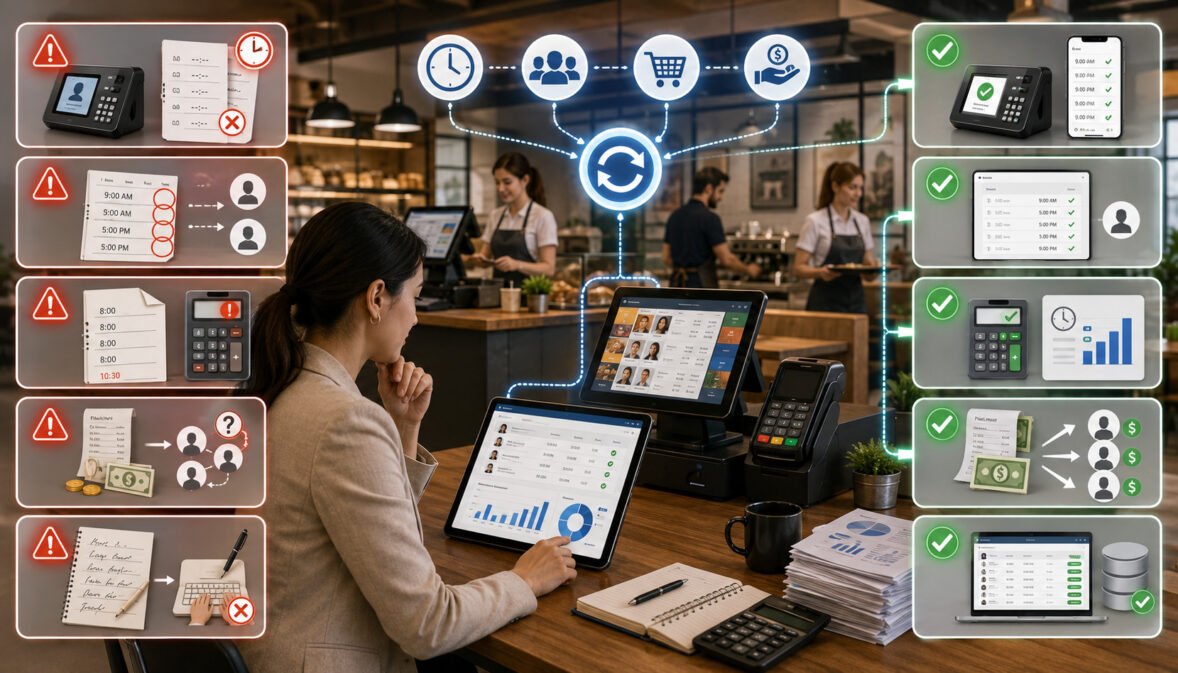
POS integration can help prevent many common payroll errors, especially those caused by disconnected records and manual data entry. While it cannot eliminate every issue, it can make payroll problems easier to find before wages are processed.
Common payroll errors include incorrect hours, missed clock-outs, duplicate entries, unapproved overtime, wrong location coding, missed breaks, manual typing mistakes, delayed time card edits, unauthorized time changes, and inaccurate payroll reports.
A POS system can also support better payroll reconciliation. Managers can compare time cards, attendance reports, labor reports, and payroll exports to identify gaps in the workflow. If the same type of error appears every payroll cycle, the business can adjust training, scheduling, or approval procedures.
Missed Punches and Incomplete Time Cards
Missed punches happen when employees forget to clock in, clock out, start a break, end a break, or select the correct role. These errors can create incomplete time cards that require manager review before payroll processing.
POS time tracking can help by flagging incomplete records. A manager may see that an employee clocked in but never clocked out, took a break without ending it, or worked a shift that does not match the schedule. These alerts help managers resolve problems while the shift is still fresh.
Incomplete time cards should not be guessed. Managers should verify the schedule, speak with the employee where appropriate, review shift notes, and document any time card edits.
A clean missed-punch process improves payroll accuracy and employee trust. It also creates a better payroll audit trail for future reference.
Manual Data Entry Mistakes
Manual data entry mistakes are one of the most preventable sources of payroll error. When hours are copied from paper forms, handwritten notes, spreadsheets, or separate scheduling tools, mistakes can happen at every transfer point.
POS payroll integration reduces the number of times payroll data must be retyped. Approved time cards can flow into payroll-ready reports or export tools, reducing the risk of duplicate entries, incorrect totals, missing breaks, or transposed numbers.
This does not mean the exported file is automatically correct. The data must still be reviewed. If the POS contains inaccurate time cards, the payroll export may simply move those inaccuracies into the next system.
The best approach is to reduce manual copying while strengthening review. Payroll data integration should make the workflow cleaner, not less supervised.
Unapproved Overtime
Unapproved overtime can happen when employees clock in early, stay late, cover unscheduled shifts, skip recorded breaks, or work across multiple roles or locations. If managers do not review overtime until payroll is due, the extra hours may come as a surprise.
POS overtime tracking can help managers see overtime risk earlier. Reports may show employees nearing overtime, departments with recurring extra hours, or shifts that regularly run longer than scheduled.
Managers can then review why overtime occurred. Was the schedule too lean? Did a rush period require extra coverage? Did closing tasks take longer than expected? Did an employee clock in too early without approval?
Overtime tracking improves payroll accuracy by making extra hours visible and reviewable. It also helps businesses improve scheduling and labor planning over time.
How POS Time Tracking Improves Payroll Accuracy
POS time tracking improves payroll accuracy by creating a structured record of employee hours. Instead of relying only on handwritten time cards or manager memory, the system records clock-in and clock-out timestamps, break records, edited entries, attendance reports, shift notes, employee roles, and payroll summaries.
This gives payroll teams a better source of information before processing wages. They can review who worked, when they worked, where they worked, which role they worked, whether breaks were recorded, and whether managers approved the time cards.
POS time tracking also supports accountability. Employees can be trained to clock in and out consistently, managers can review exceptions, and payroll teams can work from approved records. This reduces the confusion that often happens when timekeeping is handled separately from daily operations.
Another benefit is faster exception review. If a time card is incomplete, the POS may show the date, shift, employee, location, and missing action. Managers can investigate quickly instead of searching through notes, messages, or spreadsheets.
Payroll accuracy still depends on good habits. Employees need to use the time clock correctly, managers need to review reports consistently, and payroll teams need to reconcile records after processing. POS time tracking provides better data, but people still need to manage the process carefully.
Scheduled Hours vs Actual Hours in Payroll Review
Comparing scheduled hours with actual hours is one of the most useful ways to identify payroll issues. Scheduled hours show what was planned. Actual hours show what employees recorded through the POS time clock. When the two do not match, managers can investigate before payroll is processed.
Differences are not always errors. An employee may stay late because the store was busy, clock in early to prepare for opening, cover a shift swap, or work extra time because another employee called out. However, these differences should be documented and approved.
Scheduled-versus-actual reports can help identify late arrivals, early clock-ins, extended shifts, missed breaks, shift swaps, call-outs, unscheduled work, and overtime risk. This improves payroll review and labor cost reporting.
For multi-location businesses, the comparison is even more important. Employees may work in different places during the same payroll cycle, and managers need to confirm that hours are coded correctly by location and role.
Finding Unexpected Extra Hours
Unexpected extra hours can appear when employees clock in too early, clock out late, work through breaks, stay for closing duties, or help cover another department. These hours may be legitimate, but they should be reviewed before payroll is finalized.
POS workforce management reports can show shifts that ran longer than scheduled. Managers can compare the time card with the schedule, sales activity, closing notes, and staffing needs. If the extra time was approved, the record should reflect that approval.
Unexpected hours may also reveal scheduling problems. If employees regularly stay late, the schedule may not allow enough time for closing, cleanup, restocking, or end-of-day reporting.
By reviewing unexpected extra hours, businesses can improve payroll accuracy and make better scheduling decisions.
Reviewing Shift Swaps and Schedule Changes
Shift swaps and schedule changes should be documented so payroll records match actual work performed. When employees trade shifts informally, payroll confusion can happen if the schedule shows one employee but the POS time card shows another.
A POS system can help by recording actual clock-in and clock-out activity. However, managers still need a process for approving schedule changes. If shift swaps are not documented, managers may struggle to explain attendance records, overtime, or role changes later.
Schedule changes can also affect break planning, department coverage, and location tracking. For example, an employee who covers a different department may need hours assigned to the correct role.
A clear shift-change process protects payroll accuracy. Employees should know how to request changes, managers should approve them, and POS records should reflect who actually worked.
Payroll Reporting Through POS Systems
POS payroll reporting supports payroll review and recordkeeping by turning daily time clock activity into organized reports. These reports may include labor reports, attendance reports, time card summaries, overtime reports, break reports, payroll exports, department reports, location reports, and employee-level summaries.
Payroll reports are useful because they give managers a broader view of the payroll cycle. Instead of checking one time card at a time, managers can identify patterns such as recurring missed punches, repeated overtime, late clock-ins, or unapproved edits.
Reports also support labor cost reporting. Businesses can compare employee hours with sales activity, department needs, or scheduled labor. This can help managers improve scheduling while still focusing on accurate payroll records.
For recordkeeping, payroll reports can provide useful documentation. Official wage and hour guidance explains that employers generally need to maintain records such as hours worked each day, total hours worked each workweek, wage basis, regular hourly rate, overtime earnings, deductions, wages paid, payment date, and pay period covered.
Time Card Reports
Time card reports show employee hours worked, clock-in and clock-out times, breaks, edits, missed punches, and approval status. These reports are often the first place managers look before payroll export.
A strong time card report helps managers answer basic questions: Did every employee clock in and out? Were breaks recorded? Were time card edits documented? Are any shifts missing approval? Do actual hours match the schedule closely enough to explain differences?
Time card reports are also useful for employee conversations. If an employee questions hours, the manager can review the time card, shift notes, and approval history.
The best time card reports make exceptions easy to find. Managers should not have to search manually through every entry to identify incomplete or unusual records.
Overtime Reports
Overtime reports help managers identify extra hours, recurring overtime patterns, and possible scheduling issues. They can show which employees worked beyond expected hours, which departments are creating overtime, and whether overtime was approved.
These reports are valuable before payroll is processed because overtime affects wage calculations and labor costs. When overtime is visible early, managers can review whether it was necessary, accurate, and properly documented.
Overtime reports can also help with future planning. If the same shift or department frequently creates overtime, the schedule may need adjustment. The issue may be staffing levels, closing procedures, delivery timing, seasonal demand, or call-out coverage.
Overtime tracking should be handled carefully. The goal is accurate recording and responsible review, not ignoring hours that were actually worked.
Multi-Location Payroll Reports
Multi-location payroll reports help businesses review employee hours by store, department, role, or manager approval status. This is especially useful when employees work at more than one location during the payroll cycle.
Without location tracking, payroll reports may show total hours correctly but assign labor to the wrong site. This can create confusion for payroll reconciliation, labor budgeting, and department-level reporting.
A POS system with location-based time tracking can help managers see where hours were worked. It can also help prevent duplicate entries when employees move between locations or cover shifts outside their regular site.
Multi-location payroll reports should be reviewed by someone who understands staffing across locations. Location coding, role coding, and manager approvals all matter for accurate payroll records.
Step-by-Step Guide to Reducing Payroll Errors Through POS Integration
Reducing payroll errors through POS integration works best when the business follows a repeatable process. The technology provides the tools, but managers and payroll teams must create the workflow.
A practical process should begin before the first payroll export. Employee records should be cleaned up, time clock rules should be defined, employees should be trained, and managers should know how to review time cards. After payroll is processed, reports should be reconciled so future errors can be prevented.
Step One: Clean Up Employee Records
Start by reviewing employee profiles in the POS. Check names, active status, roles, departments, locations, permissions, and pay-related details if applicable. Remove duplicate profiles and deactivate former employees so they do not appear in payroll reports.
For employees who work multiple roles, confirm that each role is set up correctly. If the POS supports department tracking or location tracking, make sure employees are assigned only where they actually work.
This step prevents many downstream problems. Incorrect employee setup can cause wrong role coding, missing hours, inaccurate reports, or payroll export mismatches.
Employee records should be reviewed regularly, especially after hiring, promotions, transfers, seasonal staffing changes, or location changes.
Step Two: Set Clear Time Clock Rules
Clear time clock rules help employees and managers follow the same process. Define when employees may clock in, when they should clock out, how breaks should be recorded, how missed punches should be reported, and how shift changes should be approved.
Rules should also explain early clock-ins, late clock-ins, early clock-outs, overtime approval, and manager edits. If employees work in multiple roles or locations, explain how they should select the correct role or site when clocking in.
The rules should be simple enough for daily use but specific enough to reduce confusion. Employees should not have to guess whether they need manager approval for a schedule change or missed punch.
Consistent rules create consistent payroll records.
Step Three: Train Employees on POS Time Tracking
Employees need training on how to use POS time tracking correctly. They should know how to clock in, clock out, record breaks, switch roles where applicable, report missed punches, and review their own time records if the system allows it.
Training should happen during onboarding and after any workflow change. It should also be repeated when managers notice recurring errors, such as missed breaks or clock-ins under the wrong role.
Employees should understand that time tracking affects payroll accuracy. When they follow the process carefully, payroll teams can review and process records more efficiently.
Training also helps reduce frustration. Employees are less likely to dispute time cards when they understand how hours are recorded and reviewed.
Step Four: Review Time Cards Before Payroll
Managers should review time cards before payroll processing. This review should include incomplete records, missed punches, overtime, break issues, edits, unusual hours, and approval status.
The review should happen early enough to fix problems. Waiting until payroll is due can lead to rushed decisions, incomplete documentation, and avoidable mistakes.
A good time card review process includes checking scheduled hours against actual hours, confirming role and location coding, documenting edits, and approving only complete records.
Payroll teams should avoid processing unapproved time cards unless there is a clear exception process.
Step Five: Export or Sync Payroll Data Carefully
After time cards are reviewed and approved, payroll data can be exported or synced. Before doing this, managers should confirm that the report includes the correct date range, employees, locations, roles, overtime, breaks, and approved hours.
This step is especially important for employees with multiple roles, multiple locations, variable schedules, or different types of hours. If the payroll export does not match the review process, errors may move into the payroll system.
Payroll export tools reduce manual copying, but they do not remove the need for review. Exporting inaccurate records simply moves inaccurate records faster.
Step Six: Reconcile Payroll After Processing
Payroll reconciliation means comparing processed payroll with POS labor reports and approved time card records. This helps identify whether the workflow worked correctly.
For example, the payroll team may compare total hours, overtime, role coding, location coding, and employee-level summaries. If differences appear, managers can investigate whether the issue came from employee setup, time card edits, export settings, or payroll processing.
Reconciliation should not only fix the current payroll cycle. It should improve the next one. Recurring errors may require better employee training, clearer time clock rules, updated permissions, or stronger manager approval steps.
A consistent reconciliation process supports long-term payroll accuracy.
Payroll Accuracy Checklist
The following checklist can help managers reduce payroll errors before payroll data is exported or synced.
| Checklist Item | Why It Matters | Review Frequency |
| Employee profiles are accurate | Prevents wrong role, status, or location coding | Before each payroll cycle and after staffing changes |
| POS time clock is working properly | Supports reliable clock-in and clock-out tracking | Daily |
| Break rules are configured and understood | Helps document paid and unpaid breaks | Before schedule changes and payroll review |
| Missed punches are reviewed | Prevents incomplete time cards | Daily or shift-by-shift |
| Overtime is checked | Helps identify extra hours before payroll submission | During the payroll cycle |
| Manager approvals are complete | Confirms time cards were reviewed | Before payroll export |
| Scheduled hours are compared with actual hours | Helps spot late arrivals, early clock-ins, and extended shifts | Before payroll export |
| Payroll export date range is correct | Prevents missing or extra shifts | Every export |
| Role coding is accurate | Supports correct department or position reporting | Every payroll cycle |
| Location coding is accurate | Supports multi-location payroll reporting | Every payroll cycle |
| Time card edits include notes | Creates a stronger payroll audit trail | Whenever edits occur |
| Payroll reports are reconciled after processing | Helps prevent recurring errors | After payroll submission |
This checklist should be adapted to the business model. A small shop may need a simple review process, while a multi-location business may need location-level approvals and more detailed payroll reconciliation.
POS Integration for Different Business Types
POS payroll integration needs vary by business type. A retail store may focus on cashier shifts, sales floor coverage, and seasonal workers. A restaurant may need front-of-house, back-of-house, breaks, overtime, and tip-related records where applicable. A service business may track appointment labor, technician time, and admin work.
The common goal is the same: create accurate employee hour tracking and reduce payroll errors before payroll is processed.
Retail Stores
Retail stores can use POS integration to track cashier shifts, sales associate hours, stockroom labor, seasonal workers, and manager approvals. Because retail schedules often change due to customer traffic, deliveries, promotions, and employee availability, POS time tracking helps managers compare planned coverage with actual hours.
A retail employee may work different tasks during the same payroll cycle. For example, one employee may spend time on register coverage, inventory receiving, merchandising, and closing duties. Role or department tracking can make labor reports more useful.
POS payroll reporting can also help identify missed punches, early clock-ins, and extended shifts during busy periods. This supports payroll accuracy and better staffing review.
Retail managers should pay close attention to seasonal hiring and inactive employees. Outdated employee profiles can create payroll confusion.
Restaurants and Food Businesses
Restaurants and food businesses often have complex staffing needs. Employees may work front-of-house, back-of-house, prep, delivery, closing, hosting, or support roles. Shifts may run longer than expected because of rush periods, cleanup, late orders, or call-outs.
POS time tracking can help record clock-ins, clock-outs, breaks, role changes, and overtime. Where relevant, payroll records may also need to be reviewed alongside tip-related records and role-based duties.
Break tracking is especially important in food businesses because shift pace can make breaks harder to manage. Managers should review missed breaks, edited breaks, and extended shifts before payroll export.
A POS system can support better visibility, but managers still need clear procedures for shift changes, side work, closing time, and approvals.
Service Businesses
Service businesses can use POS payroll integration to track employee hours by appointment, shift, location, technician role, customer-facing time, or administrative tasks. This is useful for salons, repair businesses, cleaning teams, wellness providers, and appointment-based operations.
Service employees may move between job types during the day. One person may handle customer service, appointment work, cleanup, inventory, and scheduling support. Role-based tracking can help managers understand how labor hours are being used.
POS time tracking also helps with attendance records and payroll review. Managers can compare scheduled appointments with actual hours to identify gaps, extended work, or unrecorded time.
For mobile or off-site work, businesses should define how employees record time accurately and how managers approve exceptions.
eCommerce and Fulfillment Teams
eCommerce and fulfillment teams may not use a traditional checkout counter for every task, but POS integration and connected operations tools can still support staff time tracking. Employees may work picking, packing, shipping, returns, customer support, inventory receiving, and warehouse organization.
Payroll errors can happen when warehouse hours, support hours, and admin time are tracked separately. A connected timekeeping workflow helps keep employee hour tracking consistent.
Managers can use labor reports to review actual hours by task, department, or shift. This can also help identify overtime risk during busy order periods or return-heavy periods.
Fulfillment teams should pay attention to role coding. A worker may shift between packing, returns, and customer support, and payroll-ready reports should reflect the correct categories where applicable.
Multi-Location Businesses
Multi-location businesses face additional payroll challenges because employees may work at different stores, departments, or service areas during the same payroll cycle. Without location-based tracking, payroll records may be accurate in total hours but inaccurate by site.
POS payroll integration can help reduce confusion by tracking employee hours by location, department, role, and manager approval status. This supports payroll review, labor cost reporting, and operational accountability.
Managers should define who approves time cards when employees work outside their home location. The approving manager should verify the shift, role, and hours before payroll export.
Multi-location payroll works best when every location follows the same time clock rules. Consistency prevents each site from creating its own process and reduces payroll reconciliation problems.
Common POS Payroll Integration Mistakes to Avoid
POS payroll integration can reduce payroll errors, but only when the system is used carefully. One common mistake is skipping employee setup review. If employee profiles are outdated, duplicated, or assigned to the wrong roles, payroll reports may be inaccurate from the beginning.
Another mistake is failing to train staff. Employees need to know how to clock in, clock out, record breaks, report missed punches, and select the right role or location. Without training, the POS time clock may collect incomplete or inconsistent data.
Managers may also ignore missed punches until payroll day. This creates pressure and increases the risk of guesswork. Missed punches should be reviewed as soon as possible.
Exporting data too quickly is another issue. Payroll export tools are helpful, but they should only be used after time cards are reviewed and approved. If unapproved overtime, missing breaks, or incorrect role coding exists in the POS, those problems can move into payroll.
Businesses should also avoid relying only on automation. POS payroll integration supports payroll accuracy, but manager review, employee communication, and payroll reconciliation remain necessary.
Compliance and Recordkeeping Considerations
For official educational background, business owners can review wage and hour recordkeeping requirements to better understand the types of payroll and timekeeping records that may need to be maintained.
Payroll, time tracking, breaks, overtime, wage calculations, employee classification, tip records where relevant, and recordkeeping may involve legal or regulatory requirements. This article is educational only and does not provide legal advice. Businesses should follow applicable rules and seek qualified guidance when needed.
Accurate payroll records are important because timekeeping affects wages, overtime, deductions, payroll reports, and employee trust.
Official wage and hour guidance explains that covered employers generally need to keep records such as employee identifying information, hours worked each day, total hours worked each workweek, wage basis, hourly rate, overtime earnings, deductions, total wages paid, date of payment, and pay period covered.
Break records should also be handled carefully. Official guidance notes that short breaks offered by an employer are generally treated as compensable work hours, while meal periods have separate considerations. Businesses should review applicable rules for their situation and keep records that are complete and accurate.
Timekeeping Accuracy
Timekeeping accuracy matters because payroll depends on accurate hours. Employees need to be paid based on reliable records, and managers need to understand whether scheduled hours, actual hours, overtime, and breaks are being tracked correctly.
A POS time clock can support timekeeping accuracy by creating timestamped attendance records. It can also help managers identify missed punches, early clock-ins, late clock-ins, early clock-outs, and edited time cards.
However, accuracy also depends on employee behavior and management review. If employees forget to clock out or managers make undocumented edits, payroll records can still be incomplete.
Businesses should create a clear timekeeping policy, train employees, and review records consistently.
Manager Edits and Audit Trails
Manager edits should be documented carefully. Time card edits may be necessary when an employee forgets to clock in, forgets to clock out, records a break incorrectly, or works a schedule change. However, edits should not happen casually or without explanation.
A payroll audit trail helps show what was changed, when it was changed, who changed it, and why. This supports accountability and makes payroll review easier if questions arise later.
Managers should avoid editing time cards from memory whenever possible. They should use schedules, shift notes, employee confirmation, and POS activity records to support corrections.
A strong edit process protects both the business and employees by making payroll records clearer and more reliable.
How to Evaluate POS Payroll Integration Tools
When evaluating POS payroll integration tools, businesses should focus on reliability, usability, reporting quality, compatibility, and review controls. A tool that looks advanced but is difficult for employees to use may create more payroll issues than it solves.
Start with the time clock. Employees should be able to clock in, clock out, record breaks, and select roles or locations without confusion. The system should also help managers identify missed punches, incomplete time cards, and unusual hours.
Next, review manager approval features. The system should allow managers to review, edit, document, and approve time cards before payroll export. Approval status should be easy to see in reports.
Payroll reporting is also important. Useful reports include time card summaries, overtime reports, break reports, attendance reports, location reports, department reports, and employee-level summaries. Payroll-ready reports should be easy to review before export.
Compatibility matters too. Payroll export tools should produce data in a format that fits the payroll workflow. If integration requires too much manual reformatting, the risk of manual data entry mistakes increases.
Other factors include multi-location support, employee permissions, data security, support quality, setup effort, mobile access where needed, and total cost. The right tool should fit the business workflow rather than forcing managers into a confusing process.
Best Practices for Reducing Payroll Errors With POS Integration
The best results come from combining POS payroll integration with consistent management habits. Technology can collect better data, but people still need to review, approve, and reconcile that data.
Start by reviewing employee profiles regularly. Make sure roles, locations, departments, permissions, and status are accurate. Update records immediately when employees are hired, transferred, promoted, or terminated.
Train employees on time clock rules. They should know exactly how to clock in, clock out, record breaks, report missed punches, and handle shift changes. Training reduces confusion and supports better time card accuracy.
Managers should monitor missed punches and incomplete records throughout the payroll cycle. Waiting until the end creates stress and increases the chance of rushed edits.
Require manager approvals before payroll export. Approval workflows help confirm that hours are accurate, overtime is reviewed, breaks are recorded, and edits are documented.
Compare scheduled hours with actual hours. This helps identify early clock-ins, late clock-outs, extended shifts, call-outs, and unscheduled work.
Finally, reconcile payroll after processing. Compare payroll totals with POS labor reports and investigate differences. Over time, this helps improve payroll workflow and reduce recurring errors.
Internal and External Resources for Further Reading
Businesses that want to improve POS workforce management can benefit from learning how POS analytics support staffing decisions. A helpful guide on using POS analytics to build a staff roster explains how sales activity, peak periods, and reporting can support smarter scheduling decisions.
For businesses that want to understand how reporting connects to operations, a practical guide to real-time POS reporting explains how POS data can improve visibility across sales, inventory, employees, payments, and customer activity.
Restaurant operators may also find value in learning which POS reporting metrics should be reviewed regularly, including labor and operational performance metrics that can support better staffing and payroll review habits.
For broader POS planning, a guide on choosing restaurant and bar POS features notes that employee management features such as time tracking, scheduling, and payroll integration can support staff management.
For official recordkeeping background, wage and hour guidance explains key payroll and timekeeping records employers generally need to maintain, including hours worked, wage basis, rates, overtime earnings, wages paid, pay periods, and related information.
For break and meal period background, official guidance explains how short breaks and meal periods may be treated for wage and hour purposes. Businesses should review applicable requirements and seek qualified guidance when needed.
FAQs
What does reducing payroll errors through POS integration mean?
Reducing payroll errors through POS integration means using POS time tracking, payroll-ready reports, employee attendance tracking, break tracking, overtime tracking, and payroll export tools to make payroll review more accurate. It helps businesses reduce manual data entry and create better records before payroll is processed.
The POS may collect clock-in and clock-out times, shift records, employee roles, location data, breaks, missed punches, and manager approvals. Payroll teams can then review this information before exporting or syncing payroll data.
It does not mean payroll becomes automatic or error-free. Managers still need to review time cards, approve edits, reconcile reports, and ensure employee setup is accurate.
How does POS payroll integration work?
POS payroll integration works by connecting employee time records from the POS with payroll reporting or payroll export workflows. Employees clock in and out through the POS time clock, record breaks, and work assigned shifts. The system stores those records for review.
Managers then review time cards, resolve missed punches, check overtime, approve edits, and generate payroll-ready reports. After approval, payroll data may be exported or synced with the payroll workflow.
The process reduces repetitive manual work and helps payroll teams use cleaner, more organized data.
Can a POS system track employee hours?
Yes, many POS systems include employee hour tracking features such as clock-in and clock-out tracking, break tracking, shift tracking, attendance records, and time card reports. These tools help managers see actual hours worked rather than relying only on handwritten notes or spreadsheets.
Some systems also support scheduled versus actual hour comparisons, role tracking, location tracking, overtime visibility, and manager approvals.
Employee training is still important. A POS system can only track accurate records when employees use the time clock correctly and managers review exceptions.
How does POS time tracking reduce payroll mistakes?
POS time tracking reduces payroll mistakes by creating timestamped records of employee work hours. This reduces reliance on memory, paper records, and manual spreadsheet entry.
It can also help managers identify missed punches, incomplete time cards, early clock-ins, late clock-outs, unrecorded breaks, and overtime issues before payroll is processed.
The biggest advantage is visibility. Managers can see problems earlier and correct them with documentation instead of rushing through payroll review at the last minute.
What payroll errors can POS integration help prevent?
POS integration can help prevent incorrect hours, missed clock-outs, duplicate entries, manual typing mistakes, unapproved overtime, missing breaks, wrong role coding, wrong location coding, and delayed time card edits.
It can also help reduce errors caused by disconnected systems. When timekeeping, scheduling, approvals, and payroll reports are connected, managers have a clearer workflow.
However, POS integration cannot prevent every payroll issue. Incorrect setup, poor training, skipped approvals, and weak reconciliation can still create errors.
What is a POS time clock?
A POS time clock is a timekeeping feature inside the point-of-sale system that employees use to clock in, clock out, and sometimes record breaks or select roles. It connects timekeeping activity to daily operations.
A POS time clock may show timestamps, missed punches, break records, shift length, edited entries, and approval status. These records can support payroll reporting and payroll data integration.
For businesses with hourly employees, a POS time clock can be a useful tool for improving time card accuracy.
Can POS payroll reporting help with overtime?
Yes, POS payroll reporting can help managers review overtime before payroll is finalized. Overtime reports may show employees approaching overtime, shifts that ran long, departments with recurring extra hours, and unapproved overtime patterns.
This helps managers confirm whether overtime was accurate, necessary, and approved. It also supports better scheduling decisions in future payroll cycles.
Overtime reports should be reviewed carefully because wage calculations and payroll records depend on accurate hour tracking.
Should managers review time cards before payroll?
Yes, managers should review time cards before payroll. Time card review helps identify incomplete records, missed punches, break issues, overtime, role coding problems, location errors, and undocumented edits.
Manager approvals create accountability and help payroll teams know which records are ready for processing. Without review, inaccurate time cards may be exported or synced into payroll.
A consistent review process is one of the most effective ways to support payroll accuracy.
Is POS payroll integration useful for restaurants and retail stores?
Yes, POS payroll integration can be useful for restaurants and retail stores because both often rely on hourly employees, changing shifts, breaks, overtime, and role-based work.
Retail stores can use it to track cashier hours, sales floor shifts, stockroom labor, seasonal employees, and manager approvals. Restaurants can use it to track front-of-house, back-of-house, prep, closing, delivery, breaks, and overtime.
The exact workflow should match the business model, but the goal is the same: better employee hour tracking and fewer payroll errors.
What reports are useful before processing payroll?
Useful reports include time card reports, missed punch reports, attendance reports, break reports, overtime reports, scheduled versus actual reports, labor cost reports, department reports, location reports, and payroll-ready summaries.
These reports help managers review exceptions before payroll is exported or synced. They also support payroll reconciliation after processing.
The most important report is the one that clearly shows incomplete, unusual, or unapproved records.
Can POS integration eliminate all payroll errors?
No, POS integration cannot eliminate all payroll errors. It can reduce many errors by improving time tracking, reducing manual data entry, creating payroll-ready reports, and making exceptions easier to review.
Errors can still happen if employee profiles are wrong, employees forget to clock in, managers skip approvals, breaks are edited without notes, or payroll exports are not reviewed.
POS integration works best when combined with clear policies, employee training, manager review, and payroll reconciliation.
Conclusion
Reducing payroll errors through POS integration can help businesses create a cleaner, more reliable payroll workflow. By using POS time tracking, employee attendance tracking, break tracking, overtime tracking, shift tracking, manager approvals, payroll-ready reports, and payroll export tools, businesses can reduce manual data entry and improve payroll accuracy.
The biggest value is visibility. Managers can review missed punches, incomplete time cards, early clock-ins, late clock-outs, scheduled versus actual hours, role coding, location coding, and unapproved overtime before payroll is processed.
Still, POS payroll integration should not be treated as a complete replacement for management oversight. The best results come from accurate employee setup, clear timekeeping rules, regular employee training, careful manager review, documented edits, accurate payroll exports, and post-payroll reconciliation.
When used carefully, POS payroll integration can support better payroll records, stronger time card accuracy, more useful labor reports, and a more consistent payroll review process for businesses with hourly employees and active daily operations.