

Managing labor costs with POS systems is one of the most practical ways businesses with hourly teams can bring better visibility, accuracy, and structure to daily operations.
Labor costs can rise quickly when schedules are built on guesswork, employees clock in early without approval, overtime is not monitored, breaks are missed, or payroll records are reviewed too late.
For many retailers, restaurants, service businesses, and multi-location operators, even small labor inefficiencies can affect profit margin, cash flow, and customer service.
Labor cost management is not only about reducing payroll costs. It is about matching staffing levels to real demand. A business may lose sales if it understaffs during peak hours, but it may also waste payroll dollars if too many employees are scheduled during slow periods.
The challenge is finding the right balance between cost control, shift coverage, employee experience, and customer expectations.
A modern POS system can help managers see how labor connects with sales trends, customer traffic, transaction volume, scheduled hours, actual hours, overtime costs, and staff productivity.
Many systems include employee time tracking, a POS time clock, staff scheduling tools, labor reports, manager approvals, and payroll reporting features. Others connect with labor management software, workforce scheduling tools, or payroll platforms.
Still, POS tools do not replace good management. They support better decisions by turning everyday sales and employee activity into useful information. The best results come when managers keep employee profiles accurate, review reports regularly, train staff on clock-in and clock-out rules, monitor overtime, and adjust schedules as business conditions change.
What Managing Labor Costs With POS Systems Means
Managing labor costs with POS systems means using POS data, employee records, timekeeping tools, scheduling features, and labor reports to understand how much staff time costs the business and whether that labor is being used effectively.
Instead of looking at payroll after the money has already been spent, managers can track labor throughout the week and make timely adjustments.
A POS system may help with employee time tracking by allowing workers to clock in and clock out directly from the register, terminal, tablet, or connected device. It may also record breaks, missed punches, late arrivals, early clock-ins, time card edits, and manager approvals.
These details matter because payroll costs are built from time records. If timekeeping is inaccurate, labor cost reporting will be inaccurate too.
Many POS systems also include POS scheduling software or connect with an employee scheduling POS system. These tools help managers create schedules, assign employee roles, review employee availability, approve time-off requests, and compare scheduled hours with actual hours. This makes it easier to see whether labor budget management is staying on track.
POS labor cost management may also include labor forecasting. By reviewing sales reports, traffic patterns, daypart activity, and historical demand, managers can estimate how many people may be needed during busy and slow periods.
A restaurant may schedule more kitchen and front-of-house employees during dinner rushes, while a retailer may increase coverage during promotional periods or weekends.
POS tools provide structure, but human oversight remains essential. Managers still need clear attendance policies, fair scheduling practices, accurate pay rate information, and regular review habits. POS workforce management works best when technology supports thoughtful decision-making rather than replacing it.
Why POS Labor Cost Management Matters
Labor is often one of the largest controllable operating expenses for businesses with hourly employees. Rent, utilities, and insurance may be less flexible in the short term, but scheduled hours, overtime hours, shift coverage, and role assignments can often be adjusted with better planning.
POS labor cost management gives managers a clearer way to control these expenses without relying only on instinct.
One of the biggest advantages is visibility. A manager can compare scheduled hours with actual hours, review labor-to-sales ratio, check overtime tracking, and see whether staffing levels match customer traffic.
Without these reports, labor cost control often happens too late. The payroll period ends, costs are higher than expected, and the business has limited ability to correct the issue.
POS labor tracking also helps identify avoidable cost leaks. These may include employees clocking in before their scheduled start time, staying late without approval, missing breaks, switching roles without updated permissions, or working extra shifts that push them into overtime. Individually, these issues may seem small. Over time, they can create meaningful payroll pressure.
For restaurants, restaurant labor cost tracking is especially important because customer demand changes by daypart. Lunch, dinner, late-night, delivery, catering, and prep work may all require different staffing levels.
For retailers, staffing needs may shift based on foot traffic, promotions, deliveries, inventory tasks, and seasonal demand. Service businesses may need staffing aligned with appointments, walk-ins, service duration, and technician availability.
The goal is not simply cutting hours. A business that cuts too aggressively may create long lines, slower service, stressed employees, missed sales, and poor customer experience. The real goal is smarter staffing: the right number of people, in the right roles, at the right times, supported by accurate labor cost reporting and manager judgment.
Key POS Features That Help Track Labor Costs
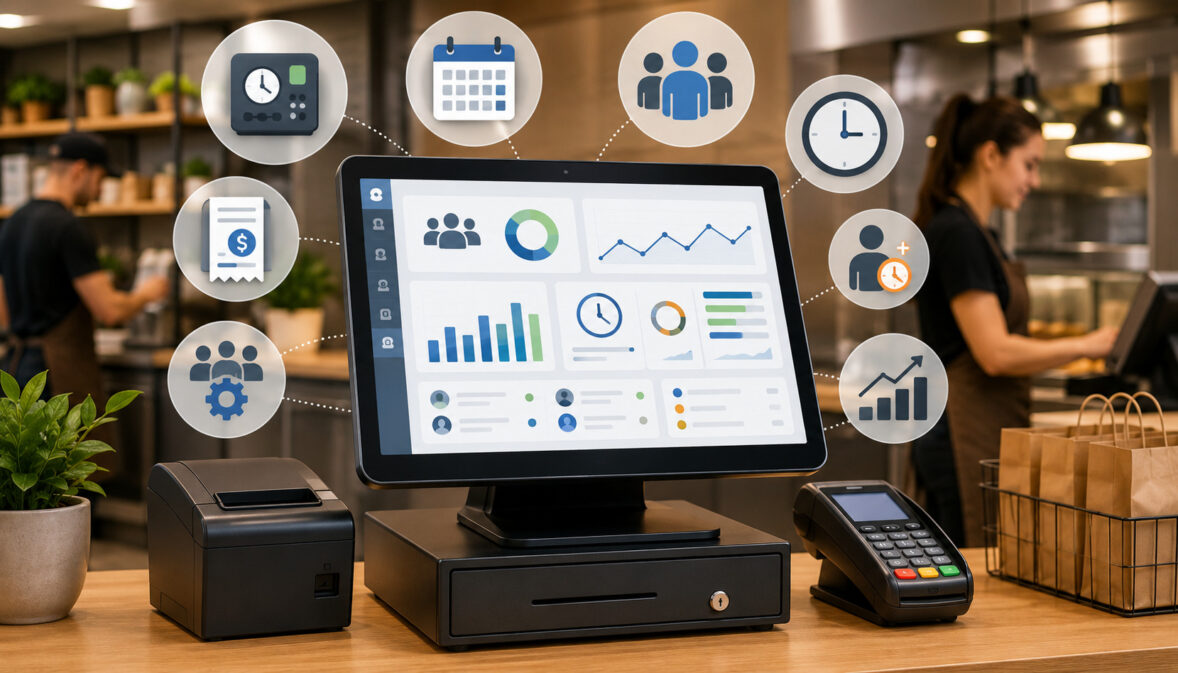
A POS system can support labor cost tracking in several ways. The most useful features usually connect employee activity with sales activity. This helps managers understand not only how many hours were worked, but also whether those hours supported enough sales, transactions, orders, appointments, or service volume.
The right features depend on the business model. A quick-service restaurant may care deeply about daypart sales, service speed, break tracking, and overtime warnings.
A retail store may focus on sales per labor hour, cashier productivity, promotional coverage, and seasonal scheduling. A service business may need employee attendance tracking, appointment coverage, and payroll exports.
Below are the core POS features that usually provide the most value for labor cost control.
Employee Time Clock
A POS time clock allows employees to clock in and clock out through the POS system or a connected device. This creates digital time cards that managers can review before payroll. The system may record regular shifts, breaks, missed punches, early clock-ins, late arrivals, early departures, and late clock-outs.
Accurate timekeeping is the foundation of labor cost management. If employees forget to clock out, take unrecorded breaks, or work unscheduled time without approval, payroll reports may not reflect the real situation. A POS time clock helps centralize those records so managers can review them in one place.
Time clock tools can also support accountability. Managers may be able to approve time card edits, review attendance history, and identify repeated patterns such as frequent late arrivals or unauthorized early clock-ins. This does not mean every issue is intentional. Sometimes employees simply need better training or clearer procedures.
A reliable time clock also helps reduce manual timekeeping tasks. Instead of collecting paper sheets or manually entering hours into a spreadsheet, managers can use POS labor reports and payroll exports to prepare payroll more efficiently.
Staff Scheduling Tools
Staff scheduling tools help managers build schedules, assign employee roles, check availability, manage time-off requests, and plan shift coverage. When scheduling is connected to POS sales trends, managers can make better decisions about how many employees are needed during peak hours and slow periods.
A scheduling tool may allow managers to create shift templates for common staffing needs. For example, a store may use different templates for weekdays, weekends, holidays, promotional events, or inventory days. A restaurant may use separate templates for prep, lunch, dinner, closing, and delivery shifts.
Employee availability is another important part of workforce scheduling. When availability is recorded in the system, managers can reduce scheduling conflicts and avoid last-minute changes. Time-off requests can also be tracked more clearly, which helps prevent coverage gaps.
POS scheduling software becomes more valuable when it compares scheduled hours with labor budgets. Managers may be able to see projected labor costs before publishing the schedule. This supports labor budget management because problems can be corrected before employees work the hours.
Labor Cost Reports
Labor cost reports show how payroll-related expenses connect to hours worked, roles, departments, locations, and sales results. These reports may include total labor cost, labor percentage, overtime hours, labor by employee, labor by role, labor by department, and labor by location.
A strong labor report helps managers move beyond basic payroll review. Instead of asking only, “How much did we spend on wages?” the manager can ask, “Did this labor spending match sales volume and customer demand?” That question is more useful for operational efficiency.
Labor cost reporting can also reveal patterns. One location may have higher labor costs than others because of overstaffing, poor scheduling, lower sales, more overtime, or inefficient shift coverage. One department may regularly exceed its labor budget because schedules are not being adjusted after sales patterns change.
These reports can support better conversations with managers and supervisors. Instead of relying on opinions, the business can review actual hours, scheduled hours, labor-to-sales ratio, and sales per labor hour.
Sales and Traffic Reports
Sales reports are essential for labor forecasting because labor needs are closely tied to business activity. POS sales reports may show transaction counts, order volume, average ticket size, sales by hour, sales by day, product category sales, service speed, and customer traffic patterns.
When managers review sales trends, they can schedule more effectively. A retailer may notice that traffic rises sharply after work hours. A restaurant may find that the kitchen needs more support before the dining room gets busy because prep demand starts earlier. A service business may find that walk-ins increase during certain afternoons.
Traffic reports are especially useful because revenue alone does not always show workload. A business may have high sales from fewer large transactions, or lower sales from many small transactions. The staffing need may be different in each case.
For better labor forecasting, managers should look at sales and traffic together. Peak hours, slow periods, transaction counts, and customer flow all help shape staffing levels.
Payroll Integration and Export Tools
Payroll reporting features help managers prepare time records for payroll processing. A POS payroll integration may send approved hours, overtime, roles, wage categories, and other details to payroll software. If full integration is not available, the POS may provide payroll exports that can be reviewed and uploaded.
Payroll exports can reduce manual data entry, which may lower the risk of mistakes. However, exports are only as accurate as the records behind them. Managers still need to review time cards, missed punches, breaks, overtime, and employee role assignments before payroll is processed.
Payroll-ready reports are also useful for accountability. They create a clearer workflow: employees clock in and out, managers review exceptions, supervisors approve edits, and payroll receives cleaner records. This structure helps reduce confusion.
For businesses with multiple locations, payroll reporting can be even more important. Central teams may need consistent time records from several stores, departments, or managers. POS payroll integration can help standardize the process.
Role-Based Permissions and Manager Approvals
Role-based permissions control what employees and managers can do inside the POS system. These permissions may affect time edits, discounts, refunds, cash drawer access, voids, schedule changes, reports, payroll exports, and manager approvals.
Permissions matter for labor accountability. If too many people can edit time cards or change schedules without oversight, labor reports may become unreliable. A manager approval process helps protect timekeeping accuracy and reduces unauthorized changes.
Role-based access also helps align employees with their responsibilities. A cashier may need to clock in, process sales, and view assigned shifts, while a supervisor may need to approve breaks, adjust schedules, or review attendance reports. A general manager may need access to labor cost reporting, payroll exports, and multi-location reporting.
Approvals should not be used only as a control mechanism. They also create a clear process for correcting legitimate errors. If an employee forgets to clock out, the manager can edit the time card with a reason and approval trail.
How POS Systems Connect Labor Costs With Sales Data

The biggest advantage of managing labor costs with POS systems is the ability to connect labor spending with actual business activity. Payroll alone tells a business how much it spent on employees. POS data helps explain whether that spending made sense based on sales, traffic, order volume, and service needs.
For example, a labor report may show that labor costs were high on a certain day. That number is useful, but it does not tell the full story. If sales were also high, the labor level may have been appropriate. If sales were low and staffing was high, the schedule may need review.
A POS system can also compare scheduled labor with actual labor. This helps managers see whether the team followed the schedule or whether extra hours were added through early clock-ins, late clock-outs, shift swaps, or coverage changes. These differences can affect payroll costs even when the original schedule looked reasonable.
Staff productivity tracking can provide another layer of insight. Managers may review sales per labor hour, transactions per employee, order volume by shift, or labor by role. These metrics should be used carefully and fairly. Productivity can be affected by customer traffic, employee role, training level, store layout, menu complexity, inventory issues, or service model.
Daypart reporting is especially helpful for restaurants, retail stores, and service businesses. A daypart is a defined part of the business day, such as morning, lunch, afternoon, evening, or closing. By reviewing sales and labor by daypart, managers can adjust staffing around real demand instead of using one staffing pattern for the whole day.
Understanding Labor-to-Sales Ratio
Labor-to-sales ratio compares labor cost with sales. It is commonly shown as a percentage. For example, if a business spends a certain amount on labor during a period and generates a certain amount in sales during the same period, the ratio shows how much of sales went toward labor.
This metric helps managers understand whether labor spending is aligned with revenue. A high labor-to-sales ratio may mean the business was overstaffed, sales were lower than expected, wages increased, overtime was high, or roles were not scheduled efficiently. A lower ratio may look positive, but it should not be judged alone. If labor is too low, service quality may suffer.
Labor-to-sales ratio is most useful when compared across similar periods. A restaurant may compare lunch shifts with other lunch shifts, not lunch with late-night closing. A retailer may compare weekdays with weekdays and promotional periods with similar promotional periods.
This ratio should be used as a guide, not a rigid rule. Different business types, service models, and staffing needs will have different labor patterns.
Scheduled Hours vs Actual Hours
Scheduled hours show what managers planned. Actual hours show what employees worked. Comparing the two is one of the simplest and most useful forms of POS labor tracking.
Differences between scheduled and actual hours can happen for many reasons. Employees may clock in early, stay late, miss breaks, cover for absent coworkers, handle unexpected demand, or work extra time during closing tasks. Some changes are necessary, but repeated differences may indicate a scheduling or policy issue.
This comparison can help identify overtime risk. If an employee is scheduled close to an overtime threshold and then picks up extra hours, labor costs may rise quickly. POS labor reports may help managers see this before payroll is finalized.
Scheduled-versus-actual reporting also supports better future planning. If a closing shift always runs later than scheduled, the business may need to adjust the schedule, improve closing procedures, or review staffing levels.
Sales by Daypart and Staffing Levels
Sales by daypart helps managers match labor to the rhythm of the business. Instead of treating the entire day as one block, managers can see when demand rises and falls. This is useful for restaurants, retail stores, salons, repair shops, and service businesses with changing traffic patterns.
For restaurants, daypart reporting may show lunch rushes, dinner peaks, delivery spikes, prep needs, and closing workload. For retailers, it may show after-work traffic, weekend shopping patterns, or quiet mid-morning periods. For service businesses, it may show appointment clusters, walk-in demand, or end-of-day pickup activity.
When daypart sales are paired with labor reports, managers can see whether staffing levels match demand. Too many employees during slow periods may increase payroll costs unnecessarily. Too few employees during busy periods may reduce service quality and sales opportunities.
The best approach is to review daypart patterns regularly. Sales trends can change because of promotions, weather, local events, seasonality, school schedules, or customer habits.
POS Labor Cost Tracking Metrics to Monitor
Labor cost tracking works best when managers focus on a small set of useful metrics. Too many numbers can create confusion, while too few can hide important problems. The goal is to monitor labor from several angles: total cost, schedule accuracy, overtime, productivity, attendance, and sales alignment.
The table below shows common metrics that can help with POS labor cost management.
| Metric | What It Measures | Why It Matters | How POS Reporting Helps |
| Total labor cost | Total wages or payroll-related labor spending | Shows overall labor expense for a period | Combines hours worked with wage data or payroll-ready reports |
| Labor-to-sales ratio | Labor cost compared with sales | Helps evaluate whether staffing matches revenue | Connects labor reports with sales reports |
| Overtime hours | Hours worked above regular limits | Overtime costs can increase payroll quickly | Flags employees or departments approaching overtime |
| Scheduled hours | Hours planned on the schedule | Shows expected labor cost before shifts happen | Helps managers compare planned staffing with labor budget |
| Actual hours | Hours employees actually worked | Reveals early clock-ins, late clock-outs, and changes | Uses POS time clock records and time cards |
| Average hourly wage | Average wage cost across employees or roles | Helps explain changes in payroll costs | Summarizes wage data by role, department, or location |
| Labor by role | Labor cost by cashier, server, cook, technician, or supervisor | Shows which roles drive labor spending | Breaks labor into operational categories |
| Labor by location | Labor cost by store, branch, or site | Useful for multi-location reporting | Compares labor patterns across locations |
| Sales per labor hour | Sales generated per labor hour worked | Helps evaluate labor efficiency | Combines sales reports with actual hours |
| Transactions per employee | Transaction volume compared with staff count | Shows workload and service demand | Links employee activity with checkout data |
| Missed punches | Clock-in or clock-out errors | Timekeeping errors can affect payroll accuracy | Flags exceptions for manager review |
| Break compliance tracking | Recorded breaks compared with policies | Supports accurate records and consistent procedures | Tracks break entries and missed break alerts where available |
Step-by-Step Guide to Managing Labor Costs With POS Systems
A POS system becomes more valuable when managers follow a repeatable process. The steps below can help a business turn POS data into better scheduling, cleaner payroll reporting, and more consistent labor cost control.
Step One: Set Up Employee Profiles Correctly
Employee profiles are the starting point for POS workforce management. Each profile should include the employee’s name, role, department, assigned location, permissions, schedule availability, and contact details where appropriate. If the POS supports wage tracking or payroll exports, pay rates and job codes should be reviewed carefully.
Incorrect employee profiles can distort labor reports. If an employee is assigned to the wrong role, labor by department may be inaccurate. If pay information is outdated, projected labor costs may be wrong. If permissions are too broad, employees may access tools they should not use.
Multi-location businesses should also make sure employees are assigned correctly when they work across stores or departments. Otherwise, labor costs may appear under the wrong location.
Managers should review employee profiles whenever someone is hired, promoted, transferred, changes availability, or leaves the business.
Step Two: Track Clock-Ins, Clock-Outs, and Breaks
Accurate time records are the foundation of labor cost tracking. Employees should know when and where to clock in, how to record breaks, what to do if they miss a punch, and whether early clock-ins require approval.
A POS time clock can record clock-in and clock-out times, break activity, missed punches, and edits. These records help managers compare scheduled hours with actual hours and prepare payroll reporting more accurately.
Break tracking is especially important for businesses with hourly teams. Missed or incorrectly recorded breaks can affect payroll review, employee trust, and internal accountability. Managers should review break records regularly and address issues consistently.
Clear training matters. Employees should understand that timekeeping is not just an administrative task. It affects payroll accuracy, labor reports, and scheduling decisions.
Step Three: Review Sales Trends Before Scheduling
Before building a schedule, managers should review sales trends, customer traffic, transaction volume, peak hours, slow periods, and previous labor reports. Scheduling without this information often leads to overstaffing or understaffing.
Sales history can show which days and dayparts need more coverage. A retailer may need extra floor staff during promotions. A restaurant may need more prep labor before the rush begins. A service business may need more technicians during appointment-heavy periods.
Managers should also review recent changes. A new menu, marketing campaign, school schedule, local event, or delivery pattern may change demand. Historical data is useful, but it should be combined with current knowledge.
Using POS data for scheduling helps shift labor planning from guesswork to evidence-based decision-making.
Step Four: Build Schedules Around Expected Demand
Once demand patterns are clear, managers can build schedules around expected business activity. This includes assigning the right number of employees, choosing the right roles, planning break coverage, and making sure experienced staff are present during complex or busy shifts.
A good schedule balances cost control and service quality. Understaffing may reduce payroll in the short term, but it can create long waits, rushed service, employee burnout, and missed sales. Overstaffing may improve coverage but reduce profit margin during slow periods.
Managers should also consider employee roles. Two employees with different skills may not be interchangeable. A cashier, cook, technician, supervisor, stock associate, or delivery coordinator may each support different parts of the operation.
POS scheduling software can help by showing projected hours, labor budgets, overtime warnings, and employee availability before the schedule is published.
Step Five: Monitor Overtime and Schedule Changes
Overtime can increase payroll costs quickly, especially when it happens unexpectedly. POS labor reports may help managers see which employees are approaching overtime, which departments rely on extra hours, and which shifts regularly run longer than planned.
Schedule changes should also be monitored. Shift swaps, call-outs, late clock-outs, and unscheduled hours may be necessary, but they can affect the labor budget. Manager approvals help keep these changes visible.
If overtime happens repeatedly, the issue may not be the employee. It may be a scheduling gap, training issue, demand forecasting problem, or shortage in a specific role. Managers should look for the root cause.
Overtime tracking works best when reviewed during the workweek, not after payroll closes.
Step Six: Compare Labor Costs With Sales Results
After each week or pay period, managers should compare labor costs with sales results. This review may include labor-to-sales ratio, sales per labor hour, actual hours, scheduled hours, overtime hours, labor by role, and labor by location.
This review helps answer important questions. Did the schedule match demand? Were busy periods covered properly? Did slow periods have too much labor? Did overtime support real sales activity, or was it caused by poor planning?
Managers should also consider service quality. A lower labor percentage is not always better if it comes with long lines, poor reviews, employee stress, or lost sales.
The best labor reviews combine numbers with operational context.
Step Seven: Adjust Staffing Plans Over Time
Labor cost management is not a one-time setup. Sales trends, employee availability, hourly wages, customer traffic, promotions, and operating expenses change over time. Managers should adjust staffing plans regularly.
POS reports can help identify patterns that need attention. Maybe weekend mornings need fewer staff, but weekday afternoons need more. Maybe one role is overused while another is understaffed. Maybe a location needs better training on time clock procedures.
Regular review helps businesses improve gradually. Instead of making sudden cuts, managers can make small, informed adjustments that protect customer experience and employee morale.
How POS Scheduling Helps Reduce Avoidable Labor Costs
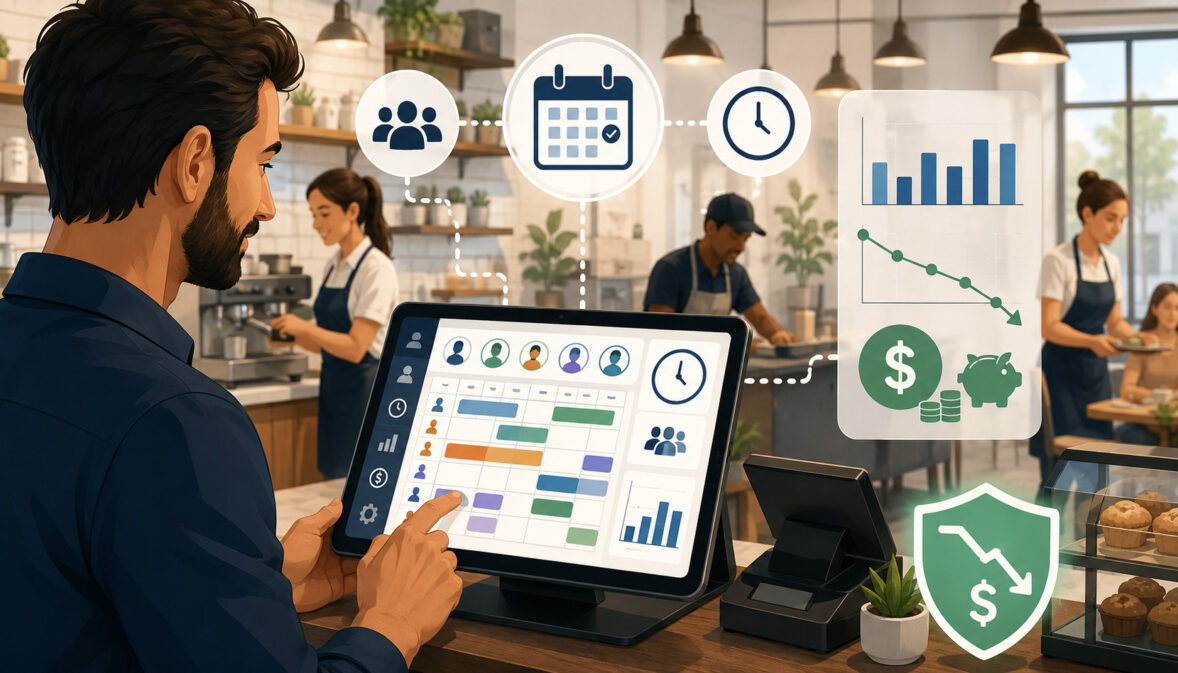
POS scheduling tools can reduce avoidable labor costs by helping managers plan shifts before problems happen. A schedule is not just a list of employee names. It is a labor budget, service plan, coverage map, and productivity tool.
Shift templates can make scheduling more consistent. A business may create templates for normal weekdays, busy weekends, holiday periods, promotional days, or closing shifts. Templates save time, but they should still be adjusted based on expected demand.
Availability tracking helps reduce scheduling conflicts. When employees submit availability in advance, managers can avoid assigning shifts that employees cannot work. Time-off request tools can also help prevent last-minute gaps.
Overtime warnings are especially useful. If a schedule would push an employee toward overtime, the manager can adjust before the schedule is published. Labor budget alerts can also show when projected staffing exceeds planned labor spending.
Shift swap tools can help employees manage changes, but manager approval is important. Without approval, swaps may create overtime, role gaps, or coverage issues.
Avoiding Overstaffing During Slow Periods
Overstaffing happens when more employees are scheduled than demand requires. It often occurs because schedules are copied from previous weeks without reviewing current sales trends or customer traffic.
POS sales reports can reveal predictable slow periods. A retailer may see low traffic during certain weekday mornings. A restaurant may see a gap between lunch and dinner. A service business may have fewer appointments during certain afternoons.
Reducing overstaffing does not mean cutting coverage below safe or practical levels. Businesses still need minimum staffing for service, supervision, cleaning, stocking, security, and breaks. The goal is to remove unnecessary labor while keeping operations stable.
Managers can use POS labor reports to test small changes. If service quality remains strong and labor-to-sales ratio improves, the new staffing level may be more appropriate.
Preventing Understaffing During Peak Hours
Understaffing can be just as costly as overstaffing. When too few employees are scheduled during peak hours, customers may wait longer, employees may feel overwhelmed, and sales opportunities may be missed.
POS sales and traffic reports help identify when peak demand actually occurs. Managers may discover that the busiest time starts earlier than expected, or that order volume remains high after the schedule begins to thin out.
Better scheduling can improve shift coverage by matching employee roles to demand. A restaurant may need more kitchen support before the dining room fills. A retailer may need more floor coverage during a promotion, not just more cashiers at checkout.
Understaffing also affects employee performance. When teams are stretched too thin, mistakes, stress, and turnover risk may increase. Labor cost control should always be balanced with service quality.
Managing Shift Swaps and Last-Minute Changes
Shift swaps and last-minute changes are part of managing hourly teams. Employees get sick, availability changes, customer traffic shifts, and unexpected events happen. POS scheduling tools can help manage these changes without losing control of labor costs.
A shift swap workflow can allow employees to request changes while keeping managers involved. This helps ensure the replacement employee has the right role, skills, and availability. It also helps prevent accidental overtime.
Manager approvals are important because not all shift swaps are equal. Replacing a lower-wage role with a higher-wage role may affect labor costs. Replacing an experienced closer with an employee who cannot close may create operational problems.
Good scheduling tools keep changes visible. Managers can review who worked, who was scheduled, and why the change happened.
Overtime Control With POS Labor Reports
Overtime costs can increase labor spending quickly because extra hours may cost more than regular hours. Overtime may be necessary at times, but repeated or unexpected overtime can be a sign that scheduling, staffing levels, or shift management needs attention.
POS labor reports can help managers identify employees approaching overtime before the payroll period ends. This gives managers time to adjust schedules, redistribute shifts, or bring in another qualified employee. Without this visibility, overtime may only be discovered after the hours have already been worked.
Reports can also show departments or locations with repeated overtime. A restaurant may see that closing shifts regularly run long. A retailer may find that stockroom work is pushing employees beyond scheduled hours. A service business may discover that appointment overruns are creating extra labor costs.
Late clock-outs are another common source of overtime. Employees may stay late to finish cleaning, close registers, complete prep, restock shelves, or help customers. Some late work is legitimate, but managers should understand why it happens.
Overtime control should not be handled by simply telling employees to stop working extra time. Managers should review root causes. The business may need better shift handoffs, more realistic closing schedules, improved training, better task assignment, or additional coverage during specific periods.
Employee Time Tracking and Payroll Accuracy
Employee time tracking supports payroll accuracy, labor reporting, and employee trust. When time records are complete and consistent, managers can prepare payroll with fewer corrections and less guesswork.
A POS time clock may record clock-ins, clock-outs, breaks, missed punches, manager edits, approval history, and attendance patterns. These records can be reviewed before payroll processing to catch problems such as duplicate shifts, missing breaks, early clock-ins, or incorrect job roles.
Payroll reporting becomes more efficient when time records are clean. POS payroll integration or payroll exports can reduce manual data entry, but managers should still review records before sending them forward. Technology can reduce errors, but it cannot confirm every situation without oversight.
Attendance history can also help managers identify training or policy issues. Repeated late arrivals, missed punches, or early clock-ins may indicate that employees need reminders, better procedures, or clearer expectations.
Reviewing Time Cards Before Payroll
Time card review is one of the most important payroll preparation tasks. Managers should check for missed punches, incorrect breaks, duplicate shifts, unexpected overtime, early clock-ins, late clock-outs, and unauthorized edits.
Reviewing time cards before payroll helps prevent small mistakes from becoming payroll disputes. It also gives employees a chance to correct legitimate errors. A missed clock-out may happen because the system was busy, the employee forgot, or a manager asked the employee to handle a last-minute task.
Manager approvals create a useful review trail. When edits are needed, the reason should be documented according to internal policy. This protects the accuracy of labor reports and helps maintain accountability.
Time card review should happen regularly, not only at the end of the pay period. Frequent review reduces the pressure of payroll preparation.
Reducing Manual Payroll Errors
Manual payroll entry can create mistakes when hours are copied from paper time sheets, spreadsheets, or handwritten notes. Errors may happen because of unclear handwriting, missed breaks, duplicate entries, incorrect overtime calculations, or wrong employee roles.
POS payroll integration and export tools can reduce the amount of manual entry required. Approved time records may be exported or synced with payroll systems, making the workflow more consistent.
However, automation does not remove the need for review. If an employee forgot to clock out, the exported record may still be wrong. If a manager changed a shift without updating the system, the report may not match reality.
The strongest payroll process combines automated records with manager oversight, employee communication, and clear timekeeping policies.
Labor Cost Management for Different Business Types
Labor cost management looks different across business models. The same POS labor tracking tools may be used in many industries, but the way managers interpret reports depends on how work is performed, when customers arrive, and which roles are needed.
Retail stores may focus on sales floor coverage, cashier activity, stockroom labor, and seasonal staffing. Restaurants may focus on dayparts, prep, front-of-house, back-of-house, delivery, and closing work. Service businesses may focus on appointments, technician time, and customer flow. Multi-location businesses may need location-level comparisons.
Retail Stores
Retail labor cost management often involves balancing customer service, checkout coverage, stocking, merchandising, and store supervision. Retailers may schedule cashiers, sales associates, stockroom staff, supervisors, and seasonal employees based on store hours, promotions, delivery schedules, and foot traffic.
POS sales reports can help identify peak shopping times, slow periods, high-conversion hours, and product category trends. Managers can use this information to schedule more sales floor support when customers are most likely to need help.
Retailers should also compare scheduled hours with actual hours. Stocking, returns, closing tasks, and customer service issues can cause shifts to run longer than planned. If this happens often, schedules may need adjustment.
Staff productivity tracking should be used carefully. A cashier’s transaction count may not reflect the work of a stock associate or floor associate. Role-based reporting helps make comparisons more useful.
Restaurants and Food Businesses
Restaurants and food businesses often have complex labor patterns because demand changes throughout the day. Front-of-house, back-of-house, prep, delivery, cleaning, and closing teams may all follow different schedules.
Restaurant labor cost tracking may involve sales by daypart, order volume, table turns, ticket counts, delivery activity, kitchen workload, and service speed. Managers can use this data to schedule around lunch rushes, dinner peaks, prep periods, and slow gaps.
Overtime tracking is important because late closes, call-outs, and unexpected rushes can quickly increase payroll costs. Break tracking and time card review are also essential for accurate payroll reporting.
A strong restaurant schedule considers both visible customer demand and behind-the-scenes work. Prep and cleaning may happen outside peak sales periods but still require labor budget planning.
Service Businesses
Service businesses may include appointment-based operations, repair shops, salons, wellness providers, cleaning services, and other businesses where labor depends on service duration and customer demand. In these businesses, labor cost control often depends on matching employee availability with booked work and walk-ins.
POS workforce management can help track employee hours, service revenue, appointments, tips where applicable, and productivity by role. Managers may review sales per labor hour, appointment volume, no-shows, and service timing.
Scheduling conflicts can be costly in service businesses. If a technician or specialist is unavailable, appointments may need to be moved. If too many employees are scheduled during slow appointment periods, payroll costs may rise without enough revenue.
POS reporting can help managers identify which times need more coverage and which periods can operate with a smaller team.
eCommerce and Fulfillment Teams
Online sellers with fulfillment teams may use POS or connected systems to track labor for picking, packing, shipping, customer support, returns, inventory receiving, and warehouse tasks. Even when customers do not visit a physical store, labor cost tracking still matters.
Fulfillment demand may rise after promotions, weekends, seasonal peaks, or marketplace activity. Managers can use sales reports and order volume data to plan staffing levels for packing and shipping.
Employee time tracking helps separate fulfillment labor from customer service, inventory, and administrative work. This makes labor reports more useful for cost control.
For eCommerce operations, speed and accuracy matter. Understaffing can delay orders, while overstaffing can raise operating expenses. POS data and order reports can help managers find the right balance.
Multi-Location Businesses
Multi-location businesses need consistent labor reporting across stores, branches, or service areas. Without standardized reporting, it can be difficult to compare performance fairly.
POS multi-location reporting may show labor cost by location, labor-to-sales ratio, overtime hours, scheduled hours, actual hours, and sales per labor hour. Managers can use these reports to identify locations that may need support, training, schedule changes, or policy review.
Location comparisons should include context. A high-volume location, small-format store, training location, or service-heavy site may naturally have different labor needs. The goal is not to make every location identical, but to understand why differences exist.
Centralized reporting also helps owners and regional managers spot patterns across the business. If several locations show the same overtime issue, the cause may be a process problem rather than a single manager’s decision.
Common Labor Cost Mistakes POS Systems Can Help Identify
POS systems can help identify labor cost mistakes that are easy to miss in daily operations. One common mistake is overstaffing slow shifts. Managers may copy schedules from previous weeks without checking updated sales trends, customer traffic, or local conditions.
Another mistake is understaffing busy shifts. This may reduce scheduled labor on paper, but it can create longer waits, missed sales, lower employee morale, and weaker customer experience. Labor cost control should not be measured only by fewer hours.
Ignoring overtime risk is also costly. Employees may approach overtime because of extra shifts, late clock-outs, schedule swaps, or poor coverage planning. POS labor reports can help managers identify this risk earlier.
Not reviewing time cards is another common issue. Missed punches, incorrect breaks, early clock-ins, and unauthorized edits can distort payroll reporting. A POS time clock helps, but only if managers review exceptions.
Other mistakes include:
- Failing to update employee roles after promotions or transfers
- Allowing employees to clock in before scheduled start times without approval
- Not comparing labor costs with sales reports
- Using outdated shift templates
- Ignoring employee availability
- Failing to monitor labor by location
- Relying only on guesswork instead of POS labor reports
- Not training employees on clock-in and clock-out procedures
- Treating labor reduction as the only goal
Labor Cost Management Checklist
A checklist helps managers turn POS labor tools into a regular operating routine. The goal is to make labor cost control consistent, not reactive.
| Checklist Item | Why It Matters | Review Frequency |
| Employee profiles are complete | Keeps roles, permissions, locations, and reports accurate | When hiring or updating staff |
| Pay rates or job codes are reviewed | Supports accurate labor cost reporting and payroll exports | Before payroll and after role changes |
| POS time clock is configured | Creates consistent clock-in and clock-out records | During setup and policy changes |
| Break tracking is enabled where needed | Helps maintain accurate time records | Each pay period |
| Schedule templates are updated | Prevents outdated staffing patterns | Regularly |
| Employee availability is current | Reduces scheduling conflicts | Before schedule creation |
| Sales trends are reviewed before scheduling | Aligns staffing with demand | Before publishing schedules |
| Labor budget is checked | Helps control projected payroll costs | During scheduling |
| Overtime alerts are monitored | Reduces unexpected overtime costs | Throughout the workweek |
| Time cards are approved | Catches missed punches and errors | Before payroll |
| Payroll exports are reviewed | Reduces manual payroll mistakes | Before payroll processing |
| Labor-to-sales ratio is reviewed | Shows whether labor aligns with sales | Weekly or by pay period |
| Labor reports are discussed with managers | Turns data into action | Regular management review |
Compliance and Policy Considerations for Labor Cost Tracking
Labor cost tracking and timekeeping may involve wage, hour, overtime, break, scheduling, and recordkeeping considerations. Businesses should treat POS time records as important operational documents, not just internal reports.
Applicable rules may require accurate records of hours worked and wages earned for covered employees. Official recordkeeping guidance notes that employers generally need complete and accurate information about employee hours and wages, and that timekeeping may be handled through different methods if records are accurate.
This section is educational only and should not be treated as legal advice. Rules can vary depending on location, employee classification, business type, worker age, and scheduling practices. Businesses should follow applicable requirements and seek qualified guidance when needed.
Timekeeping Accuracy
Accurate timekeeping supports payroll accuracy, labor cost reporting, employee trust, and accountability. Employees should know how to clock in, clock out, record breaks, report missed punches, and request corrections.
A POS time clock can help standardize the process, but technology alone does not guarantee accuracy. Managers should review exceptions, approve edits, and address repeated issues consistently.
Timekeeping accuracy also affects labor reports. If employees work off the clock, forget breaks, or use the wrong role code, reports may not reflect actual labor costs. This can lead to poor scheduling decisions.
Clear policies help employees understand expectations. Training should cover when employees may clock in, whether early clock-ins need approval, how break tracking works, and who can edit time cards.
Breaks, Overtime, and Recordkeeping
Breaks, overtime, and recordkeeping should be handled carefully. Businesses may need to understand requirements related to work hours, overtime rules, meal or rest breaks, minor employees, record retention, and scheduling practices.
A POS system can help record breaks, track overtime risk, maintain attendance history, and organize time card records. However, managers must still configure the system properly and review records regularly.
Recordkeeping guidance explains that employers covered by certain wage and hour rules must keep accurate records for covered nonexempt workers, though no specific record format is required.
Businesses should avoid using labor cost control in a way that creates timekeeping problems. For example, employees should not be encouraged to work without recording time. Accurate records protect both the business and the employee.
How to Evaluate POS Labor Cost Management Tools
When evaluating POS labor cost management tools, businesses should look beyond basic time clock features. The best option depends on the size of the team, number of locations, reporting needs, payroll workflow, and scheduling complexity.
Ease of use matters. Employees should be able to clock in and out without confusion. Managers should be able to review time cards, approve edits, create schedules, and access reports without excessive manual work.
Reporting depth is also important. A useful system should help track labor cost, actual hours, scheduled hours, overtime, labor by role, labor by location, and labor-to-sales ratio. For restaurants and retailers, daypart reporting and sales per labor hour can be especially helpful.
Scheduling features should support availability, time-off requests, shift templates, role-based scheduling, shift swaps, overtime warnings, and labor budget visibility. A system that only creates a basic schedule may not provide enough control for growing teams.
Payroll integration is another key consideration. Businesses should evaluate whether the POS can export approved time cards or connect with payroll tools. Payroll reporting should reduce manual work while still allowing manager review.
Multi-location reporting matters for businesses with more than one site. Managers may need to compare labor costs, overtime, attendance issues, and staffing patterns across locations.
Security and permissions should not be overlooked. Role-based access, manager approvals, and data protection help maintain accountability. Employee records, time cards, and payroll-related information should be handled carefully.
Best Practices for Managing Labor Costs With POS Systems
Managing labor costs with POS systems works best when managers follow consistent habits. The system provides data, but the business needs a process for using that data.
Start by reviewing labor reports regularly. Weekly review is useful for many businesses because it gives managers enough information to see trends without waiting too long. Some businesses may review labor during each shift or each day, especially when margins are tight.
Schedule based on sales trends, not only habit. Use POS sales reports, traffic data, daypart reporting, and previous labor reports to build schedules around expected demand. Avoid copying old schedules without checking whether demand has changed.
Set manager approval rules for time edits, early clock-ins, shift swaps, and schedule changes. Approvals help protect timekeeping accuracy and labor budget control.
Monitor overtime before it happens. Review employees approaching overtime and adjust schedules when possible. Look for repeated overtime patterns by role, department, shift, or location.
Keep employee profiles clean. Update roles, permissions, locations, pay information where used, and availability whenever changes happen. Outdated employee data can weaken labor reports.
Train employees on time clock procedures. Everyone should understand how to clock in and out, record breaks, report missed punches, and request corrections.
Compare scheduled labor with actual labor. This shows whether the schedule is being followed and whether shifts regularly run longer than expected.
Finally, use labor reports as conversation starters. If a location has high labor costs, the answer may not be immediate cuts. It may need better forecasting, more training, revised shift templates, or workflow improvements.
FAQs
What does managing labor costs with POS systems mean?
Managing labor costs with POS systems means using POS tools and reports to track employee hours, scheduled shifts, actual hours, overtime, labor costs, payroll exports, and sales performance. The goal is to understand how labor spending connects with business activity.
It may include employee time tracking, POS scheduling software, labor cost reporting, POS payroll integration, and labor forecasting. Managers use this information to schedule smarter, reduce avoidable overtime, review time cards, and make better staffing decisions.
The system does not manage labor on its own. Managers still need accurate data, clear policies, employee training, and regular report review.
How can POS systems help track labor costs?
POS systems can help track labor costs by recording employee clock-ins, clock-outs, breaks, time card edits, scheduled hours, actual hours, overtime, and role-based labor. Some systems also connect labor data with sales reports.
This allows managers to compare labor spending with customer traffic, transaction volume, order counts, and sales trends. For example, a manager can see whether a busy shift had enough coverage or whether a slow period was overstaffed.
Labor reports make it easier to identify problems before they become larger payroll issues.
What is POS labor cost management?
POS labor cost management is the process of using POS tools to monitor, analyze, and control labor-related expenses. It includes labor cost tracking, shift management, workforce scheduling, payroll reporting, overtime tracking, and labor-to-sales ratio review.
The purpose is not simply to reduce hours. A business still needs enough employees to serve customers, complete tasks, and maintain quality. POS labor cost management helps managers align staffing with demand.
When used well, it supports better labor budget management and operational efficiency.
Can a POS system track employee hours?
Many POS systems include a POS time clock or connect with employee time tracking tools. Employees may be able to clock in and clock out through a register, tablet, terminal, or mobile device.
The system may record regular hours, breaks, missed punches, late arrivals, early clock-ins, and manager-approved edits. These records can then support payroll reporting and labor cost analysis.
Managers should still review time cards before payroll to catch errors and confirm that records are accurate.
How does POS scheduling help reduce labor costs?
POS scheduling helps reduce avoidable labor costs by allowing managers to build schedules around expected demand. Managers can review sales trends, peak hours, slow periods, employee availability, time-off requests, and projected labor costs before publishing a schedule.
Scheduling tools may also show overtime warnings, shift conflicts, and labor budget alerts. This helps managers make adjustments before employees work the hours.
Good scheduling can reduce overstaffing during slow periods while helping prevent understaffing during busy periods.
What is labor-to-sales ratio?
Labor-to-sales ratio compares labor cost with sales for the same period. It is usually shown as a percentage and helps managers understand how much of sales is being used to cover labor.
A high ratio may suggest overstaffing, lower sales, overtime costs, or inefficient scheduling. A low ratio may look efficient, but it can also mean the business is understaffed if service quality is suffering.
Managers should compare labor-to-sales ratio with service levels, traffic, transaction volume, and employee workload.
Can POS systems help control overtime?
POS systems can help control overtime by showing employees who are approaching overtime, shifts that run longer than scheduled, and departments with repeated overtime patterns. Some scheduling tools may warn managers before a schedule creates overtime risk.
Overtime reports help managers adjust schedules, redistribute shifts, or investigate why extra hours are happening. The cause may be high demand, late closing tasks, call-outs, poor scheduling, or not enough trained staff.
The system can highlight the issue, but managers must decide how to respond appropriately.
What reports are useful for labor cost tracking?
Useful reports include labor cost reports, labor-to-sales ratio reports, scheduled-versus-actual labor reports, overtime reports, time card reports, labor by role, labor by location, sales per labor hour, and transactions per employee.
Sales reports are also important because labor should be reviewed alongside revenue, traffic, and order volume. A labor number alone does not explain whether the staffing level was appropriate.
Restaurants may also use daypart reports, while retailers may review sales by hour, foot traffic, and promotional performance.
Can POS labor reports help with payroll?
Yes, POS labor reports can help with payroll by organizing employee hours, breaks, overtime, time card edits, and approved shifts. Some systems provide payroll exports or integrate with payroll tools.
This can reduce manual data entry and make payroll preparation more efficient. However, managers should still review time cards before payroll is processed.
Payroll reporting is strongest when employees follow timekeeping procedures and managers approve corrections promptly.
How often should managers review labor costs?
Many businesses benefit from reviewing labor costs weekly, but fast-moving operations may review labor daily or even during shifts. The right frequency depends on business size, payroll pressure, staffing complexity, and customer demand.
At minimum, managers should review labor reports before schedules are created and before payroll is processed. This helps prevent repeating scheduling mistakes and reduces payroll surprises.
Regular review is more useful than occasional deep analysis because it allows managers to correct issues sooner.
What mistakes should businesses avoid when using POS labor tools?
Businesses should avoid relying only on software without manager review. POS tools provide data, but managers still need to interpret it carefully.
Common mistakes include not reviewing time cards, ignoring missed punches, failing to update employee roles, copying old schedules, overlooking overtime risk, not tracking breaks, and focusing only on cutting hours.
Another mistake is reviewing labor costs without considering sales and service quality. Labor cost control should support the business, not weaken customer experience.
Conclusion
Managing labor costs with POS systems can help businesses gain better control over one of their most important operating expenses. By using employee time tracking, POS scheduling software, labor cost reporting, payroll exports, overtime tracking, and sales reports, managers can see how staffing decisions affect payroll costs, service quality, and profitability.
The strongest benefit comes from connecting labor data with sales data. Labor-to-sales ratio, scheduled hours versus actual hours, sales per labor hour, daypart reports, and staff productivity tracking all help managers understand whether labor is aligned with demand.
POS tools can also improve payroll preparation by organizing time cards, breaks, missed punches, manager edits, and attendance records. This can reduce manual work and help managers catch errors before payroll is processed.
Still, technology is only part of the process. Better labor cost management requires accurate employee profiles, reliable clock-in and clock-out habits, clear policies, regular report review, manager approvals, and thoughtful scheduling decisions.
When used consistently, POS labor cost management helps businesses reduce avoidable overtime, improve shift coverage, manage labor budgets, support payroll accuracy, and make smarter staffing decisions without losing sight of customer experience or employee needs.