
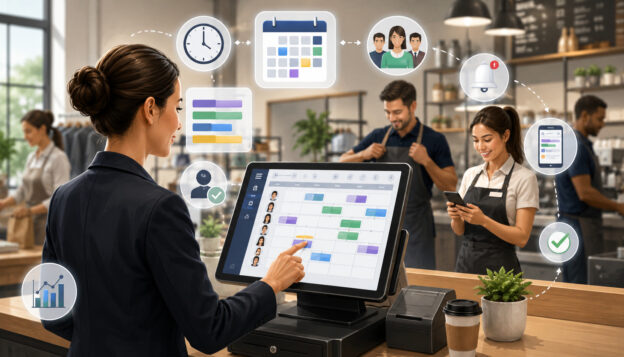
Employee scheduling through POS systems helps businesses connect staffing decisions with the sales, service, and attendance data they already use every day.
For retailers, restaurants, service businesses, and multi-location operators, scheduling is not only about filling shifts. It is about matching the right employees to the right roles at the right time, while keeping labor costs, customer demand, employee availability, and operational needs in balance.
Poor scheduling can create problems quickly. If too few employees are scheduled during peak hours, customers may wait longer, service quality may drop, and sales opportunities may be missed.
If too many employees are scheduled during slow periods, labor costs can rise without improving the customer experience. Scheduling mistakes can also frustrate employees when availability is ignored, changes are communicated late, or overtime is not monitored carefully.
A POS system can support better employee shift planning by combining staff scheduling tools, employee time tracking, sales reports, labor forecasting, shift reminders, and payroll-ready data. Instead of building schedules from guesswork or scattered spreadsheets, managers can use POS employee scheduling features to make more informed staffing decisions.
Still, software should support management judgment, not replace it. Employee scheduling software works best when businesses maintain accurate employee records, communicate clearly with staff, review labor reports regularly, and follow applicable wage, hour, break, and recordkeeping rules.
What Employee Scheduling Through POS Systems Means
Employee scheduling through POS systems means using a point-of-sale platform, or an integrated staff management software tool, to create, publish, track, and review employee schedules. In many businesses, the POS is already the center of sales activity.
It records transactions, order volume, customer traffic, product sales, employee logins, discounts, returns, and other operational details. When scheduling tools are connected to that same system, managers can use real business data to plan staffing levels more accurately.
An employee scheduling POS system may include shift creation, role assignments, employee availability tracking, time-off requests, POS time clock features, employee attendance tracking, scheduling automation, labor cost management, and payroll reports.
Some systems also allow employees to view schedules from a mobile device, request shift swaps, receive reminders, and submit availability updates.
The main value is connection. Sales data can show when the business is busiest. Labor reports can show how much scheduled labor costs compared with revenue. Time cards can show whether employees worked as scheduled.
Payroll integration can reduce duplicate data entry. Together, these features help managers move from manual scheduling to a more organized workforce scheduling process.
However, POS scheduling software does not automatically know every detail that matters. Managers still need to consider employee skills, customer service standards, training needs, weather, local events, delivery demand, cleaning tasks, inventory projects, and staff morale.
Scheduling automation can suggest patterns, but final decisions should be reviewed by a responsible manager.
How POS Employee Scheduling Works
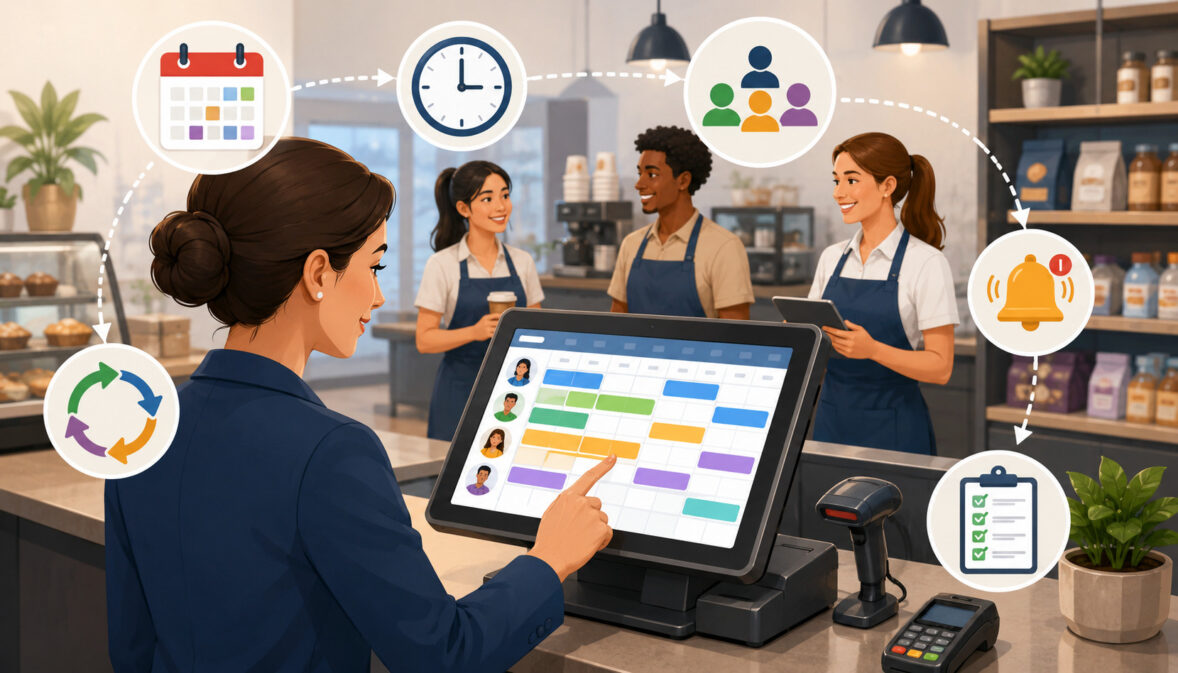
POS employee scheduling usually starts with employee data. Managers create employee profiles, assign job roles, add pay rates where needed, set permissions, and connect employees to specific locations or departments. From there, employees or managers can add availability, preferred hours, unavailable days, and time-off requests.
Once the employee records are ready, managers can build schedules using shift templates, recurring schedules, sales reports, labor budgets, and forecasted customer demand. A restaurant may create separate opening, lunch, dinner, and closing shifts.
A retail store may schedule cashiers, sales associates, stockroom employees, and supervisors based on expected traffic. A service business may schedule staff around appointments, walk-ins, and job duration.
After the schedule is drafted, managers review it for shift coverage, overtime risk, availability conflicts, role requirements, and labor targets. Once approved, the schedule can be published to employees. Some POS scheduling software sends shift reminders, update alerts, or mobile notifications.
When employees work their shifts, POS time clock tools may record clock-in and clock-out times, break tracking, missed punches, early arrivals, late arrivals, and time card edits. Managers can then compare scheduled labor with actual labor and export payroll-ready reports.
This process helps businesses close the loop between planning and performance. A schedule is not just a calendar. It becomes part of a workflow that connects employee shift planning, labor forecasting, attendance records, payroll preparation, and sales performance review.
Employee Profiles and Job Roles
Employee profiles are the foundation of POS employee scheduling. A profile may include the employee’s name, job title, department, work location, skill level, hourly rate, permissions, contact information, employment status, and scheduling notes. Some businesses also add certifications, training status, preferred roles, or cross-trained departments.
Role-based scheduling helps managers assign the right employees to the right shifts. For example, a retail store may need at least one supervisor, two cashiers, and one stockroom employee during a busy evening shift.
A restaurant may need servers, hosts, cooks, dish staff, and a shift lead. A service business may need technicians with specific skills for certain appointments.
Without accurate job roles, schedules can look complete while still being operationally weak. A shift may have enough people, but not the right mix of skills. That can lead to poor shift coverage, slower service, manager stress, and uneven workloads.
Keeping employee profiles updated also supports permissions and accountability. The POS can limit who can approve discounts, edit time cards, access reports, or close registers. This makes staff management software more useful because scheduling, time tracking, and system access are aligned.
Availability and Time-Off Requests
Employee availability tracking helps managers understand when employees can and cannot work. Employees may submit preferred hours, school schedules, second-job conflicts, unavailable days, maximum weekly hours, or time-off requests.
When this information is stored in the scheduling system, managers can reduce scheduling conflicts before the schedule is published.
Availability does not mean every preference can always be granted. Businesses still need adequate shift coverage, especially during peak hours, weekends, holidays, promotions, and seasonal demand. However, visibility into availability helps managers make better decisions and avoid preventable mistakes.
Time-off requests are another important part of workforce scheduling. A POS scheduling tool may allow employees to request time off digitally, while managers approve, deny, or modify the request. This creates a clearer record than verbal requests or scattered messages.
Good availability management can also improve employee communication. Employees are less likely to miss shifts when they can see their schedule, request changes through an approved process, and receive updates when the schedule changes. Managers also spend less time resolving confusion.
Shift Templates and Recurring Schedules
Shift templates help managers build schedules faster by reusing common staffing patterns. Many businesses repeat similar weekly rhythms. A store may have opening, midday, closing, weekend, and inventory shifts.
A restaurant may have prep, lunch, dinner, late-night, and closing shifts. A service business may have morning appointments, afternoon walk-ins, and end-of-day cleanup tasks.
Instead of building each schedule from scratch, managers can create templates for recurring shifts. These templates may include start times, end times, required roles, labor targets, break expectations, location assignments, and shift notes. Managers can then adjust the template based on expected demand.
Recurring schedules can be useful for stable teams, but they should not be copied without review. Sales trends, employee availability, seasonal demand, promotions, weather, and local events can change staffing needs. A recurring schedule is a starting point, not a final answer.
Templates also support consistency. New managers or shift supervisors can follow a proven staffing pattern instead of guessing. This is especially helpful for multi-location scheduling, where businesses want similar standards across stores while still allowing location-specific adjustments.
Why POS Scheduling Software Matters for Labor Planning
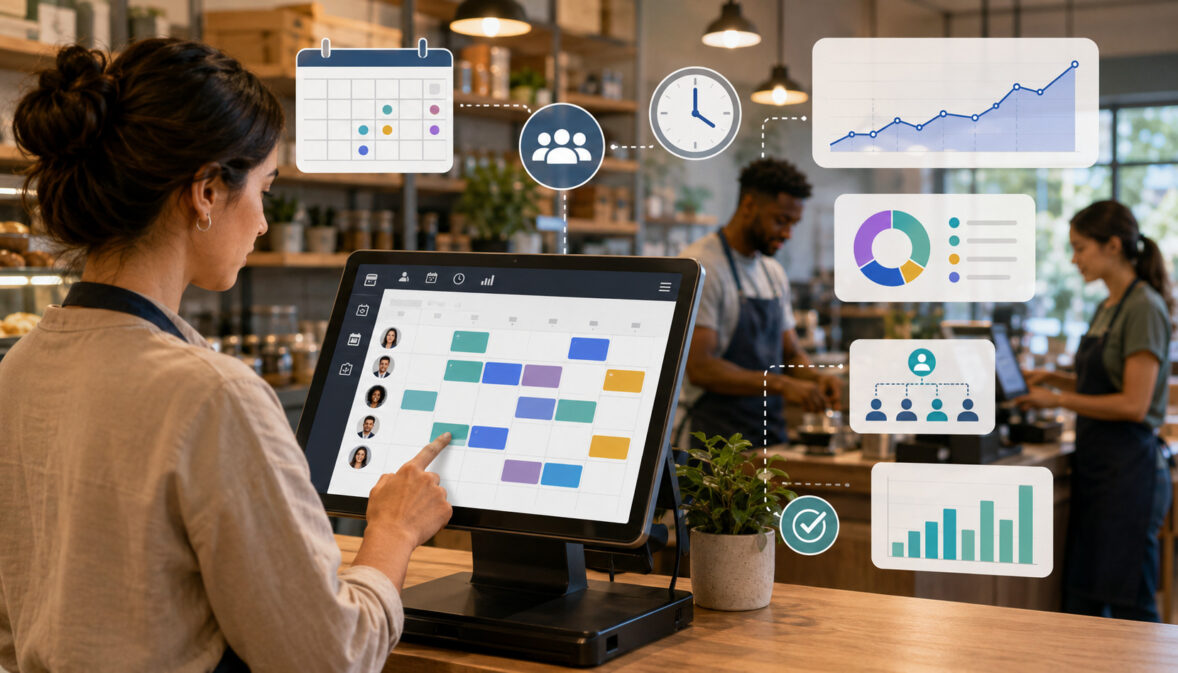
POS scheduling software matters because labor is one of the most important controllable costs in many customer-facing businesses.
Labor planning affects customer service, employee workload, payroll accuracy, overtime control, profitability, and operational efficiency. When scheduling is disconnected from sales data, managers may rely too heavily on memory or assumptions.
A POS system can show sales trends, transaction counts, average order value, customer traffic, category sales, table turns, service times, and daypart performance. These reports help managers understand when employees are needed most.
For example, a store may discover that traffic rises sharply after work hours, while a restaurant may see that labor needs are different for lunch, dinner, and weekend service.
Labor-to-sales ratio is another useful measurement. It compares labor costs with revenue and helps managers see whether staffing levels are aligned with business activity. A high ratio may mean overstaffing, inefficient scheduling, or low sales. A very low ratio may mean the team is stretched too thin, which can hurt service quality and employee morale.
POS workforce management tools also help businesses plan around slow periods. Instead of scheduling the same number of employees all day, managers can adjust staffing levels based on expected demand. That may mean fewer employees during quiet hours and more employees during checkout surges, dinner rushes, or appointment-heavy periods.
The goal is not simply to reduce labor costs. The better goal is to match labor to demand. A well-built schedule gives customers enough support, employees a manageable workload, and the business better control over payroll spending.
Key Features of an Employee Scheduling POS System
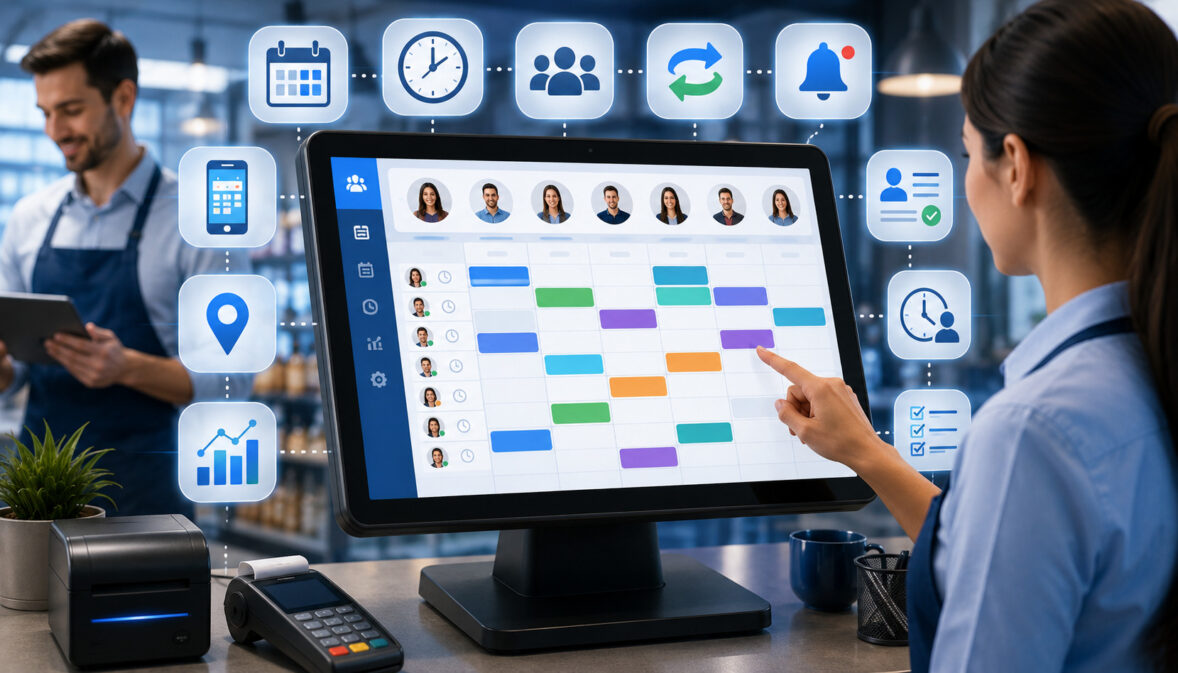
The best employee scheduling POS system for a business depends on its size, industry, staffing model, and workflow. A small retail shop may need simple shift scheduling and a POS time clock.
A restaurant may need role-based scheduling, break tracking, labor forecasting, and shift swap management. A multi-location business may need centralized visibility, location-based permissions, and shared labor pools.
Managers should evaluate scheduling features based on how they will actually be used. A long feature list is not always helpful if the system is difficult to maintain or employees do not use it correctly. The most useful POS scheduling software makes daily scheduling easier while improving the quality of labor decisions.
Important features include shift scheduling tools, employee availability tracking, time-off management, time clock records, attendance reporting, overtime alerts, payroll exports, labor forecasting, mobile scheduling, employee communication, and multi-location scheduling. These features should work together instead of creating separate, disconnected workflows.
Security and permissions also matter. Scheduling and payroll-related data may include employee contact information, pay rates, time cards, and attendance records. Managers should control who can view, edit, approve, and export sensitive data.
Shift Scheduling Tools
Shift scheduling tools allow managers to create, edit, publish, and adjust employee schedules from one central workspace. A schedule may be organized by day, week, role, employee, department, or location. Some systems support drag-and-drop scheduling, shift notes, recurring shifts, color-coded roles, and conflict alerts.
These tools help managers see coverage more clearly. Instead of reading a spreadsheet line by line, managers can quickly identify open shifts, overlapping shifts, missing roles, and understaffed periods. This can be especially useful when schedules change often.
Shift notes are helpful for communicating expectations. A manager may add notes about register coverage, inventory counts, delivery prep, cleaning duties, training, or special events. These notes reduce confusion and help employees understand the purpose of the shift.
Schedule visibility also improves employee communication. When employees can view published schedules digitally, they are less likely to miss updates. Managers can also reduce repetitive questions about shift times, locations, and role assignments.
POS Time Clock and Attendance Tracking
A POS time clock allows employees to clock in and clock out through the POS system or a connected device. This creates time records that can be compared with scheduled shifts. Employee attendance tracking may show late arrivals, early clock-ins, missed punches, break records, early departures, and unscheduled work.
Time clock data is useful because scheduled hours and actual hours are often different. Employees may stay late, arrive early, forget to clock out, miss a break entry, or switch shifts with approval. If managers do not review time cards, payroll reports may not reflect what actually happened.
Break tracking is also important for businesses that must follow specific break policies. A POS time clock may allow employees to record meal breaks, rest breaks, or unpaid break periods. Managers should review these records before payroll and correct errors according to company policy and applicable rules.
Time card review should be part of the weekly workflow. Managers should not wait until payroll is due to find missed punches or unexplained overtime. Regular review helps prevent small errors from becoming larger payroll problems.
Labor Forecasting
Labor forecasting uses sales history, transaction volume, customer traffic, order patterns, and staffing data to estimate future labor needs. POS labor scheduling becomes more useful when the system can connect expected demand with required staffing levels.
For example, if sales reports show that Friday evenings are consistently busy, managers can schedule more employees for that period. If Tuesday afternoons are usually slow, the schedule can be lighter while still maintaining service standards. This approach helps reduce both overstaffing and understaffing.
Labor forecasting may also account for dayparts. A restaurant may need more front-of-house staff during dinner, more prep staff before service, and fewer employees between rushes. A retail store may need more cashiers during checkout surges and more stockroom employees before promotions.
Forecasts should be reviewed, not followed blindly. A special event, weather change, local demand shift, delivery spike, or marketing campaign can make historical data less reliable. Managers should use forecasting as a guide and adjust based on current business conditions.
Shift Swap and Manager Approval Tools
Shift swap management allows employees to request trades or offer shifts to other qualified employees. This can reduce manager workload and give employees more flexibility, but it must be controlled carefully.
A good shift swap process includes manager approvals, role checks, overtime review, availability review, and location permissions. An employee should not be able to trade into a role they are not trained for or accept a shift that creates unnecessary overtime without review.
Manager approval tools help protect shift coverage. The system may notify a manager when a swap is requested, show who is involved, and indicate whether the replacement employee meets the shift requirements. This helps managers make faster decisions without losing control of the schedule.
Shift swaps should also be documented. Verbal agreements between employees can create confusion if the schedule is not updated. A digital approval process creates a clearer record and helps everyone see the final schedule.
Payroll Integration and Labor Reports
POS payroll integration can help businesses prepare payroll by connecting scheduled hours, actual hours, time cards, overtime alerts, and labor summaries. Instead of manually entering hours into a separate payroll process, managers may export time data or sync approved records with payroll tools.
Payroll-ready reports can include total hours worked, regular hours, overtime hours, breaks, paid time off, job roles, departments, locations, and employee attendance details. These reports can reduce duplicate data entry and help managers catch issues before payroll is processed.
Labor reports also support better decision-making. Managers can compare scheduled labor with actual labor, review labor costs by location, and track labor-to-sales ratio over time. These insights can show whether staffing plans are improving or whether schedules need adjustment.
Payroll integration does not remove the need for review. Managers should still check missed punches, edits, breaks, overtime, and unusual time records. Clean payroll data depends on accurate timekeeping and responsible approvals.
Multi-Location Scheduling
Multi-location scheduling helps businesses manage employees across multiple stores, restaurants, departments, warehouses, or service areas. Instead of each location operating in isolation, managers can view staffing needs and employee availability across the business.
This is useful when employees are trained to work at more than one location. A shared labor pool can help fill coverage gaps, reduce understaffing, and give employees more scheduling opportunities. Location-based scheduling also helps prevent duplicate scheduling, where an employee is accidentally assigned to two places at the same time.
Centralized visibility helps owners and regional managers compare labor costs, attendance patterns, sales performance, and staffing levels by location. One location may be overstaffed while another struggles to cover peak hours. POS workforce management reports can make those patterns easier to identify.
Permissions are important for multi-location scheduling. Store managers may only need access to their own location, while higher-level managers may need broader visibility. Clear permissions help protect employee data and reduce scheduling errors.
Benefits of Staff Scheduling Through POS
Staff scheduling through POS can improve operations in several practical ways. First, it can help managers create better shift coverage. When scheduling tools are connected to sales trends and customer traffic, managers can plan around peak hours, slow periods, promotions, and service demands.
Second, POS scheduling software can reduce manual work. Instead of maintaining separate spreadsheets, paper schedules, message threads, and time cards, managers can use one system to build schedules, publish shifts, track attendance, and review labor reports. This reduces duplication and makes weekly scheduling more consistent.
Third, employee communication can improve. Employees may be able to view schedules, receive shift reminders, request time off, and submit shift swap requests through approved workflows. This can reduce confusion and limit last-minute surprises.
Fourth, labor cost visibility becomes stronger. Managers can see estimated labor costs before publishing a schedule and compare scheduled labor with actual labor after shifts are worked. This supports better labor budget control without relying only on end-of-period payroll totals.
Fifth, payroll accuracy may improve when time clock records and approved time cards are connected to payroll reports. Missed punches, early clock-ins, overtime risk, and break records can be reviewed before payroll is prepared.
Finally, POS employee scheduling can support employee accountability. Clear schedules, role assignments, clock-in records, and manager approvals help everyone understand expectations. The result is not automatic perfection, but a more organized scheduling process.
POS Scheduling Workflow Table
A clear workflow helps managers use POS scheduling tools consistently. The table below shows how each stage connects manager action, POS data, employee impact, and common mistakes to avoid.
| Scheduling Stage | What Managers Do | POS Data Used | Employee Impact | Common Mistakes to Avoid |
| Review sales trends | Look at prior sales, transaction volume, and customer traffic | Sales reports, order counts, daypart data | Better staffing during expected demand | Copying last week’s schedule without review |
| Set labor targets | Decide labor budget and staffing levels | Labor cost reports, labor-to-sales ratio | More predictable scheduling expectations | Cutting labor too deeply during busy periods |
| Check availability | Review employee availability and time-off requests | Availability records, time-off approvals | Fewer conflicts and missed shifts | Ignoring updated availability |
| Build the schedule | Assign shifts by role, location, and skill | Employee profiles, shift templates, role permissions | Clearer shift assignments | Scheduling enough people but not the right roles |
| Review before publishing | Check overtime, coverage, conflicts, and open shifts | Overtime alerts, conflict warnings, schedule view | More reliable schedules | Publishing before resolving gaps |
| Publish shifts | Share schedules and notify employees | Mobile scheduling, shift reminders | Better communication | Posting changes without alerts |
| Track attendance | Monitor clock-ins, clock-outs, and breaks | POS time clock, attendance records | More accurate time records | Ignoring missed punches |
| Review time cards | Approve or correct time records | Time cards, break tracking, manager edits | More accurate payroll preparation | Waiting until payroll deadline |
| Compare labor against sales | Review actual hours and sales performance | Labor reports, sales reports, labor-to-sales ratio | Better future scheduling | Failing to adjust future schedules |
This workflow works best when managers follow it every schedule period. The goal is to make scheduling repeatable, measurable, and easier to improve over time. A POS system can organize the process, but managers still need to review exceptions, communicate changes, and consider business realities that may not be visible in the data.
How POS Sales Data Helps Build Better Schedules
POS sales data is one of the most useful inputs for employee shift planning. It shows when customers buy, what they buy, how often transactions happen, and which periods create the most work for employees. When managers use that information, schedules can be based on expected demand instead of habit alone.
Sales reports may reveal daily patterns, weekly patterns, seasonal changes, product category demand, order volume, table activity, checkout surges, delivery volume, and customer traffic by hour.
A retail store may need more cashiers when transaction volume spikes, even if total daily sales look average. A restaurant may need more kitchen support when order volume rises, even if dining room traffic is steady.
Managers should also compare historical sales patterns with upcoming conditions. Promotions, weather, local events, school calendars, holidays, pay cycles, product launches, and community activity can affect staffing needs. POS data gives a baseline, but managers should adjust based on what is coming.
POS reporting can also help identify staffing inefficiencies. If sales are low but labor hours are high, the schedule may need adjustment. If sales are strong but service complaints rise, the business may be understaffed or staffed with the wrong roles.
For more background on POS reporting and operational insights, readers may find this guide on weekly POS reporting metrics useful.
Peak Hour Staffing
Peak hour staffing means scheduling enough employees for the busiest parts of the day. These periods may include lunch rushes, dinner service, weekend shopping, after-work traffic, appointment clusters, checkout surges, delivery spikes, or promotional events.
POS sales reports can show when peak hours happen and how intense they are. Managers can review sales by hour, transaction count, order size, service category, or department. This helps determine whether the business needs more cashiers, servers, cooks, stockroom staff, customer service employees, or supervisors.
The right number of employees is only part of the decision. Managers also need the right roles and skills. A busy retail shift may need one experienced supervisor, several sales associates, and extra checkout support. A busy restaurant shift may need balanced front-of-house and back-of-house coverage.
Understaffing peak hours can lead to long wait times, rushed service, mistakes, missed upsell opportunities, and employee burnout. POS labor scheduling can help managers anticipate these periods and plan coverage before problems happen.
Slow Period Labor Control
Slow period labor control helps businesses avoid unnecessary payroll costs when customer demand is predictably lower. POS sales data may show quiet mornings, mid-afternoon dips, slower weekdays, or seasonal slow periods. Managers can use this data to reduce staffing while still maintaining service quality.
The goal is not to leave the business unsupported. Even during slow periods, employees may need to handle cleaning, prep, inventory tasks, online orders, customer service, receiving, training, or administrative work. A good schedule balances cost control with operational needs.
Slow periods can also be useful for non-customer-facing tasks. Instead of scheduling extra labor during peak hours for inventory counts or restocking, managers may assign those tasks during quieter windows. This improves staff productivity without hurting customer service.
POS scheduling software can help managers compare slow-period labor costs with sales performance. If labor-to-sales ratio is consistently high during certain windows, the schedule may need adjustment. Managers should review patterns over time rather than making changes from one unusual day.
Seasonal and Promotional Staffing
Seasonal and promotional staffing requires extra attention because historical patterns may not fully predict demand. A product launch, discount event, menu change, local festival, school break, holiday period, or marketing campaign can increase customer traffic and workload.
POS sales history can help managers identify similar past periods. For example, if a business ran a promotion before, managers can review sales, transaction volume, labor hours, and customer traffic from that event. This helps build a more realistic schedule for the next one.
Seasonal hiring also affects employee scheduling. New employees may need training shifts before they can work peak periods independently. Managers should account for skill level, supervision needs, and onboarding time when building seasonal schedules.
Promotional staffing should include both customer-facing and support roles. A retail discount event may require checkout coverage, floor support, inventory replenishment, and returns processing. A restaurant special may require prep labor, kitchen coverage, service staff, and closing support.
Labor Cost Management With POS Scheduling
Labor cost management is one of the main reasons businesses use POS scheduling tools. Every shift has a cost. That cost may include hourly wages, overtime, paid breaks where applicable, paid time off, training time, payroll taxes, and other labor-related expenses.
When schedules are built without cost visibility, payroll can rise before managers realize there is a problem.
POS labor scheduling can show estimated labor costs while the schedule is being created. Managers may be able to see total scheduled hours, projected labor cost by day, overtime risk, department labor, and location labor. This allows schedule adjustments before shifts are worked.
However, effective labor cost management is not just cost cutting. If a business understaffs to reduce payroll, service quality may suffer. Customers may wait longer, employees may feel overwhelmed, and sales may decline. The better goal is staffing efficiency: matching labor to real demand.
Labor cost management also depends on schedule accuracy. If employees often clock in early, stay late, skip scheduled breaks, or work unscheduled shifts, actual labor may exceed planned labor. POS time clock reports help managers compare scheduled labor with actual hours.
Managers should also review labor cost patterns over time. A single high-labor day may be reasonable if sales were strong or training was needed. A repeated pattern of overstaffing during slow periods may require schedule changes.
Tracking Labor-to-Sales Ratio
Labor-to-sales ratio compares labor cost with sales. It helps managers understand how much labor is being used to generate revenue during a shift, day, week, or location. This ratio can be reviewed by department, daypart, store, or business type.
For example, a busy dinner period may have higher total labor cost but a reasonable labor-to-sales ratio because sales are strong. A slow afternoon may have lower labor cost but a high ratio because sales are weak. This is why total labor dollars alone do not tell the full story.
POS workforce management reports can help managers track this ratio more consistently. By comparing scheduled labor, actual labor, and sales, managers can see whether staffing decisions are aligned with business activity.
The ratio should not be used without context. Training, cleaning projects, inventory tasks, events, weather, and unusual customer flow can all affect results. Managers should use labor-to-sales ratio as a guide, not as the only measure of scheduling quality.
Reducing Avoidable Overtime
Overtime can be necessary in some situations, but avoidable overtime often comes from scheduling gaps, late changes, poor availability tracking, or lack of review. POS scheduling software can help identify overtime risk before the schedule is published.
For example, if an employee is assigned too many hours, the system may alert the manager. If a shift swap would create overtime, manager approval can prevent the change from becoming automatic. If an employee clocks in early or stays late often, attendance reports can show the pattern.
Reducing avoidable overtime requires planning. Managers should distribute hours carefully, use availability records, maintain a backup list for coverage, and review schedules before publishing. Cross-training can also help because more employees become eligible to cover needed roles.
Overtime control should never be handled by ignoring hours worked. Accurate time records matter. If employees work approved or permitted hours, time cards should reflect that work. Scheduling tools help managers plan better, but payroll records must still be reviewed responsibly.
Employee Time Tracking and Attendance Through POS
Employee time tracking through POS gives managers a clearer view of actual work hours. Employees may clock in and clock out using a POS terminal, tablet, mobile device, or connected time clock. The system may record shift start times, end times, breaks, missed punches, time card edits, and manager approvals.
Attendance tracking helps managers compare scheduled shifts with actual behavior. If an employee is often late, leaves early, or misses punches, the manager can address the pattern. If a department regularly runs late, the issue may be scheduling accuracy rather than individual behavior.
Time card approval is an important control point. Before payroll is prepared, managers should review clock-in and clock-out records, break entries, overtime, edits, and exceptions. This helps reduce payroll errors and creates a more reliable record of hours worked.
Businesses should also maintain clear timekeeping policies. Employees need to know when to clock in, when to clock out, how to record breaks, what to do if they forget a punch, and who can approve edits. A POS time clock is useful only when employees and managers follow consistent procedures.
Official wage and hour resources explain that covered employers may need to keep accurate records of hours worked and wages earned for certain workers, and overtime rules may apply depending on employee status and other factors. Businesses should review applicable requirements and seek qualified guidance when needed.
Employee Scheduling for Different Business Types
Employee scheduling through POS systems can look different depending on the business model. A retailer, restaurant, service business, fulfillment team, and multi-location operator may all use scheduling tools, but they may rely on different data and staffing rules.
The most important difference is the type of work being scheduled. Retail scheduling often depends on store traffic, checkout demand, sales floor coverage, and inventory tasks.
Restaurant scheduling depends on service periods, kitchen workload, table flow, delivery orders, and prep needs. Service business scheduling depends on appointments, walk-ins, job duration, and technician availability.
The schedule should reflect how the business actually operates. A generic schedule may fill hours, but it may not support the right workflow. POS employee scheduling works best when employee roles, sales data, and operational tasks are set up accurately.
Retail Stores
Retail scheduling usually includes cashiers, sales associates, stockroom employees, supervisors, seasonal employees, and sometimes customer service or pickup staff. Staffing levels often depend on store hours, sales traffic, promotions, product launches, shipment days, and inventory tasks.
POS sales reports can help retailers identify checkout surges, high-traffic hours, slow periods, and category-level demand. If a store sells more during evenings and weekends, managers can schedule stronger sales floor and register coverage during those times.
Retail stores also need non-selling labor. Employees may receive shipments, restock shelves, change displays, count inventory, process returns, clean fitting rooms, or prepare online orders. These tasks should be scheduled intentionally rather than squeezed into busy customer periods.
Good retail scheduling balances customer service with operational work. A store may lose sales if there are not enough employees available to answer questions, open fitting rooms, or handle checkout quickly.
Restaurants and Food Businesses
Restaurant scheduling can be more complex because different roles are needed at different times. Front-of-house, back-of-house, delivery, prep, dish, bar, host, and closing teams may all have separate staffing needs. Restaurant scheduling often changes by daypart, reservation volume, order volume, weather, and local activity.
POS data can show order counts, table activity, menu category demand, average ticket size, service peaks, and delivery volume. Managers can use this information to schedule enough cooks, servers, hosts, and support staff during busy periods.
Prep and closing labor are especially important. A restaurant may need staff before customers arrive to prepare ingredients, set stations, and organize service. After service, employees may clean, close registers, restock, and prepare for the next shift.
Labor targets should support service quality. Understaffed restaurants may experience slower service, kitchen delays, order mistakes, and employee stress. POS labor forecasting helps managers anticipate demand before the rush begins.
Service Businesses
Service businesses may schedule employees based on appointments, walk-ins, service duration, technician skills, customer demand, and location coverage. Examples include repair shops, salons, wellness businesses, cleaning services, and appointment-based retail services.
An employee scheduling POS system can help managers match employees to service types. Some employees may be trained for specific services, equipment, or customer needs. Role-based scheduling ensures that qualified employees are available when needed.
POS and booking data can show busy appointment windows, average service time, no-show patterns, and repeat customer demand. Managers can use this information to avoid overbooking or leaving employees idle during slow periods.
Service businesses should also schedule buffer time. Employees may need time for setup, cleanup, customer notes, inventory use, or travel between jobs. A schedule that ignores these tasks may look efficient but create delays.
eCommerce and Fulfillment Teams
Online sellers with fulfillment teams may use POS or connected operations tools to schedule packing, shipping, customer service, returns, inventory receiving, and warehouse tasks. Staffing needs often depend on order volume rather than in-store foot traffic.
POS and order reports can show order spikes, shipping deadlines, return patterns, product demand, and seasonal volume. Managers can schedule more packing and shipping staff when order volume rises and reduce labor during slower periods.
Fulfillment teams may also need role-based scheduling. One employee may handle packing, another may process returns, and another may manage customer service messages or inventory updates. Clear role assignments help prevent bottlenecks.
Labor forecasting is especially useful when promotions or product launches create order surges. If staffing does not match order volume, shipments may be delayed and customer service pressure may rise.
Multi-Location Businesses
Multi-location businesses need scheduling visibility across stores, restaurants, service areas, or fulfillment sites. POS workforce management tools can help owners and managers compare staffing levels, labor costs, sales trends, and attendance patterns by location.
Location-based scheduling helps prevent duplicate assignments and coverage gaps. If an employee works at more than one location, the system can show availability and assigned shifts across the business. This reduces confusion and supports better shift coverage.
Shared labor pools can also help. When one location is short-staffed and another has extra capacity, managers may move trained employees where they are needed most. This requires clear communication and employee agreement where applicable.
Multi-location scheduling should include permissions. Local managers may build schedules for their own teams, while regional or ownership-level users may review labor reports across all locations.
Step-by-Step Guide to Setting Up POS Employee Scheduling
Setting up POS employee scheduling requires more than turning on a feature. The system needs accurate employee records, clear roles, realistic availability, useful shift templates, labor targets, time clock rules, and manager review processes. A careful setup makes the schedule easier to maintain later.
Managers should begin by documenting how scheduling currently works. Identify who builds schedules, how availability is collected, how time-off requests are approved, how shift swaps are handled, how employees clock in, and how payroll data is prepared. This helps the business decide what needs to move into the POS system.
The setup should also include employee training. Employees need to know how to view schedules, submit availability, request time off, clock in and out, record breaks, and report missed punches. Managers need to know how to approve schedules, review time cards, monitor overtime, and compare labor against sales.
Step One: Create Employee Profiles
Start by entering each employee into the POS scheduling system. Add names, job roles, departments, work locations, contact details, employment status, and permissions. If the system supports pay rates for labor cost reporting, enter them carefully and restrict access to sensitive wage information.
Assign roles based on actual work responsibilities. Do not use one generic role for everyone if employees perform different tasks. A cashier, supervisor, cook, stockroom employee, technician, and delivery employee may all need different scheduling rules.
Permissions should match responsibility. Not every employee needs access to sales reports, schedule edits, time card approvals, or payroll exports. Role-based permissions help protect sensitive data and prevent accidental changes.
Before publishing schedules, review employee profiles for accuracy. Incomplete or outdated profiles can create scheduling errors, labor reporting problems, and payroll preparation issues.
Step Two: Add Availability and Time-Off Rules
Next, add employee availability, preferred hours, unavailable days, and time-off rules. Employees should know how to submit availability updates and when those updates must be submitted. Managers should know how approvals work and how conflicts are handled.
Availability tracking reduces preventable scheduling conflicts. If an employee is unavailable on certain days, the system can help managers avoid assigning shifts that are likely to create problems. This improves employee communication and reduces last-minute changes.
Time-off rules should be consistent. Define how far in advance requests should be submitted, who approves them, and how overlapping requests are handled. A clear process is especially important during busy seasons and holidays.
Managers should also keep records updated when availability changes. A schedule built on outdated availability can create frustration for both employees and managers.
Step Three: Review Sales and Labor Data
Before building the schedule, review sales reports, transaction counts, customer traffic, labor costs, and prior staffing levels. This helps managers understand where labor is needed most. For deeper context on POS data and operational reporting, this guide to core POS system features can be helpful.
Look at patterns by day and hour. A business may be busy on weekends, quiet in the early afternoon, and unpredictable during promotional periods. Reviewing these patterns helps managers avoid staffing every day the same way.
Labor data is just as important as sales data. Compare scheduled hours with actual hours, overtime, missed punches, and labor-to-sales ratio. This shows whether previous schedules matched actual business needs.
Managers should also account for upcoming changes. Weather, local events, holidays, marketing campaigns, and product launches can change demand. Historical data is useful, but it should be adjusted for what is expected next.
Step Four: Build Shift Templates
After reviewing data, create shift templates for common staffing patterns. Templates may include opening shifts, closing shifts, lunch coverage, weekend coverage, delivery support, prep shifts, inventory tasks, or service blocks.
Each template should include required roles, start times, end times, break expectations, location, and notes. Templates should reflect real workflow, not just store hours. For example, opening employees may need time before customers arrive, and closing employees may need time after the doors close.
Templates save time and improve consistency. Managers can reuse a proven structure while adjusting employee assignments and staffing levels based on demand.
Do not let templates become automatic habits. Review them regularly against sales reports, labor costs, and employee feedback. A template that worked months ago may no longer match current operations.
Step Five: Publish and Communicate the Schedule
Once the schedule is built and reviewed, publish it clearly. Employees should be able to see shift times, roles, locations, notes, and any special expectations. Mobile scheduling and shift reminders can help reduce missed shifts and confusion.
Managers should avoid last-minute changes unless necessary. Late schedule changes can create employee frustration and increase the chance of missed coverage. When changes are required, communicate them through the approved system so everyone sees the same updated schedule.
Schedule communication should include more than start and end times. Employees may need to know whether they are assigned to a register, dining area, stockroom, prep station, delivery area, or service route.
A published schedule should be treated as the working record. Verbal changes should be updated in the system so attendance tracking and payroll reports remain accurate.
Step Six: Track Attendance and Review Time Cards
During the schedule period, employees should clock in, clock out, and record breaks according to policy. The POS time clock can capture actual hours, but managers must still review exceptions.
Common time card issues include missed punches, early clock-ins, late arrivals, forgotten breaks, unscheduled overtime, and manager edits. These issues should be resolved before payroll preparation.
Time card review should involve both accuracy and accountability. If an employee worked different hours than scheduled, managers should understand why. Sometimes the issue is employee behavior. Other times, the schedule itself may be unrealistic.
Approved time cards can then be used for payroll reports or payroll exports where integration is available.
Step Seven: Compare Scheduled Labor With Actual Results
After shifts are worked, compare scheduled labor with actual labor, sales performance, customer traffic, and labor cost percentages. This review helps managers improve future schedules.
If actual hours were higher than scheduled, find out why. Employees may have stayed late because customer traffic was stronger than expected, closing tasks took longer, or staffing levels were too low. If actual hours were lower, there may have been missed shifts, early cuts, or low demand.
Compare labor against sales. A schedule that looked expensive may be justified if sales were strong. A schedule that looked lean may have hurt service if customers waited too long or employees were overwhelmed.
Use the findings to adjust templates, labor targets, and staffing assumptions for the next schedule.
Common Employee Scheduling Mistakes to Avoid
Even with POS scheduling software, businesses can still make scheduling mistakes. The system can organize data and highlight issues, but managers must use the tools consistently and thoughtfully.
One common mistake is scheduling without sales data. If managers rely only on habit, they may overstaff slow shifts and understaff peak hours. POS sales trends should be reviewed before schedules are built.
Another mistake is ignoring employee availability. Employees may become frustrated when schedules repeatedly conflict with submitted availability or approved time off. This can increase callouts, shift swaps, and turnover risk.
Overstaffing slow periods is also costly. A schedule may feel safe because many employees are present, but labor costs can rise without improving service. On the other hand, understaffing peak hours can damage customer experience and employee morale.
Failing to monitor overtime is another avoidable problem. Managers should review overtime risk before publishing schedules and again during the week. Shift swaps and early clock-ins can create overtime if not monitored.
Other mistakes include not updating employee roles, publishing schedules too late, skipping time card review, ignoring break rules, relying only on automation, and communicating changes outside the system.
| Mistake | Why It Creates Problems | Better Practice |
| Copying old schedules without review | Ignores changing demand | Review sales trends and upcoming events |
| Ignoring availability | Creates conflicts and callouts | Keep availability records updated |
| Overstaffing slow periods | Raises labor costs | Match staffing to expected demand |
| Understaffing peak hours | Hurts service quality | Use sales and traffic reports |
| Skipping overtime review | Increases payroll surprises | Check overtime before publishing |
| Not reviewing time cards | Leads to payroll errors | Approve time records regularly |
| Relying only on automation | Misses real-world context | Use manager judgment with data |
Compliance and Policy Considerations for Employee Scheduling
Employee scheduling and time tracking may involve wage, hour, overtime, break, recordkeeping, minor employment, and local scheduling considerations. This section is educational only and is not legal advice. Businesses should follow applicable rules and seek qualified guidance when needed.
A POS time clock can help record hours worked, but the business remains responsible for maintaining accurate records and paying employees correctly. Scheduling software does not remove the need for clear policies, manager training, employee communication, and careful time card review.
Policies should explain clock-in and clock-out expectations, break procedures, missed punch reporting, schedule changes, shift swaps, time-off requests, overtime approval, and manager edits. Employees should understand these policies before using the system.
Recordkeeping is especially important. Official guidance explains that certain employers must keep accurate records related to employee identity, hours worked, and wages earned, and there is not one required format for those records.
Timekeeping Accuracy
Timekeeping accuracy matters because payroll depends on correct records. If employees forget to clock in, miss breaks, clock out late, or work unscheduled time, the time card should be reviewed and corrected according to policy and applicable requirements.
A POS time clock can reduce manual tracking, but it cannot guarantee accuracy by itself. Employees must use it correctly, and managers must review exceptions. Time card edits should be documented so there is a clear record of what changed and why.
Accurate timekeeping also supports accountability. Managers can see attendance patterns, late arrivals, early departures, and repeated missed punches. These patterns can guide coaching, training, or schedule adjustments.
Timekeeping accuracy should be treated as a shared responsibility. Employees record their time, managers review it, and the business maintains records according to applicable requirements.
Breaks, Overtime, and Scheduling Rules
Breaks, overtime, and scheduling rules can vary depending on employee classification, location, age, role, and other factors. Businesses should understand which rules apply to their workforce and ensure managers are trained before they approve schedules or time cards.
Overtime risk should be reviewed before schedules are published and during the work period. If employees work extra hours, the records should reflect actual hours worked. Scheduling tools can warn managers, but they do not replace payroll review.
Break tracking should also be handled carefully. If the business requires employees to record breaks, the POS time clock should be configured correctly and employees should be trained on the process.
Some areas may have additional requirements related to predictable scheduling, minor workers, meal periods, rest periods, or record retention. Businesses should review official guidance and qualified professional advice where needed.
How to Evaluate POS Scheduling Software
Choosing POS scheduling software should begin with the business’s workflow. A small shop may need simple employee scheduling software, a time clock, and basic labor reports.
A restaurant may need daypart scheduling, role-based coverage, break tracking, and shift swap management. A multi-location business may need centralized scheduling, location-level permissions, and shared employee pools.
Ease of use is important. Managers should be able to build schedules quickly, employees should be able to view shifts easily, and time card review should not be confusing. If the system is too difficult, employees may avoid using it correctly and managers may return to manual workarounds.
Employee access is another key factor. Mobile scheduling, shift reminders, time-off requests, and availability updates can improve communication. However, businesses should also have a process for employees who need help accessing digital tools.
Reporting matters as well. Look for labor cost reports, scheduled-versus-actual labor, overtime alerts, attendance reports, labor-to-sales ratio, payroll exports, and location comparisons. For broader POS software evaluation, this resource on essential POS software features offers helpful background.
Payroll integration should be reviewed carefully. Confirm what data can be exported, how time cards are approved, whether pay rates are protected, and how edits are handled.
Security should not be overlooked. Employee data, time records, and payroll-related information should be protected with permissions, secure logins, and responsible access controls.
POS Employee Scheduling Checklist
A checklist can help managers set up and maintain employee scheduling through POS systems more consistently. Use the table below as a practical review tool.
| Checklist Item | Why It Matters | Review Frequency |
| Employee profiles are complete | Supports accurate role-based scheduling | During setup and staff changes |
| Job roles are updated | Helps assign qualified employees | Monthly or when roles change |
| Availability is current | Reduces scheduling conflicts | Before each schedule period |
| Time-off rules are clear | Improves fairness and planning | During policy review |
| Shift templates are built | Speeds up scheduling | Review after demand changes |
| Sales trends are reviewed | Aligns labor with demand | Before each schedule |
| Labor budget is checked | Controls payroll planning | Before publishing |
| Overtime risk is reviewed | Prevents avoidable overtime | Before and during schedule period |
| Schedule is approved | Reduces errors before publishing | Before employee notification |
| Employees receive notifications | Improves communication | Each schedule update |
| POS time clock is configured | Supports employee time tracking | During setup and system changes |
| Time cards are reviewed | Improves payroll accuracy | Weekly or before payroll |
| Payroll export is tested | Reduces payroll preparation errors | Before payroll cycles |
| Labor reports are reviewed | Improves future scheduling | Weekly or after each schedule period |
This checklist should be adapted to the business. A restaurant, retailer, service business, and fulfillment operation may each need additional review steps. The important point is consistency. Scheduling improves when managers use the same process every time and review results after each schedule period.
FAQs
What is employee scheduling through POS systems?
Employee scheduling through POS systems means using a POS platform or connected scheduling tool to create schedules, assign shifts, track employee availability, manage time-off requests, monitor attendance, and review labor reports. The schedule is connected to business data such as sales trends, customer traffic, labor costs, and employee time records.
This approach helps managers build schedules with more context. Instead of relying only on memory or manual spreadsheets, managers can review when the business is busiest, which roles are needed, and how actual labor compares with planned labor.
It does not mean the software makes every decision. Managers still need to review schedules, communicate with employees, follow policies, and adjust staffing based on real business conditions.
How does POS employee scheduling work?
POS employee scheduling usually starts with employee profiles. Managers add roles, locations, availability, permissions, and scheduling details. Then they build schedules using shift templates, sales data, labor targets, and time-off requests.
After the schedule is reviewed, it can be published to employees. Employees may receive notifications, view shifts from a mobile device, request time off, or ask for shift swaps if the system supports those features.
When employees work, the POS time clock may record clock-ins, clock-outs, breaks, and time card exceptions. Managers can then review attendance records and prepare payroll reports.
Can a POS system track employee hours?
Yes, many POS systems include or connect with employee time tracking tools. A POS time clock can record when employees clock in, clock out, start breaks, end breaks, or miss punches.
This data can help managers compare scheduled hours with actual hours worked. It may also support payroll preparation by creating time card reports and labor summaries.
However, time tracking still requires review. Managers should check missed punches, edits, overtime, and break records before approving payroll-related reports.
How does POS scheduling software help reduce labor costs?
POS scheduling software can help reduce avoidable labor costs by showing staffing needs, labor budgets, overtime risk, and scheduled-versus-actual labor. Managers can use sales trends and customer traffic data to avoid overstaffing slow periods and understaffing peak hours.
The goal should not be cutting labor without context. If too few employees are scheduled, service quality may drop and employees may become overwhelmed. Better labor cost management means matching staffing levels to real demand.
Labor reports, labor-to-sales ratio, and forecasting tools can help managers make more balanced scheduling decisions.
What is a POS time clock?
A POS time clock is a feature that allows employees to clock in and clock out through the POS system or a connected device. It records work time and may also track breaks, missed punches, late arrivals, early clock-ins, and manager edits.
A POS time clock can reduce manual timekeeping and make payroll preparation more organized. It can also help managers identify attendance patterns and compare actual hours with scheduled hours.
Businesses should train employees on how to use the time clock correctly and maintain clear timekeeping policies.
Can employees swap shifts through POS scheduling tools?
Some POS scheduling tools allow employees to request shift swaps. An employee may offer a shift to another employee or request to trade shifts. The manager can then approve or deny the request.
Shift swap management can improve flexibility, but it should include controls. Managers should check role requirements, employee availability, overtime risk, and shift coverage before approving a swap.
A digital approval process is better than informal verbal swaps because it keeps the schedule updated and reduces confusion.
How can POS sales data improve staff scheduling?
POS sales data can show when customers are most active, which periods generate the most transactions, and when workload increases. Managers can use this data to schedule more employees during peak hours and fewer employees during predictable slow periods.
Sales data can also reveal patterns by daypart, department, category, location, or promotion. This helps managers understand not just how much labor is needed, but what kind of labor is needed.
For example, a store may need more checkout coverage during transaction spikes, while a restaurant may need more kitchen support during order surges.
Is POS scheduling useful for restaurants and retail stores?
Yes, POS scheduling can be useful for both restaurants and retail stores. Restaurants can use it to schedule front-of-house, back-of-house, prep, delivery, and closing teams based on service periods and order volume.
Retail stores can use it to schedule cashiers, sales associates, stockroom employees, supervisors, and seasonal staff based on customer traffic, promotions, store hours, and inventory tasks.
In both cases, the value comes from connecting staffing decisions with sales trends, attendance records, and labor cost reports.
What reports are useful for labor planning?
Useful labor planning reports include sales by hour, transaction volume, customer traffic, labor cost by day, labor-to-sales ratio, scheduled-versus-actual labor, overtime reports, attendance reports, missed punch reports, and payroll summaries.
Managers should review these reports together. Sales reports show demand, while labor reports show staffing cost and attendance behavior. Comparing both helps managers improve future schedules.
Multi-location businesses may also review labor costs and sales performance by location to identify differences in staffing efficiency.
Can POS scheduling help with payroll?
POS scheduling can support payroll preparation by collecting time clock records, time cards, break records, overtime alerts, and approved labor summaries. Some systems may export this data or connect with payroll tools.
This can reduce duplicate data entry and help managers catch errors before payroll is processed. However, payroll records should still be reviewed carefully.
Missed punches, edits, early clock-ins, late clock-outs, and overtime should be checked before time cards are approved.
What mistakes should businesses avoid when using scheduling software?
Businesses should avoid relying only on automation, ignoring employee availability, publishing schedules too late, skipping time card review, and failing to compare labor with sales. Software can organize scheduling, but it cannot replace manager judgment.
Another common mistake is not updating employee roles. If employees change departments, gain new skills, or transfer locations, the schedule should reflect those updates.
Businesses should also avoid making schedule changes outside the system. If changes are not recorded, employees may become confused and attendance records may not match the final schedule.
Conclusion
Employee scheduling through POS systems can help businesses build better schedules, track attendance more accurately, manage labor costs, and align staffing levels with customer demand.
By connecting POS employee scheduling with sales trends, labor reports, employee availability, shift templates, time clock records, and payroll-ready data, managers can make staffing decisions with more confidence.
The biggest advantage is visibility. Managers can see when the business is busy, which roles are needed, how employees are scheduled, whether overtime risk exists, and how actual labor compares with planned labor. This makes scheduling more organized and easier to improve over time.
Still, POS scheduling software should not be treated as a complete replacement for management judgment. The best results come from accurate employee profiles, clean sales data, clear timekeeping policies, regular time card review, responsible labor planning, and strong employee communication.
When used thoughtfully, an employee scheduling POS system can support better shift coverage, fewer scheduling conflicts, stronger payroll accuracy, improved labor cost management, and more efficient daily operations. It gives managers a practical way to connect people, time, sales, and service needs in one scheduling workflow.