
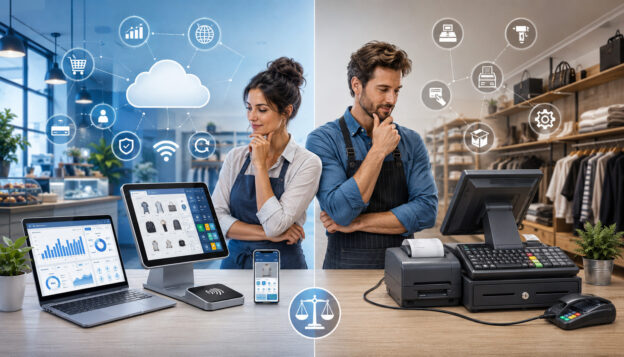
Choosing between a cloud POS system and a traditional POS system is one of the most important technology decisions a business can make. Your point of sale affects checkout speed, payment processing, inventory management, employee workflows, customer experience, reporting, accounting, ecommerce integration, and long-term operating costs.
The debate around cloud POS vs traditional POS is not about one option being perfect for everyone. A startup with online sales, pop-up events, and limited IT support may need something very different from a high-volume restaurant, a specialty retailer with complex inventory, or a multi-location business with strict network controls.
A smart POS system comparison should look beyond the POS terminal. It should include POS hardware, POS software, payment gateway compatibility, merchant account setup, data security, PCI compliance, offline mode, support, training, scalability, and total cost of ownership.
This guide explains how cloud POS systems and traditional POS systems work, where each one fits best, what costs to expect, and how to choose the right setup for your business.
What Is a Cloud POS System?
A cloud POS system is a point of sale setup that stores most business data online instead of keeping everything on a local server inside the business. Sales, inventory, customer records, employee permissions, reports, menu items, orders, and settings are usually stored in cloud storage and accessed through internet-connected devices.
In practical terms, a cloud-based POS system often runs on tablets, mobile devices, laptops, desktop terminals, or modern POS terminals. Business owners and managers can usually log in from a secure web dashboard or app to view sales reporting, update inventory, manage employees, review transactions, or adjust settings.
Cloud POS systems are common in retail POS systems, restaurant POS systems, small business POS systems, service businesses, mobile vendors, ecommerce sellers, and multi-location operations. They are often valued for remote access, automatic software updates, easier integrations, and flexible deployment.
A cloud point of sale can support common business tools such as:
- Credit card processing and debit card payments
- Contactless payments and mobile payments
- Online payments
- Inventory management
- Employee management
- Customer management
- Loyalty programs and gift cards
- Ecommerce integration
- Accounting integration
- Order management and menu management
- Sales reporting and analytics
Cloud-based POS software typically uses a subscription model. That means the business may pay monthly software fees rather than buying a large software license upfront. Some systems also charge for add-on features, premium reporting, extra locations, additional registers, advanced inventory tools, or support plans.
A helpful starting point is understanding that cloud does not mean “no hardware.” A cloud POS system may still require a barcode scanner, receipt printer, cash drawer, card reader, kitchen display, customer-facing display, router, tablet stand, or POS terminal.
The key difference is where the software and data live, how updates are delivered, and how much remote access the business gets.
What Is a Traditional POS System?
A traditional POS system is often an on-premise POS system that relies on installed software, dedicated POS hardware, and local data storage. In many setups, the POS software runs on terminals inside the business and connects to a local server. Sales data, inventory records, employee settings, and reports may be stored locally rather than primarily in the cloud.
Traditional point of sale system setups are sometimes called legacy POS systems, although that does not automatically mean they are outdated or ineffective. Many businesses still use traditional POS systems because they value control, stability, custom workflows, or local network performance.
A traditional POS setup may include:
- Fixed POS terminals
- Local server or back-office computer
- Installed point of sale software
- Barcode scanner
- Receipt printer
- Cash drawer
- Payment terminal
- Kitchen printer or display
- Local network equipment
- Backup drives or manual backup tools
Traditional POS systems have historically been common in full-service restaurants, supermarkets, specialty retailers, convenience stores, high-volume environments, and businesses with custom operational needs.
Some businesses prefer them because they can be configured around specific workflows and may continue operating on a local network even when internet service is unstable.
However, a traditional POS system usually requires more hands-on maintenance. Software updates may need to be installed manually or scheduled with a technician. Hardware replacements, server backups, security patches, and system troubleshooting may require internal IT support or paid vendor support.
A traditional point of sale system can be powerful, but it may also be less flexible for remote access, ecommerce integration, mobile checkout, or multi-location reporting unless additional tools are added. Businesses should also plan for future upgrades because legacy POS systems can become harder to support as hardware ages and software requirements change.
Cloud POS vs Traditional POS: Key Differences
The core difference in cloud POS vs traditional POS systems is where data is stored and how the system is managed. Cloud POS systems usually store data online and allow secure access from connected devices. Traditional POS systems usually rely more heavily on local servers, installed software, and on-site maintenance.
That difference affects almost every part of the business. It changes how employees check out customers, how managers review reports, how inventory updates across channels, how software updates are installed, how backups work, and how easily a business can scale.
Here is a practical comparison:
| Feature | Cloud POS Systems | Traditional POS Systems | What Businesses Should Consider |
| Data storage | Stored primarily in cloud storage | Stored primarily on local server or terminal | Consider remote access, backup needs, and data control |
| Software updates | Often automatic or vendor-managed | Often manual, scheduled, or technician-supported | Ask how updates affect downtime and security |
| Remote access | Usually available through secure login | Often limited unless remote tools are added | Important for owners, managers, and multi-location teams |
| Hardware | Often flexible; tablets, terminals, mobile devices | Often dedicated POS terminals and local server | Compare durability, replacement costs, and compatibility |
| Internet connection | Usually required, with offline mode varying by provider | May rely more on local network | Check reliability, failover, and payment limits during outages |
| Upfront cost | Often lower upfront, higher recurring fees | Often higher upfront, lower subscription costs in some cases | Compare total cost of ownership |
| Maintenance | Often vendor-managed | Often business-managed or technician-managed | Include IT support and update responsibilities |
| Integrations | Often stronger for ecommerce, accounting, loyalty, and analytics | May require custom integrations or middleware | Match integrations to business workflows |
| Multi-location management | Usually easier from a central dashboard | May require separate server setups or custom reporting | Critical for growing businesses |
| Customization | Often configurable but within platform limits | May allow deeper local customization | Important for complex or specialized operations |
| Security responsibility | Shared between provider and business | More responsibility may sit with the business | Review PCI compliance, access controls, and backup policies |
The right choice depends on how your business operates. A retailer that sells online and in-store may value ecommerce integration and real-time inventory updates.
A restaurant may care more about menu management, table service, kitchen routing, tips, modifiers, and offline reliability. A service provider may prioritize invoicing, customer records, appointment notes, and mobile payments.
For more background on selecting systems around business requirements, this guide on POS system considerations for retailers is useful for thinking through scalability, integrations, cost, and return on investment.
How Cloud POS Systems Work
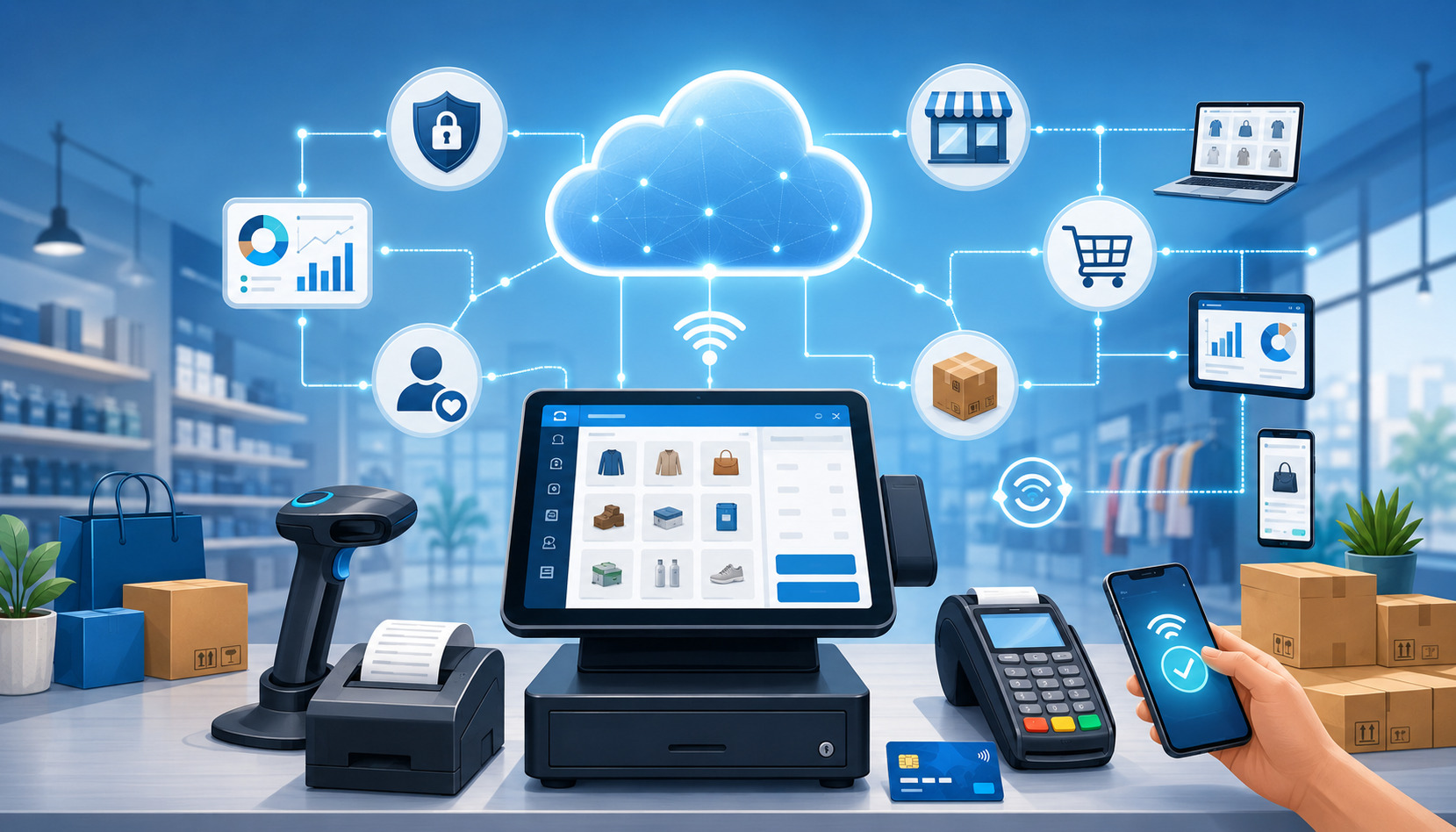
Cloud POS systems connect the checkout experience to online software. When a cashier rings up a sale, the POS terminal or device sends transaction, inventory, customer, and employee data to the cloud-based POS software. Managers can then view that information through dashboards, reports, and integrations.
Most cloud POS systems use a combination of local device activity and online synchronization. The POS device handles the checkout interface, item selection, discounts, taxes, tips, receipts, and payment prompts. The cloud system handles data storage, reporting, updates, integrations, user permissions, and account management.
Cloud-Based POS Software
Cloud-based POS software is usually accessed through an app or browser-based dashboard. The business signs into an account, configures products or menu items, connects payment processing, sets employee permissions, and adds hardware such as a receipt printer, cash drawer, barcode scanner, or payment terminal.
Because the software is hosted online, updates are often handled by the provider. This can reduce the need for manual installations and help businesses receive new features, bug fixes, and security improvements more consistently. It can also reduce the burden on businesses that do not have dedicated IT staff.
For business owners, one major advantage is visibility. A manager may be able to check sales reporting from home, monitor inventory across locations, review employee performance, or update pricing without being physically present at the store or restaurant.
Cloud systems are also often designed for integrations. Ecommerce integration, accounting integration, loyalty programs, email marketing tools, gift cards, online ordering, delivery platforms, and customer management tools may be easier to connect than with older installed software. The quality of these integrations varies, so businesses should test important workflows before committing.
Cloud Storage, Syncing, and Remote Access
In a cloud point of sale setup, sales and operational data typically sync to cloud storage. This supports remote access and makes it easier to manage the business from multiple devices. For example, a store owner may view daily sales from a phone, while a manager updates purchase orders from a laptop and cashiers continue processing transactions at the POS terminal.
Cloud storage also helps with backup and recovery. If a device breaks, the business may be able to replace the hardware, sign into the account, and restore access to products, customers, and reports. This can be a major advantage compared with systems that rely heavily on a single local machine.
However, cloud access also creates responsibilities. Businesses still need strong passwords, role-based permissions, multi-factor authentication where available, secure Wi-Fi, staff training, and clear procedures for handling devices. Cloud does not remove the need for cybersecurity; it changes how risk is managed.
The Federal Trade Commission advises businesses to update software and back up files regularly as part of basic cybersecurity practices. Those steps apply whether the POS system is cloud-based, traditional, or hybrid. Businesses can also use resources from CISA for small and medium-sized business cybersecurity planning.
How Traditional POS Systems Work
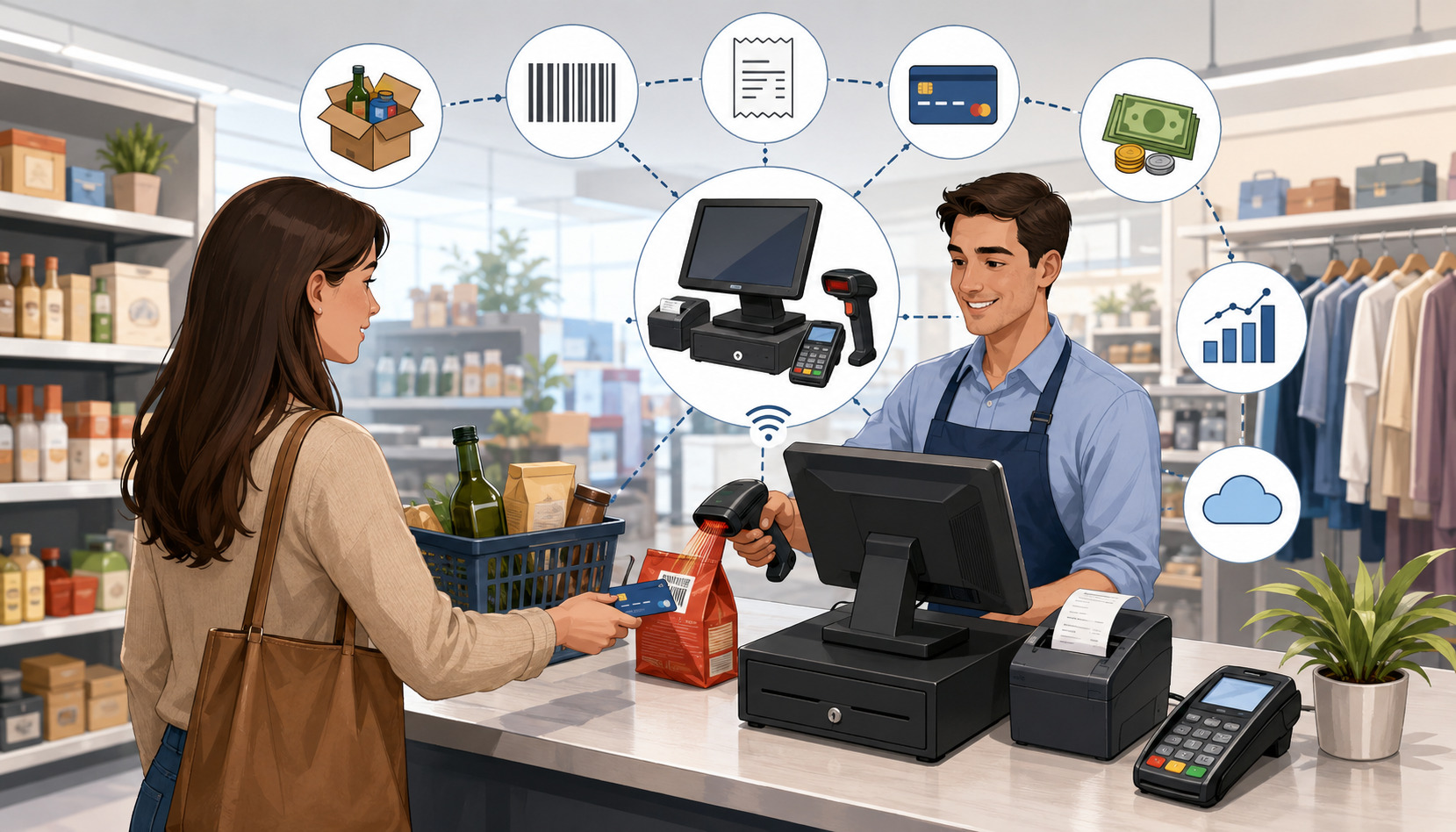
Traditional POS systems usually run on installed software connected to dedicated hardware and local infrastructure. When a sale is completed, the transaction may be saved on a local terminal or server. The system may then generate reports, update inventory, print receipts, and communicate with payment processing equipment.
The key idea is that the business often controls more of the local environment. The POS software may be installed on a back-office computer or server, and terminals may communicate over a local network.
In some setups, internet access is still required for credit card processing, software licensing, remote support, or updates, but the core POS functions may rely more heavily on on-site equipment.
On-Premise POS Software
On-premise POS software is installed locally rather than primarily accessed through a cloud dashboard. It may be licensed as a one-time purchase, a long-term contract, or a maintenance-supported software package. The business may need to schedule updates, maintain the server, back up files, and coordinate support when something breaks.
This setup can make sense for businesses that want more control over their local system or need specific configurations.
For example, a restaurant with complex floor plans, kitchen routing, bar tabs, modifiers, tip workflows, and local printer routing may prefer a system that is tightly configured on-site. A retailer with specialized inventory or custom reporting may also value deeper configuration.
The tradeoff is maintenance. Installed software may require patches, database management, local backups, antivirus protection, hardware monitoring, and occasional technician support. If the local server fails and backups are incomplete, the business may face downtime or data loss.
Traditional POS systems can also be slower to adapt to changing sales channels. Adding ecommerce integration, online payments, customer loyalty, or accounting integration may require additional modules or custom work. That does not make traditional systems unsuitable, but it does mean businesses should ask detailed integration questions before buying.
Local Server and Dedicated Hardware
A traditional POS system often uses a local server or back-office computer as the central hub. POS terminals, payment devices, receipt printers, kitchen printers, barcode scanners, and cash drawers connect through the local network or direct cabling. This can create a stable checkout environment when properly installed and maintained.
Dedicated POS hardware can be durable and reliable, especially in high-volume environments. Restaurants, grocery stores, and busy retail locations may need hardware that can handle heat, spills, long operating hours, and heavy employee use. Traditional systems are often designed around fixed checkout lanes or service stations rather than mobile-first selling.
The downside is that dedicated hardware can be expensive to buy, repair, and replace. A failed terminal or server may require a compatible replacement, and older equipment may become harder to source.
Businesses should also confirm whether payment terminals support modern payment methods such as EMV chip cards, contactless payments, mobile wallets, and secure debit card payments.
Cost Comparison: Cloud POS vs Traditional POS
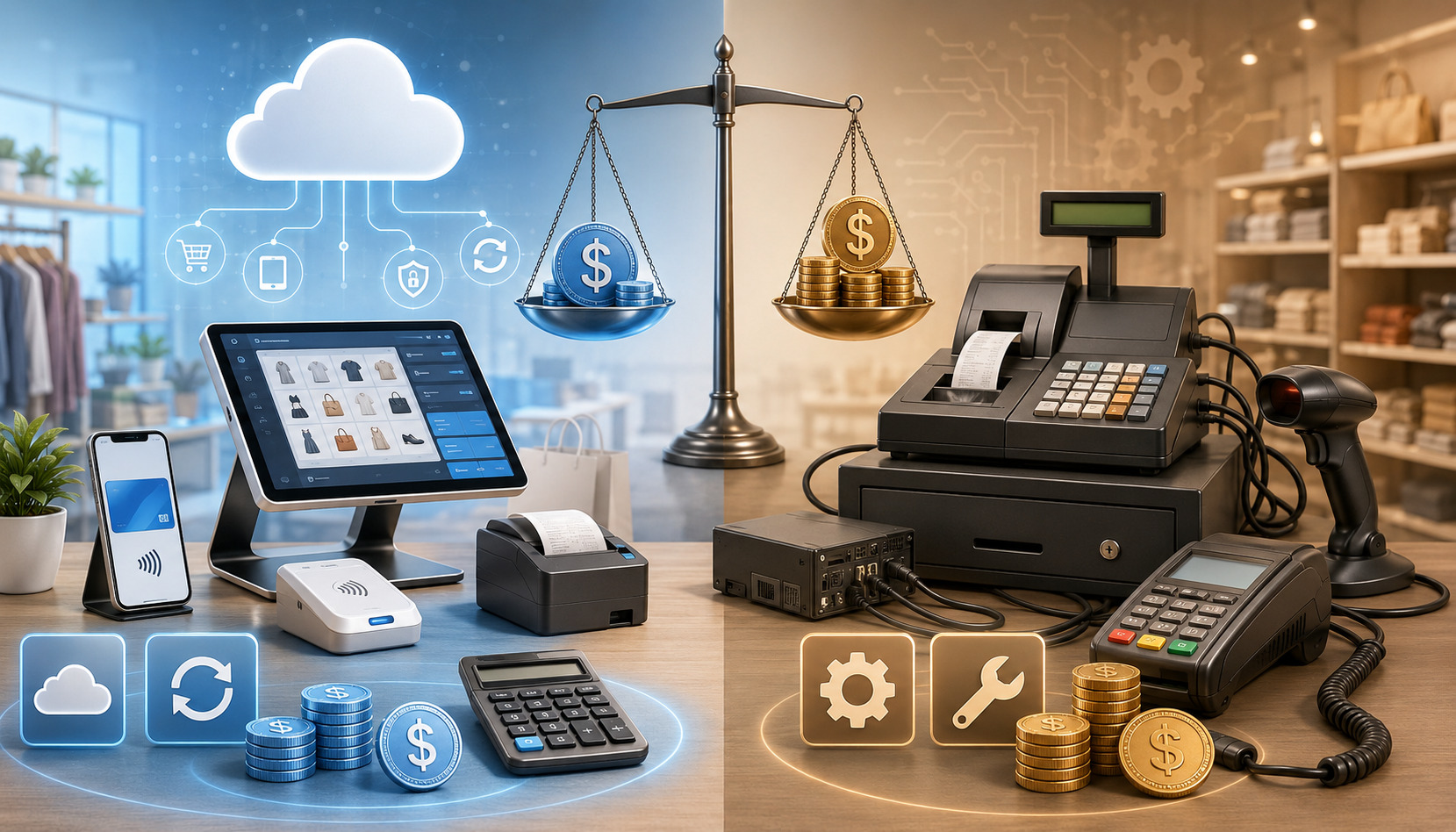
POS system costs can vary widely, so the best comparison is total cost of ownership rather than only monthly fees or upfront equipment costs. Both cloud POS systems and traditional POS systems can be affordable or expensive depending on business size, number of terminals, features, support needs, payment processing arrangement, and contract terms.
A cloud-based POS vs traditional POS cost comparison should include software, hardware, implementation, training, support, integrations, payment processing fees, upgrades, security tools, and downtime risk. A low-cost system that creates operational problems may cost more in the long run than a more complete system that saves staff time and reduces errors.
Monthly Subscription Costs
Cloud POS systems often use monthly subscription pricing. The business may pay per location, per register, per user, or by feature package. Basic plans may include checkout, product catalog, sales reporting, and payment processing integration.
More advanced plans may include inventory management, employee management, loyalty programs, gift cards, ecommerce integration, purchase orders, menu management, or advanced analytics.
Monthly fees can be easier for startups and small businesses because they reduce upfront investment. A business can often begin with a smaller setup and add features later. This flexibility is useful for seasonal businesses, pop-up sellers, service providers, and growing retailers.
However, subscriptions add up. A system that looks inexpensive at first may become costly when you add extra registers, multiple locations, advanced reporting, online ordering, loyalty, payroll tools, or premium support. Businesses should also review cancellation terms, data export policies, and whether pricing changes after an introductory period.
Traditional POS systems may have lower recurring software fees in some cases, but many still include maintenance contracts, support plans, payment gateway fees, hosting modules, or update charges. The difference is not always cloud equals monthly and traditional equals one-time. The real question is what you pay over the full useful life of the system.
Upfront Equipment Costs
Traditional POS systems often require higher upfront equipment costs. A business may need to buy terminals, local servers, receipt printers, cash drawers, barcode scanners, customer displays, networking equipment, kitchen printers, and payment devices. Installation and configuration may also add to the initial cost.
Cloud POS systems may have lower upfront costs, especially when they run on tablets or lightweight terminals. Still, businesses should not assume cloud hardware is cheap.
Restaurants may still need kitchen displays, receipt printers, handheld ordering devices, cash drawers, customer displays, and network upgrades. Retailers may need barcode scanners, label printers, scales, and durable terminals.
Payment processing equipment is another important cost area. Businesses accepting credit card processing, debit card payments, contactless payments, mobile payments, and online payments need compatible and secure payment hardware. If hardware is locked to one processor or gateway, switching later may become expensive.
A useful cost review should include:
- POS software fees
- POS hardware purchase or lease costs
- Payment terminal costs
- Installation and implementation
- Menu or product catalog setup
- Staff training
- Support plans
- Software updates and upgrades
- Ecommerce or accounting integrations
- Payment processing fees
- Chargeback tools and reporting
- Security and compliance costs
- Data migration
- Replacement hardware
- Downtime and repair costs
For additional context on pricing factors, this overview of POS system pricing considerations can help business owners think through subscription models, hidden fees, scalability, and value.
Hardware, Software, and Maintenance Requirements
Hardware and maintenance can make or break the POS experience. A system with strong software but unreliable hardware can slow checkout, frustrate employees, and damage customer experience. Likewise, a durable terminal with outdated point of sale software can limit reporting, integrations, and growth.
POS Hardware Requirements
POS hardware depends on the business model. A boutique may need one terminal, a barcode scanner, a receipt printer, and a cash drawer.
A quick-service restaurant may need counter terminals, kitchen displays, handheld ordering devices, receipt printers, cash drawers, and customer-facing displays. A mobile service provider may only need a tablet, card reader, and online invoicing tool.
Cloud POS systems usually offer more hardware flexibility, but businesses should confirm compatibility before purchasing equipment. Not every barcode scanner, receipt printer, cash drawer, or payment terminal works with every cloud-based POS system. Some systems require approved hardware, and some features only work with specific devices.
Traditional POS systems may require dedicated hardware that is configured for the local environment. This can be reliable, but it may also limit future flexibility. If the system requires proprietary equipment, replacement costs and vendor dependency may be higher.
Businesses should evaluate hardware based on:
- Checkout speed
- Durability
- Ease of use
- Payment method support
- Printer and scanner compatibility
- Network reliability
- Warranty coverage
- Replacement availability
- Staff workflow
- Space constraints
- Customer-facing experience
Software Updates and System Maintenance
Software updates are one of the biggest differences in cloud-based POS vs traditional POS operations. Cloud POS software often updates automatically or through managed releases. This can help businesses receive new features, security fixes, and performance improvements with less manual work.
Traditional POS software may require scheduled updates, technician visits, manual downloads, server patches, or database maintenance. This can give businesses more control over when updates happen, but it also creates responsibility. Missed updates may increase security risks or cause compatibility issues with payment processing, reporting, or operating systems.
Maintenance also includes backups, hardware troubleshooting, user permission reviews, device security, printer testing, network monitoring, and staff training. Cloud systems may reduce some of these tasks, but they do not eliminate them. Traditional systems may require more hands-on planning, especially if a local server is involved.
Data Access, Reporting, and Multi-Location Management
Data access is one of the strongest reasons many businesses consider modern POS systems. A POS system is no longer just a cash register. It is often the central source for sales reporting, analytics, customer management, inventory management, employee performance, payment trends, and operational decisions.
Remote Access and Sales Reporting
Cloud POS systems usually make remote access easier. Owners and managers can often log in from a secure dashboard to review sales by item, location, employee, payment type, discount, refund, or time period. This is especially useful for businesses where the owner is not always on-site.
Sales reporting can help answer practical questions:
- Which products sell fastest?
- Which menu items produce the best margins?
- Which employees handle the most transactions?
- Which hours are busiest?
- Which locations need more inventory?
- Which discounts are reducing profit?
- Which payment methods are most common?
- Which customers are returning?
Traditional POS systems can also provide strong reporting, but remote access may require extra setup. Reports may be generated from a back-office computer, local server, or exported files. If the business has multiple locations, reports may need to be consolidated manually or through additional software.
The value of reporting depends on usability. A system with hundreds of reports is not helpful if managers cannot understand them. Before choosing a POS system, ask to see reports that match real business questions. Review daily closeout reports, inventory reports, sales tax reports, labor reports, product performance reports, and payment processing reports.
Inventory Management and Multi-Location Management
Inventory management is a major decision factor for retailers, restaurants, ecommerce sellers, and service businesses that sell products. Cloud POS systems often update inventory in near real time across locations and sales channels. This can reduce overselling, improve reorder planning, and support ecommerce integration.
For a retailer, cloud inventory tools can help track stock by size, color, style, vendor, category, and location. For a restaurant, inventory may include ingredients, menu items, modifiers, recipes, waste, and purchase orders. For a service business, inventory may include parts, supplies, packages, or products sold at checkout.
Multi-location management is usually easier with cloud POS systems because a central dashboard can manage product catalogs, pricing, tax settings, employee permissions, gift cards, loyalty programs, and reporting across stores. Managers can compare performance by location without waiting for files to be exported.
Traditional POS systems can handle inventory and multi-location needs, but they may require local servers at each location, data syncing tools, or custom reporting. This may work well for established businesses with IT support, but it can be more complex for owners who want a single real-time view.
For businesses planning to move from an older setup, this guide on transitioning from a traditional POS to a cloud-based system explains practical steps such as assessing compatibility, planning data transfer, training staff, and managing the change.
Security, Compliance, and Data Backup Considerations
Security should be part of every POS system comparison. A POS system handles sensitive business and payment-related data, including transaction records, customer details, employee access, and sometimes cardholder data depending on the payment setup. Whether you choose cloud POS systems or traditional POS systems, data security must be planned carefully.
PCI Compliance and Payment Security
PCI compliance is important for businesses that accept card payments. The exact responsibilities depend on how the business processes, stores, or transmits cardholder data. A business using secure payment terminals, tokenization, hosted payment pages, and properly configured payment gateways may reduce its compliance scope, but it still has responsibilities.
The PCI Security Standards Council provides merchant resources for protecting payment data and understanding payment security obligations. Businesses should also review guidance from payment processors, gateways, and compliance providers to understand their specific requirements.
A cloud-based POS system may include integrated payment processing, tokenization, encryption, user permissions, and reporting tools that support compliance efforts. However, businesses still need to use secure networks, strong passwords, access controls, employee training, and approved payment devices.
A traditional POS system may give the business more local control, but it may also place more responsibility on the business for updates, patches, local network security, data backups, and device management. If the system stores sensitive data locally, backup and encryption policies become especially important.
For a deeper educational overview of merchant responsibilities, this PCI compliance guide explains key concepts around protecting cardholder data and meeting payment security standards.
Cybersecurity and Data Backups
Cybersecurity is broader than PCI compliance. It includes protecting business systems from ransomware, phishing, unauthorized access, malware, weak passwords, stolen devices, and employee mistakes.
The NIST Cybersecurity Framework is a helpful reference for understanding, assessing, prioritizing, and communicating cybersecurity risk.
The FTC also encourages businesses to update software, back up files, and train employees as part of cybersecurity basics. These practices matter for both cloud POS and traditional POS systems.
Cloud POS systems often include vendor-managed backups, but businesses should confirm what is backed up, how often backups occur, how data is restored, and how long records are retained. A cloud system should also provide access controls, audit logs, secure authentication, and clear procedures for lost or stolen devices.
Traditional POS systems may require the business to manage local backups. This can include external drives, network storage, off-site backup, cloud backup, or technician-managed backups. The key issue is not whether backups exist, but whether they are tested. A backup that has never been restored may not protect the business during a real failure.
Internet Dependence, Offline Mode, and Reliability
Reliability is one of the most important topics in the cloud POS vs traditional POS discussion. A POS system must work when customers are ready to pay. Downtime can create long lines, lost sales, order errors, frustrated staff, and poor customer experience.
Cloud POS systems depend more heavily on an internet connection because data syncing, reporting, updates, and sometimes payment processing rely on online access. Many cloud POS systems offer offline mode, but offline capabilities vary significantly.
Some allow cash sales only. Some allow card payments with limits. Some store transactions locally and sync later. Some restrict inventory updates, loyalty redemptions, gift cards, or refunds until the connection returns.
Traditional POS systems may continue core checkout functions over a local network when internet service fails, especially if the software and database are hosted on-site.
However, card authorization, online payments, delivery orders, gift cards, loyalty programs, and remote reporting may still require internet access. A traditional system is not automatically immune to outages.
Offline Payment Mode
Offline payment mode should be reviewed carefully. Businesses should ask what the system can and cannot do during an outage. This is especially important for restaurants, grocery stores, convenience stores, event vendors, and high-volume retailers where even a short outage can create serious operational problems.
Important offline mode questions include:
- Can the POS continue ringing up sales?
- Can it accept credit card processing offline?
- Are debit card payments supported offline?
- Are contactless payments supported offline?
- Are transactions stored securely until syncing?
- Are there transaction limits?
- Who takes the risk if an offline card is declined later?
- Can employees print receipts?
- Can kitchen orders still route correctly?
- Can inventory update after reconnection?
- Can refunds, gift cards, or loyalty rewards work offline?
Cloud POS systems with strong offline mode may be reliable enough for many businesses. Traditional POS systems may be better for businesses with unstable internet, but only if local hardware, networking, and backup power are well maintained.
Network Planning and Backup Connectivity
Reliability is not only about the POS software. It also depends on routers, modems, Wi-Fi access points, cabling, payment terminals, printers, power supply, and staff procedures. A strong POS system can still fail if the business has poor network planning.
Businesses that rely on cloud POS systems should consider backup internet options, such as a secondary connection or cellular failover. Restaurants and busy retail stores should also consider battery backup for routers, terminals, and critical devices.
Traditional POS systems should also have backup plans. A local server needs power protection, proper ventilation, antivirus tools where appropriate, physical security, and tested backups. Hardware failure can be just as disruptive as an internet outage.
Best Use Cases for Cloud POS Systems
Cloud POS systems are often a strong fit for businesses that value flexibility, remote access, integrations, and scalability. They are especially useful when the business sells across multiple channels or needs owners and managers to access information from different locations.
A cloud-based POS system may be a good fit when the business wants:
- Lower upfront software investment
- Remote access to sales and reports
- Easier ecommerce integration
- Centralized multi-location management
- Automatic software updates
- Mobile checkout
- Integrated loyalty programs and gift cards
- Strong analytics
- Flexible hardware options
- Easier employee permission management
- Fast deployment for new locations
Retail POS Needs
Retailers often benefit from cloud POS systems because inventory must stay accurate across in-store and online sales. A modern POS system can help track products by SKU, category, vendor, size, color, style, and location. When inventory syncs with ecommerce, businesses can reduce overselling and improve customer satisfaction.
Cloud retail POS systems can also support customer profiles, purchase history, loyalty programs, gift cards, returns, exchanges, barcode scanning, purchase orders, and sales reporting. For owners with more than one location, centralized control can save significant time.
A boutique, specialty shop, gift store, convenience store, or growing retail brand may prefer cloud POS because it can support mobile checkout, pop-up events, and online sales without rebuilding the entire technology stack.
However, retailers should still test barcode scanner compatibility, label printing, inventory import tools, purchase order workflows, vendor management, and reporting. A cloud POS system that handles simple inventory may not be enough for a retailer with thousands of SKUs or complex variants.
Restaurant POS Needs
Restaurants have specialized workflows. A restaurant POS system may need menu management, table management, order modifiers, kitchen routing, coursing, split checks, tips, bar tabs, delivery orders, online ordering, kitchen displays, and labor reporting.
Cloud restaurant POS systems can be useful for operators who want to update menus remotely, monitor sales, manage multiple locations, or connect online ordering and loyalty tools. A manager may update a menu item, adjust pricing, or review labor reports without being on-site.
Quick-service restaurants, cafes, food trucks, ghost kitchens, and growing restaurant groups may find cloud POS systems especially useful. Full-service restaurants can also benefit, but they should test table service workflows, kitchen routing, offline mode, and printer reliability carefully.
For more restaurant-specific considerations, this overview of POS systems for restaurants and bars discusses operational needs such as inventory, customer relationships, and business efficiency.
Service Business and Ecommerce Needs
Service providers may need invoicing, appointments, customer notes, recurring payments, mobile payments, and online payments. Cloud POS systems can support these workflows by connecting customer management, payment processing, and reporting in one place.
Ecommerce sellers often benefit from cloud POS because inventory, orders, customers, and payments can sync between online and in-person channels. This is helpful for businesses that sell through a website, social channels, marketplaces, pop-ups, and retail locations.
Best Use Cases for Traditional POS Systems
Traditional POS systems can still be the right choice for many businesses. They may fit operations that need local control, stable fixed terminals, specialized workflows, or reduced dependence on cloud access. They can also work well when a business has IT support and wants more control over updates, hardware, and local data.
A traditional point of sale system may be a good fit when the business needs:
- Dedicated fixed terminals
- Local server control
- Complex custom workflows
- Strong local network performance
- Specialized peripheral equipment
- More control over update timing
- Deep configuration
- Existing infrastructure investment
- On-site technical support
- Long hardware lifecycle planning
High-Volume and Specialized Operations
Some high-volume businesses prefer traditional POS systems because they are built around fixed lanes, local routing, and dedicated hardware. Grocery stores, convenience stores, large restaurants, entertainment venues, and specialty retailers may need custom configurations that are easier to manage with an on-premise POS system.
A traditional POS setup may also be useful where checkout speed depends on local network performance. If terminals, printers, and servers communicate locally, the system may remain responsive even when cloud syncing is delayed. This can matter in environments where every second affects line length and customer experience.
Specialized businesses may also need hardware or workflows that not every cloud system supports. Examples include scales, age verification tools, kitchen routing, complex modifiers, custom receipts, specialized barcode scanners, or unique inventory structures.
Businesses With Strong IT Support
Traditional POS systems are easier to manage when a business has reliable IT support. Local servers, backups, patches, network configuration, endpoint security, and hardware replacement require planning. Businesses that already have IT resources may be comfortable managing these responsibilities.
A traditional system can also be attractive for businesses that want more control over update schedules. Cloud POS updates may be convenient, but some operators prefer testing updates before they reach production terminals. This can be important when the POS is deeply connected to accounting, inventory, kitchen systems, or custom reporting.
That said, traditional does not mean maintenance-free. Businesses should document who is responsible for backups, updates, security patches, user access, hardware failures, and emergency support. Without clear ownership, a traditional POS system can become risky as it ages.
How to Choose the Right POS System for Your Business
The best POS system depends on business type, budget, sales channels, internet reliability, reporting needs, security requirements, payment processing setup, staff workflow, and growth plans. A cloud POS vs traditional POS decision should start with operations, not software features.
Begin by mapping your current workflow. How do customers place orders? How do employees ring sales? How do you accept payments? How do you track inventory? How do you manage refunds, exchanges, tips, discounts, taxes, and receipts? How do reports reach the owner, manager, bookkeeper, or accountant?
Then map where the business is going. Will you add ecommerce? Open another location? Add mobile payments? Launch loyalty programs? Start delivery? Expand inventory? Hire more employees? Offer gift cards? Sell at events? Add online appointments? Your POS system should support near-term growth without requiring a full replacement too soon.
Decision Checklist
Use this checklist to narrow the choice:
- Choose cloud POS systems if remote access is important.
- Choose cloud POS systems if ecommerce integration is central to your sales strategy.
- Choose cloud POS systems if you want easier multi-location management.
- Choose cloud POS systems if you prefer automatic software updates.
- Choose cloud POS systems if your business needs mobile checkout or event selling.
- Consider traditional POS systems if internet reliability is a major concern.
- Consider traditional POS systems if you need deep local customization.
- Consider traditional POS systems if you already have dedicated IT support.
- Consider traditional POS systems if you require specialized fixed hardware.
- Consider traditional POS systems if local server control is important.
- Compare both if payment processing flexibility matters.
- Compare both if you have complex inventory, reporting, or compliance needs.
Vendor Questions to Ask
Before signing a contract, ask detailed questions. Good vendors should be able to explain costs, support, security, implementation, and limitations clearly.
Ask:
- What hardware is required?
- Can I use existing POS hardware?
- What payment processors or gateways are supported?
- Is the payment terminal locked to one provider?
- What happens if the internet goes down?
- What does offline mode include?
- How are software updates handled?
- How is data backed up?
- Can I export my data?
- What support is included?
- Are there extra fees for training?
- Are integrations included or paid add-ons?
- How long does implementation take?
- What happens if I add a location?
- What security features are included?
- What PCI compliance support is available?
- What are the total costs over three years?
Implementation and Training
Implementation matters as much as product selection. A POS system can have excellent features and still fail if staff are not trained, menus are incomplete, inventory is inaccurate, or payment processing is not tested.
Plan implementation around low-risk periods. Build the product catalog, test taxes, connect payment processing, configure receipts, set employee permissions, test hardware, and run sample transactions before going live. Restaurants should test modifiers, kitchen routing, tips, discounts, voids, refunds, and closeout reports. Retailers should test barcode scanning, returns, exchanges, inventory counts, purchase orders, and ecommerce syncing.
Training should be role-specific. Cashiers need checkout workflows. Managers need refunds, reporting, permissions, and closeout procedures. Owners need dashboards, payment reports, deposits, security settings, and data exports.
FAQs
What is the difference between cloud POS and traditional POS?
The main difference is where the POS software and data are stored. A cloud POS system stores data online and usually supports remote access, automatic updates, and easier integrations. A traditional POS system often uses installed software, local servers, dedicated POS hardware, and more on-site maintenance.
Both systems can support checkout, payment processing, inventory management, employee management, and reporting. The better choice depends on your business model, internet reliability, budget, technical support, and growth plans.
Is a cloud POS system better than a traditional POS system?
A cloud POS system is better for some businesses, but not all. It is often a strong fit for businesses that need remote access, ecommerce integration, multi-location management, mobile checkout, and flexible software updates.
A traditional POS system may be better for businesses that need local control, dedicated hardware, specialized workflows, or strong operation on a local network. The best choice depends on how your business sells, how your staff works, and how much technology support you have.
Do cloud POS systems work without internet?
Many cloud POS systems offer offline mode, but features vary. Some systems can continue ringing sales and sync later. Others may limit card payments, gift cards, loyalty programs, refunds, inventory updates, or reporting until the internet connection returns.
Before choosing a cloud POS system, ask exactly what works offline, whether offline payment mode is supported, what transaction limits apply, and who carries the risk if a card is declined after reconnection.
Are traditional POS systems more secure?
Traditional POS systems are not automatically more secure. They may give a business more local control, but they also require proper maintenance, software updates, network security, backups, access controls, and physical protection.
Cloud POS systems can include strong security features, but businesses still need good password practices, user permissions, secure networks, staff training, and PCI compliance procedures. Security depends on configuration, maintenance, provider practices, and employee behavior.
Which POS system is better for small businesses?
Many small business POS systems are cloud-based because they can be easier to set up, easier to update, and more flexible for remote access. This can help small retailers, restaurants, service providers, startups, and ecommerce sellers manage sales without heavy IT infrastructure.
However, a traditional POS system may still make sense for a small business with specialized hardware needs, unreliable internet, or a strong preference for local control. Small businesses should compare total cost, support, payment processing options, and daily workflow fit.
What costs should businesses compare before choosing a POS?
Businesses should compare software fees, POS hardware, payment terminals, payment processing fees, setup, implementation, training, support, upgrades, integrations, maintenance, security tools, data migration, and replacement equipment.
The most useful number is total cost of ownership. A low monthly fee may become expensive after add-ons, while a higher upfront system may require ongoing support and upgrade costs.
Can cloud POS systems integrate with ecommerce stores?
Many cloud POS systems support ecommerce integration, but capabilities vary. Some can sync inventory, products, customer data, orders, online payments, gift cards, and reporting across online and in-person sales.
Businesses should test ecommerce workflows before committing. Confirm whether inventory syncs in real time, how refunds work, whether online orders appear in the POS, and whether accounting integration captures both in-store and online sales correctly.
How should businesses choose between cloud POS and traditional POS?
Start with your business workflow. Review how you sell, how customers pay, how employees work, how inventory is managed, how reports are used, and how many locations or sales channels you operate.
Then compare systems based on required features, cost, reliability, offline mode, security, integrations, support, payment processing, scalability, and implementation. The right POS system should make daily operations easier, protect customer and payment data, and support the business you are building.
Conclusion
The choice between cloud POS vs traditional POS is not a one-size-fits-all decision. Cloud POS systems are often best for businesses that need remote access, automatic updates, ecommerce integration, multi-location management, flexible hardware, and modern reporting.
Traditional POS systems can still be a strong fit for businesses that need local control, dedicated hardware, specialized workflows, and carefully managed on-site infrastructure.
The best POS system is the one that fits your business model, sales channels, payment processing needs, staff workflow, internet reliability, security requirements, budget, and growth plans. A retailer with online and in-store sales may prioritize inventory syncing and ecommerce integration.
A restaurant may focus on menu management, kitchen routing, offline mode, and checkout speed. A service provider may care most about customer management, mobile payments, invoicing, and reporting. A multi-location business may need centralized control, consistent pricing, and location-level analytics.
Before making a decision, compare total cost of ownership, not just the subscription price or upfront equipment cost. Ask how payment processing works, whether you can export your data, what support is included, how offline mode functions, what security tools are available, and how future locations or sales channels will be added.
A good POS system should do more than process transactions. It should help you serve customers faster, manage inventory more accurately, protect payment data, understand sales trends, support employees, and make better business decisions.
This article is for general educational purposes. POS needs can vary by business model, sales volume, payment methods, software requirements, hardware setup, provider terms, compliance obligations, and growth plans. Always review system details, contracts, processing terms, security responsibilities, and support options before choosing a POS setup.