Category Archives: Inventory Management

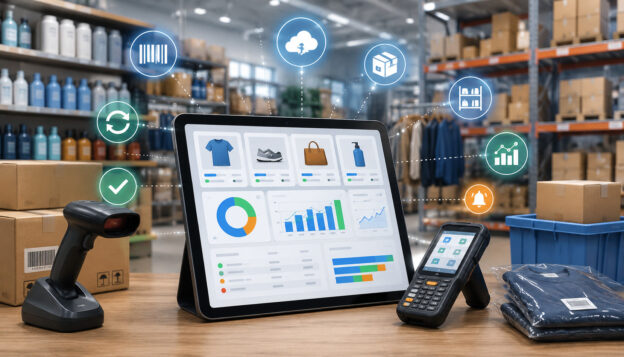
Inventory reorder automation workflow in warehouse stockroom

Inventory Reorder Automation Explained

Inventory reorder automation helps businesses make restocking decisions with better timing, cleaner data, and less manual guesswork. 

Instead of waiting until shelves are empty, teams can use inventory data, reorder points, lead times, low stock alerts, and purchase order workflows to replenish products before shortages create lost sales, customer frustration, rushed shipping costs, or operational delays.

For retailers, restaurants, eCommerce sellers, warehouses, and multi-location businesses, inventory problems often come from the same sources: inaccurate counts, supplier delays, fast-moving products selling faster than expected, slow-moving inventory tying up cash, and team members relying on spreadsheets or memory. 

Inventory reorder automation does not remove every risk, but it can make the replenishment process more consistent and easier to manage.

At its best, an automated reorder system helps teams understand what needs attention, when to reorder, how much to buy, and which supplier should be used. 

It can support reorder alerts, automatic inventory replenishment suggestions, supplier reorder automation, draft purchase orders, approval workflows, and inventory reports that help managers make better purchasing decisions.

The key is using automation responsibly. Good inventory management automation depends on accurate stock counts, clean SKU data, realistic reorder point settings, dependable supplier records, and regular human review.

What Inventory Reorder Automation Means

Inventory reorder automation is the process of using inventory software, POS data, warehouse records, or an inventory replenishment system to monitor stock levels and trigger restocking actions when inventory reaches a defined threshold. 

In everyday operations, that may mean the system sends low stock alerts, recommends reorder quantities, creates draft purchase orders, or routes an order request to a manager for approval.

The goal is not to let software make every purchasing decision without oversight. The goal is to reduce avoidable manual work and give teams faster, more reliable visibility into what needs to be reordered. 

A well-configured inventory reorder system compares current stock levels against reorder points, safety stock, sales velocity, supplier lead time, and purchasing rules.

For example, a retail store may sell a popular item every day. If the supplier usually takes several days to deliver, the store should not wait until the item is almost gone. Inventory reorder automation can alert the team when stock reaches the minimum stock level needed to cover expected sales during the supplier’s lead time.

In a restaurant, the same idea applies to ingredients, packaging, beverages, and supplies. In eCommerce, it may apply to marketplace inventory, warehouse stock, returned items, and advertising-driven demand spikes. In a warehouse, reorder point automation may support bins, pallets, SKUs, vendor minimums, and receiving schedules.

Inventory replenishment automation can also support better inventory control automation by connecting different parts of the workflow. Sales reduce inventory. Returns may add inventory back. Transfers move stock between locations. Receiving updates available stock. Inventory reports show what is moving quickly, what is sitting too long, and what needs attention.

This makes automated inventory reordering especially useful for businesses that have many SKUs, multiple suppliers, recurring stockouts, seasonal demand, or limited time for manual stock reviews.

Still, automation is only as accurate as the data behind it. If stock counts are wrong, barcodes are duplicated, supplier lead times are outdated, or reorder points are never reviewed, the system may recommend poor purchases. That is why inventory reorder automation should be treated as a decision-support tool, not a replacement for inventory judgment.

How Automated Inventory Reordering Works

Automated inventory reordering workflow with stock alerts and delivery icons

Automated inventory reordering works by connecting inventory movement, reorder rules, supplier information, and purchasing workflows. The system monitors stock levels as products are sold, received, returned, adjusted, or transferred. 

When available inventory falls to a preset reorder point, the system creates an alert, recommends a purchase quantity, or starts a replenishment workflow.

Most businesses begin by setting up product records. Each item needs a clear SKU, barcode, product name, category, cost, supplier, unit of measure, and current stock count. Without that foundation, the automated reorder system may not know which item to track, which supplier to use, or how much stock is actually available.

Next, the business sets reorder points. A reorder point is the stock level at which a new order should be considered. It is usually based on average daily sales, supplier lead time, and safety stock. A fast-moving product with a long supplier lead time usually needs a higher reorder point than a slow-moving product that can be restocked quickly.

The system may also use sales history and POS analytics to understand sales velocity. If a product sells ten units per day and the supplier takes five days to deliver, the business needs enough inventory to cover that lead time. Safety stock adds a buffer for supplier delays, demand spikes, receiving errors, or unexpected sales increases.

When inventory reaches the reorder trigger, the system may send inventory reorder alerts to the team. Some systems create a draft purchase order. Others recommend order quantities based on minimum stock level, maximum stock level, supplier minimum order quantities, case packs, and forecast demand.

A manager may then review the order. This step matters because automated purchase orders should not ignore cash flow, upcoming changes, discontinued items, vendor issues, or current promotions. 

Once approved, the purchase order can be sent to the supplier. When the order arrives, receiving staff count the shipment, compare it with the purchase order, update inventory, and record any shortages or backorders.

This cycle creates a replenishment workflow that becomes easier to manage over time. The more accurate the stock counts, sales history, supplier records, and receiving process are, the more useful inventory restocking automation becomes.

Stock Level Tracking

Stock level automation depends on accurate inventory movement. Every sale, return, transfer, receiving event, damage adjustment, shrinkage adjustment, and manual correction affects what the system believes is available. If those movements are not recorded correctly, automated replenishment decisions may be based on false numbers.

For example, if a product is sold but the sale does not reduce inventory, the system may think more units are available than actually exist. If a return is added back to stock even though the item is damaged, inventory may be overstated. If a transfer between locations is not recorded, one location may appear overstocked while another appears short.

Barcode scanning can improve stock accuracy because it reduces manual entry errors. Stock counts and cycle counts also help teams confirm whether system records match physical inventory. For reorder automation, this is critical because the reorder trigger depends on the available stock number.

Accurate stock level tracking also helps teams separate normal sales demand from inventory problems. If an item appears to be selling quickly, but the real issue is shrinkage or receiving errors, the business may reorder too much. Inventory accuracy makes automated inventory reordering more reliable.

Reorder Points and Low Stock Alerts

Reorder points tell the system when inventory should be reviewed for replenishment. Low stock alerts notify the team when an item reaches that threshold. Together, they form the basic engine behind reorder point automation.

A reorder point is not the same as zero stock. It should be set high enough to cover expected demand while the business waits for the next supplier delivery. If the reorder point is too low, stockouts may happen before the order arrives. If it is too high, the business may carry excess inventory and tie up cash.

Low stock alerts are helpful because they give teams time to act before a product runs out. They can be especially useful for fast-moving products, essential ingredients, packaging supplies, high-margin items, or SKUs with unpredictable supplier timelines.

The best alerts are specific and actionable. Instead of simply warning that stock is low, a good workflow should show current quantity, reorder point, suggested order quantity, supplier, recent sales velocity, lead time, and any pending purchase orders. That information helps the team avoid duplicate orders and make better replenishment decisions.

Purchase Order Automation

Purchase order automation helps reduce the manual work involved in creating, checking, approving, and sending supplier orders. When inventory reaches a reorder point, the system may create a draft purchase order using supplier records, item costs, preferred quantities, minimum order quantities, and reorder rules.

This can save time for managers who would otherwise review inventory reports line by line. It can also reduce missed items because the system continuously monitors stock levels. However, automated purchase orders should usually include review steps, especially for expensive items, seasonal products, slow-moving inventory, or products with uncertain demand.

Approval rules make the workflow safer. A business may allow automatic draft creation but require manager approval before an order is sent. It may also require approval for large quantities, high-cost orders, new suppliers, unusual demand spikes, or products nearing discontinuation.

When used carefully, purchase order automation can improve purchasing consistency, reduce manual errors, and help teams respond faster to reorder alerts without losing control of buying decisions.

Key Components of an Automated Reorder System

Automated reorder system dashboard with inventory alerts, warehouse icons, and delivery workflow

An automated reorder system needs more than a low-stock notification. To work well, inventory replenishment automation needs accurate product data, reliable stock counts, supplier information, demand history, reorder point settings, safety stock rules, approval workflows, and receiving discipline.

Clean product data is the first requirement. Each product should have a unique SKU, correct barcode, clear category, accurate cost, unit of measure, supplier record, and current stock quantity. 

If a product comes in cases but sells as single units, the system must understand that relationship. If a restaurant buys ingredients by the case but uses them by the ounce, units of measure must be carefully configured.

Supplier information is another key component. Reorder automation depends on lead time, minimum order quantity, order frequency, case pack size, supplier cost, shipping rules, and fill rate. If supplier lead time changes but the system is not updated, reorder points may become too low.

Sales history and demand patterns help the system understand how quickly products move. Fast-moving products may need higher reorder points and closer monitoring. Slow-moving inventory may need lower reorder quantities or manual review. Seasonal demand, promotions, local events, menu changes, and advertising campaigns may all affect reorder timing.

Approval rules protect the business from over-ordering. They allow managers to review large orders, unusual recommendations, or items with cash flow impact. Receiving workflows complete the cycle by ensuring delivered inventory is counted, recorded, and matched against the purchase order.

Inventory reports and dashboards help managers evaluate whether the automation is working. Important reports may show stockout frequency, overstock rate, supplier delays, sell-through rate, purchase order cycle time, and inventory turnover.

Clean Product and SKU Data

Clean product and SKU data is the foundation of inventory management automation. Every item should have a consistent name, unique SKU, scannable barcode when applicable, category, cost, selling unit, supplier, and active status. Without clean records, the system may track the wrong item, reorder duplicates, or miss products that need attention.

SKU management becomes especially important when products have sizes, colors, flavors, variants, bundles, ingredients, or multiple packaging formats. A business may buy a product by the case, stock it by the unit, and sell it individually. If those relationships are not set correctly, the inventory reorder system may recommend incorrect quantities.

Product costs also matter. If costs are outdated, purchase order recommendations may not reflect real cash requirements. If categories are messy, managers may struggle to review inventory reports. If supplier records are missing, draft purchase orders may require too much manual correction.

Before using automated replenishment, teams should review inactive items, duplicate SKUs, barcode errors, unit-of-measure issues, and products assigned to the wrong supplier. Clean data makes every reorder alert more trustworthy.

Supplier Lead Time

Supplier lead time is the time between placing an order and receiving usable inventory. It affects when a business should reorder because inventory must last until the next shipment arrives. If lead time is underestimated, the business may run out before replenishment arrives.

Lead time includes more than shipping time. It may include supplier processing, order cutoff schedules, production time, freight delays, receiving, inspection, labeling, and stocking. For restaurants, it may include delivery schedules and product availability. For eCommerce sellers, it may include warehouse receiving and fulfillment preparation.

Supplier delays can make reorder point automation less reliable if the system uses outdated assumptions. A supplier that once delivered in two days may now take five. A seasonal product may require longer planning. A vendor may have backorders or minimum order rules that affect timing.

Businesses should track actual lead time over multiple orders, not just the supplier’s estimate. If delays are common, reorder points and safety stock should be adjusted. Supplier management is part of good inventory control automation because replenishment timing depends on dependable vendor data.

Safety Stock

Safety stock is extra inventory kept as a buffer against uncertainty. It protects the business when demand is higher than expected, suppliers are late, shipments are short, forecasts are wrong, or stock counts are slightly off.

Safety stock is not meant to encourage overbuying. It is meant to reduce risk for important products. A fast-selling product, critical ingredient, or high-margin item may need more safety stock than a slow-moving item. Products with long lead times or unreliable suppliers may also need a larger buffer.

For example, if a store usually sells five units per day and a supplier takes four days to deliver, the store expects to sell about twenty units during lead time. If demand sometimes spikes or shipments arrive late, the business may add safety stock so it does not run out too quickly.

Safety stock should be reviewed regularly. Too little safety stock increases stockout risk. Too much safety stock increases carrying costs, storage pressure, spoilage risk, markdowns, and cash flow strain. Good inventory reorder automation balances availability with cost control.

Reorder Point Automation Explained

Reorder point automation uses stock thresholds to decide when a product should be reviewed for replenishment. Instead of manually checking every SKU every day, the system monitors inventory levels and triggers an alert or replenishment workflow when stock reaches the reorder point.

A reorder point is usually based on three main factors: average daily sales, supplier lead time, and safety stock. Average daily sales shows how quickly the product moves. Lead time shows how long it takes to receive new inventory. Safety stock adds a buffer for demand spikes, supplier delays, and uncertainty.

For example, a product that sells quickly and takes a long time to replace needs a higher reorder point. A product that sells slowly and can be restocked quickly may need a lower reorder point. This is why demand-based reordering is more useful than setting the same minimum stock level for every item.

Reorder point automation can also account for maximum stock level. A minimum stock level tells the system when to reorder. A maximum stock level helps prevent over-ordering. Together, they help control both stockout prevention and overstock reduction.

However, reorder points should not remain unchanged forever. Sales velocity changes. Suppliers slow down or improve. Costs rise. Seasonal demand shifts. Products become more or less popular. Promotions can temporarily increase demand. New competitors or product substitutions can reduce demand.

A good inventory reorder system supports regular review. Teams should compare reorder alerts with actual sales history, stockout frequency, pending purchase orders, and supplier performance. Reorder point automation works best when it is treated as a living process.

Basic Reorder Point Formula

A simple reorder point formula is:

Reorder point = average daily sales × supplier lead time + safety stock

This formula estimates how much inventory the business needs while waiting for the next order to arrive, plus a buffer. It is widely used because it connects reorder timing to real demand and supplier timing.

Here is a simple example. Suppose a product sells about eight units per day. The supplier usually takes five days to deliver. The business wants to keep ten units as safety stock.

Eight units per day multiplied by five days equals forty units. Add ten units of safety stock. The reorder point is fifty units. When inventory falls to fifty units, the business should review or place a replenishment order.

This does not mean every business should use only one formula without judgment. Some products have seasonal spikes, supplier minimums, case pack rules, storage limits, expiration dates, or cash flow constraints. The formula gives a useful starting point, but managers should adjust it based on real-world conditions.

For a deeper explanation of reorder point calculations, educational supply chain resources commonly define reorder point as average demand during lead time plus safety stock.

When to Adjust Reorder Points

Reorder points should be adjusted whenever demand, supply, or business priorities change. A reorder point that worked last month may be wrong if sales velocity changes, supplier lead time increases, or a product becomes seasonal.

Promotions are a common reason to update reorder settings. If a business plans to feature a product in ads, discounts, displays, email campaigns, or menu specials, demand may rise temporarily. A normal reorder point may not be enough to support the increase.

Supplier changes also matter. If a vendor begins shipping slower, has frequent backorders, raises minimum order quantities, or changes delivery days, reorder point automation should reflect those changes. Supplier reorder automation cannot work well with outdated vendor records.

Businesses should also review reorder points for slow-moving inventory. If a product sells less often than expected, the system may keep recommending unnecessary replenishment. That can increase carrying costs and tie up cash.

Seasonal demand, local events, weather patterns, holidays, school schedules, tourism cycles, and product life cycles can all affect demand. Reorder points should be reviewed regularly so automated inventory reordering stays aligned with actual business conditions.

Benefits of Inventory Replenishment Automation

Automated inventory replenishment system with smart warehouse workflow

Inventory replenishment automation can help businesses improve stock control, purchasing speed, and operational consistency. The biggest benefit is visibility. Teams can see which products are approaching reorder points, which items are already low, which purchase orders are pending, and which suppliers may affect replenishment timing.

One major advantage is fewer preventable stockouts. When low stock alerts are based on real-time inventory tracking, sales velocity, and lead time, teams have more time to reorder before popular items run out. This supports customer satisfaction because shoppers are more likely to find the products they expect.

Another benefit is reduced manual work. Without automation, managers may need to scan reports, walk shelves, check spreadsheets, email suppliers, and create purchase orders manually. Inventory reorder automation can shorten this process by identifying items that need review and creating draft purchase orders.

Automation can also improve purchasing decisions. Inventory reports can show fast-moving products, slow-moving inventory, sales history, inventory turnover, supplier delays, and order frequency. With better data, teams can avoid buying based only on habit or guesswork.

Overstock reduction is another important benefit. Automated replenishment can help businesses avoid ordering too much by using actual stock levels and demand patterns. This may reduce carrying costs, storage pressure, markdowns, spoilage, and cash tied up in products that are not moving.

For multi-location businesses, reorder automation can help show where inventory is needed and where it is sitting idle. Instead of placing new supplier orders immediately, teams may transfer stock between locations when appropriate.

Inventory reorder automation can also improve accountability. Approval rules, purchase order records, receiving logs, and inventory dashboards create a clearer trail of what was ordered, when it was approved, what arrived, and what still needs attention.

Inventory Reorder Automation Metrics to Track

Tracking metrics helps businesses understand whether inventory reorder automation is improving replenishment or simply creating more alerts. Metrics also help teams identify where settings need adjustment, where supplier issues exist, and where purchasing decisions may be hurting cash flow.

Metric What It Measures Why It Matters How Automation Helps
Reorder point The stock level that triggers review or replenishment Helps teams reorder before inventory runs out Sends inventory reorder alerts when stock reaches the threshold
Safety stock Buffer inventory kept for uncertainty Protects against demand spikes and supplier delays Adds a risk buffer to reorder calculations
Lead time Time between ordering and receiving usable stock Affects how early a business must reorder Uses supplier timing to trigger replenishment earlier
Sales velocity How quickly a product sells Identifies fast-moving and slow-moving products Adjusts reorder timing based on demand patterns
Inventory turnover How often inventory is sold and replaced Shows how efficiently stock is moving Highlights products that may need different reorder settings
Stockout frequency How often products run out Indicates lost sales risk and poor reorder timing Helps identify items with reorder points set too low
Overstock rate How often stock exceeds needed levels Shows cash and storage tied up in excess inventory Helps prevent unnecessary replenishment
Sell-through rate How much received stock sells in a period Shows product performance after purchasing Supports demand-based reordering decisions
Purchase order cycle time Time from reorder trigger to approved order Shows purchasing workflow speed Reduces delays with draft orders and approval routing
Supplier fill rate How much of an order the supplier fulfills Shows supplier reliability Helps adjust safety stock and supplier planning
Forecast accuracy Difference between expected and actual demand Shows how well demand planning matches reality Supports better reorder point updates over time

These metrics should be reviewed by product, category, supplier, and location. A single average across the whole business may hide important problems. For example, one supplier may cause most stockouts, while another category may create most overstock.

Step-by-Step Guide to Setting Up Inventory Reorder Automation

Setting up inventory reorder automation should be done carefully. Turning on automation before cleaning data can create bad purchase orders, duplicate items, incorrect alerts, and unnecessary stock. A step-by-step approach gives the business more control.

Start by reviewing inventory data. Confirm product names, SKUs, barcodes, costs, categories, supplier records, units of measure, and current stock counts. Then review sales history to understand product movement. Identify fast-moving products, slow-moving inventory, seasonal items, and products with unstable demand.

Next, calculate reorder points. Use average daily sales, supplier lead time, and safety stock as a starting point. Set minimum stock levels and, where useful, maximum stock levels. Maximum levels help prevent overbuying, especially for slow movers, bulky items, expensive inventory, or products with expiration risk.

Then create purchase order rules. Decide whether the system should only send low stock alerts, create draft purchase orders, or allow more advanced supplier reorder automation. Most businesses should begin with alerts and drafts before approving fully automatic inventory replenishment.

Approval workflows should be clear. A manager may need to approve orders above a certain amount, orders for seasonal products, orders from new suppliers, or orders that exceed a maximum quantity. Receiving workflows should also be defined so stock is updated only after inventory is counted and accepted.

Finally, test the workflow. Choose a limited number of products first. Review alerts, suggested order quantities, purchase order drafts, supplier timing, and receiving accuracy. After testing, adjust settings and expand gradually.

Step One: Audit Current Inventory Data

Before activating inventory restocking automation, audit the current inventory data. This means checking whether the system’s item records match the actual products the business buys, stores, and sells.

Look for duplicate SKUs, incorrect barcodes, missing suppliers, outdated costs, inactive products, wrong categories, and incorrect units of measure. If a product is sold individually but purchased in cases, make sure the conversion is correct. If a product has variants, make sure each variant is tracked separately.

Physical stock counts should also be reviewed. If the system says there are thirty units but the shelf has twelve, reorder automation will not work properly. The system may delay reordering because it believes more stock is available.

An inventory audit does not have to stop operations. Many businesses use cycle counts, where smaller groups of products are counted regularly. High-value, fast-moving, and frequently miscounted items should receive extra attention before automation is used.

Step Two: Review Sales History and Demand Patterns

Sales history helps businesses understand how products actually move. It shows average daily sales, weekly demand, seasonal changes, fast-moving products, slow-moving inventory, and unusual spikes.

Reviewing demand patterns is important because not every product should be replenished the same way. A best seller may need frequent reorder alerts and higher safety stock. A slow mover may need manual review before any purchase order is created. A seasonal product may need different reorder points during peak and off-peak periods.

POS analytics and inventory reports can help identify trends. Product performance data may show which items sell steadily, which sell only during promotions, and which products are often returned. Returns matter because they affect available stock and may reveal product quality or sizing issues.

Demand review also helps with cash flow. Businesses should avoid tying too much money in products that do not sell quickly. Data-driven purchasing supports better balance between product availability and financial control.

Step Three: Set Reorder Points and Safety Stock

After reviewing product data and demand, set reorder points and safety stock levels. The reorder point should reflect average daily sales, supplier lead time, and buffer inventory. Safety stock should reflect the risk of running out.

For essential products, fast-moving SKUs, high-margin items, and products with unreliable suppliers, safety stock may need to be higher. For slow-moving or expensive products, safety stock may be lower to reduce carrying costs.

Minimum stock level and maximum stock level should work together. The minimum level triggers review. The maximum level helps prevent over-ordering. If the system recommends restocking beyond what the business can store or sell, settings may need adjustment.

Reorder point formula settings should be reviewed after real orders are processed. If alerts come too late, increase the reorder point or safety stock. If alerts come too early and stock piles up, reduce the reorder quantity or review sales assumptions.

Step Four: Create Purchase Order Approval Rules

Approval rules help businesses use purchase order automation safely. Even if the system can create automated purchase orders, a human review step is often useful before supplier orders are sent.

Approval may be required for orders above a certain cost, products with low sales velocity, seasonal items, new suppliers, unusually large quantities, or items already on a pending purchase order. This reduces the risk of duplicate orders and unnecessary spending.

A business may also create different rules by role. Store managers may approve small routine orders. Inventory managers may review supplier-level orders. Owners or finance teams may approve large purchases that affect cash flow.

Approval rules are especially important for multi-location businesses. One location may appear low on stock while another has excess inventory. Before ordering from a supplier, the team may decide to transfer stock internally.

Step Five: Test Low Stock Alerts Before Automating Orders

Testing low stock alerts is a safer first step than fully automatic ordering. Alerts allow the team to review whether reorder points, safety stock, sales velocity, and supplier lead time are working as expected.

During testing, managers should compare alerts with shelf conditions, stockroom counts, pending purchase orders, and supplier schedules. If alerts are too frequent, thresholds may be too high. If alerts come after inventory is already too low, reorder points may need to be increased.

Draft purchase orders can also be tested. Review whether the suggested quantities are realistic. Check whether the correct supplier, cost, case pack, and product units appear on the draft.

Testing should include receiving. When inventory arrives, staff should compare the shipment with the purchase order and update stock accurately. This ensures the replenishment workflow closes the loop.

Step Six: Review Automation Results Regularly

Inventory reorder automation should be reviewed regularly because business conditions change. Demand shifts, supplier timelines change, costs increase, products become less popular, and seasonal patterns affect buying decisions.

Managers should review stockout frequency, overstock levels, purchase order cycle time, supplier fill rate, and inventory turnover. These metrics show whether automation is improving inventory control or creating new problems.

Reorder points should be adjusted when sales history changes. Safety stock should be adjusted when supplier delays become more or less common. Approval rules should be updated when the team gains confidence or when spending controls need tightening.

Regular review also helps identify bad data. If the system repeatedly recommends strange order quantities, the issue may be incorrect units of measure, inaccurate stock counts, duplicate SKUs, or outdated supplier records.

Automated Reorder System Workflow Table

A clear workflow helps teams understand how inventory reorder automation moves from stock tracking to supplier ordering and receiving. The table below shows a practical replenishment workflow.

Workflow Stage What Happens What the Business Should Check
Stock tracking Sales, returns, receiving, transfers, and adjustments update inventory Confirm inventory movement is recorded accurately
Reorder trigger Stock reaches the reorder point or minimum stock level Check whether pending purchase orders already exist
Alert generation The system sends low stock alerts or inventory reorder alerts Review sales velocity, supplier lead time, and current demand
Purchase order draft The system recommends quantities and creates a draft order Confirm supplier, cost, unit, case pack, and order quantity
Manager review A manager approves, edits, delays, or rejects the order Consider cash flow, promotions, seasonality, and storage space
Supplier order The order is sent to the supplier Track order confirmation, delivery timing, and backorders
Receiving inventory Staff count delivered goods and update inventory Match shipment to purchase order and record shortages
Forecast adjustment Reports update future reorder decisions Review stockouts, overstock, supplier performance, and forecast accuracy

This workflow is useful because it shows that reorder automation is not just a trigger. It is a full replenishment cycle. Each stage needs accurate data and clear responsibility.

How Reorder Automation Helps Prevent Stockouts

Inventory reorder automation helps prevent stockouts by giving teams earlier visibility into low inventory. Instead of discovering a shortage after a shelf is empty or an online order cannot be fulfilled, the system can alert the team when inventory reaches a reorder point.

Low stock alerts are most useful when they combine current quantity, sales velocity, lead time, and safety stock. A product with high demand should be reordered earlier than a product that sells slowly. A product with a long supplier lead time should also be reordered earlier than one that can arrive quickly.

Real-time inventory tracking helps because inventory is updated as sales, returns, transfers, and receiving events occur. This gives managers a more current view of stock availability. POS analytics can also show which products are gaining demand, which products are selling faster than normal, and which items may need adjusted reorder points.

Safety stock adds another layer of protection. It helps cover unexpected demand spikes, supplier delays, short shipments, and forecast errors. For important products, this buffer can reduce the chance of running out before the next delivery arrives.

However, automation cannot prevent every stockout. Supplier backorders, sudden demand surges, transportation disruptions, inaccurate counts, shrinkage, and product recalls can still create shortages. Automation reduces risk, but it does not remove uncertainty.

How Reorder Automation Helps Reduce Overstock

Reorder automation can also help reduce overstock by making purchasing decisions more data-driven. Overstock happens when a business buys more inventory than it can sell, store, or use efficiently. This can create carrying costs, storage pressure, markdowns, waste, spoilage, and cash flow strain.

Automated replenishment can reduce overbuying by using actual stock levels, sales history, reorder quantities, and product performance data. Instead of reordering because a manager “feels low” on inventory, the team can review current quantity, sales velocity, pending purchase orders, and forecast demand.

Maximum stock levels are useful for overstock control. They help limit how much inventory the system recommends buying. This matters for slow-moving products, expensive items, bulky inventory, seasonal goods, or products with expiration dates.

Inventory reports can also show products that should not be reordered automatically. A slow-moving item may reach a reorder point, but that does not always mean the business should buy more. The product may need markdowns, merchandising changes, supplier review, or discontinuation.

For multi-location businesses, automation can reveal whether one location is overstocked while another is low. In that case, a transfer may be smarter than a new supplier order.

Reducing overstock supports cash flow because less money is tied up in inventory that is not selling. It also helps teams use storage space more effectively and reduce the operational burden of managing excess stock.

Inventory Reorder Automation for Different Business Types

Inventory reorder automation works differently depending on the business model. A retail store may focus on shelf availability and seasonal products. A restaurant may focus on ingredients, packaging, waste, and supplier schedules. 

An eCommerce seller may focus on warehouse availability, returns, fulfillment timelines, and marketplace demand. A multi-location business may focus on location-level stock, transfers, and centralized purchasing.

The underlying principles remain the same: track inventory accurately, set realistic reorder points, include supplier lead time, use safety stock where needed, review purchase orders, and adjust settings as conditions change.

Different business types also have different risks. Retailers may lose sales when popular products are unavailable. Restaurants may disrupt service if ingredients or packaging run out. eCommerce sellers may face overselling problems if inventory is not synced. Multi-location businesses may over-order if each location purchases separately without shared visibility.

This is why inventory replenishment automation should be configured around the way the business actually operates. A one-size-fits-all setup can create poor results.

Retail Stores

Retail stores can use inventory reorder automation to manage fast-moving SKUs, seasonal products, categories, supplier orders, and shelf availability. POS reorder automation is especially useful when sales data updates inventory in near real time.

A retail store may set reorder points for best sellers, core products, and high-margin items. Low stock alerts can tell staff when to reorder before shelves look empty. Purchase order automation can create draft orders by supplier, saving time for store managers.

Seasonal products need special attention. Reorder points may need to increase during peak demand and decrease after the season ends. Retailers should also watch slow-moving inventory so automation does not keep replenishing items that customers no longer want.

Barcode scanning, stock counts, inventory reports, and POS analytics all support better retail replenishment. The more accurate the data, the more useful the reorder alerts become.

Restaurants and Food Businesses

Restaurants and food businesses can use replenishment automation for ingredients, beverages, packaging, cleaning supplies, and other operating essentials. The goal is to support service without overbuying items that may spoil or take up limited storage space.

Menu item demand affects ingredient usage. If a popular menu item sells more often, related ingredients may need higher reorder points. If a menu item is removed or promoted, reorder settings should be updated.

Lead time is important because many food suppliers deliver on specific schedules. Missing an order cutoff may delay replenishment. Safety stock may be needed for key ingredients or packaging used across multiple menu items.

Restaurants also need to consider waste, shrinkage, portioning, and spoilage. Inventory automation should be paired with regular counts and receiving checks. Automatic inventory replenishment should not ignore quality, freshness, or storage limits.

eCommerce Businesses

eCommerce businesses can use inventory reorder automation to manage warehouse stock, marketplace sales, fulfillment timelines, returns, and advertising-driven demand. Because online sales can happen quickly across multiple channels, real-time inventory tracking is especially important.

If inventory is not updated accurately, an online seller may oversell products that are no longer available. Low stock alerts and reorder point automation help teams act before popular products run out.

Returns also matter. Returned products may not always be sellable. The system should not automatically add damaged or incomplete returns back to available stock without review.

Advertising campaigns, influencer mentions, email promotions, and marketplace ranking changes can all increase demand. Reorder points should be reviewed before major promotions so stock availability supports expected sales.

Multi-Location Businesses

Multi-location businesses need reorder automation by location, not just company-wide inventory totals. One location may be low while another has too much stock. A central view can help teams decide whether to reorder from a supplier or transfer stock internally.

Location-level reorder points are important because demand may vary by area, store size, customer base, and local buying patterns. A product that sells quickly in one location may move slowly in another.

Transfers should be included in stock level tracking. If a transfer is not recorded correctly, both locations may show inaccurate inventory. This can lead to unnecessary purchase orders or missed replenishment needs.

Central approval rules can also help prevent each location from over-ordering. A multi-location inventory dashboard can show pending purchase orders, supplier delays, transfer opportunities, and stockout risks across the business.

Common Mistakes to Avoid With Inventory Reorder Automation

Inventory reorder automation can create problems when it is turned on without preparation. The most common mistake is automating before product data is clean. Duplicate SKUs, wrong barcodes, missing supplier records, outdated costs, and incorrect units of measure can all lead to poor reorder recommendations.

Another mistake is setting reorder points once and never updating them. Demand changes over time. Supplier lead time changes. Product popularity changes. Reorder point automation must be reviewed regularly to stay useful.

Ignoring supplier lead time is also risky. If a supplier takes longer than expected, a low reorder point may trigger too late. Businesses should track actual delivery timelines and adjust reorder settings when delays become common.

Skipping safety stock can cause avoidable stockouts. A reorder point based only on average demand may not protect against demand spikes, late deliveries, or inaccurate counts. However, adding too much safety stock can create overstock, so the buffer should be realistic.

Relying only on software is another mistake. Managers should still review large purchase orders, seasonal products, expensive items, and unusual recommendations. Automation supports decisions, but it should not remove judgment.

Businesses should also avoid ignoring slow-moving inventory. If automation keeps reordering products that do not sell well, carrying costs increase. Slow movers need review, not automatic replenishment.

Other common mistakes include:

  • Not checking pending purchase orders before reordering
  • Allowing automation to over-order high-cost products
  • Ignoring seasonal demand changes
  • Failing to update supplier minimum order quantities
  • Not training staff on receiving workflows
  • Treating low stock alerts as final purchase decisions
  • Not reviewing inventory reports after automation is active

Reorder Automation vs Inventory Forecasting

Reorder automation and inventory forecasting are related, but they are not the same. Inventory forecasting estimates future demand. Reorder automation helps trigger replenishment when stock reaches a defined threshold.

Forecasting answers questions such as: How much will we likely sell next month? Which products may be affected by seasonal demand? How will promotions change demand? Which items are slowing down? Forecasting uses sales history, demand forecasting, seasonal patterns, product trends, and sometimes external factors.

Reorder automation answers a more operational question: Has this item reached the point where we should reorder or review replenishment? It uses current stock levels, reorder points, safety stock, lead time, and purchase order rules.

The two work best together. Forecasting helps businesses set smarter reorder points and order quantities. Reorder automation uses those settings to trigger alerts or replenishment workflows at the right time.

For example, if forecasting shows that a product will sell faster during a seasonal period, the business may increase the reorder point and safety stock before demand rises. The automated reorder system then uses those updated settings to generate alerts earlier.

Without forecasting, reorder automation may rely too heavily on past averages. Without reorder automation, forecasting may not translate into timely action. Together, they support better inventory planning and more consistent replenishment.

How POS Analytics Supports Reorder Automation

POS analytics supports reorder automation by turning sales activity into useful inventory insight. When sales, returns, discounts, and product performance are tracked accurately, teams can see which items are moving quickly, which are slowing down, and which may need different reorder settings.

POS inventory management can help connect checkout activity with stock level automation. When a product sells, inventory is reduced. When a return is processed, inventory may be added back if the item is sellable. When stock is received, available quantity is updated. This creates a stronger data foundation for inventory reorder alerts.

Sales reports can show sales velocity, best sellers, slow movers, category trends, margin performance, and seasonal demand. Inventory reports can show current stock, low stock, overstock, shrinkage adjustments, transfers, and pending purchase orders.

Real-time inventory dashboards are especially useful for managers who need quick decisions. A dashboard can show which products are below reorder point, which suppliers have pending orders, which items are at risk of stockout, and which products have too much inventory.

Educational POS resources explain that POS inventory tools may support real-time inventory tracking, automated ordering, sales analysis, barcode scanning, and purchase order workflows.

POS analytics does not replace inventory review. Sales history may not reflect upcoming promotions, supplier disruptions, or sudden demand changes. However, it gives teams better information than guessing or relying only on manual checks.

Supplier Planning and Reorder Automation

Supplier planning is a major part of inventory reorder automation. Reorder points depend on lead time, and lead time depends on supplier performance. If supplier records are incomplete or outdated, reorder alerts may come too late or too early.

Important supplier details include lead time, minimum order quantity, case pack, order cutoff time, shipping cost, delivery days, payment terms, price changes, fill rate, backorder history, and communication process. These details affect when to reorder and how much to buy.

Supplier fill rate is especially useful. If a supplier often ships partial orders, the business may need more safety stock or a backup supplier. If a supplier frequently delays orders, reorder points may need to be higher.

Minimum order quantities can also affect automated replenishment. A system may recommend ten units, but the supplier may require a case of twenty-four. If the system does not know this rule, draft purchase orders may require constant manual correction.

Supplier price changes should also be reviewed. If costs increase, automated purchase orders may affect cash flow more than expected. Managers should review high-cost orders before approval.

Good supplier reorder automation is not just about sending orders faster. It is about using accurate supplier data to make better timing and quantity decisions.

Inventory Reorder Automation Checklist

Use this checklist before and after setting up an inventory replenishment system:

  • Clean product names, SKUs, barcodes, categories, and units of measure
  • Confirm physical stock counts before activating automation
  • Assign the correct supplier to each replenished item
  • Track supplier lead time using actual order history
  • Review minimum order quantities, case packs, and order cutoffs
  • Analyze sales history and identify fast-moving products
  • Identify slow-moving inventory that needs manual review
  • Calculate reorder points using demand, lead time, and safety stock
  • Set maximum stock levels where overstock risk exists
  • Create approval rules for large or high-cost orders
  • Test low stock alerts before fully automating orders
  • Review draft purchase orders for accuracy
  • Train staff on receiving and stock adjustment workflows
  • Track stockout frequency and overstock rate
  • Review reorder settings regularly
  • Update supplier records when delivery times, costs, or availability change
  • Use inventory reports and dashboards to monitor performance

FAQs

What is inventory reorder automation?

Inventory reorder automation is the use of software rules, inventory data, reorder points, and supplier information to help businesses know when products should be replenished. It may send low stock alerts, create draft purchase orders, recommend quantities, or route orders for approval.

The goal is to make restocking more consistent. Instead of relying only on memory, manual spreadsheets, or emergency shelf checks, the system monitors inventory levels and helps the team act before stock runs too low.

How does automated inventory reordering work?

Automated inventory reordering works by tracking stock movement and comparing available inventory with reorder rules. When stock reaches a reorder point, the system can trigger an alert or replenishment workflow.

The process usually includes SKU tracking, current stock counts, sales history, supplier lead time, safety stock, order quantity rules, purchase order creation, approval, supplier ordering, and receiving. The process works best when inventory data is accurate and regularly reviewed.

What is reorder point automation?

Reorder point automation is the process of automatically monitoring when a product reaches its reorder point. The reorder point is the stock level where a business should consider replenishment.

A reorder point is usually based on average daily sales, supplier lead time, and safety stock. When stock reaches that point, the system can send an alert or create a draft purchase order for review.

Can small businesses use automated inventory reordering?

Yes, small businesses can use automated inventory reordering, especially when they have repeat products, regular suppliers, frequent stockouts, or too much time spent on manual ordering. A small business does not need to automate every item immediately.

A practical approach is to start with low stock alerts for best sellers and essential supplies. After the team confirms that reorder points and stock counts are accurate, it can expand automation to more products.

How do low stock alerts help with inventory control?

Low stock alerts help teams respond before products run out. They notify staff when inventory reaches a minimum stock level or reorder point, giving the business time to review demand, check pending purchase orders, and place supplier orders.

Low stock alerts are especially helpful for fast-moving products, essential ingredients, packaging, and items with long supplier lead times. They reduce the chance that inventory problems will be discovered too late.

What data is needed for inventory replenishment automation?

Inventory replenishment automation needs accurate product data, current stock counts, supplier records, lead time, sales history, reorder points, safety stock levels, and purchasing rules. Barcode records, units of measure, product costs, categories, and case pack details are also important.

If the data is incomplete or outdated, automation may create poor recommendations. Clean inventory data is the foundation of useful reorder alerts and purchase order automation.

What is the difference between reorder automation and inventory forecasting?

Inventory forecasting estimates future demand. Reorder automation triggers replenishment actions when stock reaches a defined threshold. Forecasting helps decide what demand may look like, while reorder automation helps decide when to act.

They work best together. Forecasting can improve reorder point settings, while reorder automation helps turn those settings into timely alerts, draft purchase orders, and replenishment workflows.

Can reorder automation prevent stockouts?

Reorder automation can reduce preventable stockouts, but it cannot prevent every shortage. It helps by tracking stock levels, using reorder points, accounting for lead time, and sending alerts before inventory runs too low.

However, sudden demand spikes, supplier backorders, shipping delays, shrinkage, inaccurate counts, and unexpected disruptions can still cause stockouts. Human review and supplier planning remain important.

Can automated reordering reduce overstock?

Automated reordering can help reduce overstock when it uses accurate sales history, current inventory, reorder quantities, and maximum stock settings. It can help teams avoid buying more than they need.

However, automation can also create overstock if reorder points are too high, slow-moving products are not reviewed, or seasonal demand changes are ignored. Regular review is necessary to keep automated replenishment balanced.

Should purchase orders be fully automated?

Most businesses should be cautious with fully automated purchase orders. A safer approach is to start with low stock alerts and draft purchase orders that require manager approval.

Full automation may be appropriate only for predictable, low-risk products with reliable suppliers, stable demand, and clear purchasing limits. Expensive items, seasonal products, slow-moving inventory, and large supplier orders should usually include human review.

How often should reorder points be updated?

Reorder points should be reviewed whenever demand, supplier lead time, pricing, promotions, product popularity, or cash flow changes. Fast-moving products may need more frequent review than slow-moving items.

Businesses should also review reorder points after stockouts, overstock problems, supplier delays, or unusual sales changes. Regular review keeps inventory reorder automation aligned with actual business conditions.

Conclusion

Inventory reorder automation can make replenishment more consistent, organized, and data-driven. By using reorder points, safety stock, supplier lead time, low stock alerts, inventory reports, POS analytics, and purchase order workflows, businesses can reduce manual guesswork and respond earlier when stock needs attention.

The best results come from clean SKU data, accurate stock counts, realistic reorder point formula settings, dependable supplier records, and regular review. Automation can support stockout prevention, overstock reduction, cash flow control, supplier planning, and stronger inventory accuracy, but it should not replace human judgment.

A smart inventory reorder system gives teams better visibility and faster workflows. It helps them see what is running low, understand why it matters, review the right purchase quantities, and replenish inventory before problems become urgent. 

When combined with good inventory discipline and responsible oversight, inventory reorder automation becomes a practical tool for smarter purchasing and better inventory control.


Inventory audit using POS software with barcode scanning and stock dashboard

How to Conduct Inventory Audits Using POS Software

Inventory records affect nearly every part of a product-based business. When the stock shown in a POS system does not match what is actually on shelves, in storage, in coolers, in a warehouse, or available online, the business may face stockouts, overstocking, lost sales, wasted cash, inaccurate reporting, and frustrated customers. 

That is why learning how to conduct inventory audits using POS software is important for any business that sells physical products.

An inventory audit is not only about counting items. It is a structured review of product records, stock levels, sales activity, purchase orders, receiving records, returns, damaged goods, transfers, and adjustments. The goal is to confirm whether the inventory management system reflects reality.

POS software can make this process more organized by giving teams access to SKU-level records, barcode data, real-time inventory tracking, sales reports, purchase history, inventory adjustment logs, and variance reports. 

Still, software alone cannot guarantee perfect results. A reliable POS inventory audit depends on clean data, organized counting, trained staff, careful investigation, and documented decisions.

For retailers, restaurants, warehouse teams, eCommerce sellers, and multi-location businesses, inventory audits using POS software can help improve inventory accuracy over time. A consistent audit process also supports better purchasing, stronger stock control, better customer service, and more confident financial reporting.

What an Inventory Audit Means

An inventory audit is the process of checking whether recorded inventory matches physical inventory. In practice, that means comparing the quantities shown in the POS system with the actual products counted in the store, stockroom, warehouse, kitchen, storage area, or fulfillment space.

For example, a POS system may show that a business has twenty-four units of a certain SKU available. During a physical inventory count, the team may find only twenty-one units. That difference is an inventory variance. 

The audit helps the business find out whether the mismatch happened because of a missed sale, receiving mistake, theft, damage, spoilage, barcode error, stock transfer, duplicate SKU, or simple counting mistake.

A good inventory audit process does more than correct numbers. It helps businesses understand why errors happen. This matters because the same mistake can repeat if the root cause is not fixed. 

If staff members regularly receive purchase orders incorrectly, inventory records may keep drifting away from reality. If damaged goods are not separated and recorded, the POS inventory management data may show sellable stock that cannot actually be sold.

Inventory audits also support better stock control. They help businesses identify dead stock, slow-moving inventory, overstock, stockouts, expired inventory, supplier errors, and product categories that need closer review. For businesses with thin margins, these details can make a meaningful difference.

An inventory audit using POS system records also creates an audit trail. This trail may include count sheets, barcode scans, user activity, adjustment history, receiving logs, and variance notes. Over time, these records help managers make data-driven inventory decisions instead of relying on guesses.

Why POS Software Matters for Inventory Audits

POS software matters because it connects daily sales activity with inventory records. Every sale, return, purchase order, transfer, receiving update, and adjustment can affect stock levels. 

Without a central system, teams may rely on spreadsheets, handwritten notes, memory, or disconnected reports. That increases the risk of missed updates and inaccurate inventory counts.

A modern inventory management system can help organize the POS inventory audit by showing current stock-on-hand quantities, SKU details, barcode records, product categories, sales history, low-stock alerts, receiving activity, and transfer logs. These records give the audit team a starting point before the physical stock count begins.

Barcode scanning is especially useful during a barcode inventory audit. Instead of writing item names manually, teams can scan product labels and reduce the risk of selecting the wrong SKU. This is helpful when products have similar names, sizes, flavors, colors, packaging, or units of measure.

POS inventory reports also help teams identify which products deserve closer review. Fast-moving items, high-value products, frequently returned products, damaged goods, and items with repeated inventory adjustments may need extra attention. 

A stock-on-hand report can show expected quantities, while an inventory discrepancy report can show where physical counts do not match system records.

Real-time inventory tracking can also improve audit preparation. When the POS updates inventory as sales occur, managers have better visibility into current stock levels. However, “real-time” does not mean “perfect.” Delayed receiving, incorrect returns, manual entry errors, offline transactions, or unrecorded waste can still create mismatches.

POS software supports the audit process, but it does not replace human review. Physical counting, staff training, stockroom organization, internal controls, and management approval remain essential.

Types of Inventory Audits Businesses Can Perform

Inventory audit process with barcode scanning and stock verification

Businesses do not always need to count every item at once. The right audit method depends on inventory value, product type, sales volume, shrinkage risk, seasonality, staffing, and operational complexity. 

Some businesses use full physical counts, while others rely on cycle counting, spot checks, category-based reviews, or location-specific audits.

The best approach is often a mix. A business may conduct one full physical inventory count during a major review period, count high-value products more often, spot check fast-moving products weekly, and audit perishable inventory daily. This layered approach can improve inventory accuracy without disrupting operations too often.

Inventory audits using POS software become more useful when the audit type matches the risk. For example, a restaurant may focus more closely on spoilage, ingredient usage, and waste. A retail store may focus on high-theft items, returns, and seasonal products. 

A warehouse may focus on bins, pallets, receiving zones, and transfer records. An eCommerce seller may focus on fulfillment accuracy, marketplace orders, returns, and overselling risks.

The following audit types can help businesses build a practical inventory audit process.

Full Physical Inventory Count

A full physical inventory count means counting all inventory within the selected business, store, warehouse, or location. This is one of the most complete ways to compare physical stock with POS inventory records.

Businesses may use a full count during major reconciliation, financial review, store resets, ownership changes, system migrations, or after major operational changes. A full stock count can also be useful when inventory records have become unreliable and management needs a fresh baseline.

During a full physical inventory count, teams usually divide the space into zones. Each zone may include shelves, bins, coolers, displays, backroom areas, storage racks, or warehouse sections. Staff members count each item, record the quantity, and compare the result with POS stock levels.

The challenge is that full counts can be disruptive. Businesses may need to pause receiving, limit stock transfers, schedule counting outside peak hours, or carefully track sales while counting continues. If products are moving during the count, the final numbers may be inaccurate.

Cycle Counting

Cycle counting is a method where businesses count smaller sections of inventory regularly instead of counting everything at once. Rather than shutting down operations for a full inventory count, teams count selected products, categories, shelves, or zones on a planned schedule.

For example, a business may count high-value SKUs weekly, fast-moving products monthly, and slower-moving categories less often. This approach keeps inventory review active throughout regular operations.

Cycle counting works well when POS inventory management records are already reasonably organized. The goal is to catch small issues before they become large problems. It can also reduce the stress of major inventory counts because records are reviewed more often.

A cycle count may focus on a product category, supplier group, aisle, storage area, or inventory value level. POS inventory reports can help managers choose which products to count first. Items with frequent adjustments, negative stock levels, stockouts, high sales velocity, or shrinkage patterns should be prioritized.

Cycle counting also supports staff accountability. When counts happen regularly, employees become more aware of receiving accuracy, product placement, damaged goods handling, and stock transfers.

Spot Checks

Spot checks are quick inventory reviews of selected items. They are useful for high-risk, high-value, fast-moving, frequently returned, or commonly miscounted products. A spot check is not meant to replace a full POS stock audit, but it can help identify problems early.

For example, a manager may spot check a popular product after noticing unusual sales trends, repeated stockouts, or customer complaints. A warehouse supervisor may spot check a bin after a picking error. A restaurant operator may spot check expensive ingredients or packaged goods before a busy period.

Spot checks are also helpful when investigating a specific inventory discrepancy report. If the POS shows a variance for a certain SKU, a quick recount can confirm whether the issue is real or caused by a counting mistake.

The strength of spot checks is speed. They can be performed without major disruption. The weakness is that they cover only selected items, so they should be part of a broader inventory audit process.

Category-Based Inventory Audits

A category-based inventory audit focuses on a specific department, product category, shelf group, product line, vendor group, or storage zone. This method is useful when certain categories have higher inventory value, higher shrinkage risk, faster turnover, or more complex handling requirements.

For example, a retail store may audit seasonal merchandise, accessories, electronics, beauty products, or high-theft categories. A food business may audit frozen items, dry goods, beverages, packaging supplies, or date-sensitive ingredients. A warehouse may audit one aisle, bin group, pallet area, or receiving zone.

Category-based audits are easier to plan than full counts because they have a defined scope. They also make variance analysis more focused. If one category shows repeated issues, managers can review category-specific causes such as supplier shortages, wrong units of measure, barcode errors, employee errors, or damaged goods.

POS inventory reports can help identify which categories need attention. Product performance reports, adjustment reports, low-stock reports, and shrinkage reports can show where mismatches are most common.

Category audits are especially helpful when businesses want to improve inventory accuracy without overwhelming staff.

Multi-Location Inventory Audits

Multi-location inventory audits are used by businesses that sell or store products across more than one store, warehouse, kitchen, fulfillment center, or stockroom. These audits compare inventory by location and review movement between locations.

Multi-location inventory can become inaccurate when transfers are not recorded correctly. One location may send stock out, but the receiving location may forget to confirm it. In that case, one location may show too much inventory while another shows too little. A POS inventory audit can help identify these issues.

Businesses should audit each location separately and then review stock transfers, receiving records, and sales activity across the entire operation. Location-level reports are important because a total company inventory number may hide local problems.

For example, the business may have enough total stock across all locations but still experience stockouts at one store. A multi-location audit can show whether the issue is purchasing, transfer timing, poor allocation, shrinkage, or inaccurate records.

Key POS Data to Review Before an Inventory Audit

POS inventory audit dashboard with barcode scanner and checklist

Before starting an inventory audit using POS system records, teams should review the data that will be used during the count and reconciliation. If the POS data is messy, the audit can become confusing before counting even begins.

The most important records include product lists, SKU details, barcode information, current stock levels, sales reports, return records, purchase orders, receiving logs, transfer history, damaged item records, adjustment history, and low-stock reports. These records help managers understand what the system expects and where problems may already exist.

A strong audit starts with product data cleanup. Duplicate SKUs, missing barcodes, inactive items, wrong categories, outdated costs, incorrect units of measure, and inconsistent product names can all create inventory variance. 

If the same product exists under two different SKUs, staff may count it under one record while sales reduce another record. This makes inventory reconciliation harder.

The audit team should also review open purchase orders and receiving records. Unposted receiving can make stock appear missing in the POS even though it is physically present. Partial deliveries, supplier shortages, wrong shipments, or receiving errors can create similar problems.

Returns, damaged goods, spoilage, expired inventory, and stock transfers should also be reviewed before counting. These events often explain why physical inventory differs from system records.

Product and SKU Records

Product and SKU records are the foundation of the inventory audit process. If product records are inaccurate, the audit results may be unreliable even if the physical count is performed carefully.

Each product should have a clear name, unique SKU, correct barcode, accurate category, proper unit of measure, and current item cost. For products with variants, the POS system should separate sizes, colors, flavors, styles, packs, or units in a way that staff can understand.

SKU management becomes especially important when products look similar. A small difference in size, color, model, or packaging can cause count errors. Barcode scanning helps, but only if barcodes are connected to the right product records.

Item costs also matter because inventory valuation, cost of goods sold, margins, and variance analysis may depend on accurate cost data. If item costs are outdated, the business may understand quantity differences but misunderstand their financial impact.

Before the count, managers should review inactive products, duplicate SKUs, missing barcodes, and product categories that are too broad or confusing. Clean product data makes the POS inventory audit easier and more useful.

Sales and Return Reports

Sales and return reports help explain inventory movement. Since POS inventory levels usually decrease when items are sold and increase when items are returned to sellable stock, these reports are essential during reconciliation.

If a product was sold during the audit window but the count team did not account for it, the physical count may appear short. If a returned item was placed back on the shelf but not properly recorded, the system may show too little inventory. If a returned item was damaged but entered as sellable, the system may show inventory that cannot actually be sold.

Sales reports also help identify fast-moving inventory. Products that sell frequently are more likely to develop small count differences because activity changes quickly. These products may need tighter controls, more frequent cycle counting, or better shelf organization.

Return reports are especially important for businesses with eCommerce orders, exchanges, customer returns, or marketplace sales. Returned items should be inspected, categorized as sellable or unsellable, and recorded correctly in the POS inventory management system.

Purchase Orders and Receiving Records

Purchase orders and receiving records show how inventory enters the business. Many inventory discrepancies begin at receiving, not at checkout. If staff enter the wrong quantity, receive the wrong SKU, skip a partial delivery, or fail to record supplier shortages, the POS inventory records will be incorrect from the start.

Before the audit, teams should review open purchase orders, partially received orders, recent deliveries, supplier credits, damaged shipments, and receiving notes. 

Products that arrived but were not posted to the POS can make physical stock appear higher than system records. Products that were entered as received but never arrived can make the POS show inventory that does not exist.

Receiving errors can also happen when suppliers ship substitutes, mixed cases, wrong pack sizes, or incorrect units of measure. For example, the purchase order may show cases, but the count team may count individual units. If the POS unit of measure is not clear, the variance can look much larger than it really is.

Step-by-Step Guide to Conduct Inventory Audits Using POS Software

A consistent process makes inventory audits more reliable. Businesses should not start with counting alone. They should define the audit scope, prepare the POS records, organize the physical inventory area, control movement, count accurately, compare results, investigate discrepancies, make approved adjustments, and review what the audit reveals.

The steps below can be used by retail stores, restaurants, warehouses, eCommerce sellers, and multi-location operations. The details may change by business type, but the structure remains similar.

Step One: Choose the Audit Scope

The first step is deciding what the audit will cover. The scope may include the entire business, one store, one warehouse, one department, one category, one shelf, one supplier group, or selected SKUs.

The right scope depends on the purpose of the audit. If management needs a complete inventory baseline, a full physical inventory count may be appropriate. If the goal is to investigate one product category, a category-based audit may be enough. If a product has repeated stockouts or variances, a spot check or cycle count may be better.

Clear scope prevents confusion. Staff should know which products to count, which areas are included, which products are excluded, and how to handle damaged goods, returns, display items, samples, open packages, and items waiting to be received.

For multi-location inventory, each location should have its own scope. A combined audit should still preserve location-level detail so managers can see where discrepancies happen.

Step Two: Prepare the POS Inventory Records

Before counting, review and clean the POS inventory records. This includes product names, SKUs, barcodes, categories, variants, item costs, units of measure, and active product status.

The goal is not to rebuild the entire inventory management system during the audit. The goal is to fix obvious issues that would make counting difficult. Duplicate SKUs, missing barcodes, outdated product names, and wrong categories should be corrected or flagged before the count begins.

Managers should also print or export POS inventory reports that show expected stock levels. These reports may include stock-on-hand, low-stock, product category, purchase order, receiving, adjustment, and transfer reports.

Preparing the POS records also means reviewing open transactions. Pending receiving, unprocessed returns, recent transfers, and damaged goods should be handled or clearly separated before counting starts.

Step Three: Organize the Physical Inventory Area

A clean and organized inventory area reduces count mistakes. Before the stock count begins, products should be grouped logically, labels should face forward, bins should be cleaned, damaged goods should be separated, and loose items should be matched to the correct SKU.

In retail stores, this may include shelves, backrooms, displays, locked cases, seasonal sections, and return areas. In restaurants, it may include dry storage, walk-in coolers, freezers, bars, prep areas, and packaging storage. In warehouses, it may include receiving docks, picking zones, pallet racks, bins, staging areas, and transfer zones.

Stockroom organization is especially important when products are stored in multiple places. A product may be on the shelf, in the backroom, in a display, and in a return area. If the team counts only one location, the result may show a false shortage.

Teams should label zones and assign responsibility. Count sheets or mobile count tasks should match the physical layout so staff can move through the space in a controlled order.

Step Four: Freeze or Control Inventory Movement

Inventory movement can create audit errors. Sales, returns, transfers, receiving, and adjustments may change stock levels while the count is happening. For some audits, the best approach is to pause movement until counting is complete.

A full physical inventory count may require a sales freeze, receiving freeze, or after-hours count. However, not every business can stop operations. If sales continue during the audit, the team should track movement carefully and reconcile it against POS records.

For example, if a product is counted at ten units and two units are sold before reconciliation, the expected count may need to be adjusted. If receiving continues, new stock should be separated until it is recorded.

The key is control. Staff should know whether they can sell, receive, transfer, or adjust inventory during the audit window. If movement continues, every movement should have a clear record.

Step Five: Count Inventory With Barcode Scanning or Count Sheets

The count can be performed with barcode scanners, mobile devices, printed count sheets, or POS inventory audit tools. Barcode scanning can improve accuracy because it reduces manual entry and helps staff select the correct SKU.

Count sheets can still work well when products do not have scannable barcodes, when inventory is stored in bulk, or when the team needs a simple backup process. A count sheet should include SKU, product name, category, location, counted quantity, counter name, and notes.

For a barcode inventory audit, staff scan the product, confirm the item, enter the quantity, and move to the next product. For products sold by weight, volume, case, or ingredient unit, the team should use the same unit of measure defined in the POS system.

Counting should be systematic. Staff should move zone by zone, shelf by shelf, bin by bin. They should avoid jumping around because this increases the risk of missed items or duplicate counts.

Step Six: Compare Physical Counts With POS Records

After counting, compare the physical inventory count with POS stock levels. This is where inventory variance becomes visible.

A negative variance means the physical count is lower than the POS quantity. A positive variance means the physical count is higher than the POS quantity. 

Both need review. A shortage may suggest shrinkage, missed receiving, damage, theft, spoilage, or sales errors. An overage may suggest unposted receiving, duplicate records, return errors, or counting under the wrong SKU.

The comparison can be done through POS inventory reports, exported spreadsheets, or inventory audit software. The most useful report is usually an inventory discrepancy report showing SKU, expected quantity, counted quantity, variance, cost impact, and notes.

Not every small variance requires the same level of investigation. High-value products, controlled items, repeated discrepancies, and large quantity differences deserve deeper review.

Step Seven: Investigate Inventory Discrepancies

Inventory discrepancies should be investigated before records are adjusted. This step helps prevent businesses from covering up process problems with quick corrections.

Start by reviewing the transaction history for the SKU. Check sales, returns, receiving, purchase orders, stock transfers, damaged goods, spoilage records, expired inventory, and prior inventory adjustments. Look for timing issues, duplicate SKUs, barcode problems, wrong units of measure, or manual entry mistakes.

If the variance is large, recount the item. Many discrepancies are caused by missed locations, mixed products, confusing packaging, or duplicate counts. Ask staff for notes if they found damaged goods, open packages, missing labels, or misplaced items.

For restaurants and perishable inventory, investigate waste, spoilage, portioning, prep usage, and expired stock. For eCommerce, review orders, returns, fulfillment errors, marketplace syncing, and overselling.

Step Eight: Make Approved Inventory Adjustments

After investigation, approved users can make inventory adjustments in the POS system. Adjustments should not be made casually. Every inventory adjustment should include a reason code and documentation.

Common reason codes include count correction, damage, theft, spoilage, expired inventory, receiving error, supplier shortage, transfer error, return correction, and unit conversion issue. These reason codes help managers review patterns later.

Approval is important because inventory adjustments affect stock levels, inventory valuation, reorder points, cost reporting, and sometimes staff accountability. Businesses should limit adjustment permissions to trained users.

The adjustment note should explain what was found and why the change was made. If the cause is unknown, the note should say so rather than inventing a reason. Unknown variances should be reviewed over time to see whether patterns develop.

Step Nine: Review Audit Results and Improve Controls

The audit is not finished when inventory records are adjusted. The final step is reviewing results and improving controls.

Managers should look for repeated discrepancies by SKU, category, location, supplier, employee role, receiving process, or storage area. A single variance may be a simple error. Repeated variances may point to a deeper problem.

Audit results can help improve receiving practices, stockroom organization, barcode labeling, staff training, supplier communication, reorder settings, product categorization, damaged goods handling, and transfer workflows.

For example, if many discrepancies come from receiving, the business may need a receiving checklist. If stockouts happen despite positive POS inventory levels, the business may need more frequent cycle counting. If high-value products show repeated shrinkage, stronger internal controls may be needed.

Inventory Audit Workflow Table

A clear workflow helps teams understand what to do before, during, and after the inventory audit. The table below can be adapted for retail inventory, warehouse inventory, restaurant inventory, eCommerce operations, and multi-location inventory.

Audit Stage What to Do POS Data to Review Responsible Team Common Mistakes to Avoid
Define scope Decide whether to audit all inventory, one location, one category, or selected SKUs Product list, category reports, location reports Owner, manager, inventory lead Starting without a clear audit boundary
Clean records Review SKUs, barcodes, categories, costs, and units of measure Product records, SKU list, barcode list Inventory lead, POS admin Counting against duplicate or outdated SKUs
Organize stock Arrange shelves, bins, stockrooms, coolers, and warehouse zones Location records, product categories Store team, warehouse team Leaving mixed items or damaged goods in sellable areas
Control movement Pause or track sales, returns, receiving, transfers, and adjustments Sales reports, receiving logs, transfer logs Manager, shift lead Counting while stock moves without tracking
Count inventory Use barcode scanning, mobile tools, or count sheets Count sheets, POS count tools Count team Skipping displays, backrooms, returns, or storage areas
Compare results Match counted quantities to expected POS stock levels Stock-on-hand report, variance report Inventory lead Assuming the first count is always correct
Investigate variances Review transaction history and recount when needed Sales, returns, purchase orders, transfers, adjustments Manager, inventory lead Making quick adjustments without review
Approve adjustments Update records with reason codes and notes Adjustment report, audit trail Authorized manager Using vague notes or undocumented corrections
Review controls Identify patterns and improve workflows Shrinkage, variance, product performance reports Management Ending the audit without process improvements

This workflow helps keep the POS inventory audit consistent. It also supports accountability because each stage has a purpose, a responsible team, and a record to review.

How POS Inventory Reports Help During an Audit

POS inventory reports turn audit data into useful information. Without reports, teams may count items but struggle to understand patterns. 

Reports help answer important questions: What should be in stock? What was sold? What was received? What was returned? What was adjusted? What moved between locations? What is missing? What keeps going wrong?

Stock-on-hand reports show expected quantities. Sales reports show product movement. Low-stock reports reveal items at risk of stockouts. Product performance reports show fast-moving, slow-moving, and dead stock. 

Purchase order and receiving reports explain how products entered the business. Transfer reports show movement between locations. Inventory adjustment reports show manual changes. Shrinkage and variance reports help identify potential loss, errors, spoilage, or process issues.

A POS stock audit becomes more valuable when these reports are reviewed together. For example, a missing product may look like shrinkage at first. But after reviewing receiving records, the team may discover that the product was never delivered. Another product may look overstocked, but sales reports may show that returns were processed incorrectly.

Reports also support better management decisions after the audit. If a category has frequent discrepancies, it may need more frequent cycle counting. If a product has slow turnover, it may need a purchasing review. If high-value items show repeated variance, the business may need stronger access controls.

Stock-on-Hand Reports

A stock-on-hand report shows the expected quantity of each product in the POS system. It is one of the most important reports for inventory audits using POS software because it gives the count team a baseline.

The report usually includes SKU, product name, category, location, current quantity, and sometimes item cost or total inventory value. During the audit, the physical count is compared with this expected quantity.

Stock-on-hand reports are useful, but they should be handled carefully. Some businesses prefer blind counts, where count teams do not see the expected quantity before counting. This can reduce the risk of staff simply matching the system number instead of counting accurately.

After the count, the report helps identify inventory variance. A variance may be positive, negative, high-value, low-value, recurring, or isolated. Managers can then decide which variances require recounting or deeper investigation.

Inventory Adjustment Reports

Inventory adjustment reports show manual changes made to stock quantities. These reports are important because frequent adjustments can signal process problems.

For example, repeated count corrections may suggest poor stockroom organization, weak receiving controls, or confusing SKU setup. Frequent damage adjustments may point to handling issues, storage problems, or supplier packaging concerns. Repeated theft or shrinkage adjustments may require stronger loss prevention controls.

An adjustment report should show the SKU, adjustment quantity, date, user, location, reason code, and notes. If adjustments do not include reason codes, it becomes harder to understand why inventory changed.

During a POS inventory audit, managers should review recent adjustments before making new ones. A variance may be connected to a prior correction, duplicate adjustment, or unresolved issue.

Inventory adjustment reports also support accountability. When only authorized users can adjust inventory and every adjustment is logged, businesses have a stronger audit trail.

Shrinkage and Variance Reports

Shrinkage and variance reports help businesses identify inventory that is missing, wasted, damaged, expired, stolen, or incorrectly recorded. These reports are especially useful after a physical inventory count or cycle count.

Inventory shrinkage can come from several causes, including theft, employee errors, supplier shortages, damaged goods, spoilage, expired inventory, and unrecorded returns. Variance analysis helps separate likely causes and prioritize investigation.

A variance report should show expected quantity, counted quantity, difference, item cost, total value impact, location, and notes. High-value variances should receive more attention than minor quantity differences on low-cost items.

Shrinkage reports are also helpful over time. A single audit may show what changed during one period. Repeated reports can show whether shrinkage is increasing, decreasing, or concentrated in certain categories, locations, shifts, or suppliers.

Common Causes of Inventory Discrepancies

Inventory discrepancies happen when POS inventory records and physical inventory counts do not match. These mismatches are common, but they should not be ignored. Even small errors can affect purchasing, customer promises, reorder points, inventory valuation, and stock control.

One common cause is incorrect receiving. If staff receive ten units but enter twelve, the POS will show extra stock that does not exist. If a supplier ships a partial order and the full order is marked received, the same problem happens. Supplier shortages, wrong shipments, damaged deliveries, and missed credits can all create inventory variance.

Sales and returns can also create discrepancies. A sale may not reduce inventory if the wrong SKU is selected. A return may be entered as sellable even when the item is damaged. An exchange may be processed incorrectly. Offline transactions or delayed system updates may also cause temporary mismatches.

Stock transfers are another frequent issue. If products move between stores, warehouses, or storage areas without proper records, the total inventory may appear correct while location-level inventory is wrong.

Manual entry errors, duplicate SKUs, incorrect barcodes, wrong units of measure, and product variants can create confusion. For example, staff may count cases while the POS tracks individual units. A product may have one barcode on the shelf and another in the POS.

Shrinkage is also a factor. Theft, damage, spoilage, expired inventory, waste, and employee errors can reduce physical stock without updating the system. This is why inventory audits using POS software should include both data review and physical review.

How to Reconcile Inventory After an Audit

Inventory reconciliation after stock audit using POS software

Inventory reconciliation is the process of reviewing count results, investigating differences, approving corrections, and updating inventory records. It is one of the most important parts of the inventory audit process because it turns the count into reliable data.

Start with the variance report. Sort discrepancies by value, quantity, category, location, and risk. High-value discrepancies should be reviewed first. Fast-moving items, controlled products, perishable goods, and products with repeated mismatches should also receive priority.

Next, confirm whether a recount is needed. Many discrepancies are caused by missed shelves, duplicate counts, mixed SKUs, wrong packaging, or products stored in multiple locations. A second count can prevent unnecessary adjustments.

Then review POS records. Check sales, returns, receiving, purchase orders, transfer history, damaged goods, spoilage records, expired inventory, and prior adjustments. This review can reveal whether the variance is caused by a process issue, timing issue, or counting mistake.

Once the investigation is complete, authorized users can make inventory adjustments. Each adjustment should include a reason code, note, user, date, and approval. The final audit report should summarize total variances, major causes, adjustment values, and recommended process improvements.

When to Recount Inventory

A recount is needed when the variance is large, the item is expensive, the product is fast-moving, the packaging is confusing, or the item is stored in multiple areas. Recounts are also useful when the counted quantity seems unlikely based on recent sales or receiving activity.

For example, if the POS shows fifty units and the count shows five, the team should not adjust immediately. The product may have been counted in one area but missed in another. It may be in a display, backroom, returns area, or receiving zone.

Recounts should be done by a different person when possible. A second reviewer may notice errors the first person missed. Blind recounts can also help because the second counter is not influenced by the first number.

A recount is not a sign of failure. It is a quality control step that protects inventory accuracy.

When to Adjust POS Inventory Records

POS inventory records should be adjusted only after investigation and approval. Businesses should avoid automatically adjusting every mismatch immediately after the first count.

An adjustment is appropriate when the physical count has been confirmed, relevant records have been reviewed, and the reason is documented as clearly as possible. The adjustment should use a reason code such as count correction, damage, theft, receiving error, return correction, spoilage, expired inventory, or transfer error.

Adjustments should be limited to authorized users. This protects the audit trail and reduces the risk of hiding mistakes. Businesses should also review adjustment reports regularly to identify unusual patterns.

If the cause of a variance is unknown, the adjustment note should state that the cause was not confirmed. Unknown variances should be tracked over time because repeated unknown losses may indicate a deeper control issue.

Inventory Audit Checklist

A checklist helps teams prepare for a POS inventory audit and avoid missed steps. The table below can be used before, during, and after the count.

Checklist Item Why It Matters Complete
Define audit scope Clarifies which locations, categories, SKUs, or zones are included
Review POS product list Helps identify inactive, duplicate, or incorrect product records
Check SKUs and barcodes Reduces errors during barcode scanning and item lookup
Confirm units of measure Prevents confusion between cases, units, pounds, ounces, or packs
Review current stock levels Establishes the expected POS inventory baseline
Review open purchase orders Prevents unposted receiving from creating false variances
Review recent returns Confirms whether returned items are sellable, damaged, or pending review
Separate damaged goods Prevents unsellable items from being counted as sellable inventory
Organize shelves and storage areas Reduces missed items, duplicate counts, and mixed SKUs
Assign count teams and zones Creates accountability and avoids overlap
Choose count method Defines whether teams use barcode scanning, mobile tools, or count sheets
Control inventory movement Prevents sales, receiving, transfers, or adjustments from distorting the count
Record count notes Captures packaging issues, missing labels, damage, or unusual findings
Review discrepancy report Identifies positive and negative variances
Recount major variances Confirms high-value or unusual discrepancies before adjustment
Investigate transaction history Reviews sales, returns, receiving, transfers, and prior adjustments
Approve inventory adjustments Ensures corrections are controlled and documented
Save final audit report Creates a record for future review and process improvement

How Often Should Businesses Conduct Inventory Audits?

Inventory audit frequency depends on business size, product type, sales volume, shrinkage risk, seasonality, inventory value, and operational complexity. There is no single schedule that fits every business.

A small shop with low inventory volume may perform a full physical inventory count occasionally and use spot checks for important products. A busy retailer may use monthly cycle counting and weekly spot checks. 

A restaurant may review high-cost ingredients, alcohol, packaging, and perishable goods more frequently. A warehouse or multi-location operation may need structured cycle counts, transfer audits, and location-level reviews.

High-risk products should be audited more often. These may include expensive products, fast-moving items, small items that are easy to steal, perishable goods, controlled inventory, seasonal products, or products with repeated inventory variance.

Audit frequency should also respond to business changes. A store reset, new POS setup, supplier change, staff turnover, increase in returns, or rise in stockouts may justify additional audits.

The goal is to create a rhythm that improves inventory accuracy without overwhelming the team. A mix of full counts, cycle counting, and spot checks often works better than relying on one large count.

High-Value Inventory

High-value inventory deserves closer review because even small quantity differences can have a large financial impact. A missing expensive item can affect margins, cash flow, and inventory valuation more than many low-cost items.

Businesses should consider more frequent cycle counts or spot checks for high-value products. These items may also need stronger internal controls, such as locked storage, restricted access, manager approval for adjustments, and detailed transaction history review.

During a POS inventory audit, high-value variances should be prioritized. The team should recount the item, review receiving, check sales and returns, inspect transfers, and confirm whether damaged goods were separated.

High-value inventory audits are not only about loss prevention. They also support better purchasing decisions because inaccurate counts can lead to unnecessary reorders or missed sales.

Fast-Moving Inventory

Fast-moving inventory changes quickly. Because these products sell often, small errors can grow into larger discrepancies before anyone notices.

Businesses should review fast-moving products regularly through cycle counting or spot checks. POS sales reports can help identify which SKUs have the highest sales volume. Low-stock reports can also show which items are at risk of stockouts.

Fast-moving products may create discrepancies because of missed sales, returns, restocking errors, misplaced products, or delayed system updates. In busy environments, staff may move items quickly without recording every action correctly.

Frequent audits help keep stock levels reliable. This is especially important when the business uses reorder alerts, automated replenishment, or customer-facing availability information.

Perishable or Expiring Inventory

Perishable and date-sensitive inventory requires closer tracking because spoilage, waste, expired inventory, and damaged goods can affect both inventory accuracy and customer safety. This includes food, beverages, beauty products, health-related items, floral goods, and other products with shelf-life concerns.

A POS inventory audit for perishable products should include physical counts, date checks, waste records, spoilage logs, and product rotation review. Items that are expired or unsellable should be removed from sellable inventory and recorded with the correct reason code.

Restaurants and food businesses may also need to review ingredient usage, portioning, prep waste, and menu-related inventory. If the POS system tracks ingredients, recipe-level inventory can help compare sales activity with expected usage.

Inventory Audits for Different Business Types

Different businesses use inventory in different ways. A retail store, restaurant, eCommerce seller, warehouse, and multi-location operation may all use POS inventory management, but their audit priorities are not identical.

Retailers often focus on shelf stock, backroom inventory, returns, seasonal products, theft-prone goods, and slow-moving inventory. Restaurants may focus on ingredients, packaged items, disposables, waste, spoilage, and date-sensitive products. 

eCommerce sellers may focus on fulfillment stock, returns, marketplace orders, and overselling risk. Warehouses may focus on bins, pallets, receiving zones, picking accuracy, and transfer records. Multi-location businesses may focus on location-level stock, transfer accuracy, and company-wide visibility.

The same core audit process still applies: prepare records, count physical stock, compare with POS records, investigate discrepancies, approve adjustments, and improve controls. The difference is where each business should pay the most attention.

Retail Stores

Retail stores should audit sales floors, displays, fitting areas, return areas, stockrooms, locked cases, seasonal sections, and backroom shelves. Inventory may be spread across multiple spaces, so teams should count every area where products might be located.

High-theft items, small accessories, expensive products, and fast-moving SKUs often need more frequent spot checks. Seasonal merchandise should also be reviewed carefully because leftover stock can become dead stock if not managed.

Retail POS inventory reports can help identify slow-moving inventory, stockouts, overstock, returns, and high-variance items. During reconciliation, managers should review sales, returns, damaged goods, and adjustments.

Retail audits also support better merchandising. If the POS shows stock available but shelves are empty, the issue may be backroom organization or replenishment timing rather than purchasing.

Restaurants and Food Businesses

Restaurants and food businesses should audit ingredients, packaged goods, beverages, disposables, prep items, frozen inventory, dry goods, and date-sensitive products. The audit should also review spoilage, waste, expired inventory, and damaged goods.

Inventory tracking can be more complex when products are purchased in one unit and used in another. For example, ingredients may be purchased by case, stored by package, and used by ounce. The POS inventory management setup should clearly define units of measure.

A restaurant inventory audit should compare physical counts with sales, menu activity, receiving records, waste logs, and spoilage notes. If recipe-level tracking is used, managers can compare expected usage against actual usage.

Perishable inventory should be checked frequently. Counting alone is not enough; teams should also check dates, condition, rotation, and storage quality.

eCommerce Businesses

eCommerce businesses should audit warehouse stock, fulfillment shelves, return areas, packaging supplies, marketplace inventory, and products reserved for open orders. Inventory accuracy is especially important online because customers may place orders based on available stock shown by the system.

Overselling can happen when POS inventory records, online store inventory, and marketplace inventory are not synced correctly. Returns can also create discrepancies if items are received physically but not updated in the system.

An eCommerce inventory audit should review orders, cancellations, returns, exchanges, fulfillment errors, damaged items, and stock reserved for pending shipments. If the business sells through multiple channels, channel-level reporting can help identify where mismatches begin.

Warehouses and Storage Areas

Warehouses and storage areas require strong location control. Inventory may be stored in bins, shelves, pallets, racks, receiving zones, picking areas, packing stations, staging zones, and transfer areas.

A warehouse POS stock audit should confirm not only quantity but also location. A product may exist in the warehouse but still cause fulfillment delays if it is stored in the wrong bin or not available in the picking area.

Teams should review receiving records, picking errors, stock transfers, bin movements, damaged goods, and adjustment history. Barcode scanning can be especially useful in warehouses because it connects products with locations.

Warehouse inventory audits should also review stockroom organization. Mixed SKUs, unlabeled bins, open cases, and overflow storage can create count errors and picking mistakes.

Multi-Location Businesses

Multi-location businesses need location-level inventory accuracy. A company-wide total is helpful, but it does not show whether each store, warehouse, or storage area has the right stock.

A multi-location POS inventory audit should count each location separately, compare results with location-level POS records, and review transfers between locations. Transfer errors are one of the most common causes of location-level discrepancies.

Managers should compare stock levels, shrinkage, adjustment frequency, and stockouts by location. One store may have strong inventory accuracy while another has repeated variances. This can point to training gaps, receiving issues, theft risk, or process differences.

Multi-location businesses should also standardize SKU management, barcode labels, transfer workflows, and adjustment reason codes across locations. Consistency makes reporting and variance analysis more reliable.

Common Inventory Audit Mistakes to Avoid

Many inventory audits fail because the process starts too quickly or lacks controls. One common mistake is counting before POS data is clean. If SKUs, barcodes, categories, and units of measure are wrong, the count will be harder to reconcile.

Another mistake is counting while inventory is moving without tracking that movement. Sales, returns, receiving, transfers, and adjustments can change stock levels during the audit. If these changes are not paused or logged, the final count may be inaccurate.

Skipping recounts is also risky. Large variances, high-value products, fast-moving items, and confusing packaging should be recounted before adjustments are made. A quick adjustment may hide a simple count error.

Businesses also make mistakes when they ignore purchase orders and receiving records. Many discrepancies are caused by partial deliveries, supplier shortages, receiving mistakes, or unposted shipments.

Undocumented inventory adjustments are another problem. Adjustments should include reason codes, notes, approvals, and user history. Without documentation, managers cannot understand patterns later.

Other mistakes include failing to train staff, relying only on software, overlooking damaged goods, ignoring expired inventory, mixing sellable and unsellable products, using vague count sheets, and failing to review audit results.

How POS Software Can Help Reduce Shrinkage

POS software can support shrinkage reduction by making inventory movement more visible. It cannot eliminate shrinkage, but it can help businesses identify patterns, improve accountability, and respond faster.

Shrinkage may come from theft, damage, spoilage, expired inventory, supplier shortages, employee errors, or process failures. POS inventory reports can help separate these causes by showing sales, returns, receiving records, transfer history, adjustments, and variance patterns.

User permissions are also useful. Businesses can limit who can adjust inventory, approve returns, override prices, receive purchase orders, or edit product records. This helps protect the audit trail and reduces uncontrolled changes.

Adjustment tracking is especially important. If the same SKU is frequently adjusted, the business should investigate why. If one location has unusually high shrinkage, managers can review receiving, transfers, staffing, storage, and access controls.

Barcode scanning can also reduce errors by helping staff select the correct product during sales, receiving, counting, and transfers. Stock movement logs help show when and where inventory changed.

Loss prevention depends on both systems and people. POS software provides visibility, but staff training, physical security, receiving controls, organized storage, and management review are still necessary.

Best Practices for More Accurate Inventory Audits

More accurate inventory audits start with consistent habits. Businesses should standardize SKU management, barcode scanning, receiving workflows, stockroom organization, damaged goods handling, transfer records, and adjustment approvals.

Product records should be clean before counting begins. Every product should have a unique SKU, correct barcode, clear category, accurate unit of measure, and current cost. Similar products should be labeled carefully so staff can distinguish them during counting and sales.

Storage areas should be organized by category, SKU, bin, shelf, or zone. Damaged, expired, returned, and unsellable products should be separated from sellable inventory. Products stored in multiple places should be documented so count teams do not miss them.

Count teams should be trained before the audit. They should understand how to scan barcodes, use count sheets, handle unclear items, report damaged goods, and avoid duplicate counts. Assigning count zones improves accountability.

Businesses should also use reason codes for adjustments. This helps managers identify whether variances are caused by damage, theft, receiving errors, spoilage, count corrections, transfer mistakes, or unknown causes.

Regular audits are better than occasional emergency counts. Cycle counting, spot checks, and category audits help maintain inventory accuracy throughout operations.

FAQs

What is a POS inventory audit?

A POS inventory audit is the process of comparing the inventory quantities shown in a POS system with the actual physical stock counted in the business. It helps confirm whether system records match real products on shelves, in storage, in warehouses, in coolers, or across locations.

The audit may include reviewing stock-on-hand reports, sales reports, purchase orders, receiving records, returns, transfers, damaged goods, and inventory adjustment history. The goal is to find inventory discrepancies, understand why they happened, and update records only after proper review.

A POS inventory audit is useful because it connects physical counting with business activity. It helps improve inventory accuracy, purchasing decisions, stock control, and shrinkage awareness.

How do I conduct inventory audits using POS software?

To conduct inventory audits using POS software, start by defining the audit scope. Decide whether the audit covers all inventory, one location, one category, one department, or selected SKUs.

Next, prepare POS records by checking product names, SKUs, barcodes, categories, units of measure, costs, purchase orders, receiving records, returns, transfers, and recent adjustments. Then organize the physical inventory area so products are easy to count.

Use barcode scanning, mobile counting tools, or count sheets to complete the physical inventory count. Compare counted quantities with POS stock levels, review variance reports, investigate discrepancies, recount when needed, and make approved inventory adjustments with reason codes and notes.

What is the difference between a full inventory count and cycle counting?

A full inventory count reviews all inventory within the chosen scope. It is useful when a business needs a complete inventory baseline, major reconciliation, or full review of stock levels.

Cycle counting reviews smaller sections of inventory on a regular schedule. Instead of counting everything at once, the business counts selected products, categories, shelves, or zones throughout normal operations.

Full counts can be more complete but more disruptive. Cycle counting is usually easier to repeat and helps businesses catch errors earlier. Many businesses use both methods.

Can POS software find inventory discrepancies?

POS software can help identify inventory discrepancies by comparing expected stock levels with counted quantities. It can also show sales, returns, purchase orders, receiving records, transfers, damaged goods, and adjustment history.

However, POS software does not automatically know why every discrepancy happened. A variance report may show that five units are missing, but the team still needs to investigate whether the cause is a count error, theft, spoilage, damage, receiving mistake, or unrecorded transfer.

The best results come from using POS reports together with physical counting and human review.

How often should inventory audits be performed?

Inventory audit frequency depends on the business. High-value products, fast-moving items, perishable goods, and high-shrinkage categories should be checked more often.

A business may use occasional full counts, monthly cycle counts, weekly spot checks, and more frequent reviews for sensitive products. Restaurants may check perishable goods and high-cost ingredients often. Warehouses may count by bin, zone, or product class.

The goal is to audit often enough to maintain inventory accuracy without creating unnecessary disruption.

What reports are useful for a POS inventory audit?

Useful POS inventory reports include stock-on-hand reports, sales reports, return reports, low-stock reports, purchase order reports, receiving reports, transfer reports, adjustment reports, shrinkage reports, and variance reports.

Stock-on-hand reports show expected quantities. Sales and return reports explain product movement. Purchase order and receiving reports help confirm incoming inventory. Transfer reports show movement between locations. Adjustment reports show manual changes.

Variance and shrinkage reports are especially useful after the count because they show where physical inventory does not match POS records.

How do I reconcile inventory after an audit?

To reconcile inventory after an audit, start by reviewing the discrepancy report. Sort variances by value, quantity, category, location, and risk.

Recount high-value or unusual discrepancies. Then review transaction history, including sales, returns, purchase orders, receiving records, transfers, damaged goods, spoilage, and prior adjustments.

After investigation, authorized users can update POS inventory records with approved adjustments. Each adjustment should include a reason code and note. The final audit report should summarize findings and recommend process improvements.

What causes inventory discrepancies?

Inventory discrepancies can be caused by receiving errors, supplier shortages, missed sales, unrecorded returns, damaged goods, spoilage, theft, expired inventory, stock transfer mistakes, barcode errors, duplicate SKUs, wrong units of measure, manual entry mistakes, and delayed system updates.

Some discrepancies are simple counting errors. Others reveal workflow problems. That is why businesses should investigate variances before making inventory adjustments.

Repeated discrepancies often point to a process that needs improvement, such as receiving, returns, stockroom organization, transfer control, or staff training.

Can barcode scanning improve inventory audit accuracy?

Barcode scanning can improve inventory audit accuracy by reducing manual entry errors and helping staff identify the correct SKU. This is especially useful when products have similar names, sizes, colors, flavors, or packaging.

A barcode inventory audit can also speed up counting because staff can scan products instead of writing every item manually. However, barcode scanning only works well if the barcode data in the POS system is accurate.

Businesses should review barcode records before the audit and fix missing, duplicate, or incorrect barcodes.

Should businesses adjust inventory immediately after a count?

Businesses should not automatically adjust inventory immediately after every count mismatch. Variances should be reviewed first.

Large differences, high-value items, fast-moving products, and confusing items should be recounted. The team should also review sales, returns, receiving records, transfers, damaged goods, and adjustment history.

After investigation, approved users can make inventory adjustments with reason codes and notes. This protects the audit trail and helps managers understand why inventory changed.

How can POS software help reduce shrinkage?

POS software can help reduce shrinkage by improving visibility into inventory movement. It can show sales, returns, receiving, transfers, adjustments, and variance patterns.

User permissions can limit who can make inventory changes. Adjustment reports can reveal unusual corrections. Shrinkage reports can help identify missing products, damaged goods, spoilage, theft, or process issues.

POS software does not prevent all shrinkage, but it can help businesses detect patterns, improve accountability, and strengthen inventory controls.

Conclusion

Inventory audits using POS software help businesses compare physical stock with system records, identify discrepancies, improve inventory accuracy, reduce avoidable losses, and make better purchasing decisions. 

A POS system can provide valuable data through stock-on-hand reports, sales reports, purchase orders, receiving logs, transfer history, adjustment reports, and variance analysis.

However, reliable audits require more than software. Businesses need clean SKU records, accurate barcodes, organized storage areas, trained count teams, controlled inventory movement, careful recounts, documented adjustments, and regular management review.

When businesses conduct inventory audits using POS software consistently, they can build stronger stock control and better inventory habits. Over time, this can reduce stockouts, prevent unnecessary overstocking, improve cash flow decisions, support better customer experiences, and create a more dependable inventory management process.

Real-time inventory tracking dashboard with barcode scanner and warehouse stock

Real-Time Inventory Tracking Explained: A Practical Guide for Businesses

Real-time inventory tracking is the process of monitoring products, materials, ingredients, parts, supplies, and stock movements as they happen. Instead of waiting until the end of the day, week, or month to update inventory records, a real-time inventory system updates stock levels whenever a sale, return, transfer, purchase order, adjustment, or fulfillment action occurs.

For business owners and managers, this matters because inventory affects nearly every part of operations. It influences what customers can buy, how quickly orders are fulfilled, how much cash is tied up in stock, when suppliers need to be contacted, and whether employees can trust the numbers they see in the system.

A real-time inventory tracking setup may include a POS system, barcode scanners, inventory management software, ecommerce integration, warehouse tools, accounting software, mobile inventory tools, and reporting dashboards. 

For some businesses, it may be as simple as a cloud POS with barcode scanning and low-stock alerts. For others, it may involve multi-location inventory, lot tracking, warehouse management, marketplace integration, and advanced demand forecasting.

This guide explains how real-time inventory tracking works, where it fits in different business types, what features to look for, and how to avoid common mistakes that can lead to inaccurate inventory data.

What Is Real-Time Inventory Tracking?

Real-time inventory tracking means your inventory records update as inventory activity happens. When a customer buys an item at the register, the stock count decreases. When an online order is placed, available inventory changes. 

When a return is processed, the system can add the item back to sellable stock, route it for inspection, or mark it as damaged. When a purchase order is received, the system updates stock levels based on what actually arrived.

This is different from manual or delayed inventory tracking, where employees may write down sales, count stock later, or update spreadsheets after the fact. Delayed tracking can work for very small operations with simple product lines, but it becomes harder to manage as sales volume, product variants, supplier activity, and sales channels increase.

A real-time inventory management process usually depends on connected software and consistent staff workflows. The technology matters, but so does the discipline behind it. 

If employees forget to scan items, create duplicate SKUs, skip receiving steps, or make undocumented adjustments, even a strong inventory tracking system can produce unreliable numbers.

At its core, real-time inventory tracking helps answer practical questions:

  • How many units are available right now?
  • Which items are running low?
  • Which products are selling fastest?
  • Which location has stock available?
  • Which orders are waiting on inventory?
  • Which supplier orders are pending?
  • Which products are overstocked?
  • Where are shrinkage, waste, or reconciliation issues showing up?

A real-time inventory system is not only about counting products. It is about giving decision-makers better inventory visibility across sales, purchasing, fulfillment, returns, and reporting.

Why Real-Time Inventory Tracking Matters for Businesses

Inventory is one of the most important assets many businesses manage. Too little stock can lead to missed sales, unhappy customers, and rushed supplier orders. Too much stock can tie up cash flow, increase storage costs, and create waste, especially for items with expiration dates, seasonal demand, or changing customer preferences.

Real-time inventory tracking helps businesses move away from guesswork. Instead of relying on memory, spreadsheets, or outdated reports, managers can use live inventory data to make better operational decisions. 

This is especially helpful when a business sells through multiple channels, manages several locations, handles product variants, or depends on fast fulfillment.

For retailers, real-time stock tracking can show which sizes, colors, models, or product categories are moving quickly. For restaurants, restaurant inventory tracking can help monitor ingredients, prepared items, waste, and reorder needs. 

For ecommerce sellers, ecommerce inventory tracking helps prevent selling products online that are no longer available. For warehouses, warehouse inventory tracking supports picking, receiving, transfers, fulfillment, and stock reconciliation.

Real-time inventory management can also improve customer experience. Customers expect accurate product availability, fast order confirmation, and fewer canceled orders. When inventory records are wrong, a business may promise an item it cannot deliver, delay fulfillment, or disappoint a customer who expected an item to be available.

Inventory visibility also supports financial control. Overstocking can reduce available cash, while stockouts can reduce revenue. Shrinkage, theft, spoilage, and manual errors can quietly reduce profitability if they are not detected quickly. A reliable inventory control system gives managers a better chance to find issues early and correct them before they become larger problems.

The small business operations resources from the SBA highlight how day-to-day management decisions affect business stability, planning, and growth. Inventory tracking fits directly into that operational discipline because it connects purchasing, sales, staffing, finance, and customer service.

How Real-Time Inventory Tracking Works

Real-time inventory tracking in a smart warehouse

Real-time inventory tracking works by connecting inventory activity to a central system. Every time stock changes, the system records the event and updates available inventory. The source of the update may be a POS transaction, barcode scan, ecommerce order, supplier receipt, warehouse transfer, mobile count, return, or manual adjustment.

A typical real-time inventory system starts with a product catalog. Each item should have a clear name, SKU, category, price, cost, supplier, barcode, tax setting, location, and reorder rule where applicable. Product variants, such as size or color, should be set up separately so the system can track the exact item sold or received.

When a sale happens through a point of sale system, the POS inventory tracking function reduces the available quantity. When an online order is placed, the ecommerce platform or order management tool should reserve or deduct inventory. 

When a supplier shipment arrives, employees receive the goods against a purchase order. When products move between locations, the system records a transfer out of one location and into another.

The system then uses this inventory data to power reports, alerts, dashboards, and operational workflows. Managers can see stock levels, review sales data, check reorder points, monitor purchase orders, compare expected inventory to actual counts, and investigate discrepancies.

Barcode Scanning

Barcode scanning is one of the most common ways to support automated inventory tracking. A barcode connects a physical item to a digital record in the inventory tracking software. When employees scan products at checkout, receiving, counting, or transfer, the system knows which item is being handled and updates the record accordingly.

Barcode scanning reduces typing errors and speeds up repetitive inventory tasks. It is especially useful for businesses with many SKUs, product variants, or fast-moving items. A retail store can scan products at the register, a warehouse can scan items during picking, and a restaurant can scan packaged goods during receiving.

However, barcode scanning only works well when barcodes are accurate, labels are readable, and employees follow the process. If items are scanned under the wrong SKU, if multiple products share one barcode, or if employees bypass scanning during busy periods, inventory accuracy can suffer.

SKU Management

SKU management is the structure behind good inventory tracking. A SKU is an internal identifier that helps a business distinguish one item from another. Good SKU management prevents confusion between similar products, product variants, sizes, colors, flavors, batches, and packaging units.

For example, a shirt in three sizes and four colors should not be treated as one inventory item. Each variation needs its own SKU if the business wants accurate stock levels. A restaurant may need separate inventory records for cases, bottles, ounces, and prepared portions. A warehouse may need SKUs for individual units, packs, cartons, and pallets.

Poor SKU management creates reporting problems. Duplicate SKUs, inconsistent naming, inactive products, and vague descriptions can make employees choose the wrong item during sales, receiving, or inventory counts. This leads to inaccurate inventory data and unreliable reports.

A strong stock management system should make it easy to create SKUs, organize categories, retire inactive products, manage product variants, and maintain clean product records.

Key Features of a Real-Time Inventory Tracking System

Real-time inventory tracking system dashboard in a modern warehouse

A real-time inventory tracking system should do more than show a product count. It should help a business understand what is available, what is selling, what needs to be reordered, what has moved, and where discrepancies are happening.

The right features depend on the business model. A single-location boutique may need barcode scanning, product variants, low-stock alerts, and POS reporting. A restaurant may need ingredient tracking, recipe-level deduction, waste tracking, and supplier management. 

A warehouse may need bin locations, serial number tracking, lot tracking, and fulfillment workflows. An ecommerce seller may need marketplace integration, order management, and real-time stock syncing.

Below is a practical feature table businesses can use when evaluating inventory tracking software.

Feature What It Does Business Benefit What to Watch For
Barcode scanning Identifies products during sales, receiving, transfers, and counts Reduces manual entry errors and speeds up workflows Requires clean barcodes, labels, and staff training
SKU management Organizes products, variants, categories, and units Improves inventory accuracy and reporting Duplicate or unclear SKUs create confusion
Low-stock alerts Notifies managers when items fall below set levels Helps prevent stockouts and rushed ordering Alerts are only useful if reorder points are realistic
Reorder points Triggers purchasing decisions based on minimum stock levels Supports better purchasing and cash flow Must account for supplier lead times and demand changes
Purchase order tracking Tracks orders placed with suppliers Improves receiving accuracy and supplier visibility Receiving must be done carefully against actual shipments
Inventory counts Compares system stock to physical stock Helps identify shrinkage, errors, and process gaps Full counts can disrupt operations if not planned
Cycle counting Counts small sections of inventory regularly Improves accuracy without shutting down operations Requires consistent scheduling and accountability
Multi-location inventory Tracks stock across stores, warehouses, kitchens, or service vehicles Improves transfer decisions and customer availability Transfer workflows must be followed exactly
Ecommerce integration Syncs online orders and available inventory Reduces overselling and fulfillment delays Sync delays or disconnected channels can cause errors
Reporting dashboards Shows sales, stock levels, inventory turnover, and exceptions Helps managers make faster decisions Reports depend on clean, complete data

Low-Stock Alerts and Reorder Points

Low-stock alerts notify managers when inventory reaches a minimum threshold. Reorder points define when it is time to buy more. These tools are useful because they turn inventory monitoring into an active workflow instead of a task someone must remember manually.

A good reorder point should consider average sales, supplier lead time, safety stock, seasonality, and storage limits. If a product sells quickly and takes a long time to receive, the reorder point should be higher. If an item sells slowly or takes up expensive storage space, the reorder point may be lower.

Low-stock alerts should be reviewed regularly. A reorder point that made sense during a slow season may not work during a busy period. Likewise, a product that used to sell quickly may become overstocked if customer demand changes.

Purchase Order Tracking

Purchase order tracking connects inventory planning with supplier activity. Instead of ordering by phone, email, or memory alone, a business can create a purchase order, send it to the supplier, track expected quantities, and receive inventory against the order when goods arrive.

This improves inventory control because it separates what was ordered from what was received. If a supplier ships fewer units than expected, sends the wrong product, or delivers damaged goods, the receiving process can record the difference. That protects inventory accuracy and gives managers better supplier management data.

Purchase order tracking also supports cash flow planning. Managers can see which orders are pending, which items are on the way, and which purchases may affect upcoming expenses.

Inventory Counts and Cycle Counting

Inventory counts compare the quantity in the system with what is physically present. Full inventory counts can be useful, but they can also be disruptive. Cycle counting is often more practical because it counts selected products, categories, or locations on a regular schedule.

Cycle counting helps businesses catch errors earlier. Instead of discovering a major discrepancy months later, managers can identify issues by product category, employee workflow, supplier, or location. This makes inventory reconciliation easier and less stressful.

A good cycle counting program should prioritize high-value items, fast-moving products, theft-prone goods, and products with frequent discrepancies. Restaurants may count high-cost ingredients more often. Retailers may count popular items and small high-value products regularly. Warehouses may count active picking zones more frequently than slow storage areas.

Real-Time Inventory Tracking for Retail Businesses

Real-time inventory tracking in a modern retail store

Retail inventory tracking depends on speed, accuracy, and product-level detail. A retailer may need to track sizes, colors, styles, brands, seasonal products, promotional items, returns, transfers, and damaged goods. 

When inventory data is delayed or inaccurate, employees may struggle to answer customer questions, replenish shelves, or fulfill pickup orders correctly.

A real-time inventory system helps retailers connect the sales floor, checkout counter, stockroom, ecommerce store, and reporting dashboard. When a product sells through the POS system, inventory updates. 

When new stock arrives, receiving updates availability. When a customer returns an item, the system can route it back to sellable inventory, markdown, repair, or damage status.

Retailers also benefit from inventory analytics. Sales reporting can show which products sell quickly, which items sit too long, and which categories need better purchasing decisions. Inventory turnover can help managers understand whether stock is moving efficiently or tying up too much cash.

For deeper context on POS-driven inventory workflows, this guide on using POS systems for inventory management explains how point of sale tools can support stock tracking, sales analysis, and operational control.

Retail Product Tracking

Retail product tracking starts with clean product setup. Each item should have a clear SKU, barcode, product category, cost, price, supplier, and tax setting. Product variants should be separated clearly so a sale of one size or color does not reduce stock for another.

Retailers should also track returns carefully. A returned item is not always ready to sell. It may need inspection, repackaging, repair, markdown, or removal from inventory. A real-time inventory system should let employees assign the right status so available stock does not become overstated.

For multi-location retailers, transfers are another key area. If one location is out of stock and another has extra units, managers can move inventory instead of placing a new supplier order. However, transfers must be recorded accurately when items leave one location and arrive at another.

Real-Time Inventory Management for Restaurants and Food Service

Restaurant inventory tracking has unique challenges because inventory often changes form. Ingredients arrive from suppliers, move into storage, become part of recipes, get portioned, wasted, spilled, substituted, or sold as menu items. Unlike retail products, restaurant inventory may involve weight, volume, portions, batches, expiration dates, and prep levels.

Real-time inventory management can help restaurants understand ingredient usage, food cost, waste, stock levels, and purchasing needs. A POS system records menu item sales. Inventory management software can connect menu items to recipes, then estimate ingredient deduction based on what was sold. This gives managers better visibility into what should be on hand.

However, restaurant inventory accuracy depends heavily on setup. Recipes must be built correctly. Units of measure must be consistent. Employees must record waste, comps, transfers, and prep activity. If a case is received but ingredients are used in ounces, the system must convert units accurately.

Restaurants can also use real-time reporting to compare sales data with inventory usage. If the system shows more ingredient usage than expected, the cause may be waste, over-portioning, theft, incorrect recipes, supplier shortages, or missed counts.

A weekly reporting routine can help operators spot these issues early. This resource on POS reporting metrics for restaurants covers how sales, labor, inventory, and performance data can support better restaurant decisions.

Restaurant Ingredient Tracking

Restaurant ingredient tracking requires more than counting cases. A kitchen may buy a case of chicken, portion it into smaller units, use it across multiple menu items, and track waste or spoilage. The system must understand how purchased units become recipe units.

Ingredient tracking is especially useful for high-cost items, perishable products, alcohol, specialty ingredients, and menu items with tight margins. It can help managers set par levels, plan purchasing, reduce waste, and identify differences between expected usage and actual stock.

Expiration dates, batch tracking, and lot tracking may also matter for food service operations. These tools help managers rotate stock, reduce spoilage, and support traceability when product quality issues arise.

Ecommerce and Multi-Channel Inventory Tracking

Ecommerce inventory tracking becomes more complex when products sell through multiple channels. A business may sell through its own website, online marketplaces, social selling channels, wholesale accounts, and physical locations. Without real-time stock tracking, the same item may be sold twice before inventory updates across platforms.

A real-time inventory system helps prevent overselling by syncing available inventory between channels. When an order is placed online, the system reserves or deducts stock. When an in-store sale happens, the online available quantity updates. When inventory is received or transferred, connected channels can reflect the change.

This matters because online customers expect accurate availability and fast fulfillment. If an item shows as available but cannot be shipped, the business may need to cancel the order, issue a refund, or delay delivery. These issues can hurt customer satisfaction and create extra work for support teams.

Multi-channel businesses should also pay attention to order management. Inventory tracking software should connect with fulfillment workflows so managers can see which orders are paid, picked, packed, shipped, canceled, returned, or waiting for inventory. Returns management is equally important because returned items may not always be sellable.

Ecommerce Inventory Syncing

Ecommerce inventory syncing connects online sales channels with the central inventory record. The goal is to make sure available stock reflects current activity across every place products are sold. This may involve direct integrations, marketplace integration, order management software, or a connected POS system.

Sync frequency matters. Some systems update instantly, while others update in short intervals. For businesses with low sales volume, a slight delay may not cause major issues. For high-volume sellers or limited-quantity products, delays can lead to overselling.

Product catalog consistency is also important. SKUs must match across platforms. If the same product has different SKUs on different channels, the inventory tracking system may not know that all orders should deduct from the same stock pool.

Marketplace Inventory Updates

Marketplace inventory updates require careful setup because marketplaces may have their own rules for listings, variants, stock buffers, fulfillment, and returns. A seller may choose to hold back safety stock so one channel does not consume all available inventory before other channels update.

For example, a business with ten units available may show eight units online and reserve two for in-store sales or pending wholesale orders. This strategy can reduce overselling risk, but it must be managed intentionally.

Businesses should also review marketplace returns. A returned product may be in good condition, damaged, missing packaging, or sent to a third-party fulfillment location. The system should not automatically treat every return as sellable until the item is inspected or categorized correctly.

Warehouse and Multi-Location Inventory Visibility

Warehouse inventory tracking focuses on knowing what is available, where it is stored, and what needs to happen next. 

A warehouse may manage receiving, putaway, picking, packing, shipping, transfers, returns, quality checks, batch tracking, serial number tracking, and bin locations. Real-time inventory visibility helps warehouse teams reduce delays and improve fulfillment accuracy.

For multi-location businesses, inventory visibility becomes even more important. A business may have several stores, a warehouse, a production area, service vehicles, pop-up locations, or regional fulfillment points. Managers need to know where stock is located before promising availability to customers or transferring products between locations.

A real-time inventory system helps centralize this information. It can show stock by location, available-to-sell quantities, inventory reserved for orders, items in transit, and goods waiting to be received. This makes it easier to decide whether to fulfill from a store, warehouse, or another location.

Warehouse management may also involve barcode scanning, RFID, QR codes, mobile inventory tools, and handheld devices. RFID uses radio signals to identify tagged items, and NIST describes RFID as a technology that can incorporate a tag into an object for identification or localization using radio signals through its RFID tracking overview.

For businesses connecting checkout, sales, and fulfillment operations, this guide on POS and warehouse management system integration provides useful background on how shared inventory data can support faster fulfillment and better stock control.

Multi-Location Inventory

Multi-location inventory tracking lets a business view and manage stock across different places. This is useful for retailers with multiple stores, restaurants with multiple kitchens, service businesses with vans or field teams, and ecommerce sellers with separate storage or fulfillment locations.

The challenge is that inventory must move in a controlled way. If one location sends stock to another, the transfer should be recorded when items leave and confirmed when they arrive. If transfers are not confirmed, one location may show too little stock while another shows too much.

Multi-location inventory also supports customer service. Employees can check whether an out-of-stock item is available elsewhere, arrange a transfer, or direct the customer to another location. For online orders, managers can choose the best fulfillment location based on availability, distance, labor capacity, or shipping cost.

Warehouse Stock Visibility

Warehouse stock visibility means employees can see not only how much inventory exists, but where it is located. For larger operations, “in stock” is not enough. The system may need to show aisle, shelf, bin, pallet, lot, batch, expiration date, or serial number.

This helps warehouse teams pick orders faster and reduce errors. It also improves receiving and putaway because new stock can be assigned to the right location immediately. When items are misplaced, real-time reporting and cycle counting can help identify where the breakdown occurred.

Benefits of Real-Time Stock Tracking

The benefits of real-time stock tracking come from better visibility, faster updates, and more reliable inventory data. When employees and managers can trust the system, they can make decisions with less guesswork.

One major benefit is fewer stockouts. When low-stock alerts and reorder points are set correctly, managers can replenish before products run out. This helps protect sales and customer satisfaction. It also reduces emergency purchasing, rushed shipping, and last-minute supplier calls.

Another benefit is less overstocking. Real-time inventory analytics can show which products are not moving, which categories are overbought, and which items should be discounted, transferred, bundled, or reordered less frequently. This helps protect cash flow and storage space.

Real-time inventory tracking can also reduce manual errors. Barcode scanning, POS inventory tracking, purchase order receiving, and automated inventory updates reduce the need for repeated manual entry. That does not eliminate every error, but it can reduce avoidable mistakes.

Shrinkage and theft prevention can also improve. When inventory discrepancies are visible sooner, managers can investigate patterns by product, employee shift, supplier delivery, location, or process. The system may not identify every cause automatically, but it gives managers better evidence.

Other benefits include:

  • Better sales visibility
  • Faster fulfillment
  • Improved inventory accuracy
  • Stronger supplier planning
  • Easier inventory reconciliation
  • Better demand forecasting
  • More useful sales reporting
  • Improved customer satisfaction
  • Better operational efficiency
  • Cleaner accounting integration

Real-time stock tracking also supports strategic decisions. Managers can compare inventory turnover, product margins, sales trends, and seasonal demand. This helps the business buy smarter instead of simply buying more.

Common Inventory Tracking Challenges and How to Avoid Them

Real-time inventory tracking can improve operations, but it is not automatic success. Many inventory problems come from setup mistakes, inconsistent processes, incomplete integrations, or poor employee training. Businesses should treat implementation as an operational project, not just a software purchase.

One common challenge is inaccurate starting data. If the system begins with wrong stock counts, duplicate products, inactive SKUs, or unclear product names, reports will be unreliable from the beginning. Before launching, businesses should clean up the product catalog, confirm starting quantities, and remove outdated records.

Another challenge is missed scans. Employees may skip scanning during busy periods, use generic buttons at checkout, receive goods without checking the purchase order, or adjust inventory without notes. These shortcuts may save seconds in the moment but create larger reconciliation problems later.

Integration issues can also cause trouble. A POS system, ecommerce platform, accounting software, and warehouse tool must share data correctly. If one system updates faster than another, or if SKUs do not match, inventory data can become inconsistent.

Internet dependency is another consideration. Cloud POS and cloud inventory tools often require reliable connectivity. Businesses should understand offline mode, sync behavior, and what happens if the connection drops during sales, receiving, or fulfillment.

Inventory Reconciliation

Inventory reconciliation is the process of comparing expected inventory to actual inventory and resolving differences. It helps identify shrinkage, scanning mistakes, receiving errors, return issues, waste, theft, duplicate SKUs, and other process gaps.

A good reconciliation process should include clear adjustment reasons. For example, “missing,” “damaged,” “expired,” “vendor shortage,” “miscount,” and “internal use” provide more insight than a generic adjustment. Over time, these reasons can reveal patterns.

Managers should avoid using reconciliation only as a cleanup task. It should also be a learning tool. If the same product is always off, the problem may be packaging, barcode confusion, theft risk, unit conversion, or employee training.

Data Accuracy

Data accuracy is the foundation of real-time inventory management. The system can only report what employees and integrations record. If product data, supplier data, units of measure, costs, and SKUs are wrong, the dashboard may look organized while still being misleading.

Businesses can improve data accuracy by assigning ownership. One person or team should control product creation, SKU rules, vendor records, and inventory adjustment permissions. Too many people editing product data without standards can create duplicate items and reporting gaps.

Employee permissions also matter. Not every employee needs access to change costs, delete products, override stock counts, or create manual adjustments. A good inventory tracking system should support role-based access so employees can do their jobs without creating unnecessary risk.

The FTC’s business data security guidance is also relevant when inventory tools connect with customer records, payment data, employee accounts, or business-sensitive information. Inventory systems should be evaluated not only for features, but also for access controls, data protection, and responsible handling of business information.

How POS Systems Support Real-Time Inventory Tracking

A POS system is often the center of real-time inventory tracking for businesses that sell in person. It records sales, returns, discounts, exchanges, taxes, payment processing activity, and product-level transaction data. When connected to inventory management software, the POS system can update stock levels automatically as transactions happen.

For example, when a cashier sells a product, POS inventory tracking deducts the item from available stock. If the customer returns the product, the employee can decide whether it goes back into inventory or is marked as damaged. If the POS is connected to ecommerce channels, the sale can also update online availability.

A cloud POS can help managers view inventory and sales reporting from different locations. This is useful for owners who are not always on-site, managers overseeing multiple stores, or businesses that need centralized reporting. Cloud access also helps teams compare locations, review low-stock alerts, and monitor performance without waiting for end-of-day reports.

POS systems can also support barcode scanning, product catalog management, employee permissions, customer history, purchase orders, supplier management, and accounting integration. Not every POS system includes advanced inventory features, so businesses should compare tools based on their actual inventory needs.

For a broader explanation of how POS and inventory tools can work together, see this guide on integrating inventory management with your POS. An additional educational overview of POS systems for inventory management also explains how POS tools can support stock alerts, product control, and sales monitoring.

POS Inventory Integration

POS inventory integration connects sales activity with inventory data. The integration may be built into the POS system or handled through separate inventory tracking software. The goal is to reduce duplicate entry and keep product availability current.

A strong POS inventory integration should support product syncing, sales deduction, returns, exchanges, discounts, purchase orders, stock transfers, inventory counts, and reporting. For ecommerce businesses, it should also connect online sales with in-store inventory.

Businesses should test integrations before relying on them fully. Test product variants, refunds, partial returns, bundles, split payments, offline transactions, and multi-location transfers. These edge cases often reveal whether the system can handle real operations.

Accounting Software Integration

Accounting software integration helps connect inventory activity with financial reporting. Inventory affects cost of goods sold, asset values, margins, purchasing, supplier bills, and cash flow. When inventory software and accounting tools are connected, businesses can reduce duplicate entry and improve reporting consistency.

However, accounting integration must be configured carefully. Product costs, tax settings, supplier bills, discounts, returns, and inventory adjustments should flow correctly. If the integration is too broad or poorly mapped, it may create accounting cleanup work.

For some businesses, inventory valuation methods such as FIFO, LIFO, or weighted average may matter. This overview of POS inventory models explains how inventory valuation methods can affect reporting and operational understanding.

How to Choose the Right Inventory Tracking System

Choosing the right inventory tracking system starts with understanding the business, not the software. A small service provider with limited supplies may need a simple stock management system. 

A retailer with thousands of product variants needs stronger SKU management and barcode scanning. A restaurant needs ingredient tracking and waste monitoring. A warehouse needs location control and fulfillment workflows.

Decision-makers should begin by mapping inventory activity from start to finish. How do products or materials enter the business? Who receives them? Where are they stored? How are they sold, used, transferred, returned, counted, and adjusted? Which reports are needed weekly? Which errors happen most often?

Next, identify the must-have features. These may include real-time stock tracking, POS integration, ecommerce integration, barcode scanning, purchase orders, low-stock alerts, reorder points, mobile inventory tools, lot tracking, serial number tracking, expiration dates, multi-location inventory, or accounting integration.

Scalability also matters. A startup may not need advanced warehouse management on day one, but it may need a system that can grow with more SKUs, employees, suppliers, and locations. Switching systems later can be time-consuming if product data and workflows are not portable.

Businesses should also evaluate support, training resources, permissions, reporting flexibility, integration reliability, data export options, and security practices. The best system is not always the one with the longest feature list. It is the one that fits the business’s workflow and can be used consistently by the team.

Checklist: Does Your Business Need Real-Time Inventory Tracking?

A business may benefit from real-time inventory tracking if several of these statements apply:

  • You regularly run out of popular products.
  • You carry too much slow-moving stock.
  • Employees do not trust inventory counts.
  • You sell through more than one channel.
  • You manage more than one location.
  • You use spreadsheets that are often outdated.
  • You handle many SKUs or product variants.
  • You process frequent returns or exchanges.
  • You need better purchase order tracking.
  • You want low-stock alerts and reorder points.
  • You need better visibility into shrinkage or waste.
  • You want inventory reports tied to sales data.
  • You need faster fulfillment and fewer order delays.
  • You want clearer supplier and purchasing workflows.
  • You need better inventory accuracy for accounting and reporting.

If only one or two apply, a basic inventory control system may be enough. If many apply, real-time inventory management may provide stronger operational value.

Demand Forecasting and Reporting

Demand forecasting uses sales data, seasonality, inventory turnover, promotions, and past trends to estimate future inventory needs. It is not perfect, but it can help businesses buy with more confidence.

Real-time reporting improves forecasting because it provides fresher data. Managers can see what is selling now, not only what sold last month. This is especially useful for seasonal products, limited-time menu items, fast-moving ecommerce products, and location-specific demand.

Inventory analytics should be reviewed with context. A product may have low sales because demand is weak, but it may also have low sales because it was out of stock. A real-time inventory system helps separate these issues by showing stock availability alongside sales performance.

FAQs

What is real-time inventory tracking?

Real-time inventory tracking is the process of updating inventory records as stock activity happens. When a product is sold, returned, received, transferred, adjusted, or reserved for fulfillment, the system updates the inventory record.

This gives businesses a more current view of stock levels than manual counts or delayed spreadsheet updates. It helps managers understand what is available, what is running low, what is overstocked, and where inventory is located.

Real-time inventory tracking is useful for retailers, restaurants, ecommerce sellers, warehouses, service providers, startups, and multi-location businesses. The exact setup can vary depending on sales volume, product complexity, supplier workflows, and software integrations.

How does real-time inventory management work?

Real-time inventory management works by connecting inventory activity to a central system. A POS system, barcode scanner, ecommerce platform, warehouse tool, or mobile inventory app records the activity, and the inventory management software updates stock levels.

For example, a sale at checkout can reduce stock automatically. A supplier delivery can increase stock when employees receive the purchase order. A transfer can move inventory from one location to another. A return can add inventory back, mark it damaged, or place it on hold.

The system then uses this inventory data for reports, low-stock alerts, reorder points, inventory counts, purchase orders, and forecasting.

What is the difference between manual inventory tracking and real-time inventory tracking?

Manual inventory tracking usually depends on spreadsheets, paper records, handwritten notes, or periodic counts. It can work for very small operations, but it is more likely to become outdated as sales and inventory activity increase.

Real-time inventory tracking updates records as activity happens. It reduces delayed data entry and gives managers a more current view of stock levels, sales activity, returns, transfers, and purchase orders.

The biggest difference is timing. Manual tracking often shows what inventory looked like at the last update. Real-time stock tracking aims to show what inventory looks like now.

How can real-time inventory tracking reduce stockouts?

Real-time inventory tracking can reduce stockouts by showing when products are running low and helping managers reorder before items are gone. Low-stock alerts and reorder points are especially helpful when they are based on sales volume, supplier lead time, and safety stock.

The system can also reveal demand patterns. If an item sells faster during certain days, seasons, events, or promotions, managers can adjust purchasing before demand increases.

However, the system must be configured correctly. If reorder points are too low, supplier lead times are ignored, or employees fail to receive inventory properly, stockouts can still happen.

Do POS systems support real-time inventory tracking?

Many POS systems support real-time inventory tracking, especially when they include inventory management features or integrate with inventory tracking software. A POS system can deduct items from inventory when sales occur, process returns, track product-level sales, and support barcode scanning.

Some POS systems also support purchase orders, low-stock alerts, multi-location inventory, employee permissions, and reporting dashboards. Others may offer only basic stock counts.

Before choosing a POS system, businesses should confirm whether it supports the inventory workflows they need, such as product variants, ecommerce syncing, restaurant ingredient tracking, warehouse inventory tracking, or accounting integration.

Is real-time inventory tracking useful for small businesses?

Yes, real-time inventory tracking can be useful for small businesses, especially when inventory mistakes affect sales, cash flow, or customer experience. Small retailers, restaurants, ecommerce sellers, service providers, and local operators can benefit from better stock visibility and fewer manual errors.

That said, not every small business needs a complex system. A business with a limited product catalog may only need basic POS inventory tracking, barcode scanning, low-stock alerts, and simple reporting.

The best approach is to match the system to the business’s current workflow while leaving room for growth.

What features should an inventory tracking system include?

A strong inventory tracking system should include product catalog management, SKU management, barcode scanning, inventory counts, low-stock alerts, reorder points, purchase orders, reporting, and user permissions.

Depending on the business, additional features may include ecommerce integration, marketplace integration, multi-location inventory, warehouse management, batch tracking, lot tracking, serial number tracking, expiration dates, mobile inventory tools, accounting integration, and demand forecasting.

Businesses should focus on the features they will actually use. A system with advanced tools is not helpful if employees find it too complicated or skip important steps.

How can businesses improve inventory accuracy?

Businesses can improve inventory accuracy by cleaning up product data, using consistent SKUs, scanning items properly, training employees, setting clear adjustment rules, and counting inventory regularly. Cycle counting is often easier to maintain than relying only on large full-store counts.

It also helps to limit who can edit product records or make manual inventory adjustments. Employee permissions reduce accidental changes and make it easier to investigate discrepancies.

Inventory accuracy improves over time when managers review reports, investigate recurring issues, and refine workflows. The goal is not only to fix the numbers, but to understand why the numbers were wrong.

Conclusion

Real-time inventory tracking gives businesses a clearer, faster, and more useful view of stock activity. It helps monitor stock levels, sales, returns, transfers, purchase orders, fulfillment, and inventory adjustments as they happen. 

When implemented well, it can improve inventory accuracy, reduce stockouts, limit overstocking, support better purchasing, improve fulfillment, and create a better customer experience.

The value of a real-time inventory system depends on the business model. Retailers may need product variants, barcode scanning, and POS inventory tracking. Restaurants may need ingredient tracking, waste monitoring, and recipe-level reporting. 

Ecommerce sellers may need inventory syncing across websites and marketplaces. Warehouses may need location-level visibility, order management, and fulfillment tools. Multi-location businesses may need centralized inventory visibility and transfer controls.

The technology is only part of the process. Accurate starting data, clean SKU management, employee training, consistent scanning, reliable integrations, strong permissions, and regular inventory reconciliation are just as important. A business that skips these basics may still struggle with inaccurate inventory data, even with modern inventory management software.

Real-time inventory tracking is best viewed as an operational system, not just a software feature. It connects sales, purchasing, storage, fulfillment, reporting, accounting, and customer service. When those pieces work together, managers can make better decisions with fewer delays and fewer surprises.

This article is for general educational purposes. Inventory tracking needs can vary by provider, business model, product type, sales channel, supplier process, software setup, and operational workflow. Businesses should evaluate their own inventory complexity, reporting needs, and integration requirements before choosing an inventory tracking system.