
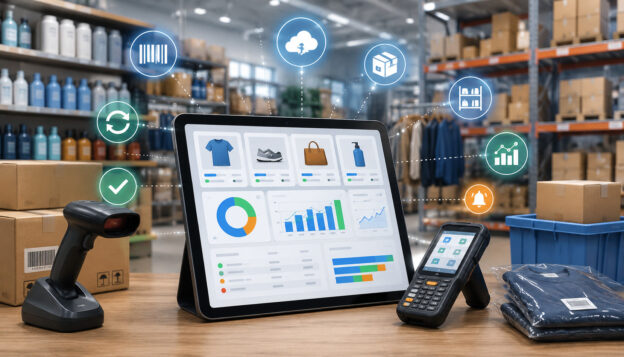
Real-time inventory tracking is the process of monitoring products, materials, ingredients, parts, supplies, and stock movements as they happen. Instead of waiting until the end of the day, week, or month to update inventory records, a real-time inventory system updates stock levels whenever a sale, return, transfer, purchase order, adjustment, or fulfillment action occurs.
For business owners and managers, this matters because inventory affects nearly every part of operations. It influences what customers can buy, how quickly orders are fulfilled, how much cash is tied up in stock, when suppliers need to be contacted, and whether employees can trust the numbers they see in the system.
A real-time inventory tracking setup may include a POS system, barcode scanners, inventory management software, ecommerce integration, warehouse tools, accounting software, mobile inventory tools, and reporting dashboards.
For some businesses, it may be as simple as a cloud POS with barcode scanning and low-stock alerts. For others, it may involve multi-location inventory, lot tracking, warehouse management, marketplace integration, and advanced demand forecasting.
This guide explains how real-time inventory tracking works, where it fits in different business types, what features to look for, and how to avoid common mistakes that can lead to inaccurate inventory data.
What Is Real-Time Inventory Tracking?
Real-time inventory tracking means your inventory records update as inventory activity happens. When a customer buys an item at the register, the stock count decreases. When an online order is placed, available inventory changes.
When a return is processed, the system can add the item back to sellable stock, route it for inspection, or mark it as damaged. When a purchase order is received, the system updates stock levels based on what actually arrived.
This is different from manual or delayed inventory tracking, where employees may write down sales, count stock later, or update spreadsheets after the fact. Delayed tracking can work for very small operations with simple product lines, but it becomes harder to manage as sales volume, product variants, supplier activity, and sales channels increase.
A real-time inventory management process usually depends on connected software and consistent staff workflows. The technology matters, but so does the discipline behind it.
If employees forget to scan items, create duplicate SKUs, skip receiving steps, or make undocumented adjustments, even a strong inventory tracking system can produce unreliable numbers.
At its core, real-time inventory tracking helps answer practical questions:
- How many units are available right now?
- Which items are running low?
- Which products are selling fastest?
- Which location has stock available?
- Which orders are waiting on inventory?
- Which supplier orders are pending?
- Which products are overstocked?
- Where are shrinkage, waste, or reconciliation issues showing up?
A real-time inventory system is not only about counting products. It is about giving decision-makers better inventory visibility across sales, purchasing, fulfillment, returns, and reporting.
Why Real-Time Inventory Tracking Matters for Businesses
Inventory is one of the most important assets many businesses manage. Too little stock can lead to missed sales, unhappy customers, and rushed supplier orders. Too much stock can tie up cash flow, increase storage costs, and create waste, especially for items with expiration dates, seasonal demand, or changing customer preferences.
Real-time inventory tracking helps businesses move away from guesswork. Instead of relying on memory, spreadsheets, or outdated reports, managers can use live inventory data to make better operational decisions.
This is especially helpful when a business sells through multiple channels, manages several locations, handles product variants, or depends on fast fulfillment.
For retailers, real-time stock tracking can show which sizes, colors, models, or product categories are moving quickly. For restaurants, restaurant inventory tracking can help monitor ingredients, prepared items, waste, and reorder needs.
For ecommerce sellers, ecommerce inventory tracking helps prevent selling products online that are no longer available. For warehouses, warehouse inventory tracking supports picking, receiving, transfers, fulfillment, and stock reconciliation.
Real-time inventory management can also improve customer experience. Customers expect accurate product availability, fast order confirmation, and fewer canceled orders. When inventory records are wrong, a business may promise an item it cannot deliver, delay fulfillment, or disappoint a customer who expected an item to be available.
Inventory visibility also supports financial control. Overstocking can reduce available cash, while stockouts can reduce revenue. Shrinkage, theft, spoilage, and manual errors can quietly reduce profitability if they are not detected quickly. A reliable inventory control system gives managers a better chance to find issues early and correct them before they become larger problems.
The small business operations resources from the SBA highlight how day-to-day management decisions affect business stability, planning, and growth. Inventory tracking fits directly into that operational discipline because it connects purchasing, sales, staffing, finance, and customer service.
How Real-Time Inventory Tracking Works

Real-time inventory tracking works by connecting inventory activity to a central system. Every time stock changes, the system records the event and updates available inventory. The source of the update may be a POS transaction, barcode scan, ecommerce order, supplier receipt, warehouse transfer, mobile count, return, or manual adjustment.
A typical real-time inventory system starts with a product catalog. Each item should have a clear name, SKU, category, price, cost, supplier, barcode, tax setting, location, and reorder rule where applicable. Product variants, such as size or color, should be set up separately so the system can track the exact item sold or received.
When a sale happens through a point of sale system, the POS inventory tracking function reduces the available quantity. When an online order is placed, the ecommerce platform or order management tool should reserve or deduct inventory.
When a supplier shipment arrives, employees receive the goods against a purchase order. When products move between locations, the system records a transfer out of one location and into another.
The system then uses this inventory data to power reports, alerts, dashboards, and operational workflows. Managers can see stock levels, review sales data, check reorder points, monitor purchase orders, compare expected inventory to actual counts, and investigate discrepancies.
Barcode Scanning
Barcode scanning is one of the most common ways to support automated inventory tracking. A barcode connects a physical item to a digital record in the inventory tracking software. When employees scan products at checkout, receiving, counting, or transfer, the system knows which item is being handled and updates the record accordingly.
Barcode scanning reduces typing errors and speeds up repetitive inventory tasks. It is especially useful for businesses with many SKUs, product variants, or fast-moving items. A retail store can scan products at the register, a warehouse can scan items during picking, and a restaurant can scan packaged goods during receiving.
However, barcode scanning only works well when barcodes are accurate, labels are readable, and employees follow the process. If items are scanned under the wrong SKU, if multiple products share one barcode, or if employees bypass scanning during busy periods, inventory accuracy can suffer.
SKU Management
SKU management is the structure behind good inventory tracking. A SKU is an internal identifier that helps a business distinguish one item from another. Good SKU management prevents confusion between similar products, product variants, sizes, colors, flavors, batches, and packaging units.
For example, a shirt in three sizes and four colors should not be treated as one inventory item. Each variation needs its own SKU if the business wants accurate stock levels. A restaurant may need separate inventory records for cases, bottles, ounces, and prepared portions. A warehouse may need SKUs for individual units, packs, cartons, and pallets.
Poor SKU management creates reporting problems. Duplicate SKUs, inconsistent naming, inactive products, and vague descriptions can make employees choose the wrong item during sales, receiving, or inventory counts. This leads to inaccurate inventory data and unreliable reports.
A strong stock management system should make it easy to create SKUs, organize categories, retire inactive products, manage product variants, and maintain clean product records.
Key Features of a Real-Time Inventory Tracking System

A real-time inventory tracking system should do more than show a product count. It should help a business understand what is available, what is selling, what needs to be reordered, what has moved, and where discrepancies are happening.
The right features depend on the business model. A single-location boutique may need barcode scanning, product variants, low-stock alerts, and POS reporting. A restaurant may need ingredient tracking, recipe-level deduction, waste tracking, and supplier management.
A warehouse may need bin locations, serial number tracking, lot tracking, and fulfillment workflows. An ecommerce seller may need marketplace integration, order management, and real-time stock syncing.
Below is a practical feature table businesses can use when evaluating inventory tracking software.
| Feature | What It Does | Business Benefit | What to Watch For |
| Barcode scanning | Identifies products during sales, receiving, transfers, and counts | Reduces manual entry errors and speeds up workflows | Requires clean barcodes, labels, and staff training |
| SKU management | Organizes products, variants, categories, and units | Improves inventory accuracy and reporting | Duplicate or unclear SKUs create confusion |
| Low-stock alerts | Notifies managers when items fall below set levels | Helps prevent stockouts and rushed ordering | Alerts are only useful if reorder points are realistic |
| Reorder points | Triggers purchasing decisions based on minimum stock levels | Supports better purchasing and cash flow | Must account for supplier lead times and demand changes |
| Purchase order tracking | Tracks orders placed with suppliers | Improves receiving accuracy and supplier visibility | Receiving must be done carefully against actual shipments |
| Inventory counts | Compares system stock to physical stock | Helps identify shrinkage, errors, and process gaps | Full counts can disrupt operations if not planned |
| Cycle counting | Counts small sections of inventory regularly | Improves accuracy without shutting down operations | Requires consistent scheduling and accountability |
| Multi-location inventory | Tracks stock across stores, warehouses, kitchens, or service vehicles | Improves transfer decisions and customer availability | Transfer workflows must be followed exactly |
| Ecommerce integration | Syncs online orders and available inventory | Reduces overselling and fulfillment delays | Sync delays or disconnected channels can cause errors |
| Reporting dashboards | Shows sales, stock levels, inventory turnover, and exceptions | Helps managers make faster decisions | Reports depend on clean, complete data |
Low-Stock Alerts and Reorder Points
Low-stock alerts notify managers when inventory reaches a minimum threshold. Reorder points define when it is time to buy more. These tools are useful because they turn inventory monitoring into an active workflow instead of a task someone must remember manually.
A good reorder point should consider average sales, supplier lead time, safety stock, seasonality, and storage limits. If a product sells quickly and takes a long time to receive, the reorder point should be higher. If an item sells slowly or takes up expensive storage space, the reorder point may be lower.
Low-stock alerts should be reviewed regularly. A reorder point that made sense during a slow season may not work during a busy period. Likewise, a product that used to sell quickly may become overstocked if customer demand changes.
Purchase Order Tracking
Purchase order tracking connects inventory planning with supplier activity. Instead of ordering by phone, email, or memory alone, a business can create a purchase order, send it to the supplier, track expected quantities, and receive inventory against the order when goods arrive.
This improves inventory control because it separates what was ordered from what was received. If a supplier ships fewer units than expected, sends the wrong product, or delivers damaged goods, the receiving process can record the difference. That protects inventory accuracy and gives managers better supplier management data.
Purchase order tracking also supports cash flow planning. Managers can see which orders are pending, which items are on the way, and which purchases may affect upcoming expenses.
Inventory Counts and Cycle Counting
Inventory counts compare the quantity in the system with what is physically present. Full inventory counts can be useful, but they can also be disruptive. Cycle counting is often more practical because it counts selected products, categories, or locations on a regular schedule.
Cycle counting helps businesses catch errors earlier. Instead of discovering a major discrepancy months later, managers can identify issues by product category, employee workflow, supplier, or location. This makes inventory reconciliation easier and less stressful.
A good cycle counting program should prioritize high-value items, fast-moving products, theft-prone goods, and products with frequent discrepancies. Restaurants may count high-cost ingredients more often. Retailers may count popular items and small high-value products regularly. Warehouses may count active picking zones more frequently than slow storage areas.
Real-Time Inventory Tracking for Retail Businesses

Retail inventory tracking depends on speed, accuracy, and product-level detail. A retailer may need to track sizes, colors, styles, brands, seasonal products, promotional items, returns, transfers, and damaged goods.
When inventory data is delayed or inaccurate, employees may struggle to answer customer questions, replenish shelves, or fulfill pickup orders correctly.
A real-time inventory system helps retailers connect the sales floor, checkout counter, stockroom, ecommerce store, and reporting dashboard. When a product sells through the POS system, inventory updates.
When new stock arrives, receiving updates availability. When a customer returns an item, the system can route it back to sellable inventory, markdown, repair, or damage status.
Retailers also benefit from inventory analytics. Sales reporting can show which products sell quickly, which items sit too long, and which categories need better purchasing decisions. Inventory turnover can help managers understand whether stock is moving efficiently or tying up too much cash.
For deeper context on POS-driven inventory workflows, this guide on using POS systems for inventory management explains how point of sale tools can support stock tracking, sales analysis, and operational control.
Retail Product Tracking
Retail product tracking starts with clean product setup. Each item should have a clear SKU, barcode, product category, cost, price, supplier, and tax setting. Product variants should be separated clearly so a sale of one size or color does not reduce stock for another.
Retailers should also track returns carefully. A returned item is not always ready to sell. It may need inspection, repackaging, repair, markdown, or removal from inventory. A real-time inventory system should let employees assign the right status so available stock does not become overstated.
For multi-location retailers, transfers are another key area. If one location is out of stock and another has extra units, managers can move inventory instead of placing a new supplier order. However, transfers must be recorded accurately when items leave one location and arrive at another.
Real-Time Inventory Management for Restaurants and Food Service
Restaurant inventory tracking has unique challenges because inventory often changes form. Ingredients arrive from suppliers, move into storage, become part of recipes, get portioned, wasted, spilled, substituted, or sold as menu items. Unlike retail products, restaurant inventory may involve weight, volume, portions, batches, expiration dates, and prep levels.
Real-time inventory management can help restaurants understand ingredient usage, food cost, waste, stock levels, and purchasing needs. A POS system records menu item sales. Inventory management software can connect menu items to recipes, then estimate ingredient deduction based on what was sold. This gives managers better visibility into what should be on hand.
However, restaurant inventory accuracy depends heavily on setup. Recipes must be built correctly. Units of measure must be consistent. Employees must record waste, comps, transfers, and prep activity. If a case is received but ingredients are used in ounces, the system must convert units accurately.
Restaurants can also use real-time reporting to compare sales data with inventory usage. If the system shows more ingredient usage than expected, the cause may be waste, over-portioning, theft, incorrect recipes, supplier shortages, or missed counts.
A weekly reporting routine can help operators spot these issues early. This resource on POS reporting metrics for restaurants covers how sales, labor, inventory, and performance data can support better restaurant decisions.
Restaurant Ingredient Tracking
Restaurant ingredient tracking requires more than counting cases. A kitchen may buy a case of chicken, portion it into smaller units, use it across multiple menu items, and track waste or spoilage. The system must understand how purchased units become recipe units.
Ingredient tracking is especially useful for high-cost items, perishable products, alcohol, specialty ingredients, and menu items with tight margins. It can help managers set par levels, plan purchasing, reduce waste, and identify differences between expected usage and actual stock.
Expiration dates, batch tracking, and lot tracking may also matter for food service operations. These tools help managers rotate stock, reduce spoilage, and support traceability when product quality issues arise.
Ecommerce and Multi-Channel Inventory Tracking
Ecommerce inventory tracking becomes more complex when products sell through multiple channels. A business may sell through its own website, online marketplaces, social selling channels, wholesale accounts, and physical locations. Without real-time stock tracking, the same item may be sold twice before inventory updates across platforms.
A real-time inventory system helps prevent overselling by syncing available inventory between channels. When an order is placed online, the system reserves or deducts stock. When an in-store sale happens, the online available quantity updates. When inventory is received or transferred, connected channels can reflect the change.
This matters because online customers expect accurate availability and fast fulfillment. If an item shows as available but cannot be shipped, the business may need to cancel the order, issue a refund, or delay delivery. These issues can hurt customer satisfaction and create extra work for support teams.
Multi-channel businesses should also pay attention to order management. Inventory tracking software should connect with fulfillment workflows so managers can see which orders are paid, picked, packed, shipped, canceled, returned, or waiting for inventory. Returns management is equally important because returned items may not always be sellable.
Ecommerce Inventory Syncing
Ecommerce inventory syncing connects online sales channels with the central inventory record. The goal is to make sure available stock reflects current activity across every place products are sold. This may involve direct integrations, marketplace integration, order management software, or a connected POS system.
Sync frequency matters. Some systems update instantly, while others update in short intervals. For businesses with low sales volume, a slight delay may not cause major issues. For high-volume sellers or limited-quantity products, delays can lead to overselling.
Product catalog consistency is also important. SKUs must match across platforms. If the same product has different SKUs on different channels, the inventory tracking system may not know that all orders should deduct from the same stock pool.
Marketplace Inventory Updates
Marketplace inventory updates require careful setup because marketplaces may have their own rules for listings, variants, stock buffers, fulfillment, and returns. A seller may choose to hold back safety stock so one channel does not consume all available inventory before other channels update.
For example, a business with ten units available may show eight units online and reserve two for in-store sales or pending wholesale orders. This strategy can reduce overselling risk, but it must be managed intentionally.
Businesses should also review marketplace returns. A returned product may be in good condition, damaged, missing packaging, or sent to a third-party fulfillment location. The system should not automatically treat every return as sellable until the item is inspected or categorized correctly.
Warehouse and Multi-Location Inventory Visibility
Warehouse inventory tracking focuses on knowing what is available, where it is stored, and what needs to happen next.
A warehouse may manage receiving, putaway, picking, packing, shipping, transfers, returns, quality checks, batch tracking, serial number tracking, and bin locations. Real-time inventory visibility helps warehouse teams reduce delays and improve fulfillment accuracy.
For multi-location businesses, inventory visibility becomes even more important. A business may have several stores, a warehouse, a production area, service vehicles, pop-up locations, or regional fulfillment points. Managers need to know where stock is located before promising availability to customers or transferring products between locations.
A real-time inventory system helps centralize this information. It can show stock by location, available-to-sell quantities, inventory reserved for orders, items in transit, and goods waiting to be received. This makes it easier to decide whether to fulfill from a store, warehouse, or another location.
Warehouse management may also involve barcode scanning, RFID, QR codes, mobile inventory tools, and handheld devices. RFID uses radio signals to identify tagged items, and NIST describes RFID as a technology that can incorporate a tag into an object for identification or localization using radio signals through its RFID tracking overview.
For businesses connecting checkout, sales, and fulfillment operations, this guide on POS and warehouse management system integration provides useful background on how shared inventory data can support faster fulfillment and better stock control.
Multi-Location Inventory
Multi-location inventory tracking lets a business view and manage stock across different places. This is useful for retailers with multiple stores, restaurants with multiple kitchens, service businesses with vans or field teams, and ecommerce sellers with separate storage or fulfillment locations.
The challenge is that inventory must move in a controlled way. If one location sends stock to another, the transfer should be recorded when items leave and confirmed when they arrive. If transfers are not confirmed, one location may show too little stock while another shows too much.
Multi-location inventory also supports customer service. Employees can check whether an out-of-stock item is available elsewhere, arrange a transfer, or direct the customer to another location. For online orders, managers can choose the best fulfillment location based on availability, distance, labor capacity, or shipping cost.
Warehouse Stock Visibility
Warehouse stock visibility means employees can see not only how much inventory exists, but where it is located. For larger operations, “in stock” is not enough. The system may need to show aisle, shelf, bin, pallet, lot, batch, expiration date, or serial number.
This helps warehouse teams pick orders faster and reduce errors. It also improves receiving and putaway because new stock can be assigned to the right location immediately. When items are misplaced, real-time reporting and cycle counting can help identify where the breakdown occurred.
Benefits of Real-Time Stock Tracking
The benefits of real-time stock tracking come from better visibility, faster updates, and more reliable inventory data. When employees and managers can trust the system, they can make decisions with less guesswork.
One major benefit is fewer stockouts. When low-stock alerts and reorder points are set correctly, managers can replenish before products run out. This helps protect sales and customer satisfaction. It also reduces emergency purchasing, rushed shipping, and last-minute supplier calls.
Another benefit is less overstocking. Real-time inventory analytics can show which products are not moving, which categories are overbought, and which items should be discounted, transferred, bundled, or reordered less frequently. This helps protect cash flow and storage space.
Real-time inventory tracking can also reduce manual errors. Barcode scanning, POS inventory tracking, purchase order receiving, and automated inventory updates reduce the need for repeated manual entry. That does not eliminate every error, but it can reduce avoidable mistakes.
Shrinkage and theft prevention can also improve. When inventory discrepancies are visible sooner, managers can investigate patterns by product, employee shift, supplier delivery, location, or process. The system may not identify every cause automatically, but it gives managers better evidence.
Other benefits include:
- Better sales visibility
- Faster fulfillment
- Improved inventory accuracy
- Stronger supplier planning
- Easier inventory reconciliation
- Better demand forecasting
- More useful sales reporting
- Improved customer satisfaction
- Better operational efficiency
- Cleaner accounting integration
Real-time stock tracking also supports strategic decisions. Managers can compare inventory turnover, product margins, sales trends, and seasonal demand. This helps the business buy smarter instead of simply buying more.
Common Inventory Tracking Challenges and How to Avoid Them
Real-time inventory tracking can improve operations, but it is not automatic success. Many inventory problems come from setup mistakes, inconsistent processes, incomplete integrations, or poor employee training. Businesses should treat implementation as an operational project, not just a software purchase.
One common challenge is inaccurate starting data. If the system begins with wrong stock counts, duplicate products, inactive SKUs, or unclear product names, reports will be unreliable from the beginning. Before launching, businesses should clean up the product catalog, confirm starting quantities, and remove outdated records.
Another challenge is missed scans. Employees may skip scanning during busy periods, use generic buttons at checkout, receive goods without checking the purchase order, or adjust inventory without notes. These shortcuts may save seconds in the moment but create larger reconciliation problems later.
Integration issues can also cause trouble. A POS system, ecommerce platform, accounting software, and warehouse tool must share data correctly. If one system updates faster than another, or if SKUs do not match, inventory data can become inconsistent.
Internet dependency is another consideration. Cloud POS and cloud inventory tools often require reliable connectivity. Businesses should understand offline mode, sync behavior, and what happens if the connection drops during sales, receiving, or fulfillment.
Inventory Reconciliation
Inventory reconciliation is the process of comparing expected inventory to actual inventory and resolving differences. It helps identify shrinkage, scanning mistakes, receiving errors, return issues, waste, theft, duplicate SKUs, and other process gaps.
A good reconciliation process should include clear adjustment reasons. For example, “missing,” “damaged,” “expired,” “vendor shortage,” “miscount,” and “internal use” provide more insight than a generic adjustment. Over time, these reasons can reveal patterns.
Managers should avoid using reconciliation only as a cleanup task. It should also be a learning tool. If the same product is always off, the problem may be packaging, barcode confusion, theft risk, unit conversion, or employee training.
Data Accuracy
Data accuracy is the foundation of real-time inventory management. The system can only report what employees and integrations record. If product data, supplier data, units of measure, costs, and SKUs are wrong, the dashboard may look organized while still being misleading.
Businesses can improve data accuracy by assigning ownership. One person or team should control product creation, SKU rules, vendor records, and inventory adjustment permissions. Too many people editing product data without standards can create duplicate items and reporting gaps.
Employee permissions also matter. Not every employee needs access to change costs, delete products, override stock counts, or create manual adjustments. A good inventory tracking system should support role-based access so employees can do their jobs without creating unnecessary risk.
The FTC’s business data security guidance is also relevant when inventory tools connect with customer records, payment data, employee accounts, or business-sensitive information. Inventory systems should be evaluated not only for features, but also for access controls, data protection, and responsible handling of business information.
How POS Systems Support Real-Time Inventory Tracking
A POS system is often the center of real-time inventory tracking for businesses that sell in person. It records sales, returns, discounts, exchanges, taxes, payment processing activity, and product-level transaction data. When connected to inventory management software, the POS system can update stock levels automatically as transactions happen.
For example, when a cashier sells a product, POS inventory tracking deducts the item from available stock. If the customer returns the product, the employee can decide whether it goes back into inventory or is marked as damaged. If the POS is connected to ecommerce channels, the sale can also update online availability.
A cloud POS can help managers view inventory and sales reporting from different locations. This is useful for owners who are not always on-site, managers overseeing multiple stores, or businesses that need centralized reporting. Cloud access also helps teams compare locations, review low-stock alerts, and monitor performance without waiting for end-of-day reports.
POS systems can also support barcode scanning, product catalog management, employee permissions, customer history, purchase orders, supplier management, and accounting integration. Not every POS system includes advanced inventory features, so businesses should compare tools based on their actual inventory needs.
For a broader explanation of how POS and inventory tools can work together, see this guide on integrating inventory management with your POS. An additional educational overview of POS systems for inventory management also explains how POS tools can support stock alerts, product control, and sales monitoring.
POS Inventory Integration
POS inventory integration connects sales activity with inventory data. The integration may be built into the POS system or handled through separate inventory tracking software. The goal is to reduce duplicate entry and keep product availability current.
A strong POS inventory integration should support product syncing, sales deduction, returns, exchanges, discounts, purchase orders, stock transfers, inventory counts, and reporting. For ecommerce businesses, it should also connect online sales with in-store inventory.
Businesses should test integrations before relying on them fully. Test product variants, refunds, partial returns, bundles, split payments, offline transactions, and multi-location transfers. These edge cases often reveal whether the system can handle real operations.
Accounting Software Integration
Accounting software integration helps connect inventory activity with financial reporting. Inventory affects cost of goods sold, asset values, margins, purchasing, supplier bills, and cash flow. When inventory software and accounting tools are connected, businesses can reduce duplicate entry and improve reporting consistency.
However, accounting integration must be configured carefully. Product costs, tax settings, supplier bills, discounts, returns, and inventory adjustments should flow correctly. If the integration is too broad or poorly mapped, it may create accounting cleanup work.
For some businesses, inventory valuation methods such as FIFO, LIFO, or weighted average may matter. This overview of POS inventory models explains how inventory valuation methods can affect reporting and operational understanding.
How to Choose the Right Inventory Tracking System
Choosing the right inventory tracking system starts with understanding the business, not the software. A small service provider with limited supplies may need a simple stock management system.
A retailer with thousands of product variants needs stronger SKU management and barcode scanning. A restaurant needs ingredient tracking and waste monitoring. A warehouse needs location control and fulfillment workflows.
Decision-makers should begin by mapping inventory activity from start to finish. How do products or materials enter the business? Who receives them? Where are they stored? How are they sold, used, transferred, returned, counted, and adjusted? Which reports are needed weekly? Which errors happen most often?
Next, identify the must-have features. These may include real-time stock tracking, POS integration, ecommerce integration, barcode scanning, purchase orders, low-stock alerts, reorder points, mobile inventory tools, lot tracking, serial number tracking, expiration dates, multi-location inventory, or accounting integration.
Scalability also matters. A startup may not need advanced warehouse management on day one, but it may need a system that can grow with more SKUs, employees, suppliers, and locations. Switching systems later can be time-consuming if product data and workflows are not portable.
Businesses should also evaluate support, training resources, permissions, reporting flexibility, integration reliability, data export options, and security practices. The best system is not always the one with the longest feature list. It is the one that fits the business’s workflow and can be used consistently by the team.
Checklist: Does Your Business Need Real-Time Inventory Tracking?
A business may benefit from real-time inventory tracking if several of these statements apply:
- You regularly run out of popular products.
- You carry too much slow-moving stock.
- Employees do not trust inventory counts.
- You sell through more than one channel.
- You manage more than one location.
- You use spreadsheets that are often outdated.
- You handle many SKUs or product variants.
- You process frequent returns or exchanges.
- You need better purchase order tracking.
- You want low-stock alerts and reorder points.
- You need better visibility into shrinkage or waste.
- You want inventory reports tied to sales data.
- You need faster fulfillment and fewer order delays.
- You want clearer supplier and purchasing workflows.
- You need better inventory accuracy for accounting and reporting.
If only one or two apply, a basic inventory control system may be enough. If many apply, real-time inventory management may provide stronger operational value.
Demand Forecasting and Reporting
Demand forecasting uses sales data, seasonality, inventory turnover, promotions, and past trends to estimate future inventory needs. It is not perfect, but it can help businesses buy with more confidence.
Real-time reporting improves forecasting because it provides fresher data. Managers can see what is selling now, not only what sold last month. This is especially useful for seasonal products, limited-time menu items, fast-moving ecommerce products, and location-specific demand.
Inventory analytics should be reviewed with context. A product may have low sales because demand is weak, but it may also have low sales because it was out of stock. A real-time inventory system helps separate these issues by showing stock availability alongside sales performance.
FAQs
What is real-time inventory tracking?
Real-time inventory tracking is the process of updating inventory records as stock activity happens. When a product is sold, returned, received, transferred, adjusted, or reserved for fulfillment, the system updates the inventory record.
This gives businesses a more current view of stock levels than manual counts or delayed spreadsheet updates. It helps managers understand what is available, what is running low, what is overstocked, and where inventory is located.
Real-time inventory tracking is useful for retailers, restaurants, ecommerce sellers, warehouses, service providers, startups, and multi-location businesses. The exact setup can vary depending on sales volume, product complexity, supplier workflows, and software integrations.
How does real-time inventory management work?
Real-time inventory management works by connecting inventory activity to a central system. A POS system, barcode scanner, ecommerce platform, warehouse tool, or mobile inventory app records the activity, and the inventory management software updates stock levels.
For example, a sale at checkout can reduce stock automatically. A supplier delivery can increase stock when employees receive the purchase order. A transfer can move inventory from one location to another. A return can add inventory back, mark it damaged, or place it on hold.
The system then uses this inventory data for reports, low-stock alerts, reorder points, inventory counts, purchase orders, and forecasting.
What is the difference between manual inventory tracking and real-time inventory tracking?
Manual inventory tracking usually depends on spreadsheets, paper records, handwritten notes, or periodic counts. It can work for very small operations, but it is more likely to become outdated as sales and inventory activity increase.
Real-time inventory tracking updates records as activity happens. It reduces delayed data entry and gives managers a more current view of stock levels, sales activity, returns, transfers, and purchase orders.
The biggest difference is timing. Manual tracking often shows what inventory looked like at the last update. Real-time stock tracking aims to show what inventory looks like now.
How can real-time inventory tracking reduce stockouts?
Real-time inventory tracking can reduce stockouts by showing when products are running low and helping managers reorder before items are gone. Low-stock alerts and reorder points are especially helpful when they are based on sales volume, supplier lead time, and safety stock.
The system can also reveal demand patterns. If an item sells faster during certain days, seasons, events, or promotions, managers can adjust purchasing before demand increases.
However, the system must be configured correctly. If reorder points are too low, supplier lead times are ignored, or employees fail to receive inventory properly, stockouts can still happen.
Do POS systems support real-time inventory tracking?
Many POS systems support real-time inventory tracking, especially when they include inventory management features or integrate with inventory tracking software. A POS system can deduct items from inventory when sales occur, process returns, track product-level sales, and support barcode scanning.
Some POS systems also support purchase orders, low-stock alerts, multi-location inventory, employee permissions, and reporting dashboards. Others may offer only basic stock counts.
Before choosing a POS system, businesses should confirm whether it supports the inventory workflows they need, such as product variants, ecommerce syncing, restaurant ingredient tracking, warehouse inventory tracking, or accounting integration.
Is real-time inventory tracking useful for small businesses?
Yes, real-time inventory tracking can be useful for small businesses, especially when inventory mistakes affect sales, cash flow, or customer experience. Small retailers, restaurants, ecommerce sellers, service providers, and local operators can benefit from better stock visibility and fewer manual errors.
That said, not every small business needs a complex system. A business with a limited product catalog may only need basic POS inventory tracking, barcode scanning, low-stock alerts, and simple reporting.
The best approach is to match the system to the business’s current workflow while leaving room for growth.
What features should an inventory tracking system include?
A strong inventory tracking system should include product catalog management, SKU management, barcode scanning, inventory counts, low-stock alerts, reorder points, purchase orders, reporting, and user permissions.
Depending on the business, additional features may include ecommerce integration, marketplace integration, multi-location inventory, warehouse management, batch tracking, lot tracking, serial number tracking, expiration dates, mobile inventory tools, accounting integration, and demand forecasting.
Businesses should focus on the features they will actually use. A system with advanced tools is not helpful if employees find it too complicated or skip important steps.
How can businesses improve inventory accuracy?
Businesses can improve inventory accuracy by cleaning up product data, using consistent SKUs, scanning items properly, training employees, setting clear adjustment rules, and counting inventory regularly. Cycle counting is often easier to maintain than relying only on large full-store counts.
It also helps to limit who can edit product records or make manual inventory adjustments. Employee permissions reduce accidental changes and make it easier to investigate discrepancies.
Inventory accuracy improves over time when managers review reports, investigate recurring issues, and refine workflows. The goal is not only to fix the numbers, but to understand why the numbers were wrong.
Conclusion
Real-time inventory tracking gives businesses a clearer, faster, and more useful view of stock activity. It helps monitor stock levels, sales, returns, transfers, purchase orders, fulfillment, and inventory adjustments as they happen.
When implemented well, it can improve inventory accuracy, reduce stockouts, limit overstocking, support better purchasing, improve fulfillment, and create a better customer experience.
The value of a real-time inventory system depends on the business model. Retailers may need product variants, barcode scanning, and POS inventory tracking. Restaurants may need ingredient tracking, waste monitoring, and recipe-level reporting.
Ecommerce sellers may need inventory syncing across websites and marketplaces. Warehouses may need location-level visibility, order management, and fulfillment tools. Multi-location businesses may need centralized inventory visibility and transfer controls.
The technology is only part of the process. Accurate starting data, clean SKU management, employee training, consistent scanning, reliable integrations, strong permissions, and regular inventory reconciliation are just as important. A business that skips these basics may still struggle with inaccurate inventory data, even with modern inventory management software.
Real-time inventory tracking is best viewed as an operational system, not just a software feature. It connects sales, purchasing, storage, fulfillment, reporting, accounting, and customer service. When those pieces work together, managers can make better decisions with fewer delays and fewer surprises.
This article is for general educational purposes. Inventory tracking needs can vary by provider, business model, product type, sales channel, supplier process, software setup, and operational workflow. Businesses should evaluate their own inventory complexity, reporting needs, and integration requirements before choosing an inventory tracking system.