Category Archives: POS System

How Much Does the Toast POS System Cost?

How Much Does the Toast POS System Cost?

In today’s fast-paced and competitive restaurant industry, having an efficient and reliable point-of-sale (POS) system is crucial for success. One such system that has gained popularity among restaurant owners is the Toast POS system. With its user-friendly interface, robust features, and comprehensive reporting capabilities, Toast POS has become a go-to solution for many establishments. However, before making a decision, it is essential to understand the pricing structure and associated costs of implementing the Toast POS system.

Understanding the Pricing Structure of Toast POS

Understanding the Pricing Structure of Toast POS

When it comes to pricing, Toast POS offers a transparent and straightforward approach. Unlike some other POS providers that require you to contact sales representatives for a custom quote, Toast POS provides detailed pricing information on their website. This level of transparency is commendable and allows potential customers to make informed decisions.

Toast POS offers three pricing plans: Starter, Essentials, and Growth. The Starter plan is designed for small businesses and costs $79 per terminal per month. The Essentials plan, suitable for mid-sized establishments, is priced at $99 per terminal per month. The Growth plan, ideal for larger restaurants, costs $189 per terminal per month. It is important to note that these prices are subject to change, and it is always recommended to visit the official Toast POS website for the most up-to-date information.

Toast POS Hardware Costs: What to Expect

Toast POS Hardware Costs

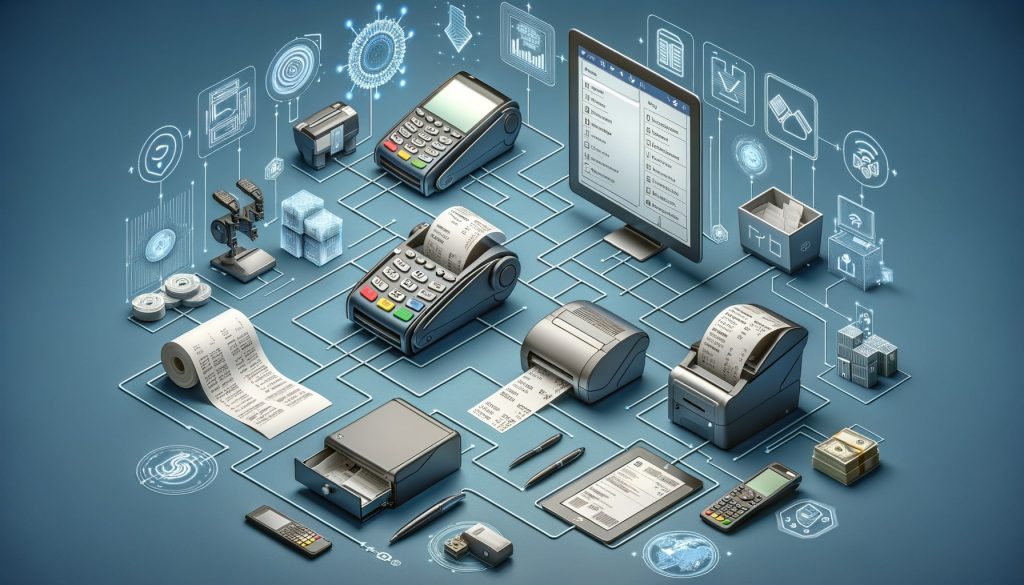
One of the key components of the Toast POS system is the hardware. The hardware includes the Toast terminal, which is a sleek and modern-looking device that serves as the main point of interaction between the restaurant staff and the system. The cost of the Toast terminal varies depending on the specific model and configuration chosen by the restaurant. On average, the cost of the terminal can range from $799 to $1,299 per device.

In addition to the terminal, restaurants may also need to invest in other hardware components such as printers, cash drawers, and kitchen display systems. The cost of these additional hardware components can vary depending on the specific requirements of the restaurant. On average, restaurants can expect to spend an additional $500 to $1,000 on these hardware components.

Toast POS Software Costs: Breaking Down the Expenses

Toast POS Software Costs

While the hardware costs are a one-time investment, the software costs of Toast POS are recurring and should be factored into your budget. As mentioned earlier, the software fees are based on a per-terminal-per-month pricing structure. The Starter plan costs $79 per terminal per month, the Essentials plan costs $99 per terminal per month, and the Growth plan costs $189 per terminal per month.

It is important to note that these prices include access to the Toast POS software, updates, and customer support. The software itself is feature-rich and includes functionalities such as menu management, order taking, tableside ordering, inventory management, employee management, and reporting. The comprehensive nature of the software ensures that restaurant owners have all the tools they need to streamline their operations and enhance the overall guest experience.

Additional Costs and Fees Associated with Toast POS

Additional Costs and Fees Associated with Toast POS

While the monthly software fees and hardware costs are the primary expenses associated with implementing the Toast POS system, there are a few additional costs and fees that restaurant owners should be aware of. These costs may vary depending on the specific needs and requirements of your establishment.

One such cost is the installation fee. Toast POS offers professional installation services to ensure a smooth setup process. The installation fee can range from $499 to $999, depending on the complexity of the installation and the number of terminals.

Another potential cost is the training fee. Toast POS provides comprehensive training to help restaurant staff become proficient in using the system. The training fee can range from $499 to $999, depending on the number of staff members requiring training and the level of customization needed.

Additionally, there may be fees associated with add-on features and integrations. Toast POS offers various add-ons, such as online ordering, loyalty programs, and gift card management. The costs for these add-ons can vary depending on the specific features and integrations required.

Comparing Toast POS Pricing Plans: Which One is Right for You?

When choosing a pricing plan for Toast POS, it is important to consider the specific needs and requirements of your establishment. Each pricing plan offers different features and capabilities, allowing you to choose the one that best aligns with your business goals.

The Starter plan, priced at $79 per terminal per month, is suitable for small businesses with basic needs. It includes essential features such as menu management, order taking, and reporting. However, it does not include advanced functionalities such as inventory management and employee management.

The Essentials plan, priced at $99 per terminal per month, is designed for mid-sized establishments that require more advanced features. In addition to the features included in the Starter plan, it offers inventory management, employee management, and tableside ordering capabilities.

The Growth plan, priced at $189 per terminal per month, is ideal for larger restaurants with complex operations. It includes all the features of the Essentials plan, along with additional functionalities such as online ordering, gift card management, and loyalty programs.

Factors Affecting the Total Cost of Implementing Toast POS

While the pricing plans provide a baseline for understanding the costs associated with Toast POS, it is important to consider other factors that can affect the total cost of implementation. These factors include the number of terminals required, the size of your establishment, and any additional hardware or software integrations.

The number of terminals required will directly impact the monthly software fees. It is important to assess your establishment’s needs and determine the optimal number of terminals to ensure efficient operations.

The size of your establishment can also affect the total cost of implementation. Larger restaurants may require additional hardware components, such as multiple cash drawers and receipt printers, to accommodate their operations. These additional hardware costs should be factored into the budget.

Furthermore, any additional hardware or software integrations can incur additional costs. Toast POS offers various integrations with third-party applications, such as accounting software and online ordering platforms. The costs associated with these integrations will depend on the specific applications and functionalities required.

Frequently Asked Questions about Toast POS Pricing

Q: How much does the Toast POS system cost?

The cost of the Toast POS system varies depending on factors such as the size of the restaurant, the number of terminals required, and the specific hardware and software configurations chosen. On average, restaurants can expect to spend around $799 to $1,299 per terminal for the hardware and $79 to $199 per month per terminal for the software.

Q: Are there any additional costs associated with the Toast POS system?

Yes, there are additional costs associated with the Toast POS system. These costs can include installation fees, training fees, and support fees. The installation fees can range from $500 to $1,000, the training fees can range from $500 to $1,000, and the support fees are typically included in the monthly subscription cost.

Q: Can I customize the pricing plan to fit my restaurant’s needs?

Yes, Toast POS offers different pricing plans to cater to the unique needs and requirements of different types of restaurants. Restaurants can choose from different pricing tiers that offer different features and functionalities at different price points.

Q: Can I add or remove features as my restaurant’s needs change?

Yes, Toast POS allows restaurants to add or remove features as their needs change. Restaurants can upgrade or downgrade their pricing plan to access different features and functionalities.

Q: Is Toast POS worth the investment?

The value of the Toast POS system depends on the specific needs and requirements of the restaurant. For restaurants looking to streamline operations, improve efficiency, and enhance the overall customer experience, Toast POS can be a worthwhile investment.

Conclusion

Implementing a reliable and efficient POS system is essential for the success of any restaurant. The Toast POS system offers a comprehensive solution with its user-friendly interface, robust features, and transparent pricing structure. By understanding the pricing structure and associated costs, restaurant owners can make informed decisions and choose the plan that best aligns with their business goals.

The pricing plans offered by Toast POS, including the Starter, Essentials, and Growth plans, cater to businesses of different sizes and requirements. The hardware costs, including the Toast terminal, cash drawer, receipt printer, and optional KDS, should also be considered when budgeting for the implementation of Toast POS.

In addition to the monthly software fees and hardware costs, there may be additional costs and fees associated with installation, training, and add-on features. These costs should be carefully evaluated to ensure a comprehensive understanding of the total cost of implementing Toast POS.

Factors such as the number of terminals required, the size of the establishment, and any additional hardware or software integrations can also affect the total cost of implementation. By considering these factors and assessing the specific needs of the business, restaurant owners can make an informed decision and choose the pricing plan that best suits their requirements.

Overall, the Toast POS system offers a competitive pricing structure and a comprehensive set of features that can help streamline operations, enhance the guest experience, and drive business growth. With its transparent pricing and robust capabilities, Toast POS is a valuable investment for any restaurant looking to stay ahead in the industry.

How Restaurant POS Systems Improve Customer Experience

How Restaurant POS Systems Improve Customer Experience

In today’s fast-paced and competitive restaurant industry, staying ahead of the game is crucial for success. One of the key factors that can make or break a restaurant’s reputation is the customer experience. From the moment a customer walks through the door to the time they leave, every interaction matters. This is where restaurant POS (Point of Sale) systems come into play.

These advanced technological solutions have revolutionized the way restaurants operate, enabling them to provide a seamless and enhanced customer experience. In this article, we will explore how restaurant POS systems improve customer experience and why they have become an essential tool for modern-day restaurants.

Streamlining Operations: How Restaurant POS Systems Enhance Efficiency

Efficiency is the backbone of any successful restaurant. From taking orders to processing payments, every aspect of the operation needs to be streamlined to ensure a smooth and timely service. This is where restaurant POS systems shine. By automating various tasks and integrating different processes, these systems significantly enhance efficiency.

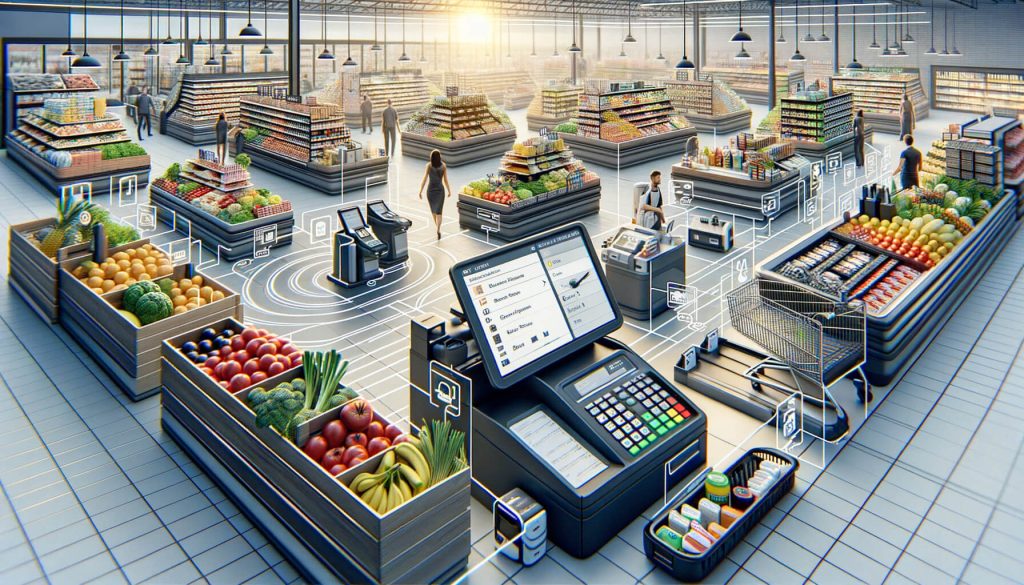
One of the key features of a restaurant POS system is its ability to centralize all operations. From managing reservations to tracking inventory, everything can be accessed and controlled from a single platform. This eliminates the need for multiple systems and reduces the chances of errors or miscommunication. With a centralized system, restaurant staff can easily access information, make updates in real-time, and collaborate seamlessly.

Furthermore, restaurant POS systems offer advanced inventory management capabilities. By tracking stock levels, monitoring ingredient usage, and generating automated alerts for low inventory, these systems help restaurants optimize their supply chain. This ensures that popular menu items are always available, reducing customer disappointment and improving overall satisfaction.

Enhancing Order Accuracy: The Role of POS Systems in Minimizing Errors

The Role of POS Systems in Minimizing Errors

Order accuracy is crucial in the restaurant industry. A single mistake can lead to customer dissatisfaction, negative reviews, and even loss of business. Traditional manual order-taking methods are prone to errors, especially during peak hours when staff members are under pressure. This is where restaurant POS systems play a vital role in minimizing errors and ensuring order accuracy.

With a POS system, orders can be taken directly at the table using handheld devices or tablets. This eliminates the need for handwritten notes or verbal communication, reducing the chances of miscommunication or missed details. The orders are instantly transmitted to the kitchen, ensuring that the chefs have all the necessary information to prepare the dishes accurately.

Moreover, restaurant POS systems offer customization options, allowing customers to specify their preferences or dietary restrictions. For example, if a customer wants their burger cooked medium-rare or without onions, the POS system can capture these details and transmit them to the kitchen. This level of accuracy and customization not only improves customer satisfaction but also reduces the chances of mistakes in the order.

Improving Customer Service: How POS Systems Enhance the Dining Experience

How POS Systems Enhance the Dining Experience

Customer service is the backbone of the restaurant industry. Providing exceptional service is what sets apart successful restaurants from mediocre ones. Restaurant POS systems play a crucial role in improving customer service by streamlining various aspects of the dining experience.

Firstly, POS systems enable faster table turnover. With features like table management and real-time updates on table availability, restaurant staff can efficiently manage seating arrangements and reduce waiting times. This ensures that customers are seated promptly and can enjoy their meals without unnecessary delays.

Secondly, POS systems facilitate seamless communication between the front-of-house and back-of-house staff. For example, when a customer requests a refill or asks for the bill, the server can instantly transmit the request to the kitchen or cashier through the POS system. This eliminates the need for the server to physically go back and forth, saving time and improving overall efficiency.

Additionally, restaurant POS systems offer customer relationship management (CRM) capabilities. This means that restaurants can store customer information, such as contact details, preferences, and past orders. With this data at their fingertips, restaurant staff can provide personalized service, such as greeting customers by name or recommending their favorite dishes. This level of personalization enhances the overall dining experience and makes customers feel valued.

Personalized Experiences: Leveraging POS Systems for Customization

Leveraging POS Systems for Customization

In today’s era of personalization, customers expect tailored experiences that cater to their individual preferences. Restaurant POS systems enable restaurants to deliver personalized experiences by capturing and utilizing customer data effectively.

POS systems can store customer information, such as dietary preferences, allergies, and favorite dishes. This data can be used to create personalized menus or recommend dishes based on the customer’s past orders. For example, if a customer is a vegetarian, the POS system can highlight vegetarian options or suggest new dishes that align with their preferences.

Furthermore, POS systems can integrate with loyalty programs and rewards systems. By tracking customer spending and visit frequency, restaurants can offer personalized rewards or discounts to loyal customers. For example, a POS system can automatically apply a discount to a customer’s bill if they have reached a certain spending threshold or offer a free dessert on their birthday. These personalized incentives not only enhance the customer experience but also foster customer loyalty.

Faster Payments: The Convenience of POS Systems for Customers

In today’s fast-paced world, customers value convenience and efficiency. Waiting in long queues to pay the bill can be frustrating and time-consuming. Restaurant POS systems offer a convenient solution by enabling faster and more efficient payment processes.

With a POS system, customers can pay their bills directly at the table using handheld devices or tablets. This eliminates the need for customers to wait for the server to bring the bill and then process the payment manually. By accepting various payment methods, such as credit cards, mobile wallets, or even contactless payments, POS systems cater to the diverse preferences of customers, ensuring a seamless and hassle-free payment experience.

Moreover, POS systems can generate digital receipts that can be emailed or texted to the customer. This eliminates the need for paper receipts, reducing environmental waste and providing customers with a convenient way to track their expenses.

Loyalty Programs and Rewards: Utilizing POS Systems to Foster Customer Loyalty

Customer loyalty is crucial for the long-term success of any restaurant. Repeat customers not only contribute to the revenue but also act as brand ambassadors, recommending the restaurant to their friends and family. Restaurant POS systems offer powerful tools to foster customer loyalty through loyalty programs and rewards.

POS systems can integrate with loyalty programs, allowing restaurants to track customer spending, visit frequency, and other relevant data. This data can be used to offer personalized rewards or discounts to loyal customers. For example, a POS system can automatically apply a discount to a customer’s bill if they have reached a certain spending threshold or offer a free appetizer on their fifth visit. These incentives not only encourage repeat visits but also make customers feel valued and appreciated.

Furthermore, POS systems can generate detailed reports and analytics on customer behavior and spending patterns. This data can be used to identify loyal customers, understand their preferences, and tailor marketing campaigns accordingly. By leveraging the power of POS systems, restaurants can build strong relationships with their customers and create a loyal customer base.

Real-Time Analytics: Harnessing POS Systems for Data-Driven Insights

Data is the new currency in the digital age. Restaurants that can effectively harness data and derive actionable insights have a competitive advantage. Restaurant POS systems offer robust analytics capabilities, providing real-time data-driven insights that can drive business growth and improve the customer experience.

POS systems can generate detailed reports on various aspects of the restaurant’s operations, such as sales, inventory, and customer behavior. These reports can be accessed in real-time, allowing restaurant owners and managers to make informed decisions on the spot. For example, if a particular menu item is not selling well, the POS system can highlight this, enabling the restaurant to make adjustments to the menu or marketing strategy.

Moreover, POS systems can track customer behavior and spending patterns. This data can be used to identify popular menu items, understand customer preferences, and optimize the menu accordingly. For example, if a particular dish is consistently receiving positive feedback, the restaurant can consider promoting it as a signature dish or creating variations based on customer feedback.

Online Ordering and Delivery: The Integration of POS Systems for Seamless Transactions

In recent years, online ordering and delivery have become increasingly popular in the restaurant industry. Customers value the convenience of ordering their favorite meals from the comfort of their homes or offices. Restaurant POS systems play a crucial role in integrating online ordering and delivery services, ensuring seamless transactions and a positive customer experience.

POS systems can integrate with online ordering platforms, such as websites or mobile apps. This integration enables customers to browse the menu, place orders, and make payments online. The orders are instantly transmitted to the POS system, eliminating the need for manual data entry and reducing the chances of errors.

Furthermore, POS systems can streamline the delivery process. By integrating with third-party delivery services or offering in-house delivery, restaurants can efficiently manage delivery orders. The POS system can track the status of each order, generate delivery routes, and provide real-time updates to customers on the estimated delivery time. This level of transparency and efficiency enhances the overall customer experience and builds trust.

Conclusion

Restaurant POS systems have become an indispensable tool for modern-day restaurants. From streamlining operations to enhancing order accuracy, improving customer service, and enabling personalized experiences, these systems have revolutionized the way restaurants operate and interact with their customers.

With features like faster payments, loyalty programs, real-time analytics, and integration with online ordering and delivery services, POS systems have become a game-changer in the quest for providing exceptional customer experiences. As the restaurant industry continues to evolve, embracing the power of POS systems is essential for staying ahead of the competition and delighting customers at every touchpoint.

How to Choose a POS System for Your Bar

How to Choose a POS System for Your Bar

In today’s fast-paced and competitive bar industry, having an efficient and reliable point of sale (POS) system is crucial for success. A POS system is not just a cash register; it is a comprehensive tool that helps streamline operations, improve customer service, and increase profitability. From processing transactions to managing inventory and tracking sales, a well-chosen POS system can revolutionize the way your bar operates.

In this article, we will explore the factors to consider when choosing a POS system for your bar, assess your bar’s specific needs and requirements, understand the different types of POS systems available, and evaluate key features, user interface, integrations, pricing, security, and customer support options.

Factors to Consider When Choosing a POS System for Your Bar

When selecting a POS system for your bar, it is essential to consider several factors to ensure that you choose the right system that meets your specific needs. Here are some key factors to consider:

  1. Scalability: As your bar grows, you need a POS system that can scale with your business. Look for a system that can handle increased transaction volumes, additional terminals, and new features as your bar expands.
  2. Ease of Use: A user-friendly interface is crucial for your staff to quickly learn and navigate the POS system. Look for a system that offers intuitive design and easy-to-use features to minimize training time and maximize efficiency.
  3. Integration Capabilities: Your POS system should seamlessly integrate with other bar management tools such as inventory management, reservation systems, and loyalty programs. This integration ensures smooth operations and eliminates the need for manual data entry.
  4. Reporting and Analytics: A robust reporting and analytics feature is essential for tracking sales, inventory, and customer behavior. Look for a POS system that provides detailed reports and real-time insights to help you make informed business decisions.
  5. Mobility: In today’s mobile-driven world, having a POS system that supports mobile devices can be a game-changer. Mobile POS systems allow your staff to take orders and process payments directly at the table, improving efficiency and enhancing the customer experience.
  6. Customization Options: Every bar has unique needs and requirements. Look for a POS system that offers customization options, allowing you to tailor the system to your specific workflows and preferences.
  7. Cost: While cost is an important consideration, it should not be the sole determining factor. Consider the value and return on investment (ROI) that the POS system can provide in terms of increased efficiency, reduced errors, and improved customer service.

Assessing Your Bar’s Specific Needs and Requirements

Assessing Your Bar's Specific Needs and Requirements

Before diving into the vast array of POS systems available, it is crucial to assess your bar’s specific needs and requirements. Understanding your business processes, goals, and pain points will help you narrow down your options and choose a POS system that aligns with your unique needs. Here are some questions to consider:

  1. What are your primary goals for implementing a POS system? Are you looking to improve efficiency, reduce errors, increase sales, or enhance the customer experience?
  2. What are your current pain points and challenges? Are you struggling with inventory management, order accuracy, or slow transaction times?
  3. How many terminals do you need? Consider the number of cash registers or order stations required to handle your peak business hours.
  4. Do you have any specific requirements for integrations with other bar management tools? For example, do you need the POS system to integrate with your inventory management software or loyalty program?
  5. What is your budget for a POS system? Consider both upfront costs and ongoing fees, such as software licensing, hardware maintenance, and support.

Understanding the Different Types of POS Systems Available

Different Types of POS Systems

POS systems come in various types, each offering different features and functionalities. Understanding the different types will help you choose the one that best suits your bar’s needs. Here are the three main types of POS systems available:
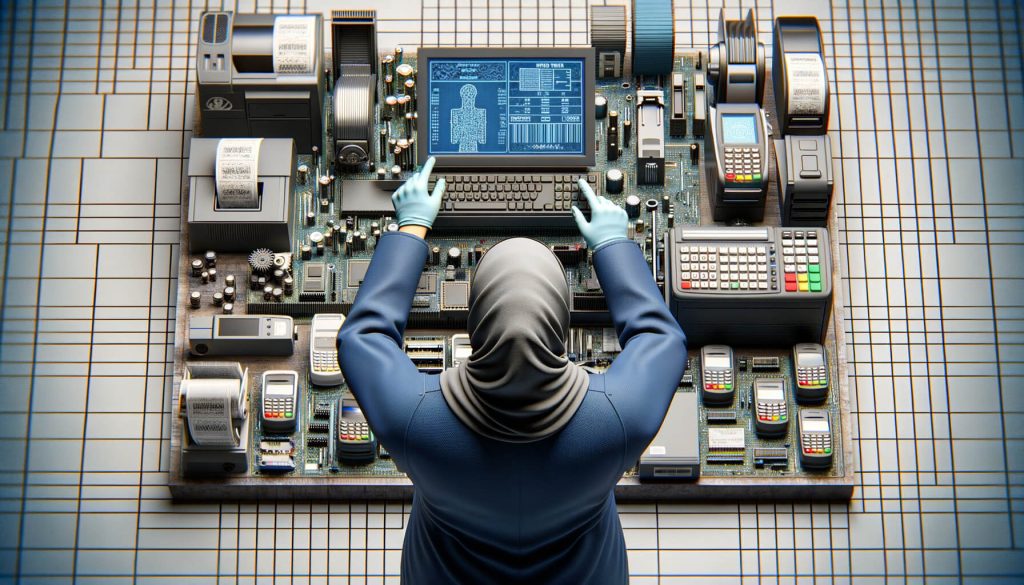
  1. Traditional On-Premise POS Systems: These systems require a dedicated server and are installed on-site. They offer robust features and customization options but require significant upfront investment and ongoing maintenance.
  2. Cloud-Based POS Systems: Cloud-based POS systems are hosted on remote servers and accessed through the internet. They offer flexibility, scalability, and real-time data access from anywhere. These systems are typically subscription-based, with lower upfront costs and automatic software updates.
  3. Hybrid POS Systems: Hybrid POS systems combine the features of both traditional on-premise and cloud-based systems. They offer the flexibility of cloud-based systems with the added security and reliability of on-premise servers.

Key Features to Look for in a Bar POS System

Key Features to Look for in a Bar POS System

When evaluating different POS systems for your bar, it is essential to consider the key features that will enhance your operations and improve customer service. Here are some key features to look for:

  1. Order Management: A robust order management feature allows your staff to take orders quickly and accurately. Look for a system that supports modifiers, split checks, and table mapping to streamline the ordering process.
  2. Inventory Management: Efficient inventory management is crucial for controlling costs and reducing waste. Look for a POS system that offers real-time inventory tracking, automated reordering, and ingredient-level tracking for specialty cocktails.
  3. Employee Management: Managing your staff’s schedules, roles, and permissions is essential for smooth operations. Look for a POS system that offers employee management features such as time clock integration, shift scheduling, and performance tracking.
  4. Customer Relationship Management (CRM): Building strong customer relationships is vital for repeat business. Look for a POS system that offers CRM features such as customer profiles, loyalty programs, and targeted marketing campaigns.
  5. Payment Processing: Seamless and secure payment processing is a must-have feature for any POS system. Look for a system that supports various payment methods, including credit cards, mobile payments, and gift cards.
  6. Reporting and Analytics: Detailed reports and analytics provide valuable insights into your bar’s performance. Look for a POS system that offers customizable reports, real-time data, and integration with analytics tools for in-depth analysis.
  7. Online Ordering and Delivery: In today’s digital age, offering online ordering and delivery options can significantly boost your sales. Look for a POS system that integrates with online ordering platforms and offers delivery management features.

Evaluating the User Interface and Ease of Use

Evaluating the User Interface and Ease of Use

A user-friendly interface is crucial for your staff to quickly learn and navigate the POS system. Complicated and clunky interfaces can lead to errors, slower service, and frustrated employees. When evaluating a POS system, consider the following factors related to user interface and ease of use:

  1. Intuitive Design: Look for a POS system with a clean and intuitive design that minimizes the learning curve for your staff. The system should have a logical flow and easily accessible features.
  2. Touchscreen Compatibility: Touchscreen interfaces are becoming increasingly popular in the bar industry. Ensure that the POS system supports touchscreen devices for seamless order entry and navigation.
  3. Customizable Layout: A customizable layout allows you to tailor the POS system to your specific workflows and preferences. Look for a system that allows you to rearrange buttons, create shortcuts, and personalize the interface.
  4. Training and Support: A POS system is only as good as the training and support provided by the vendor. Look for a vendor that offers comprehensive training materials, on-site training sessions, and responsive customer support to ensure a smooth transition and ongoing assistance.

Integrations and Compatibility with Other Bar Management Tools

A POS system should seamlessly integrate with other bar management tools to streamline operations and eliminate manual data entry. When evaluating a POS system, consider the following factors related to integrations and compatibility:

  1. Inventory Management Integration: Inventory management is a critical aspect of bar operations. Look for a POS system that integrates with your preferred inventory management software to automate inventory tracking, reordering, and ingredient-level tracking.
  2. Reservation System Integration: If your bar accepts reservations, look for a POS system that integrates with your reservation system. This integration allows for seamless communication between the POS system and the reservation system, ensuring accurate table assignments and order management.
  3. Loyalty Program Integration: A loyalty program can help drive repeat business and increase customer loyalty. Look for a POS system that integrates with your loyalty program software to automatically track and reward customer purchases.
  4. Online Ordering Platform Integration: If you offer online ordering, look for a POS system that integrates with popular online ordering platforms. This integration ensures that orders placed online are seamlessly integrated into your POS system for efficient order processing.

Pricing and Cost Considerations for a Bar POS System

Pricing is an important consideration when choosing a POS system for your bar. While cost should not be the sole determining factor, it is essential to understand the pricing structure and consider the long-term costs associated with the system. Here are some pricing and cost considerations to keep in mind:

  1. Upfront Costs: Traditional on-premise POS systems often require significant upfront investment in hardware, software licenses, and installation. Cloud-based POS systems typically have lower upfront costs as they are subscription-based.
  2. Ongoing Fees: Consider the ongoing fees associated with the POS system, such as software licensing, hardware maintenance, and support. Cloud-based systems often have monthly or annual subscription fees, while on-premise systems may require periodic software updates and maintenance.
  3. Scalability: Consider the scalability of the POS system and how it aligns with your bar’s growth plans. Some systems may charge additional fees for adding terminals or accessing advanced features, while others offer unlimited scalability at a fixed cost.
  4. Return on Investment (ROI): Look beyond the upfront costs and consider the value and ROI that the POS system can provide. Evaluate how the system can improve efficiency, reduce errors, increase sales, and enhance the customer experience to determine the long-term benefits.

Security and Data Protection Measures

Security and data protection are paramount when it comes to choosing a POS system for your bar. With the increasing prevalence of data breaches and cyber threats, it is crucial to select a system that prioritizes security. Consider the following security and data protection measures:

  1. Payment Card Industry Data Security Standard (PCI DSS) Compliance: Ensure that the POS system is PCI DSS compliant, which means it meets the security standards set by the payment card industry. Compliance with these standards ensures that customer payment data is securely processed and stored.
  2. Encryption: Look for a POS system that uses encryption to protect sensitive data, such as credit card information. Encryption ensures that data is securely transmitted and stored, reducing the risk of unauthorized access.
  3. User Access Controls: User access controls allow you to define roles and permissions for your staff, ensuring that only authorized personnel can access sensitive data and perform certain functions within the POS system.
  4. Data Backups: Regular data backups are essential to protect against data loss due to hardware failure, theft, or other unforeseen events. Look for a POS system that offers automatic data backups and secure storage options.
  5. System Updates and Patches: Regular system updates and patches are crucial for addressing security vulnerabilities and ensuring that your POS system is up to date with the latest security features.

Customer Support and Training Options for Your Bar POS System

Choosing a POS system is not just about the features and functionality; it is also about the support and training provided by the vendor. A POS system is a critical tool for your bar’s operations, and having responsive customer support and comprehensive training options is essential. Consider the following factors related to customer support and training:

  1. Training Materials: Look for a vendor that provides comprehensive training materials, such as user manuals, video tutorials, and knowledge bases. These resources should be easily accessible and cover all aspects of using the POS system.
  2. On-Site Training: On-site training sessions can be invaluable for ensuring a smooth transition to the new POS system. Look for a vendor that offers on-site training options tailored to your bar’s specific needs and workflows.
  3. Responsive Customer Support: A responsive customer support team is crucial for addressing any issues or questions that may arise during the implementation and ongoing use of the POS system. Look for a vendor that offers multiple support channels, such as phone, email, and live chat, with prompt response times.
  4. Service Level Agreements (SLAs): Service level agreements outline the vendor’s commitment to providing timely support and resolving issues within a specified timeframe. Look for a vendor that offers SLAs to ensure that your support requests are prioritized and resolved promptly.

FAQs

Q1. How much does a POS system for a bar cost?

The cost of a POS system for a bar can vary depending on factors such as the type of system, the number of terminals, and the features included. Traditional on-premise systems can range from several thousand dollars to tens of thousands of dollars, while cloud-based systems typically have monthly or annual subscription fees.

Q2. Can a POS system help with inventory management?

Yes, a POS system can significantly improve inventory management for your bar. Look for a system that offers real-time inventory tracking, automated reordering, and ingredient-level tracking for specialty cocktails.

Q3. Can a POS system integrate with my reservation system?

Yes, many POS systems offer integration with reservation systems. This integration allows for seamless communication between the POS system and the reservation system, ensuring accurate table assignments and order management.

Q4. How can a POS system enhance the customer experience?

A POS system can enhance the customer experience in several ways. Features such as mobile ordering, tableside ordering, and loyalty programs can improve convenience and personalization, while accurate order management and quick payment processing can reduce wait times and improve overall satisfaction.

Q5. Is it necessary to choose a PCI DSS compliant POS system?

Yes, it is crucial to choose a PCI DSS compliant POS system to ensure the security of customer payment data. Compliance with these standards ensures that customer payment data is securely processed and stored.

Conclusion

Choosing the right POS system for your bar is a decision that can significantly impact your operations, customer service, and profitability. By considering factors such as scalability, ease of use, integrations, key features, user interface, pricing, security, and customer support, you can make an informed decision that aligns with your bar’s specific needs and requirements.

Remember to assess your bar’s goals and pain points, understand the different types of POS systems available, and evaluate the features and functionalities that will enhance your operations and improve the customer experience. With the right POS system in place, you can streamline your bar’s operations, increase efficiency, and ultimately drive success in the competitive bar industry.

How to Choose the Right POS System for Your Pharmacy

How to Choose the Right POS System for Your Pharmacy

In today’s fast-paced world, pharmacies need to streamline their operations and provide efficient services to their customers. One way to achieve this is by implementing a reliable and effective Point of Sale (POS) system. A POS system is a software and hardware combination that allows pharmacies to manage their sales, inventory, and customer information in a centralized and automated manner.

This article will guide you through the process of choosing the right POS system for your pharmacy, taking into consideration various factors and requirements.

Factors to Consider When Choosing a POS System for Your Pharmacy

When selecting a POS system for your pharmacy, it is crucial to consider several factors to ensure that it meets your specific needs and requirements. These factors include the size of your pharmacy, the volume of transactions, the complexity of your inventory management, and the level of integration with other systems. Let’s delve deeper into each of these factors.

  1. Size of your pharmacy: The size of your pharmacy plays a significant role in determining the type of POS system you should choose. If you have a small pharmacy with limited space, a compact and user-friendly system would be ideal. On the other hand, if you have a large pharmacy with multiple locations, you may need a more robust and scalable system that can handle high transaction volumes and provide centralized management.
  2. Volume of transactions: Consider the number of transactions your pharmacy processes on a daily basis. If you have a high volume of transactions, you need a POS system that can handle the load without slowing down or crashing. Look for a system that offers fast processing speeds and can handle peak hours efficiently.
  3. Complexity of inventory management: Pharmacies deal with a wide range of products, including prescription medications, over-the-counter drugs, medical supplies, and more. It is essential to choose a POS system that can handle the complexity of managing your inventory. Look for features such as barcode scanning, automatic reordering, expiration date tracking, and real-time inventory updates.
  4. Level of integration with other systems: Consider the other systems you use in your pharmacy, such as accounting software, electronic health records (EHR), or customer relationship management (CRM) systems. It is crucial to choose a POS system that can seamlessly integrate with these systems to avoid duplicate data entry and streamline your operations.

Assessing Your Pharmacy’s Specific Needs and Requirements

Assessing Your Pharmacy's Specific Needs and Requirements

Before diving into the various types of POS systems available for pharmacies, it is essential to assess your pharmacy’s specific needs and requirements. This assessment will help you narrow down your options and choose a system that aligns with your goals. Here are some key areas to consider during the assessment process.

  1. Sales and transaction management: Evaluate your current sales and transaction management processes. Do you need a system that can handle multiple payment methods, such as cash, credit cards, and mobile payments? Are you looking for features like split payments, discounts, or loyalty programs? Assessing your sales requirements will help you choose a POS system that can cater to your specific needs.
  2. Inventory management: Analyze your current inventory management practices. Do you struggle with stockouts or overstocking? Are you looking for a system that can automate the reordering process based on predefined thresholds? Consider the features you need to efficiently manage your inventory and ensure that the POS system you choose offers those capabilities.
  3. Reporting and analytics: Determine the type of reports and analytics you need to monitor the performance of your pharmacy. Are you interested in sales reports, inventory reports, or customer analytics? Look for a POS system that provides comprehensive reporting and analytics features to help you make data-driven decisions.
  4. Customer management: Consider how you currently manage customer information and interactions. Do you need a system that can store customer profiles, track purchase history, or send automated reminders for prescription refills? Assess your customer management requirements and choose a POS system that can enhance your customer service and engagement.

Exploring Different Types of POS Systems for Pharmacies

Exploring Different Types of POS Systems for Pharmacies

Now that you have assessed your pharmacy’s needs and requirements, it’s time to explore the different types of POS systems available for pharmacies. Each type has its own set of features and benefits, so it’s important to choose the one that aligns with your specific needs. Let’s take a closer look at the various types of POS systems for pharmacies.
  1. Traditional on-premise POS systems: Traditional on-premise POS systems require you to install the software on your own servers and purchase the necessary hardware. These systems offer a high level of customization and control but require upfront investment and ongoing maintenance. They are suitable for larger pharmacies with dedicated IT resources.
  2. Cloud-based POS systems: Cloud-based POS systems, also known as Software-as-a-Service (SaaS) solutions, are hosted on remote servers and accessed through the internet. These systems offer flexibility, scalability, and automatic updates, eliminating the need for on-site servers and IT maintenance. Cloud-based systems are suitable for pharmacies of all sizes, especially those looking for cost-effective solutions.
  3. Mobile POS systems: Mobile POS systems allow you to process transactions using smartphones or tablets. These systems are ideal for pharmacies with limited counter space or those looking for mobility and flexibility. Mobile POS systems are often cloud-based and offer features like barcode scanning, digital signatures, and mobile payment integration.
  4. Integrated pharmacy management systems: Integrated pharmacy management systems combine POS functionality with other essential pharmacy management features, such as prescription processing, medication dispensing, and insurance billing. These systems provide a comprehensive solution for pharmacies looking to streamline their operations and improve efficiency.

Key Features to Look for in a Pharmacy POS System

Key Features to Look for in a Pharmacy POS System

When choosing a POS system for your pharmacy, it is crucial to look for key features that will enhance your operations and improve customer service. Here are some essential features to consider during the selection process.

  1. Prescription processing: Look for a POS system that can handle prescription processing efficiently. Features like electronic prescription routing, medication history tracking, and insurance billing integration can streamline the prescription fulfillment process and reduce errors.
  2. Barcode scanning: Barcode scanning is a must-have feature for any pharmacy POS system. It allows you to quickly and accurately scan product barcodes, retrieve product information, and update inventory levels in real-time. Look for a system that supports both 1D and 2D barcodes.
  3. Inventory management: Choose a POS system that offers robust inventory management features. Look for features like automatic reordering, expiration date tracking, low stock alerts, and real-time inventory updates. These features will help you optimize your inventory levels, reduce stockouts, and improve overall efficiency.
  4. Customer relationship management: Consider a POS system that includes customer relationship management (CRM) features. Look for features like customer profiles, purchase history tracking, loyalty programs, and automated reminders for prescription refills. These features will help you build strong relationships with your customers and enhance their overall experience.
  5. Reporting and analytics: Reporting and analytics are essential for monitoring the performance of your pharmacy. Look for a POS system that provides comprehensive reporting capabilities, including sales reports, inventory reports, and customer analytics. These reports will help you identify trends, make data-driven decisions, and optimize your operations.

Evaluating the Integration Capabilities of a POS System

Evaluating the Integration Capabilities of a POS System

Integration capabilities are crucial when choosing a POS system for your pharmacy. The ability to integrate with other systems, such as accounting software, EHR, or CRM systems, can streamline your operations and eliminate duplicate data entry. Here are some integration considerations to keep in mind.

  1. Accounting integration: If you use accounting software to manage your finances, choose a POS system that can seamlessly integrate with your accounting system. This integration will allow you to automatically sync sales data, track expenses, and generate financial reports without manual data entry.
  2. EHR integration: If you use an EHR system to manage patient records and prescriptions, look for a POS system that can integrate with your EHR system. This integration will enable you to streamline the prescription fulfillment process, reduce errors, and improve patient safety.
  3. CRM integration: If you use a CRM system to manage customer relationships and marketing campaigns, consider a POS system that can integrate with your CRM system. This integration will allow you to sync customer data, track purchase history, and personalize marketing efforts based on customer preferences.
  4. Payment gateway integration: Ensure that the POS system you choose can integrate with popular payment gateways to process credit card payments securely. Look for systems that support EMV chip cards, contactless payments, and mobile wallets to provide a seamless and secure payment experience for your customers.

Understanding the Importance of Security and Compliance in a Pharmacy POS System

Security and compliance are critical considerations when choosing a POS system for your pharmacy. Pharmacies deal with sensitive customer information and must comply with various regulations, such as HIPAA (Health Insurance Portability and Accountability Act) and PCI DSS (Payment Card Industry Data Security Standard). Here are some security and compliance features to look for in a pharmacy POS system.

  1. Data encryption: Ensure that the POS system you choose encrypts sensitive data, such as customer information and payment details. Encryption protects data from unauthorized access and ensures compliance with data security regulations.
  2. User access controls: Look for a POS system that allows you to set user access controls and permissions. This feature ensures that only authorized personnel can access sensitive data and perform specific actions within the system.
  3. Audit trails: Audit trails track and record all system activities, including user logins, transactions, and inventory updates. This feature helps you identify any unauthorized access or suspicious activities and ensures compliance with regulatory requirements.
  4. Compliance certifications: Check if the POS system vendor has obtained relevant compliance certifications, such as PCI DSS or HIPAA. These certifications demonstrate that the vendor follows industry best practices for security and compliance.

Comparing Pricing and Cost Considerations for Pharmacy POS Systems

Pricing and cost considerations play a significant role in choosing a POS system for your pharmacy. It is essential to evaluate the upfront costs, ongoing fees, and potential return on investment (ROI) of the system. Here are some pricing and cost factors to consider.

  1. Upfront costs: Consider the upfront costs of purchasing the POS system, including hardware, software licenses, and installation fees. Traditional on-premise systems often have higher upfront costs compared to cloud-based systems.
  2. Ongoing fees: Evaluate the ongoing fees associated with the POS system, such as monthly subscription fees, transaction fees, and support fees. Cloud-based systems typically have lower ongoing fees compared to on-premise systems.
  3. Return on investment (ROI): Calculate the potential ROI of the POS system by considering the time and cost savings it can provide. Look for features that can streamline your operations, reduce errors, and improve customer service. A system that offers a high ROI may justify a higher upfront investment.
  4. Scalability: Consider the scalability of the POS system. If you plan to expand your pharmacy or add new locations in the future, choose a system that can scale with your business without significant additional costs.

Selecting a Reliable Vendor and Support for Your Pharmacy POS System

Choosing a reliable vendor and support for your pharmacy POS system is crucial for a smooth implementation and ongoing maintenance. Here are some factors to consider when selecting a vendor.

  1. Vendor reputation: Research the vendor’s reputation in the industry. Look for customer reviews, testimonials, and case studies to gauge their track record and customer satisfaction levels.
  2. Experience in the pharmacy industry: Consider vendors that have experience working with pharmacies. They will have a better understanding of your specific needs and requirements and can provide tailored solutions.
  3. Training and support: Evaluate the training and support options provided by the vendor. Ensure that they offer comprehensive training for your staff and have a dedicated support team available to assist you in case of any issues or questions.
  4. System updates and maintenance: Inquire about the frequency of system updates and the vendor’s approach to maintenance. Regular updates ensure that your system remains up-to-date with the latest features and security patches.

Frequently Asked Questions (FAQs)

Q1. What is a POS system, and why is it important for pharmacies?

A POS system is a software and hardware combination that allows pharmacies to manage their sales, inventory, and customer information in a centralized and automated manner. It is important for pharmacies as it streamlines operations, improves efficiency, and enhances customer service.

Q2. What factors should I consider when choosing a POS system for my pharmacy?

When choosing a POS system for your pharmacy, consider factors such as the size of your pharmacy, volume of transactions, complexity of inventory management, and integration capabilities with other systems.

Q3. What are the different types of POS systems available for pharmacies?

The different types of POS systems available for pharmacies include traditional on-premise systems, cloud-based systems, mobile POS systems, and integrated pharmacy management systems.

Q4. What key features should I look for in a pharmacy POS system?

Key features to look for in a pharmacy POS system include prescription processing, barcode scanning, inventory management, customer relationship management, and reporting and analytics.

Q5. How important is security and compliance in a pharmacy POS system?

Security and compliance are crucial in a pharmacy POS system as pharmacies deal with sensitive customer information and must comply with regulations such as HIPAA and PCI DSS. Look for features such as data encryption, user access controls, and audit trails to ensure security and compliance.

Conclusion

Choosing the right POS system for your pharmacy is a critical decision that can significantly impact your operations and customer service. By considering factors such as the size of your pharmacy, volume of transactions, complexity of inventory management, and integration capabilities, you can narrow down your options and choose a system that aligns with your specific needs.
Look for key features such as prescription processing, barcode scanning, inventory management, customer relationship management, and reporting and analytics to enhance your operations. Additionally, prioritize security and compliance features to protect sensitive customer information and ensure regulatory compliance.

Finally, select a reliable vendor that has experience in the pharmacy industry and offers comprehensive training and support. With careful consideration and evaluation, you can find the right POS system that will streamline your pharmacy operations and contribute to your success.

How POS Systems Support EBT Payments in Grocery Stores

How POS Systems Support EBT Payments in Grocery Stores

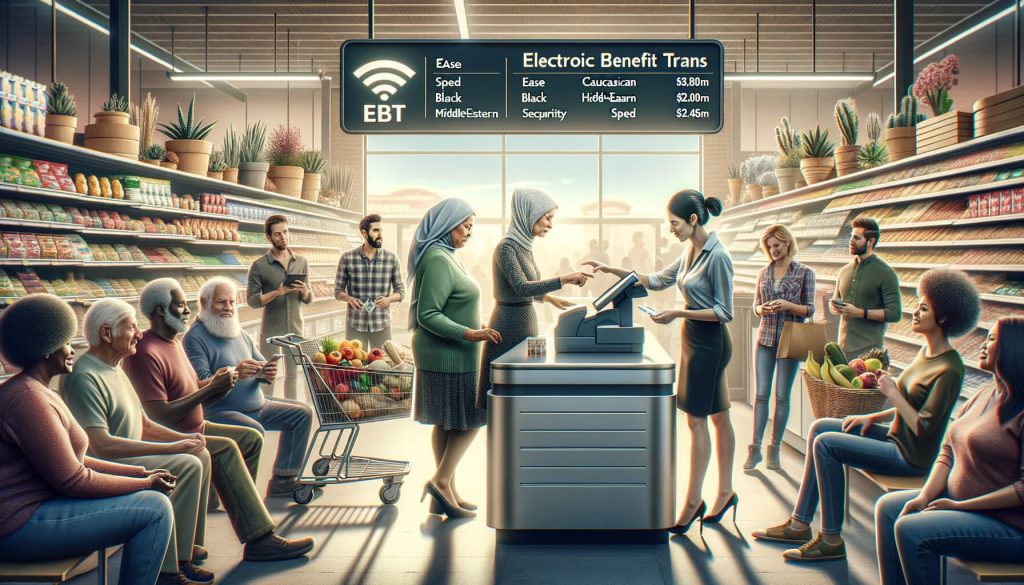
In today’s modern world, technology has revolutionized the way we make payments. Electronic Benefit Transfer (EBT) is one such innovation that has transformed the way government assistance programs distribute benefits to eligible individuals and families. EBT payments are commonly used in grocery stores to provide a convenient and efficient way for recipients to purchase food and other essential items.

In this article, we will explore how Point of Sale (POS) systems support EBT payments in grocery stores, the benefits of using POS systems for EBT transactions, and the steps involved in setting up a POS system for EBT payments.

Understanding POS Systems and their Role in EBT Payments

Understanding POS Systems and their Role in EBT Payments

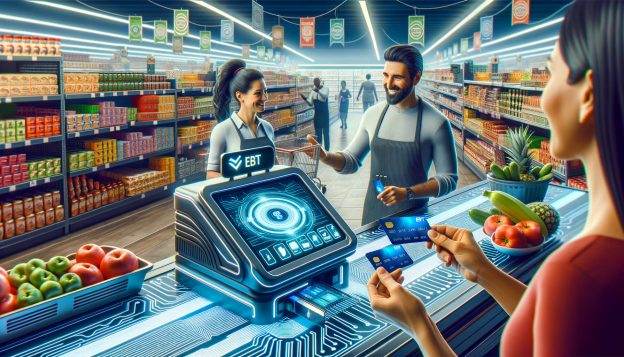
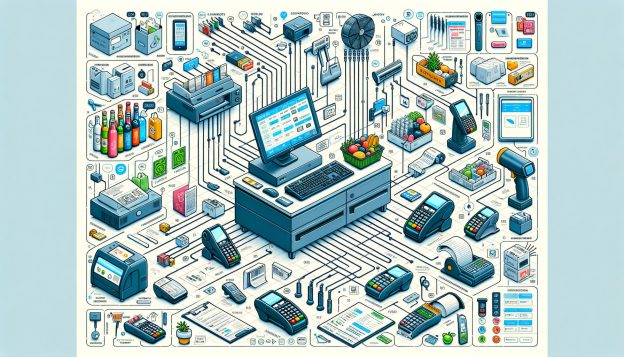
A POS system is a combination of hardware and software that allows businesses to process transactions, manage inventory, and generate reports. In the context of EBT payments, a POS system plays a crucial role in facilitating the acceptance and processing of EBT transactions in grocery stores. It acts as a bridge between the customer’s EBT card and the store’s payment processing network, ensuring a seamless and secure transaction.

When a customer with an EBT card makes a purchase at a grocery store, the POS system is responsible for verifying the card’s validity, checking the available balance, and deducting the appropriate amount from the customer’s EBT account. The system also generates a receipt that shows the items purchased and the remaining balance on the EBT card. This integration of EBT payments into the POS system streamlines the checkout process and provides a user-friendly experience for both customers and store employees.

Benefits of Using POS Systems for EBT Payments

Benefits of Using POS Systems for EBT Payments

  1. Efficiency and Convenience: By integrating EBT payments into the POS system, grocery stores can offer a more efficient and convenient checkout experience for customers. The system automatically calculates the total amount of eligible items, deducts the payment from the EBT account, and generates a receipt, eliminating the need for manual calculations and reducing the chances of errors.
  2. Faster Checkout Times: With a POS system, the checkout process becomes faster and more streamlined. The system can quickly verify the EBT card, check the available balance, and process the transaction, reducing waiting times for customers and improving overall customer satisfaction.
  3. Accurate Reporting and Inventory Management: POS systems provide detailed reports on EBT transactions, allowing grocery store owners to track sales, monitor inventory levels, and make informed decisions about restocking. This data can also be used for financial analysis and tax purposes.
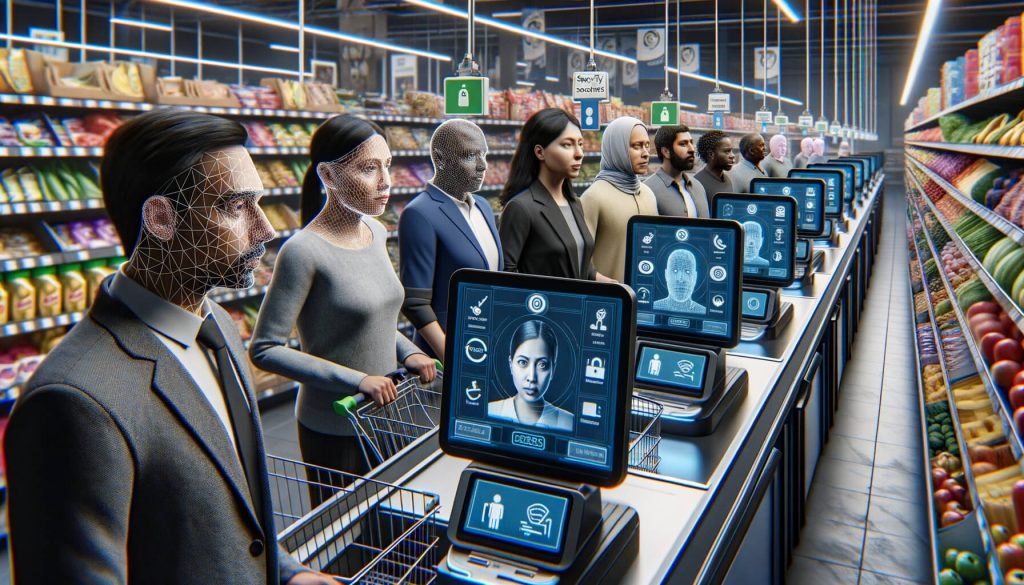
  4. Enhanced Security and Fraud Prevention: POS systems are equipped with advanced security features that help prevent fraud and unauthorized use of EBT cards. These systems use encryption technology to protect sensitive customer information and have built-in safeguards to detect and prevent fraudulent transactions.
  5. Compliance with Government Regulations: Using a POS system for EBT payments ensures that grocery stores comply with government regulations regarding the acceptance and processing of EBT transactions. These systems are designed to meet the specific requirements set by government agencies, ensuring that the benefits are used for eligible purchases only.

How POS Systems Ensure Security and Fraud Prevention in EBT Transactions

How POS Systems Ensure Security and Fraud Prevention in EBT Transactions

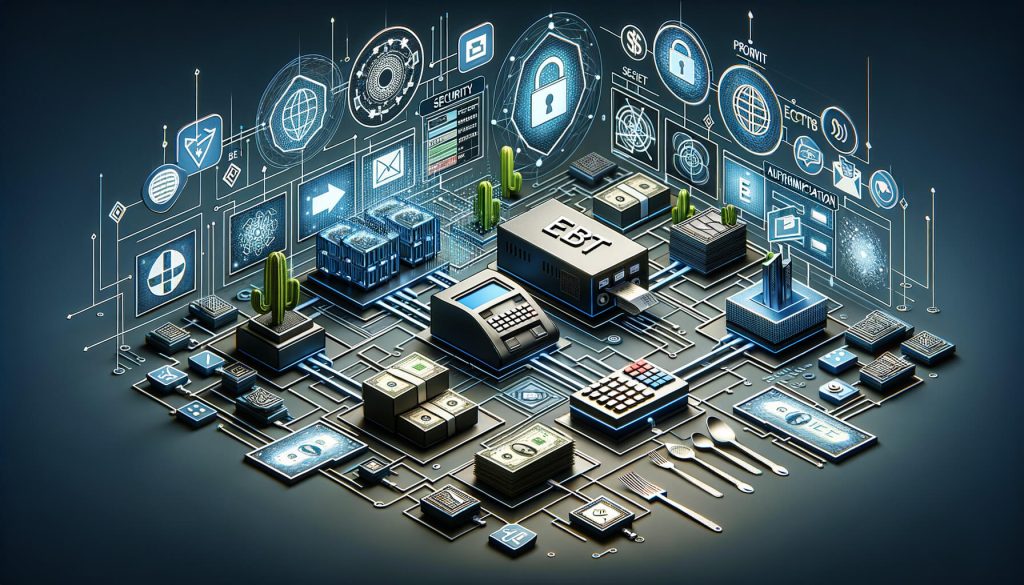
Security and fraud prevention are paramount when it comes to EBT transactions. Grocery stores must ensure that the funds on the EBT cards are used for eligible purchases and that the system is protected against unauthorized access and fraudulent activities. POS systems play a crucial role in ensuring the security and integrity of EBT transactions through various measures:

  1. Encryption Technology: POS systems use encryption technology to protect sensitive customer information, such as EBT card numbers and personal identification numbers (PINs). This ensures that the data transmitted during the transaction is secure and cannot be intercepted or tampered with.
  2. Secure Authentication: When a customer uses an EBT card at a grocery store, the POS system verifies the card’s authenticity by checking the card’s unique identification number and the associated PIN. This authentication process ensures that only authorized cardholders can make purchases using their EBT accounts.
  3. Fraud Detection and Prevention: POS systems are equipped with built-in fraud detection mechanisms that can identify suspicious transactions and flag them for further investigation. These systems can detect patterns of fraudulent activity, such as multiple transactions within a short period or purchases that exceed the card’s available balance.
  4. Compliance with Government Regulations: POS systems for EBT payments are designed to comply with government regulations and security standards. These systems undergo rigorous testing and certification processes to ensure that they meet the necessary security requirements set by government agencies.
  5. Training and Education: Grocery store employees who handle EBT transactions are trained on the proper use of POS systems and the importance of security and fraud prevention. They are educated on how to identify and report suspicious activities, ensuring that the system is used responsibly and securely.

Step-by-Step Guide: Setting up a POS System for EBT Payments in Grocery Stores

Setting up a POS System for EBT Payments in Grocery Stores

Setting up a POS system for EBT payments in a grocery store involves several steps. Here is a step-by-step guide to help you navigate the process:

  1. Research and Select a Suitable POS System: Start by researching different POS systems available in the market and selecting one that meets your specific requirements. Consider factors such as cost, features, ease of use, and compatibility with EBT payment processing networks.
  2. Contact EBT Payment Processor: Reach out to the EBT payment processor approved by your state’s government agency to initiate the setup process. They will provide you with the necessary information and documentation required to integrate your POS system with the EBT network.
  3. Install and Configure the POS System: Once you have selected a POS system, follow the manufacturer’s instructions to install and configure the hardware and software components. This may involve connecting the cash register, barcode scanner, receipt printer, and other peripherals to the POS system.
  4. Set Up EBT Payment Processing: Work with your EBT payment processor to set up the necessary configurations in the POS system for EBT payment processing. This may include entering the processor’s identification number, configuring the EBT card verification process, and setting up the appropriate tax rates for EBT-eligible items.
  5. Train Store Employees: Provide comprehensive training to your store employees on how to use the POS system for EBT transactions. This includes familiarizing them with the system’s features, teaching them how to process EBT payments, and educating them on security and fraud prevention measures.
  6. Conduct Test Transactions: Before going live with EBT payments, conduct a series of test transactions to ensure that the system is functioning correctly. Verify that the EBT card verification process is working, the correct amount is deducted from the EBT account, and the receipt accurately reflects the transaction details.
  7. Go Live with EBT Payments: Once you are confident that the POS system is set up correctly and functioning as expected, you can start accepting EBT payments in your grocery store. Inform your customers about this new payment option and provide any necessary instructions or guidelines for using EBT cards at your store.

Key Features to Look for in a POS System for EBT Payments

When selecting a POS system for EBT payments in grocery stores, there are several key features to consider. These features ensure that the system is capable of handling EBT transactions efficiently and securely. Here are some essential features to look for:

  1. EBT Payment Processing: The POS system should have built-in support for EBT payment processing, allowing customers to use their EBT cards for purchases. It should be able to verify the card’s authenticity, check the available balance, and deduct the appropriate amount from the EBT account.
  2. Integration with Payment Processing Networks: The POS system should seamlessly integrate with the payment processing network used by your state’s EBT program. This integration ensures that the system can communicate with the network to process EBT transactions in real-time.
  3. Barcode Scanning: A barcode scanner is an essential component of a POS system for grocery stores. It allows store employees to quickly scan the barcodes on products, automatically adding them to the transaction and ensuring accurate pricing and inventory management.
  4. Inventory Management: The POS system should have robust inventory management capabilities, allowing grocery store owners to track stock levels, manage product variations, and generate reports on sales and stock turnover. This feature helps optimize inventory levels and streamline the ordering process.
  5. Reporting and Analytics: Look for a POS system that provides comprehensive reporting and analytics features. This allows you to gain insights into sales trends, customer behavior, and the performance of your EBT payment system. Detailed reports can help you make data-driven decisions and identify areas for improvement.
  6. User-Friendly Interface: The POS system should have an intuitive and user-friendly interface that is easy for store employees to navigate. This reduces training time and minimizes the chances of errors during EBT transactions.
  7. Scalability and Flexibility: Consider the scalability and flexibility of the POS system. As your grocery store grows, you may need to add more checkout lanes or expand to multiple locations. The POS system should be able to accommodate these changes and support your business’s growth.

Common Challenges and Solutions in Implementing POS Systems for EBT Payments

Implementing POS systems for EBT payments in grocery stores can come with its own set of challenges. Here are some common challenges that businesses may face and the corresponding solutions:

  1. Technical Compatibility: Ensuring that the POS system is compatible with the EBT payment processing network can be a challenge. To overcome this, work closely with your EBT payment processor and the POS system provider to ensure seamless integration and compatibility.
  2. Employee Training: Training store employees on how to use the POS system for EBT transactions can be time-consuming and challenging. Provide comprehensive training sessions and create user manuals or guides to help employees understand the system’s features and functionalities.
  3. System Downtime: Like any technology, POS systems may experience occasional downtime or technical issues. To minimize the impact of system downtime, have a backup plan in place, such as manual processing of EBT transactions or alternative payment methods.
  4. Security and Fraud Prevention: Ensuring the security and integrity of EBT transactions is crucial. Implement strict security measures, such as strong passwords, regular system updates, and employee education on security best practices.
  5. Compliance with Government Regulations: Government regulations regarding EBT payments can be complex and subject to change. Stay updated with the latest regulations and work closely with your EBT payment processor to ensure compliance.

Integrating EBT Payments with Inventory Management and Reporting Systems

Integrating EBT payments with inventory management and reporting systems can provide grocery store owners with valuable insights into their business operations. By combining EBT transaction data with inventory management and reporting systems, store owners can gain a comprehensive view of their sales, stock levels, and customer behavior.

This integration allows for better decision-making and improved efficiency. Here are some key benefits of integrating EBT payments with inventory management and reporting systems:

  1. Accurate Inventory Tracking: Integrating EBT payments with inventory management systems ensures that the stock levels are accurately updated in real-time. When an EBT transaction is processed, the system automatically deducts the purchased items from the inventory, providing an accurate view of the available stock.
  2. Streamlined Reordering Process: By having real-time visibility into inventory levels, grocery store owners can streamline the reordering process. The system can generate automatic reorder alerts when stock levels reach a certain threshold, ensuring that popular items are always in stock.
  3. Sales Analysis: Integrating EBT payments with reporting systems allows for detailed sales analysis. Store owners can generate reports that show the sales performance of EBT-eligible items, identify popular products, and analyze sales trends over time. This data can help optimize product offerings and pricing strategies.
  4. Customer Behavior Analysis: By analyzing EBT transaction data, grocery store owners can gain insights into customer behavior. They can identify purchasing patterns, understand which products are frequently purchased together, and tailor their offerings to meet customer preferences.
  5. Financial Analysis: Integrating EBT payments with reporting systems enables store owners to perform financial analysis. They can track revenue generated from EBT transactions, calculate profit margins, and analyze the overall financial health of their business.

Frequently Asked Questions (FAQs)

Q1. Can I use my EBT card at any grocery store?

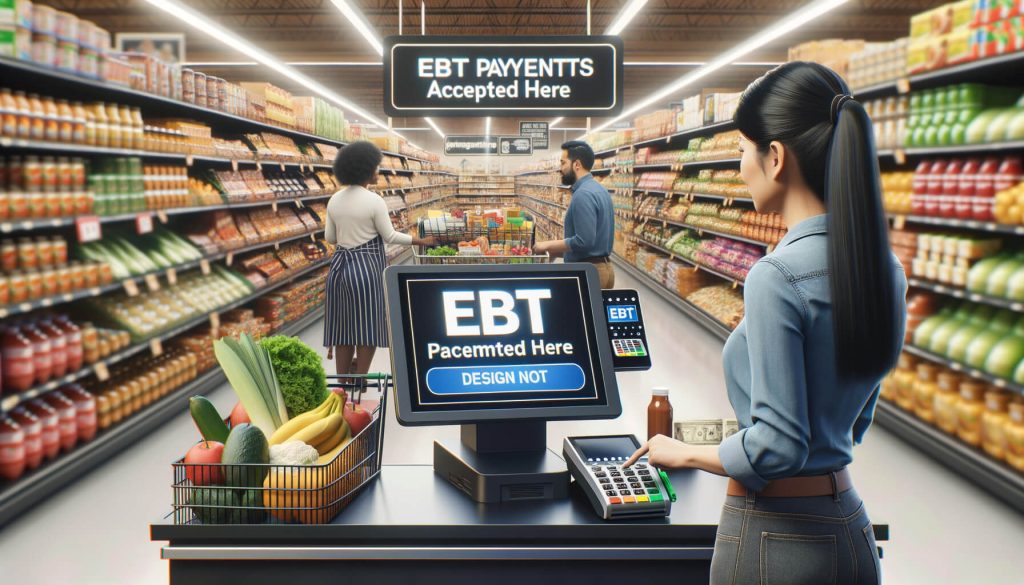
EBT cards can be used at authorized grocery stores that participate in the EBT program. Look for the “EBT Accepted Here” sign or ask the store if they accept EBT payments before making a purchase.

Q2. Can I use my EBT card to buy non-food items?

EBT cards can only be used to purchase eligible food items, such as fruits, vegetables, meat, dairy products, and bread. Non-food items, such as toiletries, cleaning supplies, and pet food, are generally not eligible for purchase with EBT funds.

Q3. Can I use my EBT card to buy hot prepared food?

In some states, EBT cards can be used to purchase hot prepared food from authorized retailers, such as grocery stores or restaurants. However, this option may be limited to certain categories of recipients, such as the elderly, disabled, or homeless.

Q4. Can I use my EBT card to withdraw cash?

EBT cards can be used to withdraw cash from ATMs, but there may be fees associated with these transactions. It is important to check with your state’s EBT program for specific guidelines and limitations on cash withdrawals.

Q5. What should I do if my EBT card is lost or stolen?

If your EBT card is lost or stolen, contact your state’s EBT program immediately to report the incident. They will deactivate the card and issue a replacement card with the remaining balance transferred to the new card.

Conclusion

POS systems play a vital role in supporting EBT payments in grocery stores. These systems provide a seamless and secure way for customers to use their EBT cards for purchases, ensuring efficiency, convenience, and accurate transaction processing. By integrating EBT payments with inventory management and reporting systems, grocery store owners can gain valuable insights into their business operations and make data-driven decisions.

While implementing POS systems for EBT payments may come with challenges, the benefits far outweigh the initial hurdles. With the right POS system in place, grocery stores can provide a user-friendly experience for EBT recipients and contribute to the efficient distribution of government assistance benefits.

The Benefits of Self-Checkout POS Systems in Grocery Stores

The Benefits of Self-Checkout POS Systems in Grocery Stores

In today’s fast-paced world, convenience and efficiency are key factors that drive consumer behavior. This is especially true in the grocery industry, where long checkout lines and crowded stores can often lead to frustration and dissatisfaction among customers. To address these challenges, many grocery stores have turned to self-checkout point-of-sale (POS) systems as a solution.

These systems allow customers to scan and pay for their items themselves, eliminating the need for traditional cashier-operated checkout lanes. In this article, we will explore the benefits of self-checkout POS systems in grocery stores and how they can improve efficiency, customer experience, cost savings, security, operations, social distancing, and loyalty programs.

How Self-Checkout POS Systems Improve Efficiency and Customer Experience

How Self-Checkout POS Systems Improve Efficiency and Customer Experience

One of the primary benefits of self-checkout POS systems in grocery stores is the improvement in efficiency and customer experience. With traditional cashier-operated checkout lanes, customers often have to wait in long lines, especially during peak hours. This can lead to frustration and a negative perception of the store. However, with self-checkout systems, customers can scan and pay for their items at their own pace, reducing wait times and improving overall satisfaction.

Moreover, self-checkout systems are designed to be user-friendly and intuitive, making it easy for customers to navigate through the scanning and payment process. Many systems feature touchscreens with clear instructions and prompts, ensuring a smooth and hassle-free experience. Additionally, these systems often have built-in barcode scanners and scales, allowing customers to quickly and accurately scan and weigh their items.

Furthermore, self-checkout POS systems can also benefit customers with special needs or disabilities. These systems are often equipped with accessibility features such as larger fonts, audio instructions, and tactile buttons, making it easier for individuals with visual or hearing impairments to use them independently. This promotes inclusivity and ensures that all customers have equal access to the checkout process.

Cost Savings and Increased Profitability with Self-Checkout POS Systems

Cost Savings and Increased Profitability with Self-Checkout POS Systems

Another significant advantage of self-checkout POS systems in grocery stores is the potential for cost savings and increased profitability. Traditional cashier-operated checkout lanes require a significant investment in terms of staffing, training, and wages. By implementing self-checkout systems, grocery stores can reduce their reliance on cashiers and reallocate resources to other areas of the business.

With self-checkout systems, fewer cashiers are needed to operate the checkout lanes, resulting in reduced labor costs. This can lead to substantial savings for grocery stores, especially in the long run. Additionally, self-checkout systems can also help to minimize human errors, such as incorrect pricing or missed items, which can result in financial losses for the store. By automating the scanning and payment process, self-checkout systems ensure greater accuracy and reduce the likelihood of such errors.

Moreover, self-checkout POS systems can also contribute to increased profitability through upselling and cross-selling opportunities. These systems can be integrated with loyalty programs and personalized offers, allowing stores to promote additional products or discounts to customers during the checkout process. By leveraging customer data and purchase history, grocery stores can tailor these offers to individual preferences, increasing the likelihood of additional sales and revenue.

Enhanced Security and Loss Prevention Measures in Self-Checkout POS Systems

Enhanced Security and Loss Prevention Measures in Self-Checkout POS Systems

Security and loss prevention are critical concerns for grocery stores, as theft and fraud can significantly impact their bottom line. Self-checkout POS systems offer enhanced security measures that can help mitigate these risks. These systems are equipped with advanced technologies such as video surveillance, weight sensors, and barcode verification, which help to deter theft and ensure accurate scanning and payment.

Video surveillance is a key component of self-checkout systems, as it allows store personnel to monitor and identify any suspicious activities. Cameras are strategically placed to capture multiple angles of the checkout area, ensuring comprehensive coverage. In the event of a discrepancy or suspected theft, store personnel can review the footage and take appropriate action.

Weight sensors are another important feature of self-checkout systems. These sensors are integrated into the bagging area and can detect discrepancies between the scanned weight and the actual weight of the items. If a significant difference is detected, an alert is triggered, prompting store personnel to intervene and verify the transaction. This helps to prevent customers from intentionally or unintentionally bypassing the scanning process and reduces the likelihood of theft.

Barcode verification is yet another security measure employed by self-checkout POS systems. These systems are designed to verify the authenticity and accuracy of barcodes on items. If a barcode is missing or damaged, or if it does not match the item being scanned, the system will alert the customer and prompt them to seek assistance from store personnel. This ensures that all items are properly scanned and paid for, reducing the risk of theft or fraud.

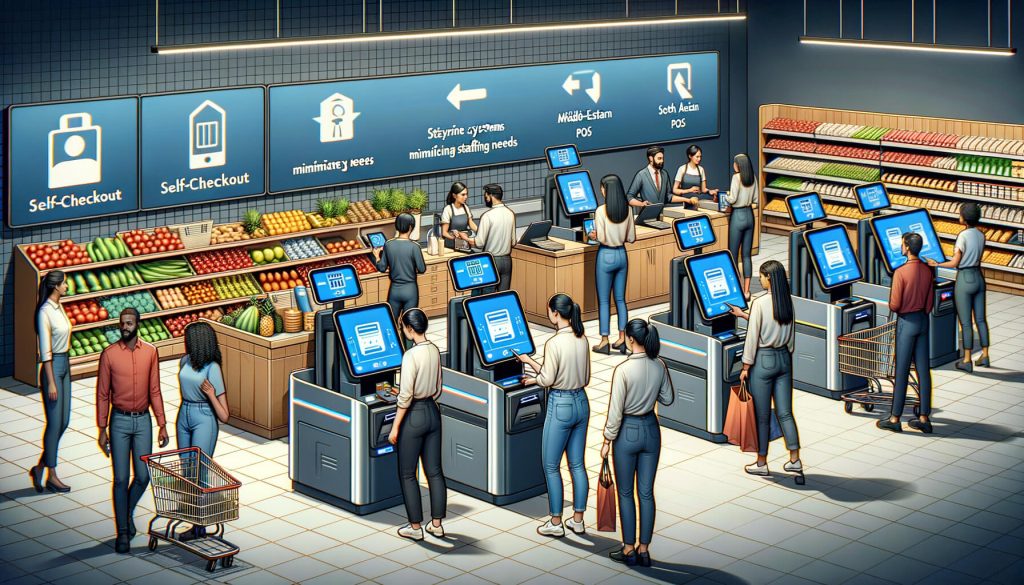
Streamlining Operations and Reducing Staffing Needs with Self-Checkout POS Systems

Streamlining Operations and Reducing Staffing Needs with Self-Checkout POS Systems

In addition to cost savings, self-checkout POS systems can also streamline operations and reduce staffing needs in grocery stores. With traditional cashier-operated checkout lanes, stores often need to allocate a significant number of employees to handle the checkout process, especially during peak hours. This can result in increased labor costs and operational inefficiencies.

By implementing self-checkout systems, grocery stores can reduce their reliance on cashiers and reallocate staff to other areas of the store where they are needed. This can help to optimize labor resources and improve overall operational efficiency. For example, employees who were previously assigned to cashier duties can be reassigned to tasks such as restocking shelves, assisting customers, or providing personalized service.

Moreover, self-checkout systems can also help to alleviate congestion at the checkout area, especially during busy periods. With traditional cashier-operated lanes, long lines can form, leading to delays and frustration among customers. However, with self-checkout systems, customers can scan and pay for their items quickly and efficiently, reducing wait times and improving the flow of customers through the store.

The Role of Self-Checkout POS Systems in Promoting Social Distancing and Hygiene

In the wake of the COVID-19 pandemic, social distancing and hygiene have become paramount in ensuring the safety and well-being of customers and employees. Self-checkout POS systems play a crucial role in promoting these measures in grocery stores. By allowing customers to scan and pay for their items themselves, these systems minimize the need for close contact between customers and cashiers, reducing the risk of virus transmission.

Furthermore, self-checkout systems can also be equipped with additional hygiene measures to further enhance safety. For example, some systems feature touchless payment options such as mobile wallets or contactless cards, eliminating the need for customers to physically handle cash or credit cards. This reduces the risk of contamination and promotes a hygienic checkout process.

Additionally, self-checkout systems can also be integrated with hand sanitizer dispensers or disinfectant wipes, allowing customers to sanitize their hands or wipe down the touchscreen before and after use. This further reinforces hygiene practices and provides customers with peace of mind.

Integrating Loyalty Programs and Personalized Offers with Self-Checkout POS Systems

Loyalty programs and personalized offers are powerful tools for grocery stores to build customer loyalty and drive repeat business. Self-checkout POS systems can be seamlessly integrated with these programs, allowing stores to offer personalized discounts, rewards, and promotions to customers during the checkout process.

By leveraging customer data and purchase history, grocery stores can tailor these offers to individual preferences, increasing the likelihood of additional sales and customer satisfaction. For example, if a customer frequently purchases a particular brand of cereal, the self-checkout system can automatically apply a discount or offer a coupon for that specific brand. This not only incentivizes the customer to make additional purchases but also enhances their overall shopping experience.

Moreover, self-checkout systems can also facilitate the enrollment and management of loyalty programs. Customers can easily sign up for these programs at the self-checkout kiosk, providing their contact information and preferences. This eliminates the need for separate enrollment processes and ensures a seamless experience for customers.

Overcoming Challenges and Ensuring Smooth Implementation of Self-Checkout POS Systems

While self-checkout POS systems offer numerous benefits, their successful implementation requires careful planning and consideration. Grocery stores need to address several challenges to ensure a smooth transition to self-checkout systems.

One of the main challenges is customer resistance or unfamiliarity with self-checkout technology. Some customers may be hesitant to use these systems due to concerns about complexity or lack of assistance. To overcome this challenge, grocery stores can provide clear instructions and signage, as well as dedicated staff to assist customers during the initial stages of implementation. Additionally, stores can offer incentives such as discounts or rewards for using self-checkout systems, encouraging customers to give them a try.

Another challenge is theft or fraud, which can occur when customers intentionally or unintentionally bypass the scanning process. To mitigate this risk, grocery stores can implement security measures such as video surveillance, weight sensors, and barcode verification, as discussed earlier. Additionally, store personnel should be trained to monitor and address any suspicious activities promptly.

Furthermore, technical issues or system malfunctions can also pose challenges during the implementation of self-checkout POS systems. To minimize disruptions, grocery stores should invest in reliable and user-friendly systems, as well as provide ongoing technical support and maintenance. Regular system updates and software upgrades should also be conducted to ensure optimal performance.

Frequently Asked Questions (FAQs)

Q1: Are self-checkout systems faster than traditional cashier-operated lanes?

Yes, self-checkout systems can significantly reduce wait times and improve overall efficiency. Customers can scan and pay for their items at their own pace, eliminating the need to wait for a cashier to process their transaction.

Q2: Can self-checkout systems handle cash payments?

Yes, many self-checkout systems are equipped with cash payment options. Customers can insert cash into the machine, which is then verified and processed automatically.

Q3: Are self-checkout systems secure?

Yes, self-checkout systems employ various security measures such as video surveillance, weight sensors, and barcode verification to deter theft and ensure accurate scanning and payment.

Q4: Can self-checkout systems accommodate customers with disabilities?

Yes, self-checkout systems are designed to be accessible to customers with disabilities. They often feature accessibility features such as larger fonts, audio instructions, and tactile buttons.

Q5: Can self-checkout systems be integrated with loyalty programs?

Yes, self-checkout systems can be seamlessly integrated with loyalty programs, allowing stores to offer personalized discounts, rewards, and promotions to customers during the checkout process.

Conclusion

Self-checkout POS systems have revolutionized the grocery industry by improving efficiency, customer experience, cost savings, security, operations, social distancing, and loyalty programs. These systems offer numerous benefits, including reduced wait times, user-friendly interfaces, cost savings through reduced staffing needs, enhanced security measures, streamlined operations, and the ability to promote social distancing and hygiene.

Additionally, self-checkout systems can be seamlessly integrated with loyalty programs, allowing stores to offer personalized offers and drive customer loyalty. While challenges such as customer resistance, theft, and technical issues need to be addressed, the implementation of self-checkout POS systems can greatly enhance the overall shopping experience for customers and increase profitability for grocery stores.

How to Set Up a POS System for Your Grocery Store

How to Set Up a POS System for Your Grocery Store

In today’s fast-paced retail environment, having an efficient and reliable point of sale (POS) system is crucial for the success of any grocery store. A POS system not only helps streamline operations but also enhances customer experience and improves overall profitability.

This comprehensive guide will walk you through the process of setting up a POS system for your grocery store, covering everything from assessing your store’s needs to troubleshooting common issues.

Assessing Your Grocery Store’s Needs: Choosing the Right POS System

Assessing Your Grocery Store's Needs

Before diving into the setup process, it is essential to assess your grocery store’s specific needs and choose the right POS system that aligns with your requirements. Consider factors such as the size of your store, the number of checkout counters, and the volume of transactions you handle on a daily basis. Additionally, think about the features you need, such as inventory management, sales reporting, and customer loyalty programs.

To make an informed decision, research different POS systems available in the market. Look for systems that are specifically designed for grocery stores and offer features tailored to your industry. Read customer reviews, compare prices, and consider the reputation and reliability of the POS system provider.

Setting Up Hardware Components: A Step-by-Step Guide

Setting Up Hardware Components

Once you have chosen the right POS system for your grocery store, it’s time to set up the hardware components. Follow this step-by-step guide to ensure a smooth installation process:

  1. Identify the hardware components you need: Depending on your store’s requirements, you may need a combination of a cash register, barcode scanner, receipt printer, customer display, and credit card terminal. Make a list of the necessary components before purchasing.
  2. Purchase the hardware: Look for reputable suppliers that offer high-quality hardware components. Consider factors such as compatibility with your chosen POS system, warranty, and customer support.
  3. Prepare the checkout counters: Clear the checkout counters and ensure they are clean and organized. Install any necessary brackets or stands for mounting the hardware components securely.
  4. Connect the hardware components: Follow the manufacturer’s instructions to connect each hardware component to the designated ports on your POS system. Use the appropriate cables and connectors.
  5. Test the hardware: Once everything is connected, test each hardware component to ensure they are functioning correctly. Check if the barcode scanner scans accurately, the receipt printer prints legibly, and the credit card terminal processes transactions smoothly.

Installing and Configuring Software: Ensuring Smooth Operations

Installing and Configuring Software

After setting up the hardware components, it’s time to install and configure the software for your POS system. Follow these steps to ensure smooth operations:

  1. Obtain the software: Depending on your chosen POS system, you may need to download the software from the provider’s website or install it from a CD. Follow the instructions provided by the provider.
  2. Install the software: Run the installation file and follow the on-screen prompts to install the POS software on your computer or tablet. Make sure to choose the appropriate settings, such as language and currency.
  3. Configure system settings: Once the software is installed, configure the system settings according to your store’s requirements. This includes setting up tax rates, discounts, payment options, and receipt formats.
  4. Set up user accounts: Create user accounts for each staff member who will be using the POS system. Assign appropriate access levels and permissions to ensure data security and prevent unauthorized access.
  5. Test the software: Before going live, thoroughly test the software to ensure all features are working correctly. Process test transactions, generate reports, and check if inventory management functions are accurate.

Integrating Inventory Management: Streamlining Stock Control

Integrating Inventory Management

One of the key benefits of a POS system for a grocery store is its ability to streamline stock control through integrated inventory management. Follow these steps to effectively integrate inventory management into your POS system:

  1. Set up your product catalog: Create a comprehensive product catalog in your POS system, including all the items you sell in your grocery store. Include details such as product names, descriptions, prices, and barcodes.
  2. Barcode scanning: Utilize the barcode scanner to scan each product’s barcode during the checkout process. This ensures accurate and efficient inventory tracking.
  3. Track stock levels: As each product is sold, the POS system automatically deducts the quantity from the inventory. Regularly check stock levels to identify low or out-of-stock items and reorder them in a timely manner.
  4. Set up automatic reordering: Some POS systems offer the option to set up automatic reordering when stock levels reach a certain threshold. This helps prevent stockouts and ensures a smooth supply chain.
  5. Generate inventory reports: Utilize the reporting features of your POS system to generate inventory reports. These reports provide valuable insights into sales trends, popular products, and slow-moving items, allowing you to make informed decisions about stock management.

Implementing Sales and Promotions: Maximizing Customer Engagement

A POS system can be a powerful tool for implementing sales and promotions to maximize customer engagement and drive sales. Follow these steps to effectively utilize this feature:

  1. Create promotions: Utilize the promotional features of your POS system to create discounts, bundle offers, loyalty programs, and other promotional campaigns. Set specific start and end dates for each promotion.
  2. Apply discounts: Train your staff on how to apply discounts and promotional offers during the checkout process. Ensure they are familiar with the POS system’s interface and can easily navigate through the promotional features.
  3. Track promotional performance: Regularly monitor the performance of your promotions through the reporting features of your POS system. Analyze the impact on sales, customer engagement, and overall profitability.
  4. Personalize promotions: Leverage customer data collected through your POS system to personalize promotions. Send targeted offers and discounts to specific customer segments based on their purchase history and preferences.
  5. Monitor customer loyalty: If your POS system offers a customer loyalty program, track customer participation and rewards. Use this data to identify loyal customers and tailor promotions to further incentivize their loyalty.

Training Your Staff: Ensuring Efficient System Utilization

To ensure efficient utilization of your POS system, it is crucial to train your staff on its features and functionalities. Follow these steps to effectively train your staff:

  1. Provide comprehensive training materials: Create training materials, such as user manuals and video tutorials, that cover all aspects of the POS system. Make these materials easily accessible to your staff.
  2. Conduct initial training sessions: Organize training sessions to introduce your staff to the POS system. Cover topics such as basic operations, transaction processing, inventory management, and reporting.
  3. Offer hands-on practice: Provide opportunities for your staff to practice using the POS system in a simulated environment. This helps build their confidence and familiarity with the system.
  4. Ongoing training and support: Offer ongoing training and support to address any questions or issues that may arise. Keep your staff updated on new features or system updates through regular communication.
  5. Monitor system utilization: Regularly monitor how your staff is utilizing the POS system. Identify any areas where additional training may be required and provide targeted support to improve efficiency.

Securing Your POS System: Protecting Sensitive Data

As a grocery store owner, it is crucial to prioritize the security of your POS system to protect sensitive customer data and prevent potential breaches. Follow these steps to secure your POS system:

  1. Use secure passwords: Ensure that each user account has a strong and unique password. Encourage your staff to regularly update their passwords and avoid using easily guessable combinations.
  2. Implement user access controls: Assign appropriate access levels and permissions to each user account. Restrict access to sensitive functions and data to authorized personnel only.
  3. Regularly update software: Keep your POS system software up to date by installing the latest updates and patches. These updates often include security enhancements and bug fixes.
  4. Install antivirus software: Install reputable antivirus software on the devices running your POS system. Regularly scan for malware and other security threats.
  5. Secure your network: Implement a secure network infrastructure, including firewalls and encryption protocols, to protect data transmitted between your POS system and other devices.

Troubleshooting Common Issues: Resolving Technical Challenges

Despite careful setup and maintenance, technical issues may still arise with your POS system. Here are some common issues and troubleshooting steps to resolve them:

  1. Connectivity issues: If your POS system is not connecting to the internet or other devices, check the network cables and ensure they are securely connected. Restart the devices if necessary.
  2. Software crashes: If the POS software crashes or freezes, close the program and restart the device. Check for any software updates that may address the issue.
  3. Printer problems: If the receipt printer is not functioning correctly, check the paper roll, ink or toner levels, and connectivity. Clean the printer heads if necessary.
  4. Barcode scanning errors: If the barcode scanner is not scanning accurately, ensure that the barcode labels are clean and undamaged. Adjust the scanner settings if needed.
  5. Data backup and recovery: Regularly back up your POS system data to prevent data loss in case of hardware failure or other issues. Test the backup and recovery process to ensure it is working effectively.

Frequently Asked Questions (FAQs)

Q1: How much does a POS system for a grocery store cost?

The cost of a POS system for a grocery store can vary depending on factors such as the size of the store, the number of checkout counters, and the features required. On average, a basic POS system can cost anywhere from $1,000 to $5,000, while more advanced systems can range from $5,000 to $20,000 or more.

Q2: Can I use my existing hardware with a new POS system?

In some cases, you may be able to use your existing hardware components with a new POS system. However, compatibility can vary, so it is recommended to consult with the POS system provider to ensure compatibility before making a decision.

Q3: Can a POS system help with inventory management?

Yes, a POS system can greatly assist with inventory management. By tracking sales and deducting sold items from the inventory automatically, it provides real-time visibility into stock levels, helps prevent stockouts, and streamlines the reordering process.

Q4: Can a POS system integrate with other business software?

Many modern POS systems offer integration capabilities with other business software, such as accounting software, customer relationship management (CRM) systems, and e-commerce platforms. This allows for seamless data transfer and improved overall efficiency.

Q5: How often should I update my POS system?

It is recommended to regularly update your POS system to ensure you have the latest security patches, bug fixes, and new features. Check for updates at least once every few months and install them as soon as they become available.

Conclusion

Setting up a POS system for your grocery store is a crucial step towards improving efficiency, enhancing customer experience, and maximizing profitability. By carefully assessing your store’s needs, choosing the right POS system, setting up hardware components, installing and configuring software, integrating inventory management, implementing sales and promotions, training your staff, securing your POS system, and troubleshooting common issues, you can ensure a smooth and successful implementation.

Remember to regularly evaluate and update your POS system to stay ahead in the ever-evolving retail landscape.

How AI and Machine Learning Are Transforming POS Systems

How AI and Machine Learning Are Transforming POS Systems

In today’s fast-paced and technology-driven world, businesses are constantly seeking ways to improve their operations and enhance customer experiences. One area that has seen significant advancements is the point of sale (POS) system. Traditionally, POS systems were used solely for processing transactions, but with the advent of artificial intelligence (AI) and machine learning, these systems have undergone a transformation.

AI and machine learning have revolutionized the way businesses operate, enabling them to streamline operations, personalize marketing efforts, and ensure data security. In this article, we will explore how AI and machine learning are transforming POS systems and the various benefits they bring to businesses.

Understanding AI and Machine Learning in the Context of POS Systems

Understanding AI and Machine Learning in the Context of POS Systems

Before delving into the impact of AI and machine learning on POS systems, it is essential to understand what these terms mean in this context. AI refers to the ability of a computer system to perform tasks that typically require human intelligence, such as speech recognition, decision-making, and problem-solving.

On the other hand, machine learning is a subset of AI that focuses on enabling computers to learn and improve from experience without being explicitly programmed. In the context of POS systems, AI and machine learning technologies are used to analyze vast amounts of data, identify patterns, and make predictions or recommendations.

Enhancing Customer Experience with AI-powered POS Systems

Enhancing Customer Experience with AI-powered POS Systems

One of the significant benefits of AI and machine learning in POS systems is their ability to enhance the customer experience. By analyzing customer data, these systems can provide personalized recommendations, promotions, and offers based on individual preferences and purchase history. For example, a clothing retailer can use AI-powered POS systems to suggest complementary items to customers based on their previous purchases. This not only improves customer satisfaction but also increases sales and customer loyalty.

Furthermore, AI-powered POS systems can also improve the checkout process, reducing waiting times and enhancing overall efficiency. For instance, self-checkout systems equipped with AI technology can automatically detect and weigh items, eliminating the need for manual input and reducing errors. This not only speeds up the checkout process but also improves accuracy, resulting in a seamless and hassle-free experience for customers.

Streamlining Operations and Inventory Management through Machine Learning

Streamlining Operations and Inventory Management through Machine Learning

Another significant impact of AI and machine learning on POS systems is their ability to streamline operations and inventory management. By analyzing sales data, these systems can predict demand patterns, optimize inventory levels, and automate reordering processes. This ensures that businesses always have the right products in stock, reducing the risk of stockouts and overstocking. Additionally, machine learning algorithms can analyze historical sales data to identify trends and seasonality, enabling businesses to make informed decisions regarding pricing, promotions, and product assortment.

Moreover, AI-powered POS systems can also automate various operational tasks, such as employee scheduling and performance tracking. By analyzing historical sales data, foot traffic patterns, and employee performance metrics, these systems can generate optimized schedules that ensure adequate staffing levels during peak hours. This not only improves operational efficiency but also enhances employee satisfaction by ensuring fair and balanced workloads.

Leveraging AI for Personalized Marketing and Customer Insights

Leveraging AI for Personalized Marketing and Customer Insights

AI and machine learning have revolutionized the way businesses approach marketing and customer insights. With the help of AI-powered POS systems, businesses can collect and analyze vast amounts of customer data, enabling them to gain valuable insights into customer behavior, preferences, and purchasing patterns. This data can then be used to create personalized marketing campaigns that target specific customer segments with relevant offers and promotions.

For example, a grocery store can use AI-powered POS systems to analyze customer purchase history and identify patterns. Based on this analysis, the store can send personalized offers and discounts to customers for products they frequently purchase. This not only increases the likelihood of repeat purchases but also enhances customer loyalty and satisfaction.

Furthermore, AI-powered POS systems can also analyze customer feedback and sentiment data from various sources, such as social media and online reviews. By analyzing this data, businesses can gain insights into customer satisfaction levels, identify areas for improvement, and make data-driven decisions to enhance the overall customer experience.

Ensuring Data Security and Fraud Detection with AI in POS Systems

Data security and fraud detection are critical concerns for businesses operating POS systems. With the increasing prevalence of cyber threats and data breaches, businesses need robust security measures to protect customer data and prevent fraudulent activities. AI and machine learning technologies can play a crucial role in ensuring data security and fraud detection in POS systems.

AI-powered POS systems can analyze transaction data in real-time, flagging any suspicious activities or anomalies that may indicate fraudulent behavior. For example, if a customer’s purchasing pattern suddenly deviates significantly from their historical behavior, the system can trigger an alert for further investigation. Additionally, AI algorithms can also analyze historical transaction data to identify patterns and trends associated with fraudulent activities, enabling businesses to proactively implement preventive measures.

Integrating AI and Machine Learning into Payment Processing

Payment processing is a fundamental aspect of POS systems, and AI and machine learning have revolutionized this process as well. AI-powered payment processing systems can analyze transaction data to identify potential risks and prevent fraudulent activities.

For example, these systems can analyze various factors, such as transaction amount, location, and customer behavior, to determine the likelihood of a transaction being fraudulent. If a transaction is flagged as potentially fraudulent, the system can prompt additional verification steps, such as requesting a PIN or sending a verification code to the customer’s mobile device.

Furthermore, AI-powered payment processing systems can also enable businesses to offer alternative payment methods, such as mobile wallets and contactless payments. These systems can analyze customer preferences and behavior to determine the most suitable payment options for individual customers, enhancing convenience and improving the overall customer experience.

Overcoming Challenges and Limitations of AI in POS Systems

While AI and machine learning offer numerous benefits to POS systems, there are also challenges and limitations that need to be addressed. One of the significant challenges is the need for high-quality and accurate data. AI algorithms rely on large amounts of data to make accurate predictions and recommendations. Therefore, businesses need to ensure that their POS systems are collecting and storing data accurately and securely. Additionally, businesses need to invest in data cleaning and preprocessing techniques to eliminate any noise or inconsistencies in the data.

Another challenge is the need for skilled personnel to develop and maintain AI-powered POS systems. AI and machine learning technologies require expertise in data science, programming, and algorithm development. Therefore, businesses need to invest in training their employees or hiring skilled professionals to ensure the successful implementation and maintenance of AI-powered POS systems.

Furthermore, ethical considerations also need to be taken into account when implementing AI in POS systems. For example, businesses need to ensure that customer data is collected and used in a transparent and ethical manner. Additionally, businesses need to address concerns regarding privacy and data security to build trust with their customers.

Frequently Asked Questions (FAQs)

Q1: What is the difference between AI and machine learning in the context of POS systems?

AI refers to the ability of a computer system to perform tasks that typically require human intelligence, while machine learning is a subset of AI that focuses on enabling computers to learn and improve from experience without being explicitly programmed.

Q2: How can AI-powered POS systems enhance the customer experience?

AI-powered POS systems can enhance the customer experience by providing personalized recommendations, promotions, and offers based on individual preferences and purchase history. Additionally, these systems can improve the checkout process, reducing waiting times and enhancing overall efficiency.

Q3: How can machine learning streamline operations and inventory management in POS systems?

Machine learning can streamline operations and inventory management in POS systems by analyzing sales data, predicting demand patterns, optimizing inventory levels, and automating reordering processes. Additionally, machine learning algorithms can analyze historical sales data to identify trends and seasonality, enabling businesses to make informed decisions regarding pricing, promotions, and product assortment.

Q4: How can AI be leveraged for personalized marketing and customer insights in POS systems?

AI-powered POS systems can collect and analyze vast amounts of customer data, enabling businesses to gain valuable insights into customer behavior, preferences, and purchasing patterns. This data can then be used to create personalized marketing campaigns that target specific customer segments with relevant offers and promotions.

Q5: How can AI ensure data security and fraud detection in POS systems?

AI-powered POS systems can analyze transaction data in real-time, flagging any suspicious activities or anomalies that may indicate fraudulent behavior. Additionally, AI algorithms can also analyze historical transaction data to identify patterns and trends associated with fraudulent activities, enabling businesses to proactively implement preventive measures.

Conclusion

AI and machine learning have transformed POS systems, enabling businesses to enhance customer experiences, streamline operations, personalize marketing efforts, ensure data security, and improve payment processing. By leveraging AI and machine learning technologies, businesses can gain valuable insights into customer behavior, optimize inventory management, and prevent fraudulent activities.

However, implementing AI in POS systems also comes with challenges and limitations, such as the need for high-quality data, skilled personnel, and ethical considerations. Despite these challenges, the benefits of AI and machine learning in POS systems far outweigh the drawbacks, making them an essential tool for businesses in today’s digital age.

The Role of POS Systems in Boosting Business Efficiency

The Role of POS Systems in Boosting Business Efficiency

In today’s fast-paced business environment, efficiency is key to success. One crucial aspect of achieving efficiency is the implementation of a reliable and effective Point of Sale (POS) system. A POS system is a combination of hardware and software that enables businesses to process transactions, manage inventory, track sales, and streamline various other aspects of their operations.

This article will delve into the role of POS systems in boosting business efficiency, exploring how they streamline sales and inventory management, enhance customer experience, facilitate efficient employee management, enable accurate financial reporting and analysis, integrate with e-commerce platforms, ensure data security and fraud prevention, and facilitate effective marketing and promotions.

How POS Systems Streamline Sales and Inventory Management

How POS Systems Streamline Sales and Inventory Management

One of the primary functions of a POS system is to streamline sales and inventory management processes. With a POS system in place, businesses can efficiently process transactions, track sales, and manage inventory levels. The system allows for real-time updates on stock levels, ensuring that businesses can accurately monitor their inventory and avoid stockouts or overstocking situations. By automating these processes, businesses can save time and reduce the risk of human error.

A POS system also enables businesses to generate detailed sales reports, providing valuable insights into sales trends, top-selling products, and customer preferences. These reports can help businesses make informed decisions regarding inventory management, pricing strategies, and marketing campaigns. By having access to accurate and up-to-date sales data, businesses can optimize their inventory levels, reduce costs, and maximize profitability.

Furthermore, a POS system can streamline the process of managing multiple sales channels. Whether a business operates through a physical store, an online platform, or both, a POS system can integrate all sales channels into a single platform. This integration allows for centralized inventory management, ensuring that businesses have a holistic view of their stock levels across all channels. It also enables businesses to provide a seamless omnichannel experience to their customers, allowing them to make purchases through their preferred channel.

Enhancing Customer Experience through POS Systems

Enhancing Customer Experience through POS Systems

In addition to streamlining sales and inventory management, POS systems play a crucial role in enhancing the overall customer experience. With a POS system, businesses can offer various customer-centric features that improve convenience and satisfaction. For instance, a modern POS system can support multiple payment options, including credit cards, mobile payments, and digital wallets. This flexibility allows customers to choose their preferred payment method, enhancing convenience and reducing friction during the checkout process.

Moreover, a POS system can facilitate personalized customer interactions. By integrating customer relationship management (CRM) functionalities, businesses can access customer profiles, purchase histories, and preferences at the point of sale. This information enables businesses to provide personalized recommendations, discounts, and promotions, creating a tailored shopping experience for each customer. By offering personalized interactions, businesses can build stronger customer relationships, increase customer loyalty, and drive repeat purchases.

Additionally, a POS system can expedite the checkout process, reducing waiting times and improving customer satisfaction. With features such as barcode scanning and integrated payment processing, businesses can streamline the entire transaction process, ensuring quick and efficient checkouts. This not only enhances the customer experience but also increases the overall operational efficiency of the business.

The Role of POS Systems in Efficient Employee Management

The Role of POS Systems in Efficient Employee Management

Efficient employee management is crucial for the smooth functioning of any business. A POS system can significantly contribute to this aspect by automating various employee-related processes and providing valuable insights into employee performance.

Firstly, a POS system can simplify employee scheduling and time tracking. With a POS system, businesses can create and manage employee schedules, ensuring optimal staffing levels at all times. Employees can easily clock in and out using the POS system, eliminating the need for manual time tracking methods. This automation saves time, reduces administrative tasks, and minimizes errors in payroll processing.

Furthermore, a POS system can provide detailed sales reports that allow businesses to evaluate employee performance. By tracking individual sales, businesses can identify top-performing employees and reward them accordingly. Conversely, businesses can also identify areas where employees may require additional training or support. This data-driven approach to employee management enables businesses to optimize their workforce, improve productivity, and drive sales growth.

Leveraging POS Systems for Accurate Financial Reporting and Analysis

Accurate financial reporting and analysis are essential for businesses to make informed decisions and monitor their financial health. A POS system plays a crucial role in this aspect by automating financial processes and providing real-time insights into sales and revenue.

A POS system can generate detailed sales reports that provide businesses with a comprehensive overview of their financial performance. These reports include information such as total sales, average transaction value, and sales by product category or time period. By having access to this data, businesses can identify trends, evaluate the success of marketing campaigns, and make data-driven decisions to drive revenue growth.

Moreover, a POS system can integrate with accounting software, enabling businesses to streamline their financial processes. By automatically syncing sales data with the accounting system, businesses can eliminate manual data entry, reduce the risk of errors, and save time on financial reconciliation tasks. This integration also ensures that businesses have accurate and up-to-date financial records, facilitating tax compliance and financial reporting.

Integrating POS Systems with E-commerce Platforms for Seamless Operations

Integrating POS Systems with E-commerce Platforms for Seamless Operations

In today’s digital age, many businesses operate through both physical stores and e-commerce platforms. Integrating a POS system with e-commerce platforms is crucial for seamless operations and efficient inventory management.

By integrating a POS system with an e-commerce platform, businesses can synchronize their inventory across all sales channels. This integration ensures that businesses have real-time visibility into their stock levels, preventing overselling or stockouts. It also enables businesses to offer features such as click-and-collect or ship-from-store, providing customers with flexible fulfillment options and enhancing the overall shopping experience.

Furthermore, integrating a POS system with an e-commerce platform allows for centralized order management. Businesses can manage all orders, whether they originate from the physical store or the online platform, through a single system. This centralized approach streamlines order processing, reduces the risk of errors, and improves operational efficiency.

Additionally, integrating a POS system with an e-commerce platform enables businesses to provide a seamless omnichannel experience to their customers. Customers can enjoy features such as in-store returns for online purchases or online order pickups at physical stores. This integration eliminates the silos between different sales channels, ensuring a consistent and cohesive brand experience for customers.

Ensuring Data Security and Fraud Prevention with POS Systems

Data security and fraud prevention are critical considerations for businesses, especially when handling sensitive customer information and processing financial transactions. A robust POS system can help businesses mitigate these risks and ensure the security of their operations.

Firstly, a POS system can encrypt customer data, ensuring that sensitive information such as credit card details is protected from unauthorized access. By adhering to industry-standard encryption protocols, businesses can instill trust in their customers and demonstrate their commitment to data security.

Moreover, a POS system can implement various security measures to prevent fraud and unauthorized transactions. For instance, a system can support features such as EMV chip card processing, which provides an additional layer of security compared to traditional magnetic stripe cards. Additionally, a POS system can enable businesses to implement user access controls, ensuring that only authorized personnel can access sensitive functions or data.

Furthermore, a POS system can monitor transactions in real-time, flagging any suspicious activities or anomalies. This proactive approach to fraud prevention allows businesses to take immediate action and minimize potential losses. By leveraging the data captured by the POS system, businesses can also conduct post-transaction analysis to identify patterns or trends that may indicate fraudulent activities.

How POS Systems Facilitate Effective Marketing and Promotions

Marketing and promotions play a crucial role in driving customer acquisition and retention. A POS system can facilitate effective marketing strategies by providing businesses with valuable customer insights and enabling targeted promotions.

By integrating a POS system with a CRM platform, businesses can access customer profiles, purchase histories, and preferences. This information allows businesses to segment their customer base and create targeted marketing campaigns. For example, businesses can send personalized offers or discounts to customers who have previously purchased specific products or spent a certain amount. By tailoring promotions to individual customers, businesses can increase the effectiveness of their marketing efforts and drive higher conversion rates.

Furthermore, a POS system can generate detailed sales reports that provide insights into customer behavior and preferences. By analyzing this data, businesses can identify trends, understand which products are popular among specific customer segments, and adjust their marketing strategies accordingly. For instance, if a particular product category is performing well, businesses can allocate more marketing resources to promote related products or expand their product offerings in that category.

Additionally, a POS system can support loyalty programs and reward schemes. By tracking customer purchases and points accumulation, businesses can incentivize repeat purchases and foster customer loyalty. This not only encourages customers to return but also provides businesses with valuable data on customer preferences and purchasing patterns.

Frequently Asked Questions (FAQs)

Q1: What is a POS system?

A POS system is a combination of hardware and software that enables businesses to process transactions, manage inventory, track sales, and streamline various other aspects of their operations.

Q2: What are the key benefits of using a POS system?

Some key benefits of using a POS system include streamlined sales and inventory management, enhanced customer experience, efficient employee management, accurate financial reporting and analysis, integration with e-commerce platforms, data security and fraud prevention, and effective marketing and promotions.

Q3: Can a POS system integrate with e-commerce platforms?

Yes, a POS system can integrate with e-commerce platforms, allowing businesses to synchronize their inventory, centralize order management, and provide a seamless omnichannel experience to customers.

Q4: How can a POS system enhance employee management?

A POS system can simplify employee scheduling and time tracking, provide insights into employee performance, and automate payroll processing tasks.

Q5: How can a POS system contribute to effective marketing and promotions?

A POS system can provide valuable customer insights, enable targeted marketing campaigns, support loyalty programs, and generate sales reports for data-driven marketing strategies.

Conclusion

In conclusion, a POS system plays a crucial role in boosting business efficiency across various aspects of operations. From streamlining sales and inventory management to enhancing the customer experience, facilitating efficient employee management, enabling accurate financial reporting and analysis, integrating with e-commerce platforms, ensuring data security and fraud prevention, and facilitating effective marketing and promotions, a POS system offers numerous benefits to businesses of all sizes.

By leveraging the power of a reliable and effective POS system, businesses can optimize their operations, drive revenue growth, and stay ahead in today’s competitive business landscape.

How to Transition from a Traditional POS to a Cloud-Based System

How to Transition from a Traditional POS to a Cloud-Based System

The retail and service industries are rapidly evolving, driven by technological advancements and shifting customer expectations. One significant transformation is the shift from traditional point-of-sale (POS) systems to cloud-based POS systems. Traditional POS systems, while reliable in the past, are no longer sufficient to meet the dynamic needs of modern businesses. Cloud-based POS systems provide flexibility, scalability, and cost-efficiency, making them an essential tool for businesses seeking to streamline operations.

This comprehensive guide will walk you through the step-by-step process of transitioning from a traditional POS to a cloud-based system, ensuring a smooth and successful migration.

Why Transition to a Cloud-Based POS System?

Why Transition to a Cloud-Based POS System

The transition from traditional to cloud-based POS systems represents a paradigm shift in how businesses manage transactions and operations. Traditional POS systems rely on localized hardware and software, often requiring manual updates and extensive maintenance. In contrast, cloud-based systems leverage internet connectivity to offer real-time data access, remote management, and seamless integrations.

Benefits of Cloud-Based POS Systems: Exploring the Advantages for Businesses

Benefits of Cloud-Based POS Systems

  1. Enhanced Mobility: One of the key advantages of cloud-based POS systems is the ability to access the system from anywhere, at any time. This means that business owners and staff can process transactions, manage inventory, and view sales reports even when they are not physically present at the store. This level of mobility allows businesses to operate more efficiently and cater to customer needs in real-time.
  2. Scalability and Flexibility: Traditional POS systems often require significant upfront investments in hardware and software licenses. In contrast, cloud-based POS systems operate on a subscription-based model, allowing businesses to scale up or down as needed without incurring substantial costs. This flexibility is particularly beneficial for seasonal businesses or those experiencing rapid growth.
  3. Advanced Reporting and Analytics: Cloud-based POS systems offer robust reporting and analytics capabilities, providing businesses with valuable insights into their operations. These systems can generate detailed sales reports, track inventory levels, and analyze customer data to identify trends and make informed business decisions. This data-driven approach can help businesses optimize their operations, improve customer experiences, and increase profitability.
  4. Integration with Other Business Tools: Cloud-based POS systems can seamlessly integrate with other business tools such as accounting software, customer relationship management (CRM) systems, and e-commerce platforms. This integration eliminates the need for manual data entry and ensures that information is synchronized across different systems, reducing errors and saving time.
  5. Automatic Updates and Maintenance: With traditional POS systems, businesses often face the challenge of keeping their software up to date and maintaining hardware. Cloud-based POS systems eliminate this burden by automatically updating the software and handling maintenance tasks in the background. This ensures that businesses always have access to the latest features and security patches without any additional effort.

This shift allows businesses to adapt to modern challenges, enhance customer experiences, and gain a competitive edge.

Step 1: Assessing Your Current POS System: Evaluating the Compatibility and Limitations

Assessing Your Current POS System

Before transitioning to a cloud-based POS system, it is essential to assess your current POS system to determine its compatibility and limitations. This evaluation will help you understand the specific requirements and challenges you may face during the transition process.

  1. Hardware Compatibility: Start by evaluating the hardware components of your current POS system. Determine if they are compatible with a cloud-based POS system or if you need to invest in new hardware. Consider factors such as barcode scanners, receipt printers, cash drawers, and touchscreen monitors. If your existing hardware is not compatible, you may need to budget for new equipment.
  2. Software Limitations: Assess the capabilities and limitations of your current POS software. Identify any features or functionalities that are essential for your business operations and ensure that the cloud-based POS system you choose can meet these requirements. Consider factors such as inventory management, sales reporting, employee management, and customer loyalty programs.
  3. Data Migration: Evaluate the process of transferring your existing data to the cloud-based POS system. Determine if your current POS system allows for easy data extraction and if the cloud-based system supports the import of this data. Consider factors such as customer information, product catalogs, sales history, and employee records. It is crucial to ensure a smooth transition without losing any valuable data.
  4. Network Infrastructure: Assess your current network infrastructure to determine if it can support a cloud-based POS system. Consider factors such as internet speed, bandwidth, and reliability. Cloud-based POS systems rely heavily on a stable internet connection, so it is essential to have a robust network infrastructure in place to avoid any disruptions in service.

Step 2: Choosing the Right Cloud-Based POS System: Factors to Consider

Choosing the Right Cloud-Based POS System

Once you have assessed your current POS system and identified your specific requirements, it is time to choose the right cloud-based POS system for your business. Consider the following factors to make an informed decision:

  1. Cost: Evaluate the pricing structure of different cloud-based POS systems. Consider factors such as upfront costs, monthly subscription fees, transaction fees, and additional charges for add-on features. It is essential to choose a system that aligns with your budget and offers a good return on investment.
  2. Features and Functionality: Identify the features and functionalities that are critical for your business operations. Consider factors such as inventory management, sales reporting, employee management, customer relationship management, and integration capabilities. Choose a cloud-based POS system that offers the necessary features to streamline your operations and enhance customer experiences.
  3. User Interface and Ease of Use: Consider the user interface of the cloud-based POS system and assess its ease of use. Look for a system that is intuitive and requires minimal training for your staff to operate efficiently. A user-friendly interface will ensure a smooth transition and minimize disruptions during the onboarding process.
  4. Customer Support and Training: Evaluate the level of customer support and training provided by the POS system provider. Look for a provider that offers comprehensive training materials, tutorials, and responsive customer support to assist you during the transition and address any issues that may arise.
  5. Security and Compliance: Security is a critical consideration when choosing a cloud-based POS system. Ensure that the system offers robust security measures such as data encryption, secure payment processing, and regular backups. Additionally, consider any industry-specific compliance requirements that your business needs to adhere to, such as Payment Card Industry Data Security Standard (PCI DSS) compliance for businesses handling credit card transactions.

Step 3: Transferring Your Existing Data to the Cloud

Once you have chosen the right cloud-based POS system for your business, the next step is to migrate your existing data to the new system. Data migration can be a complex process, but with careful planning and execution, you can ensure a smooth transition without any data loss or disruptions in service.

  1. Backup Your Data: Before starting the migration process, it is crucial to back up all your existing data from the traditional POS system. This includes customer information, product catalogs, sales history, employee records, and any other relevant data. Having a backup ensures that you can restore your data in case of any unforeseen issues during the migration process.
  2. Cleanse and Organize Your Data: Take this opportunity to clean and organize your data before migrating it to the cloud-based POS system. Remove any duplicate or outdated records, standardize naming conventions, and ensure that all data is accurate and up to date. This will help streamline your operations and improve the accuracy of your reporting and analytics.
  3. Export Data from the Traditional POS System: Depending on your current POS system, you may have different options for exporting your data. Consult the user manual or contact the POS system provider for guidance on how to export your data in a format that is compatible with the cloud-based POS system. Common export formats include CSV (Comma-Separated Values) or Excel files.
  4. Import Data into the Cloud-Based POS System: Once you have exported your data from the traditional POS system, you can import it into the cloud-based POS system. Most cloud-based POS systems provide a user-friendly interface or import tools that allow you to map the fields from your exported data to the corresponding fields in the new system. Follow the instructions provided by the POS system provider to ensure a successful import.
  5. Verify and Validate Your Data: After importing your data, it is essential to verify and validate its accuracy in the cloud-based POS system. Review your customer information, product catalogs, sales history, and employee records to ensure that everything has been transferred correctly. Make any necessary adjustments or corrections to ensure that your data is accurate and up to date.

Step 4: Ensuring a Smooth Transition for Your Staff

Transitioning from a traditional POS system to a cloud-based POS system requires proper training and onboarding for your staff. This will ensure that they are familiar with the new system and can effectively utilize its features and functionalities. Follow these steps to ensure a smooth transition for your staff:

  1. Develop a Training Plan: Start by developing a comprehensive training plan that outlines the key features and functionalities of the cloud-based POS system. Identify the specific training needs of different roles within your organization, such as cashiers, managers, and inventory controllers. Determine the training methods and resources that will be most effective, such as in-person training sessions, online tutorials, or user manuals.
  2. Conduct Training Sessions: Schedule training sessions for your staff to familiarize them with the new cloud-based POS system. Depending on the complexity of the system, you may need to conduct multiple sessions to cover all the necessary topics. Ensure that the training sessions are interactive and provide hands-on experience with the system. Encourage your staff to ask questions and address any concerns they may have.
  3. Provide Ongoing Support: Transitioning to a new POS system can be overwhelming for your staff, so it is essential to provide ongoing support during the onboarding process. Assign a dedicated point of contact within your organization who can answer questions, provide guidance, and troubleshoot any issues that arise. Additionally, encourage your staff to explore the system on their own and provide feedback on any areas that may need improvement.
  4. Monitor Performance and Provide Feedback: After the initial training and onboarding period, monitor the performance of your staff using the new cloud-based POS system. Identify any areas where additional training or support may be needed and provide feedback to help your staff improve their skills. Regularly communicate with your staff to address any concerns or suggestions they may have regarding the new system.

Step 5: Integrating Additional Features and Functionality

One of the significant advantages of cloud-based POS systems is the ability to integrate additional features and functionality to enhance your business operations. Consider the following options to optimize your system:

  1. E-commerce Integration: If your business has an online presence, consider integrating your cloud-based POS system with your e-commerce platform. This integration allows for seamless synchronization of inventory, sales, and customer data between your physical store and online store. It also enables features such as online ordering, click-and-collect, and real-time inventory updates.
  2. Customer Relationship Management (CRM) Integration: Integrate your cloud-based POS system with a CRM platform to centralize customer data and improve customer relationship management. This integration allows you to track customer interactions, preferences, and purchase history, enabling personalized marketing campaigns and loyalty programs. It also facilitates targeted customer segmentation and analysis for better decision-making.
  3. Accounting Software Integration: Streamline your financial processes by integrating your cloud-based POS system with accounting software. This integration automates the transfer of sales data, inventory updates, and financial transactions, reducing manual data entry and minimizing errors. It also provides real-time visibility into your financial performance and simplifies the reconciliation process.
  4. Employee Management Integration: If you have a large workforce, consider integrating your cloud-based POS system with an employee management platform. This integration allows you to manage employee schedules, track attendance, and process payroll more efficiently. It also enables features such as performance tracking, training management, and employee self-service portals.

Step 6: Security and Compliance: Safeguarding Your Data in the Cloud

When transitioning to a cloud-based POS system, it is crucial to prioritize security and compliance to safeguard your data. Follow these best practices to ensure the security of your data in the cloud:

  1. Choose a Secure Cloud Provider: Select a reputable cloud provider that offers robust security measures and adheres to industry best practices. Look for providers that offer data encryption, secure data centers, regular backups, and compliance with relevant security standards such as ISO 27001 or SOC 2. Additionally, ensure that the provider has a clear data retention and deletion policy.
  2. Implement Strong Access Controls: Control access to your cloud-based POS system by implementing strong authentication measures. Require unique usernames and complex passwords for each user, and consider implementing multi-factor authentication for an added layer of security. Regularly review and update user access privileges to ensure that only authorized individuals have access to sensitive data.
  3. Encrypt Data in Transit and at Rest: Encrypt all data transmitted between your devices and the cloud-based POS system using secure protocols such as HTTPS or SSL/TLS. Additionally, ensure that your data is encrypted when stored in the cloud to protect it from unauthorized access. Encryption adds an extra layer of security and ensures that even if data is intercepted, it remains unreadable.
  4. Regularly Update and Patch Software: Keep your cloud-based POS system and any associated software up to date by regularly applying security patches and updates. Cloud providers often release updates to address vulnerabilities and improve system security. Regularly review the release notes and apply updates promptly to ensure that your system is protected against the latest threats.
  5. Educate Your Staff on Security Best Practices: Train your staff on security best practices to minimize the risk of data breaches. Educate them on topics such as password hygiene, phishing awareness, and the importance of reporting any suspicious activities. Regularly remind your staff to follow security protocols and provide ongoing training to keep them informed about emerging threats and mitigation strategies.

Step 7: Troubleshooting and Support: Dealing with Challenges during the Transition

Despite careful planning and preparation, challenges may arise during the transition from a traditional POS to a cloud-based system. Here are some common challenges and strategies to overcome them:

  1. Connectivity Issues: Cloud-based POS systems rely on a stable internet connection. If your internet connection is unreliable or experiences frequent outages, it can disrupt your operations. Consider investing in a backup internet connection or a mobile hotspot to ensure uninterrupted access to your POS system.
  2. Hardware Compatibility: Incompatibility between your existing hardware and the new cloud-based POS system can pose challenges. Work closely with your POS provider to ensure that all necessary hardware peripherals are compatible with the new system. If needed, consider upgrading your hardware to ensure seamless integration.
  3. Staff Resistance to Change: Transitioning to a new POS system may be met with resistance from some staff members. Address this resistance by clearly communicating the benefits of the new system and how it will improve their work processes. Provide ongoing support and training to help staff become comfortable with the new system.
  4. Data Migration Issues: Data migration can be a complex process, and issues may arise during the transfer of data from the old system to the new cloud-based system. Work closely with your POS provider to address any data migration issues promptly. Regularly test and validate the migrated data to ensure its accuracy.

FAQs

Q1. What is a cloud-based POS system?

A cloud-based POS system is a point of sale system that operates on the cloud rather than relying on local servers or hardware. It allows businesses to access their POS data from anywhere with an internet connection, offering enhanced mobility and accessibility.

Q2. How does a cloud-based POS system benefit businesses?

Cloud-based POS systems offer numerous benefits for businesses, including enhanced mobility and accessibility, scalability and cost-effectiveness, real-time inventory management, integrated analytics and reporting, and seamless integration with other business tools.

Q3. How do I assess the compatibility of my current POS system with a cloud-based system?

To assess the compatibility of your current POS system, evaluate factors such as hardware compatibility, software limitations, data migration process, and integration with existing systems. This assessment will help determine whether a transition to a cloud-based system is feasible.

Q4. What factors should I consider when choosing a cloud-based POS system?

When choosing a cloud-based POS system, consider factors such as features and functionality, scalability and pricing, user-friendliness, and security and compliance. These factors will ensure that the chosen system meets your business’s specific needs.
Q5. How do I migrate my existing data to a cloud-based POS system?

To migrate your existing data to a cloud-based POS system, start by backing up your data and then clean and organize it. Map the data fields in your existing system to the corresponding fields in the new system, test the migration process, and finally perform the data migration.

Conclusion

Transitioning from a traditional POS system to a cloud-based system offers numerous benefits for businesses, including enhanced mobility and accessibility, scalability and cost-effectiveness, real-time inventory management, integrated analytics and reporting, and seamless integration with other business tools.
By assessing the compatibility of your current POS system, choosing the right cloud-based POS system, successfully migrating your data, providing comprehensive training and support, and addressing any challenges that arise, you can ensure a smooth transition for your business. Embracing cloud-based POS systems is a strategic move that can help businesses stay competitive in today’s rapidly evolving business landscape.