Author Archives: Noah

POS Solutions Tailored for Retail Businesses

POS Solutions Tailored for Retail Businesses: A Detailed Guide

In the fast-paced world of retail, having an efficient and effective point of sale (POS) system is crucial for success. A POS solution is a software and hardware combination that allows retailers to process transactions, manage inventory, and track sales. It serves as the central hub for all retail operations, providing real-time data and insights that can help businesses make informed decisions.

One of the key reasons why POS solutions are important in retail is their ability to streamline operations. With a POS system, retailers can automate various tasks, such as inventory management, sales tracking, and customer relationship management. This automation not only saves time but also reduces the risk of human error, ensuring accurate and reliable data.

Additionally, a POS solution provides retailers with valuable insights into their business performance. By analyzing sales data, retailers can identify trends, understand customer preferences, and make data-driven decisions. This information can be used to optimize inventory levels, adjust pricing strategies, and improve overall customer satisfaction.

How POS Solutions Streamline Retail Operations?

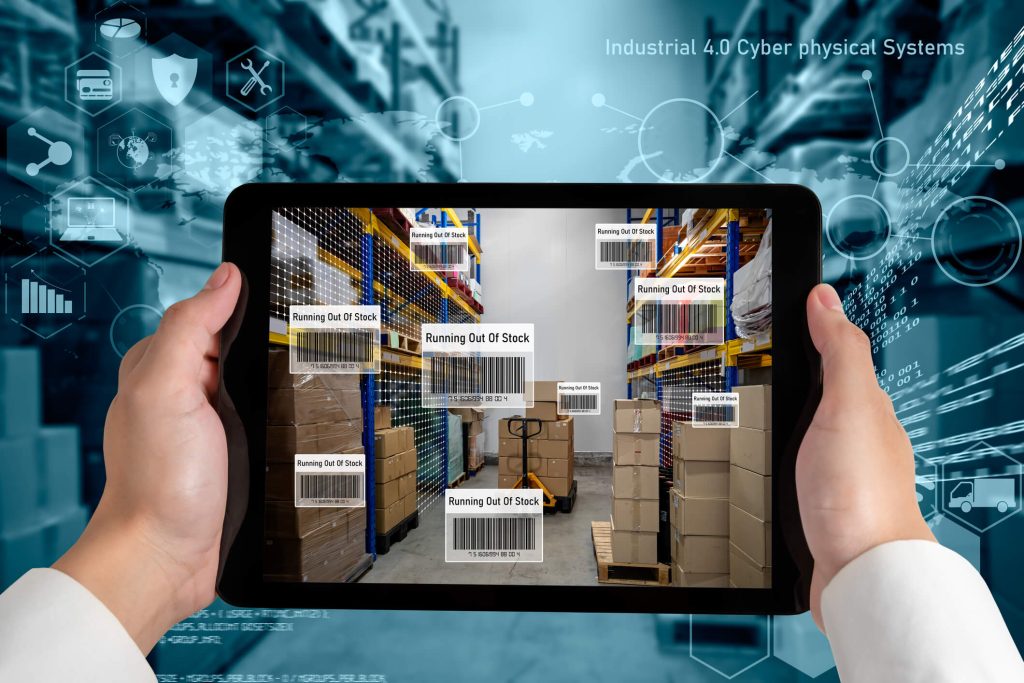
POS solutions offer a wide range of features that can streamline retail operations. One of the key features is inventory management. With a POS system, retailers can easily track inventory levels, set up automatic reordering, and receive alerts when stock is running low. This ensures that retailers never run out of popular items and can meet customer demand effectively.

Another important aspect of retail operations that can be streamlined with a POS solution is sales tracking. A POS system allows retailers to track sales in real-time, providing them with up-to-date information on revenue, profit margins, and sales performance. This data can be used to identify top-selling products, monitor the effectiveness of marketing campaigns, and make informed decisions about pricing and promotions.

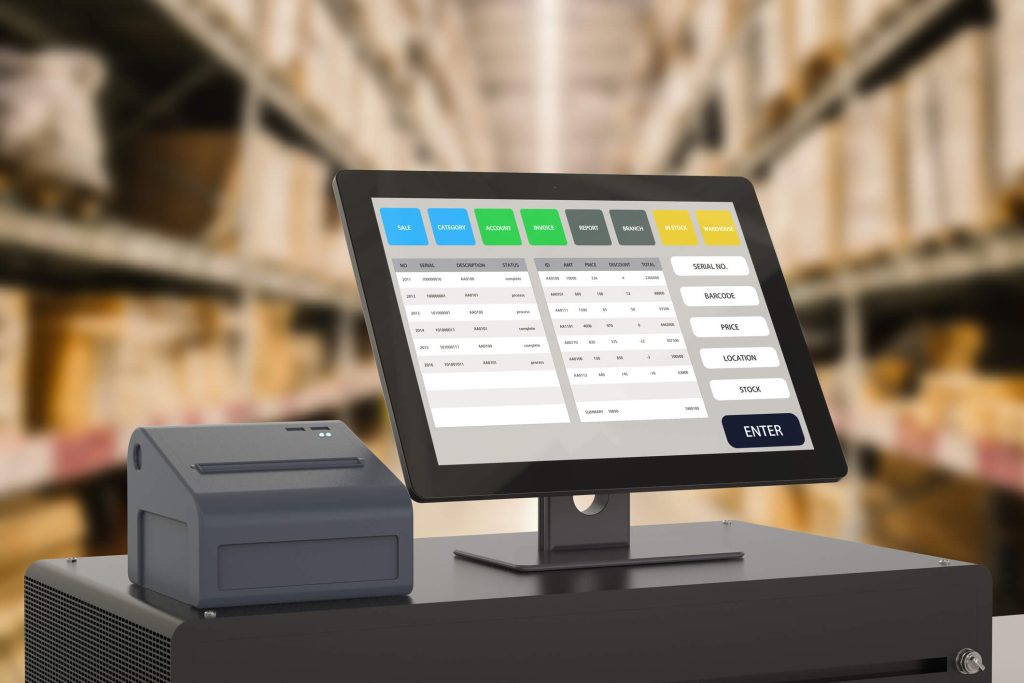
Furthermore, a POS solution can simplify the checkout process for both retailers and customers. With features like barcode scanning, integrated payment processing, and receipt printing, retailers can process transactions quickly and efficiently. This not only reduces waiting times for customers but also improves overall customer satisfaction.

Key Features to Look for in a Retail POS Solution

Retail POS Solution

When choosing a POS solution for a retail business, it is important to consider the key features that will best meet the specific needs of the business. Some of the essential features to look for include:

  1. Inventory management: A robust inventory management feature allows retailers to track stock levels, set up automatic reordering, and generate reports on inventory performance.
  2. Sales tracking and reporting: The POS system should provide real-time data on sales, revenue, and profit margins. It should also offer customizable reports that can help retailers analyze sales trends and make informed decisions.
  3. Integration with other business systems: A retail POS solution should be able to integrate with other business systems, such as accounting software, customer relationship management (CRM) tools, and e-commerce platforms. This integration ensures seamless data flow between different systems and eliminates the need for manual data entry.
  4. Security measures: Security is a critical aspect of any POS solution. Look for features like encryption, tokenization, and secure payment processing to protect customer data and prevent fraud.
  5. Scalability: As a retail business grows, its POS needs may change. A scalable POS solution can accommodate the changing needs of the business, whether it is adding new locations, expanding product lines, or integrating with new technologies.

Different Types of POS Solutions for Retail Businesses

There are several types of POS solutions available for retail businesses, each with its own set of features and functionalities. The most common types include:

Traditional POS systems

These are hardware-based systems that consist of a cash register, barcode scanner, receipt printer, and other peripherals. Traditional POS systems are typically installed on-site and require upfront investment in hardware and software licenses.

Cloud-based POS systems

Cloud-based POS systems

Cloud-based POS systems are becoming increasingly popular among retailers. These systems are hosted on remote servers and accessed through the internet. They offer the advantage of being accessible from anywhere, on any device, and can be easily scaled up or down as needed.

Mobile POS systems

Mobile POS systems

Mobile POS systems are designed to run on mobile devices like tablets and smartphones. They are ideal for small businesses or retailers with limited counter space. Mobile POS systems offer flexibility and mobility, allowing retailers to process transactions on the go.

Self-service kiosks

Self-service kiosks are becoming more common in retail environments. These kiosks allow customers to browse products, place orders, and make payments without the assistance of a sales associate. Self-service kiosks can help reduce wait times and improve customer satisfaction.

Choosing the Right POS Solution for Your Retail Business

Choosing the right POS solution for a retail business can be a daunting task. With so many options available, it is important to consider the specific needs and requirements of the business. Here are some factors to consider when selecting a POS solution:

  1. Size and type of business: The size and type of business will determine the complexity and scalability of the POS solution needed. Small businesses may benefit from a simple, cloud-based POS system, while larger businesses may require a more robust solution with advanced features.
  2. Budget: Consider the upfront costs, ongoing fees, and potential return on investment when evaluating different POS solutions. It is important to find a solution that fits within the budget of the business while providing the necessary features and functionalities.
  3. Integration capabilities: If the business already uses other software systems, such as accounting or CRM tools, it is important to choose a POS solution that can integrate seamlessly with these systems. This integration will ensure that data flows smoothly between different systems, eliminating the need for manual data entry.
  4. User-friendliness: The ease of use of the POS solution is an important factor to consider. Look for a solution that has an intuitive interface, requires minimal training, and offers ongoing support and training resources.
  5. Customer support: Consider the level of customer support offered by the POS solution provider. Look for a provider that offers 24/7 support, regular software updates, and a dedicated account manager.

Implementing a POS Solution in a Retail Business: Step-by-Step Guide

Implementing a POS solution in a retail business requires careful planning and execution. Here is a step-by-step guide to help businesses navigate the implementation process:

  1. Assess business needs: Before implementing a POS solution, it is important to assess the specific needs and requirements of the business. Identify the key pain points and challenges that the POS solution should address.
  2. Research and evaluate options: Research different POS solutions and evaluate them based on the needs of the business. Consider factors such as features, pricing, scalability, and customer reviews.
  3. Choose a POS solution: Select the POS solution that best meets the needs of the business. Consider factors such as cost, features, ease of use, and integration capabilities.
  4. Prepare data: Gather and organize all relevant data, such as product information, pricing, and customer data. Clean and validate the data to ensure accuracy.
  5. Train staff: Provide comprehensive training to staff members who will be using the POS solution. Ensure that they are familiar with all features and functionalities and can troubleshoot common issues.
  6. Set up hardware and software: Install and configure the POS hardware and software. Test all components to ensure they are functioning properly.
  7. Import data: Import all relevant data into the POS system, such as product information, pricing, and customer data. Verify the accuracy of the imported data.
  8. Test and troubleshoot: Conduct thorough testing of the POS system to ensure that all features and functionalities are working as expected. Identify and resolve any issues or bugs.
  9. Go live: Once all testing and troubleshooting are complete, it is time to go live with the POS system. Monitor the system closely during the initial days to identify any issues and address them promptly.
  10. Provide ongoing support and training: Offer ongoing support and training to staff members to ensure they are comfortable using the POS system. Stay updated with software updates and new features.

Common Challenges and Solutions in Retail POS Implementation

Implementing a POS solution in a retail business can come with its own set of challenges. Here are some common challenges and their solutions:

  1. Data migration: Transferring data from existing systems to the new POS solution can be a complex and time-consuming process. To overcome this challenge, businesses should ensure that data is clean, validated, and organized before the migration process. It is also important to have a backup of the data in case of any issues during the migration.
  2. Staff training: Training staff members on how to use the new POS solution can be a challenge, especially if they are not tech-savvy. To address this challenge, businesses should provide comprehensive training sessions, offer ongoing support, and create user-friendly training materials.
  3. Integration with existing systems: Integrating the new POS solution with existing systems, such as accounting or CRM tools, can be a challenge. To overcome this, businesses should choose a POS solution that offers seamless integration capabilities and work closely with the POS provider to ensure a smooth integration process.
  4. Technical issues: Technical issues, such as hardware malfunctions or software bugs, can disrupt retail operations. To address this challenge, businesses should have a dedicated IT support team or work with a reliable POS provider that offers 24/7 support.
  5. Resistance to change: Implementing a new POS solution may face resistance from staff members who are comfortable with the existing system. To overcome this challenge, businesses should communicate the benefits of the new system, provide training and support, and involve staff members in the decision-making process.

Frequently Asked Questions

Q.1: What is a POS solution, and why do retail businesses need it?

Answer: A POS solution is a software and hardware combination that allows retailers to process transactions, manage inventory, and track sales. Retail businesses need a POS solution to streamline operations, automate tasks, and gain valuable insights into their business performance.

Q.2: How can a POS solution help with inventory management?

Answer: A POS solution can help with inventory management by allowing retailers to track stock levels, set up automatic reordering, and receive alerts when stock is running low. This ensures that retailers never run out of popular items and can meet customer demand effectively.

Q.3: Can a retail POS solution integrate with other business systems?

Answer: Yes, many retail POS solutions offer integration capabilities with other business systems, such as accounting software, CRM tools, and e-commerce platforms. This integration ensures seamless data flow between different systems and eliminates the need for manual data entry.

Q.4: What security measures should retail businesses consider when using a POS solution?

Answer: Retail businesses should consider security measures such as encryption, tokenization, and secure payment processing to protect customer data and prevent fraud. It is also important to regularly update the POS system with the latest security patches and train staff members on best practices for data security.

Q.5: How can a POS solution enhance the customer experience in a retail store?

Answer: A POS solution can enhance the customer experience in a retail store by reducing waiting times at the checkout, offering multiple payment options, and providing personalized service. It can also help retailers track customer preferences and purchase history, allowing them to offer targeted promotions and recommendations.

Conclusion

In conclusion, POS solutions tailored for retail businesses play a crucial role in streamlining operations, improving efficiency, and enhancing the customer experience. With features like inventory management, sales tracking, and integration capabilities, POS solutions provide retailers with valuable insights and data that can help them make informed decisions.

In summary, investing in a robust and tailored POS solution is essential for retail businesses looking to optimize their operations, improve customer satisfaction, and drive growth. By understanding the importance of POS solutions, considering key features, and following a step-by-step implementation process, retailers can harness the power of technology to thrive in the retail industry.

Best POS systems for Restaurants and Bars

Best POS systems for Restaurants and Bars

The right Point of Sale (POS) system can dramatically enhance the efficiency and profitability of a restaurant or bar. As we head into 2024, the landscape of POS technology continues to evolve, integrating more advanced features that can manage everything from inventory to customer relationships. This guide provides a comprehensive look at the best POS systems available for restaurants and bars in 2024, detailing their features, benefits, and what makes them stand out in a competitive market.

Understanding the Importance of POS Systems in the Food and Beverage Industry

POS systems have become an integral part of the food and beverage industry for several reasons. Firstly, they provide a centralized platform for managing various aspects of a restaurant or bar, including sales, inventory, and customer data. This allows owners and managers to make informed decisions based on real-time information.

Secondly, POS systems help improve efficiency and accuracy in transactions. With features like tableside ordering and mobile payments, servers can take orders and process payments directly at the table, reducing wait times and minimizing errors. This not only enhances the overall dining experience but also increases table turnover, leading to higher revenue.

Furthermore, POS systems enable businesses to track and manage inventory effectively. By automatically updating inventory levels as items are sold, owners can avoid stockouts and overstocking, reducing waste and optimizing costs. Additionally, POS systems can generate detailed reports on sales, inventory, and employee performance, providing valuable insights for business growth and decision-making.

Top POS Systems for Restaurants and Bars in 2024

After extensive research and analysis, we have identified the top POS systems for restaurants and bars in 2024. These systems have been chosen based on their features, pricing, and user reviews. Let’s take a closer look at each of them:

Toast

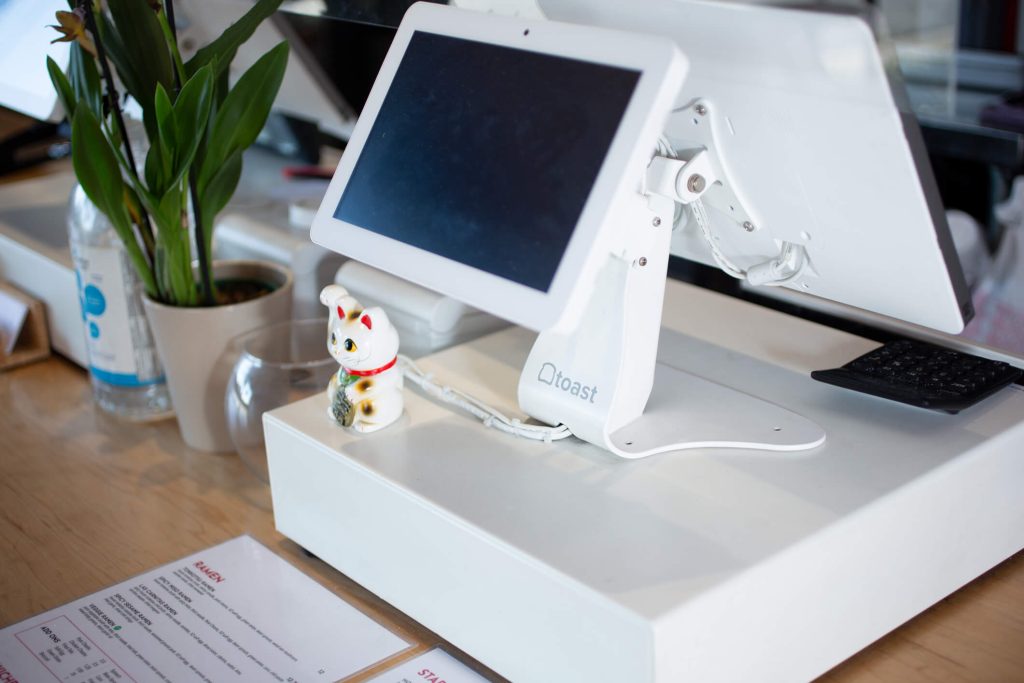
Toast POS

Toast is renowned for its ease of use and comprehensive feature set tailored specifically for restaurants. It offers a customizable platform, with options for online ordering, kitchen display systems, and integrated payroll services. A 2023 survey found that restaurants using Toast saw a 20% increase in sales on average due to improved order accuracy and customer service.

Pros

  • Designed specifically for food service businesses, Toast excels in handling complex restaurant operations.
  • Offers a fully integrated system with hardware and software tailored for restaurants.
  • Robust features for online ordering, loyalty programs, and kitchen operations.

Cons

  • The hardware and setup can be expensive, making it less ideal for very small establishments.
  • Some users report that customer service can be slow during peak times.

Square

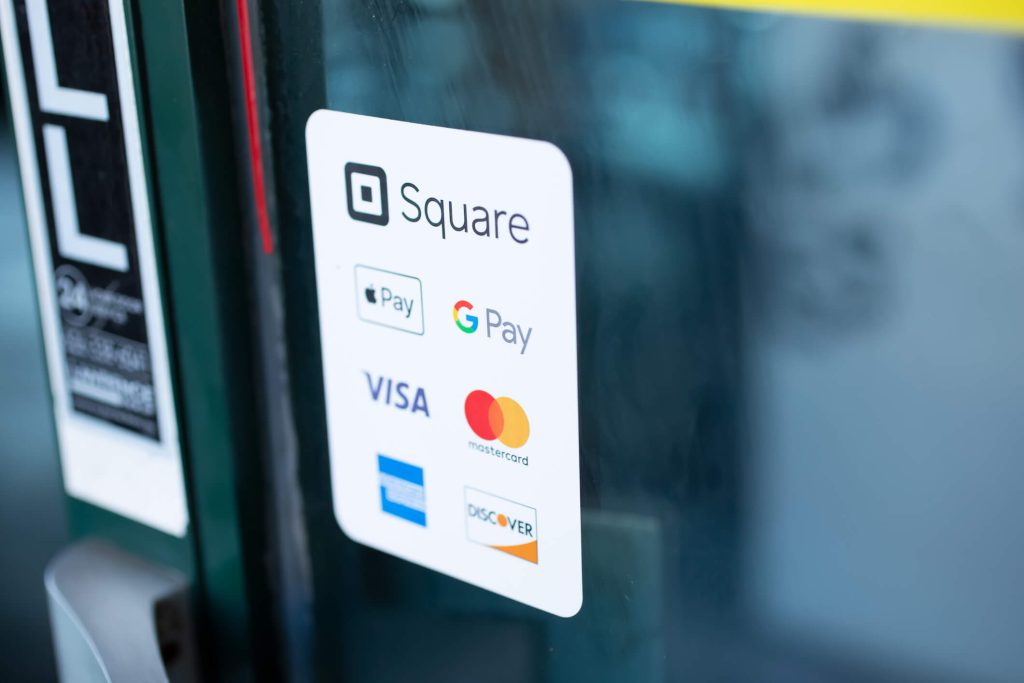
Square POS

Square is ideal for small to medium-sized restaurants looking for a versatile, cost-effective solution. It provides an all-in-one system with features such as payment processing, online sales, and customer feedback analysis. Square’s integration with popular third-party apps enhances its functionality, making it a popular choice among modern restaurateurs.

Pros

  • Square is very user-friendly, making it suitable for small to medium-sized businesses.
  • It offers a free basic version, which is beneficial for businesses just starting out.
  • Integrates easily with other Square services, such as payroll and marketing.

Cons

  • The system can become pricey as you add more features and processing fees.
  • Some advanced restaurant-specific features may be lacking compared to other specialized systems.

Lightspeed

Lightspeed POS

Lightspeed offers powerful reporting tools and inventory management systems, making it suitable for restaurants with extensive menus and multiple locations. Its cloud-based system ensures data is accessible from anywhere, facilitating better decision-making and operational efficiency.

Pros

  • Lightspeed offers extensive customization options, which can be ideal for niche businesses.
  • It has strong inventory management capabilities, which are great for bars and restaurants with extensive product lists.
  • Supports multiple locations.

Cons

  • The learning curve can be steep due to its vast array of features.
  • Can be expensive, especially when adding multiple modules.

TouchBistro

TouchBistro is designed specifically for the restaurant environment, focusing on features that improve table management, menu customization, and customer interaction. It is known for its user-friendly interface and efficient customer service.

Pros

  • TouchBistro is designed specifically for restaurant environments and offers floor plan and menu management.
  • It operates locally on the iPad but can sync data to the cloud, combining reliability with convenience.
  • Strong customer service with a good track record in user satisfaction.

Cons

  • Being primarily iPad-based may limit hardware options.
  • Some features depend on third-party integrations.

Clover

Clover allows for extensive customization through its app market, enabling restaurant owners to tailor the system to their specific needs. It supports a range of hardware options and provides robust analytics to help businesses grow.

Pros

  • Clover is highly customizable with a vast marketplace of apps.
  • It offers out-of-the-box usage with minimal setup, suitable for quick service restaurants and small cafes.
  • Good for handling a diverse range of payment types.

Cons

  • Less tailored to full-service restaurants and may lack some advanced features.
  • Locked into using Clover hardware, which can be expensive.

Revel Systems

Revel Systems provides a robust POS solution with features such as inventory tracking, employee management, and customer loyalty programs. Its focus on data security and mobile support makes it a top choice for high-volume bars.

Pros

  • Offers a robust feature set including detailed inventory management, customer management, and employee management.
  • Highly scalable, good for growing businesses.
  • Strong offline functionality, which is useful in areas with unstable internet.

Cons

  • Initial setup and hardware can be costly.
  • The system complexity might require more training for staff.

Aloha POS

Aloha POS by NCR is a veteran in the POS industry, known for its reliability and comprehensive support for bar operations. It offers seamless integration with other systems and is particularly strong in managing high traffic environments.

Pros

  • Aloha POS is highly regarded for its reliability and comprehensive features tailored to the restaurant industry.
  • Strong support for both front of house and back of house operations.
  • Offers offline functionality, which ensures continuous operation without internet.

Cons

  • Can be expensive, particularly for smaller establishments.
  • The interface may feel outdated compared to newer systems.

Choosing the Right POS System for Restaurants and Bars

Choosing the right Point of Sale (POS) system for your restaurant or bar is crucial for streamlining operations, enhancing customer service, and boosting profitability. A good POS system not only handles transactions but also integrates with other aspects of your business, such as inventory management, staff scheduling, and customer relationship management. Below, we delve into key considerations and features to look for when selecting a POS system suited to the unique needs of restaurants and bars.

1. Ease of Use

The interface of your POS system should be intuitive and easy to navigate. Staff in restaurants and bars often work under pressure, so a POS that simplifies order entry, processing, and payment can significantly enhance efficiency. Look for systems with clear display menus, touchscreen capabilities, and quick response times.

2. Integration Capabilities

A versatile POS system can integrate seamlessly with other software tools that your business uses. This includes connections to reservation systems, accounting software, and inventory management systems. Integration helps in syncing data across platforms, reducing manual data entry, and minimizing errors.

3. Reliability and Support

Choose a POS system that is known for its reliability. Restaurants and bars cannot afford downtime during busy hours. Ensure that the provider offers excellent customer support and technical assistance, ideally 24/7, to handle any issues that might arise.

4. Payment Processing Flexibility

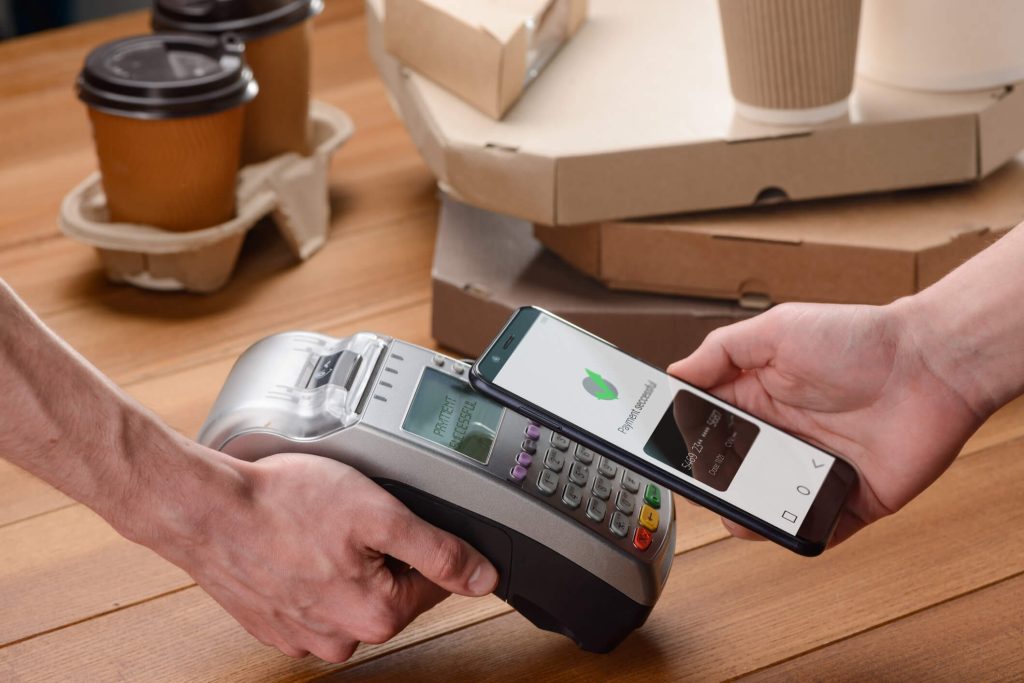
Your POS system should accommodate various payment methods including credit cards, debit cards, mobile payments, and cash. With the increasing popularity of contactless payments, having a POS that accepts Near Field Communication (NFC) technologies like Apple Pay or Google Wallet is a significant advantage.

5. Inventory Management

Effective inventory management is essential for restaurants and bars to keep track of stock levels, reduce waste, and increase profitability. A POS system with robust inventory management features can alert you when stocks are low, track usage patterns, and help in planning purchases and menu adjustments.

6. Reporting and Analytics

A POS system with comprehensive reporting tools can provide valuable insights into your business operations. These tools can track sales, customer preferences, and peak hours, aiding in strategic decisions like menu changes, pricing adjustments, and marketing strategies.

7. Employee Management

Look for a POS system that includes features for managing staff, such as time tracking, scheduling, and payroll integration. This can simplify your human resources processes and help in better staff management.

8. Customer Management

Enhancing customer experience is vital for the success of any restaurant or bar. A POS system that includes customer relationship management (CRM) features can help personalize the dining experience, manage loyalty programs, and improve customer retention.

9. Security Features

Ensure that your POS system complies with the Payment Card Industry Data Security Standard (PCI DSS). It should also offer features like end-to-end encryption to protect sensitive customer information and reduce the risk of data breaches.

10. Scalability

Consider whether the POS system can grow with your business. It should be scalable to accommodate additional locations, menu expansions, and increased transaction volumes without significant upgrades or changes.

Frequently Asked Questions

Q.1: What is a POS system and why is it important for restaurants and bars?

Answer: A POS (Point of Sale) system is a combination of software and hardware that manages the transactions within a business, specifically tailored for the operations of restaurants and bars. It helps streamline various processes such as order taking, inventory management, customer management, and payment processing, ultimately enhancing efficiency and profitability.

Q.2: How does a POS system improve customer service in restaurants?

Answer: POS systems enable faster service by allowing orders and payments to be processed directly at the table, reducing wait times. They also improve order accuracy and provide valuable data that can be used to personalize customer interactions and manage loyalty programs.

Q.3: Can POS systems integrate with other software?

Answer: Yes, many modern POS systems offer integration capabilities with other software tools like reservation systems, accounting software, and inventory management systems, enabling a seamless flow of information across different platforms and reducing manual data entry errors.

Q.4: What should I look for in a POS system if I have multiple restaurant locations?

Answer: For multiple locations, it’s important to choose a POS system that supports scalability, offers robust inventory management features, and can generate consolidated reports for all locations. Systems like Lightspeed and Revel Systems are specifically designed to handle such requirements.

Q.5: Are there POS systems that work offline?

Answer: Yes, some POS systems like Revel Systems and Aloha POS offer offline functionality, which ensures continuous operation even during internet outages, making them reliable choices for high-traffic environments where constant connectivity cannot be guaranteed.

Q.6: How much should I expect to spend on a POS system for my restaurant?

Answer: The cost of a POS system varies depending on the features, hardware requirements, and scale of your operation. Some systems, like Square, offer basic services for free with costs increasing as you add features and payment processing. Others, like Toast and Revel Systems, might involve an upfront investment in hardware and a monthly subscription fee.

Conclusion

Choosing the right POS system for your restaurant or bar is a crucial decision that impacts many aspects of your business. Each system has its strengths and potential drawbacks, so it’s important to consider your specific needs, such as ease of use, integration capabilities, customer service, payment processing flexibility, and scalability. By carefully evaluating each option and considering both your current requirements and future growth, you can select a system that not only meets but enhances your operational efficiency, customer satisfaction, and overall profitability.

benefits of integrated pos systems

The Benefits of Integrated POS Systems

In the rapidly evolving retail and service sectors, businesses seek to streamline operations and enhance customer experiences through technological integration. One critical system at the heart of this transformation is the Point of Sale (POS) system. Traditionally used just for processing transactions, modern POS systems have evolved into comprehensive, integrated solutions that manage everything from inventory and customer relationships to sales reporting and employee management. This article explores the benefits of integrated POS systems, focusing on inventory management, Customer Relationship Management (CRM) integration, and how these technologies enhance overall customer experience.

What is an Integrated POS System?

An integrated Point of Sale (POS) system is a multifunctional platform that combines the traditional functionalities of processing sales transactions with various other crucial business operations. This type of system is designed to seamlessly interact with different modules, such as inventory management, customer relationship management (CRM), employee tracking, and business analytics, all within a single interface.

Core Features of Integrated POS Systems

  1. Sales Processing: At its core, the integrated POS system handles all aspects of the sales process, from scanning items and processing payments to issuing receipts and managing returns.
  2. Inventory Management: The system updates inventory in real-time as sales occur, which helps prevent stockouts and reduce excess inventory. It tracks product movements, manages supplier orders, and forecasts inventory needs based on sales trends.
  3. Customer Management: By storing detailed customer data, the system supports loyalty programs, targeted marketing initiatives, and personalized customer service. This data includes purchase history, preferences, and contact information, which are crucial for effective CRM.
  4. Employee Management: Integrated POS systems also help in managing staff by tracking work hours, calculating payroll, and analyzing performance based on sales data.
  5. Analytics and Reporting: These systems provide robust analytics tools that allow businesses to generate comprehensive reports. These reports offer insights into sales performance, customer behavior, inventory turnover, and overall business health, assisting in strategic decision making.

The Benefits of Integrated POS Systems

Integrated Point of Sale (POS) systems represent a significant technological advancement in managing business operations, offering a myriad of benefits that streamline processes, enhance customer service, and improve overall business management. These systems integrate various business functions into a single, cohesive platform, significantly impacting efficiency and effectiveness across different sectors, including retail, hospitality, and service industries.

Enhanced Efficiency and Productivity

One of the primary benefits of an integrated POS system is the considerable increase in operational efficiency. By combining multiple functions such as sales processing, inventory management, and customer relationship management within a single system, businesses can save time and reduce the likelihood of errors that often come with manual entry or disjointed systems. Employees can process transactions more quickly and spend more time engaging with customers rather than managing administrative tasks.

Accurate Inventory Management

Integrated POS systems automatically update inventory levels as sales occur, providing real-time inventory data that is crucial for effective stock management. This integration reduces the instances of overstocking or stockouts, ensuring that popular items are always available, which can directly affect customer satisfaction and sales. Additionally, accurate inventory tracking helps businesses make informed purchasing decisions, reducing holding costs and improving cash flow.

Improved Customer Relationships

With integrated POS systems, businesses can store and manage extensive customer data, including purchase history, preferences, and personal details. This information is vital for creating personalized marketing campaigns, loyalty programs, and promotional offers that target specific customer needs and preferences. Improved customer relationship management (CRM) capabilities lead to higher customer retention rates, increased sales, and a better overall customer experience.

Data-Driven Decision Making

The comprehensive analytics provided by integrated POS systems enable businesses to make informed decisions. These systems can generate detailed reports on sales trends, customer behavior, inventory levels, and overall business performance. Access to this kind of data helps business owners and managers identify potential areas for improvement, track the success of marketing initiatives, and adjust strategies in real time.

Scalability and Flexibility

Integrated POS systems are designed to grow with your business. They are scalable, meaning they can handle an increasing volume of transactions and data without losing performance. Furthermore, these systems are flexible, allowing businesses to add new functionalities as needed without disrupting existing operations. Whether a business is expanding its product line, increasing its number of locations, or simply needs to incorporate new payment methods, integrated POS systems can adapt to these changes.

Enhanced Security

Modern integrated POS systems come equipped with advanced security features to protect sensitive data, including customer information and business transactions. Security measures such as encryption, secure user authentication, and compliance with payment card industry data security standards (PCI DSS) help safeguard the business from data breaches and fraud.

Integrating inventory management with your POS

Integrating inventory management with your POS

One of the key benefits of integrated POS systems is the ability to seamlessly integrate inventory management. Traditional POS systems often require manual input of inventory data, leading to errors and discrepancies. With an integrated POS system, inventory management becomes automated, ensuring accurate and real-time tracking of stock levels. This integration allows businesses to optimize their inventory, reduce stockouts, and improve overall efficiency.

Integrated POS systems also enable businesses to streamline their purchasing process. By linking the POS system with suppliers, businesses can automate the reordering process based on predefined thresholds. This eliminates the need for manual ordering and reduces the risk of running out of stock. Additionally, integrated POS systems can provide valuable insights into inventory turnover, allowing businesses to identify slow-moving items and make informed decisions about pricing and promotions.

Integrating inventory management with your Point of Sale (POS) system is a transformative strategy that enhances operational efficiency, improves accuracy, and supports better decision-making. By synchronizing inventory data with every transaction, businesses gain a dynamic view of stock levels, helping to optimize inventory control and reduce costs. Here’s a detailed guide on how integrating inventory management with your POS:

Step 1: Choose the Right POS System

Ensure that the POS system you select supports integration with inventory management. It should be capable of handling your business’s volume and variety of products and offer features like multi-location management if needed.

Step 2: Set Up Your Inventory

Input your current inventory into the POS system. This process includes listing all items with details such as prices, SKUs, suppliers, and quantities. Accurate entry at this stage is crucial for effective inventory tracking.

Step 3: Configure Automation Features

Utilize features like automatic reordering and alerts for low stock. These configurations can be set based on past sales data and forecasted demand to maintain adequate stock levels without manual intervention.

Step 4: Train Your Staff

Educate your employees on how to use the new system, emphasizing the importance of processes like scanning items correctly and handling returns properly to maintain inventory accuracy.

Step 5: Monitor and Adjust

Regularly review the system’s performance and inventory reports. Monitoring these reports helps in adjusting reorder points, identifying slow-moving items, and addressing other inventory-related issues.

Step 6: Leverage Advanced Analytics

Use the data from your POS and inventory management integration to gain insights into business performance. Advanced analytics can help optimize pricing, promotions, and purchasing strategies.

Streamlining operations with integrated POS systems

Another significant advantage of integrated POS systems is the ability to streamline operations. By integrating various functions such as sales, inventory, and customer data, businesses can eliminate duplicate data entry and reduce the risk of errors. This streamlining of operations not only saves time but also improves accuracy and reduces the likelihood of costly mistakes.

Integrated POS systems also enable businesses to automate routine tasks, such as generating sales reports or updating customer information. This automation frees up valuable time for employees, allowing them to focus on more strategic activities. For example, instead of spending hours manually reconciling sales data, employees can use their time to analyze trends and make data-driven decisions.

The advantages of integrating CRM software

Integrating Customer Relationship Management (CRM) software with other business systems, particularly Point of Sale (POS) systems, offers substantial benefits for businesses looking to enhance customer satisfaction and drive sales growth. CRM integration helps streamline operations, deepen customer relationships, and leverage data-driven strategies for marketing and sales. Here is a detailed look at the advantages of integrating CRM software into business operations.

Enhanced Customer Data Management

Enhanced Customer Data Management

Integrating CRM software allows for the centralization of customer data, which includes contact details, transaction histories, preferences, and feedback. This consolidation makes it easier for businesses to manage and access comprehensive customer profiles. Such integration ensures that every interaction with a customer is informed and personalized, leading to improved customer satisfaction.

Improved Customer Segmentation

With a wealth of data collected from various touchpoints integrated into the CRM system, businesses can segment their customers more effectively according to various criteria such as buying behavior, demographics, and engagement level. This segmentation enables more targeted marketing campaigns and sales strategies, which are more likely to resonate with specific customer groups, thus increasing conversion rates and customer loyalty.

Personalized Marketing

By leveraging the detailed customer information stored in the CRM, businesses can tailor their marketing efforts to meet the unique needs and preferences of individual customers. Whether through personalized email marketing, custom offers, or tailored product recommendations, personalized marketing not only enhances the customer experience but also significantly boosts the effectiveness of promotional efforts.

Enhanced Customer Service and Support

CRM integration helps streamline customer service processes by providing staff with easy access to comprehensive customer histories and preferences. This access allows customer service representatives to resolve issues more effectively and offer solutions that are aligned with the customer’s history and expectations. Additionally, CRM systems can automate certain service processes such as ticket tracking and follow-up emails, which further enhances the efficiency of customer service.

Increased Sales Opportunities

Integrated CRM systems provide tools that help sales teams to identify and capitalize on upselling and cross-selling opportunities. By understanding past purchases and customer preferences, sales representatives can recommend additional products or higher-tier services that meet the customer’s needs. This not only increases the transaction value but also improves the customer’s perception of the business as attentive and responsive to their needs.

Streamlined Internal Communications

CRM integration helps improve communication within the company by providing a shared platform where all relevant customer information is available. This shared access eliminates silos between departments, ensuring that marketing, sales, and customer service teams are all on the same page regarding customer relationships and objectives. Improved internal communication leads to more coordinated efforts to serve customers and drive business goals.

Data-Driven Decision Making

With integrated CRM systems, businesses can collect, analyze, and act upon a wealth of customer data. This data-driven approach allows businesses to make informed decisions regarding product development, marketing strategies, and customer service enhancements. Insights gained from CRM data analysis can identify trends, predict customer behavior, and optimize resource allocation to maximize returns.

Improved Customer Retention

By enhancing customer interactions and providing personalized experiences, integrated CRM systems help improve customer satisfaction and loyalty. Satisfied customers are more likely to return and recommend the business to others, thereby increasing customer retention rates and reducing the costs associated with acquiring new customers.

Enhancing customer experience with integrated POS systems

In today’s competitive market, providing an exceptional customer experience is essential for businesses to thrive. Integrated POS systems play a crucial role in enhancing the customer experience by providing a seamless and personalized shopping experience.

With an integrated POS system, businesses can access a wealth of customer data, including purchase history, preferences, and contact information. This data allows businesses to tailor their offerings to individual customers, providing personalized recommendations and promotions. For example, a clothing retailer can use customer data to send targeted emails with recommendations based on previous purchases, increasing the likelihood of repeat business.

Integrated POS systems also enable businesses to offer flexible payment options, such as mobile payments or split payments. This flexibility enhances convenience for customers and reduces friction during the checkout process. Additionally, integrated POS systems can integrate with loyalty programs, allowing businesses to reward and incentivize repeat customers.

Increasing efficiency and accuracy with integrated POS systems

Efficiency and accuracy are crucial for any business, and integrated POS systems excel in both areas. By automating processes and eliminating manual data entry, businesses can significantly increase efficiency and reduce the risk of errors.

Integrated POS systems enable businesses to process transactions quickly and accurately. With features such as barcode scanning and automatic price calculations, the checkout process becomes seamless and error-free. This not only improves customer satisfaction but also reduces the likelihood of pricing discrepancies or inventory inaccuracies.

Furthermore, integrated POS systems can automate various back-office tasks, such as generating invoices or tracking employee hours. This automation eliminates the need for manual paperwork and reduces the risk of human error. For example, instead of manually calculating employee hours, an integrated POS system can automatically track and calculate hours worked, ensuring accurate payroll processing.

Improving data analysis and reporting with integrated POS systems

Data analysis and reporting are essential for businesses to make informed decisions and drive growth. Integrated POS systems provide businesses with robust reporting capabilities, allowing them to gain valuable insights into their operations.

Integrated POS systems can generate detailed sales reports, providing businesses with information on top-selling products, peak sales periods, and customer demographics. This data allows businesses to identify trends, optimize their product offerings, and target their marketing efforts effectively. For example, a restaurant can use sales data to identify popular dishes and adjust their menu accordingly.

Furthermore, integrated POS systems can integrate with other business intelligence tools, such as CRM software or data analytics platforms. This integration enables businesses to combine data from various sources, providing a holistic view of their operations. For example, by integrating POS data with CRM software, businesses can analyze customer behavior and preferences, allowing for more targeted marketing campaigns.

Simplifying employee management with integrated POS systems

Managing employees is a critical aspect of running a successful business. Integrated POS systems simplify employee management by automating various tasks and providing valuable insights into employee performance.

Integrated POS systems can track employee hours, breaks, and overtime automatically. This eliminates the need for manual timekeeping and reduces the risk of errors or discrepancies. Additionally, integrated POS systems can generate detailed reports on employee sales performance, allowing businesses to identify top performers and provide targeted training or incentives.

Furthermore, integrated POS systems can streamline the scheduling process. By integrating with employee scheduling software, businesses can create and manage schedules based on sales forecasts and employee availability. This integration ensures optimal staffing levels, reduces labor costs, and improves overall efficiency.

Boosting sales and revenue with integrated POS systems

Ultimately, the goal of any business is to boost sales and revenue. Integrated POS systems play a crucial role in achieving this goal by providing businesses with the tools and insights needed to drive growth.

Integrated POS systems enable businesses to implement targeted marketing campaigns based on customer data. By analyzing purchase history and preferences, businesses can send personalized promotions and recommendations, increasing the likelihood of repeat business. Additionally, integrated POS systems can integrate with loyalty programs, allowing businesses to reward and incentivize customer loyalty.

Furthermore, integrated POS systems can optimize pricing and promotions. By analyzing sales data and inventory levels, businesses can identify opportunities for price adjustments or bundle promotions. This data-driven approach ensures that businesses maximize their revenue while remaining competitive in the market.

Overcoming challenges and considerations when implementing integrated POS systems

While the benefits of integrated POS systems are undeniable, implementing such a system can present challenges and considerations for businesses. It is essential to address these challenges to ensure a successful integration.

One of the main challenges is the initial investment required for an integrated POS system. Businesses need to consider the cost of hardware, software, and implementation services. However, it is crucial to view this investment as a long-term strategy that will deliver significant returns in terms of efficiency, accuracy, and revenue growth.

Another consideration is the need for employee training. Integrated POS systems often come with new features and functionalities that employees need to learn. It is essential to provide comprehensive training and ongoing support to ensure a smooth transition and maximize the benefits of the system.

Additionally, businesses need to consider the compatibility of their existing systems with the integrated POS system. It is crucial to choose a system that can seamlessly integrate with other software and hardware, such as accounting software or payment processors. This compatibility ensures that businesses can leverage their existing infrastructure and avoid disruptions to their operations.

Frequently Asked Questions

Q.1: What is an integrated POS system?

Answer: An integrated POS system is a comprehensive solution that combines various functions, such as sales, inventory management, and customer data, into a single platform. This integration allows businesses to streamline operations, enhance the customer experience, and improve efficiency and accuracy.

Q2: How does an integrated POS system improve inventory management?

Answer: Integrated POS systems automate inventory management, ensuring accurate and real-time tracking of stock levels. This integration allows businesses to optimize their inventory, reduce stockouts, and make informed decisions about pricing and promotions.

Q3: Can an integrated POS system help boost sales and revenue?

Answer: Yes, integrated POS systems provide businesses with valuable insights into customer behavior and preferences, allowing for targeted marketing campaigns and personalized promotions. Additionally, integrated POS systems can optimize pricing and promotions based on sales data and inventory levels, maximizing revenue.

Q.4: What challenges should businesses consider when implementing an integrated POS system?

Answer: Businesses should consider the initial investment required for an integrated POS system, the need for employee training, and the compatibility of existing systems. It is crucial to address these challenges to ensure a successful integration.

Conclusion

Integrated POS systems represent a significant advancement in the way businesses manage operations and customer interactions. By centralizing the control of various functions, these systems not only streamline day-to-day operations but also enhance the accuracy of data and improve the customer experience. Whether through better inventory management, effective CRM integration, or providing consistent customer service, the benefits of integrated POS systems are vast, making them an indispensable tool for modern businesses.

With the right implementation, businesses can leverage these integrated solutions to achieve greater efficiency, improved decision-making capabilities, and ultimately, higher profitability and customer satisfaction.

security features in modern pos systems

Security Features in Modern POS Systems

In today’s digital age, Point of Sale (POS) systems play a crucial role in facilitating transactions for businesses of all sizes. However, with the increasing prevalence of cyber threats and data breaches, it is essential for modern POS systems to incorporate robust security features to safeguard transactions and protect sensitive customer data. This article will explore various security features in modern POS systems, including end-to-end encryption, tokenization, multi-factor authentication, secure remote access, data encryption at rest, fraud detection and prevention, and compliance with industry standards.

What is End-to-End Encryption?

End-to-End Encryption

End-to-end encryption is a security measure that ensures the confidentiality and integrity of data transmitted between two parties. In the context of POS systems, end-to-end encryption ensures that sensitive customer information, such as credit card details, remains encrypted throughout the entire transaction process, from the moment it is entered into the POS system until it reaches the payment processor.

How Does End-to-End Encryption Work in POS Systems?

End-to-end encryption in POS systems involves the use of encryption algorithms to scramble the customer’s payment information into an unreadable format. This encrypted data is then securely transmitted to the payment processor, where it is decrypted and processed. The encryption keys used to encrypt and decrypt the data are securely managed and stored to prevent unauthorized access.

Benefits of End-to-End Encryption in POS Systems

End-to-end encryption offers several benefits in POS systems. Firstly, it ensures that sensitive customer data is protected from interception and unauthorized access during transmission. This significantly reduces the risk of data breaches and identity theft. Secondly, end-to-end encryption provides customers with peace of mind, knowing that their payment information is secure. This can enhance customer trust and loyalty, leading to increased customer satisfaction and repeat business. Lastly, end-to-end encryption helps businesses comply with data protection regulations and industry standards, as it provides a strong security measure to protect customer data.

What is Tokenization?

Tokenization is a data security technique that replaces sensitive information, such as credit card numbers, with unique tokens. These tokens are randomly generated and have no meaningful correlation to the original data. The sensitive data is securely stored in a separate system, known as a token vault, while the tokens are used for transaction processing.

How Does Tokenization Enhance Data Security in POS Systems?

Tokenization enhances data security in POS systems by reducing the risk of data breaches. Since the tokens have no meaningful correlation to the original data, even if they are intercepted or stolen, they cannot be used to retrieve the sensitive information. This significantly reduces the value of the data to potential attackers. Additionally, tokenization eliminates the need for businesses to store sensitive customer data within their POS systems, further reducing the risk of data exposure.

Advantages of Tokenization in POS Systems

Tokenization offers several advantages in POS systems. Firstly, it simplifies the Payment Card Industry Data Security Standard (PCI DSS) compliance process. By removing sensitive data from the POS system, businesses can reduce the scope of their PCI DSS assessments, making compliance easier and more cost-effective. Secondly, tokenization reduces the risk of data breaches and minimizes the potential impact on businesses and customers. Even if a breach occurs, the stolen tokens are useless without access to the token vault. Lastly, tokenization enhances customer trust and confidence, as they know that their sensitive information is being protected.

What is Multi-Factor Authentication?

Multi-Factor Authentication

Multi-factor authentication (MFA) is a security measure that requires users to provide multiple forms of identification to access a system or application. It adds an extra layer of security beyond traditional username and password authentication by combining something the user knows (e.g., a password), something the user has (e.g., a mobile device), and something the user is (e.g., a fingerprint).

Implementing Multi-Factor Authentication in POS Systems

Implementing multi-factor authentication in POS systems involves integrating additional authentication factors, such as biometric scans, one-time passwords, or hardware tokens, into the login process. Users are required to provide these additional factors along with their username and password to gain access to the POS system. This ensures that even if one factor is compromised, the attacker would still need to bypass the other factors to gain unauthorized access.

Benefits of Multi-Factor Authentication in POS Systems

Multi-factor authentication offers several benefits in POS systems. Firstly, it significantly reduces the risk of unauthorized access and identity theft. Even if an attacker manages to obtain a user’s password, they would still need to provide the additional authentication factors to gain access. This adds an extra layer of protection against brute-force attacks and stolen credentials. Secondly, multi-factor authentication enhances accountability and traceability by providing a unique identifier for each user. This helps businesses track and monitor user activities, reducing the risk of insider threats. Lastly, multi-factor authentication helps businesses comply with industry regulations and standards that require strong authentication measures.

The Importance of Secure Remote Access in POS Systems

Secure remote access is essential in POS systems to enable authorized personnel to remotely manage and monitor the system while ensuring that unauthorized individuals cannot gain access. It allows businesses to efficiently troubleshoot issues, perform software updates, and monitor sales and inventory data from anywhere, while maintaining the security and integrity of the system.

Best Practices for Secure Remote Access in POS Systems

To ensure secure remote access in POS systems, businesses should follow best practices such as implementing strong authentication measures, using secure communication protocols (e.g., SSL/TLS), regularly updating and patching remote access software, and monitoring and logging remote access activities. Additionally, businesses should restrict remote access privileges to authorized personnel only and regularly review and revoke access for employees who no longer require it.

Mitigating Risks with Secure Remote Access in POS Systems

Secure remote access helps mitigate risks in POS systems by reducing the likelihood of unauthorized access and data breaches. By implementing strong authentication measures and secure communication protocols, businesses can ensure that only authorized individuals can remotely access the system. Regular monitoring and logging of remote access activities can help detect and respond to any suspicious or unauthorized access attempts promptly.

Understanding Data Encryption at Rest in POS Systems

Data encryption at rest is the process of encrypting data when it is stored on a storage device, such as a hard drive or a database. In the context of POS systems, data encryption at rest ensures that sensitive customer information, including transaction details and payment data, remains encrypted and protected from unauthorized access.

Implementing Data Encryption at Rest in POS Systems

Implementing data encryption at rest in POS systems involves encrypting the stored data using encryption algorithms and securely managing the encryption keys. This ensures that even if the storage device is compromised or stolen, the encrypted data remains unreadable without the encryption keys. Additionally, businesses should regularly update and patch their encryption software to address any vulnerabilities and ensure the ongoing security of the stored data.

Advantages of Data Encryption at Rest in POS Systems

Data encryption at rest offers several advantages in POS systems. Firstly, it provides an additional layer of protection for sensitive customer data, reducing the risk of data breaches and unauthorized access. Even if the storage device is compromised, the encrypted data remains unreadable without the encryption keys. Secondly, data encryption at rest helps businesses comply with data protection regulations and industry standards that require the protection of stored data. Lastly, data encryption at rest enhances customer trust and confidence, as they know that their information is being securely stored and protected.

The Significance of Fraud Detection and Prevention in POS Systems

Fraud detection and prevention are crucial in POS systems to identify and stop potential threats, such as fraudulent transactions, unauthorized access attempts, and suspicious activities. By implementing effective fraud detection and prevention measures, businesses can minimize financial losses, protect customer data, and maintain the integrity of their POS systems.

Strategies for Effective Fraud Detection and Prevention in POS Systems

Effective fraud detection and prevention in POS systems involve implementing strategies such as real-time transaction monitoring, anomaly detection, rule-based alerts, and machine learning algorithms. Real-time transaction monitoring allows businesses to identify and flag suspicious transactions as they occur, enabling timely intervention. Anomaly detection involves analyzing transaction patterns and identifying deviations from normal behavior, which may indicate fraudulent activities. Rule-based alerts allow businesses to define specific rules and thresholds for triggering alerts when certain conditions are met. Machine learning algorithms can analyze large volumes of data and identify patterns and anomalies that may indicate fraudulent activities.

Tools and Technologies for Fraud Detection and Prevention in POS Systems

There are various tools and technologies available for fraud detection and prevention in POS systems. These include fraud detection software, machine learning algorithms, data analytics tools, and transaction monitoring systems. Fraud detection software can analyze transaction data in real-time and identify potential fraud indicators. Machine learning algorithms can learn from historical data and detect patterns and anomalies that may indicate fraudulent activities. Data analytics tools can help businesses analyze large volumes of data and identify trends and patterns that may indicate fraudulent activities. Transaction monitoring systems can continuously monitor transactions and flag suspicious activities for further investigation.

Overview of Industry Standards for POS System Security

Compliance with industry standards is essential for POS systems to ensure that they meet the necessary security requirements. The Payment Card Industry Data Security Standard (PCI DSS) is one of the most widely recognized industry standards for POS system security. It sets forth a comprehensive framework of security requirements that businesses must adhere to when processing, storing, or transmitting cardholder data. Other industry standards, such as the ISO/IEC 27001 and the National Institute of Standards and Technology (NIST) Cybersecurity Framework, provide additional guidance and best practices for securing POS systems.

Achieving Compliance with Industry Standards in POS Systems

Achieving compliance with industry standards in POS systems involves implementing a range of security measures and best practices. These may include implementing strong access controls, regularly updating and patching software, conducting regular vulnerability assessments and penetration testing, encrypting sensitive data, and maintaining audit logs. Additionally, businesses must undergo regular audits and assessments to ensure ongoing compliance with industry standards.

Benefits of Compliance with Industry Standards in POS Systems

Compliance with industry standards offers several benefits in POS systems. Firstly, it helps businesses protect sensitive customer data and reduce the risk of data breaches and financial losses. By adhering to industry standards, businesses can implement robust security measures and best practices that are recognized and recommended by industry experts. Secondly, compliance with industry standards enhances customer trust and confidence. Customers are more likely to trust businesses that demonstrate a commitment to protecting their data and complying with industry regulations. Lastly, compliance with industry standards helps businesses avoid penalties and legal consequences associated with non-compliance.

FAQs

Q.1: What are the essential security features to look for in a modern POS system?

Essential security features to look for in a modern POS system include end-to-end encryption, tokenization, multi-factor authentication, secure remote access, data encryption at rest, fraud detection and prevention tools, and compliance with industry standards. These features work together to protect transactions and data, minimize the risk of data breaches, and ensure regulatory compliance.

Q.2: How does end-to-end encryption protect sensitive customer data?

End-to-end encryption protects sensitive customer data by encrypting it throughout the entire transaction process, from the moment it is entered into the POS system until it reaches the payment processor. This ensures that even if the data is intercepted or stolen, it remains unreadable without the encryption keys.

Q.3: Can tokenization prevent data breaches in POS systems?

Tokenization can help prevent data breaches in POS systems by replacing sensitive data with unique tokens. Even if the tokens are intercepted or stolen, they cannot be used to retrieve the original data without access to the token vault. This significantly reduces the value of the data to potential attackers.

Q.4: What are the common types of multi-factor authentication methods used in POS systems?

Common types of multi-factor authentication methods used in POS systems include biometric scans (e.g., fingerprint or facial recognition), one-time passwords, hardware tokens, and mobile device authentication. These additional authentication factors add an extra layer of security beyond traditional username and password authentication.

Q.5: How does secure remote access enhance the security of POS systems?

Secure remote access enhances the security of POS systems by allowing authorized personnel to remotely manage and monitor the system while ensuring that unauthorized individuals cannot gain access. It enables businesses to efficiently troubleshoot issues, perform software updates, and monitor sales and inventory data from anywhere, while maintaining the security and integrity of the system.

Q.6: What is the role of data encryption at rest in securing stored information?

Data encryption at rest plays a crucial role in securing stored information by encrypting the data when it is stored on a storage device. This ensures that even if the storage device is compromised or stolen, the encrypted data remains unreadable without the encryption keys.

Q.7: How can fraud detection and prevention tools help in safeguarding POS systems?

Fraud detection and prevention tools can help safeguard POS systems by identifying and stopping potential threats, such as fraudulent transactions, unauthorized access attempts, and suspicious activities. These tools use various techniques, such as real-time transaction monitoring, anomaly detection, and machine learning algorithms, to detect patterns and anomalies that may indicate fraudulent activities.

Q.8: Which industry standards should a modern POS system comply with?

A modern POS system should comply with industry standards such as the Payment Card Industry Data Security Standard (PCI DSS), ISO/IEC 27001, and the National Institute of Standards and Technology (NIST) Cybersecurity Framework. These standards provide guidance and best practices for securing POS systems and protecting sensitive customer data.

Conclusion

In conclusion, modern POS systems incorporate various security features to ensure the protection of transactions and data. End-to-end encryption safeguards sensitive customer information, while tokenization adds an extra layer of security by replacing sensitive data with tokens. Multi-factor authentication strengthens access control, and secure remote access protects POS systems from external threats. Data encryption at rest secures stored information, and fraud detection and prevention tools help identify and

Latest Trends in POS Technology

Latest Trends in POS Technology: Revolutionizing the Retail Industry

The retail industry has undergone significant transformations in recent years, thanks to the rapid advancements in point-of-sale (POS) technology. From mobile POS solutions to artificial intelligence (AI) integration, these innovations have revolutionized the way businesses operate and interact with their customers. In this article, we will explore the latest trends in POS technology and their impact on the retail industry.

The Rise of Mobile POS Solutions: Empowering Businesses on the Go

Rise of Mobile POS Solutions

Gone are the days when businesses were confined to traditional cash registers and stationary checkout counters. The rise of mobile POS solutions has empowered businesses to conduct transactions on the go, providing flexibility and convenience for both customers and retailers.

Mobile POS systems, typically operated on tablets or smartphones, allow businesses to process payments anywhere within their premises or even outside their physical stores. This flexibility enables retailers to provide a seamless shopping experience, whether it’s in a brick-and-mortar store, at a pop-up event, or during a home delivery.

The Advantages of Mobile POS Systems for Small Businesses

Small businesses, in particular, can greatly benefit from adopting mobile POS systems. These solutions offer cost-effective alternatives to traditional POS systems, eliminating the need for expensive hardware and software installations. With mobile POS, small businesses can easily manage their inventory, track sales, and process payments, all from a single device.

Furthermore, mobile POS systems provide real-time data and analytics, allowing small businesses to make informed decisions about their operations. By accessing sales reports and customer insights on the go, retailers can optimize their inventory, identify popular products, and tailor their marketing strategies accordingly.

Enhancing Customer Experience with Mobile POS Technology

In addition to empowering businesses, mobile POS technology also enhances the overall customer experience. With mobile devices in hand, sales associates can assist customers throughout their shopping journey, from product inquiries to checkout. This personalized approach not only improves customer satisfaction but also increases sales conversion rates.

Moreover, mobile POS systems enable businesses to offer various payment options, including contactless payments and digital wallets. This flexibility caters to the preferences of modern consumers who seek convenience and security in their transactions. By embracing mobile POS technology, retailers can stay ahead of the competition and meet the evolving needs of their customers.

How AI is Transforming POS Systems: From Automation to Personalization

Artificial intelligence (AI) has become a game-changer in various industries, and the retail sector is no exception. AI integration in POS systems has transformed the way businesses operate, from automating routine tasks to providing personalized recommendations for customers.

AI-Powered Inventory Management: Streamlining Operations and Reducing Costs

AI-Powered Inventory Management

One of the key areas where AI is making a significant impact is inventory management. By analyzing historical sales data, AI algorithms can accurately predict demand patterns and optimize inventory levels. This automation not only streamlines operations but also reduces costs associated with overstocking or understocking.

AI-powered inventory management systems can also detect anomalies and identify potential stockouts or excess inventory in real-time. This proactive approach enables businesses to take immediate action, ensuring that popular products are always available and minimizing lost sales opportunities.

Leveraging AI for Customer Insights and Personalized Recommendations

AI algorithms can analyze vast amounts of customer data, including purchase history, browsing behavior, and demographic information, to generate personalized recommendations. By understanding individual preferences and shopping patterns, retailers can offer tailored product suggestions, increasing the likelihood of upselling and cross-selling.

Furthermore, AI-powered POS systems can provide real-time insights into customer behavior, allowing businesses to optimize their marketing strategies. By identifying trends and patterns, retailers can create targeted campaigns, offer personalized promotions, and enhance customer loyalty.

The Integration of Contactless Payments: A Safer and More Convenient Shopping Experience

The COVID-19 pandemic has accelerated the adoption of contactless payments, as consumers prioritize safety and hygiene in their shopping experiences. The integration of contactless payment options in POS systems has become a necessity for businesses to meet customer expectations and ensure a seamless checkout process.

The Benefits of Contactless Payments for Businesses and Consumers

Contactless payments offer numerous benefits for both businesses and consumers. For businesses, contactless payments reduce transaction times, leading to shorter queues and improved customer satisfaction. Moreover, these payment methods eliminate the need for physical cash handling, reducing the risk of theft and counterfeit currency.

For consumers, contactless payments provide a convenient and hygienic alternative to traditional payment methods. With a simple tap or wave of their card or smartphone, customers can complete transactions quickly and securely. This frictionless experience enhances customer satisfaction and encourages repeat business.

Overcoming Security Concerns in Contactless Payment Systems

While contactless payments offer convenience and speed, security concerns have been raised regarding the vulnerability of these systems to fraud and data breaches. However, it is important to note that contactless payment technologies, such as Near Field Communication (NFC), utilize encryption and tokenization to protect sensitive information.

Additionally, businesses can implement additional security measures, such as two-factor authentication and transaction limits, to mitigate the risks associated with contactless payments. By staying updated with the latest security protocols and educating customers about the safety of these payment methods, businesses can build trust and confidence in their contactless payment systems.

The Emergence of Cloud-Based POS Solutions: Scalability and Flexibility for Businesses

Cloud-based POS solutions have gained popularity in recent years due to their scalability, flexibility, and cost-effectiveness. These systems leverage cloud computing technology to store and process data, eliminating the need for on-premises servers and reducing maintenance costs.

The Advantages of Cloud-Based POS Systems for Multi-Location Businesses

For businesses with multiple locations, cloud-based POS systems offer centralized management and real-time data synchronization. This enables businesses to have a holistic view of their operations, streamline inventory management, and implement consistent pricing and promotions across all locations.

Furthermore, cloud-based POS systems provide scalability, allowing businesses to easily add or remove registers and locations as their needs evolve. This flexibility is particularly beneficial for seasonal businesses or those experiencing rapid growth.

Addressing Data Security and Privacy in Cloud-Based POS Systems

While cloud-based POS systems offer numerous advantages, data security and privacy concerns have been raised regarding the storage and transmission of sensitive customer information. However, reputable cloud service providers employ robust security measures, including encryption, firewalls, and regular data backups, to protect against unauthorized access and data breaches.

Businesses can also take additional precautions by implementing access controls, regularly updating software, and educating employees about data security best practices. By partnering with trusted cloud service providers and adhering to industry standards, businesses can ensure the security and privacy of their customers’ data.

The Role of Data Analytics in POS Technology: Unlocking Business Insights

Data analytics has become an essential tool for businesses to gain valuable insights and make informed decisions. In the context of POS technology, data analytics enables businesses to analyze sales data, customer behavior, and market trends, unlocking opportunities for growth and optimization.

Harnessing Data Analytics for Inventory Optimization and Demand Forecasting

By analyzing sales data and historical trends, businesses can optimize their inventory levels and improve demand forecasting. Data analytics can identify patterns and seasonality, enabling businesses to adjust their stock levels accordingly and avoid stockouts or excess inventory.

Furthermore, data analytics can provide insights into product performance, identifying top-selling items and underperforming products. This information allows businesses to make data-driven decisions about product assortment, pricing strategies, and promotional campaigns.

Utilizing Data Analytics to Enhance Customer Loyalty Programs

Data analytics can also play a crucial role in enhancing customer loyalty programs. By analyzing customer data, businesses can identify loyal customers, understand their preferences, and tailor personalized rewards and offers. This targeted approach not only increases customer retention but also drives customer engagement and advocacy.

Moreover, data analytics can provide insights into customer segmentation, allowing businesses to create targeted marketing campaigns and improve customer acquisition efforts. By understanding the demographics, preferences, and purchasing behaviors of different customer segments, businesses can optimize their marketing strategies and allocate resources effectively.

FAQs:

Q.1: What are the key benefits of using a mobile POS system?

Answer: Mobile POS systems offer flexibility, cost-effectiveness, real-time data access, and enhanced customer experience. They empower businesses to conduct transactions on the go and provide personalized assistance to customers.

Q.2: How can AI improve the efficiency of inventory management?

Answer: AI-powered inventory management systems can analyze historical sales data, predict demand patterns, and optimize inventory levels. This automation streamlines operations, reduces costs, and minimizes stockouts or excess inventory.

Q.3: Are contactless payments secure?

Answer: Contactless payment technologies utilize encryption and tokenization to protect sensitive information. Businesses can implement additional security measures, such as two-factor authentication, to enhance the security of contactless payment systems.

Q.4: What are the advantages of cloud-based POS systems over traditional ones?

Answer: Cloud-based POS systems offer scalability, flexibility, centralized management, and real-time data synchronization. They eliminate the need for on-premises servers, reduce maintenance costs, and provide a holistic view of business operations.

Q.5: How can data analytics help businesses make informed decisions?

Answer: Data analytics enables businesses to analyze sales data, customer behavior, and market trends, unlocking opportunities for growth and optimization. It provides insights into inventory optimization, demand forecasting, customer segmentation, and personalized marketing strategies.

Conclusion

The latest trends in POS technology have revolutionized the retail industry, empowering businesses to operate more efficiently, enhance customer experiences, and make data-driven decisions. From the rise of mobile POS solutions to the integration of AI, contactless payments, and cloud-based systems, these innovations have transformed the way businesses interact with their customers and manage their operations.

Choosing the Right POS System for Your Business

Choosing the Right POS System for Your Business

In today’s fast-paced business environment, having an efficient and reliable point-of-sale (POS) system is essential for any business. A POS system not only helps streamline transactions but also provides valuable insights into sales, inventory management, and customer behavior. However, with numerous options available in the market, choosing the right POS system for your business can be a daunting task. This comprehensive guide will walk you through the factors to consider when selecting a POS system and compare cloud-based vs. traditional POS systems to help you make an informed decision.

Factors to Consider When Selecting a POS System

When it comes to selecting a POS system, there are several factors that you need to consider to ensure it aligns with your business needs and goals. Let’s explore these factors in detail.

Understanding Your Business Needs and Goals

Before diving into the world of POS systems, it’s crucial to have a clear understanding of your business needs and goals. Consider the type of business you operate, the volume of transactions you handle, and the specific features you require. For example, a restaurant may need a POS system with table management and kitchen display capabilities, while a retail store may prioritize inventory management and customer relationship management (CRM) features.

Scalability and Flexibility

As your business grows, your POS system should be able to scale and adapt to your changing needs. Look for a system that can accommodate an increasing number of users, locations, and products. Additionally, consider the flexibility of the system in terms of customization options and integrations with other software or hardware solutions.

Integration with Existing Systems

If you already have existing systems in place, such as inventory management or accounting software, it’s essential to ensure that your chosen POS system can seamlessly integrate with them. Integration eliminates the need for manual data entry and allows for real-time synchronization of information, saving time and reducing errors.

User-Friendliness and Training Requirements

A user-friendly POS system is crucial for smooth operations and efficient staff training. Look for a system with an intuitive interface, easy navigation, and comprehensive training resources. Consider the learning curve for your staff and the level of technical support provided by the POS system provider.

Security and Compliance

Security is a top priority when it comes to handling customer data and processing transactions. Ensure that the POS system you choose complies with industry standards and regulations, such as Payment Card Industry Data Security Standard (PCI DSS) compliance. Look for features like encryption, tokenization, and secure payment processing to protect sensitive information.

Comparing Cloud-Based vs. Traditional POS Systems

Once you have a clear understanding of the factors to consider when selecting a POS system, it’s important to explore the differences between cloud-based and traditional POS systems. Let’s delve into the advantages and considerations of each.

Cloud-Based POS Systems: Advantages and Considerations

Cloud-Based POS Systems

Cloud-based POS systems, also known as Software-as-a-Service (SaaS) solutions, have gained popularity in recent years due to their accessibility and scalability. Here are some advantages and considerations of using a cloud-based POS system.

Accessibility and Mobility

One of the key advantages of a cloud-based POS system is its accessibility from anywhere with an internet connection. This allows business owners and managers to monitor sales, inventory, and other data in real-time, even when they are not physically present at the business location. Additionally, cloud-based systems often offer mobile apps, enabling staff to process transactions on tablets or smartphones, enhancing customer service and reducing wait times.

Cost-Effectiveness and Scalability

Cloud-based POS systems typically operate on a subscription-based model, eliminating the need for upfront hardware and software investments. This makes them more cost-effective, especially for small businesses with limited budgets. Additionally, these systems can easily scale as your business grows, allowing you to add new users, locations, or features without significant upfront costs.

Real-Time Data and Analytics

Cloud-based POS systems provide real-time data and analytics, allowing you to make informed business decisions. You can track sales, inventory levels, and customer behavior in real-time, enabling you to identify trends, optimize inventory management, and personalize customer experiences. These insights can help you streamline operations, improve profitability, and drive business growth.

Internet Dependency and Downtime Risks

One of the considerations of using a cloud-based POS system is its dependency on internet connectivity. If your internet connection goes down, you may not be able to process transactions or access critical data. However, many cloud-based systems offer offline mode functionality, allowing you to continue processing transactions and syncing data once the internet connection is restored. It’s important to have a reliable internet service provider and a backup plan in case of connectivity issues.

Traditional POS Systems: Pros and Cons

Traditional POS Systems

While cloud-based POS systems offer numerous advantages, traditional POS systems still have their place in certain industries. Let’s explore the pros and cons of using a traditional POS system.

Reliability and Offline Functionality

Traditional POS systems are known for their reliability and offline functionality. They operate on local servers or hardware, allowing businesses to continue processing transactions even in the absence of an internet connection. This can be particularly beneficial for businesses located in areas with unreliable internet connectivity or during power outages.

Customization and Control

Traditional POS systems often offer more customization options and control over the software and hardware. This can be advantageous for businesses with unique requirements or specific workflows that may not be easily accommodated by cloud-based systems. Additionally, businesses can choose their preferred hardware components, such as cash registers, barcode scanners, and receipt printers, to create a tailored solution.

Upfront Costs and Maintenance

One of the drawbacks of traditional POS systems is the upfront costs associated with purchasing hardware and software licenses. These costs can be significant, especially for small businesses with limited budgets. Additionally, businesses are responsible for maintaining and updating the hardware and software, which can require technical expertise and additional expenses.

Limited Mobility and Accessibility

Unlike cloud-based systems, traditional POS systems are limited in terms of mobility and accessibility. They are typically tied to a physical location and require on-site hardware and servers. This can restrict business owners and managers from accessing real-time data and managing operations remotely.

Frequently Asked Questions

To further assist you in your decision-making process, let’s address some frequently asked questions about POS systems.

What is a POS system, and why do I need one for my business?

A POS system is a software and hardware solution that allows businesses to process transactions, manage inventory, and track sales. It provides valuable insights into business operations and helps streamline processes. A POS system is essential for businesses to efficiently handle transactions, improve customer experiences, and gain actionable insights for decision-making.

How do I determine the right POS system for my specific business?

To determine the right POS system for your business, consider factors such as your business needs and goals, scalability, integration capabilities, user-friendliness, security, and compliance. Evaluate different options, request demos or trials, and seek recommendations from industry peers or experts. It’s important to choose a system that aligns with your specific requirements and can grow with your business.

What are the key features to look for in a POS system?

Key features to look for in a POS system include inventory management, sales reporting and analytics, customer relationship management (CRM), employee management, integration capabilities, and security features. Assess your business requirements and prioritize the features that are most important for your operations.

Can I integrate my existing inventory management or accounting software with a POS system?

Many POS systems offer integration capabilities with popular inventory management or accounting software. However, it’s important to check if your chosen POS system supports the integration you require. Consult with the POS system provider or your software vendor to ensure compatibility and seamless data synchronization.

How secure are cloud-based POS systems?

Cloud-based POS systems prioritize security and compliance to protect sensitive customer data and transactions. Look for systems that are PCI DSS compliant and offer features like encryption, tokenization, and secure payment processing. Additionally, choose a reputable provider with a track record of maintaining high-security standards.

What are the potential risks and challenges of using a cloud-based POS system?

The main risks and challenges of using a cloud-based POS system include internet dependency, downtime risks, and potential data breaches. It’s important to have a reliable internet connection and a backup plan in case of connectivity issues. Additionally, choose a provider that offers robust security measures and regularly updates their system to address vulnerabilities.

Conclusion

In conclusion, choosing the right POS system for your business is a crucial decision that can significantly impact your operations and success. By considering factors such as your business needs and goals, scalability, integration capabilities, user-friendliness, security, and compliance, you can narrow down your options and make an informed decision. Additionally, understanding the differences between cloud-based and traditional POS systems can help you determine which solution aligns best with your business requirements. Whether you opt for a cloud-based system with its advantages of accessibility, cost-effectiveness, and real-time data, or a traditional system with its reliability and customization options, it’s essential to weigh the pros and cons carefully. By doing so, you can select a POS system that streamlines your operations, enhances customer experiences, and contributes to your business growth.

POS Receipt Printers

10 Must Have Point of Sale POS Receipt Printers: A Complete Guide

Welcome to our blog on the 10 must-have Point of Sale (POS) receipt printers! If you’re in the business of retail, hospitality, or any industry that requires efficient transaction processing, having a reliable POS receipt printer is essential. These devices play a crucial role in generating receipts, invoices, and other important documents for your customers.

But with so many options available on the market, finding the right one can feel overwhelming. That’s why we’ve created this comprehensive guide to help you navigate through the choices and make an informed decision.

In this article, we’ll explore the top 10 POS receipt printers that have proven their worth in terms of speed, print quality, durability, and functionality. From compact portable models to high-volume, feature-rich machines, we’ll cover a range of options to suit different business needs.

So if you’re tired of dealing with slow, unreliable printers or if you’re just starting out and need guidance on which POS receipt printer to choose, you’ve come to the right place. Let’s dive in and find the perfect POS printer that will streamline your transactions and enhance your customer experience.

1. The Importance of Point of Sale (POS) Receipt Printers

In today’s fast-paced retail environment, having an efficient and reliable Point of Sale (POS) system is crucial for businesses. One key component of a POS system is the receipt printer. These devices play a significant role in providing both customers and businesses with essential documentation of transactions. Let’s explore the importance of POS receipt printers in more detail.

a. Streamline Transaction Processes

A POS receipt printer enables smooth and efficient transaction processes. When a customer completes a purchase, the receipt printer quickly generates a detailed receipt that includes important transaction information such as the date, time, items purchased, prices, and any applicable tax. This seamless transaction experience ensures accurate records and enhances customer service.

b. Enhanced Customer Experience

Receipts generated by POS printers are not only necessary for businesses but also valuable to customers. They provide a tangible record of their purchase, which includes crucial details such as warranty information, return policies, and proof of payment. By offering clear and professional receipts, businesses can provide customers with a sense of reliability and trust.

c. Inventory and Sales Management

POS receipt printers also play a critical role in managing inventory and sales data. By automatically recording each transaction and printing detailed receipts, businesses can easily track stock levels and analyze sales trends. This valuable data enables informed decision-making regarding inventory management, restocking, and identifying popular items within a business.

d. Compliance and Audit Purposes

Accurate documentation is essential for compliance and audit purposes. POS receipt printers ensure that businesses can provide proper records of their transactions, which can be crucial for tax reporting, financial audits, and regulatory compliance. Compliance with legal requirements builds trust and credibility with authorities, customers, and business partners.

e. Integration with Other Systems

Modern POS receipt printers offer seamless integration with other business systems. They can be connected to inventory management software, customer relationship management (CRM) platforms, and accounting systems, enabling real-time updates and synchronization of data. Such integrations improve efficiency, reduce manual errors, and streamline overall business operations.

f. Versatile Printing Options

POS receipt printers come in various types to cater to different business needs. From high-speed thermal printers for retail and hospitality settings to mobile printers for on-the-go businesses, there is a wide range of options available. Additionally, some printers offer features like barcode printing, wireless connectivity, and compatibility with different operating systems, maximizing versatility and adaptability.

2. Understanding Different Types of POS Receipt Printers

When it comes to choosing a Point of Sale (POS) receipt printer, there are several options available in the market. Each type of printer has its own unique features and advantages. Understanding the different types of POS receipt printers can help you make an informed decision that caters to your specific business needs. Let’s explore the various options:

1. Thermal Receipt Printers:

These printers use heat-sensitive paper to print receipts.

They are fast, quiet, and produce high-quality printouts.

Thermal printers are cost-effective and require minimal maintenance.

They are ideal for businesses with high-volume transactions, such as retail stores and restaurants.

2. Impact Receipt Printers:

Impact printers use ink ribbons and mechanical impact to transfer ink onto paper.

They are durable and can withstand harsh environments.

Impact printers are commonly used in businesses that require carbon-copy receipts or need to print on multi-part forms.

However, they are slower and noisier compared to thermal printers.

3. Mobile Receipt Printers:

These portable printers are designed for on-the-go businesses, such as delivery services or ticketing companies.

Mobile receipt printers connect to smartphones, tablets, or other mobile devices via Bluetooth or Wi-Fi.

They are lightweight, compact, and easy to carry around.

Mobile printers allow businesses to provide receipts or tickets to customers instantly, even in remote locations.

4. Label and Barcode Printers:

These printers specialize in printing labels and barcodes for product labeling, inventory management, and pricing.

They can print on various label materials, including paper, synthetic, or even waterproof labels.

Label printers come in different printing technologies, such as direct thermal or thermal transfer, depending on your requirements.

Barcode printers also support different barcode types, including 1D and 2D barcodes.

5. All-in-One POS Printers:

All-in-one printers combine the functionality of a receipt printer, cash drawer, and sometimes a barcode scanner or customer display.

They are space-saving and provide integrated solutions for small businesses or businesses with limited counter space.

All-in-one printers offer convenience and streamline the checkout process.

It’s essential to consider factors like printing speed, connectivity options, print quality, compatibility with your POS system, and overall durability when choosing a POS receipt printer. By understanding the different types available, you can select the one that aligns with your business requirements and enhances your overall point of sale.

3. Factors to Consider When Choosing a POS Receipt Printer

When it comes to selecting a POS receipt printer for your business, there are several important factors to consider. These factors can help you make an informed decision and ensure that you choose the right printer that meets your specific needs. Let’s take a look at the key factors to consider when selecting a POS receipt printer:

1. Printer Type: There are different types of POS receipt printers available in the market, including thermal printers, inkjet printers, and impact printers. Each type has its own advantages and disadvantages, so it’s important to choose the one that best suits your business requirements. Thermal printers are commonly used in retail environments due to their high-speed printing and low noise levels.

2. Connectivity Options: Consider the connectivity options offered by the printer. Most POS receipt printers support USB connectivity, but you may also want to consider other options such as Ethernet, Wi-Fi, or Bluetooth, depending on your business setup. Wireless connectivity can provide flexibility and convenience, especially in environments where mobility is important.

3. Printing Speed and Reliability: The printing speed of a receipt printer is crucial, especially during peak hours. Look for a printer that offers fast printing speeds to ensure efficiency at the point of sale. Additionally, reliability is key; you need a printer that can handle high volumes of printing without frequent paper jams or malfunctions.

4. Paper Size and Type: Determine the paper size requirements for your business. Most POS receipt printers support standard paper sizes such as 80mm or 58mm. Additionally, consider the type of paper you’ll be using, whether it’s thermal paper, label paper, or self-adhesive stickers. Some printers offer the flexibility to print on different types of media.

5. Integration Capability: Check if the printer is compatible with your existing POS system or software. Look for a printer that offers seamless integration and supports the necessary protocols to ensure smooth communication between the printer and your point of sale system. This will avoid any compatibility issues and make the setup process easier.

6. Durability and Build Quality: Consider the durability and build quality of the printer as it will impact its lifespan and resistance to wear and tear. Look for printers with robust construction, which can withstand the demands of a busy retail environment. It’s worth investing in a printer that is built to last.

4. Compatibility of POS Receipt Printers with Operating Systems

When choosing a POS receipt printer, it is crucial to consider its compatibility with the operating system you are using. This ensures seamless integration, efficient functionality, and overall system stability. Let’s take a closer look at the compatibility of POS receipt printers with various operating systems:

4.1. Windows Operating System

POS receipt printers are widely compatible with various versions of the Windows operating system, including Windows Server, Windows Vista, Windows XP SP, and even the latest Windows 10. This compatibility allows businesses to choose from a wide range of printers, ensuring smooth operations regardless of the Windows version they use.

4.2. Linux Operating System

For businesses that prefer using Linux, there are printers available in the market that offer compatibility with popular distributions such as Red Hat Enterprise Linux and SUSE Linux Enterprise Desktop. These printers are designed to work seamlessly with Linux-based POS systems, providing a reliable printing solution.

4.3. Mobile Operating Systems

As mobile devices become increasingly popular in the retail and hospitality industries, the compatibility of POS receipt printers with mobile operating systems is essential. Bluetooth printers, for example, are compatible with both iOS and Android devices, allowing businesses to easily print receipts from smartphones or tablets.

4.4. Other Operating Systems

Apart from the mainstream operating systems mentioned above, POS receipt printers also offer compatibility with niche systems. Some printers are designed to work with specific operating systems or platforms, such as Bixolon’s software for use with their printers. Before making a purchase, it’s crucial to check the compatibility requirements of the printer and ensure it aligns with your specific operating system needs.

Key Takeaway:

When considering a POS receipt printer, it is vital to assess its compatibility with the operating systems you use. This ensures seamless integration, efficiency, and stability. Whether you use Windows, Linux, or mobile operating systems, there are printers available that will meet your requirements. Be sure to check the compatibility specifications of each printer and choose the one that best suits your business needs.

5. Key Features to Look for in POS Receipt Printers
When choosing a POS receipt printer, it’s important to consider various key features that will ensure smooth operations and optimal performance for your business. Here are the top features to look for when evaluating POS receipt printers:

1. Printing Speed: A fast printing speed is crucial in a point of sale environment where quick transactions are essential. Look for a printer that can generate receipts rapidly to minimize customer wait times.

2. Connectivity Options: Ensure the printer offers versatile connectivity options to seamlessly integrate with your existing POS system. Popular connectivity options include USB, Ethernet, Bluetooth, or wireless connectivity.

3. Paper Handling: Consider the type and size of paper the printer can accommodate. Different businesses may require various paper formats such as the standard receipt size, 80mm width, or smaller 58mm width. Additionally, some printers support options like receipt printing, label printing, or even printing on wristbands or tags.

4. Reliability and Durability: Look for a printer that is built to withstand the demands of a retail or hospitality environment. These printers should be able to handle high volumes of printing without compromising on quality. Check for features like auto-cutters and printhead life to ensure longevity.

5. Compatibility: Ensure the printer is compatible with your operating system (OS) and your POS software. Verify compatibility with your specific OS, such as Windows, Linux, or Mac, and confirm if any additional drivers are required.

6. Ease of Use: Opt for a printer that offers user-friendly features like easy paper loading, intuitive control panels, and simple maintenance. This will minimize training time for your staff and streamline operations.

7. Integration Capabilities: Consider printers that offer integration with other peripherals like barcode scanners or cash drawers. This will allow for a unified and efficient point of sale system.

8. Brand Reputation and Support: Choose a reputable brand known for quality and reliability in the industry. Research customer reviews, ratings, and their track record for customer support and service.

9. Cost and Value: Evaluate the upfront cost of the printer along with factors like long-term maintenance, ink or paper replacement costs, and warranty terms. Look for a balance between price and value to make a cost-effective investment.

10. Security Features: In today’s digital landscape, it’s crucial to prioritize security. Look for printers that offer encryption capabilities to protect sensitive customer information and ensure compliance with data protection regulations.

6. The Importance of Software and Drivers for POS Receipt Printers

When it comes to Point of Sale (POS) receipt printers, the hardware is only part of the equation. Equally important is the software and drivers that power these devices, as they play a crucial role in ensuring smooth and efficient printing operations. Let’s explore the importance of software and drivers for POS receipt printers in more detail.

1. Compatibility and Integration:

One of the key reasons why software and drivers are vital for POS receipt printers is compatibility. A good software solution will seamlessly integrate with your printer, allowing for easy setup and configuration. It ensures that the printer functions properly with your specific POS system, minimizing any compatibility issues that may arise.

2. Enhanced Functionality:

Software and drivers offer a range of additional functionalities that can enhance the performance of your receipt printer. These include options for customizing receipt layouts, adding logos or branding elements, adjusting print speed and quality, and enabling advanced features like barcode printing or NFC (Near Field Communication) capabilities. Having access to these features can significantly improve the efficiency and professionalism of your business operations.

3. Updates and Bug Fixes:

Regular software updates and driver maintenance are essential for optimal printer performance. Manufacturers often release updates to address bugs, security vulnerabilities, or to introduce compatibility with new operating systems and technologies. By keeping your software and drivers up to date, you can ensure your receipt printer operates correctly and benefits from any improvements or enhancements made by the manufacturer.

4. Troubleshooting and Support:

In the event of any issues or errors with your POS receipt printer, having reliable software and drivers becomes critical. Many software solutions come with built-in troubleshooting tools that can help diagnose and resolve common printing problems. Additionally, manufacturers typically provide dedicated technical support to assist with any software or driver-related issues, ensuring that you can quickly resolve any potential disruptions to your business operations.

5. Security and Compliance:

In an increasingly digital world, security is paramount. Properly designed software and drivers for POS receipt printers offer robust security measures to protect your business and customer data. This includes encryption protocols, user authentication, and access control mechanisms. Additionally, using software and drivers that comply with relevant industry standards and regulations, such as PCI DSS (Payment Card Industry Data Security Standard), helps ensure that your business remains in compliance with legal requirements and protects against potential liabilities.

💡 key Takeaway: Software and drivers are essential components of a POS receipt printer setup. They ensure compatibility, enhance functionality, provide updates and troubleshooting tools.

7. Installation and Setup of POS Receipt Printers

Setting up and installing your POS receipt printer is a crucial step in ensuring smooth operations at your point of sale. In this section, we will guide you through the process of installing and setting up your POS receipt printer to maximize its efficiency and compatibility with your existing systems.

1. Choose the Right Printer:

Prioritize compatibility: Ensure that the receipt printer you choose is compatible with your POS system. Consider factors such as interface types (USB, Ethernet, Bluetooth), operating system compatibility, and any specific requirements of your software.

Determine printing needs: Consider the volume of transactions and the type of receipts you’ll be printing (e.g., text-only, graphics-heavy). This will help you choose a printer with the appropriate printing speed and resolution.

Evaluate connectivity options: Determine if you’ll need a wired or wireless connection based on your business setup. Wireless printers offer flexibility, but wired connections can provide more stability.

2. Gather Required Components and Software:

Printer drivers: Download and install the necessary printer drivers and software from the manufacturer’s website or the installation disc provided with the printer. Ensure that you’re using the latest versions for optimal performance.

Receipt paper: Get the correct type of thermal or impact receipt paper recommended by the printer manufacturer. Improper paper selection can result in poor print quality or damage to the printer.

Connectors and cables: Gather the appropriate connectors and cables required to connect the printer to your POS system. Ensure you have the right length and type of cables to reach the desired location.

3. Physical Setup:

Positioning the printer: Find a suitable location for the printer near your point of sale station. Consider factors such as accessibility for staff, cable management, and protection from spills or hazards.

Connecting the printer: Follow the manufacturer’s instructions to connect the printer to your POS system using the chosen connectivity option (USB, Ethernet, Bluetooth, etc.). Double-check all connections to ensure they are secure.

Powering the printer: Plug the printer into a power outlet and ensure it has a stable power supply. Avoid using extension cords or power strips as they may compromise performance.

4. Configuration and Testing:

Printer settings: Access the printer’s settings menu and configure parameters such as paper size, print density, and cutting options as per your requirements.

8. Troubleshooting Common Issues with POS Receipt Printers

When it comes to using POS receipt printers, sometimes technical issues can arise that hinder their smooth operation. In this section, we will address some of the common problems that users may encounter and provide troubleshooting tips to resolve them efficiently. By following these steps, you can quickly get your POS receipt printer back up and running, ensuring uninterrupted sales transactions.

1. Printer Connectivity (x3)

Check the connection cables: Ensure that all cables are securely connected to the printer and the POS system. Loose or disconnected cables can lead to communication issues and prevent the printer from functioning properly.

Verify power supply: Confirm that the printer is receiving power by checking if the power cable is plugged in and the power switch is turned on. In case of battery-powered printers, ensure that the battery is charged.

Restart the printer and POS system: Sometimes, a simple reboot can resolve connectivity issues. Turn off both the printer and the POS system, then turn them back on after a few seconds. This may help establish a stable connection between the devices.

2. Paper Jams (x2)

Open the printer and remove any jammed paper: If the printer indicates a paper jam, carefully open the printer and gently pull out any stuck paper. Be cautious not to tear the paper while removing it.

Ensure the paper is loaded correctly: Improper loading of paper can lead to jamming. Make sure the paper is aligned properly in the tray, and do not overfill it.

3. Poor Print Quality (x2)

Clean the print head: Over time, the print head may accumulate dust or debris, resulting in faded or blurry prints. Refer to the printer’s manual for instructions on cleaning the print head effectively.

Replace the printer’s ink or thermal paper: If the print quality is consistently poor, it could indicate that the ink cartridge or the thermal paper roll needs replacement. Check the ink levels or the paper roll, and replace them if necessary.

4. Error Messages (x2)

Note down the error message: When an error message appears on the printer’s display or the POS system, write down the message exactly as it appears. This information can be useful for troubleshooting or when seeking assistance from customer support.

Consult the printer’s manual or technical support: Error messages can have different meanings depending on the specific printer model. Refer to the printer’s manual or contact technical support.

9. Maintenance and Care for POS Receipt Printers

POS receipt printers are essential tools in any business with a point of sale system. To ensure their optimal performance and longevity, proper maintenance and care are crucial. Here are some tips to help you keep your POS receipt printer in top shape:

1. Regular Cleaning:

Keep the printer clean by removing any debris, dust, or grime that may accumulate on the surface or inside the printer.

Use a soft, lint-free cloth and non-abrasive cleaning solution to wipe down the exterior and the paper feed mechanism.

Avoid using harsh chemicals or abrasive materials that may damage the printer.

2. Paper Selection:

Choose high-quality thermal paper that is compatible with your printer model. Poor-quality paper can cause jams or leave residue inside the printer.

Store the paper in a clean and dry environment to prevent moisture or dirt from affecting its performance.

3. Paper Roll Replacement:

Regularly check the paper roll level to ensure it doesn’t run out during busy periods.

When replacing the paper roll, make sure to follow the manufacturer’s instructions for loading the paper correctly.

Avoid overloading the paper roll to prevent jams and ensure smooth printing.

4. Printhead Cleaning:

Over time, the printhead may accumulate dirt or residue, affecting print quality.

Consult the printer’s user manual for specific instructions on how to clean the printhead.

Use approved cleaning solutions or cleaning kits recommended by the manufacturer.

5. Firmware Updates:

Check for firmware updates provided by the printer manufacturer.

Updating the firmware can improve the printer’s performance, fix bugs, and enhance compatibility with other devices in your setup.

6. Power Management:

To avoid unexpected shutdowns or electrical surges, connect the printer to a reliable power source or use a surge protector.

Power the printer down properly when not in use for an extended period.

7. Regular Inspections:

Conduct routine inspections of your POS receipt printer to identify any visible damage or signs of wear.

Promptly address any issues or seek professional assistance if necessary.

By following these maintenance and care tips, you can maximize the lifespan of your POS receipt printer and ensure consistent and reliable performance. Remember, a well-maintained printer is essential for efficient transactions and customer satisfaction.

💡 key Takeaway: Regular maintenance and proper care of your POS receipt printer are vital to ensure optimal performance.

10. Future Trends in POS Receipt Printing Technology
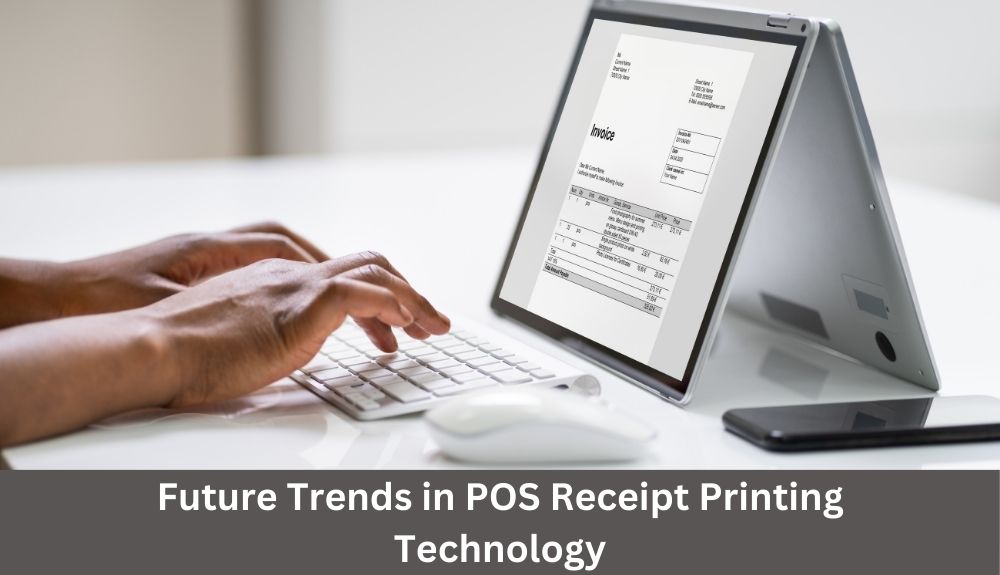
As technology continues to evolve, so does the world of point of sale (POS) receipt printing. In this section, we will explore some of the most exciting trends and innovations shaping the future of POS receipt printers.

1. Mobile Receipt Printers

With the increasing popularity of mobile devices, such as smartphones and tablets, the demand for mobile receipt printers is on the rise.

These compact printers connect wirelessly to mobile devices, allowing businesses to provide a seamless POS experience anywhere on their premises.

They are particularly beneficial for businesses that require mobility, such as food trucks, pop-up shops, and delivery services.

2. Label Printers for Enhanced Organization

Label printers are gaining traction in the retail industry as they offer improved organization and efficiency.

They can print product labels, shelf tags, and barcode labels, making inventory management and pricing tasks much easier for businesses.

Mobile label printers enable employees to print labels on the go, ensuring accuracy and saving time.

3. Integration with Cloud and Mobile POS Systems

As cloud and mobile POS systems become more prevalent, receipt printers are adapting to seamlessly integrate with these technologies.

This integration allows for real-time updates, remote management, and easy access to sales data from anywhere with an internet connection.

Printing receipts directly from a cloud or mobile POS system eliminates the need for physical connections and can significantly streamline operations.

4. RFID Printing for Efficient Tracking

Radio Frequency Identification (RFID) technology is transforming inventory management in the retail industry.

RFID printers can encode and print RFID tags that store essential product information, enabling businesses to track inventory with greater accuracy and efficiency.

By simply scanning the RFID tag, businesses can quickly retrieve detailed product information and streamline their supply chain processes.

5. Enhanced Connectivity Options

The demand for wireless connectivity in receipt printers is growing rapidly.

Bluetooth and Wi-Fi-enabled printers eliminate the need for cables, offering convenience and flexibility in various business environments.

These printers can connect seamlessly with multiple devices, allowing businesses to operate more efficiently and serve customers faster.

💡 key Takeaway: The future of POS receipt printing is all about mobility, integration, and efficiency.

Conclusion

In conclusion, choosing the right POS receipt printer is essential for any business looking to streamline their operations and provide excellent customer service. With the variety of options available in the market, it’s important to consider factors such as connectivity, printing speed, and reliability before making a decision. By investing in a high-quality POS receipt printer, you can improve efficiency, reduce errors, and enhance the overall customer experience. From thermal printers that offer fast and clear printing to wireless options that provide flexibility, there is a POS receipt printer that caters to every business need. Remember to assess your specific requirements and budget to find the perfect fit for your establishment.

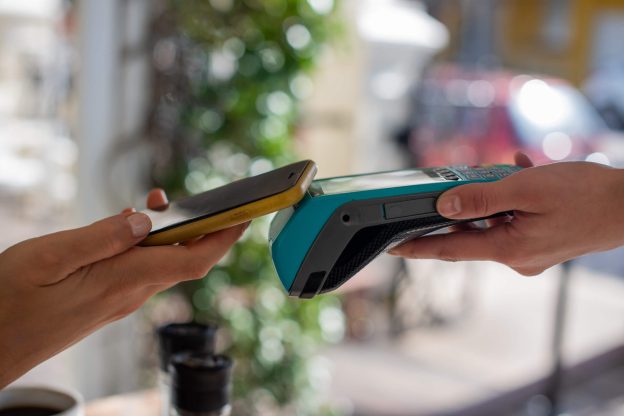
POS Systems

Power Up Your Small Business: The Best POS Systems in 2024

Are you a small business owner looking to power up your operations in 2024? If so, you’re in the right place! In today’s fast-paced world, having a reliable and efficient Point of Sale (POS) system is essential for running a successful business. But with so many options out there, how do you know which one will truly meet your needs?

In this blog, we will guide you through the best POS systems in 2024 that are specifically tailored for small businesses. Whether you own a retail store, a restaurant, or a service-based business, we’ve got you covered.

Throughout the article, we’ll discuss the top POS systems in detail, covering their features, pricing, and customer reviews. We’ll also provide you with valuable insights and expert advice to help you make an informed decision.

1. The Role of POS Systems in Small Businesses

In today’s digital age, point-of-sale (POS) systems have become an essential tool for small businesses. These systems not only facilitate transactions but also offer a range of features and benefits that can help streamline operations, improve efficiency, and enhance the overall customer experience. Let’s dive deeper into the crucial role that POS systems play in the success of small businesses.

1.1 Streamlining Sales and Transactions

POS systems are designed to automate and simplify the sales process. They enable small businesses to accurately track, record, and process transactions, ensuring that every sale is properly accounted for. With advanced features such as barcode scanning and inventory management, POS systems can streamline the checkout process and provide real-time updates on stock levels. This eliminates the need for manual inventory tracking and reduces the risk of human error.

1.2 Inventory Management and Control

Effective inventory management is essential for small businesses to optimize their operations and meet customer demands. POS systems can provide valuable insights into inventory levels, helping businesses track stock, identify popular products, and make informed purchasing decisions. By integrating with suppliers and generating automatic reorder notifications, POS systems can ensure that businesses always have the right products in stock, minimizing lost sales due to out-of-stock items.

1.3 Enhanced Customer Experience

A seamless and efficient checkout experience is crucial for maintaining customer satisfaction. Modern POS systems offer multiple payment options, including contactless payments, mobile wallets, and EMV chip cards, providing customers with convenient and secure payment methods. POS systems also enable businesses to create customer profiles and track purchase history, allowing for personalized discounts, loyalty programs, and targeted marketing campaigns. This level of customization can significantly enhance the overall customer experience and foster long-term customer loyalty.

1.4 Accurate Financial Reporting

Keeping track of financial data is vital for small businesses’ success. POS systems can generate comprehensive reports that provide valuable insights into sales, profits, inventory turnover, and other financial aspects. These reports can help businesses identify trends, assess the performance of different products or services, and make data-driven decisions to drive growth and optimize profitability.

1.5 Integration with Other Business Tools

POS systems often offer integrations with other essential business tools such as accounting software, customer relationship management (CRM) systems, and e-commerce platforms. This seamless integration allows for efficient data sharing, eliminates the need for manual data entry, and provides a unified view of the business.

2. Key Factors to Consider When Choosing a POS System

When it comes to selecting a point of sale (POS) system for your small business, there are several crucial factors that you need to consider. Choosing the right system can have a significant impact on your day-to-day operations and overall success. To ensure you make the best decision for your business, keep the following key factors in mind:

1. Business Size and Needs:

Evaluate the size of your business and its specific requirements. Determine if you need a basic system for a small shop or a more robust solution for a larger operation with multiple locations. Consider future growth and scalability as well.

2. Ease of Use:

Look for a POS system that is intuitive and user-friendly. Consider the learning curve for you and your staff. A system with a straightforward interface and easily accessible features will speed up transaction times and minimize errors.

3. Hardware Compatibility:

Check if the POS system is compatible with your existing hardware, such as cash registers, printers, and barcode scanners. This ensures a smooth integration without the need for extensive equipment upgrades.

4. Payment Processing:

Ensure the POS system supports a variety of payment methods, including credit cards, debit cards, mobile wallets, and contactless payments. It should offer seamless and secure transactions to provide convenience for both you and your customers.

5. Inventory Management:

Assess your inventory management needs and find a POS system that offers robust inventory tracking features. Look for capabilities like real-time stock updates, barcode scanning, and automated reordering to streamline your inventory management processes.

6. Reporting and Analytics:

Opt for a POS system that provides comprehensive reporting and analytics tools. These features can help you gain insights into sales trends, inventory turnover, customer behavior, and other vital data that can inform your business decisions.

7. Integration with Third-party Applications:

Consider the possibility of integrating the POS system with other essential software applications you use, such as accounting or customer relationship management (CRM) systems. This integration can streamline your operations and provide a more seamless experience.

8. Customer Support and Training:

Investigate the level of customer support offered by the POS system provider. Look for companies that provide reliable, accessible, and prompt technical support. Additionally, consider whether they offer training resources to ensure you and your staff can effectively use the system.

💡 key Takeaway: When selecting a POS system for your small business, make sure to consider your business size and needs, ease of use, hardware compatibility.

3. Cloud-Based POS Systems: Streamlining Small Business Operations

Cloud-based POS systems have revolutionized the way small businesses manage their operations. With their seamless integration of hardware and software, these systems offer unparalleled convenience and efficiency. Let’s explore the key benefits of cloud-based POS systems and how they can power up your small business.

1. Accessibility and Mobility:

One of the prominent advantages of cloud-based POS systems is their accessibility. As long as you have an internet connection, you can access your business data and manage transactions from anywhere, anytime. This flexibility is particularly valuable if you have multiple locations or need to work remotely. With cloud-based systems, you can stay connected to your business operations and make informed decisions on the go.

2. Real-time Data Insights:

Cloud-based POS systems provide real-time data insights that can drive your business growth. From sales reports to inventory management, you can access up-to-date information with just a few clicks. By analyzing this data, you can identify trends, optimize inventory levels, and streamline your overall operations. With accurate and timely information at your fingertips, you can make data-driven decisions to improve customer service, boost sales, and enhance profitability.

3. Scalability and Flexibility:

Another advantage of cloud-based POS systems is their scalability. As your small business grows, you can easily scale up your POS system to accommodate the increasing demands. Whether you need to add more registers, expand to new locations, or integrate additional functionalities, cloud-based systems offer the flexibility to adapt to your evolving needs. This scalability ensures that your POS system can keep up with your business growth without disruptions or constraints.

4. Enhanced Security:

Data security is a critical concern for any small business. Cloud-based POS systems employ robust security measures to protect your sensitive business data. These systems typically offer data encryption, regular backups, and secure server infrastructure to safeguard against potential threats. By leveraging the expertise of cloud service providers, you can ensure that your customer data, financial information, and transaction details are protected from unauthorized access.

5. Integration with Business Tools:

Cloud-based POS systems seamlessly integrate with other business tools, allowing you to streamline your operations. You can connect your POS system with accounting software, CRM platforms, or e-commerce platforms to automate processes and eliminate manual tasks. This integration ensures data consistency across different aspects of your business, reduces the risk of error, and saves valuable time and resources.

4. Mobile POS Systems: Empowering Small Business Owners On-The-Go

In today’s fast-paced business landscape, small business owners need flexible, efficient, and accessible solutions to manage their transactions and operations. That’s where mobile POS systems come into play. These innovative tools empower small business owners to conduct transactions and handle business operations on-the-go, providing convenience and flexibility like never before.

1. Streamlined Mobility:

With mobile POS systems, small business owners have the freedom to operate their businesses from anywhere. Whether you’re attending a trade show, visiting clients, or simply running errands, these systems allow you to accept payments, manage inventory, and track sales, all from the palm of your hand. No more being tied to a traditional brick-and-mortar store – mobile POS systems enable you to stay connected and in control of your business, wherever you are.

2. Flexibility for Various Business Types:

Whether you run a food truck, a retail boutique, or a service-based business, mobile POS systems cater to a wide range of industries. They offer customizable features to suit the specific needs of your business. From accepting credit card payments to managing loyalty programs, these systems provide a comprehensive solution that can adapt to your business requirements.

3. Efficient Inventory Management:

Keeping track of inventory can be a challenging task for small business owners, especially when they’re constantly on the move. Mobile POS systems simplify inventory management by allowing you to track stock levels, receive automated alerts when items are running low, and seamlessly update your inventory in real-time. This not only saves valuable time but also helps prevent stock-outs and ensures you can meet customer demands.

4. Enhanced Customer Experience:

Providing exceptional customer service is a cornerstone of any successful business. Mobile POS systems enable you to offer a seamless and personalized experience to your customers. From processing payments quickly to managing customer profiles and preferences, these systems allow you to cater to your customers’ needs efficiently, resulting in increased customer satisfaction and loyalty.

5. Data-driven Insights:

Understanding your business performance is crucial for making informed decisions. Mobile POS systems provide you with comprehensive reports, analytics, and insights on your sales, inventory, and customer behavior. This valuable data allows you to identify trends, optimize your operations, and identify growth opportunities, empowering you to make data-driven decisions and drive your business forward.

💡 key Takeaway: Mobile POS systems offer small business owners the freedom and flexibility to manage their operations on-the-go.

5. Traditional vs. Modern POS Systems: Which is Right for Your Small Business?

When it comes to choosing a point-of-sale (POS) system for your small business, one important consideration is whether to go with a traditional or modern solution. Both options have their pros and cons, so it’s essential to understand the differences to make an informed decision.

I. Traditional POS Systems

Traditional POS systems have been around for years and are often associated with cash registers and physical payment terminals. Here are some key characteristics of traditional POS systems:

1. Hardware-dependency: Traditional systems typically require dedicated hardware like cash registers, receipt printers, and barcode scanners. These physical components can take up space and require maintenance.

2. Limited mobility: Since traditional systems rely on physical hardware, they are usually fixed to a specific location. This can be a drawback if you have a business that requires mobility, such as a food truck or pop-up shop.

3. Steep learning curve: Traditional POS systems can be complex to set up and operate. Training employees on how to use the system effectively may take time and resources.

4. Robust features: On the positive side, traditional systems often come with extensive features designed to handle various aspects of business operations, including inventory management, employee tracking, and sales analytics.

II. Modern POS Systems

Modern POS systems have revolutionized the way small businesses handle transactions and manage their operations. Let’s take a look at the defining features of modern POS systems:

1. Cloud-based: Unlike traditional systems, modern POS solutions are usually cloud-based, which means that data is stored and processed online. This allows for easy access to real-time information from anywhere with an internet connection.

2. Mobility and flexibility: Modern systems often leverage mobile devices such as tablets and smartphones, allowing you to take your POS system wherever your business goes. This flexibility is especially advantageous for on-the-go businesses or those with multiple locations.

3. User-friendly interface: Modern POS systems prioritize user-friendliness and ease of use. With intuitive interfaces, staff can quickly learn how to navigate the system without extensive training.

4. Integration capabilities: Another benefit of modern systems is the ability to integrate with other business tools and software. This integration can streamline operations by syncing data across platforms, such as accounting software and inventory management systems.

6. Top POS Systems for Small Businesses in 2024

Choosing the right POS system can have a significant impact on the success of your small business. With the ever-evolving technology landscape, it’s crucial to stay updated on the top POS systems available in 2024. These systems are designed to streamline your operations, enhance customer experience, and ultimately boost your bottom line. Here are the top POS systems that small businesses should consider:

1. Square Point of Sale (POS)

With its user-friendly interface and robust features, Square POS has earned its spot as one of the leading systems for small businesses. It offers seamless integration with various hardware options, making it versatile for different business types. From inventory management to employee management, Square POS has got you covered.

2. Shopify POS

Shopify is renowned for its e-commerce platform, and their POS system is no exception. It seamlessly integrates with your online store, allowing you to manage both online and in-store sales from one centralized location. With its intuitive design and extensive customization options, Shopify POS offers a seamless and consistent shopping experience.

3. Lightspeed Retail

Lightspeed Retail is a cloud-based POS system that offers comprehensive features tailored for small businesses. It provides advanced inventory management capabilities, enabling you to streamline your stock levels across different locations. Lightspeed Retail also has built-in CRM tools, allowing you to nurture customer relationships effortlessly.

4. Toast POS

Designed specifically for the restaurant industry, Toast POS offers a comprehensive solution for small businesses in the foodservice sector. From order management to kitchen display systems, Toast POS simplifies the entire dining experience. It also boasts robust reporting and analytics, helping you make data-driven decisions to optimize your operations.

5. Revel Systems

Revel Systems is a feature-rich POS system that caters to a wide range of industries, including retail, hospitality, and quick-service restaurants. Its cloud-based platform ensures real-time data synchronization across multiple devices, making it a reliable choice for businesses with high transaction volumes. With Revel Systems, you can easily manage inventory, track sales, and gain valuable insights into your business performance.

6. QuickBooks Point of Sale

Known for its exceptional accounting software, QuickBooks also offers an excellent POS system for small businesses. QuickBooks Point of Sale seamlessly integrates with QuickBooks accounting, enabling you to maintain accurate financial records effortlessly. It facilitates streamlined payment processing and inventory management, making it a convenient choice for small businesses seeking financial coherence.

7. POS System Features That Can Boost Your Small Business

As a small business owner, finding the right point-of-sale (POS) system is crucial to streamlining your operations and maximizing your efficiency. The right POS system can do much more than just process sales transactions. It can offer a range of features and capabilities that can truly transform the way you do business. Here are seven key POS system features that can give your small business a significant boost:

1. Inventory Management: An advanced POS system should include robust inventory management capabilities. With real-time tracking and automated stock alerts, you can ensure that you never run out of popular items and avoid overstocking less popular products. This feature helps you optimize your inventory levels, minimize losses due to stockouts, and increase overall profitability.

2. Sales Reporting and Analytics: A POS system with powerful reporting and analytics tools provides valuable insights into your business’s performance. You can track sales by product, analyze customer buying patterns, identify your most profitable items, and make data-driven decisions to improve your sales strategies. These reports also help you measure the effectiveness of promotions and marketing campaigns.

3. Customer Relationship Management (CRM): The ability to manage customer information and build relationships is essential for small businesses. A POS system with a CRM feature allows you to capture customer data and preferences, track purchase history, and personalize future interactions. This enables you to provide tailored offers, improve customer satisfaction, and cultivate loyalty.

4. Integration with E-commerce Platforms: In today’s digital age, having an online presence is crucial for small businesses. Look for a POS system that integrates with popular e-commerce platforms to unify your online and offline sales channels. This integration ensures seamless inventory management, synchronized product listings, and streamlined order processing, providing a seamless shopping experience for your customers.

5. Employee Management: For businesses with multiple employees, a POS system that includes employee management features can help streamline operations. From tracking employee schedules and clock-in/out times to managing permissions and performance tracking, these features simplify staff management and ensure smooth collaboration.

6. Mobility and Offline Mode: Flexibility is key for small businesses on the go or in areas with intermittent internet connectivity. A POS system with mobile and offline capabilities allows you to process transactions, manage inventory, and access essential data even when you’re offline. This feature ensures uninterrupted operations, whether you’re participating in a trade show or experiencing internet outages.

8. Integrating POS Systems with E-commerce Platforms for Small Businesses

In today’s digital age, having an online presence is crucial for small businesses. While a powerful Point of Sale (POS) system can streamline your in-store operations, integrating it with an e-commerce platform opens up a world of opportunities for expanding your reach and increasing sales. Let’s explore the benefits and best practices of integrating POS systems with e-commerce platforms for small businesses.

1. Seamless Inventory Management:

Integrating your POS system with an e-commerce platform allows for seamless inventory management. With real-time synchronization, your online store inventory is automatically updated whenever a sale is made either in-store or online. This ensures accuracy and prevents overselling, providing a smooth experience for both you and your customers.

2. Omni-channel Customer Experience:

By integrating your POS system with an e-commerce platform, you can offer a seamless omni-channel customer experience. Customers can browse products, make purchases, and even return or exchange items across multiple channels, whether it’s through your physical store or online. This enhances customer satisfaction and loyalty, as they have the freedom to choose how they interact with your business.

3. Centralized Sales Reporting:

E-commerce integration allows for centralized sales reporting, giving you a holistic view of your business performance. With a single dashboard, you can track sales, monitor inventory levels, and analyze customer behavior across all channels. This valuable data can inform your marketing strategies, inventory planning, and overall business decisions.

4. Increased Efficiency:

Integrating your POS system with an e-commerce platform streamlines your operations, saving you time and effort. With automated order processing, inventory updates, and customer data management, you can focus on core business activities rather than manual tasks. This increased efficiency enables you to scale your business without sacrificing quality or customer satisfaction.

5. Enhanced Marketing Opportunities:

With an integrated POS and e-commerce system, you have access to a wealth of marketing opportunities. By leveraging customer data, such as purchase history and preferences, you can personalize marketing campaigns, recommend related products, and offer tailored promotions. This targeted approach significantly increases your chances of driving repeat purchases and boosting customer engagement.

💡 key Takeaway: Integrating POS systems with e-commerce platforms for small businesses provides streamlined inventory management, omni-channel customer experience, centralized sales reporting, increased efficiency, and enhanced marketing opportunities.

9. The Future of POS Systems: Trends and Innovations

As technology continues to evolve, so does the landscape of point-of-sale (POS) systems. In this section, we’ll explore the latest trends and innovations shaping the future of POS systems in 2024. Stay ahead of the curve and discover the exciting possibilities that lie ahead.

1. Mobile Integration: The Rise of mPOS

With the widespread adoption of smartphones and tablets, mobile point-of-sale (mPOS) systems are becoming increasingly popular. These systems allow businesses to process payments and manage transactions on mobile devices, providing flexibility and convenience. As consumer preferences shift towards contactless payments and on-the-go transactions, integrating mPOS solutions into your small business can streamline operations and enhance customer experience.

2. Cloud-Based Solutions for Seamless Integration

Cloud-based POS systems have revolutionized the way businesses manage their operations. These solutions store data securely in the cloud, eliminating the need for on-site servers and reducing the risk of data loss. With real-time syncing across multiple devices, cloud-based POS systems enable seamless integration between in-store and online sales channels. This not only ensures accurate inventory management but also provides valuable insights into customer behavior and purchasing patterns for informed decision-making.

3. AI-Powered Analytics for Data-driven Insights

Artificial Intelligence (AI) is reshaping the retail industry, and POS systems are no exception. AI-powered analytics can analyze vast amounts of data, generating actionable insights to improve business performance. From identifying sales trends to predicting customer preferences, AI can help small businesses optimize their marketing strategies, streamline inventory management, and tailor personalized experiences for customers. Embracing AI technologies in your POS system can give you a competitive edge in the marketplace.

4. Enhanced Security with Biometric Authentication

As cyber threats continue to evolve, ensuring the security of customer data is paramount. Biometric authentication, such as fingerprint or facial recognition, is gaining traction in POS systems to verify user identity securely. By implementing biometric authentication, businesses can protect sensitive customer information and mitigate the risk of fraudulent activities. The future of POS systems lies in providing a seamless and secure payment experience for both businesses and consumers.

5. Integration with Online Marketplaces

In an increasingly interconnected digital landscape, integrating POS systems with online marketplaces is crucial for small businesses. This integration enables businesses to sync inventory, automate order processing, and manage customer data across multiple platforms. By seamlessly bridging the gap between physical stores and online channels, businesses can reach a broader customer base.

10. Scaling Up Your Small Business with the Right POS System

When it comes to scaling up your small business, choosing the right Point of Sale (POS) system is crucial. A reliable and efficient POS system can streamline your operations, enhance customer service, and boost your overall growth. In this section, we will explore the key considerations to keep in mind when selecting a POS system that aligns with your business needs and goals.

1. Evaluate Your Business Requirements

Before diving into the sea of available POS systems, it’s essential to evaluate your business requirements. Consider factors such as the size of your business, the number of transactions you handle daily, the types of products or services you offer, and your long-term growth plans. Knowing your specific needs will help you narrow down your options and find a system that caters to your unique business demands.

2. Scalability and Flexibility

As your small business grows, your POS system should be able to keep up with the increasing demands. Look for a solution that offers scalability and flexibility, allowing you to add additional terminals, support multiple locations, and accommodate future expansion seamlessly. This will save you the hassle and costs of having to switch to a different system as your business evolves.

3. Integration Capabilities

Efficient integration with other essential systems, such as inventory management, accounting, and customer relationship management (CRM) software, is a key aspect to consider. A POS system that integrates smoothly with your existing or desired systems can streamline your workflow, eliminate manual data entry, and provide you with accurate real-time insights into your business operations.

4. User-Friendly Interface and Training

A user-friendly interface is crucial for your employees to quickly learn and navigate through the POS system. Look for a system that offers an intuitive interface, customizable menus, and easy-to-use features. Additionally, consider the availability of training resources, whether it be comprehensive user manuals, online tutorials, or responsive customer support, to ensure a smooth transition for your staff.

5. Security and Compliance

Security should be a top priority when selecting a POS system, especially when handling sensitive customer information and processing payments. Look for a system that offers robust security measures such as encryption, tokenization, and EMV compliance. Additionally, ensure that the system adheres to industry standards and regulations, such as the Payment Card Industry Data Security

Conclusion

In conclusion, choosing the right POS system can have a significant impact on the success of your small business in 2024. With advanced features and intuitive interfaces, the best POS systems listed in this blog offer a range of benefits to streamline your operations and boost your bottom line. Whether you own a retail store, restaurant, or salon, finding a POS system that meets your specific needs is crucial. Investing in a POS system is an investment in the future of your business. From inventory management and sales reporting to customer relationship management and employee scheduling, these systems offer a comprehensive solution to help you stay organized and efficient.

Point of Sale

Mastering Point of Sale (POS): Insider Tips and Strategies

Are you ready to level up your business with the power of a flawless Point of Sale (POS) system? Imagine streamlining your operations, enhancing customer experiences, and boosting your profits—all at your fingertips. With the right POS strategy, you can turn your cash register into a powerhouse business tool.

But where do you start? Don’t worry, we’ve got you covered. In this blog, we’ll guide you through the essential tips and insider strategies to master your POS system like a pro. Whether you’re a small business owner venturing into the world of POS for the first time or a seasoned entrepreneur looking to optimize your existing system, this is the ultimate resource for you.

1. Understanding Point of Sale (POS) Systems

Point of Sale (POS) systems play a crucial role in the smooth operations of businesses across different industries. In this section, we will dive deep into the fundamentals of POS systems, exploring how they work and the essential components that make up these modern solutions.

1. What is a Point of Sale (POS) System?

A POS system is a software and hardware combination that enables businesses to process transactions and manage their sales operations efficiently. It serves as the central hub where various business processes converge, including sales, inventory management, and customer relationship management.

2. How Do POS Systems Work?

POS systems are designed to streamline the entire checkout process, from scanning products to accepting payments and generating receipts. Here’s a step-by-step breakdown of how a typical POS system works:

a. Scanning Products: A barcode scanner is used to scan the barcodes on the products. It quickly retrieves product information and adds it to the sales transaction.

b. Accepting Payments: POS systems are equipped with different payment options, including credit card readers and mobile device payment integrations. These allow customers to conveniently make payments using their preferred method.

c. Integration with Cash Drawer: Once the payment is accepted, the POS system triggers the opening of the cash drawer, providing the business owner or cashier access to the necessary change for cash transactions.

d. Generating Receipts: A receipt printer is connected to the POS system, which prints out detailed receipts for customers. These receipts contain information such as the items purchased, total amount, and any applicable discounts.

3. Key Components of a POS System

Modern POS systems consist of various components that work together to create an efficient and effective point of sale experience. Here are some essential components of a typical POS system:

a. POS Software: The backbone of the system, POS software controls all the functions and processes involved in sales and inventory management. It provides a user-friendly interface for business owners and employees to carry out transactions swiftly.

b. POS Hardware: This includes the necessary equipment to support the software, such as barcode scanners, receipt printers, cash drawers, card readers, and mobile devices. Each component plays a specific role in facilitating different aspects of the sales process.

c. Cloud-Based System: Many modern POS solutions leverage cloud technology to store and manage data. This allows for real-time syncing across multiple devices and locations, making it particularly useful for businesses with online stores or those operating across various channels.

2. The Working Mechanism of Point of Sale (POS) Systems

A point of sale (POS) system is an essential tool for businesses of all sizes, ranging from small retail stores to large restaurants. Understanding how these systems work is crucial for business owners to effectively manage their operations and provide a seamless checkout experience for their customers.

2.1 Components of a POS System

A POS system consists of several components that work together to facilitate transactions and streamline business operations. These components may vary depending on the type of business and its specific needs. Here are the key components typically found in a modern POS system:

1. POS Software: The software is the brain of the system. It enables the processing of transactions, tracks inventory, generates reports, and manages customer data. Cloud-based POS software offers the advantage of remote access, allowing business owners to monitor their operations from anywhere with an internet connection.

2. Hardware: POS hardware includes devices such as barcode scanners, receipt printers, cash drawers, and card readers. These components are essential for scanning products, printing receipts, handling cash transactions, and processing credit card payments.

3. Mobile Devices: With the rise of mobile technology, many businesses now use tablets or smartphones as POS devices. These sleek and portable devices offer flexibility and convenience, allowing staff members to take orders and process transactions on the go.

4. Inventory Management: A critical feature of a POS system is inventory management. It enables business owners to keep track of stock levels, automatically update inventory when sales are made, and receive alerts for low stock. This feature helps optimize ordering and reduces the likelihood of running out of popular items.

5. Customer Relationship Management (CRM): A POS system with CRM capabilities allows businesses to gather customer data, track purchase history, and provide personalized offers or loyalty rewards. This data-driven approach enhances customer satisfaction and promotes customer retention.

2.2 The Checkout Process

When a customer approaches the checkout counter, the POS system springs into action. Here’s a step-by-step breakdown of the typical checkout process:

1. Scanning Products: The cashier or sales associate uses a barcode scanner to scan the product’s barcode, instantly retrieving product details and pricing from the system’s database. This ensures accurate pricing and eliminates manual errors.

2. Payment Processing: The customer can choose to pay using various methods, including cash, credit cards, or mobile wallets. When using a credit card, the card reader securely captures the payment information and processes the transaction.

3. Benefits of Implementing a Point of Sale (POS) System

A Point of Sale (POS) system is an essential tool for any business, regardless of its size or industry. Implementing a POS system can bring numerous benefits that can streamline your operations, enhance customer experience, and boost overall productivity. Here are some of the key advantages of integrating a POS system into your business:

1. Improved Efficiency and Accuracy:

With a POS system in place, you can automate various manual processes, such as inventory management, sales tracking, and reporting. This automation reduces the chances of human error and allows for faster and more accurate transactions.

Scanning barcodes using a barcode scanner speeds up the checkout process, eliminating the need for manual entry and reducing the possibility of errors.

2. Enhanced Inventory Management:

A well-designed POS system provides real-time visibility into your inventory levels, allowing you to track stock levels accurately and manage reorder points efficiently. This feature helps to prevent stockouts and overstock situations, optimizing your inventory management.

By integrating a POS system with your online store, you can synchronize inventory levels across different sales channels, ensuring accurate stock availability information to customers.

3. Streamlined Payment Processing:

POS systems enable businesses to accept a variety of payment methods, including credit cards, cash, and mobile payments, providing convenience to customers and increasing sales opportunities.

With a cash drawer integrated into your POS system, cash transactions can be securely managed, reducing the risk of errors or theft.

POS systems with integrated card readers ensure secure and efficient credit card processing, enhancing customer trust in your business.

4. Customized Reporting and Analytics:

A POS system generates comprehensive reports and analytics, giving you valuable insights into your business performance. You can track sales trends, identify top-selling products, monitor employee performance, and spot areas for improvement.

Utilizing these reports, you can make data-driven decisions to optimize your business operations, identify opportunities for growth, and refine your marketing strategies.

5. Improved Customer Relationship Management:

A POS system allows you to capture customer data, such as contact information, purchase history, and preferences. This information enables you to build personalized customer profiles and provide a more tailored shopping experience.

4. Essential Components of a Point of Sale (POS) System

A point-of-sale (POS) system is a crucial tool for businesses in various industries, enabling efficient and streamlined transactions. To maximize its effectiveness, it’s important to understand the essential components that make up a comprehensive and functional POS system. Let’s explore these components in detail:

I. Hardware Components:

a. POS Terminal: This is the main device that consists of a computer with a touchscreen interface, allowing business owners and staff to input and process transactions.

b. Barcode Scanner: A barcode scanner reads the barcode on products, enabling quick and accurate item identification during the checkout process.

c. Cash Drawer: The cash drawer is used to securely store cash, coins, and other tender received from customers.

d. Receipt Printer: This component generates clear and professional receipts for customers, providing them with a record of their purchase.

e. Card Reader: A card reader allows businesses to accept credit card payments seamlessly, offering convenience to customers.

f. Mobile Device: A mobile POS system allows businesses to process transactions using a smartphone or tablet, providing flexibility and mobility.

II. Software Components:

a. POS Software: The POS software is the brain behind the system, managing inventory, sales data, and customer information. It also facilitates the checkout process and generates reports for business analysis.

b. Inventory Management: An integral part of POS software, inventory management enables businesses to track stock levels, automate reordering processes, and monitor product performance.

c. Customer Relationship Management (CRM): A CRM component within the POS system helps businesses build and maintain customer relationships by storing customer information, purchase history, and preferences.

d. Cloud-Based System: Cloud-based POS systems store data securely on remote servers, allowing real-time access to information from any location with an internet connection.

III. Integration:

a. Online Store Integration: Some POS systems seamlessly integrate with online stores, providing a unified inventory management and sales platform for both physical and online storefronts.

b. Omnichannel POS System: An omnichannel POS system connects multiple sales channels, such as physical stores, online marketplaces, and mobile applications, offering a seamless shopping experience for customers.

With these essential components, a well-designed POS system can significantly enhance the efficiency and productivity of businesses, regardless of their size or industry.

💡 key Takeaway: Understanding the essential components of a POS system, including hardware, software, and integration capabilities.

5. Choosing the Right Point of Sale (POS) System for Your Business

Selecting the right Point of Sale (POS) system for your business is a crucial decision that can greatly impact your operations and overall success. With a wide range of options available, it’s important to consider several key factors before making your choice. Let’s explore the essential aspects to consider when choosing a POS system.

1. Evaluate Your Business Needs: Assessing your specific requirements is the first step in narrowing down the options. Consider factors such as the size of your business, the type of products or services you offer, and the volume of transactions you handle on a daily basis. This analysis will help you determine the features and capabilities that are essential for your business.

2. Scalability and Flexibility: Ensure that the POS system you choose can scale with your business as it grows. Look for a solution that allows you to easily add new locations, products, or services. Flexibility is key, as it enables you to adapt to changing market trends and customer demands.

3. Integration Capabilities: In today’s digital landscape, integration with other business systems is crucial. Look for a POS system that seamlessly integrates with your existing software, such as inventory management, customer relationship management (CRM), accounting, and e-commerce platforms. This integration streamlines operations and enables efficient data sharing.

4. User-Friendly Interface: A user-friendly interface is essential to ensure smooth and efficient operations. Look for a POS system that is intuitive and easy to learn, reducing training time for your staff. This will help minimize errors and ensure a positive customer experience.

5. Security Features: In an era of increasing cyber threats, data security is of utmost importance. Choose a POS system that offers robust security measures to protect sensitive customer information, including encryption, secure payment processing, and user access controls. Additionally, compliance with industry standards, such as the Payment Card Industry Data Security Standard (PCI DSS), should be considered.

6. Technical Support and Updates: Opt for a POS system provider that offers reliable technical support to address any potential issues or questions that may arise. Regular software updates are also important to ensure your system remains up-to-date with the latest features and security patches.

7. Cost and Pricing Structure: Consider the total cost of ownership, including hardware, software licensing, transaction fees, and ongoing support costs. Evaluate the pricing structure and choose a solution that aligns with your budget while offering all the necessary features and support.

6. Strategies for Effective Use of Point of Sale (POS) Systems

A properly utilized Point of Sale (POS) system can greatly enhance the efficiency and profitability of your business. Here are some insider strategies to ensure you get the most out of your POS system:

1. Streamline the Checkout Process:

Implement barcode scanners and modern POS software to expedite the checkout process, reducing customer waiting times.

Organize your products in a logical manner within your POS system to speed up transactions.

Utilize a cloud-based POS system to access real-time sales data and inventory levels across multiple locations.

2. Optimize Inventory Management:

Take advantage of the inventory management features provided by your POS system to maintain accurate stock levels.

Set up automatic notifications for low stock items to ensure timely reordering.

Analyze sales reports from your POS system to identify fast-selling products and adjust your inventory accordingly.

3. Maximize Customer Relationship Management (CRM):

Leverage your POS system to gather customer data, including contact information and purchase history.

Use this data to personalize the shopping experience and offer targeted promotions or loyalty rewards.

Implement customer feedback mechanisms within your POS system to gather valuable insights for improving your products or services.

4. Integrate Online and Offline Sales:

If you have an online store, choose a POS system that seamlessly integrates with your e-commerce platform.

Enable centralized inventory management across online and physical stores to avoid overselling or stockouts.

Provide customers with the convenience of multiple payment options, including credit card payments, through your POS system.

5. Enhance Security Measures:

Protect your business and customers by choosing a POS system with robust security features.

Utilize encryption technology to safeguard sensitive customer information during payment transactions.

Ensure your POS system is PCI-DSS compliant to meet industry standards and mitigate the risk of data breaches.

6. Stay Up-to-Date with POS Hardware:

Regularly assess the performance of your POS hardware components, such as the cash drawer, receipt printer, and card reader.

Upgrade outdated hardware to optimize efficiency and ensure compatibility with new features or updates.

Maintain a reliable internet connection to keep your cloud-based POS system running smoothly.

💡 key Takeaway: By implementing effective strategies such as streamlining the checkout process, optimizing inventory management, maximizing CRM capabilities, integrating online and offline sales, enhancing security measures, and staying up-to-date with POS.

7. Integrating Point of Sale (POS) Systems with Your Online Store

In today’s digital age, it’s essential for businesses to have an online presence. While a physical point of sale (POS) system is crucial for brick-and-mortar stores, integrating it with your online store can take your business to a whole new level. By seamlessly connecting your POS and online store, you can streamline operations, improve customer experience, and boost sales. Here are some insider tips and strategies to successfully integrate your POS system with your online store:

1. Choose a compatible POS system: Before you can integrate your POS with your online store, ensure that your chosen POS system is compatible with e-commerce platforms or website builders. Look for POS systems that offer seamless integration and have a dedicated app or plugin for your specific e-commerce platform.

2. Sync inventory in real-time: Keeping track of inventory is crucial for any business. When integrating your POS system with your online store, make sure that inventory levels are updated in real-time across both platforms. This ensures that you don’t oversell products, resulting in disappointed customers or unnecessary refunds.

3. Streamline checkout process: One of the key benefits of integrating your POS system with your online store is the ability to offer a seamless checkout process. Customers should be able to make purchases online and in-store using the same card reader or payment gateway. This not only reduces friction for customers but also simplifies your accounting and reporting processes.

4. Centralized customer data: Integrating your POS system with your online store allows you to centralize customer data. This means that whether a purchase is made online or in-store, all customer information, including contact details, purchase history, and preferences, is stored in a single system. This helps you personalize marketing campaigns, offer targeted discounts, and provide better customer service.

5. Leverage omnichannel capabilities: An integrated POS system and online store enable you to offer a true omnichannel experience to your customers. For example, you can allow customers to order online and pick up in-store, or offer in-store returns for online purchases. This flexibility enhances customer satisfaction and builds brand loyalty.

6. Ensure data security: When integrating your POS system with your online store, it’s essential to prioritize data security. Choose a POS provider that offers robust encryption, secure payment gateways, and PCI compliance. Protecting customer information builds trust and confidence in your business.

8. Tips for Efficiently Managing Inventory with Point of Sale (POS) Systems

When it comes to running a successful business, efficient inventory management is crucial. With the help of a Point of Sale (POS) system, you can streamline your inventory processes and ensure that you always have the right products in stock. In this section, we will explore some valuable tips and strategies for efficiently managing inventory using a POS system.

1. Utilize Barcode Scanners:

One of the key advantages of a POS system is its ability to integrate with barcode scanners. By scanning barcodes, you can quickly and accurately track inventory levels and avoid the errors and time-consuming process of manual data entry. This not only saves time but also reduces the chances of human error, leading to improved inventory accuracy.

2. Leverage Cloud-Based POS Systems:

Cloud-based POS systems offer several benefits for inventory management. They allow you to access real-time inventory data from anywhere, ensuring that you have the most up-to-date information. Additionally, cloud-based systems enable better synchronization across multiple locations, making it easier to manage inventory for businesses with multiple branches or online stores.

3. Implement Automated Stock Alerts:

With a POS system, you can set up automated stock alerts that notify you when your inventory reaches a specific threshold. This proactive approach ensures that you are aware of low stock levels and can replenish inventory in a timely manner, preventing stock outs and missed sales opportunities.

4. Optimize the Checkout Process:

Efficiently managing inventory goes hand-in-hand with a smooth checkout process. Configure your POS system to prompt cashiers to scan products at the point of sale, ensuring accurate inventory deductions. Additionally, utilize features such as suggested upsells or cross-sells to boost sales while managing inventory.

5. Monitor Inventory Levels and Demand Patterns:

Regularly analyze your inventory levels and track demand patterns to make informed inventory management decisions. A POS system provides you with detailed reports and analytics that showcase product performance, allowing you to identify slow-moving items, optimize reorder quantities, and align your inventory with customer demand.

6. Integrate with Customer Relationship Management (CRM) Software:

By integrating your POS system with CRM software, you can gain valuable insights into customer purchasing behavior. This integration enables you to identify popular products, track customer preferences, and personalize promotions, ultimately leading to more accurate inventory forecasts and improved customer satisfaction.

9. Security Measures to Protect Point of Sale (POS) Systems

As technology continues to advance, so do the potential threats to the security of your Point of Sale (POS) system. To safeguard your business and protect sensitive customer data, it is crucial to implement robust security measures. Here are some important steps you can take to fortify your POS system:

1. Keep your software up to date: Regularly update your POS software with the latest patches and security fixes. This ensures that any vulnerabilities in the software are addressed and fixed promptly, reducing the risk of exploitation by malicious actors.

2. Use strong passwords: A weak password exposes your system to potential breaches. Enforce the use of strong passwords that are unique and difficult to guess. Encourage employees to use a combination of lowercase and uppercase letters, numbers, and special characters.

3. Enable two-factor authentication (2FA): This additional layer of security provides an extra step for user verification. By implementing 2FA, users are required to enter a unique code, typically sent to their mobile device, in addition to their password. This significantly reduces the risk of unauthorized access.

4. Educate staff on security best practices: Human error contributes to a significant portion of security breaches. Train your employees on safe browsing habits, social engineering awareness, and the importance of handling customer data securely. Regularly remind them of the risks and provide ongoing training to reinforce security protocols.

5. Encrypt sensitive data: Protect customer data by encrypting it both in transit and at rest. This ensures that even if the data is intercepted or stolen, it remains unreadable and unusable to unauthorized individuals.

6. Install reputable antivirus software: Deploy a robust antivirus solution that provides real-time protection against malware, spyware, and other malicious programs. Regularly update the antivirus software and perform full system scans to detect and remove any potential threats.

7. Restrict access based on roles: Grant access to your POS system on a need-to-know basis. Implement user roles and permissions to restrict access to sensitive areas. This ensures that employees only have access to the functions and data necessary for their responsibilities.

8. Regularly monitor system logs: Keep a close eye on system logs to detect any suspicious activities or unauthorized access attempts. Implement a centralized logging system that aggregates logs from multiple devices for easier monitoring and analysis.

10. Keeping Up with the Latest Trends in Point of Sale (POS) Systems

Point of Sale (POS) systems have come a long way in recent years, evolving to meet the ever-changing needs of businesses in various industries. Staying up to date with the latest trends in POS systems is crucial for business owners who want to maximize efficiency, streamline operations, and provide an exceptional customer experience. In this section, we will explore the key trends shaping the future of POS systems and how they can benefit your business.

1. Cloud-Based POS Systems:

Cloud-based POS systems have revolutionized the way businesses handle their sales transactions. They offer the advantage of storing data on secure remote servers, eliminating the need for costly on-site infrastructure. With a cloud-based POS system, you can access real-time sales data and analytics from anywhere with an internet connection. This allows for better inventory management, simplified multi-store operations, and improved scalability as your business grows.

2. Mobile Device Integration:

In today’s fast-paced world, mobility is key. POS systems now offer seamless integration with mobile devices like smartphones and tablets. This enables business owners and employees to process transactions, check inventory, and manage customer relationships on the go. Whether you’re a food truck owner, a retail store manager, or a restaurant owner, mobile device integration can boost efficiency and offer a more personalized customer experience.

3. Omni-Channel Capabilities:

Consumers now expect a seamless shopping experience across multiple channels, whether it’s in-store, online, or through social media. POS systems with omni-channel capabilities allow businesses to synchronize their inventory, sales, and customer data across different channels. This enables customers to make purchases, redeem rewards, and interact with your brand in a consistent and cohesive manner. By providing a unified experience, you can strengthen customer loyalty and drive sales.

4. Improved Data Analytics:

Data is the backbone of any successful business strategy. POS systems now offer advanced data analytics tools that provide valuable insights into sales trends, customer behavior, and inventory levels. By analyzing this data, business owners can make informed decisions regarding pricing, inventory management, and marketing campaigns. Harnessing the power of data analytics can give you a competitive edge in the market and help you meet customer demands more effectively.

5. Enhanced Security:

With data breaches and security threats becoming more prevalent, businesses need robust security measures in place to protect customer information and maintain the trust of their clientele.

Conclusion

In conclusion, mastering the point of sale (POS) system is crucial for any business in today’s competitive market. By implementing the insider tips and strategies discussed in this blog, you can significantly enhance your POS operations and maximize your overall efficiency and productivity. First and foremost, selecting the right POS system is essential. Consider your specific business requirements, such as the type of transactions, inventory management, and reporting capabilities. By investing in a reliable and user-friendly POS system, you can streamline your daily operations and better serve your customers. Next, make sure to train your staff effectively on how to use the POS system. Provide comprehensive training sessions to ensure that everyone understands its features and functionalities. This will not only result in smoother transactions but also enhance customer satisfaction.

Point of Sale

Maximize Your Sales Potential: Introducing Open Source Point of Sale Systems

Are you looking to maximize your sales potential? Imagine having a streamlined and efficient point of sale system that not only simplifies transactions but also boosts your profitability. If you’re in the market for a new POS system, you’re in luck! In this blog, we will introduce you to eight powerful open-source point of sale systems that can revolutionize the way you do business. From intuitive interfaces to advanced reporting features, these systems offer a range of benefits for small and large businesses alike.

So why should you consider an open-source POS system? The answer lies in its flexibility and adaptability. With open-source software, you have the freedom to customize and tailor the system to suit your unique needs. Say goodbye to costly proprietary solutions and hello to open-source possibilities.

Throughout this article, we will delve into the features, benefits, and drawbacks of each system, helping you make an informed decision. Whether you’re a retail store, restaurant, or service-based business, finding the right POS system is crucial to your success. Join us as we explore the top open-source options to revolutionize your sales process.

1. Open Source Point of Sale Systems: An Overview

Open source point of sale (POS) systems have emerged as powerful tools for businesses looking to streamline their sales processes. With the ability to customize and adapt the software to fit specific business needs, these systems offer a cost-effective and flexible solution.

Benefits of Open Source POS Systems:

1. Cost Savings: Open source POS systems eliminate the need for expensive licensing fees typically associated with proprietary systems. This can result in significant cost savings for businesses, especially for small and medium-sized enterprises.

2. Customization: One of the key advantages of open source POS systems is the freedom to customize the software according to specific business requirements. This flexibility allows businesses to tailor the system to their unique workflows and processes, enhancing efficiency and productivity.

3. Community Support: Open source projects often have active and dedicated communities of developers and users. This means there is a wealth of resources available for troubleshooting, support, and updates. Businesses can tap into this collective knowledge to ensure smooth system operation.

4. Scalability: Open source POS systems are designed to grow with your business. As your sales volume and operations expand, these systems can easily accommodate the increased workload, making them a reliable choice for businesses with ambitious growth plans.

5. Integration Capabilities: Open source POS systems typically offer seamless integration with other software solutions, such as inventory management, accounting, and customer relationship management (CRM) systems. This integration streamlines various business processes, improving overall efficiency.

6. Security: Contrary to common misconceptions, open source software can be highly secure. With a large community constantly scrutinizing the code and identifying vulnerabilities, security issues can be quickly addressed. Additionally, businesses have the option to implement additional security measures to enhance protection.

7. Freedom of Hardware Choice: Open source POS systems are not limited to specific hardware options. Businesses can choose from a wide range of hardware devices, including tablets, smartphones, card readers, and receipt printers. This freedom gives businesses the flexibility to select the most suitable and cost-effective hardware for their specific needs.

8. Continuous Development: Open source projects are continuously evolving, with updates and enhancements being released regularly. This ensures that your POS system is up to date with the latest features and improvements, keeping your business at the forefront of technological advancements.

💡 key Takeaway: Open source point of sale systems offer numerous benefits, including cost savings, customization options, community support, scalability, integration capabilities, and hardware flexibility.

2. Advantages of Open Source Point of Sale Systems

Open source point of sale (POS) systems have gained popularity in recent years due to their numerous advantages. Let’s explore some of the key benefits they offer:

1. Cost-effectiveness:

Open source POS systems are typically free to use, allowing businesses to save on software licensing fees.

They also eliminate the need for costly proprietary hardware, as they can run on standard off-the-shelf devices such as PCs, tablets, or smartphones.

2. Customizability:

Open source POS systems provide businesses with the flexibility to customize the software according to their specific needs.

This means that businesses can tailor the system to their unique workflows, menu options, inventory management, and reporting requirements.

3. Community support:

Open source projects thrive on community collaboration and support. With a large and active user community, businesses can benefit from regular updates, bug fixes, and new features contributed by the community members.

This community-driven approach also means that businesses can tap into a wealth of knowledge and expertise from other users and developers.

4. Enhanced security:

Many open source POS systems are supported by a large community of developers who actively review and test the code for vulnerabilities.

Businesses can benefit from regular security updates and patches, reducing the risk of potential breaches and ensuring the safety of sensitive customer data.

5. Scalability:

Open source POS systems are designed to support businesses of all sizes, from small local shops to large retail chains.

As your business grows, you can easily scale the system by adding more devices or expanding its functionality to meet your evolving needs.

6. Integration capabilities:

Open source POS systems are built with flexibility in mind, allowing seamless integration with other business tools and software.

This means that you can connect your POS system to your accounting software, inventory management system, or e-commerce platform, streamlining operations and improving efficiency.

7. Independence from vendors:

Using an open source POS system gives businesses the freedom to choose their own hardware and service providers.

This eliminates vendor lock-in and ensures that you are not tied to a specific company for ongoing support or upgrades.

8. Transparency and control:

With open source software, businesses have full visibility into the code and can make modifications as needed.

This level of transparency provides businesses with a greater sense of control and the ability to address issues quickly and efficiently.

3. Key Features to Look for in Open Source Point of Sale Systems

When it comes to choosing an open source Point of Sale (POS) system for your business, it’s crucial to consider the key features that will help you maximize your sales potential. Here are some important factors to keep in mind:

1. Inventory Management: A robust inventory management feature is essential for any POS system. Look for a system that allows you to easily track and manage your inventory in real-time. This will enable you to stay updated on stock levels, set up automatic inventory alerts, and make informed purchasing decisions.

2. Sales Analytics and Reporting: Being able to analyze sales data is vital for any business. Look for a POS system that provides comprehensive reporting and analytics capabilities. This will allow you to track sales trends, identify top-selling products, evaluate employee performance, and make data-driven decisions to boost your sales.

3. Easy-to-Use Interface: The usability of the POS system is important for both your employees and customers. Ensure that the system has a user-friendly interface that is intuitive and easy to navigate. This will minimize training time for your staff and enhance the overall customer experience.

4. Integrations and Customization: Consider a POS system that can integrate with other tools, such as accounting software, CRM systems, or e-commerce platforms. This will streamline your business operations and enable seamless data synchronization. Additionally, look for a system that allows customization, so you can tailor the software to meet your specific business needs.

5. Security and Payment Options: Security is paramount when it comes to handling customer payment information. Look for a POS system that offers encrypted payment processing and adheres to industry security standards. Additionally, ensure that the system supports multiple payment options, such as credit cards, mobile wallets, and contactless payments, to provide convenience to your customers.

6. Scalability and Support: As your business grows, you need a POS system that can scale with your requirements. Choose a system that is flexible and can accommodate additional users, locations, and touchpoints. Additionally, consider the support provided by the POS vendor, including training, troubleshooting, and software updates.

💡 key Takeaway: When selecting an open source Point of Sale system, consider key features such as inventory management, sales analytics, usability, integrations, security, scalability, and support to maximize your sales potential and enhance your business operations.

4. Factors to Consider When Choosing an Open Source Point of Sale System

When it comes to choosing the right open source point of sale (POS) system for your business, there are several factors that you should consider. Making an informed decision will ensure that you maximize your sales potential and streamline your operations. Here are 12 key factors to keep in mind:

1. Business Size: Consider the size of your business and the number of locations you have. Some POS systems are better suited for small businesses, while others are more scalable for larger enterprises.

2. Customization: Assess the level of customization offered by the POS system. It should be flexible enough to meet your specific business needs, allowing you to customize features, workflows, and integrations.

3. User-Friendliness: Look for a system that is intuitive and easy to use for both your employees and customers. A user-friendly interface can minimize training time and reduce errors during transactions.

4. Integration Capabilities: Consider how well the POS system integrates with other business tools, such as accounting software, inventory management systems, and customer relationship management (CRM) platforms. Seamless integration can streamline your operations and provide a holistic view of your business.

5. Hardware Compatibility: Examine the hardware requirements of the POS system. Ensure that it is compatible with the devices you currently use or plan to use in the future, such as tablets, barcode scanners, receipt printers, and cash drawers.

6. Payment Processing Options: Evaluate the payment processing options offered by the POS system. It should support various payment methods, including credit and debit cards, mobile wallets, and contactless payments.

7. Reporting and Analytics: Check the reporting and analytics capabilities of the POS system. It should provide you with insightful data on sales trends, inventory levels, employee performance, and customer behavior. These insights can help you make informed business decisions.

8. Security Features: Data security is crucial when handling customer payment information. Ensure that the POS system adheres to industry-standard security protocols and offers features like encrypted transactions and secure user authentication.

9. Scalability: Consider the future growth potential of your business. The chosen POS system should be able to scale with your business and accommodate additional locations, expanding product catalogs, and increased transaction volumes.

10. Technical Support: Evaluate the level of technical support provided by the POS system vendor. Quick and reliable technical assistance can minimize downtime and ensure smooth day-to-day operations.

Conclusion

In conclusion, incorporating an open source Point of Sale (POS) system can greatly enhance your sales potential. With a range of options available, including systems like Odoo, Loyverse, and Floreant, you have the flexibility to choose a solution that best fits your business needs. These systems offer a host of features, such as inventory management, customer data tracking, and sales reporting, ensuring that you have all the tools necessary to streamline your operations and maximize profits. By leveraging open source software, you not only save money on expensive licensing fees but also gain the advantage of a vibrant developer community continually improving and updating these POS systems.