POS fraud is one of the fastest ways for a business to lose money quietly, repeatedly, and with painful ripple effects—chargebacks, inventory shrink, payroll disputes, brand damage, and compliance headaches.
What makes POS fraud so dangerous is that it hides in normal-looking transactions: a “routine” refund, a small discount, a void at the end of a shift, or a manual entry that never should have happened.
Internal theft often overlaps with POS fraud because the POS system is where cash, card, inventory, and accountability collide. If controls are weak, the POS becomes an easy “money printer” for a dishonest employee—or a soft target for outside criminals using skimmers, credential stuffing, or social engineering.
Preventing POS fraud requires more than installing cameras or running end-of-month reports. You need layered controls: secure configuration, role-based access, modern authentication, transaction governance, monitoring, and a culture that makes fraud harder to rationalize.
You also need to align your program with standards and regulators that shape payment and data-security expectations—especially PCI DSS, which moved to v4.x (including v4.0.1) and has future-dated requirements that became mandatory by March 31, 2025 in the transition timeline.
This guide is written from an operator’s perspective: how real businesses actually reduce POS fraud and internal theft without breaking workflows. You’ll see practical examples, industry terminology, and implementation details you can use today—plus future predictions so your POS fraud controls stay effective as threats evolve.
Understanding POS Fraud and Internal Theft in Modern Operations

POS fraud is any intentional manipulation of POS activity to steal cash, goods, services, or funds—either by outsiders compromising the environment or by insiders abusing legitimate access.
Internal theft is broader: it includes POS fraud, but also encompasses time theft, inventory theft, sweethearting, collusion with vendors, and misuse of company assets.
In practice, many loss events involve both. For example, an employee may run fraudulent refunds (POS fraud) and walk out with inventory (internal theft), then attempt to “balance” shrink through false receiving entries.
Modern POS environments increase both opportunity and complexity. Cloud POS, mobile POS, QR ordering, pay-at-table, kiosks, and integrated loyalty systems have expanded the “transaction surface area.”
Each integration is another potential failure point: an over-permissive API key, a shared admin account, or a device that isn’t patched. On the human side, turnover in retail and hospitality can lead to rushed onboarding, shared logins, weak training, and “tribal knowledge” processes that aren’t documented. These conditions are perfect for POS fraud.
From a risk standpoint, it helps to think in three zones: (1) transaction manipulation (refunds, voids, discounts, manual entries), (2) credential and access abuse (shared IDs, weak authentication, privilege creep), and (3) device/data compromise (tampered terminals, malware, unsafe networks). Each zone requires different controls, and a strong POS fraud program covers all three.
Finally, remember the economics: occupational fraud is consistently expensive and often under-detected. The ACFE’s “Occupational Fraud 2024: A Report to the Nations” study analyzes 1,921 real cases and reiterates the long-standing estimate that organizations lose around 5% of revenue to fraud. For many operators, POS fraud is a major contributor to that leakage.
Common POS Fraud Schemes You Must Design Controls Around

POS fraud schemes repeat across industries because they exploit the same transactional “levers.” Understanding the patterns matters because controls should map to behaviors—not just categories like “refund fraud.”
The most common schemes include refund abuse, void manipulation, discount abuse, no-sale drawer opens, cash skimming, tip adjustment fraud, gift card fraud, and manual card entry misuse. In restaurants, you’ll also see comps and “walked tabs.” In retail, you’ll see return fraud, receipt reuse, and barcode switching tied back to POS manipulation.
Outside attackers also target POS fraud pathways. Credential theft can allow remote access to back-office dashboards, where criminals create new users, change bank account details for payouts, or disable alerts.
Device tampering can enable card data theft that later turns into disputes and reputational harm. While this article focuses on preventing POS fraud and internal theft, you should treat the POS environment as part of your broader security perimeter.
It’s also important to define “acceptable exceptions.” Many businesses allow manager overrides, manual entry for phone orders, after-close adjustments, or offline mode. Those are legitimate—until they become loopholes.
POS fraud thrives in ungoverned exceptions. The goal isn’t to eliminate flexibility; it’s to make exceptions visible, accountable, and harder to abuse.
Finally, POS fraud is rarely a one-time event. It tends to be iterative: an employee tests a small refund, sees no consequences, then escalates frequency and amount. This is why early detection matters. If your controls catch the first few attempts, you can stop POS fraud before it becomes a six-month loss story.
Refund, Void, and Discount Abuse Patterns
Refund abuse is the classic POS fraud move: process a refund without a real return and pocket the cash or route value to a controlled card or gift credential.
Void manipulation is similar but can be cleaner in reporting, especially if the void happens soon after the sale. Discount abuse includes unauthorized markdowns, employee discounts applied to friends, or “manager” discounts with no approval trail.
Look for the mechanics. In refund fraud, the fraudster often targets low-visibility windows: shift changes, closeouts, and slow periods. They may keep refunds under a threshold that triggers a manager prompt.
In void fraud, they may void items after the customer leaves, then pocket cash that never hits the drawer balance properly. In discount abuse, they may “sweetheart” transactions to help friends, expecting favors in return.
Controls should address: (1) who can perform each action, (2) when it can be done, (3) what documentation is required, and (4) what alerts fire afterward. A simple but effective rule is: refunds and post-settlement adjustments require a second-person approval and a reason code that’s audited weekly.
Another rule: voids after a defined time window (for example, 5 minutes) require a manager PIN and capture the original cashier ID plus the approver ID. This reduces plausible deniability and deters POS fraud.
Your reporting should also normalize for business volume. A high-refund store isn’t always fraudulent. Compare refund rates to peers, to prior periods, and to category mix.
Also track “refunds without receipt,” “refunds to different tender,” “refunds immediately after purchase,” and “refunds clustered near close.” Those patterns often flag POS fraud even when totals seem normal.
Cash Skimming, No-Sale, and Drawer Manipulation
Cash skimming is internal theft that may not always require POS fraud, but the POS often provides cover. A cashier can under-ring items, pocket cash, and hand the customer a generic receipt.
Or they can hit “no-sale” to open the drawer and remove cash. Or they can split a transaction, ring part of it, and pocket the rest. In busy environments, these acts can blend into normal operational noise.
No-sale abuse is especially common when businesses don’t monitor drawer opens by employees. Legitimate no-sales happen (making change, paying out petty cash), but they should be controlled events with reason codes and supervisor approval. If your POS allows unlimited no-sale opens, you’re giving internal theft a low-friction path.
Drawer manipulation can also happen through end-of-day balancing games. An employee may deliberately create an overage on one shift and hide the cash, then use it later to “fix” a shortage—masking earlier skimming. This makes daily variance reports look normal while the business still loses money.
Practical controls include assigned drawers, mandatory cash counts at shift start/end with dual verification, and prohibiting drawer sharing. If you must share, require a logout/login event and track it.
Also, limit cash payouts, enforce documented paid-outs, and reconcile paid-outs to invoices or receipts. Pair this with camera placement that captures the drawer and the customer-facing area. Cameras don’t prevent POS fraud alone, but they drastically improve investigations when you have a transaction timestamp to match.
Building a POS Fraud Risk Assessment That Actually Works

A POS fraud risk assessment is not a checkbox exercise. It’s a structured way to decide where you’ll apply the tightest controls and where you can keep operations fast.
The best assessments focus on: assets (cash, inventory, customer data), actors (cashiers, managers, contractors, vendors), attack paths (refunds, overrides, remote admin), and business conditions (turnover, multiple locations, seasonal surges).
Start by mapping the POS transaction lifecycle. Identify where value is created or moved: sale, discount, tip, refund, void, exchange, gift card issuance, payout, end-of-day settlement, and chargeback handling.
For each step, list who can touch it and what evidence exists. POS fraud tends to appear where evidence is weak or where one person can complete an action end-to-end without oversight.
Then incorporate environmental factors. A single-location boutique has different POS fraud exposure than a multi-location restaurant group. Businesses with high cash volume face more skimming risk.
Businesses that allow returns without receipts face more refund fraud risk. Businesses with remote back-office access face more credential abuse risk. This is why “one-size-fits-all” POS fraud advice fails.
Finally, connect your assessment to measurable controls: permissions, approval workflows, thresholds, alerts, audits, training, and incident response. If your assessment doesn’t produce a control roadmap, it’s just a document. The objective is to reduce POS fraud opportunity while keeping customer experience smooth.
Identifying High-Risk Roles, Shifts, and Store Conditions
Most POS fraud clusters around specific conditions rather than “bad people everywhere.” High-risk roles are those with access to reversals, overrides, and settlement tools: shift leads, managers, and back-office admins.
High-risk shifts are late nights, weekends, and any periods where supervision is thin. High-risk conditions include understaffing, frequent callouts, high employee churn, and locations with inconsistent oversight.
You should build a risk profile by location and by role. For example, if one store has a refund rate 2x the chain average and also experiences higher turnover, that store deserves tighter refund governance and more frequent audits.
If a location has unusually high “no-sale” counts per cashier, you may have drawer manipulation or just poor cash-handling training. Either way, the control response is the same: tighten workflow and retrain.
Also assess third-party risk. If a vendor has remote access to your POS for support, that’s a pathway for credential compromise. Require named accounts, MFA, time-bound access, and logging.
Don’t allow “shared vendor login” because it destroys accountability. In many POS fraud incidents, the question isn’t “who did it” but “who could have done it.” Tight identity controls answer that question quickly.
One more real-world factor: promotions and busy seasons. Fraudsters—internal or external—love chaos. When you’re running a holiday sale, returns spike, overrides increase, and teams are stressed.
That’s when POS fraud hides best. Your risk assessment should explicitly cover seasonal surges and temporary staff onboarding.
Quantifying Exposure: Shrink, Chargebacks, and Control Gaps
To justify investment, you need a clear picture of loss. POS fraud exposure can be quantified through three buckets: direct loss (cash/inventory), dispute loss (chargebacks, refund leakage), and operational loss (investigation time, reputational harm, compliance risk). Even when you can’t prove fraud, control gaps often show up as “unexplained variance.”
Track shrink at a granular level: by SKU category, by store, by shift, and by cashier. Combine that with POS metrics: refunds as % of sales, voids per 100 transactions, discount rate by employee, and manual entry frequency.
If you also track chargebacks by reason code, you can spot patterns that may reflect POS fraud or weak processes—such as excessive “no authorization” disputes that indicate card data compromise or misconfigured terminals.
Control gaps should be documented as specific statements: “Cashiers can issue refunds without manager approval,” “Admin accounts are shared,” “MFA is not enabled on POS dashboard,” “Devices are not centrally patched,” and “Logs are retained for less than 90 days.” Each gap should map to a remediation and an owner.
For standards alignment, use PCI DSS as a control benchmark for payment environments, especially for authentication, logging, and access governance.
PCI Security Standards Council materials show that PCI DSS v4.0.1 was published June 2024 and includes updated supporting documents, and the transition included a milestone where v4.0 requirements become mandatory by March 31, 2025.
Even if you’re not directly responsible for full PCI scope, many of the operational controls overlap with POS fraud prevention.
Hardening POS Access: Authentication, Roles, and Least Privilege

Access control is where POS fraud prevention either becomes easy—or impossible. If employees share logins, if manager PINs are widely known, or if the POS allows broad permissions by default, you’ll spend your life investigating “mystery” refunds and voids.
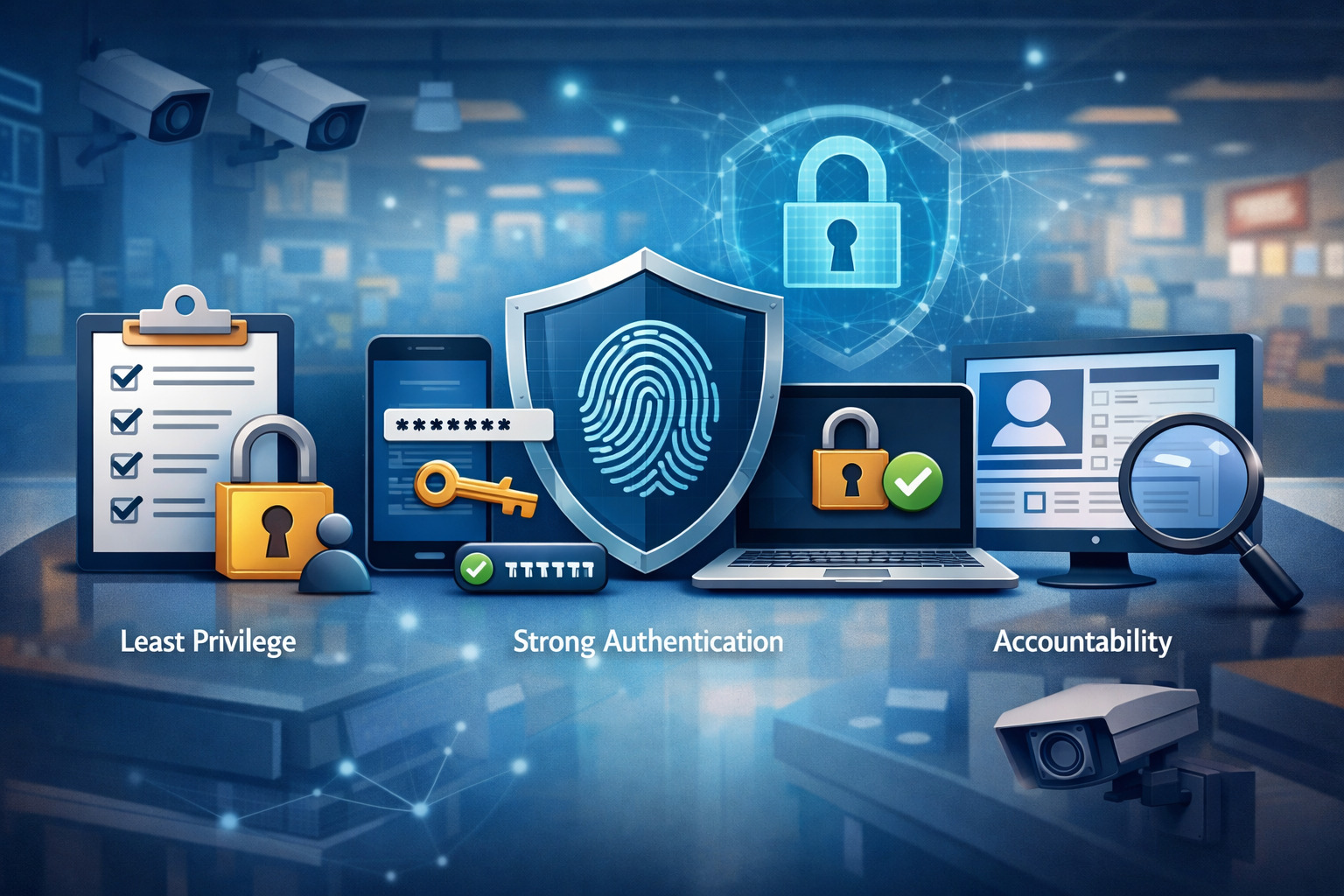
The most cost-effective POS fraud control is a clean identity layer: unique user IDs, strong authentication, least privilege, and rigorous offboarding.
Start with unique identities. Every cashier, manager, and back-office user needs their own account. This is non-negotiable if you want accountability.
Pair that with role-based access control (RBAC) that’s aligned to job duties: cashiers can sell, but cannot refund above a threshold; shift leads can approve voids but cannot modify payout settings; admins can manage configuration but cannot process transactions. Splitting duties reduces both POS fraud and the “temptation factor.”
Authentication should be modern. Password-only environments are increasingly vulnerable, and industry identity guidance has evolved to emphasize better authentication and lifecycle controls.
NIST’s Digital Identity Guidelines have moved forward, with the older SP 800-63-3 components being superseded by SP 800-63-4 as of August 1, 2025. That shift reinforces a practical message: use stronger MFA and manage credentials thoughtfully rather than relying on outdated complexity rules.
Finally, make access reviews routine. Most internal theft via POS fraud happens because access grows over time and never shrinks. Quarterly access reviews—especially for manager functions—catch privilege creep before it becomes loss.
Implementing MFA, Passphrases, and Secure Admin Access
If your POS supports MFA, turn it on—especially for back-office dashboards, reporting, device management, and any function that touches bank accounts, payouts, tax settings, or user permissions.
POS fraud increasingly starts with credential compromise: an attacker gains access, creates a new admin, and then manipulates refunds, gift cards, or payout routing. MFA is one of the highest ROI controls against that pattern.
For passwords, favor long passphrases and denylist screening over forced complexity that encourages sticky notes and reuse. Even if your POS vendor controls the authentication layer, you can enforce better policy in your organization: password managers for admins, no shared credentials, and immediate resets after suspected exposure.
Secure admin access goes beyond MFA. Require admin actions from trusted devices, restrict logins by IP where possible, and create separate “admin-only” accounts that are not used for daily tasks.
When people use the same account for everything, they’re more likely to enter credentials into phishing sites or save passwords insecurely. A dedicated admin workflow reduces that risk and helps prevent POS fraud through compromised credentials.
Also, protect “break glass” accounts. If you have an emergency admin, it should be disabled by default, protected with strong MFA, and monitored heavily. Document its use and require post-incident review. These practices aren’t just “IT best practice.” They directly reduce POS fraud by removing easy access paths.
Permission Design for Refunds, Voids, Discounts, and Overrides
Permissions should match how fraud happens. Most POS fraud incidents involve reversals and overrides because that’s where money moves backward. Your permission model should set thresholds and dual-control requirements.
For example: cashiers can refund up to a small amount only to original tender, but any refund above that requires a manager approval; refunds to cash require higher approval; refunds without receipt require manager approval plus ID capture; and any refund after end-of-day settlement is locked to admin-level with documented reason codes.
Discount controls should be equally strict. Create a limited set of approved discounts with names that match your policies (e.g., “Employee Meal,” “Damaged Item,” “VIP Courtesy”). Avoid free-form discounts because they make reporting messy and hide POS fraud. Require manager approval for certain categories (electronics, alcohol, high-value items) and set maximum discount percentages.
Overrides should be treated like controlled substances: logged, justified, and reviewed. Every override event should include the cashier ID, approver ID, timestamp, and reason code. Then review overrides weekly, not quarterly. POS fraud escalates when review cycles are slow.
Finally, implement “friction in the right places.” Customers should have a fast checkout. But refunds and post-sale changes should feel deliberate. A few seconds of extra approval time can prevent months of POS fraud.
Securing POS Devices and Payment Data to Reduce Fraud Risk
POS fraud prevention is tightly linked to device and data security. If your POS devices are compromised, you can face fraud from stolen payment data, cloned cards, or manipulated transaction flows.
Even if your processor handles most card security, your environment still matters: device tampering, insecure Wi-Fi, unpatched software, and weak segmentation all increase the chance of a compromise that leads to disputes and brand harm.
PCI DSS exists to protect payment data and reduce payment ecosystem risk. PCI DSS v4.x (including v4.0.1) reflects evolving threats and emphasizes stronger authentication, better logging, and ongoing security practices.
While PCI compliance is not the same thing as “fraud prevention,” many PCI-aligned controls reduce POS fraud opportunities, especially those tied to unauthorized access and unmonitored system changes.
Device security also reduces internal theft. If employees can install unauthorized apps, connect unknown USB devices, or bypass kiosk controls, they can create “shadow workflows” that enable POS fraud. Lockdown policies and centralized management remove those options.
The key idea: treat POS devices like specialized financial endpoints. They should be hardened, monitored, and controlled more strictly than general office computers.
Patch Management, EDR, and Physical Tamper Controls
Unpatched devices are easier to compromise, and compromised devices create fraud downstream—sometimes months later. Establish a patch cadence with your POS vendor and ensure both OS and POS software updates are applied promptly.
If your POS vendor manages updates, get written confirmation of their patch policy and ask how they handle high-risk vulnerabilities.
Endpoint detection and response (EDR) may or may not be feasible on all POS hardware, but where it’s supported, it adds visibility. For more locked-down terminals, use vendor-provided monitoring, integrity checks, and centralized device management to detect unexpected configuration changes.
Physical tamper controls are equally important. Skimmers and tampered devices remain a real risk in customer-facing environments. Use tamper-evident seals where appropriate, inspect terminals daily (especially around card readers), and train staff to recognize “something looks different” signs: loose parts, overlay panels, mismatched serial numbers, or devices moved from standard positions.
Document a simple inspection checklist and tie it to opening/closing duties. The goal is consistency. When inspections are routine, tampering stands out. This is a practical way to reduce POS fraud that originates outside your team.
Network Segmentation, Wi-Fi Security, and Remote Support Governance
POS networks should not be flat. Segment POS devices from guest Wi-Fi, employee personal devices, and general office systems. Use strong Wi-Fi security, disable outdated protocols, and rotate credentials when staff changes.
If your POS is cloud-managed, network controls still matter because devices are the bridge between your store and the payment ecosystem.
Remote support is another common weak point. Vendors often request remote access for troubleshooting. That access must be governed: named accounts only, MFA, time-limited access, and logging.
Avoid shared remote credentials and permanently open remote tunnels. If remote access is always available, it will eventually be abused—either by a compromised vendor credential or by an insider who discovers the back door.
Also, ensure logging is retained long enough to investigate. If you only keep logs for a few days, you will miss slow-burn POS fraud. Retain logs in line with your investigation reality and any contractual requirements.
Network security won’t stop a cashier from sweethearting discounts, but it will stop many external-driven fraud scenarios and reduce the chance that your POS becomes a data-theft incident.
Transaction Controls That Stop POS Fraud Without Killing Checkout Speed
The best POS fraud controls feel invisible during a normal sale and very visible during a risky action. That’s the art: preserve customer experience while tightening reversals, exceptions, and high-risk behaviors. Transaction governance is where operators win, because you can tune it to your environment.
Start with policy-driven reason codes. Every refund, void, discount above a threshold, price override, and payout should require a reason code. Reason codes should be limited, standardized, and reviewed.
When reason codes are free-text, POS fraud hides behind vague descriptions like “customer issue.” When they’re structured, anomalies become obvious.
Next, apply thresholds. Not every refund deserves a manager prompt. But refunds above a certain value, refunds to cash, or refunds without receipt should. Your thresholds should be dynamic: a high-volume store may need higher thresholds; a high-shrink store may need lower ones.
Finally, build “friction ladders.” The riskier the action, the more controls apply: approval, documentation, ID capture, and alerting. This layered approach reduces POS fraud while keeping operations smooth.
Return Policies, Refund Routing Rules, and Gift Card Safeguards
Return policy is a fraud control tool. Clear rules—receipt requirements, return windows, condition checks, and refund tender restrictions—reduce both external return fraud and internal POS fraud. If your policy says “refund to original tender only,” it’s much harder for an employee to route value to cash or a controlled card.
Implement refund routing rules in the POS whenever possible. For example: refunds default to original tender; cash refunds require manager approval and customer ID capture; gift card refunds require a second approval; and no refund is allowed without a linked sale unless the transaction is flagged as an exception. These controls shut down common POS fraud paths.
Gift cards deserve special attention. Gift card fraud often looks like normal business: issuance, reloads, redemption. But it’s easy to exploit if employees can issue cards without payment, apply unauthorized discounts to gift card purchases, or perform manual adjustments. Limit who can issue or reload gift cards, require payment validation, and monitor for unusual patterns like high gift card issuance with low corresponding cash/card sales.
Also, set alerts for repeated small gift card issues by the same user. POS fraud often uses small amounts to avoid detection.
Tip Adjustments, Manual Entry, and After-Hours Transactions
In hospitality and service businesses, tip adjustment fraud is a major internal theft risk. Employees may inflate tips after the customer leaves, especially if receipts aren’t reconciled. Controls include requiring signed receipts for adjustments, limiting tip adjustment windows, and monitoring tip percentages by server and shift. Outliers deserve attention quickly.
Manual card entry is another high-risk feature. It’s sometimes necessary (phone orders, damaged cards), but it’s also abused. Fraudsters may manually key in stolen card details, or insiders may route fraudulent refunds to manually entered cards.
Create a manual entry policy: restrict who can do it, require a documented reason, and monitor its frequency. Consider additional verification steps for high-risk orders.
After-hours transactions are a classic POS fraud signal. Legitimate reasons exist—late closings, special events—but they should be rare and documented. Set alerts for transactions outside normal operating hours, especially refunds, voids, and no-sale events.
Even a simple daily exception report can dramatically reduce POS fraud because it shortens the time between action and review.
Inventory and Receiving Controls That Close the Loop on Internal Theft
POS fraud often shows up first in transaction reports, but internal theft frequently reveals itself in inventory. If your inventory system is integrated with your POS, you have a powerful advantage: you can reconcile sales, returns, and stock movement. If it’s not integrated, you can still build a control loop with cycle counts, receiving audits, and exception tracking.
Internal theft schemes include “fake receiving” (marking inventory received that never arrives), “vendor collusion” (inflated invoices, swapped product), “shrink masking” (adjusting inventory counts to hide theft), and “return-to-stock fraud” (processing a refund but not returning inventory).
Each can be reduced by splitting duties and requiring evidence: purchase orders, receiving checklists, and periodic independent counts.
A strong inventory control program reduces POS fraud because it removes the ability to “make the numbers work.” When inventory is tight, POS manipulation becomes easier to spot. When inventory is loose, fraud hides.
Focus on high-theft categories and high-value SKUs. Build tighter controls where the loss hurts most. That’s how you get meaningful ROI rather than drowning in paperwork.
POS-to-Inventory Reconciliation and Exception Tracking
Start with reconciliation discipline. If your POS says you sold 30 units of a SKU, your inventory should reflect that. When it doesn’t, you need structured reasons: damage, spoilage, theft, mis-scan, or receiving error. The magic is in exception tracking—small discrepancies that repeat are often signs of internal theft or POS fraud.
Track “refund without return” exceptions: refunds processed but inventory not restocked. Track “negative inventory” events: selling items that supposedly aren’t in stock. Track “high-variance SKUs”: items that regularly show shrink. These exceptions help pinpoint whether the problem is operational sloppiness or malicious behavior.
Also, reconcile voids and comps to inventory movement. If a meal is comped, was it still produced and should it hit the cost of goods? If an item is voided after prep, does inventory reflect waste?
POS fraud often hides in these gray areas because staff can claim “mistakes happen.” Good reconciliation makes mistakes measurable and fraud harder to excuse.
Finally, unify data by employee. When you can tie inventory exceptions to the same users who have high refunds or discounts, you move from suspicion to pattern-based investigation.
Receiving, Transfers, and Cycle Counts to Reduce Shrink
Receiving is one of the easiest places for internal theft because it often happens away from customers. Controls should include: purchase orders required for receiving, two-person verification for high-value shipments, and immediate discrepancy logging. If your business does transfers between locations, treat transfers like cash: documented, verified, and reconciled.
Cycle counts are your early warning system. Instead of doing one painful annual count, do small weekly cycle counts on high-risk categories. If shrink appears quickly after a shipment, that’s a signal.
If shrink grows steadily, that’s another signal. Cycle counts shorten detection time, which is critical for preventing ongoing internal theft.
Use variance thresholds. Don’t investigate every missing low-cost item, but do investigate repeated patterns, high-value losses, or losses tied to certain shifts. Combine cycle count results with POS fraud indicators to prioritize. The goal is actionable insight, not endless audits.
When businesses get serious about shrink, they often discover that training fixes a portion, while targeted controls stop the rest. Both outcomes are wins.
Monitoring, Alerts, and Analytics for Early POS Fraud Detection
If you want to stop POS fraud, you must detect it early. The best prevention controls reduce opportunity, but monitoring catches what slips through. Think of monitoring as “continuous audit” that focuses on exceptions. You are not trying to watch everything; you are trying to surface what’s unusual, new, or inconsistent with your baseline.
Start with a daily exception report. Even small operations can do this. Include: refunds above threshold, refunds without receipt, refunds to cash, high discount transactions, voids after time window, no-sale counts, manual entry transactions, and after-hours activity.
Review by location and by employee. This process alone prevents a lot of POS fraud because it creates perceived oversight—one of the strongest deterrents.
For multi-location businesses, move toward automated alerts. Many modern POS platforms support alert rules; if yours doesn’t, you can export data to a BI tool or even a structured spreadsheet workflow. The key is consistent thresholds and a clear escalation path: who reviews, who investigates, and what happens next.
Also, don’t ignore “behavioral baselines.” POS fraud often appears as a behavior change: a cashier who suddenly begins issuing refunds, or a manager whose override rate spikes. Monitoring should track trends, not just totals.
Key POS Fraud KPIs and What “Normal” Looks Like
Useful POS fraud KPIs include: refund rate (% of sales), refund count per 100 transactions, average refund amount, void count per 100 transactions, discount rate by employee, manual entry frequency, no-sale opens per shift, tip adjustment variance, and time-of-day clustering for exceptions.
“Normal” depends on your business model. A high-end apparel store may have higher return rates than a convenience store. A restaurant may have legitimate comps due to service recovery. The point is to define normal for your operation and look for deviations.
Create peer comparisons. Compare stores against stores, not against the entire business blindly. Compare new staff vs experienced staff. Compare day shifts vs night shifts. POS fraud often concentrates where oversight is weaker, so comparisons should reflect that reality.
Also track “approval patterns.” If the same manager approves most high-risk actions, that could be normal—or it could indicate collusion. Monitoring should show relationships: who approves for whom, and how often.
Finally, include chargeback and dispute metrics. A spike in disputes can reflect external fraud or a compromised environment. Early detection here can prevent bigger loss and reduce operational pain.
Using Video, Receipts, and Audit Logs as Evidence
Monitoring isn’t just metrics; it’s evidence readiness. When you suspect POS fraud, you need to prove what happened. That proof often comes from three sources: video, receipts, and audit logs.
Video is most useful when you can link it to a transaction timestamp and register ID. Ensure camera time sync is accurate. If your cameras drift by 10 minutes, investigations become messy.
Position cameras to capture the POS terminal area, the drawer, and the customer exchange without violating privacy expectations.
Receipts and digital records matter too. Require receipt printing or digital receipt capture for high-risk actions like refunds and returns without receipts. Some POS systems allow you to attach notes or photos. If your workflow supports it, a photo of the returned item or customer ID can deter POS fraud.
Audit logs are the backbone. They should record logins, permission changes, overrides, refunds, voids, and configuration edits. Retain them long enough to investigate patterns. If you can export logs, store them securely and restrict access. Tamper-resistant logs make it much harder for internal theft to hide.
The goal is not to create a surveillance state. It’s to ensure that when POS fraud happens, you can confirm it quickly and act confidently.
Policies, Training, and Culture: The Human Side of POS Fraud Prevention
Even the best technical controls fail if people don’t understand them—or if culture encourages shortcuts. POS fraud and internal theft often thrive in environments where policies are vague, enforcement is inconsistent, or managers “look the other way” to avoid conflict.
A strong culture doesn’t mean distrust. It means clarity: everyone knows the rules, why they exist, and what happens when they’re broken.
Start with written policies that match your POS configuration. If your policy says refunds require manager approval, but the POS allows cashiers to do it, you’re inviting POS fraud and creating confusion. Policies must be enforceable through system controls whenever possible.
Training should be role-based. Cashiers need to learn refund workflows, receipt rules, and customer interaction scripts. Managers need to learn approval responsibility, audit review, and investigation basics.
Back-office admins need to learn access governance and security hygiene. One generic training deck won’t reduce POS fraud.
Culture also includes ethical messaging and support. People are less likely to steal when they feel fairly treated and believe detection is likely. That’s not fluffy advice—it’s operational reality. Pair accountability with respectful management, and you’ll reduce internal theft risk.
Hiring, Onboarding, and Separation Procedures that Reduce Risk
Fraud prevention begins before day one. Hiring practices should include job-appropriate screening and clear expectations. During onboarding, assign unique POS credentials immediately and avoid “shadowing” under someone else’s login. Shared logins at onboarding are a common starting point for later POS fraud because they normalize rule-bending.
Implement a structured onboarding checklist: credential setup, role assignment, cash-handling training, refund policy training, and acknowledgement of conduct policies. Make sure employees understand that POS actions are logged. That statement alone deters many would-be fraud attempts.
Separation procedures are equally important. Disable access immediately when someone leaves—especially managers and back-office users. Many internal theft incidents happen during the “lame duck” period when an employee knows they’re leaving.
Ensure keys, devices, and credentials are recovered. If you use shared manager PINs (not recommended), rotate them. If you use vendor remote access, remove separated employees from access groups and review admin lists.
Also, review the departing employee’s activity for a reasonable lookback window. You’re not assuming guilt; you’re doing basic risk management. A short audit can catch last-minute POS fraud like gift card issuance or refund spikes.
Training for Managers: Approvals, Accountability, and Coaching
Managers can either stop POS fraud or enable it. They approve refunds, overrides, comps, and exceptions. If they approve casually, fraud flows. If they approve thoughtfully and consistently, fraud shrinks.
Train managers on what approvals mean: they’re attesting that the action is legitimate and properly documented. Give them practical scripts: how to politely ask for a receipt, how to handle upset customers without breaking policy, and how to escalate exceptions. This reduces “policy bending,” which often becomes the gateway to POS fraud.
Managers should also be trained to read exception reports. Not every manager loves analytics, so keep it simple: highlight top anomalies, define what “action required” means, and provide a checklist for follow-up. When managers know they will be asked about anomalies, oversight improves.
Finally, train managers on coaching, not just enforcement. Many POS mistakes are training issues, especially among new staff. Coaching fixes process drift without turning every issue into punishment.
But when you find intentional POS fraud, managers must know how to document, preserve evidence, and escalate. That combination—coaching for mistakes and firm action for fraud—builds trust and reduces loss.
Regulatory and Standards Landscape That Influences POS Fraud Controls
POS fraud prevention sits at the intersection of operations and governance. Even if you’re not a compliance-first organization, regulations and standards shape what “reasonable security” looks like. They also affect your liability when incidents happen.
In the payment world, PCI DSS is the cornerstone standard for protecting card data and securing payment environments. PCI DSS v4.0.1 and its supporting documentation reflect modern expectations around authentication, logging, and ongoing security management.
While PCI is not a fraud standard, its controls reduce the risk of device compromise and unauthorized access—both of which can lead to fraud and chargebacks.
Data security regulation also matters. Businesses that handle customer information may be subject to security requirements depending on their activities and oversight. The Federal Trade Commission’s Safeguards Rule, tied to the Gramm-Leach-Bliley Act, is designed to ensure covered financial institutions maintain safeguards to protect customer information.
The FTC also issued amendments effective May 13, 2024 requiring reporting of certain notification events involving unencrypted customer information of 500 or more consumers.
Even when a specific rule doesn’t apply to you, these frameworks influence what partners, processors, and insurers expect. If you want lower fraud, lower disputes, and smoother relationships, align with credible standards.
PCI DSS v4.x Implications for POS Environments and Fraud Reduction
PCI DSS v4.x emphasizes ongoing security rather than annual checklists. In practical terms, that supports fraud reduction because continuous controls help detect compromise earlier.
PCI-related practices that help prevent POS fraud include: strong access control, MFA where feasible, robust logging, regular vulnerability management, and secure configurations for system components.
The PCI Security Standards Council’s document library shows PCI DSS v4.0.1 publication (June 2024) and related supporting materials.
The transition timeline commonly referenced in industry guidance includes milestones where v4.0 becomes the standard and future-dated requirements become mandatory by March 31, 2025.
For operators, the key takeaway is not the paperwork—it’s the direction: tighter authentication, better monitoring, and fewer “we’ll fix it later” gaps.
If your POS environment includes segmented networks, controlled remote access, hardened devices, and strong identity practices, you’re both more PCI-aligned and less fraud-prone. That’s why businesses that treat PCI as a security program—not a compliance event—often see reductions in fraud and shrink.
Also, talk to your processor or POS vendor about scope. Many merchants use validated P2PE or tokenization solutions that reduce exposure. Even then, internal theft through POS fraud remains a business process problem, so PCI-aligned security must be paired with transactional governance.
Data Security Expectations from the FTC and Other Governing Bodies
Data security expectations increasingly focus on whether an organization took reasonable steps to protect information and respond to incidents. The FTC’s Safeguards Rule guidance explains its purpose: requiring covered entities to maintain safeguards to protect customer information.
The codified rule in 16 CFR Part 314 outlines scope for financial institutions under FTC jurisdiction. Amendments effective May 13, 2024 add reporting requirements for certain notification events involving unencrypted data affecting 500+ consumers.
Why does this matter for POS fraud? Because fraud incidents often overlap with data incidents. A compromised POS device can lead to card data theft, which leads to disputes, forensic investigations, and potential regulatory exposure depending on the situation. Even internal theft can trigger privacy issues if customer data is accessed improperly.
From an operator standpoint, adopt a “defensible security posture”: document your controls, keep audit logs, train staff, and have an incident response plan. If something happens, you can demonstrate that you ran a professional program.
That posture builds trust with customers, partners, and payment stakeholders—and it helps you recover faster when POS fraud attempts occur.
Incident Response for POS Fraud: What to Do When You Suspect Theft
Even with strong controls, you should assume you’ll eventually face a suspected POS fraud case. The difference between a minor issue and a major loss often comes down to response speed and evidence discipline. A good incident response process is calm, repeatable, and legally defensible.
First, preserve evidence. Don’t confront or accuse immediately without securing logs, receipts, video, and access records. Fraudsters often destroy evidence if they sense detection. Second, contain the risk.
That may include disabling a user account, changing manager PINs, restricting refund permissions temporarily, and increasing approval thresholds. Third, investigate using a structured approach: identify the anomaly, reproduce the transaction trail, confirm physical evidence (inventory, cash counts), and document findings.
Also, avoid “DIY forensics” that damages evidence. If you suspect device compromise or payment data theft, involve your POS vendor and payment stakeholders quickly. Follow contractual escalation paths with your processor and, when appropriate, a qualified security professional.
Finally, close the loop. Every POS fraud incident should end with control improvements: permission changes, training updates, policy clarifications, and monitoring adjustments. Otherwise, the same attack will repeat.
Investigation Workflow: From Exception Alert to Confirmed Case
A practical workflow begins with an exception: an unusual refund rate, a cluster of voids, or a tip spike. Step one is validation: confirm the data is accurate and not a reporting glitch.
Step two is transaction review: pull the receipt trail, identify the user IDs involved, and note timestamps. Step three is corroboration: match video, inventory movement, customer complaints, or drawer counts.
Then determine scope. Was it one transaction or a pattern? Check the lookback window. POS fraud often repeats with similar amounts, reason codes, or times. Identify whether approvals indicate collusion or weak governance.
Document everything. Use a consistent case template: what triggered review, what evidence was collected, what policy was violated, and what remediation occurred. This documentation is critical for HR actions and for defending decisions if disputes arise.
Also consider “root cause.” Was the fraud enabled by shared credentials? Missing MFA? Overly broad permissions? Weak refund policy? Root cause analysis prevents recurrence. A confirmed case should lead to concrete control changes, not just termination.
Containment and Recovery: Fixing Controls Without Disrupting Business
Containment should be surgical. You want to stop loss without creating operational chaos. Start with access: disable suspicious accounts, rotate shared secrets, and reduce permissions for high-risk actions temporarily. If you suspect collusion, tighten approvals so that no single manager can approve all exceptions without oversight.
If cash theft is suspected, move to more frequent cash counts and dual verification. If inventory theft is suspected, conduct targeted cycle counts on high-risk SKUs. If device compromise is suspected, isolate affected devices, follow vendor guidance, and consider replacing hardware if integrity is uncertain.
Recovery includes customer communication when relevant, staff retraining, and process adjustment. It also includes updating alert rules so similar patterns trigger earlier. For example, if fraud uses refunds under your threshold, lower the threshold or add pattern-based alerts like “3 refunds in 30 minutes.”
A mature POS fraud program treats incidents as feedback loops. Every incident teaches you how the fraudster thought—and helps you design controls that anticipate the next attempt.
Future Predictions: How POS Fraud and Internal Theft Will Evolve
POS fraud is evolving in two directions at once: more automation from attackers, and more complexity in commerce. Mobile ordering, embedded finance, BNPL-like workflows, instant payouts, and omnichannel returns all create new transaction types.
Fraud follows the money. As businesses add features, they must expand governance and monitoring or risk creating new loopholes.
Expect increased credential-based attacks on cloud POS dashboards. Attackers don’t need to tamper with hardware if they can phish a manager and log in remotely. This is why MFA and strong identity controls will become non-optional.
Industry identity guidance is already moving forward, with NIST updating its digital identity publications and superseding older versions as of August 1, 2025. That shift supports broader adoption of phishing-resistant authentication.
AI will also change the landscape. Businesses will use AI to detect POS fraud patterns faster, while criminals will use AI for better social engineering and more convincing phishing.
The winners will be organizations that combine automated detection with disciplined operational controls. Technology alone won’t stop internal theft if approvals are rubber-stamped and policies are inconsistent.
Finally, standards and oversight will continue to push continuous security. PCI’s movement into v4.x and the industry shift toward ongoing requirements reinforce a future where POS environments are expected to be actively managed, not passively compliant. Businesses that invest now will be better positioned to reduce POS fraud and keep customer trust.
FAQs
Q.1: How do I reduce POS fraud quickly without a full system overhaul?
Answer: Start with unique logins, tighter refund/void permissions, structured reason codes, and a daily exception report. These changes reduce POS fraud immediately because they increase accountability and shorten detection time.
Q.2: What’s the single biggest cause of internal theft through POS systems?
Answer: Shared credentials and overly broad permissions. When you can’t tie actions to a person, POS fraud becomes low-risk for the fraudster.
Q.3: Do cameras prevent POS fraud?
Answer: Cameras help, but they work best when paired with transaction logs and timestamp matching. Cameras alone won’t stop POS fraud if your permissions and approvals are weak.
Q.4: How often should I audit refunds and voids?
Answer: At least weekly for most businesses, daily for high-risk locations or high-shrink periods. POS fraud escalates when review cycles are slow.
Q.5: Is PCI compliance enough to stop POS fraud?
Answer: No. PCI-style controls help prevent compromise and unauthorized access, but internal theft and POS fraud require transaction governance, role controls, and operational monitoring. PCI is necessary for payment security, not sufficient for fraud prevention.
Q.6: How do I handle suspected employee POS fraud legally and fairly?
Answer: Preserve evidence first, follow documented HR procedures, avoid accusations without proof, and ensure consistent enforcement. A structured investigation process protects the business and reduces wrongful-action risk.
Conclusion
Preventing POS fraud and internal theft is a business discipline, not a one-time project. The strongest programs combine secure access, hardened devices and networks, policy-driven transaction controls, inventory reconciliation, and continuous monitoring.
They also invest in training and culture so staff understand expectations and managers treat approvals as real accountability.
POS fraud thrives in ambiguity—unclear policies, shared credentials, unreviewed exceptions, and ungoverned “special cases.” When you replace ambiguity with structure, fraud becomes harder to perform and easier to detect.
Aligning your environment with credible standards—like PCI DSS v4.x for payment security—and following evolving security expectations improves both your operational resilience and your ability to respond confidently when something goes wrong.