
One weak point in a point-of-sale environment can put far more than a single transaction at risk. A poorly secured card reader, an employee using a shared password, an unpatched terminal, or a router with default settings can open the door to stolen payment data, fraudulent refunds, chargebacks, downtime, and long-term damage to customer trust.
That is why a strong POS security checklist matters. It turns security from a vague concern into a repeatable operating habit. Instead of waiting until something goes wrong, business owners and managers can build practical controls into the way checkout, refunds, staff access, hardware inspections, and software updates already happen every day.
For small retailers, restaurants, service businesses, and multi-location operators, point of sale security best practices do not need to be overly technical to be effective. The goal is not to make checkout harder.
The goal is to reduce avoidable risk while keeping operations smooth. Good POS system security tips focus on the basics: secure devices, controlled access, protected networks, trained staff, and clear response plans.
This guide explains what POS security means, why it matters, the most common threats to watch for, and a practical 10-step checklist you can apply in real business settings.
It also covers POS data security compliance concepts, common mistakes that expose payment information, and the habits that help protect customer data POS systems handle every day.
What POS Security Means and Why It Matters
POS security is the set of tools, settings, processes, and staff behaviors used to protect payment systems, customer information, and transaction activity from theft, misuse, tampering, and disruption. It includes both the technology side and the human side.
A secure checkout environment is not created by hardware alone. It depends on how devices are configured, who can access them, how the network is segmented, and how consistently employees follow procedures.
In practical terms, POS security covers the full payment environment. That includes terminals, card readers, tablets, back-office computers, receipt printers, routers, cloud dashboards, employee login credentials, and any integrated tools connected to checkout. If one of those pieces is weak, the entire system can become easier to exploit.
Customer trust is one of the biggest reasons this matters. When people hand over a payment card, tap a phone, or enter billing information, they expect that data to be handled carefully.
A single breach or fraud event can cause customers to question whether your business takes security seriously. Even if the problem is fixed quickly, reputation damage can last much longer.
The business risk goes beyond reputation. Weak security can lead to stolen card data, fraudulent transactions, operational downtime, refund abuse, internal theft, investigation costs, and compliance headaches.
For many businesses, the hidden cost is distraction. Owners and managers end up spending time on chargebacks, device replacements, vendor calls, and customer complaints instead of focusing on growth.
If you want a deeper technical overview of layered payment protection, it helps to understand how encryption, tokenization, and access controls work together in POS security architecture. Those concepts show up repeatedly in the checklist below because strong customer payment data protection depends on multiple layers working together.
Common POS Security Threats Businesses Need to Understand
Most payment security incidents do not begin with a dramatic, movie-style hack. They start with something small and preventable. A store manager reuses a password. A checkout tablet skips updates because nobody wants to interrupt service. A card reader is swapped or tampered with. A remote support tool is left open longer than necessary. An employee has more access than their role requires.
Malware is one of the most serious threats because it can silently capture payment data, login credentials, or transaction information. Weak passwords create another major gap. If multiple staff members use the same credentials, it becomes difficult to trace activity and much easier for unauthorized users to move around inside the system.
Physical tampering is also a real risk. Skimming devices, altered cables, fake overlays, or swapped terminals can all be used to collect card data.
Businesses sometimes assume this only happens in very large chains, but any unattended or poorly inspected device can become a target. That is why routine hardware checks belong in every payment security checklist for businesses.
Insider risk should not be ignored either. Not every internal problem involves malicious intent, but employees can create risk through carelessness, excessive permissions, poor refund handling, or failure to report suspicious behavior. For more on that side of the problem, this guide on preventing POS fraud and internal theft is useful reading.
The 10-Step POS Security Checklist at a Glance
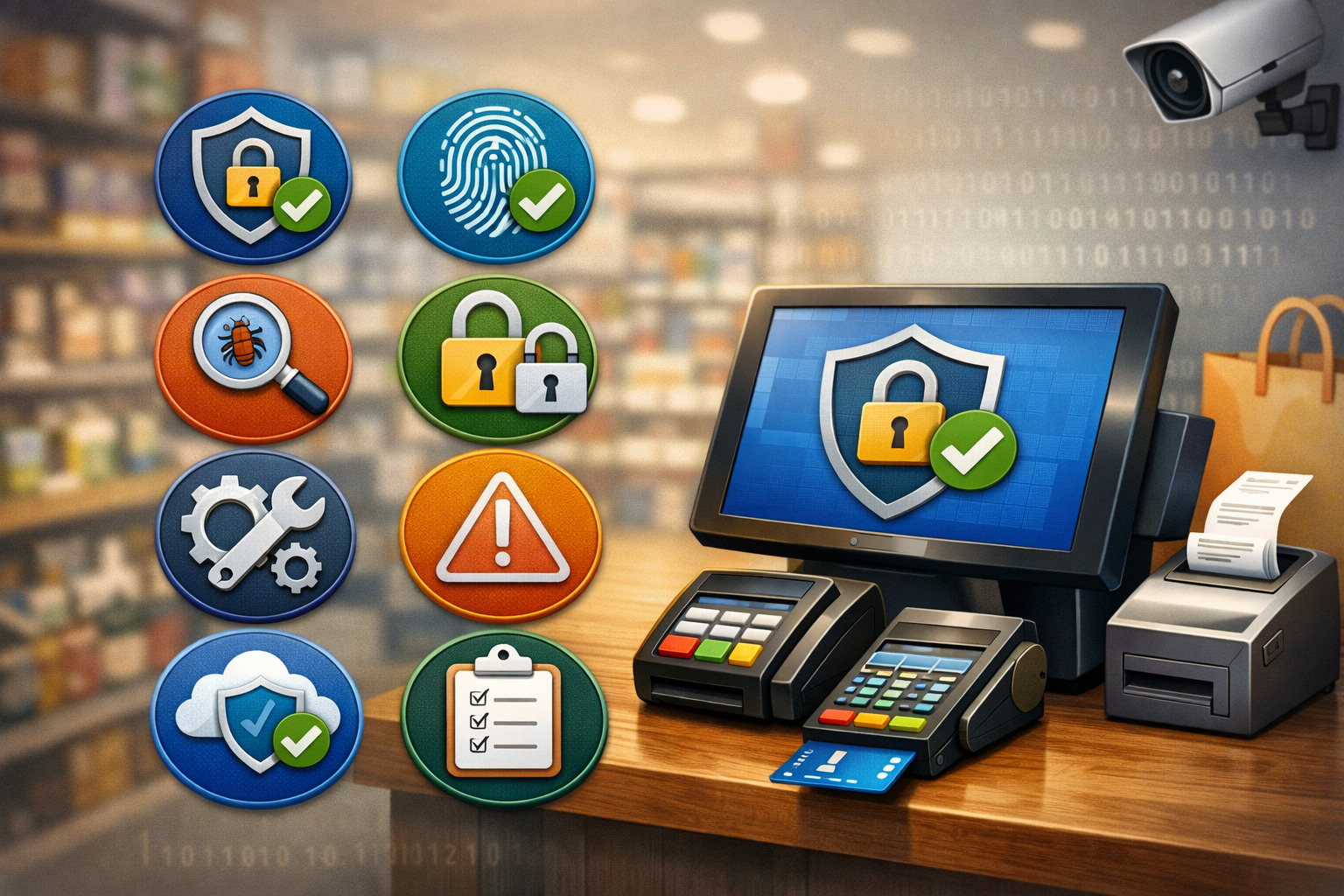
A strong POS security checklist should be easy to use, easy to repeat, and easy to assign. If it only exists as a policy document nobody reads, it will not reduce risk in daily operations. The best checklist is one your team can actually follow during opening, closing, manager reviews, vendor support, and periodic audits.
The ten steps in this article focus on the controls that matter most for day-to-day payment security. They apply to both single-location businesses and more complex operations with multiple terminals, tablets, or stores.
Some steps are technical, while others are process-driven. All of them support the same goal: protect customer payment data and reduce avoidable exposure.
Here is the core checklist:
| POS Security Checklist Step | Primary Goal | How Often to Review |
| Use secure, modern POS hardware | Reduce physical and device-level risk | At purchase, deployment, and audit |
| Keep POS software updated | Close known vulnerabilities | Weekly review, urgent patch as needed |
| Restrict employee access by role | Limit misuse and reduce blast radius | At hire, role change, termination |
| Use strong passwords and MFA where possible | Protect accounts and admin access | Ongoing, with regular policy review |
| Secure the network connected to the POS | Separate payment traffic and reduce intrusion paths | Monthly and after any network change |
| Inspect terminals and card readers regularly | Detect tampering or skimming early | Daily and shift-based |
| Encrypt and tokenize payment data where available | Reduce exposure of sensitive data | During setup and vendor review |
| Train staff to recognize security threats | Improve human detection and response | Onboarding and recurring refreshers |
| Monitor transactions and system activity | Catch unusual behavior quickly | Daily, weekly, and exception-based |
| Create an incident response plan | Respond fast and contain damage | Draft now, test and update regularly |
The sections below explain each step in detail, with practical examples, POS security controls, and maintenance habits that help businesses build long-term POS fraud prevention strategies.
How Small Businesses Should Approach This Checklist
Small businesses often assume payment security requires enterprise-level budgets, complex tools, or full-time security staff. In reality, many of the most effective improvements are simple operational decisions.
Using unique logins, separating the POS network from guest Wi-Fi, checking terminals daily, removing old employee accounts, and turning on multi-factor authentication can all make a meaningful difference.
The key is to avoid overcomplicating the process. Start with the controls that directly reduce risk in your real environment. If you operate one store with three terminals, your checklist can be lean and focused.
If you manage multiple locations, more documentation and standardization will be needed. Either way, secure POS systems for small business work best when security is built into routines rather than treated as a one-time project.
A smart approach is to assign owners for each area. One person handles hardware inspections. Another manages user access. Another confirms updates and reviews alerts. When responsibility is clear, gaps are less likely to be missed. This also makes it easier to prove that security tasks are happening consistently.
If your business uses cloud-based payment tools or remote administration, this article on how to secure your cloud POS system against cyber threats adds helpful context on account protection, updates, and remote access controls.
Step 1: Use Secure, Modern POS Hardware
The first step in any POS security checklist is making sure the hardware itself is trustworthy. Old or poorly supported devices create risk because they may no longer receive updates, may not support newer security features, or may be easier to tamper with physically.
A modern terminal or tablet does not guarantee safety on its own, but it gives your business a stronger starting point.
Choose hardware designed for payment environments, not general-purpose consumer use where a business-grade option is available. That includes EMV-capable readers, contactless-ready terminals, locked-down cashier devices, and tamper-evident payment hardware from reputable providers.
Unsupported devices are a security liability even if they still “work.” If a card reader or POS station is old enough that nobody is sure when it was last reviewed, it should be evaluated immediately.
Secure hardware also means protecting where and how devices are placed. Customer-facing terminals should not be left unattended where someone can easily swap or alter them. Back-office systems that connect to the POS should be physically controlled as well. Open access to server closets, network gear, or manager workstations can undo other security efforts.
What to Look for When Evaluating POS Hardware
When reviewing hardware, focus on security functions and lifecycle support, not just price and appearance. Ask whether the device supports secure payment methods, whether firmware updates are still provided, and whether the manufacturer offers tamper detection or tamper-evident design features.
It is also important to know whether the device integrates cleanly with encrypted payment workflows and tokenized transactions.
Look for hardware that supports current payment methods customers actually use, including chip and contactless payments. These options can improve both convenience and security when properly configured.
You should also review how accessories are managed. Power cables, docks, stands, and network connections can all be manipulated if devices are loosely installed or poorly tracked.
For multi-lane or multi-location businesses, standardizing hardware can simplify security. The more device types you manage, the harder it becomes to inspect, update, train on, and document securely. A standardized deployment reduces confusion and makes anomalies easier to notice.
Step 2: Keep POS Software Updated
Outdated software is one of the most common and avoidable weaknesses in a POS environment. Attackers often look for known flaws in operating systems, POS applications, remote support tools, browsers, plugins, or connected back-office software.
If updates are delayed too long, businesses may be running systems with publicly known vulnerabilities that criminals already know how to exploit.
Keeping software current does not simply mean clicking “update” whenever a pop-up appears. It means managing updates intentionally. Businesses need a routine for checking vendor notices, applying patches, validating that systems still operate correctly, and documenting what was updated and when. This matters for security and for accountability.
The challenge is that businesses fear downtime. Many operators postpone updates because they worry a patch will interfere with checkout, printers, scanners, or integrations. That concern is understandable, but avoiding updates altogether creates a much bigger long-term risk. Even a small store should have a simple update process that balances stability with speed.
Build a Reliable Update and Patch Routine
A practical update process starts with knowing which systems need review. That includes POS software, payment terminal firmware, operating systems, routers, firewalls, remote management tools, and any back-office applications that can touch transaction data or administrative settings. Put them on a review calendar and assign ownership.
For businesses with multiple devices, test updates on one system before wider rollout when possible. That can reduce disruptions while still keeping you moving. Do not let testing become an excuse for indefinite delay, especially when a patch addresses a serious security issue. Critical updates should have a defined fast-track process.
Document exceptions clearly. If a device cannot be updated because of compatibility issues, that should trigger a separate mitigation plan, not silent acceptance. You may need additional network restrictions, closer monitoring, or device replacement.
A good reference for broader POS hardening is this article on best practices for POS system security, which reinforces the importance of patching as part of overall point of sale security best practices.
Step 3: Restrict Employee Access by Role
Not every employee needs access to every function in the POS. One of the most effective POS security controls is role-based access. Cashiers, supervisors, managers, bookkeepers, and administrators should each have only the permissions required to do their jobs.
This reduces the chance of accidental errors, limits opportunities for misuse, and makes suspicious activity easier to investigate.
Too many businesses operate with broad permissions because it feels simpler. Everyone uses the same admin code. Managers share credentials across shifts. Refund rights are given to multiple employees “just in case.” That kind of convenience weakens customer payment data protection and makes internal control much harder.
Role-based access control also helps with accountability. When each person has a unique login and defined permissions, actions can be traced back to a user. That matters for fraud reviews, voids, discounts, price overrides, refunds, cash drawer activity, and changes to system settings. If several people share an account, you lose the ability to know who actually did what.
How to Apply Least Privilege in Daily Operations
Start by mapping common roles in your business. Decide what each role truly needs to access. A cashier may need to ring sales, process standard returns, and open the shift. A shift lead may need limited overrides.
A general manager may need reporting and user administration. A system admin may need configuration control. These are very different access levels and should not be mixed carelessly.
Review sensitive functions closely. Refunds, voids, item deletion, manual card entry, tax changes, discounts above a threshold, price overrides, export access, and user creation deserve special attention. These are the functions most likely to be abused or used improperly, whether by insiders or by someone using stolen credentials.
Do not forget offboarding. Former employees should lose access immediately when they leave. Delayed account removal is a common and dangerous mistake. Temporary staff, seasonal workers, and vendors should also have time-bound access rather than permanent credentials.
For merchants thinking through policy design, secure POS configuration for multi-location businesses offers a useful discussion of standard access models and the value of unique IDs and role-based permissions.
Step 4: Use Strong Passwords and Multi-Factor Authentication Where Possible
Weak authentication is one of the fastest ways to undermine an otherwise decent POS setup. If a criminal or unauthorized insider can access the system with a guessed, reused, or shared password, many other security measures become easier to bypass.
That is why strong password rules and multi-factor authentication should be treated as basic POS system security tips, not optional extras.
Each employee should have a unique username or identifier and a credential that is not shared with coworkers. Default passwords should be changed immediately when devices, routers, portals, or terminals are deployed. Password reuse across multiple systems should be strongly discouraged, especially for administrative accounts.
Multi-factor authentication adds another layer by requiring something beyond a password, such as an app prompt, code, or hardware factor. This is especially important for cloud dashboards, reporting portals, vendor management consoles, and remote administration accounts.
Even if MFA is not available for every system, enabling it on the most powerful accounts dramatically lowers risk.
Password and MFA Habits That Actually Work
The best authentication policy is one that employees can follow consistently. That means no sticky notes on terminals, no shared manager logins, and no generic back-office credentials everyone knows. Password managers can help businesses reduce reuse and improve quality, especially for management, accounting, and administrative accounts.
Businesses should also define when password changes are required. Reset immediately after suspected compromise, staff changes, device turnover, or vendor transitions. Forced password changes on a sensible basis can help, but if the policy is too frustrating, employees often work around it in insecure ways. Balance matters.
MFA should be prioritized for higher-risk access first. That includes remote support, payment gateways, cloud management dashboards, and any account that can alter settings, export data, or manage users. If vendors can access your system remotely, verify how they authenticate and whether sessions are approved, logged, and time-limited.
If you want more background on tokenization, encryption, and access-related safeguards, the article on security features in modern POS systems provides a helpful overview of the security features businesses should expect from modern payment setups.
Step 5: Secure the Network Connected to the POS
A POS system should never sit on an open, loosely managed network. The payment environment needs deliberate protection because the network is often the path attackers use to move from one compromised system to another.
A checkout terminal connected to the same flat network as guest Wi-Fi, office laptops, smart TVs, and random internet-enabled devices creates unnecessary exposure.
Network security does not have to be overly complex, but it does need structure. At a minimum, payment devices should be separated from public Wi-Fi and unrelated business systems.
This kind of network segmentation helps contain threats and supports better POS data security compliance. It also reduces the chance that a compromise in one area will spread into your payment environment.
Router security matters too. Default admin credentials should never remain in place. Remote administration should be tightly limited or disabled when not needed. Firmware should be reviewed regularly, and outdated or consumer-grade networking hardware should be replaced when it can no longer be secured properly.
Practical Network Controls for Payment Environments
The simplest useful network question is this: what exactly can talk to the POS, and what should never be able to? Your payment terminals, POS stations, and any required back-office services should be on a controlled network segment.
Guest Wi-Fi should be separate. Personal employee devices should not have direct paths into payment systems. Smart devices unrelated to checkout should be isolated as well.
If remote support is used, control it carefully. Vendors and IT staff should not have unrestricted always-on access unless there is a clear operational reason and strong safeguards. Time-limited access, approval workflows, logging, and MFA are far safer than open remote tools running in the background.
Review wireless security too. Weak Wi-Fi passwords, outdated encryption settings, and unmanaged access points all create risk. If your staff do not know who manages the network or how it is configured, that is already a warning sign.
Businesses that need a simpler explanation of payment security standards and scope can review this overview of PCI compliance basics for merchants. It helps frame why isolating and controlling systems that handle card data matters in real-world operations.
Step 6: Inspect Terminals and Card Readers Regularly
A card reader can look normal and still be compromised. That is why physical inspection is an essential part of any POS security checklist. Businesses often focus heavily on software risk while overlooking device tampering, skimmers, overlays, swapped terminals, loose cables, or unauthorized accessories attached to payment equipment.
Regular visual and physical checks help catch problems early. This does not require technical expertise. Staff can be trained to look for signs such as mismatched serial numbers, broken seals, unusual resistance when pressing parts of the device, unfamiliar attachments, odd stickers, unexpected cables, or a terminal that suddenly looks different from the others.
Inspection matters even more in busy environments where multiple people work the same lane or where devices are customer-facing and accessible throughout the day. In these settings, a compromised terminal can go unnoticed longer if nobody owns the inspection routine.
Build Device Inspection Into Opening and Closing Procedures
Terminal checks should become part of the shift routine, not an occasional special task. During opening, employees can confirm that devices match the approved inventory, appear untampered with, and function normally. During closing, they can repeat the process and note anything unusual. Managers should escalate discrepancies immediately.
Keep reference photos of each approved terminal setup, including stands, cables, and seals if applicable. This gives employees a simple baseline for spotting changes. Also record serial numbers and device locations so swaps are obvious. A terminal moved without documentation should always be investigated.
Encourage staff to trust their instincts. If a card reader feels loose, displays unexpected messages, or has an attachment that “probably belongs there,” that uncertainty is enough reason to pause and check. It is better to interrupt one checkout lane briefly than to miss a compromised payment device.
Step 7: Encrypt and Tokenize Payment Data Where Available
When businesses ask how to protect customer data POS systems handle, encryption and tokenization are two of the most important answers. Encryption protects data while it is being transmitted or stored in protected form. Tokenization replaces sensitive payment information with a substitute value that is useless to attackers if intercepted or exposed.
These tools reduce the amount of sensitive data your business actually handles directly. That matters because the less raw card data your systems store, transmit, or expose, the smaller the target becomes.
Encryption and tokenization also support cleaner workflows for refunds, recurring payments, and linked customer transactions without repeatedly exposing full payment details.
Not every business owner needs to understand the technical details deeply, but they should understand the practical question to ask vendors: where is payment data encrypted, where is it decrypted, and do my systems retain real card details or tokens? If nobody can explain that clearly, the environment deserves closer review.
Why These Controls Matter for Compliance and Risk Reduction
POS data security compliance is not just about forms and checkboxes. It is about reducing opportunities for cardholder data exposure.
Encryption and tokenization are powerful because they shrink the number of places sensitive information can leak, whether through malware, poor storage practices, insecure integrations, or unnecessary exports.
Businesses should confirm whether receipts, logs, reports, customer profiles, and integrated systems are exposing more payment information than necessary. In many cases, sensitive details should never be visible to staff or stored locally in full form. Tokenized workflows help reduce that exposure while still supporting business needs.
This is also where vendor due diligence matters. Ask your provider what security methods are available, which are enabled by default, and whether there are additional settings you need to turn on.
Step 8: Train Staff to Recognize Security Threats
Even strong technical controls can fail if employees are not trained to support them. Staff are the people who notice odd device behavior, question unusual refund requests, report a suspicious caller claiming to be “IT,” and catch physical tampering before it becomes a larger incident.
Training is one of the most underrated POS fraud prevention strategies because it improves both prevention and early detection.
Training should be practical, role-specific, and tied to real situations employees are likely to face. New hires need to know how to log in properly, how to handle terminals, what to do if a device looks altered, when to escalate a manager override request, and why they should never share credentials. Managers need extra training on audits, account changes, exception reports, and incident escalation.
Businesses often make the mistake of treating training as a one-time onboarding topic. In reality, short refreshers are far more effective. Staff forget details, turnover happens, and new scam patterns appear. Frequent reminders keep security visible without overwhelming the team.
What Staff Training Should Include
A useful training program covers common threats in simple operational terms. That includes phishing and social engineering, card reader tampering, suspicious remote access requests, password hygiene, manual entry abuse, refund fraud, account sharing, and proper escalation steps.
Employees do not need to be security experts. They just need to know what normal looks like and what to do when something does not fit.
Use examples that match your business. In retail, that may include high-value return fraud, suspicious gift card activity, or unauthorized discounts. In restaurants, it may include unattended handheld devices or repeated manager override requests. In service businesses, it may include remote invoice fraud or unsafe access to customer profiles.
Keep reporting pathways clear. Employees should know exactly who to notify, what details to document, and when to stop using a device. The faster staff respond, the more likely you are to contain an issue before it spreads.
Step 9: Monitor Transactions and System Activity
Prevention matters, but detection matters too. Even well-configured environments need monitoring because fraud, misuse, and suspicious activity can still happen. Businesses should review transaction patterns, account activity, system alerts, and operational exceptions regularly enough to catch issues before they become expensive.
Good monitoring is not about staring at dashboards all day. It is about knowing what patterns deserve attention.
Examples include repeated failed logins, after-hours administrative access, unusual refund volume, excessive voids, manual card entries, high discount usage, sudden changes in terminal behavior, or repeated transactions just under approval thresholds. These are signs worth reviewing, especially when they involve the same employee, device, or location.
System logs also help with investigations. If a problem occurs, the ability to trace access events, permission changes, remote sessions, and transaction anomalies can make the difference between a fast response and a confusing, prolonged incident.
Logging supports customer payment data protection because it helps businesses identify what happened and limit additional exposure.
Which Activities Deserve Closer Review
Start with the most abuse-prone or risk-sensitive actions. That includes refunds, voids, no-sales, manual key entries, discounts above a threshold, price overrides, new user creation, permission changes, terminal swaps, offline transactions, and remote support sessions. These areas often reveal control weaknesses before a larger loss occurs.
Create simple thresholds and exception reports. For example, if a cashier processes a much higher-than-normal number of refunds, that should be reviewed. If a manager logs in from an unusual device or outside normal hours, that deserves attention. If a terminal goes offline unexpectedly or starts behaving differently, treat that as more than a technical nuisance.
Fraud monitoring also supports broader business health. Suspicious transaction patterns can signal account takeover, internal theft, payment testing, or operational mistakes that need correction. This makes monitoring one of the most practical payment security checklists for businesses items on the entire list.
Step 10: Create an Incident Response Plan for POS Security Events
No POS environment is immune to incidents. The goal is not perfection. The goal is readiness. If a terminal appears tampered with, an employee account is compromised, unusual refunds spike, or malware is suspected, your business needs a response plan that people can follow under pressure.
An incident response plan does not need to be long to be effective. It should answer basic operational questions clearly: who needs to be notified, which device or account should be isolated, what evidence should be preserved, when the payment provider or processor should be contacted, how customer communication will be handled, and who decides when systems can return to normal use.
Without a plan, teams improvise. That leads to delays, lost evidence, conflicting decisions, and preventable mistakes. Someone may keep using a compromised terminal because they do not want to disrupt service. Someone else may reset accounts before logs are reviewed. A response plan reduces that confusion.
What a Practical POS Incident Plan Should Cover
Your plan should define several common scenarios, such as suspected terminal tampering, suspicious account access, malware signs, network compromise, fraud spikes, and lost or stolen devices. For each scenario, specify immediate containment actions.
That may include disconnecting a device, disabling an account, notifying management, calling the payment provider, or preserving screenshots and logs.
Also define communication roles. Frontline staff should know who to contact first. Managers should know when to escalate to IT, vendors, or payment partners. Ownership matters here just as much as it does in prevention. If everyone assumes someone else will handle the problem, response time slows.
Test the plan occasionally with short tabletop exercises. Walk through a scenario and ask the team what they would do. This reveals weak points before a real event forces the issue. Businesses that practice response generally recover faster and with less confusion than those relying on memory and guesswork.
Common Mistakes That Expose Customer Data
Many payment security failures happen because businesses normalize risky shortcuts. They keep a generic manager login because it is easier during rush periods. They postpone updates because “nothing has gone wrong yet.”
They let vendors keep broad remote access because it saves time. They connect everything to one network because it seems simpler. These choices are common, but they weaken security over time.
Another major mistake is assuming compliance equals safety. Compliance frameworks are important, but they do not replace operational discipline. A business can complete paperwork and still have poor user controls, bad inspection habits, or weak monitoring. POS data security compliance should be treated as a baseline, not the finish line.
Local data storage is another hidden issue. Employees may export transaction reports, customer records, or reconciliation files to personal desktops, USB drives, or cloud folders without realizing the sensitivity of what they are handling. That creates extra copies of valuable data outside the systems designed to protect it.
Finally, many businesses fail to review changes after growth. They add new devices, new staff roles, new locations, or new integrations without updating their security process. A POS environment that was manageable at one size can become risky quickly if controls do not evolve with operations.
Long-Term Habits That Keep POS Security Strong

The strongest POS security checklist is not a one-time document. It becomes part of operations. Long-term security comes from routine review, ownership, documentation, and steady improvement. Businesses do not need to solve everything at once, but they do need to keep moving.
A good rhythm is to divide work by frequency. Some tasks are daily, like terminal inspection and exception awareness. Some are weekly, like software review and transaction monitoring. Some are monthly, like user access cleanup, network review, and incident plan checks.
Quarterly or semiannual reviews can cover vendor access, device lifecycle, training updates, and policy adjustments.
Below is a simple operating table many businesses can adapt:
| Frequency | Tasks |
| Daily | Inspect terminals, confirm no tampering, review obvious transaction anomalies, verify shift logins are unique |
| Weekly | Review updates, check failed login attempts, review refunds and voids, confirm backup and log status if applicable |
| Monthly | Audit user access by role, remove unused accounts, review remote access settings, verify asset inventory |
| Quarterly | Refresh staff training, test incident response steps, review vendor permissions, assess hardware support status |
| As needed | Patch critical vulnerabilities, replace unsupported hardware, investigate suspicious activity, notify partners during incidents |
This type of cadence helps secure POS systems for small businesses without turning payment protection into an overwhelming project. Small, repeated habits often do more for customer payment data protection than occasional large efforts that are hard to sustain.
Frequently Asked Questions
How often should a business review its POS security checklist?
A business should review its POS security checklist regularly as part of ongoing operations. Daily terminal inspections, weekly software and transaction reviews, and monthly user-access audits help catch problems early and keep payment security controls consistent.
What is the biggest POS security risk for small businesses?
For many small businesses, the biggest risk is a mix of simple weaknesses rather than one major threat. Shared passwords, outdated software, weak network security, and poor card reader inspections can all make it easier for fraud or data theft to happen.
Does using a cloud POS automatically make the system secure?
No, a cloud POS does not automatically make a business secure. It can improve certain security functions, but businesses still need strong login protection, role-based access, secure devices, network controls, and regular staff training to fully protect customer payment data.
What should employees do if they suspect a terminal has been tampered with?
Employees should stop using the terminal right away, report it to a manager, and follow the business’s incident response process. Even minor changes such as loose parts, unfamiliar attachments, or unusual device behavior should be treated seriously until the terminal is checked.
Is POS security only about protecting card data?
No, POS security covers more than card data. It also includes transaction records, customer details, employee login credentials, administrative settings, connected devices, and the broader systems that support payment processing in daily business operations.
How can a business improve payment security without slowing down checkout?
Businesses can strengthen payment security by improving behind-the-scenes controls such as software updates, access restrictions, password protection, terminal inspections, and staff training. These steps reduce risk without creating unnecessary friction for customers during checkout.
Conclusion
Protecting payment information is not about chasing perfection. It is about removing the obvious weaknesses, strengthening the environment in layers, and building habits that make secure behavior normal.
When businesses use a practical POS security checklist, they are far better positioned to reduce fraud, limit exposure, respond quickly to problems, and keep customer trust intact.
The most effective approach is steady and repeatable. Use secure hardware. Keep software current. Limit access by role. Require strong authentication. Protect the network. Inspect devices. Use encryption and tokenization where available. Train employees. Monitor activity. Prepare for incidents before they happen.
That is how businesses move from reactive problem-solving to proactive customer payment data protection. And in a payment environment where one weak point can create outsized risk, that kind of consistency is one of the strongest security advantages a business can have.