Author Archives: Noah

How Much Does the Toast POS System Cost?

How Much Does the Toast POS System Cost?

In today’s fast-paced and competitive restaurant industry, having an efficient and reliable point-of-sale (POS) system is crucial for success. One such system that has gained popularity among restaurant owners is the Toast POS system. With its user-friendly interface, robust features, and comprehensive reporting capabilities, Toast POS has become a go-to solution for many establishments. However, before making a decision, it is essential to understand the pricing structure and associated costs of implementing the Toast POS system.

Understanding the Pricing Structure of Toast POS

Understanding the Pricing Structure of Toast POS

When it comes to pricing, Toast POS offers a transparent and straightforward approach. Unlike some other POS providers that require you to contact sales representatives for a custom quote, Toast POS provides detailed pricing information on their website. This level of transparency is commendable and allows potential customers to make informed decisions.

Toast POS offers three pricing plans: Starter, Essentials, and Growth. The Starter plan is designed for small businesses and costs $79 per terminal per month. The Essentials plan, suitable for mid-sized establishments, is priced at $99 per terminal per month. The Growth plan, ideal for larger restaurants, costs $189 per terminal per month. It is important to note that these prices are subject to change, and it is always recommended to visit the official Toast POS website for the most up-to-date information.

Toast POS Hardware Costs: What to Expect

Toast POS Hardware Costs

One of the key components of the Toast POS system is the hardware. The hardware includes the Toast terminal, which is a sleek and modern-looking device that serves as the main point of interaction between the restaurant staff and the system. The cost of the Toast terminal varies depending on the specific model and configuration chosen by the restaurant. On average, the cost of the terminal can range from $799 to $1,299 per device.

In addition to the terminal, restaurants may also need to invest in other hardware components such as printers, cash drawers, and kitchen display systems. The cost of these additional hardware components can vary depending on the specific requirements of the restaurant. On average, restaurants can expect to spend an additional $500 to $1,000 on these hardware components.

Toast POS Software Costs: Breaking Down the Expenses

Toast POS Software Costs

While the hardware costs are a one-time investment, the software costs of Toast POS are recurring and should be factored into your budget. As mentioned earlier, the software fees are based on a per-terminal-per-month pricing structure. The Starter plan costs $79 per terminal per month, the Essentials plan costs $99 per terminal per month, and the Growth plan costs $189 per terminal per month.

It is important to note that these prices include access to the Toast POS software, updates, and customer support. The software itself is feature-rich and includes functionalities such as menu management, order taking, tableside ordering, inventory management, employee management, and reporting. The comprehensive nature of the software ensures that restaurant owners have all the tools they need to streamline their operations and enhance the overall guest experience.

Additional Costs and Fees Associated with Toast POS

Additional Costs and Fees Associated with Toast POS

While the monthly software fees and hardware costs are the primary expenses associated with implementing the Toast POS system, there are a few additional costs and fees that restaurant owners should be aware of. These costs may vary depending on the specific needs and requirements of your establishment.

One such cost is the installation fee. Toast POS offers professional installation services to ensure a smooth setup process. The installation fee can range from $499 to $999, depending on the complexity of the installation and the number of terminals.

Another potential cost is the training fee. Toast POS provides comprehensive training to help restaurant staff become proficient in using the system. The training fee can range from $499 to $999, depending on the number of staff members requiring training and the level of customization needed.

Additionally, there may be fees associated with add-on features and integrations. Toast POS offers various add-ons, such as online ordering, loyalty programs, and gift card management. The costs for these add-ons can vary depending on the specific features and integrations required.

Comparing Toast POS Pricing Plans: Which One is Right for You?

When choosing a pricing plan for Toast POS, it is important to consider the specific needs and requirements of your establishment. Each pricing plan offers different features and capabilities, allowing you to choose the one that best aligns with your business goals.

The Starter plan, priced at $79 per terminal per month, is suitable for small businesses with basic needs. It includes essential features such as menu management, order taking, and reporting. However, it does not include advanced functionalities such as inventory management and employee management.

The Essentials plan, priced at $99 per terminal per month, is designed for mid-sized establishments that require more advanced features. In addition to the features included in the Starter plan, it offers inventory management, employee management, and tableside ordering capabilities.

The Growth plan, priced at $189 per terminal per month, is ideal for larger restaurants with complex operations. It includes all the features of the Essentials plan, along with additional functionalities such as online ordering, gift card management, and loyalty programs.

Factors Affecting the Total Cost of Implementing Toast POS

While the pricing plans provide a baseline for understanding the costs associated with Toast POS, it is important to consider other factors that can affect the total cost of implementation. These factors include the number of terminals required, the size of your establishment, and any additional hardware or software integrations.

The number of terminals required will directly impact the monthly software fees. It is important to assess your establishment’s needs and determine the optimal number of terminals to ensure efficient operations.

The size of your establishment can also affect the total cost of implementation. Larger restaurants may require additional hardware components, such as multiple cash drawers and receipt printers, to accommodate their operations. These additional hardware costs should be factored into the budget.

Furthermore, any additional hardware or software integrations can incur additional costs. Toast POS offers various integrations with third-party applications, such as accounting software and online ordering platforms. The costs associated with these integrations will depend on the specific applications and functionalities required.

Frequently Asked Questions about Toast POS Pricing

Q: How much does the Toast POS system cost?

The cost of the Toast POS system varies depending on factors such as the size of the restaurant, the number of terminals required, and the specific hardware and software configurations chosen. On average, restaurants can expect to spend around $799 to $1,299 per terminal for the hardware and $79 to $199 per month per terminal for the software.

Q: Are there any additional costs associated with the Toast POS system?

Yes, there are additional costs associated with the Toast POS system. These costs can include installation fees, training fees, and support fees. The installation fees can range from $500 to $1,000, the training fees can range from $500 to $1,000, and the support fees are typically included in the monthly subscription cost.

Q: Can I customize the pricing plan to fit my restaurant’s needs?

Yes, Toast POS offers different pricing plans to cater to the unique needs and requirements of different types of restaurants. Restaurants can choose from different pricing tiers that offer different features and functionalities at different price points.

Q: Can I add or remove features as my restaurant’s needs change?

Yes, Toast POS allows restaurants to add or remove features as their needs change. Restaurants can upgrade or downgrade their pricing plan to access different features and functionalities.

Q: Is Toast POS worth the investment?

The value of the Toast POS system depends on the specific needs and requirements of the restaurant. For restaurants looking to streamline operations, improve efficiency, and enhance the overall customer experience, Toast POS can be a worthwhile investment.

Conclusion

Implementing a reliable and efficient POS system is essential for the success of any restaurant. The Toast POS system offers a comprehensive solution with its user-friendly interface, robust features, and transparent pricing structure. By understanding the pricing structure and associated costs, restaurant owners can make informed decisions and choose the plan that best aligns with their business goals.

The pricing plans offered by Toast POS, including the Starter, Essentials, and Growth plans, cater to businesses of different sizes and requirements. The hardware costs, including the Toast terminal, cash drawer, receipt printer, and optional KDS, should also be considered when budgeting for the implementation of Toast POS.

In addition to the monthly software fees and hardware costs, there may be additional costs and fees associated with installation, training, and add-on features. These costs should be carefully evaluated to ensure a comprehensive understanding of the total cost of implementing Toast POS.

Factors such as the number of terminals required, the size of the establishment, and any additional hardware or software integrations can also affect the total cost of implementation. By considering these factors and assessing the specific needs of the business, restaurant owners can make an informed decision and choose the pricing plan that best suits their requirements.

Overall, the Toast POS system offers a competitive pricing structure and a comprehensive set of features that can help streamline operations, enhance the guest experience, and drive business growth. With its transparent pricing and robust capabilities, Toast POS is a valuable investment for any restaurant looking to stay ahead in the industry.

How Restaurant POS Systems Improve Customer Experience

How Restaurant POS Systems Improve Customer Experience

In today’s fast-paced and competitive restaurant industry, staying ahead of the game is crucial for success. One of the key factors that can make or break a restaurant’s reputation is the customer experience. From the moment a customer walks through the door to the time they leave, every interaction matters. This is where restaurant POS (Point of Sale) systems come into play.

These advanced technological solutions have revolutionized the way restaurants operate, enabling them to provide a seamless and enhanced customer experience. In this article, we will explore how restaurant POS systems improve customer experience and why they have become an essential tool for modern-day restaurants.

Streamlining Operations: How Restaurant POS Systems Enhance Efficiency

Efficiency is the backbone of any successful restaurant. From taking orders to processing payments, every aspect of the operation needs to be streamlined to ensure a smooth and timely service. This is where restaurant POS systems shine. By automating various tasks and integrating different processes, these systems significantly enhance efficiency.

One of the key features of a restaurant POS system is its ability to centralize all operations. From managing reservations to tracking inventory, everything can be accessed and controlled from a single platform. This eliminates the need for multiple systems and reduces the chances of errors or miscommunication. With a centralized system, restaurant staff can easily access information, make updates in real-time, and collaborate seamlessly.

Furthermore, restaurant POS systems offer advanced inventory management capabilities. By tracking stock levels, monitoring ingredient usage, and generating automated alerts for low inventory, these systems help restaurants optimize their supply chain. This ensures that popular menu items are always available, reducing customer disappointment and improving overall satisfaction.

Enhancing Order Accuracy: The Role of POS Systems in Minimizing Errors

The Role of POS Systems in Minimizing Errors

Order accuracy is crucial in the restaurant industry. A single mistake can lead to customer dissatisfaction, negative reviews, and even loss of business. Traditional manual order-taking methods are prone to errors, especially during peak hours when staff members are under pressure. This is where restaurant POS systems play a vital role in minimizing errors and ensuring order accuracy.

With a POS system, orders can be taken directly at the table using handheld devices or tablets. This eliminates the need for handwritten notes or verbal communication, reducing the chances of miscommunication or missed details. The orders are instantly transmitted to the kitchen, ensuring that the chefs have all the necessary information to prepare the dishes accurately.

Moreover, restaurant POS systems offer customization options, allowing customers to specify their preferences or dietary restrictions. For example, if a customer wants their burger cooked medium-rare or without onions, the POS system can capture these details and transmit them to the kitchen. This level of accuracy and customization not only improves customer satisfaction but also reduces the chances of mistakes in the order.

Improving Customer Service: How POS Systems Enhance the Dining Experience

How POS Systems Enhance the Dining Experience

Customer service is the backbone of the restaurant industry. Providing exceptional service is what sets apart successful restaurants from mediocre ones. Restaurant POS systems play a crucial role in improving customer service by streamlining various aspects of the dining experience.

Firstly, POS systems enable faster table turnover. With features like table management and real-time updates on table availability, restaurant staff can efficiently manage seating arrangements and reduce waiting times. This ensures that customers are seated promptly and can enjoy their meals without unnecessary delays.

Secondly, POS systems facilitate seamless communication between the front-of-house and back-of-house staff. For example, when a customer requests a refill or asks for the bill, the server can instantly transmit the request to the kitchen or cashier through the POS system. This eliminates the need for the server to physically go back and forth, saving time and improving overall efficiency.

Additionally, restaurant POS systems offer customer relationship management (CRM) capabilities. This means that restaurants can store customer information, such as contact details, preferences, and past orders. With this data at their fingertips, restaurant staff can provide personalized service, such as greeting customers by name or recommending their favorite dishes. This level of personalization enhances the overall dining experience and makes customers feel valued.

Personalized Experiences: Leveraging POS Systems for Customization

Leveraging POS Systems for Customization

In today’s era of personalization, customers expect tailored experiences that cater to their individual preferences. Restaurant POS systems enable restaurants to deliver personalized experiences by capturing and utilizing customer data effectively.

POS systems can store customer information, such as dietary preferences, allergies, and favorite dishes. This data can be used to create personalized menus or recommend dishes based on the customer’s past orders. For example, if a customer is a vegetarian, the POS system can highlight vegetarian options or suggest new dishes that align with their preferences.

Furthermore, POS systems can integrate with loyalty programs and rewards systems. By tracking customer spending and visit frequency, restaurants can offer personalized rewards or discounts to loyal customers. For example, a POS system can automatically apply a discount to a customer’s bill if they have reached a certain spending threshold or offer a free dessert on their birthday. These personalized incentives not only enhance the customer experience but also foster customer loyalty.

Faster Payments: The Convenience of POS Systems for Customers

In today’s fast-paced world, customers value convenience and efficiency. Waiting in long queues to pay the bill can be frustrating and time-consuming. Restaurant POS systems offer a convenient solution by enabling faster and more efficient payment processes.

With a POS system, customers can pay their bills directly at the table using handheld devices or tablets. This eliminates the need for customers to wait for the server to bring the bill and then process the payment manually. By accepting various payment methods, such as credit cards, mobile wallets, or even contactless payments, POS systems cater to the diverse preferences of customers, ensuring a seamless and hassle-free payment experience.

Moreover, POS systems can generate digital receipts that can be emailed or texted to the customer. This eliminates the need for paper receipts, reducing environmental waste and providing customers with a convenient way to track their expenses.

Loyalty Programs and Rewards: Utilizing POS Systems to Foster Customer Loyalty

Customer loyalty is crucial for the long-term success of any restaurant. Repeat customers not only contribute to the revenue but also act as brand ambassadors, recommending the restaurant to their friends and family. Restaurant POS systems offer powerful tools to foster customer loyalty through loyalty programs and rewards.

POS systems can integrate with loyalty programs, allowing restaurants to track customer spending, visit frequency, and other relevant data. This data can be used to offer personalized rewards or discounts to loyal customers. For example, a POS system can automatically apply a discount to a customer’s bill if they have reached a certain spending threshold or offer a free appetizer on their fifth visit. These incentives not only encourage repeat visits but also make customers feel valued and appreciated.

Furthermore, POS systems can generate detailed reports and analytics on customer behavior and spending patterns. This data can be used to identify loyal customers, understand their preferences, and tailor marketing campaigns accordingly. By leveraging the power of POS systems, restaurants can build strong relationships with their customers and create a loyal customer base.

Real-Time Analytics: Harnessing POS Systems for Data-Driven Insights

Data is the new currency in the digital age. Restaurants that can effectively harness data and derive actionable insights have a competitive advantage. Restaurant POS systems offer robust analytics capabilities, providing real-time data-driven insights that can drive business growth and improve the customer experience.

POS systems can generate detailed reports on various aspects of the restaurant’s operations, such as sales, inventory, and customer behavior. These reports can be accessed in real-time, allowing restaurant owners and managers to make informed decisions on the spot. For example, if a particular menu item is not selling well, the POS system can highlight this, enabling the restaurant to make adjustments to the menu or marketing strategy.

Moreover, POS systems can track customer behavior and spending patterns. This data can be used to identify popular menu items, understand customer preferences, and optimize the menu accordingly. For example, if a particular dish is consistently receiving positive feedback, the restaurant can consider promoting it as a signature dish or creating variations based on customer feedback.

Online Ordering and Delivery: The Integration of POS Systems for Seamless Transactions

In recent years, online ordering and delivery have become increasingly popular in the restaurant industry. Customers value the convenience of ordering their favorite meals from the comfort of their homes or offices. Restaurant POS systems play a crucial role in integrating online ordering and delivery services, ensuring seamless transactions and a positive customer experience.

POS systems can integrate with online ordering platforms, such as websites or mobile apps. This integration enables customers to browse the menu, place orders, and make payments online. The orders are instantly transmitted to the POS system, eliminating the need for manual data entry and reducing the chances of errors.

Furthermore, POS systems can streamline the delivery process. By integrating with third-party delivery services or offering in-house delivery, restaurants can efficiently manage delivery orders. The POS system can track the status of each order, generate delivery routes, and provide real-time updates to customers on the estimated delivery time. This level of transparency and efficiency enhances the overall customer experience and builds trust.

Conclusion

Restaurant POS systems have become an indispensable tool for modern-day restaurants. From streamlining operations to enhancing order accuracy, improving customer service, and enabling personalized experiences, these systems have revolutionized the way restaurants operate and interact with their customers.

With features like faster payments, loyalty programs, real-time analytics, and integration with online ordering and delivery services, POS systems have become a game-changer in the quest for providing exceptional customer experiences. As the restaurant industry continues to evolve, embracing the power of POS systems is essential for staying ahead of the competition and delighting customers at every touchpoint.

How to Choose a POS System for Your Bar

How to Choose a POS System for Your Bar

In today’s fast-paced and competitive bar industry, having an efficient and reliable point of sale (POS) system is crucial for success. A POS system is not just a cash register; it is a comprehensive tool that helps streamline operations, improve customer service, and increase profitability. From processing transactions to managing inventory and tracking sales, a well-chosen POS system can revolutionize the way your bar operates.

In this article, we will explore the factors to consider when choosing a POS system for your bar, assess your bar’s specific needs and requirements, understand the different types of POS systems available, and evaluate key features, user interface, integrations, pricing, security, and customer support options.

Factors to Consider When Choosing a POS System for Your Bar

When selecting a POS system for your bar, it is essential to consider several factors to ensure that you choose the right system that meets your specific needs. Here are some key factors to consider:

  1. Scalability: As your bar grows, you need a POS system that can scale with your business. Look for a system that can handle increased transaction volumes, additional terminals, and new features as your bar expands.
  2. Ease of Use: A user-friendly interface is crucial for your staff to quickly learn and navigate the POS system. Look for a system that offers intuitive design and easy-to-use features to minimize training time and maximize efficiency.
  3. Integration Capabilities: Your POS system should seamlessly integrate with other bar management tools such as inventory management, reservation systems, and loyalty programs. This integration ensures smooth operations and eliminates the need for manual data entry.
  4. Reporting and Analytics: A robust reporting and analytics feature is essential for tracking sales, inventory, and customer behavior. Look for a POS system that provides detailed reports and real-time insights to help you make informed business decisions.
  5. Mobility: In today’s mobile-driven world, having a POS system that supports mobile devices can be a game-changer. Mobile POS systems allow your staff to take orders and process payments directly at the table, improving efficiency and enhancing the customer experience.
  6. Customization Options: Every bar has unique needs and requirements. Look for a POS system that offers customization options, allowing you to tailor the system to your specific workflows and preferences.
  7. Cost: While cost is an important consideration, it should not be the sole determining factor. Consider the value and return on investment (ROI) that the POS system can provide in terms of increased efficiency, reduced errors, and improved customer service.

Assessing Your Bar’s Specific Needs and Requirements

Assessing Your Bar's Specific Needs and Requirements

Before diving into the vast array of POS systems available, it is crucial to assess your bar’s specific needs and requirements. Understanding your business processes, goals, and pain points will help you narrow down your options and choose a POS system that aligns with your unique needs. Here are some questions to consider:

  1. What are your primary goals for implementing a POS system? Are you looking to improve efficiency, reduce errors, increase sales, or enhance the customer experience?
  2. What are your current pain points and challenges? Are you struggling with inventory management, order accuracy, or slow transaction times?
  3. How many terminals do you need? Consider the number of cash registers or order stations required to handle your peak business hours.
  4. Do you have any specific requirements for integrations with other bar management tools? For example, do you need the POS system to integrate with your inventory management software or loyalty program?
  5. What is your budget for a POS system? Consider both upfront costs and ongoing fees, such as software licensing, hardware maintenance, and support.

Understanding the Different Types of POS Systems Available

Different Types of POS Systems

POS systems come in various types, each offering different features and functionalities. Understanding the different types will help you choose the one that best suits your bar’s needs. Here are the three main types of POS systems available:

  1. Traditional On-Premise POS Systems: These systems require a dedicated server and are installed on-site. They offer robust features and customization options but require significant upfront investment and ongoing maintenance.
  2. Cloud-Based POS Systems: Cloud-based POS systems are hosted on remote servers and accessed through the internet. They offer flexibility, scalability, and real-time data access from anywhere. These systems are typically subscription-based, with lower upfront costs and automatic software updates.
  3. Hybrid POS Systems: Hybrid POS systems combine the features of both traditional on-premise and cloud-based systems. They offer the flexibility of cloud-based systems with the added security and reliability of on-premise servers.

Key Features to Look for in a Bar POS System

Key Features to Look for in a Bar POS System

When evaluating different POS systems for your bar, it is essential to consider the key features that will enhance your operations and improve customer service. Here are some key features to look for:

  1. Order Management: A robust order management feature allows your staff to take orders quickly and accurately. Look for a system that supports modifiers, split checks, and table mapping to streamline the ordering process.
  2. Inventory Management: Efficient inventory management is crucial for controlling costs and reducing waste. Look for a POS system that offers real-time inventory tracking, automated reordering, and ingredient-level tracking for specialty cocktails.
  3. Employee Management: Managing your staff’s schedules, roles, and permissions is essential for smooth operations. Look for a POS system that offers employee management features such as time clock integration, shift scheduling, and performance tracking.
  4. Customer Relationship Management (CRM): Building strong customer relationships is vital for repeat business. Look for a POS system that offers CRM features such as customer profiles, loyalty programs, and targeted marketing campaigns.
  5. Payment Processing: Seamless and secure payment processing is a must-have feature for any POS system. Look for a system that supports various payment methods, including credit cards, mobile payments, and gift cards.
  6. Reporting and Analytics: Detailed reports and analytics provide valuable insights into your bar’s performance. Look for a POS system that offers customizable reports, real-time data, and integration with analytics tools for in-depth analysis.
  7. Online Ordering and Delivery: In today’s digital age, offering online ordering and delivery options can significantly boost your sales. Look for a POS system that integrates with online ordering platforms and offers delivery management features.

Evaluating the User Interface and Ease of Use

Evaluating the User Interface and Ease of Use

A user-friendly interface is crucial for your staff to quickly learn and navigate the POS system. Complicated and clunky interfaces can lead to errors, slower service, and frustrated employees. When evaluating a POS system, consider the following factors related to user interface and ease of use:

  1. Intuitive Design: Look for a POS system with a clean and intuitive design that minimizes the learning curve for your staff. The system should have a logical flow and easily accessible features.
  2. Touchscreen Compatibility: Touchscreen interfaces are becoming increasingly popular in the bar industry. Ensure that the POS system supports touchscreen devices for seamless order entry and navigation.
  3. Customizable Layout: A customizable layout allows you to tailor the POS system to your specific workflows and preferences. Look for a system that allows you to rearrange buttons, create shortcuts, and personalize the interface.
  4. Training and Support: A POS system is only as good as the training and support provided by the vendor. Look for a vendor that offers comprehensive training materials, on-site training sessions, and responsive customer support to ensure a smooth transition and ongoing assistance.

Integrations and Compatibility with Other Bar Management Tools

A POS system should seamlessly integrate with other bar management tools to streamline operations and eliminate manual data entry. When evaluating a POS system, consider the following factors related to integrations and compatibility:

  1. Inventory Management Integration: Inventory management is a critical aspect of bar operations. Look for a POS system that integrates with your preferred inventory management software to automate inventory tracking, reordering, and ingredient-level tracking.
  2. Reservation System Integration: If your bar accepts reservations, look for a POS system that integrates with your reservation system. This integration allows for seamless communication between the POS system and the reservation system, ensuring accurate table assignments and order management.
  3. Loyalty Program Integration: A loyalty program can help drive repeat business and increase customer loyalty. Look for a POS system that integrates with your loyalty program software to automatically track and reward customer purchases.
  4. Online Ordering Platform Integration: If you offer online ordering, look for a POS system that integrates with popular online ordering platforms. This integration ensures that orders placed online are seamlessly integrated into your POS system for efficient order processing.

Pricing and Cost Considerations for a Bar POS System

Pricing is an important consideration when choosing a POS system for your bar. While cost should not be the sole determining factor, it is essential to understand the pricing structure and consider the long-term costs associated with the system. Here are some pricing and cost considerations to keep in mind:

  1. Upfront Costs: Traditional on-premise POS systems often require significant upfront investment in hardware, software licenses, and installation. Cloud-based POS systems typically have lower upfront costs as they are subscription-based.
  2. Ongoing Fees: Consider the ongoing fees associated with the POS system, such as software licensing, hardware maintenance, and support. Cloud-based systems often have monthly or annual subscription fees, while on-premise systems may require periodic software updates and maintenance.
  3. Scalability: Consider the scalability of the POS system and how it aligns with your bar’s growth plans. Some systems may charge additional fees for adding terminals or accessing advanced features, while others offer unlimited scalability at a fixed cost.
  4. Return on Investment (ROI): Look beyond the upfront costs and consider the value and ROI that the POS system can provide. Evaluate how the system can improve efficiency, reduce errors, increase sales, and enhance the customer experience to determine the long-term benefits.

Security and Data Protection Measures

Security and data protection are paramount when it comes to choosing a POS system for your bar. With the increasing prevalence of data breaches and cyber threats, it is crucial to select a system that prioritizes security. Consider the following security and data protection measures:

  1. Payment Card Industry Data Security Standard (PCI DSS) Compliance: Ensure that the POS system is PCI DSS compliant, which means it meets the security standards set by the payment card industry. Compliance with these standards ensures that customer payment data is securely processed and stored.
  2. Encryption: Look for a POS system that uses encryption to protect sensitive data, such as credit card information. Encryption ensures that data is securely transmitted and stored, reducing the risk of unauthorized access.
  3. User Access Controls: User access controls allow you to define roles and permissions for your staff, ensuring that only authorized personnel can access sensitive data and perform certain functions within the POS system.
  4. Data Backups: Regular data backups are essential to protect against data loss due to hardware failure, theft, or other unforeseen events. Look for a POS system that offers automatic data backups and secure storage options.
  5. System Updates and Patches: Regular system updates and patches are crucial for addressing security vulnerabilities and ensuring that your POS system is up to date with the latest security features.

Customer Support and Training Options for Your Bar POS System

Choosing a POS system is not just about the features and functionality; it is also about the support and training provided by the vendor. A POS system is a critical tool for your bar’s operations, and having responsive customer support and comprehensive training options is essential. Consider the following factors related to customer support and training:

  1. Training Materials: Look for a vendor that provides comprehensive training materials, such as user manuals, video tutorials, and knowledge bases. These resources should be easily accessible and cover all aspects of using the POS system.
  2. On-Site Training: On-site training sessions can be invaluable for ensuring a smooth transition to the new POS system. Look for a vendor that offers on-site training options tailored to your bar’s specific needs and workflows.
  3. Responsive Customer Support: A responsive customer support team is crucial for addressing any issues or questions that may arise during the implementation and ongoing use of the POS system. Look for a vendor that offers multiple support channels, such as phone, email, and live chat, with prompt response times.
  4. Service Level Agreements (SLAs): Service level agreements outline the vendor’s commitment to providing timely support and resolving issues within a specified timeframe. Look for a vendor that offers SLAs to ensure that your support requests are prioritized and resolved promptly.

FAQs

Q1. How much does a POS system for a bar cost?

The cost of a POS system for a bar can vary depending on factors such as the type of system, the number of terminals, and the features included. Traditional on-premise systems can range from several thousand dollars to tens of thousands of dollars, while cloud-based systems typically have monthly or annual subscription fees.

Q2. Can a POS system help with inventory management?

Yes, a POS system can significantly improve inventory management for your bar. Look for a system that offers real-time inventory tracking, automated reordering, and ingredient-level tracking for specialty cocktails.

Q3. Can a POS system integrate with my reservation system?

Yes, many POS systems offer integration with reservation systems. This integration allows for seamless communication between the POS system and the reservation system, ensuring accurate table assignments and order management.

Q4. How can a POS system enhance the customer experience?

A POS system can enhance the customer experience in several ways. Features such as mobile ordering, tableside ordering, and loyalty programs can improve convenience and personalization, while accurate order management and quick payment processing can reduce wait times and improve overall satisfaction.

Q5. Is it necessary to choose a PCI DSS compliant POS system?

Yes, it is crucial to choose a PCI DSS compliant POS system to ensure the security of customer payment data. Compliance with these standards ensures that customer payment data is securely processed and stored.

Conclusion

Choosing the right POS system for your bar is a decision that can significantly impact your operations, customer service, and profitability. By considering factors such as scalability, ease of use, integrations, key features, user interface, pricing, security, and customer support, you can make an informed decision that aligns with your bar’s specific needs and requirements.

Remember to assess your bar’s goals and pain points, understand the different types of POS systems available, and evaluate the features and functionalities that will enhance your operations and improve the customer experience. With the right POS system in place, you can streamline your bar’s operations, increase efficiency, and ultimately drive success in the competitive bar industry.

How to Choose the Right POS System for Your Pharmacy

How to Choose the Right POS System for Your Pharmacy

In today’s fast-paced world, pharmacies need to streamline their operations and provide efficient services to their customers. One way to achieve this is by implementing a reliable and effective Point of Sale (POS) system. A POS system is a software and hardware combination that allows pharmacies to manage their sales, inventory, and customer information in a centralized and automated manner.

This article will guide you through the process of choosing the right POS system for your pharmacy, taking into consideration various factors and requirements.

Factors to Consider When Choosing a POS System for Your Pharmacy

When selecting a POS system for your pharmacy, it is crucial to consider several factors to ensure that it meets your specific needs and requirements. These factors include the size of your pharmacy, the volume of transactions, the complexity of your inventory management, and the level of integration with other systems. Let’s delve deeper into each of these factors.

  1. Size of your pharmacy: The size of your pharmacy plays a significant role in determining the type of POS system you should choose. If you have a small pharmacy with limited space, a compact and user-friendly system would be ideal. On the other hand, if you have a large pharmacy with multiple locations, you may need a more robust and scalable system that can handle high transaction volumes and provide centralized management.
  2. Volume of transactions: Consider the number of transactions your pharmacy processes on a daily basis. If you have a high volume of transactions, you need a POS system that can handle the load without slowing down or crashing. Look for a system that offers fast processing speeds and can handle peak hours efficiently.
  3. Complexity of inventory management: Pharmacies deal with a wide range of products, including prescription medications, over-the-counter drugs, medical supplies, and more. It is essential to choose a POS system that can handle the complexity of managing your inventory. Look for features such as barcode scanning, automatic reordering, expiration date tracking, and real-time inventory updates.
  4. Level of integration with other systems: Consider the other systems you use in your pharmacy, such as accounting software, electronic health records (EHR), or customer relationship management (CRM) systems. It is crucial to choose a POS system that can seamlessly integrate with these systems to avoid duplicate data entry and streamline your operations.

Assessing Your Pharmacy’s Specific Needs and Requirements

Assessing Your Pharmacy's Specific Needs and Requirements

Before diving into the various types of POS systems available for pharmacies, it is essential to assess your pharmacy’s specific needs and requirements. This assessment will help you narrow down your options and choose a system that aligns with your goals. Here are some key areas to consider during the assessment process.

  1. Sales and transaction management: Evaluate your current sales and transaction management processes. Do you need a system that can handle multiple payment methods, such as cash, credit cards, and mobile payments? Are you looking for features like split payments, discounts, or loyalty programs? Assessing your sales requirements will help you choose a POS system that can cater to your specific needs.
  2. Inventory management: Analyze your current inventory management practices. Do you struggle with stockouts or overstocking? Are you looking for a system that can automate the reordering process based on predefined thresholds? Consider the features you need to efficiently manage your inventory and ensure that the POS system you choose offers those capabilities.
  3. Reporting and analytics: Determine the type of reports and analytics you need to monitor the performance of your pharmacy. Are you interested in sales reports, inventory reports, or customer analytics? Look for a POS system that provides comprehensive reporting and analytics features to help you make data-driven decisions.
  4. Customer management: Consider how you currently manage customer information and interactions. Do you need a system that can store customer profiles, track purchase history, or send automated reminders for prescription refills? Assess your customer management requirements and choose a POS system that can enhance your customer service and engagement.

Exploring Different Types of POS Systems for Pharmacies

Exploring Different Types of POS Systems for Pharmacies

Now that you have assessed your pharmacy’s needs and requirements, it’s time to explore the different types of POS systems available for pharmacies. Each type has its own set of features and benefits, so it’s important to choose the one that aligns with your specific needs. Let’s take a closer look at the various types of POS systems for pharmacies.

  1. Traditional on-premise POS systems: Traditional on-premise POS systems require you to install the software on your own servers and purchase the necessary hardware. These systems offer a high level of customization and control but require upfront investment and ongoing maintenance. They are suitable for larger pharmacies with dedicated IT resources.
  2. Cloud-based POS systems: Cloud-based POS systems, also known as Software-as-a-Service (SaaS) solutions, are hosted on remote servers and accessed through the internet. These systems offer flexibility, scalability, and automatic updates, eliminating the need for on-site servers and IT maintenance. Cloud-based systems are suitable for pharmacies of all sizes, especially those looking for cost-effective solutions.
  3. Mobile POS systems: Mobile POS systems allow you to process transactions using smartphones or tablets. These systems are ideal for pharmacies with limited counter space or those looking for mobility and flexibility. Mobile POS systems are often cloud-based and offer features like barcode scanning, digital signatures, and mobile payment integration.
  4. Integrated pharmacy management systems: Integrated pharmacy management systems combine POS functionality with other essential pharmacy management features, such as prescription processing, medication dispensing, and insurance billing. These systems provide a comprehensive solution for pharmacies looking to streamline their operations and improve efficiency.

Key Features to Look for in a Pharmacy POS System

Key Features to Look for in a Pharmacy POS System

When choosing a POS system for your pharmacy, it is crucial to look for key features that will enhance your operations and improve customer service. Here are some essential features to consider during the selection process.

  1. Prescription processing: Look for a POS system that can handle prescription processing efficiently. Features like electronic prescription routing, medication history tracking, and insurance billing integration can streamline the prescription fulfillment process and reduce errors.
  2. Barcode scanning: Barcode scanning is a must-have feature for any pharmacy POS system. It allows you to quickly and accurately scan product barcodes, retrieve product information, and update inventory levels in real-time. Look for a system that supports both 1D and 2D barcodes.
  3. Inventory management: Choose a POS system that offers robust inventory management features. Look for features like automatic reordering, expiration date tracking, low stock alerts, and real-time inventory updates. These features will help you optimize your inventory levels, reduce stockouts, and improve overall efficiency.
  4. Customer relationship management: Consider a POS system that includes customer relationship management (CRM) features. Look for features like customer profiles, purchase history tracking, loyalty programs, and automated reminders for prescription refills. These features will help you build strong relationships with your customers and enhance their overall experience.
  5. Reporting and analytics: Reporting and analytics are essential for monitoring the performance of your pharmacy. Look for a POS system that provides comprehensive reporting capabilities, including sales reports, inventory reports, and customer analytics. These reports will help you identify trends, make data-driven decisions, and optimize your operations.

Evaluating the Integration Capabilities of a POS System

Evaluating the Integration Capabilities of a POS System

Integration capabilities are crucial when choosing a POS system for your pharmacy. The ability to integrate with other systems, such as accounting software, EHR, or CRM systems, can streamline your operations and eliminate duplicate data entry. Here are some integration considerations to keep in mind.

  1. Accounting integration: If you use accounting software to manage your finances, choose a POS system that can seamlessly integrate with your accounting system. This integration will allow you to automatically sync sales data, track expenses, and generate financial reports without manual data entry.
  2. EHR integration: If you use an EHR system to manage patient records and prescriptions, look for a POS system that can integrate with your EHR system. This integration will enable you to streamline the prescription fulfillment process, reduce errors, and improve patient safety.
  3. CRM integration: If you use a CRM system to manage customer relationships and marketing campaigns, consider a POS system that can integrate with your CRM system. This integration will allow you to sync customer data, track purchase history, and personalize marketing efforts based on customer preferences.
  4. Payment gateway integration: Ensure that the POS system you choose can integrate with popular payment gateways to process credit card payments securely. Look for systems that support EMV chip cards, contactless payments, and mobile wallets to provide a seamless and secure payment experience for your customers.

Understanding the Importance of Security and Compliance in a Pharmacy POS System

Security and compliance are critical considerations when choosing a POS system for your pharmacy. Pharmacies deal with sensitive customer information and must comply with various regulations, such as HIPAA (Health Insurance Portability and Accountability Act) and PCI DSS (Payment Card Industry Data Security Standard). Here are some security and compliance features to look for in a pharmacy POS system.

  1. Data encryption: Ensure that the POS system you choose encrypts sensitive data, such as customer information and payment details. Encryption protects data from unauthorized access and ensures compliance with data security regulations.
  2. User access controls: Look for a POS system that allows you to set user access controls and permissions. This feature ensures that only authorized personnel can access sensitive data and perform specific actions within the system.
  3. Audit trails: Audit trails track and record all system activities, including user logins, transactions, and inventory updates. This feature helps you identify any unauthorized access or suspicious activities and ensures compliance with regulatory requirements.
  4. Compliance certifications: Check if the POS system vendor has obtained relevant compliance certifications, such as PCI DSS or HIPAA. These certifications demonstrate that the vendor follows industry best practices for security and compliance.

Comparing Pricing and Cost Considerations for Pharmacy POS Systems

Pricing and cost considerations play a significant role in choosing a POS system for your pharmacy. It is essential to evaluate the upfront costs, ongoing fees, and potential return on investment (ROI) of the system. Here are some pricing and cost factors to consider.

  1. Upfront costs: Consider the upfront costs of purchasing the POS system, including hardware, software licenses, and installation fees. Traditional on-premise systems often have higher upfront costs compared to cloud-based systems.
  2. Ongoing fees: Evaluate the ongoing fees associated with the POS system, such as monthly subscription fees, transaction fees, and support fees. Cloud-based systems typically have lower ongoing fees compared to on-premise systems.
  3. Return on investment (ROI): Calculate the potential ROI of the POS system by considering the time and cost savings it can provide. Look for features that can streamline your operations, reduce errors, and improve customer service. A system that offers a high ROI may justify a higher upfront investment.
  4. Scalability: Consider the scalability of the POS system. If you plan to expand your pharmacy or add new locations in the future, choose a system that can scale with your business without significant additional costs.

Selecting a Reliable Vendor and Support for Your Pharmacy POS System

Choosing a reliable vendor and support for your pharmacy POS system is crucial for a smooth implementation and ongoing maintenance. Here are some factors to consider when selecting a vendor.

  1. Vendor reputation: Research the vendor’s reputation in the industry. Look for customer reviews, testimonials, and case studies to gauge their track record and customer satisfaction levels.
  2. Experience in the pharmacy industry: Consider vendors that have experience working with pharmacies. They will have a better understanding of your specific needs and requirements and can provide tailored solutions.
  3. Training and support: Evaluate the training and support options provided by the vendor. Ensure that they offer comprehensive training for your staff and have a dedicated support team available to assist you in case of any issues or questions.
  4. System updates and maintenance: Inquire about the frequency of system updates and the vendor’s approach to maintenance. Regular updates ensure that your system remains up-to-date with the latest features and security patches.

Frequently Asked Questions (FAQs)

Q1. What is a POS system, and why is it important for pharmacies?

A POS system is a software and hardware combination that allows pharmacies to manage their sales, inventory, and customer information in a centralized and automated manner. It is important for pharmacies as it streamlines operations, improves efficiency, and enhances customer service.

Q2. What factors should I consider when choosing a POS system for my pharmacy?

When choosing a POS system for your pharmacy, consider factors such as the size of your pharmacy, volume of transactions, complexity of inventory management, and integration capabilities with other systems.

Q3. What are the different types of POS systems available for pharmacies?

The different types of POS systems available for pharmacies include traditional on-premise systems, cloud-based systems, mobile POS systems, and integrated pharmacy management systems.

Q4. What key features should I look for in a pharmacy POS system?

Key features to look for in a pharmacy POS system include prescription processing, barcode scanning, inventory management, customer relationship management, and reporting and analytics.

Q5. How important is security and compliance in a pharmacy POS system?

Security and compliance are crucial in a pharmacy POS system as pharmacies deal with sensitive customer information and must comply with regulations such as HIPAA and PCI DSS. Look for features such as data encryption, user access controls, and audit trails to ensure security and compliance.

Conclusion

Choosing the right POS system for your pharmacy is a critical decision that can significantly impact your operations and customer service. By considering factors such as the size of your pharmacy, volume of transactions, complexity of inventory management, and integration capabilities, you can narrow down your options and choose a system that aligns with your specific needs.

Look for key features such as prescription processing, barcode scanning, inventory management, customer relationship management, and reporting and analytics to enhance your operations. Additionally, prioritize security and compliance features to protect sensitive customer information and ensure regulatory compliance.

Finally, select a reliable vendor that has experience in the pharmacy industry and offers comprehensive training and support. With careful consideration and evaluation, you can find the right POS system that will streamline your pharmacy operations and contribute to your success.

Key Questions to Consider When Purchasing a POS System

When selecting a Point of Sale (POS) system for your business, it’s crucial to consider several key questions to ensure you make an informed decision that aligns with your operational needs and goals. A POS system is more than just a tool for processing transactions; it can significantly impact your business efficiency, customer experience, and overall profitability. Therefore, understanding the essential features, compatibility with existing systems, cost implications, and scalability options is vital. Additionally, evaluating the system’s ease of use, customer support, and security measures can help you choose a POS solution that not only meets your current requirements but also supports future growth and innovation. By carefully considering these factors, you can select a POS system that enhances your business operations and provides a solid foundation for success.

Understanding Your Business Needs

When considering the purchase of a Point of Sale (POS) system, understanding your business needs is paramount. A POS system is not merely a tool for processing transactions; it is an integral component of your business operations that can significantly influence efficiency, customer satisfaction, and overall profitability. Therefore, before making a decision, it is essential to evaluate several key aspects of your business to ensure that the POS system you choose aligns with your specific requirements.

To begin with, consider the nature and scale of your business. Different industries have varying needs, and a POS system that works well for a retail store may not be suitable for a restaurant or a service-based business. For instance, a retail business might require robust inventory management features, while a restaurant might prioritize table management and order tracking capabilities. Additionally, the size of your business will influence the complexity of the system you need. A small boutique may only require a basic system, whereas a large chain store might need a more sophisticated solution with multi-location support and advanced analytics.

Furthermore, it is crucial to assess your current technological infrastructure. The compatibility of the POS system with your existing hardware and software can affect both the cost and the implementation process. If your business already uses certain devices or platforms, it is advisable to choose a POS system that integrates seamlessly with them. This not only minimizes disruption during the transition but also leverages your existing investments in technology.

Another important consideration is the user-friendliness of the POS system. The ease with which your staff can learn and operate the system can have a direct impact on productivity and customer service. A system that is intuitive and easy to navigate reduces the time spent on training and minimizes the likelihood of errors during transactions. Therefore, it is beneficial to involve your employees in the decision-making process, as their feedback can provide valuable insights into the practical aspects of using the system.

In addition to functionality and ease of use, consider the level of customer support offered by the POS provider. Reliable customer support is essential for addressing any technical issues that may arise, ensuring that your business operations are not disrupted. Look for providers that offer comprehensive support services, including 24/7 assistance, training resources, and regular software updates.

Moreover, security is a critical factor when selecting a POS system. With the increasing prevalence of cyber threats, safeguarding customer data and transaction information is more important than ever. Ensure that the POS system complies with industry standards and regulations, such as the Payment Card Industry Data Security Standard (PCI DSS), to protect sensitive information and maintain customer trust.

Finally, consider the scalability of the POS system. As your business grows, your needs will evolve, and the system you choose should be able to accommodate this growth. Opt for a solution that offers flexible features and the ability to add new functionalities as required, ensuring that your investment remains viable in the long term.

In conclusion, purchasing a POS system is a significant decision that requires careful consideration of your business needs. By evaluating factors such as industry requirements, technological compatibility, user-friendliness, customer support, security, and scalability, you can select a system that not only meets your current needs but also supports your business’s future growth.

Evaluating Software Features

When evaluating software features for a Point of Sale (POS) system, it is crucial to consider several key questions that can significantly impact the efficiency and effectiveness of your business operations. The first question to ponder is whether the POS system integrates seamlessly with your existing business tools. Integration is vital because it ensures that all your business processes, from inventory management to customer relationship management, work in harmony. A POS system that can easily connect with your current software can save time and reduce the likelihood of errors, thereby enhancing overall productivity.

Another important consideration is the user-friendliness of the software. A POS system should be intuitive and easy to navigate, minimizing the learning curve for your staff. This is particularly important in fast-paced retail environments where time is of the essence. A system that is cumbersome or difficult to use can lead to frustration and inefficiencies, ultimately affecting customer satisfaction. Therefore, it is advisable to opt for a POS system that offers a straightforward interface and provides adequate training resources for your team.

In addition to ease of use, the scalability of the POS system is a critical factor to evaluate. As your business grows, your POS system should be able to grow with it. This means it should have the capability to handle increased transaction volumes, support additional users, and accommodate new locations if necessary. A scalable system ensures that you do not have to invest in a new solution as your business expands, thereby saving costs in the long run.

Security features are another essential aspect to consider when evaluating POS software. With the increasing prevalence of cyber threats, ensuring that your POS system has robust security measures in place is paramount. Look for systems that offer end-to-end encryption, secure login protocols, and regular software updates to protect sensitive customer data and prevent unauthorized access. A secure POS system not only safeguards your business but also builds trust with your customers.

Furthermore, it is important to assess the reporting and analytics capabilities of the POS system. Comprehensive reporting features can provide valuable insights into sales trends, inventory levels, and customer behavior, enabling you to make informed business decisions. A system that offers customizable reports and real-time data access can be a powerful tool for strategic planning and performance evaluation.

Customer support is another critical feature to evaluate. Even the most reliable POS systems can encounter issues, and having access to prompt and effective support can make a significant difference. Consider whether the vendor offers 24/7 support, the availability of multiple support channels, and the quality of their customer service. Reliable support ensures that any disruptions to your business operations are minimized, allowing you to maintain a high level of service for your customers.

Lastly, consider the cost of the POS system in relation to the features it offers. While it may be tempting to opt for the cheapest option, it is important to weigh the cost against the value provided. A system that offers a comprehensive suite of features and reliable support may justify a higher price point, as it can lead to greater efficiency and profitability in the long term.

In conclusion, evaluating software features for a POS system involves a careful consideration of integration capabilities, user-friendliness, scalability, security, reporting, customer support, and cost. By addressing these key questions, you can select a POS system that not only meets your current needs but also supports your business’s future growth and success.

Assessing Hardware Compatibility

When considering the purchase of a Point of Sale (POS) system, assessing hardware compatibility is a crucial step that can significantly impact the efficiency and effectiveness of your business operations. As businesses increasingly rely on technology to streamline processes and enhance customer experiences, ensuring that your POS system integrates seamlessly with existing hardware is paramount. This consideration not only affects the initial setup but also influences long-term operational success.

To begin with, it is essential to evaluate the current hardware infrastructure of your business. This includes examining existing devices such as cash registers, barcode scanners, receipt printers, and payment terminals. Understanding the specifications and capabilities of these devices will help determine whether they can be integrated with the new POS system or if upgrades are necessary. For instance, older hardware may lack the connectivity options required by modern POS systems, such as USB or Bluetooth capabilities, which could necessitate additional investments in new equipment.

Moreover, compatibility extends beyond mere connectivity. It is also important to consider the operating systems and software versions that your current hardware supports. Some POS systems are designed to work optimally with specific operating systems, and using incompatible hardware could lead to performance issues or even system failures. Therefore, verifying that your hardware can support the software requirements of the POS system is a critical step in the decision-making process.

In addition to evaluating existing hardware, it is prudent to consider future scalability and flexibility. As your business grows, your POS system should be able to accommodate additional hardware without significant disruptions. This foresight ensures that your investment remains viable in the long term. For example, if you plan to expand your business operations to include mobile sales, ensuring that your POS system can integrate with mobile devices and portable payment solutions is essential.

Furthermore, assessing hardware compatibility involves considering the ease of integration and installation. A POS system that requires complex configurations or extensive technical expertise can lead to increased downtime and potential disruptions to your business operations. Therefore, opting for a system that offers straightforward installation processes and user-friendly interfaces can mitigate these challenges. Additionally, seeking systems that provide comprehensive support and training resources can further ease the transition and ensure that your staff can effectively utilize the new technology.

Another critical aspect to consider is the cost implications of hardware compatibility. While it may be tempting to choose a POS system based solely on its features and capabilities, overlooking the costs associated with upgrading or replacing incompatible hardware can lead to unforeseen expenses. Conducting a thorough cost-benefit analysis that includes potential hardware upgrades will provide a clearer picture of the total investment required.

Finally, it is advisable to consult with vendors or industry experts who can provide insights into the compatibility of various POS systems with your existing hardware. These professionals can offer valuable recommendations and help identify potential challenges before they arise. By leveraging their expertise, you can make informed decisions that align with your business needs and objectives.

In conclusion, assessing hardware compatibility is a multifaceted process that requires careful consideration of current infrastructure, future scalability, ease of integration, and cost implications. By thoroughly evaluating these factors, businesses can ensure that their POS system not only meets their immediate needs but also supports long-term growth and success.

Analyzing Cost and Budget

When considering the purchase of a Point of Sale (POS) system, analyzing cost and budget is a critical step that can significantly impact the financial health of your business. The decision to invest in a POS system should not be taken lightly, as it involves a thorough evaluation of both initial and ongoing expenses. To begin with, it is essential to understand the various components that contribute to the overall cost of a POS system. These typically include hardware, software, installation, and training. Each of these elements can vary widely in price, depending on the specific needs and scale of your business.

Initially, the hardware costs can be substantial, especially if your business requires multiple terminals or specialized equipment such as barcode scanners and receipt printers. It is important to assess whether purchasing or leasing hardware is more cost-effective in the long run. Leasing may offer lower upfront costs, but purchasing can be more economical over time. Additionally, the software component of a POS system often involves a subscription model, which can be a recurring expense. Therefore, it is crucial to evaluate the software’s features and ensure they align with your business requirements to avoid paying for unnecessary functionalities.

Moreover, installation and training are often overlooked but can add significant costs to the overall budget. Professional installation ensures that the system is set up correctly and functions smoothly from the start. Training, on the other hand, is vital for staff to efficiently operate the system, thereby minimizing errors and maximizing productivity. Investing in comprehensive training can lead to long-term savings by reducing operational hiccups and enhancing customer service.

Transitioning to the ongoing costs, it is important to consider maintenance and support fees. These are essential for keeping the system updated and addressing any technical issues that may arise. A reliable support service can prevent costly downtime, which can be detrimental to business operations. Additionally, transaction fees, often charged by payment processors, should be factored into the budget. These fees can accumulate quickly, especially for businesses with high transaction volumes, making it imperative to negotiate favorable rates with your payment processor.

Furthermore, scalability is another key consideration when analyzing cost and budget. As your business grows, your POS system should be able to accommodate increased demand without incurring prohibitive costs. It is advisable to choose a system that offers flexible pricing plans or modular features that can be added as needed. This approach ensures that you are not overpaying for capabilities that are not yet required while still allowing for future expansion.

In conclusion, purchasing a POS system involves a comprehensive analysis of both initial and ongoing costs. By carefully evaluating hardware, software, installation, training, maintenance, and transaction fees, businesses can make informed decisions that align with their financial goals. Additionally, considering scalability ensures that the chosen system can grow with the business, providing long-term value. Ultimately, a well-chosen POS system can enhance operational efficiency and contribute to the overall success of the business, making the investment worthwhile.

Considering Customer Support and Training

When purchasing a Point of Sale (POS) system, one of the critical aspects that often gets overlooked is the quality of customer support and training provided by the vendor. While features and pricing are typically at the forefront of decision-making, the support and training offered can significantly impact the overall effectiveness and satisfaction with the system. Therefore, it is essential to consider several key questions to ensure that the chosen POS system will meet your business needs not only in terms of functionality but also in terms of ongoing support and user proficiency.

Firstly, it is crucial to inquire about the availability and accessibility of customer support. Understanding whether support is available 24/7 or only during specific hours can make a significant difference, especially for businesses that operate outside of standard business hours. Additionally, consider the modes of support offered—whether it is through phone, email, live chat, or an online help center. Each business has unique needs, and having multiple channels of communication can provide flexibility and convenience when issues arise.

Moreover, the quality of customer support is as important as its availability. It is beneficial to research and read reviews or testimonials from other users to gauge the responsiveness and effectiveness of the support team. A vendor that provides prompt and knowledgeable assistance can help resolve issues quickly, minimizing downtime and ensuring that your business operations run smoothly. Furthermore, it is worth asking if there are dedicated account managers or support representatives who can offer personalized assistance, as this can enhance the support experience.

In addition to customer support, training is another vital component to consider. A POS system, no matter how advanced, is only as good as the people who use it. Therefore, comprehensive training is essential to ensure that your staff can utilize the system to its full potential. When evaluating a POS vendor, inquire about the training options available. Some vendors offer on-site training, which can be beneficial for hands-on learning, while others may provide online tutorials or webinars that offer flexibility and convenience.

Furthermore, it is important to assess the depth and breadth of the training provided. Does the training cover all aspects of the system, from basic operations to advanced features? Are there opportunities for ongoing training or refresher courses as new features are added or as staff turnover occurs? These are critical questions to ask, as continuous learning can help maintain high levels of efficiency and productivity.

Additionally, consider whether the vendor provides training materials such as user manuals, video guides, or FAQs that staff can refer to as needed. These resources can be invaluable for troubleshooting minor issues independently and for training new employees. Moreover, having access to a knowledge base can empower your team to become more self-sufficient, reducing the reliance on external support.

In conclusion, while the technical capabilities of a POS system are undoubtedly important, the quality of customer support and training should not be underestimated. By carefully considering these aspects and asking the right questions, businesses can ensure that they choose a POS system that not only meets their operational needs but also provides the necessary support and training to maximize its effectiveness. This holistic approach can lead to greater satisfaction and success in the long term.

Ensuring Security and Compliance

When purchasing a Point of Sale (POS) system, ensuring security and compliance is paramount. As businesses increasingly rely on digital transactions, the need to protect sensitive customer data and adhere to regulatory standards has never been more critical. Therefore, it is essential to consider several key questions that can guide you in selecting a POS system that not only meets your operational needs but also safeguards your business against potential security breaches and compliance issues.

First and foremost, inquire about the security features integrated into the POS system. A robust system should offer end-to-end encryption, ensuring that data is protected from the moment a transaction is initiated until it is completed. This encryption is crucial in preventing unauthorized access to sensitive information, such as credit card details. Additionally, consider whether the system supports tokenization, a process that replaces sensitive data with unique identification symbols, further enhancing security by making the data useless if intercepted.

Moreover, it is vital to assess the system’s compliance with industry standards, particularly the Payment Card Industry Data Security Standard (PCI DSS). Compliance with PCI DSS is not just a best practice but a requirement for businesses that handle credit card transactions. A POS system that is PCI-compliant will have undergone rigorous testing to ensure it meets the necessary security protocols, thereby reducing the risk of data breaches and potential fines associated with non-compliance.

Another critical question to consider is how the POS system handles software updates and patches. Regular updates are essential in addressing vulnerabilities and enhancing the system’s security features. Therefore, it is important to choose a provider that offers automatic updates, ensuring that your system is always equipped with the latest security measures. Additionally, inquire about the provider’s response time in addressing security threats and their protocol for notifying clients of potential risks.

Furthermore, consider the level of access control the POS system provides. It is crucial to have a system that allows you to set different access levels for employees, ensuring that only authorized personnel can access sensitive information. This feature not only enhances security but also helps in monitoring employee activities, thereby reducing the risk of internal fraud.

In addition to these technical aspects, evaluate the provider’s reputation and track record in handling security and compliance issues. Research customer reviews and seek recommendations from other businesses in your industry to gauge the provider’s reliability and responsiveness in addressing security concerns. A provider with a strong reputation is more likely to offer a POS system that aligns with your security and compliance needs.

Finally, consider the training and support offered by the provider. A comprehensive training program will ensure that your staff is well-versed in using the system securely and efficiently. Moreover, having access to 24/7 support can be invaluable in addressing any security or compliance issues that may arise, minimizing downtime and potential losses.

In conclusion, when purchasing a POS system, it is imperative to prioritize security and compliance. By asking the right questions and thoroughly evaluating the system’s features and the provider’s reputation, you can ensure that your business is well-protected against security threats and compliant with industry standards. This proactive approach not only safeguards your business but also builds trust with your customers, ultimately contributing to your long-term success.

Q&A

1. **What are the costs involved?**
– Consider the initial purchase price, subscription fees, transaction fees, and any additional costs for hardware or software upgrades.

2. **Is the system scalable?**
– Ensure the POS system can grow with your business, accommodating more products, locations, or users as needed.

3. **What features are essential for my business?**
– Identify necessary features such as inventory management, customer relationship management, reporting, and integration with other systems.

4. **How user-friendly is the system?**
– Evaluate the ease of use for both staff and management, including the learning curve and availability of training resources.

5. **What kind of support and maintenance is offered?**
– Check for customer support availability, response times, and whether maintenance and updates are included in the service.

6. **Is the system secure and compliant?**
– Verify that the POS system meets industry security standards and compliance requirements, such as PCI DSS, to protect customer data.When purchasing a POS system, it is crucial to consider several key questions to ensure the system aligns with your business needs. First, assess the specific features required, such as inventory management, sales reporting, and customer relationship management, to support your operations effectively. Evaluate the system’s ease of use and the level of training required for your staff. Consider the integration capabilities with existing software and hardware to ensure seamless operations. Analyze the cost structure, including upfront costs, subscription fees, and any additional charges for updates or support. Security features are paramount, so ensure the system complies with industry standards for data protection. Additionally, consider the scalability of the system to accommodate future business growth. Finally, review customer support options to ensure timely assistance when needed. By addressing these questions, businesses can select a POS system that enhances efficiency, supports growth, and provides a solid return on investment.

Essential POS Hardware: A Complete Guide for Your Business

In today’s fast-paced retail and hospitality environments, having a reliable and efficient Point of Sale (POS) system is crucial for business success. Essential POS hardware forms the backbone of these systems, enabling seamless transactions, accurate inventory management, and enhanced customer experiences. This comprehensive guide delves into the critical components of POS hardware, exploring their functions, benefits, and how they integrate to support various business operations. From cash registers and barcode scanners to receipt printers and payment terminals, understanding the essential POS hardware will empower you to make informed decisions, optimize your business processes, and ultimately drive growth and profitability.

Understanding The Basics Of POS Hardware

In the rapidly evolving landscape of retail and service industries, understanding the basics of Point of Sale (POS) hardware is crucial for any business aiming to streamline operations and enhance customer experience. POS systems have become the backbone of modern transactions, integrating various components that work in harmony to facilitate efficient sales processes. At the heart of these systems lies the hardware, which plays a pivotal role in ensuring seamless functionality and reliability.

To begin with, the primary component of any POS system is the terminal or computer. This device acts as the central hub, processing transactions and managing data. Depending on the business’s needs, the terminal can range from a traditional desktop computer to a sleek, modern tablet. The choice of terminal often depends on factors such as space availability, budget, and the specific requirements of the business. For instance, a bustling restaurant might opt for a robust, stationary terminal, while a boutique retail store might prefer the flexibility of a tablet-based system.

In addition to the terminal, a reliable cash drawer is essential for businesses that handle cash transactions. This hardware component securely stores cash, checks, and receipts, ensuring that funds are organized and easily accessible. Typically, cash drawers are designed to connect directly to the terminal, allowing them to open automatically when a sale is completed. This integration not only enhances efficiency but also reduces the risk of human error during transactions.

Another critical piece of POS hardware is the receipt printer. While digital receipts are gaining popularity, many customers still prefer a physical copy of their transaction. Receipt printers come in various types, including thermal, dot matrix, and inkjet, each offering different advantages in terms of speed, cost, and print quality. Thermal printers, for example, are favored for their speed and low maintenance, making them a popular choice for high-volume environments.

Moreover, barcode scanners are indispensable for businesses that manage inventory and require quick, accurate product identification. These devices streamline the checkout process by allowing cashiers to scan items rather than manually entering product codes. Barcode scanners come in handheld and stationary models, with laser and imaging technologies offering varying levels of precision and speed. Selecting the right scanner depends on the nature of the products and the volume of transactions.

Furthermore, credit card readers have become a vital component of POS systems, especially with the increasing preference for cashless transactions. Modern card readers support a range of payment methods, including magnetic stripe, chip, and contactless payments. This versatility ensures that businesses can accommodate diverse customer preferences, enhancing the overall shopping experience.

Finally, customer-facing displays are becoming increasingly popular as part of POS hardware setups. These screens allow customers to view their transaction details in real-time, promoting transparency and reducing the likelihood of disputes. Additionally, they can be used to display promotional content, further engaging customers during the checkout process.

In conclusion, understanding the basics of POS hardware is essential for any business looking to optimize its operations and improve customer satisfaction. By carefully selecting and integrating the right components, businesses can create a POS system that not only meets their current needs but also adapts to future technological advancements. As the retail and service landscapes continue to evolve, staying informed about POS hardware options will remain a key factor in maintaining a competitive edge.

Key Components Of A POS System

In the rapidly evolving landscape of retail and hospitality, a robust Point of Sale (POS) system is indispensable for businesses aiming to streamline operations and enhance customer experience. At the heart of an effective POS system lies its hardware components, each playing a crucial role in ensuring seamless transactions and efficient management. Understanding these key components is essential for any business owner looking to optimize their sales process.

To begin with, the POS terminal serves as the central hub of the system. This device, often resembling a computer or tablet, is where transactions are processed and sales data is recorded. The choice between a traditional desktop terminal and a more modern tablet-based system depends largely on the specific needs and scale of the business. While desktop terminals offer robust processing power and durability, tablet-based systems provide flexibility and ease of use, particularly for businesses with mobile sales operations.

Complementing the terminal is the cash drawer, a staple in any POS setup. Despite the increasing prevalence of digital payments, cash transactions remain a significant part of retail operations. A reliable cash drawer ensures secure storage of cash, checks, and receipts, and is typically connected to the POS terminal, allowing it to open automatically when a sale is completed. This integration not only enhances security but also improves transaction efficiency.

Another critical component is the receipt printer, which provides customers with a tangible record of their purchase. Thermal printers are commonly used due to their speed and low maintenance requirements, as they do not require ink or toner. However, businesses that need to print more detailed receipts or invoices might opt for impact printers, which use ribbons and can print on multi-part paper.

In addition to these, barcode scanners are indispensable for businesses dealing with a large inventory. These devices expedite the checkout process by quickly and accurately capturing product information, reducing human error and improving inventory management. Handheld scanners offer mobility and ease of use, while fixed scanners are ideal for high-volume environments.

Furthermore, payment terminals have become increasingly sophisticated, accommodating a variety of payment methods including credit and debit cards, contactless payments, and mobile wallets. The integration of EMV chip readers and NFC technology is crucial for ensuring secure transactions and meeting customer expectations for convenience and speed.

Moreover, customer display units, though not always considered essential, can significantly enhance the customer experience by allowing them to view transaction details in real-time. This transparency fosters trust and can lead to increased customer satisfaction.

Finally, the integration of these hardware components with the POS software is vital for the system’s overall functionality. The software acts as the brain of the operation, managing sales data, inventory, and customer information. Therefore, ensuring compatibility between hardware and software is crucial for seamless operation.

In conclusion, the key components of a POS system—comprising the terminal, cash drawer, receipt printer, barcode scanner, payment terminal, and customer display—each play a pivotal role in the efficiency and effectiveness of business operations. By carefully selecting and integrating these components, businesses can not only streamline their sales process but also enhance the overall customer experience, ultimately driving growth and success. As technology continues to advance, staying informed about the latest POS hardware developments will be essential for businesses striving to maintain a competitive edge.

Choosing The Right POS Terminal For Your Business

When selecting the right Point of Sale (POS) terminal for your business, it is crucial to consider various factors that will ensure seamless operations and enhance customer experience. The POS terminal serves as the central hub for processing transactions, managing inventory, and collecting customer data, making it an indispensable component of modern retail and service environments. Therefore, understanding the different types of POS terminals and their features is essential for making an informed decision.

To begin with, it is important to assess the specific needs of your business. For instance, a small boutique may have different requirements compared to a bustling restaurant or a large retail chain. Identifying the volume of transactions, the need for mobility, and the integration with existing systems will help narrow down the options. Traditional countertop POS terminals are ideal for businesses with a fixed checkout area, offering robust features and reliability. These terminals often come equipped with a card reader, receipt printer, and a cash drawer, providing a comprehensive solution for handling payments.

On the other hand, mobile POS terminals are gaining popularity due to their flexibility and convenience. These devices, often in the form of tablets or smartphones, allow sales associates to process transactions anywhere within the store, enhancing customer service and reducing wait times. Mobile POS systems are particularly beneficial for businesses that require on-the-go transactions, such as food trucks, pop-up shops, or outdoor events. Additionally, they can be easily integrated with other business applications, providing real-time access to sales data and inventory management.

Another critical consideration is the compatibility of the POS terminal with various payment methods. In today’s digital age, customers expect a range of payment options, including credit and debit cards, contactless payments, and mobile wallets. Therefore, choosing a POS terminal that supports EMV chip cards, NFC (Near Field Communication) technology, and QR code payments is essential for meeting customer expectations and ensuring secure transactions. Furthermore, as the trend towards cashless payments continues to grow, having a terminal that can accommodate these methods will future-proof your business.

Security is another paramount factor when selecting a POS terminal. With the increasing prevalence of cyber threats and data breaches, safeguarding customer information is of utmost importance. Opt for terminals that offer end-to-end encryption and comply with the Payment Card Industry Data Security Standard (PCI DSS). These features will protect sensitive data during transactions and help build trust with your customers.

Moreover, consider the ease of use and the level of support provided by the POS terminal provider. A user-friendly interface will minimize training time for staff and reduce the likelihood of errors during transactions. Additionally, reliable customer support and regular software updates are vital for maintaining the efficiency and security of your POS system.

In conclusion, choosing the right POS terminal for your business involves a careful evaluation of your specific needs, the types of transactions you handle, and the payment methods you wish to support. By considering factors such as mobility, compatibility, security, and ease of use, you can select a POS terminal that not only meets your current requirements but also adapts to future business growth. Ultimately, the right POS terminal will streamline operations, enhance customer satisfaction, and contribute to the overall success of your business.

The Role Of Barcode Scanners In Streamlining Operations

In the modern business landscape, efficiency and accuracy are paramount, and the role of barcode scanners in streamlining operations cannot be overstated. As an integral component of point-of-sale (POS) systems, barcode scanners facilitate a seamless transaction process, enhancing both customer experience and operational productivity. By automating the data entry process, these devices significantly reduce the likelihood of human error, which is often associated with manual input. This accuracy is crucial in maintaining inventory integrity, ensuring that stock levels are correctly reflected in real-time, and enabling businesses to make informed decisions regarding restocking and sales strategies.

Moreover, barcode scanners contribute to faster transaction times, which is particularly beneficial in high-volume retail environments. By swiftly capturing product information, these devices allow cashiers to process sales more quickly, thereby reducing wait times for customers. This efficiency not only improves customer satisfaction but also increases the throughput of sales, ultimately boosting revenue potential. Furthermore, the integration of barcode scanners with inventory management systems provides businesses with valuable insights into sales patterns and inventory turnover, facilitating more strategic planning and forecasting.

In addition to enhancing transaction speed and accuracy, barcode scanners play a pivotal role in inventory management. By enabling quick and precise stocktaking, these devices help businesses maintain optimal inventory levels, minimizing the risk of overstocking or stockouts. This capability is particularly advantageous for businesses with large inventories or multiple locations, as it allows for centralized inventory control and coordination. The ability to track inventory in real-time also supports more effective supply chain management, as businesses can respond promptly to changes in demand or supply disruptions.

Transitioning from traditional methods to barcode scanning technology can also lead to significant cost savings. By reducing the need for manual data entry and minimizing errors, businesses can lower labor costs and decrease the expenses associated with rectifying inventory discrepancies. Additionally, the use of barcode scanners can enhance security by providing a reliable method of tracking products throughout the supply chain, thereby reducing the risk of theft or loss.

As technology continues to evolve, barcode scanners are becoming increasingly sophisticated, offering features such as wireless connectivity, mobile compatibility, and integration with cloud-based systems. These advancements further enhance the flexibility and scalability of POS systems, allowing businesses to adapt to changing needs and environments. For instance, wireless barcode scanners enable greater mobility within the store, allowing staff to assist customers more effectively and perform inventory checks on the go. Similarly, mobile-compatible scanners can be used in conjunction with tablets or smartphones, providing a versatile solution for businesses that require portable POS systems.

In conclusion, the role of barcode scanners in streamlining operations is multifaceted, encompassing improvements in transaction efficiency, inventory management, cost savings, and security. By automating and optimizing various aspects of the sales and inventory processes, these devices empower businesses to operate more effectively and competitively. As the retail landscape continues to evolve, the adoption of advanced barcode scanning technology will undoubtedly remain a critical factor in achieving operational excellence and sustaining business growth.

Enhancing Customer Experience With Modern Payment Solutions

In today’s fast-paced retail environment, enhancing the customer experience is paramount for businesses aiming to maintain a competitive edge. One of the most effective ways to achieve this is through the implementation of modern payment solutions. As technology continues to evolve, so too do the expectations of consumers, who now demand seamless, efficient, and secure transactions. Consequently, investing in essential point-of-sale (POS) hardware is crucial for businesses seeking to meet these demands and elevate the overall shopping experience.

To begin with, the integration of advanced POS hardware can significantly streamline the checkout process, reducing wait times and improving customer satisfaction. For instance, modern POS systems often include features such as contactless payment options, which allow customers to complete transactions with a simple tap of their card or mobile device. This not only speeds up the payment process but also enhances convenience, catering to the growing preference for quick and hassle-free shopping experiences. Moreover, the adoption of mobile POS devices enables sales associates to process payments anywhere within the store, thereby eliminating the need for customers to queue at a traditional checkout counter.

In addition to improving transaction efficiency, modern POS hardware can also enhance the security of payment processes. With the increasing prevalence of data breaches and cyber threats, consumers are more concerned than ever about the safety of their personal information. By utilizing POS systems equipped with advanced encryption technologies and EMV chip readers, businesses can offer a higher level of security, thereby fostering trust and confidence among their clientele. Furthermore, these systems often come with integrated fraud detection features, providing an additional layer of protection against unauthorized transactions.

Beyond transaction speed and security, modern POS hardware can also contribute to a more personalized shopping experience. Many contemporary POS systems are designed to integrate seamlessly with customer relationship management (CRM) software, allowing businesses to collect and analyze valuable customer data. This information can be used to tailor marketing efforts, offer personalized promotions, and ultimately create a more engaging and customized shopping experience. For example, by understanding a customer’s purchase history and preferences, a business can recommend products that align with their interests, thereby enhancing customer satisfaction and loyalty.

Moreover, the implementation of modern POS hardware can facilitate better inventory management, which is another critical aspect of enhancing the customer experience. Advanced POS systems often come equipped with real-time inventory tracking capabilities, enabling businesses to maintain accurate stock levels and avoid disappointing customers with out-of-stock items. This not only ensures that customers can find the products they desire but also allows businesses to optimize their inventory management processes, reducing waste and improving overall efficiency.

In conclusion, the adoption of modern payment solutions through essential POS hardware is a strategic move for businesses aiming to enhance the customer experience. By streamlining transactions, ensuring payment security, personalizing shopping experiences, and improving inventory management, businesses can meet the evolving expectations of today’s consumers. As technology continues to advance, staying abreast of the latest POS innovations will be crucial for businesses seeking to maintain a competitive edge and foster long-term customer loyalty. Therefore, investing in modern POS hardware is not merely an operational upgrade but a vital component of a comprehensive strategy to enhance customer satisfaction and drive business success.

Maintenance And Troubleshooting Tips For POS Hardware

Maintaining and troubleshooting your Point of Sale (POS) hardware is crucial for ensuring the smooth operation of your business. Proper maintenance not only extends the lifespan of your equipment but also minimizes downtime, which can be costly in terms of both time and customer satisfaction. To begin with, regular cleaning of your POS hardware is essential. Dust and debris can accumulate in devices such as barcode scanners, receipt printers, and cash drawers, potentially leading to malfunctions. Using a soft, lint-free cloth to wipe down surfaces and compressed air to clean out crevices can prevent these issues. Additionally, it is advisable to use cleaning cards for card readers to ensure they remain free of dirt and grime that could interfere with transactions.

Beyond cleaning, it is important to conduct routine inspections of your POS hardware. Checking cables and connections for wear and tear can prevent unexpected failures. Loose or damaged cables can lead to intermittent connectivity issues, which can disrupt transactions. Ensuring that all connections are secure and replacing any frayed or damaged cables can mitigate these risks. Furthermore, keeping your software up to date is another critical aspect of maintenance. Software updates often include patches for security vulnerabilities and improvements in functionality. Regularly updating your POS software ensures that your system is running optimally and securely.

In the event that troubleshooting becomes necessary, there are several steps you can take to diagnose and resolve common issues. First, restarting the device can often resolve minor glitches. This simple step can clear temporary software errors and refresh the system. If the problem persists, checking for error messages or codes can provide insight into the issue. Many POS systems have built-in diagnostic tools that can help identify the root cause of a problem. Consulting the user manual or the manufacturer’s website for guidance on interpreting these codes can be beneficial.

Moreover, ensuring that your POS hardware is compatible with your software is vital. Incompatibility can lead to a range of issues, from slow performance to complete system failures. Before purchasing new hardware, verify that it is supported by your existing software. If compatibility issues arise, contacting the manufacturer or a technical support specialist can provide solutions tailored to your specific setup.

In addition to these measures, maintaining a backup of your data is a prudent practice. In the event of a hardware failure, having a recent backup ensures that you can quickly restore your system and resume operations with minimal disruption. Regularly scheduled backups, whether stored on-site or in the cloud, provide peace of mind and protect against data loss.

Finally, investing in a service agreement with your POS hardware provider can offer additional support. These agreements often include access to technical support, regular maintenance checks, and expedited repairs or replacements. Such services can be invaluable in maintaining the reliability and efficiency of your POS system.

In conclusion, maintaining and troubleshooting POS hardware requires a proactive approach. Regular cleaning, inspections, software updates, and compatibility checks are essential components of a comprehensive maintenance strategy. When issues arise, systematic troubleshooting and access to technical support can minimize downtime and ensure that your business continues to operate smoothly. By prioritizing the care of your POS hardware, you safeguard your business against potential disruptions and enhance the overall customer experience.

Q&A

1. **What is a POS System?**
A POS (Point of Sale) system is a combination of hardware and software that allows businesses to conduct sales transactions, manage inventory, and analyze sales data.

2. **What are the essential hardware components of a POS system?**
Essential POS hardware components typically include a computer or tablet, a receipt printer, a barcode scanner, a cash drawer, and a payment terminal or card reader.

3. **Why is a barcode scanner important in a POS system?**
A barcode scanner is important because it speeds up the checkout process by quickly and accurately reading product information, reducing human error, and improving inventory management.

4. **What role does a receipt printer play in a POS setup?**
A receipt printer provides customers with a physical record of their purchase, which is important for returns, exchanges, and maintaining customer trust.

5. **How does a cash drawer integrate with a POS system?**
A cash drawer is connected to the POS system and opens automatically when a cash transaction is processed, ensuring secure storage of cash and easy access for cashiers.

6. **What should businesses consider when choosing a payment terminal?**
Businesses should consider compatibility with their POS software, support for various payment methods (e.g., credit/debit cards, mobile payments), security features, and ease of use when choosing a payment terminal.In conclusion, selecting the right POS hardware is crucial for optimizing business operations, enhancing customer experience, and ensuring efficient transaction processing. A comprehensive understanding of essential components such as terminals, barcode scanners, receipt printers, cash drawers, and payment processors can significantly impact the effectiveness of a POS system. Businesses should consider their specific needs, budget, and future scalability when choosing POS hardware. By investing in reliable and compatible equipment, businesses can streamline operations, reduce errors, and ultimately drive growth and customer satisfaction.


Essential Guide to POS Hardware: What You Need to Know

In the rapidly evolving landscape of retail and hospitality, having an efficient and reliable Point of Sale (POS) system is crucial for business success. The “Essential Guide to POS Hardware: What You Need to Know” serves as a comprehensive resource for understanding the critical components that make up a POS system. This guide delves into the various types of hardware available, from traditional cash registers to modern touchscreen terminals, barcode scanners, receipt printers, and mobile payment devices. It explores the functionalities and benefits of each component, helping business owners make informed decisions tailored to their specific operational needs. Whether you’re setting up a new business or upgrading your existing system, this guide provides valuable insights into selecting the right POS hardware to enhance customer experience, streamline operations, and ultimately drive growth.

Understanding The Basics Of POS Hardware

In the rapidly evolving landscape of retail and hospitality, understanding the basics of Point of Sale (POS) hardware is crucial for businesses aiming to streamline operations and enhance customer experiences. POS hardware refers to the physical components that facilitate transactions and support various business functions. As technology advances, the array of available POS hardware options has expanded, making it essential for business owners to comprehend the fundamental elements and their functionalities.

At the core of any POS system is the terminal, which serves as the central hub for processing transactions. Traditionally, these terminals were bulky and stationary, but modern advancements have introduced sleek, mobile options that offer flexibility and convenience. These terminals are equipped with software that manages sales, inventory, and customer data, providing a comprehensive solution for businesses of all sizes. Transitioning from traditional cash registers to advanced POS terminals can significantly enhance operational efficiency and data accuracy.

In addition to the terminal, a reliable card reader is indispensable in today’s predominantly cashless society. Card readers have evolved from simple magnetic stripe readers to sophisticated devices capable of processing chip cards, contactless payments, and mobile wallets. This evolution not only improves transaction security but also caters to the diverse payment preferences of customers. As businesses strive to offer seamless payment experiences, investing in versatile card readers becomes a strategic necessity.

Another critical component of POS hardware is the receipt printer. Despite the growing trend towards digital receipts, many customers still prefer physical copies for record-keeping. Thermal printers are the most common type used in POS systems due to their speed and efficiency. These printers use heat to produce images on special paper, eliminating the need for ink or toner. Ensuring that the receipt printer is compatible with the POS system and capable of handling the business’s transaction volume is vital for maintaining smooth operations.

Moreover, barcode scanners play a pivotal role in expediting the checkout process and minimizing human error. By quickly capturing product information, barcode scanners facilitate accurate pricing and inventory management. There are various types of scanners available, including handheld, countertop, and integrated models, each suited to different business environments. Selecting the appropriate scanner depends on factors such as the volume of transactions and the layout of the retail space.

Cash drawers, though seemingly antiquated, remain a staple in many POS setups. They provide a secure place to store cash, checks, and receipts, ensuring that businesses can accommodate customers who prefer traditional payment methods. Modern cash drawers are often integrated with the POS system, allowing them to open automatically when a transaction is completed. This integration enhances security and reduces the risk of human error during cash handling.

Finally, customer-facing displays are becoming increasingly popular as businesses seek to improve transparency and engagement during transactions. These displays allow customers to view their purchases and the total amount due in real-time, fostering trust and reducing disputes. Additionally, they can be used to promote products or services, providing an opportunity for businesses to enhance their marketing efforts at the point of sale.

In conclusion, understanding the basics of POS hardware is essential for businesses looking to optimize their operations and meet the evolving expectations of customers. By carefully selecting and integrating the right components, businesses can create a seamless and efficient transaction process that not only enhances customer satisfaction but also drives growth and success.

Key Components Of A POS System

A Point of Sale (POS) system is an integral component of any retail or hospitality business, serving as the central hub for processing transactions, managing inventory, and enhancing customer service. Understanding the key components of a POS system is essential for businesses aiming to optimize their operations and improve efficiency. At the heart of any POS system is the POS terminal, which acts as the primary interface between the business and its customers. This terminal is typically a computer or tablet equipped with specialized software that facilitates the processing of sales transactions. It allows cashiers to input sales data, apply discounts, and calculate totals, thereby streamlining the checkout process.

In addition to the terminal, a reliable POS system requires a barcode scanner. This device is crucial for businesses that manage a large inventory, as it enables quick and accurate input of product information. By scanning the barcode on a product, the system automatically retrieves the item’s details, including price and stock levels, thus reducing human error and speeding up the transaction process. Moreover, barcode scanners can be handheld or integrated into the terminal, offering flexibility depending on the business’s specific needs.

Another vital component is the receipt printer, which provides customers with a tangible record of their purchase. Receipt printers come in various types, including thermal and impact printers, each with its own advantages. Thermal printers are known for their speed and quiet operation, making them ideal for high-volume environments. On the other hand, impact printers are more durable and can print on multi-part paper, which is useful for businesses that require duplicate receipts.

Furthermore, a cash drawer is an essential part of a POS system, especially for businesses that handle cash transactions. The cash drawer is typically connected to the POS terminal and opens automatically when a sale is completed. It provides a secure place to store cash, coins, and checks, ensuring that funds are organized and easily accessible. Security features such as lockable drawers and reinforced construction are important considerations to prevent theft and ensure the safety of the cash.

In addition to these hardware components, a POS system often includes a customer display. This device allows customers to view transaction details in real-time, enhancing transparency and trust. Customer displays can be simple numeric displays or more advanced screens that show detailed product information and promotional messages. By keeping customers informed, businesses can improve the overall shopping experience and encourage repeat visits.

Moreover, for businesses that accept card payments, a card reader is indispensable. Card readers can be integrated into the POS terminal or function as standalone devices. They support various payment methods, including credit and debit cards, contactless payments, and mobile wallets. By offering multiple payment options, businesses can cater to diverse customer preferences and increase sales opportunities.

Finally, it is important to consider the software that ties all these components together. POS software should be user-friendly, customizable, and capable of integrating with other business systems such as accounting and inventory management. The right software can provide valuable insights into sales trends, customer behavior, and inventory levels, enabling businesses to make informed decisions and drive growth.

In conclusion, understanding the key components of a POS system is crucial for businesses seeking to enhance their operational efficiency and customer service. By investing in the right hardware and software, businesses can streamline their processes, reduce errors, and ultimately improve their bottom line.

Choosing The Right POS Terminal For Your Business

When selecting the right Point of Sale (POS) terminal for your business, it is crucial to consider several factors that will ensure the system aligns with your operational needs and enhances customer experience. The choice of a POS terminal can significantly impact the efficiency of your transactions, the security of your data, and the overall satisfaction of your clientele. Therefore, understanding the various components and features of POS hardware is essential for making an informed decision.

To begin with, it is important to assess the specific requirements of your business. Different industries have unique needs; for instance, a retail store may prioritize inventory management capabilities, while a restaurant might focus on table management and order processing. Identifying these needs will help narrow down the options and focus on terminals that offer the necessary functionalities. Additionally, consider the volume of transactions your business handles daily. High-volume businesses may require robust systems capable of processing numerous transactions quickly and efficiently, whereas smaller operations might benefit from more straightforward, cost-effective solutions.

Another critical aspect to consider is the compatibility of the POS terminal with your existing systems. Ensuring that the new hardware integrates seamlessly with your current software and other business tools can prevent disruptions and reduce the learning curve for your staff. Moreover, compatibility with various payment methods, including credit cards, mobile payments, and contactless options, is increasingly important in today’s diverse payment landscape. A versatile POS terminal that accommodates multiple payment types can enhance customer convenience and potentially increase sales.

Furthermore, the security features of a POS terminal should not be overlooked. With the rise of cyber threats and data breaches, safeguarding customer information is paramount. Look for terminals that offer advanced security measures, such as end-to-end encryption and tokenization, to protect sensitive data during transactions. Additionally, compliance with industry standards, such as the Payment Card Industry Data Security Standard (PCI DSS), is essential to ensure that your business adheres to best practices in data protection.

In addition to functionality and security, the physical design and usability of the POS terminal are also important considerations. A user-friendly interface can streamline operations and reduce the likelihood of errors, while a compact, ergonomic design can save valuable counter space and improve the overall aesthetic of your business environment. Touchscreen interfaces, intuitive navigation, and customizable features can further enhance the user experience for both employees and customers.

Cost is another factor that cannot be ignored when choosing a POS terminal. While it may be tempting to opt for the least expensive option, it is important to weigh the initial investment against the long-term benefits and potential return on investment. Consider the total cost of ownership, including hardware, software, maintenance, and any transaction fees, to ensure that the chosen solution is financially viable for your business.

Finally, consider the level of support and service provided by the POS vendor. Reliable customer support can be invaluable in addressing technical issues and ensuring the smooth operation of your system. Look for vendors that offer comprehensive support packages, including installation, training, and ongoing assistance, to maximize the effectiveness of your POS terminal.

In conclusion, choosing the right POS terminal for your business involves a careful evaluation of your specific needs, compatibility, security, design, cost, and vendor support. By taking these factors into account, you can select a POS solution that not only meets your current requirements but also supports the future growth and success of your business.

The Role Of Barcode Scanners In POS Systems

In the realm of point-of-sale (POS) systems, barcode scanners play a pivotal role in streamlining operations and enhancing efficiency. As businesses increasingly rely on technology to optimize their processes, understanding the function and benefits of barcode scanners within POS systems becomes essential. These devices, which read and decode barcodes, facilitate the swift and accurate input of product information into the system, thereby reducing human error and expediting the checkout process.

To begin with, barcode scanners significantly improve the speed of transactions. By automating the data entry process, they eliminate the need for manual input, which can be time-consuming and prone to mistakes. This efficiency is particularly beneficial in high-volume retail environments where quick service is paramount. Moreover, the accuracy of barcode scanners ensures that the correct product information is captured, which is crucial for maintaining inventory accuracy and customer satisfaction. When a product is scanned, the system instantly retrieves its details, including price and description, ensuring that customers are charged correctly and inventory levels are updated in real-time.
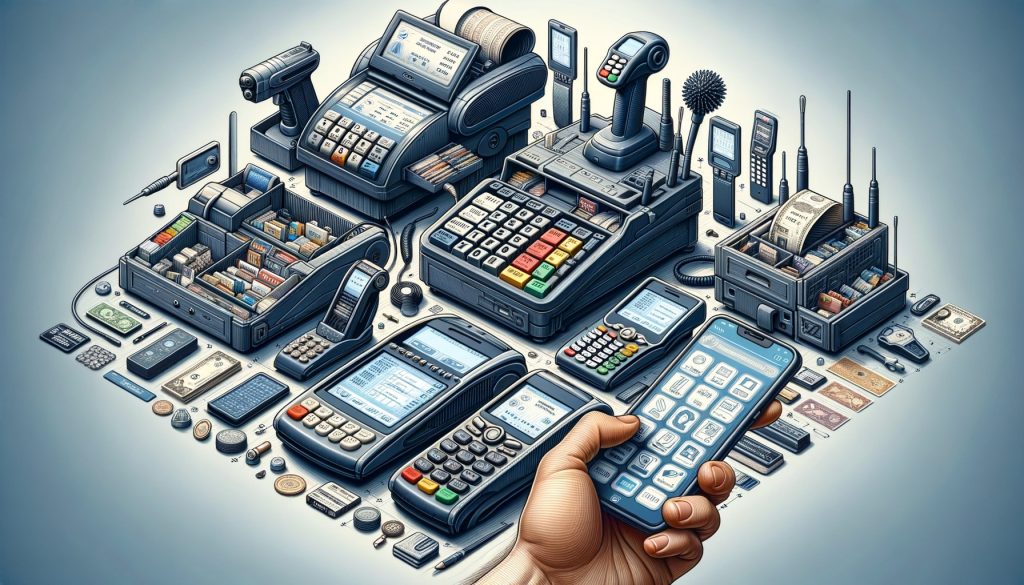
Furthermore, barcode scanners contribute to enhanced inventory management. By providing precise data on sales and stock levels, they enable businesses to monitor inventory with greater accuracy. This real-time data is invaluable for making informed decisions regarding stock replenishment and identifying trends in consumer behavior. Consequently, businesses can optimize their inventory levels, reducing the risk of overstocking or stockouts, which can have significant financial implications.

In addition to improving transaction speed and inventory management, barcode scanners also enhance the overall customer experience. A seamless and efficient checkout process is a critical component of customer satisfaction. Long wait times and errors at the point of sale can lead to frustration and dissatisfaction. By ensuring quick and accurate transactions, barcode scanners help create a positive shopping experience, encouraging repeat business and fostering customer loyalty.

Moreover, the integration of barcode scanners into POS systems is relatively straightforward, making them a practical choice for businesses of all sizes. With a variety of models available, ranging from handheld to fixed-position scanners, businesses can select the type that best suits their operational needs. Additionally, many modern barcode scanners are equipped with advanced features such as wireless connectivity and the ability to read a wide range of barcode types, further enhancing their versatility and utility.

It is also worth noting that the use of barcode scanners can lead to cost savings over time. By reducing the likelihood of human error and improving operational efficiency, businesses can minimize losses associated with incorrect pricing or inventory discrepancies. Furthermore, the data collected through barcode scanning can be leveraged for strategic planning and analysis, providing insights that can drive business growth and profitability.

In conclusion, barcode scanners are an indispensable component of modern POS systems, offering numerous benefits that extend beyond mere transaction processing. Their ability to enhance speed, accuracy, and inventory management, coupled with their positive impact on customer experience, makes them a valuable asset for any business seeking to optimize its operations. As technology continues to evolve, the role of barcode scanners in POS systems is likely to expand, further solidifying their importance in the retail landscape.

How To Integrate Payment Processors With POS Hardware

Integrating payment processors with POS hardware is a critical step for businesses aiming to streamline their transaction processes and enhance customer experience. As the retail landscape evolves, the need for efficient and secure payment solutions becomes increasingly paramount. Understanding how to effectively integrate these systems can significantly impact the operational efficiency and customer satisfaction of a business.

To begin with, it is essential to recognize the role of a payment processor in the transaction ecosystem. A payment processor acts as a mediator between the merchant, the customer, and the financial institutions involved. It facilitates the authorization and settlement of transactions, ensuring that funds are transferred securely and efficiently. When integrating a payment processor with POS hardware, the first step is to select a processor that aligns with the business’s needs. Factors such as transaction fees, supported payment methods, and security features should be carefully evaluated.

Once a suitable payment processor is chosen, the next step involves ensuring compatibility with the existing POS hardware. Most modern POS systems are designed to be versatile, supporting a wide range of payment processors. However, it is crucial to verify that the chosen processor is compatible with the hardware to avoid any technical issues. This often involves checking the software requirements and ensuring that the POS system can support the necessary integrations.

After confirming compatibility, the integration process typically involves configuring the POS software to communicate with the payment processor. This may require installing specific software or plugins provided by the processor. During this phase, it is important to follow the instructions provided by both the POS system and the payment processor to ensure a seamless integration. Additionally, businesses should consider the security protocols in place, as safeguarding customer data is of utmost importance. Implementing encryption and adhering to PCI compliance standards are essential steps in protecting sensitive information.

Furthermore, testing the integration is a critical component of the process. Before going live, it is advisable to conduct thorough testing to ensure that transactions are processed correctly and that any potential issues are identified and resolved. This includes testing various payment methods, such as credit cards, debit cards, and mobile payments, to ensure that the system can handle different types of transactions smoothly.

Training staff on the new system is another vital aspect of integrating payment processors with POS hardware. Employees should be familiar with the new processes and understand how to troubleshoot common issues. Providing comprehensive training can help minimize disruptions and ensure that the transition is as smooth as possible.

In addition to these technical considerations, businesses should also be mindful of the customer experience. A well-integrated payment system can significantly enhance the checkout process, reducing wait times and providing customers with a variety of payment options. This not only improves customer satisfaction but can also lead to increased sales and customer loyalty.

In conclusion, integrating payment processors with POS hardware is a multifaceted process that requires careful planning and execution. By selecting the right payment processor, ensuring compatibility with POS hardware, configuring the system correctly, and prioritizing security, businesses can create a seamless transaction experience for their customers. Moreover, thorough testing and staff training are essential to ensure that the integration is successful and that the business can operate efficiently. Ultimately, a well-integrated payment system can provide significant benefits, enhancing both operational efficiency and customer satisfaction.
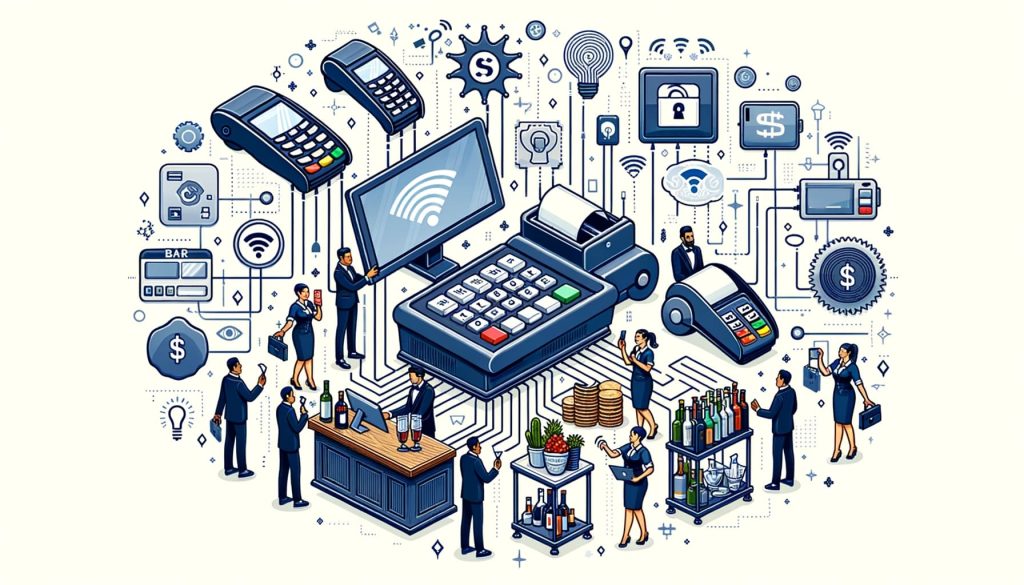
Future Trends In POS Hardware Technology

As the retail landscape continues to evolve, the role of Point of Sale (POS) hardware is becoming increasingly pivotal in shaping the future of commerce. The integration of advanced technologies into POS systems is not only enhancing the efficiency of transactions but also transforming the overall customer experience. One of the most significant trends in POS hardware technology is the shift towards mobile and cloud-based solutions. These systems offer unparalleled flexibility, allowing businesses to process transactions anywhere within the store or even remotely. This mobility is particularly beneficial for small businesses and pop-up shops, which can now operate without the constraints of traditional, stationary POS systems.

Moreover, the rise of contactless payment options is another trend that is reshaping the POS hardware landscape. With the growing consumer preference for quick and secure transactions, contactless payment methods such as NFC (Near Field Communication) and mobile wallets are becoming standard features in modern POS systems. This shift not only speeds up the checkout process but also enhances security by reducing the need for physical contact with payment terminals. As a result, businesses are increasingly investing in POS hardware that supports these technologies to meet consumer expectations and improve operational efficiency.

In addition to mobile and contactless solutions, the integration of artificial intelligence (AI) and machine learning into POS systems is gaining traction. These technologies enable businesses to gather and analyze vast amounts of data, providing valuable insights into consumer behavior and preferences. By leveraging AI, retailers can offer personalized recommendations and promotions, thereby enhancing customer satisfaction and loyalty. Furthermore, AI-powered POS systems can optimize inventory management by predicting demand patterns and reducing stockouts, ultimately leading to increased profitability.

Another emerging trend in POS hardware technology is the adoption of Internet of Things (IoT) devices. IoT-enabled POS systems can connect with other smart devices within the retail environment, creating a seamless and interconnected ecosystem. This connectivity allows for real-time data sharing and improved communication between different components of the retail operation. For instance, IoT devices can automatically update inventory levels as sales are made, ensuring accurate stock management and reducing the risk of human error.

Security remains a paramount concern in the development of future POS hardware. As cyber threats become more sophisticated, businesses must prioritize the protection of sensitive customer data. Advanced encryption technologies and biometric authentication methods are being integrated into POS systems to enhance security measures. These innovations not only safeguard against data breaches but also build consumer trust, which is essential for maintaining a competitive edge in the market.

Looking ahead, the future of POS hardware technology is likely to be characterized by further advancements in automation and integration. As businesses strive to streamline operations and improve customer experiences, the demand for intelligent, interconnected POS systems will continue to grow. Retailers who embrace these technological advancements will be well-positioned to thrive in an increasingly digital and competitive marketplace. In conclusion, staying informed about the latest trends in POS hardware technology is crucial for businesses seeking to enhance their operational efficiency and customer satisfaction. By investing in modern, adaptable POS solutions, retailers can not only meet the evolving needs of their customers but also secure a sustainable future in the ever-changing world of commerce.

Q&A

1. **What is POS hardware?**
POS (Point of Sale) hardware refers to the physical components used to conduct sales transactions. This includes devices like cash registers, barcode scanners, receipt printers, and payment terminals.

2. **Why is POS hardware important for businesses?**
POS hardware is crucial for businesses as it facilitates efficient transaction processing, inventory management, and customer service. It helps streamline operations and improve accuracy in sales reporting.

3. **What are the key components of a POS system?**
Key components of a POS system typically include a computer or tablet, a cash drawer, a receipt printer, a barcode scanner, and a payment terminal for processing credit and debit card transactions.

4. **How does a barcode scanner work in a POS system?**
A barcode scanner reads the barcode on a product, which contains information about the item. This data is then sent to the POS system to update inventory and calculate the price for the transaction.

5. **What should businesses consider when choosing POS hardware?**
Businesses should consider compatibility with their existing software, ease of use, durability, cost, and the specific needs of their operations, such as mobility for restaurants or retail environments.

6. **What are the benefits of using modern POS hardware?**
Modern POS hardware offers benefits such as faster transaction processing, improved accuracy, enhanced security features, and the ability to integrate with other business systems for better data management and reporting.The “Essential Guide to POS Hardware: What You Need to Know” provides a comprehensive overview of the critical components and considerations involved in selecting and implementing point-of-sale (POS) systems. It emphasizes the importance of understanding the specific needs of a business to choose the right hardware, such as terminals, card readers, receipt printers, and barcode scanners. The guide highlights the significance of compatibility, scalability, and security in POS systems to ensure efficient and secure transactions. Additionally, it underscores the need for reliable customer support and regular updates to maintain system performance. Ultimately, the guide serves as a valuable resource for businesses seeking to optimize their sales processes and enhance customer experience through informed POS hardware choices.

Discover the Top 15 Advantages of Mobile POS Systems for Restaurants

In the fast-paced world of the restaurant industry, efficiency and customer satisfaction are paramount. As technology continues to evolve, mobile point-of-sale (POS) systems have emerged as a game-changer for restaurants, offering a myriad of benefits that enhance operations and elevate the dining experience. This article delves into the top 15 advantages of mobile POS systems for restaurants, highlighting how these innovative solutions streamline processes, improve service speed, and provide valuable insights into business performance. From reducing wait times to enabling seamless payment processing, mobile POS systems are revolutionizing the way restaurants operate, ultimately leading to increased profitability and customer loyalty.

Enhanced Customer Experience

In the rapidly evolving landscape of the restaurant industry, the integration of technology has become a pivotal factor in enhancing customer experience. Among the various technological advancements, mobile point-of-sale (POS) systems have emerged as a transformative tool, offering numerous advantages that significantly elevate the dining experience. By seamlessly blending efficiency with convenience, mobile POS systems are reshaping how restaurants interact with their patrons.

To begin with, mobile POS systems facilitate faster service, which is a crucial element in enhancing customer satisfaction. Traditional POS systems often require servers to travel back and forth between tables and stationary terminals, leading to delays. In contrast, mobile POS systems enable servers to take orders directly at the table using handheld devices. This not only speeds up the ordering process but also minimizes the chances of errors, as orders are transmitted directly to the kitchen. Consequently, customers receive their meals more quickly, reducing wait times and improving overall satisfaction.

Moreover, mobile POS systems offer a personalized dining experience, which is increasingly important in today’s competitive market. These systems allow servers to access customer data, such as previous orders and preferences, enabling them to make tailored recommendations. This level of personalization fosters a sense of connection between the restaurant and its patrons, enhancing customer loyalty. Additionally, mobile POS systems can integrate with customer relationship management (CRM) tools, providing valuable insights into customer behavior and preferences, which can be leveraged to create targeted marketing campaigns and promotions.

Another significant advantage of mobile POS systems is their ability to streamline payment processes. With the rise of digital payment methods, customers expect quick and secure transactions. Mobile POS systems support a variety of payment options, including credit cards, mobile wallets, and contactless payments, allowing customers to pay at the table without the need to wait for a check. This not only expedites the payment process but also enhances security by reducing the handling of physical cash and cards.

Furthermore, mobile POS systems contribute to a more efficient management of restaurant operations, indirectly benefiting the customer experience. By providing real-time data on sales, inventory, and employee performance, these systems enable restaurant managers to make informed decisions that optimize operations. For instance, real-time inventory tracking helps prevent stockouts and overstocking, ensuring that popular menu items are always available. Efficient staff management, facilitated by mobile POS systems, ensures that the restaurant is adequately staffed during peak hours, reducing wait times and improving service quality.

In addition to operational efficiency, mobile POS systems support enhanced communication between front-of-house and back-of-house staff. Orders are transmitted instantly to the kitchen, reducing the likelihood of miscommunication and ensuring that dishes are prepared accurately and promptly. This seamless communication is crucial in maintaining a smooth workflow, ultimately leading to a better dining experience for customers.

Lastly, mobile POS systems offer the flexibility to adapt to changing customer expectations and industry trends. As technology continues to evolve, these systems can be updated with new features and functionalities, ensuring that restaurants remain competitive and continue to meet the needs of their customers. This adaptability is essential in an industry where customer preferences and technological advancements are constantly shifting.

In conclusion, mobile POS systems offer a multitude of advantages that significantly enhance the customer experience in restaurants. By streamlining operations, personalizing interactions, and facilitating efficient service, these systems not only meet but exceed customer expectations, fostering loyalty and driving success in the competitive restaurant industry.

Streamlined Order Management

In the ever-evolving landscape of the restaurant industry, the integration of technology has become a pivotal factor in enhancing operational efficiency and customer satisfaction. One such technological advancement that has gained significant traction is the mobile point of sale (POS) system. These systems have revolutionized the way restaurants manage orders, offering a multitude of advantages that streamline operations and improve service delivery.
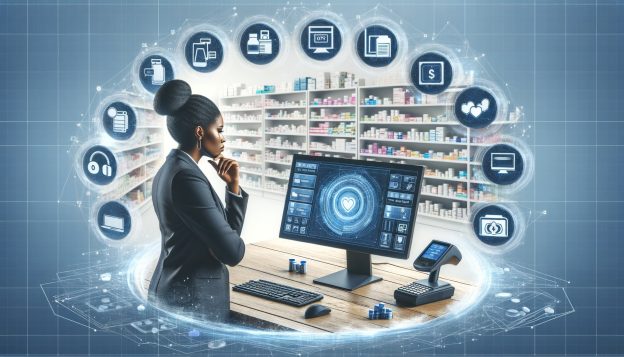
To begin with, mobile POS systems facilitate seamless order management by allowing servers to take orders directly at the table using handheld devices. This eliminates the need for traditional pen-and-paper methods, reducing the likelihood of errors that can occur during manual data entry. As a result, orders are transmitted directly to the kitchen in real-time, ensuring that chefs receive accurate information promptly. This immediacy not only enhances the speed of service but also minimizes the chances of miscommunication between the front and back of house staff.

Moreover, mobile POS systems offer the advantage of increased flexibility in managing orders. For instance, if a customer wishes to modify their order after it has been placed, servers can easily make adjustments on the spot. This adaptability is particularly beneficial during peak hours when the ability to swiftly accommodate customer requests can significantly impact the dining experience. Additionally, the system’s capacity to handle split bills and multiple payment methods further streamlines the checkout process, reducing wait times and enhancing customer satisfaction.

Another notable benefit of mobile POS systems is their ability to integrate with other restaurant management tools. By synchronizing with inventory management software, these systems provide real-time updates on stock levels, enabling staff to make informed decisions about menu availability. This integration not only prevents the disappointment of customers ordering items that are out of stock but also aids in optimizing inventory turnover, thereby reducing waste and improving profitability.

Furthermore, mobile POS systems contribute to enhanced data collection and analysis. By capturing detailed information about customer preferences and purchasing patterns, restaurants can tailor their offerings to better meet the needs of their clientele. This data-driven approach allows for more targeted marketing efforts and personalized customer interactions, fostering loyalty and repeat business. Additionally, the ability to generate comprehensive sales reports provides valuable insights into peak service times and popular menu items, facilitating more strategic decision-making.

In addition to these operational benefits, mobile POS systems also enhance the overall dining experience by allowing for more personalized service. With access to customer profiles and order history, servers can make recommendations based on past preferences, creating a more engaging and customized interaction. This level of personalization not only elevates the dining experience but also strengthens the relationship between the restaurant and its patrons.

In conclusion, the adoption of mobile POS systems in restaurants offers a myriad of advantages that streamline order management and enhance overall efficiency. From reducing errors and improving communication to providing valuable data insights and enabling personalized service, these systems are an invaluable asset in the modern restaurant environment. As the industry continues to evolve, embracing such technological innovations will be crucial for restaurants seeking to maintain a competitive edge and deliver exceptional service to their customers.

Increased Sales Opportunities

In the ever-evolving landscape of the restaurant industry, the integration of technology has become a pivotal factor in enhancing operational efficiency and customer satisfaction. Among the technological advancements, mobile point-of-sale (POS) systems have emerged as a transformative tool, offering a myriad of benefits that extend beyond mere transaction processing. One of the most significant advantages of mobile POS systems for restaurants is the potential to increase sales opportunities, a critical aspect for any business aiming to thrive in a competitive market.
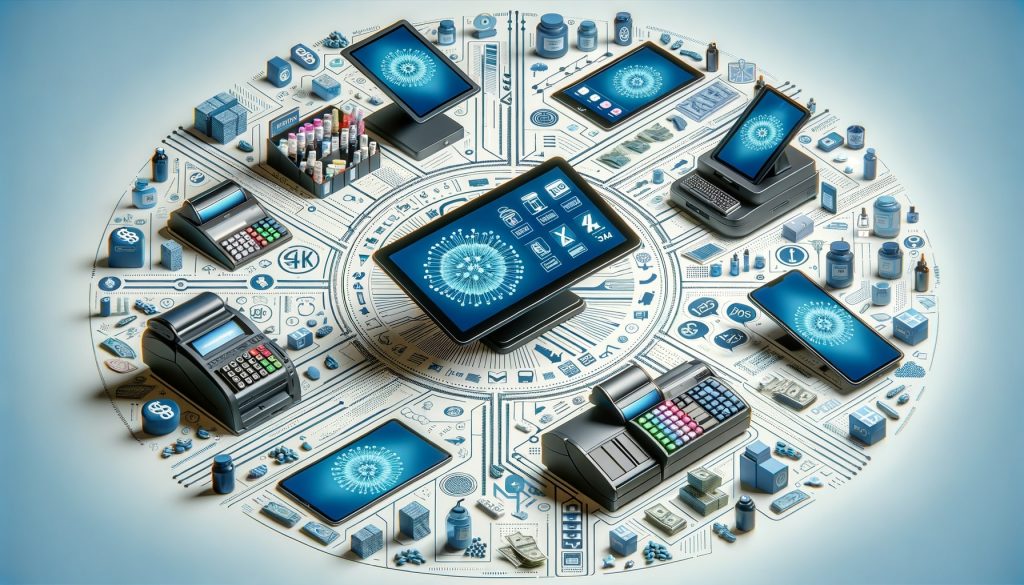
To begin with, mobile POS systems facilitate a more streamlined and efficient ordering process. By equipping servers with handheld devices, orders can be taken tableside and sent directly to the kitchen. This not only reduces the likelihood of errors associated with traditional pen-and-paper methods but also accelerates the entire service cycle. Consequently, faster service translates to quicker table turnover, allowing restaurants to accommodate more patrons during peak hours and ultimately boosting sales.

Moreover, mobile POS systems empower staff to engage more effectively with customers. With access to detailed menu information and customer preferences at their fingertips, servers can make personalized recommendations and upsell items with greater confidence. This personalized interaction not only enhances the dining experience but also encourages customers to explore additional menu options, thereby increasing the average transaction value.

In addition to enhancing the dining experience, mobile POS systems offer restaurants the flexibility to expand their sales channels. For instance, these systems can seamlessly integrate with online ordering platforms, enabling restaurants to tap into the growing demand for takeout and delivery services. By reaching customers beyond the confines of the physical restaurant space, businesses can capture a larger market share and drive additional revenue streams.

Furthermore, mobile POS systems provide valuable insights through robust data analytics. By analyzing sales patterns, customer preferences, and peak dining times, restaurant owners can make informed decisions about menu offerings, pricing strategies, and staffing levels. This data-driven approach not only optimizes operations but also identifies opportunities for targeted marketing campaigns and promotions, further enhancing sales potential.

Another noteworthy advantage is the ability to offer diverse payment options. Mobile POS systems support a variety of payment methods, including contactless payments, mobile wallets, and even cryptocurrency. By accommodating the payment preferences of a broader customer base, restaurants can reduce friction at the point of sale and encourage repeat business.

Additionally, mobile POS systems enhance the overall customer experience by minimizing wait times and improving service quality. When customers perceive a restaurant as efficient and attentive, they are more likely to return and recommend the establishment to others. This positive word-of-mouth can significantly contribute to increased foot traffic and sales.

In conclusion, the adoption of mobile POS systems in restaurants presents a multitude of opportunities to enhance sales. By streamlining operations, enabling personalized customer interactions, expanding sales channels, and providing valuable data insights, these systems empower restaurants to optimize their performance and capitalize on new revenue opportunities. As the restaurant industry continues to evolve, embracing mobile POS technology will undoubtedly be a key driver of success in an increasingly competitive market.

Improved Staff Efficiency

In the rapidly evolving landscape of the restaurant industry, the integration of technology has become a pivotal factor in enhancing operational efficiency and customer satisfaction. Among the technological advancements, mobile point-of-sale (POS) systems have emerged as a transformative tool, particularly in improving staff efficiency. By streamlining various processes, these systems enable restaurant staff to perform their duties more effectively, ultimately leading to a more seamless dining experience for patrons.
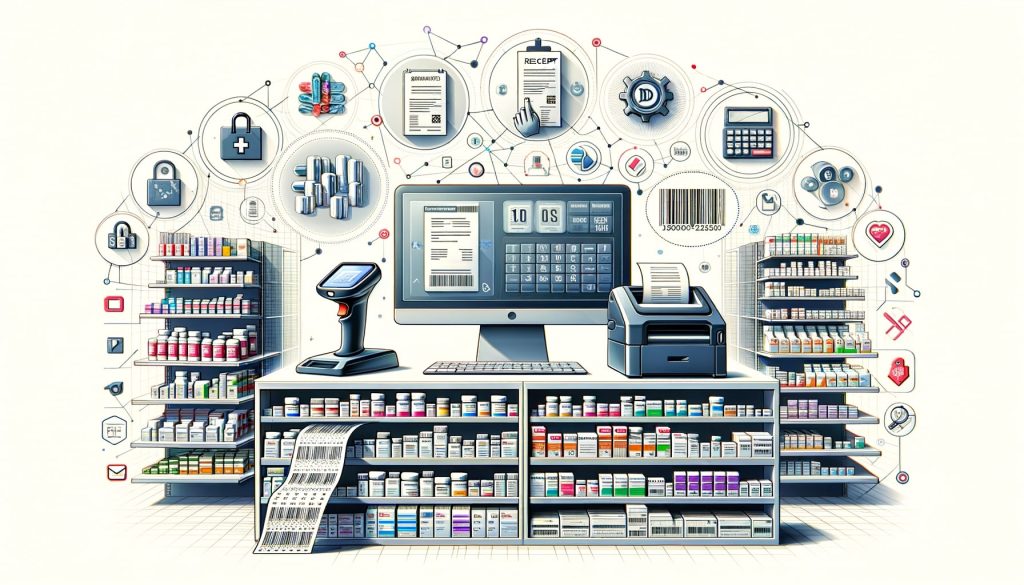
To begin with, mobile POS systems significantly reduce the time spent on order taking and processing. Traditionally, servers would jot down orders on paper and then relay them to the kitchen, a process that is not only time-consuming but also prone to errors. With mobile POS systems, servers can input orders directly into a handheld device, which instantly transmits the information to the kitchen. This direct communication minimizes the risk of miscommunication and ensures that orders are prepared accurately and promptly. Consequently, staff can serve more tables in less time, enhancing overall productivity.

Moreover, mobile POS systems facilitate faster payment processing, which is a crucial aspect of improving staff efficiency. In a conventional setup, servers would need to walk back and forth between tables and a stationary POS terminal to process payments. This not only consumes valuable time but also increases the likelihood of errors. Mobile POS systems, on the other hand, allow servers to process payments tableside, using secure, wireless technology. This capability not only speeds up the payment process but also enhances the customer experience by reducing wait times.

In addition to streamlining order and payment processes, mobile POS systems also contribute to better inventory management. By integrating inventory tracking features, these systems provide real-time updates on stock levels, enabling staff to monitor and manage inventory more effectively. This real-time data helps in reducing instances of over-ordering or running out of popular menu items, thereby ensuring that the restaurant operates smoothly and efficiently. Furthermore, with accurate inventory data at their fingertips, staff can make informed decisions about menu adjustments and promotions, further optimizing restaurant operations.

Another significant advantage of mobile POS systems is their ability to enhance communication among staff members. In a bustling restaurant environment, clear and efficient communication is essential to maintaining a high level of service. Mobile POS systems often come equipped with messaging features that allow staff to communicate instantly with one another, whether it’s to alert the kitchen of a special request or to notify a manager of a customer issue. This improved communication reduces the likelihood of errors and ensures that any issues are addressed promptly, contributing to a more efficient workflow.

Additionally, mobile POS systems offer valuable insights through data analytics, which can be leveraged to improve staff performance. By analyzing data on sales patterns, customer preferences, and staff productivity, restaurant managers can identify areas for improvement and implement targeted training programs. This data-driven approach not only enhances staff efficiency but also contributes to the overall success of the restaurant.

In conclusion, the adoption of mobile POS systems in restaurants offers numerous advantages in terms of improving staff efficiency. By streamlining order taking, payment processing, inventory management, and communication, these systems empower staff to perform their duties more effectively. As a result, restaurants can provide a superior dining experience, ultimately leading to increased customer satisfaction and business success.

Real-Time Inventory Tracking

In the rapidly evolving landscape of the restaurant industry, the integration of technology has become a pivotal factor in enhancing operational efficiency and customer satisfaction. Among the myriad of technological advancements, mobile point-of-sale (POS) systems have emerged as a transformative tool, offering a multitude of advantages. One of the most significant benefits of mobile POS systems for restaurants is real-time inventory tracking, which plays a crucial role in streamlining operations and optimizing resource management.

Real-time inventory tracking through mobile POS systems allows restaurant owners and managers to maintain an accurate and up-to-date record of their stock levels. This capability is essential in preventing both overstocking and understocking, which can lead to financial losses and customer dissatisfaction. By having immediate access to inventory data, restaurant operators can make informed decisions about purchasing and menu planning, ensuring that popular items are always available while minimizing waste.

Moreover, the integration of real-time inventory tracking with mobile POS systems facilitates seamless communication between the front-of-house and back-of-house operations. For instance, when a server inputs an order into the system, the inventory is automatically updated to reflect the items used. This instantaneous update helps kitchen staff manage their resources more effectively, reducing the likelihood of running out of key ingredients during peak service times. Consequently, this leads to a smoother workflow and enhances the overall dining experience for customers.

In addition to improving operational efficiency, real-time inventory tracking also aids in cost control. By providing detailed insights into inventory usage patterns, mobile POS systems enable restaurant managers to identify trends and adjust their purchasing strategies accordingly. This data-driven approach helps in negotiating better deals with suppliers and reducing unnecessary expenditures. Furthermore, the ability to track inventory in real-time allows for the early detection of discrepancies, such as theft or spoilage, thereby safeguarding the restaurant’s bottom line.

Another advantage of real-time inventory tracking is its contribution to menu optimization. With precise data on ingredient usage and sales performance, restaurant operators can analyze which menu items are most popular and which are underperforming. This information is invaluable for making strategic decisions about menu adjustments, promotions, and pricing strategies. By aligning the menu offerings with customer preferences and inventory availability, restaurants can enhance customer satisfaction and drive revenue growth.

The benefits of real-time inventory tracking extend beyond the confines of the restaurant itself. For multi-location establishments, mobile POS systems provide a centralized platform for monitoring inventory across all sites. This capability ensures consistency in product availability and quality, regardless of location. Additionally, it simplifies the process of transferring stock between locations, reducing the risk of shortages and excesses.

In conclusion, the integration of real-time inventory tracking within mobile POS systems offers a multitude of advantages for restaurants. By providing accurate and timely data, these systems empower restaurant operators to make informed decisions that enhance operational efficiency, control costs, and optimize menu offerings. As the restaurant industry continues to embrace technological advancements, the adoption of mobile POS systems with real-time inventory tracking is poised to become an indispensable asset for achieving success in an increasingly competitive market.

Secure Payment Processing

In the rapidly evolving landscape of the restaurant industry, the integration of technology has become indispensable for enhancing operational efficiency and customer satisfaction. Among the myriad technological advancements, mobile point-of-sale (POS) systems have emerged as a pivotal tool, particularly in the realm of secure payment processing. As restaurants strive to meet the demands of tech-savvy consumers, understanding the advantages of mobile POS systems in ensuring secure transactions is crucial.

To begin with, mobile POS systems offer enhanced security features that are designed to protect sensitive customer information. Traditional cash registers and older POS systems often lack the robust security protocols necessary to safeguard against data breaches. In contrast, mobile POS systems are equipped with advanced encryption technologies that ensure all transaction data is securely transmitted and stored. This encryption acts as a formidable barrier against cyber threats, providing peace of mind to both restaurant owners and patrons.

Moreover, mobile POS systems facilitate secure payment processing through the integration of EMV (Europay, MasterCard, and Visa) technology. EMV technology is a global standard for credit and debit card payments that uses microchip technology to authenticate transactions. This significantly reduces the risk of fraudulent activities, such as card cloning and unauthorized transactions, which are more prevalent with magnetic stripe cards. By adopting mobile POS systems with EMV capabilities, restaurants can offer their customers a more secure payment experience, thereby fostering trust and loyalty.

In addition to EMV technology, mobile POS systems support contactless payment methods, such as NFC (Near Field Communication) and mobile wallets like Apple Pay and Google Wallet. These payment options not only enhance convenience for customers but also add an extra layer of security. Contactless payments minimize the physical exchange of cards, reducing the likelihood of card information being compromised. Furthermore, mobile wallets often employ biometric authentication, such as fingerprint or facial recognition, adding another level of security to the transaction process.

Another significant advantage of mobile POS systems in secure payment processing is their ability to provide real-time transaction monitoring and reporting. This feature allows restaurant owners and managers to track sales and identify any suspicious activities promptly. By having access to detailed transaction data, businesses can quickly detect and address potential security breaches, thereby minimizing financial losses and reputational damage.

Furthermore, mobile POS systems are designed to comply with the Payment Card Industry Data Security Standard (PCI DSS), a set of security standards established to protect card information during and after a financial transaction. Compliance with PCI DSS is essential for any business that processes card payments, and mobile POS systems simplify this process by incorporating the necessary security measures. This compliance not only protects customer data but also shields the restaurant from potential legal and financial repercussions associated with data breaches.

In conclusion, the adoption of mobile POS systems in restaurants offers a multitude of advantages in secure payment processing. From advanced encryption and EMV technology to contactless payments and real-time monitoring, these systems provide a comprehensive solution to the security challenges faced by the industry. As restaurants continue to embrace digital transformation, mobile POS systems will undoubtedly play a critical role in ensuring secure, efficient, and customer-friendly payment experiences. By prioritizing security, restaurants can build trust with their customers, ultimately driving growth and success in an increasingly competitive market.

Q&A

1. **Increased Efficiency**: Mobile POS systems streamline order taking and payment processes, reducing wait times and improving table turnover rates.

2. **Enhanced Customer Experience**: With mobile POS, servers can take orders and process payments tableside, providing a more personalized and efficient service.

3. **Real-Time Data Access**: Managers can access sales data, inventory levels, and customer preferences in real-time, allowing for better decision-making.

4. **Improved Order Accuracy**: Orders are directly entered into the system, minimizing errors associated with handwritten notes and ensuring accurate kitchen communication.

5. **Flexibility and Mobility**: Staff can move freely around the restaurant, taking orders and processing payments anywhere, enhancing service speed and flexibility.

6. **Cost Savings**: Mobile POS systems often have lower upfront costs compared to traditional systems and can reduce the need for multiple stationary terminals.Mobile POS systems offer numerous advantages for restaurants, enhancing operational efficiency and customer experience. Key benefits include increased mobility, allowing staff to take orders and process payments directly at the table, which speeds up service and reduces errors. These systems also offer real-time data access, enabling better inventory management and sales tracking. Enhanced customer satisfaction is achieved through faster service and flexible payment options. Additionally, mobile POS systems often integrate with other restaurant management software, streamlining operations and reducing costs. Overall, adopting mobile POS systems can lead to improved service quality, increased revenue, and a more efficient restaurant operation.

Creating a POS QR Code for Your Business

In today’s fast-paced digital landscape, businesses are constantly seeking innovative ways to streamline operations and enhance customer experiences. One such advancement is the integration of QR codes into point-of-sale (POS) systems. Creating a POS QR code for your business not only simplifies transactions but also offers a seamless, contactless payment solution that caters to the evolving preferences of modern consumers. By leveraging this technology, businesses can reduce transaction times, minimize errors, and provide a secure payment method that enhances customer satisfaction. This introduction explores the benefits and steps involved in implementing a POS QR code system, highlighting its potential to revolutionize the way businesses interact with their customers.

Understanding The Basics Of POS QR Codes

In the rapidly evolving landscape of digital transactions, understanding the basics of Point of Sale (POS) QR codes is essential for businesses aiming to streamline their payment processes. As technology continues to advance, QR codes have emerged as a convenient and efficient method for facilitating transactions, offering both businesses and customers a seamless experience. To fully grasp the potential of POS QR codes, it is important to explore their functionality, benefits, and implementation strategies.

At its core, a POS QR code is a two-dimensional barcode that can be scanned using a smartphone or a dedicated QR code reader. This technology enables customers to make payments by simply scanning the code, which then directs them to a secure payment gateway. The simplicity of this process not only enhances the customer experience but also reduces the time spent at the checkout, thereby increasing overall efficiency. Moreover, the widespread adoption of smartphones has made QR codes an accessible option for a broad audience, further solidifying their place in modern commerce.

Transitioning to the benefits, POS QR codes offer several advantages that make them an attractive option for businesses. Firstly, they eliminate the need for physical contact, which is particularly beneficial in a post-pandemic world where hygiene and safety are paramount. By minimizing physical interactions, businesses can provide a safer environment for both employees and customers. Additionally, QR codes are cost-effective, as they do not require expensive hardware or maintenance. This affordability makes them an ideal solution for small and medium-sized enterprises looking to optimize their payment systems without incurring significant expenses.

Furthermore, the versatility of QR codes allows businesses to integrate them into various marketing strategies. For instance, QR codes can be printed on promotional materials, receipts, or even displayed on digital screens, providing customers with easy access to payment options. This integration not only enhances the customer experience but also opens up new avenues for engagement and brand loyalty. By offering a seamless and convenient payment method, businesses can differentiate themselves from competitors and foster a positive brand image.

To implement POS QR codes effectively, businesses must consider several key factors. Firstly, it is crucial to choose a reliable payment gateway that ensures secure transactions. Security is a top priority, as customers need to trust that their financial information is protected. Additionally, businesses should ensure that their QR codes are easily accessible and visible to customers. This can be achieved by strategically placing the codes at checkout counters or incorporating them into digital platforms such as mobile apps or websites.

Moreover, businesses should provide clear instructions on how to use the QR codes, as not all customers may be familiar with the process. Educating customers on the benefits and ease of use can significantly enhance their willingness to adopt this payment method. Furthermore, businesses should regularly update and test their QR codes to ensure they function correctly and provide a seamless experience.

In conclusion, understanding the basics of POS QR codes is essential for businesses seeking to enhance their payment processes and improve customer satisfaction. By leveraging the benefits of QR codes, such as contactless transactions, cost-effectiveness, and versatility, businesses can create a more efficient and engaging payment experience. As technology continues to evolve, embracing innovative solutions like POS QR codes will undoubtedly play a crucial role in shaping the future of commerce.

Benefits Of Implementing QR Codes In Your Business

In today’s rapidly evolving digital landscape, businesses are constantly seeking innovative ways to enhance customer experience and streamline operations. One such innovation that has gained significant traction is the implementation of QR codes, particularly in point-of-sale (POS) systems. The integration of QR codes into business operations offers a multitude of benefits, making it an attractive option for businesses aiming to stay competitive and efficient.

To begin with, QR codes provide a seamless and contactless transaction experience, which has become increasingly important in the wake of the global pandemic. Customers are more conscious than ever about hygiene and safety, and QR codes offer a solution that minimizes physical contact. By simply scanning a QR code with their smartphones, customers can access payment portals, menus, or product information without the need to touch shared surfaces. This not only enhances the customer experience but also instills a sense of trust and safety, encouraging repeat business.

Moreover, QR codes contribute to faster transaction times, which is a crucial factor in improving customer satisfaction. Traditional payment methods, such as cash or card swipes, can be time-consuming, especially during peak hours. In contrast, QR code payments are quick and efficient, reducing wait times and allowing businesses to serve more customers in less time. This efficiency can lead to increased sales and improved customer retention, as patrons are more likely to return to businesses where they have had positive and hassle-free experiences.

In addition to improving transaction speed, QR codes offer businesses a cost-effective solution for their POS systems. Implementing QR codes requires minimal investment compared to traditional payment terminals. Businesses can generate QR codes for free or at a low cost, and the technology needed to scan these codes is already widely available on most smartphones. This accessibility makes QR codes an attractive option for small and medium-sized enterprises looking to modernize their payment systems without incurring significant expenses.

Furthermore, QR codes provide businesses with valuable data insights. When customers scan a QR code, businesses can track and analyze purchasing patterns, customer preferences, and peak transaction times. This data can be leveraged to tailor marketing strategies, optimize inventory management, and enhance overall business operations. By understanding customer behavior, businesses can make informed decisions that drive growth and profitability.

Another notable advantage of QR codes is their versatility. They can be used for a variety of purposes beyond payments, such as loyalty programs, promotional campaigns, and customer feedback collection. For instance, businesses can create QR codes that link to special offers or discounts, encouraging customers to engage with the brand and fostering customer loyalty. Additionally, QR codes can be used to gather feedback, allowing businesses to continuously improve their products and services based on customer input.

In conclusion, the implementation of QR codes in business operations offers a range of benefits that can significantly enhance customer experience and operational efficiency. From providing a contactless and hygienic transaction method to offering valuable data insights and cost-effective solutions, QR codes are a powerful tool for businesses looking to innovate and thrive in a competitive market. As technology continues to advance, the adoption of QR codes is likely to become even more widespread, making it an essential consideration for businesses aiming to stay ahead of the curve.

Step-By-Step Guide To Creating A POS QR Code

Creating a POS QR code for your business is an essential step in modernizing your payment systems and enhancing customer convenience. As digital transactions become increasingly prevalent, integrating QR codes into your point-of-sale (POS) system can streamline operations and improve the overall customer experience. To begin, it is crucial to understand the fundamental components required for generating a QR code that is compatible with your POS system.

First and foremost, you need to select a reliable QR code generator. Numerous online platforms offer QR code generation services, but it is advisable to choose one that provides secure and customizable options. This ensures that the QR code aligns with your business’s branding and security requirements. Once you have selected a suitable generator, the next step involves inputting the necessary information that the QR code will encode. Typically, this includes details such as the payment amount, currency, and any specific transaction identifiers that your POS system requires.

After entering the relevant information, you can proceed to customize the appearance of the QR code. Many generators allow you to modify the color scheme, add a logo, or adjust the size to fit your specific needs. Customization not only enhances the visual appeal of the QR code but also reinforces brand recognition among your customers. Once you are satisfied with the design, generate the QR code and save it in a high-resolution format to ensure clarity when printed or displayed digitally.

The next step involves integrating the QR code into your POS system. This process may vary depending on the software and hardware you are using. Generally, it involves uploading the QR code into your POS software and configuring it to recognize and process transactions initiated through the code. It is essential to test the functionality of the QR code within your POS system to ensure that it accurately captures and processes payment information. Conducting a series of test transactions can help identify any potential issues and allow for adjustments before full implementation.

Furthermore, it is important to train your staff on how to use the QR code system effectively. Providing comprehensive training ensures that employees are familiar with the process and can assist customers who may be unfamiliar with QR code payments. This step is crucial in minimizing transaction errors and enhancing customer satisfaction.

In addition to staff training, consider informing your customers about the new payment option. This can be achieved through in-store signage, social media announcements, or email newsletters. Educating customers on the benefits of using QR codes, such as faster checkout times and contactless payments, can encourage adoption and increase usage.

Finally, continuously monitor the performance of the QR code system and gather feedback from both staff and customers. This feedback can provide valuable insights into any areas that may require improvement or adjustment. Regularly updating and maintaining the QR code system ensures that it remains efficient and secure, ultimately contributing to a seamless payment experience for your customers.

In conclusion, creating a POS QR code for your business involves selecting a reliable generator, customizing the code, integrating it into your POS system, training staff, and educating customers. By following these steps, you can successfully implement a QR code payment system that enhances operational efficiency and customer satisfaction.

Best Practices For Designing Effective QR Codes

In the rapidly evolving landscape of digital transactions, QR codes have emerged as a pivotal tool for businesses seeking to streamline their point-of-sale (POS) systems. As more consumers embrace the convenience of contactless payments, creating an effective QR code for your business is not just a technological upgrade but a strategic necessity. To ensure that your QR code is both functional and engaging, it is essential to adhere to best practices in its design and implementation.

To begin with, clarity and simplicity should be at the forefront of your QR code design. A QR code that is overly complex or cluttered can lead to scanning errors, frustrating customers and potentially leading to lost sales. Therefore, it is crucial to maintain a high contrast between the code and its background. Typically, a black code on a white background is most effective, as it ensures that scanners can easily detect and process the information. Additionally, the size of the QR code should be appropriate for its intended use. While a small code may suffice for printed materials, larger codes are necessary for signage or displays to ensure they can be scanned from a distance.

Moreover, the placement of the QR code is a critical consideration. It should be positioned in a location that is easily accessible and visible to customers. For instance, placing the code near the checkout area or on a prominent part of your website can facilitate seamless transactions. Furthermore, it is advisable to test the QR code across various devices and scanning apps to ensure compatibility and functionality. This step is vital, as different devices may interpret QR codes differently, and ensuring a smooth user experience is paramount.

In addition to technical considerations, the aesthetic appeal of your QR code can significantly impact its effectiveness. While maintaining functionality is essential, incorporating elements of your brand identity into the design can enhance customer engagement. This can be achieved by integrating your brand colors or logo into the QR code, provided it does not compromise the code’s scannability. Such customization not only reinforces brand recognition but also makes the QR code more visually appealing.

Transitioning from design to implementation, it is important to consider the security aspects of your QR code. As with any digital tool, QR codes can be susceptible to misuse or fraud. To mitigate these risks, ensure that the URL embedded within the QR code directs users to a secure and trusted site. Additionally, regularly updating the QR code and monitoring its usage can help identify any potential security threats.

Finally, educating your customers on the use of QR codes can enhance their experience and encourage adoption. Providing clear instructions or demonstrations on how to scan the code and complete a transaction can alleviate any apprehensions they may have. This is particularly important for customers who may be unfamiliar with QR code technology.

In conclusion, creating an effective POS QR code for your business involves a careful balance of design, functionality, and security. By adhering to best practices, you can ensure that your QR code not only facilitates seamless transactions but also enhances customer engagement and trust. As the digital landscape continues to evolve, embracing such innovations will position your business at the forefront of technological advancement, ultimately driving growth and success.

Integrating QR Codes With Your Existing POS System

Integrating QR codes with your existing Point of Sale (POS) system can significantly enhance the efficiency and customer experience of your business. As technology continues to evolve, businesses are increasingly adopting innovative solutions to streamline operations and improve customer satisfaction. One such solution is the use of QR codes, which have become a popular tool for facilitating quick and contactless transactions. By creating a POS QR code for your business, you can offer a seamless payment experience that aligns with modern consumer expectations.

To begin with, it is essential to understand the fundamental role of QR codes in the context of a POS system. QR codes, or Quick Response codes, are two-dimensional barcodes that can be scanned using a smartphone or a dedicated QR code reader. When integrated with a POS system, these codes can be used to process payments, apply discounts, or even track inventory. The integration process involves generating a unique QR code for each transaction or product, which customers can scan to complete their purchase. This not only speeds up the checkout process but also reduces the likelihood of errors associated with manual data entry.

Transitioning to the practical aspects of integration, the first step is to ensure that your existing POS system is compatible with QR code technology. Many modern POS systems come equipped with built-in QR code capabilities, but if yours does not, you may need to consider upgrading or using third-party software that can bridge the gap. Once compatibility is established, the next step is to generate QR codes that are specific to your business needs. This can be done using various online platforms or software solutions that allow you to customize the codes with your business logo, colors, and other branding elements.

Furthermore, it is crucial to train your staff on how to effectively use the new system. Employees should be familiar with the process of generating and scanning QR codes, as well as troubleshooting any potential issues that may arise. Providing comprehensive training will ensure a smooth transition and minimize disruptions to your business operations. Additionally, it is advisable to inform your customers about the new payment option. This can be done through in-store signage, social media announcements, or direct communication at the point of sale. Educating customers on the benefits of using QR codes, such as faster transactions and enhanced security, can encourage them to adopt this payment method.

Moreover, integrating QR codes with your POS system offers several advantages beyond improved transaction speed. For instance, it can enhance data collection and analysis, allowing you to gain valuable insights into customer behavior and preferences. By tracking which products are frequently purchased using QR codes, you can tailor your marketing strategies and inventory management to better meet customer demand. Additionally, QR codes can facilitate loyalty programs by automatically applying discounts or rewards when scanned, thus fostering customer retention and satisfaction.

In conclusion, integrating QR codes with your existing POS system is a strategic move that can elevate your business operations and customer experience. By embracing this technology, you can streamline transactions, reduce errors, and gain valuable insights into consumer behavior. As the business landscape continues to evolve, staying ahead of technological trends is crucial for maintaining a competitive edge. Therefore, investing in QR code integration is not only a practical decision but also a forward-thinking approach to future-proofing your business.

Case Studies: Successful Businesses Using POS QR Codes

In the rapidly evolving landscape of digital commerce, businesses are continually seeking innovative solutions to streamline transactions and enhance customer experiences. One such innovation that has gained significant traction is the use of Point of Sale (POS) QR codes. These codes offer a seamless, contactless payment method that is both efficient and secure. To illustrate the effectiveness of this technology, we can examine several case studies of successful businesses that have integrated POS QR codes into their operations.

Consider the case of a bustling café in downtown San Francisco, which faced challenges with long queues and slow payment processing during peak hours. By implementing POS QR codes, the café enabled customers to scan a code at the counter, instantly directing them to a secure payment portal on their smartphones. This not only expedited the payment process but also reduced the physical exchange of cash and cards, thereby enhancing hygiene—a crucial factor in the post-pandemic world. As a result, the café reported a 30% increase in transaction speed and a notable improvement in customer satisfaction.

Transitioning to the retail sector, a boutique clothing store in New York City adopted POS QR codes to address the issue of limited checkout counters. By placing QR codes throughout the store, customers could scan and pay for items directly from their mobile devices, eliminating the need to wait in line. This innovative approach not only improved the shopping experience but also allowed the store to optimize its floor space, dedicating more area to product displays rather than checkout counters. Consequently, the store experienced a 20% increase in sales, attributed to the enhanced convenience and efficiency of the shopping process.

Moreover, a restaurant chain in Chicago leveraged POS QR codes to revolutionize its dining experience. By integrating QR codes into their menus, the restaurant allowed patrons to order and pay directly from their tables. This system minimized the need for waitstaff to handle payments, allowing them to focus more on customer service and order accuracy. The restaurant chain reported a 25% reduction in order errors and a significant boost in table turnover rates, leading to increased revenue and customer satisfaction.

In addition to these examples, a tech-savvy bookstore in Seattle utilized POS QR codes to facilitate a unique loyalty program. Customers could scan a QR code at checkout to earn points and redeem rewards, all through a user-friendly mobile app. This not only incentivized repeat business but also provided the bookstore with valuable data on customer preferences and purchasing habits. As a result, the bookstore was able to tailor its inventory and marketing strategies more effectively, leading to a 15% increase in customer retention.

These case studies underscore the versatility and effectiveness of POS QR codes across various industries. By offering a quick, contactless payment solution, businesses can enhance operational efficiency, improve customer satisfaction, and ultimately drive sales growth. As more consumers embrace digital payment methods, the adoption of POS QR codes is likely to become an essential component of modern business strategies. In conclusion, the successful implementation of POS QR codes by these businesses serves as a compelling testament to the potential of this technology to transform the way transactions are conducted, paving the way for a more streamlined and customer-centric future.

Q&A

1. **What is a POS QR Code?**
A POS QR Code is a digital code that can be scanned by a smartphone to facilitate quick and contactless payments at a point of sale.

2. **How do you create a POS QR Code?**
To create a POS QR Code, use a QR code generator that supports payment integration. Input your business details and payment information, then generate and download the QR code.

3. **What information is needed to generate a POS QR Code?**
You typically need your business name, payment provider details, and any specific transaction information you want to include, such as a fixed amount or a reference number.

4. **Which payment platforms support POS QR Codes?**
Many platforms support POS QR Codes, including PayPal, Square, Stripe, and various banking apps that offer QR code payment solutions.

5. **What are the benefits of using a POS QR Code?**
Benefits include faster transactions, reduced need for physical cash handling, improved customer experience, and enhanced hygiene due to contactless payments.

6. **How can customers use a POS QR Code?**
Customers can use a POS QR Code by scanning it with their smartphone camera or a dedicated QR code scanning app, which will direct them to a payment page to complete the transaction.Creating a POS QR code for your business can significantly enhance the customer experience by streamlining the payment process, reducing transaction times, and minimizing errors associated with manual entry. It offers a contactless payment option, which is increasingly preferred by consumers for its convenience and safety, especially in a post-pandemic world. Additionally, integrating QR codes into your POS system can provide valuable data insights into customer behavior and preferences, enabling more targeted marketing strategies. Overall, implementing a POS QR code is a forward-thinking move that can improve operational efficiency, boost customer satisfaction, and potentially increase sales.

Mastering the Self-Employed Tax Credit: A Comprehensive Guide

“Mastering the Self-Employed Tax Credit: A Comprehensive Guide” is an essential resource for freelancers, entrepreneurs, and independent contractors navigating the complexities of tax obligations. This guide delves into the intricacies of the self-employed tax credit, offering clear explanations and practical advice to help individuals maximize their tax benefits. By breaking down the eligibility criteria, application processes, and potential pitfalls, this guide empowers self-employed individuals to make informed financial decisions, ensuring compliance while optimizing their tax savings. Whether you’re new to self-employment or a seasoned professional, this comprehensive guide provides the tools and insights needed to effectively manage your tax responsibilities and enhance your financial well-being.

Understanding Eligibility for the Self-Employed Tax Credit

Navigating the complexities of tax credits can be a daunting task for many self-employed individuals. However, understanding the eligibility criteria for the self-employed tax credit is crucial for maximizing potential savings and ensuring compliance with tax regulations. This comprehensive guide aims to demystify the eligibility requirements, providing clarity and confidence to those who are self-employed.

To begin with, it is essential to recognize that the self-employed tax credit is designed to alleviate some of the financial burdens faced by individuals who operate their own businesses. Unlike traditional employees, self-employed individuals are responsible for both the employer and employee portions of Social Security and Medicare taxes. This dual responsibility can significantly impact their financial situation, making tax credits a valuable tool for reducing overall tax liability.

One of the primary eligibility criteria for the self-employed tax credit is the nature of the business itself. The individual must be engaged in a trade or business that is actively generating income. This means that the business should be a legitimate, profit-driven venture rather than a hobby or side activity. The Internal Revenue Service (IRS) scrutinizes the nature of the business to ensure that it meets the necessary requirements, emphasizing the importance of maintaining accurate and detailed records of all business activities.

In addition to the nature of the business, the self-employed individual must also meet specific income thresholds to qualify for the tax credit. The IRS sets these thresholds annually, and they can vary based on factors such as filing status and the number of dependents. It is crucial for self-employed individuals to stay informed about these thresholds, as they directly impact eligibility. Moreover, understanding these income limits can help in strategic financial planning, allowing individuals to make informed decisions about their business operations and personal finances.

Furthermore, the self-employed tax credit is contingent upon the individual’s ability to demonstrate that they have paid the required self-employment taxes. This involves accurately calculating and reporting both the employer and employee portions of Social Security and Medicare taxes on their tax return. Failure to do so can result in disqualification from the tax credit, as well as potential penalties and interest charges. Therefore, meticulous record-keeping and timely tax payments are essential components of maintaining eligibility.

Another critical aspect of eligibility is the individual’s filing status. Self-employed individuals must file their taxes using the appropriate forms, such as Schedule C or Schedule C-EZ, to report their business income and expenses. Additionally, they must complete Schedule SE to calculate their self-employment tax. Ensuring that these forms are accurately completed and submitted is vital for claiming the self-employed tax credit.

In conclusion, understanding the eligibility criteria for the self-employed tax credit is a fundamental step for self-employed individuals seeking to optimize their tax situation. By comprehending the nature of their business, adhering to income thresholds, accurately reporting self-employment taxes, and using the correct filing status, individuals can confidently navigate the complexities of tax credits. This not only aids in reducing tax liability but also contributes to the overall financial health and sustainability of their business endeavors. As tax laws and regulations continue to evolve, staying informed and proactive is key to mastering the self-employed tax credit.

Key Deductions to Maximize Your Self-Employed Tax Credit

Navigating the complexities of self-employment taxes can be daunting, yet understanding key deductions is crucial for maximizing your self-employed tax credit. As a self-employed individual, you are responsible for both the employer and employee portions of Social Security and Medicare taxes, which can significantly impact your financial bottom line. However, by strategically leveraging available deductions, you can effectively reduce your taxable income and, consequently, your tax liability.

To begin with, one of the most significant deductions available to self-employed individuals is the home office deduction. If you use a portion of your home exclusively and regularly for business purposes, you may qualify for this deduction. The home office deduction can be calculated using either the simplified method, which allows a deduction of $5 per square foot of the home used for business up to a maximum of 300 square feet, or the regular method, which involves calculating actual expenses such as mortgage interest, utilities, and repairs. Choosing the method that offers the greatest benefit requires careful consideration of your specific circumstances.

In addition to the home office deduction, self-employed individuals can also deduct business-related travel expenses. This includes costs incurred for transportation, lodging, and meals while traveling for business purposes. It is essential to maintain detailed records and receipts to substantiate these expenses, as the Internal Revenue Service (IRS) requires documentation to support any claims made. Furthermore, understanding the distinction between business and personal travel is vital to ensure compliance with tax regulations.

Another valuable deduction is the cost of health insurance premiums. Self-employed individuals can deduct premiums paid for medical, dental, and long-term care insurance for themselves, their spouses, and dependents. This deduction is particularly beneficial as it is an “above-the-line” deduction, meaning it reduces your adjusted gross income and is available even if you do not itemize deductions. However, it is important to note that this deduction is limited to the net profit from your business.

Moreover, contributions to retirement plans such as a Simplified Employee Pension (SEP) IRA, a Savings Incentive Match Plan for Employees (SIMPLE) IRA, or a solo 401(k) can also be deducted. These contributions not only reduce your taxable income but also help secure your financial future. The contribution limits for these plans vary, so it is advisable to consult with a financial advisor to determine the most advantageous option for your situation.

Additionally, self-employed individuals can deduct the cost of business supplies and equipment. This includes items such as computers, software, office supplies, and any other tools necessary for conducting business. The IRS allows for the deduction of these expenses in the year they are incurred, or they can be depreciated over time, depending on the nature of the asset.

Finally, it is important to consider the deduction for self-employment tax. While self-employed individuals must pay the full 15.3% Social Security and Medicare tax, they can deduct the employer-equivalent portion, which is 7.65%, from their taxable income. This deduction is another “above-the-line” deduction, providing a direct reduction in taxable income.

In conclusion, mastering the self-employed tax credit involves a comprehensive understanding of the various deductions available. By meticulously tracking expenses and maintaining accurate records, self-employed individuals can significantly reduce their tax liability and enhance their financial well-being. Consulting with a tax professional can provide additional insights and ensure compliance with ever-evolving tax laws, ultimately leading to a more efficient and effective tax strategy.

Step-by-Step Guide to Filing for the Self-Employed Tax Credit

Navigating the complexities of tax filing can be daunting, especially for self-employed individuals who must manage their own tax obligations. Understanding the self-employed tax credit is crucial for those who wish to optimize their tax returns and ensure compliance with tax regulations. This comprehensive guide aims to provide a step-by-step approach to filing for the self-employed tax credit, thereby simplifying the process and helping individuals maximize their financial benefits.

To begin with, it is essential to understand what the self-employed tax credit entails. This credit is designed to alleviate the tax burden on individuals who work for themselves, recognizing the dual role they play as both employer and employee. Unlike traditional employees, self-employed individuals are responsible for paying both the employer and employee portions of Social Security and Medicare taxes. The self-employed tax credit allows these individuals to deduct a portion of these taxes, effectively reducing their taxable income.

The first step in filing for this credit is to accurately calculate your net earnings from self-employment. This involves determining your total income from all self-employed activities and subtracting any allowable business expenses. It is crucial to maintain meticulous records of all income and expenses throughout the year, as this documentation will be necessary when completing your tax return. Once you have calculated your net earnings, you can proceed to determine the amount of self-employment tax you owe.

Next, you will need to complete Schedule SE (Form 1040), which is used to calculate the self-employment tax. This form will guide you through the process of determining your Social Security and Medicare tax obligations based on your net earnings. It is important to follow the instructions carefully and ensure that all calculations are accurate, as errors can lead to delays or penalties.

After completing Schedule SE, you can then calculate the self-employed tax credit. This credit is typically equal to half of the self-employment tax you owe, which can be deducted from your taxable income on Form 1040. By reducing your taxable income, this credit can significantly lower your overall tax liability, providing a valuable financial benefit.

In addition to the self-employed tax credit, it is also advisable to explore other deductions and credits that may be available to self-employed individuals. For instance, you may be eligible for deductions related to home office expenses, health insurance premiums, and retirement contributions. By taking advantage of these additional deductions, you can further reduce your taxable income and enhance your financial position.

Finally, it is important to file your tax return accurately and on time. The deadline for filing individual tax returns is typically April 15th, although extensions may be available in certain circumstances. Filing electronically can expedite the process and reduce the likelihood of errors, while also providing a faster refund if you are owed one.

In conclusion, mastering the self-employed tax credit requires a thorough understanding of the tax filing process and careful attention to detail. By following this step-by-step guide, self-employed individuals can effectively navigate the complexities of tax filing, ensuring compliance with tax regulations while maximizing their financial benefits. With diligent record-keeping and a proactive approach to exploring available deductions, self-employed individuals can confidently manage their tax obligations and focus on growing their businesses.

Common Mistakes to Avoid When Claiming the Self-Employed Tax Credit

Navigating the complexities of the self-employed tax credit can be a daunting task for many entrepreneurs. However, understanding the common pitfalls associated with claiming this credit can significantly ease the process and ensure that you maximize your tax benefits. One of the most frequent mistakes self-employed individuals make is failing to keep meticulous records of their income and expenses. Accurate record-keeping is crucial, as it provides the necessary documentation to substantiate your claims. Without proper records, you may find yourself unable to justify your deductions, leading to potential audits and penalties.

In addition to poor record-keeping, another common error is misclassifying expenses. It is essential to distinguish between personal and business expenses, as only the latter are eligible for deductions. For instance, while a home office can be a legitimate business expense, it must meet specific criteria set by the IRS, such as being used exclusively and regularly for business purposes. Misclassification can result in disallowed deductions, which not only reduces your tax credit but may also raise red flags with tax authorities.

Moreover, many self-employed individuals overlook the importance of understanding the eligibility criteria for the self-employed tax credit. This credit is designed to offset the burden of self-employment taxes, but not everyone qualifies. To be eligible, you must have net earnings from self-employment of at least $400. Failing to meet this threshold means you cannot claim the credit, and misunderstanding this requirement can lead to incorrect filings.

Another area where self-employed individuals often err is in the calculation of their estimated tax payments. Unlike traditional employees who have taxes withheld from their paychecks, self-employed individuals must make quarterly estimated tax payments. Miscalculating these payments can result in underpayment penalties. It is crucial to accurately estimate your income and expenses to avoid such penalties and ensure that you are not overpaying or underpaying your taxes.

Furthermore, neglecting to take advantage of all available deductions is a mistake that can cost self-employed individuals significantly. For example, many entrepreneurs are unaware that they can deduct health insurance premiums, retirement contributions, and even a portion of their self-employment tax. By failing to claim these deductions, you may end up paying more in taxes than necessary. Therefore, it is advisable to consult with a tax professional who can help identify all potential deductions and ensure that you are maximizing your tax benefits.

Additionally, some self-employed individuals make the mistake of not keeping abreast of changes in tax laws. Tax regulations are subject to change, and staying informed about these changes is vital to ensure compliance and optimize your tax strategy. Ignorance of new laws or amendments can lead to missed opportunities for deductions or credits and may even result in non-compliance penalties.

In conclusion, while claiming the self-employed tax credit can be complex, avoiding these common mistakes can simplify the process and enhance your financial outcomes. By maintaining accurate records, correctly classifying expenses, understanding eligibility criteria, accurately calculating estimated payments, maximizing deductions, and staying informed about tax law changes, you can effectively navigate the intricacies of the self-employed tax credit. Taking these steps not only ensures compliance but also positions you to make the most of the tax benefits available to you as a self-employed individual.

How to Keep Accurate Records for Self-Employed Tax Credit Claims

Maintaining accurate records is a fundamental aspect of successfully claiming the self-employed tax credit. As a self-employed individual, the responsibility of tracking income and expenses falls squarely on your shoulders, making meticulous record-keeping not just beneficial but essential. To begin with, it is crucial to understand the types of records that need to be maintained. These include income records, expense receipts, bank statements, and any other documentation that substantiates your financial activities. By organizing these documents systematically, you can ensure that your tax credit claims are both accurate and compliant with tax regulations.

One effective method for keeping accurate records is to establish a dedicated system for tracking income and expenses. This can be achieved through the use of accounting software, which offers the advantage of automating many aspects of record-keeping. Such software can categorize expenses, generate reports, and even integrate with your bank accounts to provide a comprehensive view of your financial status. However, if you prefer a more hands-on approach, maintaining a detailed spreadsheet can also be effective. The key is consistency; regularly updating your records will prevent the accumulation of untracked transactions and reduce the risk of errors.

In addition to using technology, it is advisable to maintain a physical or digital filing system for all receipts and invoices. This practice not only aids in substantiating your claims but also ensures that you have a backup in case of audits. When organizing these documents, consider categorizing them by type and date, which will facilitate easy retrieval when needed. Furthermore, it is important to keep these records for a minimum of three to seven years, as tax authorities may request them for verification purposes within this timeframe.

Another critical aspect of record-keeping is distinguishing between personal and business expenses. This separation is vital because only business-related expenses are eligible for tax deductions. To achieve this, consider opening a separate bank account for your business transactions. This will simplify the process of tracking expenses and provide a clear distinction between personal and business finances. Additionally, maintaining a detailed log of business-related activities, such as travel or client meetings, can further substantiate your claims and ensure compliance with tax regulations.

Moreover, staying informed about the latest tax laws and regulations is essential for accurate record-keeping. Tax laws are subject to change, and being aware of these changes can help you adjust your record-keeping practices accordingly. Subscribing to tax newsletters or consulting with a tax professional can provide valuable insights and updates that are pertinent to your situation. This proactive approach will not only enhance the accuracy of your records but also optimize your tax credit claims.

Finally, regular reviews of your financial records are indispensable. By conducting periodic audits of your records, you can identify discrepancies or areas for improvement. This practice will not only ensure the accuracy of your tax credit claims but also provide a clearer picture of your financial health. In conclusion, mastering the art of record-keeping is a critical component of claiming the self-employed tax credit. Through the use of technology, organized filing systems, and a proactive approach to staying informed, you can ensure that your records are accurate, comprehensive, and compliant with tax regulations.

Future Changes and Updates to the Self-Employed Tax Credit Regulations

As the landscape of self-employment continues to evolve, so too do the regulations surrounding the self-employed tax credit. This dynamic environment necessitates a keen awareness of potential changes and updates that could impact self-employed individuals. Understanding these future modifications is crucial for those who wish to maximize their tax benefits while remaining compliant with the law. To begin with, it is important to recognize that tax regulations are subject to change due to various factors, including economic conditions, political shifts, and societal needs. Consequently, staying informed about proposed legislation and policy adjustments is essential for self-employed individuals. By doing so, they can anticipate changes that may affect their tax obligations and plan accordingly.

One potential area of change involves the criteria for eligibility. As the gig economy expands and more individuals pursue freelance work, lawmakers may consider revising the qualifications for the self-employed tax credit. This could include adjustments to income thresholds or modifications to the types of work that qualify for the credit. Such changes would aim to ensure that the tax credit remains relevant and accessible to a broad spectrum of self-employed workers. Additionally, the method of calculating the self-employed tax credit may undergo revisions. Currently, the credit is often based on a percentage of net earnings from self-employment. However, future updates could introduce alternative calculation methods that better reflect the diverse nature of self-employment income. For instance, policymakers might explore options that account for fluctuating income levels or seasonal work patterns, thereby providing a more accurate representation of a self-employed individual’s financial situation.

Moreover, technological advancements are likely to influence the administration of the self-employed tax credit. As digital platforms and tools become increasingly integrated into tax filing processes, self-employed individuals may benefit from streamlined procedures and enhanced accuracy in credit calculations. This could involve the use of artificial intelligence to analyze income data or the implementation of blockchain technology to ensure secure and transparent transactions. These innovations have the potential to simplify the tax filing experience for self-employed individuals, reducing the likelihood of errors and increasing overall efficiency.

In addition to technological advancements, there is also the possibility of increased collaboration between government agencies and private sector entities. Such partnerships could facilitate the sharing of information and resources, ultimately leading to more effective tax credit administration. For example, collaboration with financial institutions could enable real-time income verification, thereby expediting the credit approval process for self-employed individuals. Furthermore, as environmental and social considerations gain prominence, future updates to the self-employed tax credit regulations may incorporate incentives for sustainable and socially responsible business practices. This could involve offering additional credits or deductions for self-employed individuals who prioritize eco-friendly operations or contribute to community development initiatives. By aligning tax incentives with broader societal goals, policymakers can encourage self-employed individuals to adopt practices that benefit both their businesses and the wider community.

In conclusion, while the future of the self-employed tax credit regulations remains uncertain, it is clear that changes and updates are inevitable. By staying informed and adaptable, self-employed individuals can navigate these changes effectively, ensuring that they continue to benefit from available tax credits while remaining compliant with evolving regulations. As the self-employment landscape continues to transform, proactive engagement with potential regulatory updates will be key to mastering the self-employed tax credit in the years to come.

Q&A

1. **What is the Self-Employed Tax Credit?**
The Self-Employed Tax Credit refers to various tax benefits available to self-employed individuals, including deductions for business expenses, health insurance premiums, and contributions to retirement plans, which help reduce taxable income.

2. **Who qualifies for the Self-Employed Tax Credit?**
Individuals who operate as sole proprietors, independent contractors, or members of a partnership typically qualify for self-employed tax benefits, provided they report their business income and expenses on Schedule C or Schedule K-1.

3. **How can self-employed individuals claim health insurance deductions?**
Self-employed individuals can deduct premiums paid for health insurance for themselves, their spouses, and dependents, directly reducing their adjusted gross income, provided they are not eligible for employer-sponsored health coverage.

4. **What retirement plans are available for self-employed individuals?**
Self-employed individuals can contribute to retirement plans such as a Simplified Employee Pension (SEP) IRA, a Solo 401(k), or a SIMPLE IRA, allowing them to save for retirement while benefiting from tax deductions.

5. **How do self-employed individuals handle estimated tax payments?**
Self-employed individuals must make quarterly estimated tax payments to cover both income tax and self-employment tax, using Form 1040-ES to calculate and submit these payments to avoid penalties.

6. **What are common deductions for self-employed individuals?**
Common deductions include home office expenses, business travel, meals, office supplies, and depreciation of business assets, all of which can be claimed to lower taxable income and reduce overall tax liability.”Mastering the Self-Employed Tax Credit: A Comprehensive Guide” provides essential insights and strategies for navigating the complexities of tax credits available to self-employed individuals. By understanding eligibility criteria, documentation requirements, and potential deductions, self-employed professionals can optimize their tax liabilities and enhance financial efficiency. The guide emphasizes the importance of meticulous record-keeping and proactive tax planning to maximize benefits. Ultimately, mastering these tax credits not only alleviates financial burdens but also empowers self-employed individuals to focus on growing their businesses with greater confidence and stability.